
Environmental report
Write a detailed environmental report on the harmful effects of plastic trash on marine ecosystems and suggest remedies.
I draft structured reports every week for work and freelance clients, and a capable AI report writer saves me hours on outlines, first drafts, and revisions. Over several weeks, I tested five free AI report writing tools side by side—measuring output quality, editing workflow, and how well each tool handles long-form report generation. Below is what I learned, including why WPS AI became my default for AI-powered report writing inside a full office suite.
I evaluated each AI report writer on structure, factual reliability, revision controls, and total workflow—not just how fast it produces text. Some tools excel at short copy; others, like WPS AI, fit teams that need report drafting, summarization, and document editing in one place.
Jump to the AI report writer that matches your workflow—from browser-based generators to an integrated report writing AI inside WPS Office.
WPS AI is the only AI report writer on this list that lives inside WPS Office, which matters when you edit, format, and export in the same file. In my tests, I used it to draft meeting and research reports, summarize long PDFs, and tighten wording with built-in proofreading—without copying text into a separate app.

Anyone who wants an AI report writer inside Word-style editing, with PDF tools and templates in the same workflow.
It ranks first because it is the most complete AI report writing workflow I tested: structured report drafts, rewrite controls, PDF text extraction, and native editing in WPS Office. I also rely on free access to Word, Excel, and PPT, plus PDF tools and templates, which keeps the total cost lower than stacking a separate AI report generator on top of office software.
I used Copy.ai mainly for marketing copy and short briefs rather than full reports. It generates content quickly with GPT-based models and offers strong templates for blogs, product pages, and FAQs—but when I needed multi-section report structure, I spent more time reorganizing the output manually.

Writers and marketers who want many templates and quick copy generation for different content formats.
Rytr is a budget-friendly AI writing assistant I tried for lighter report sections and blog-style drafts. It includes grammar and plagiarism checks and an SEO analyzer, which helps early research—but I still verified facts by hand before using any section in a formal report.
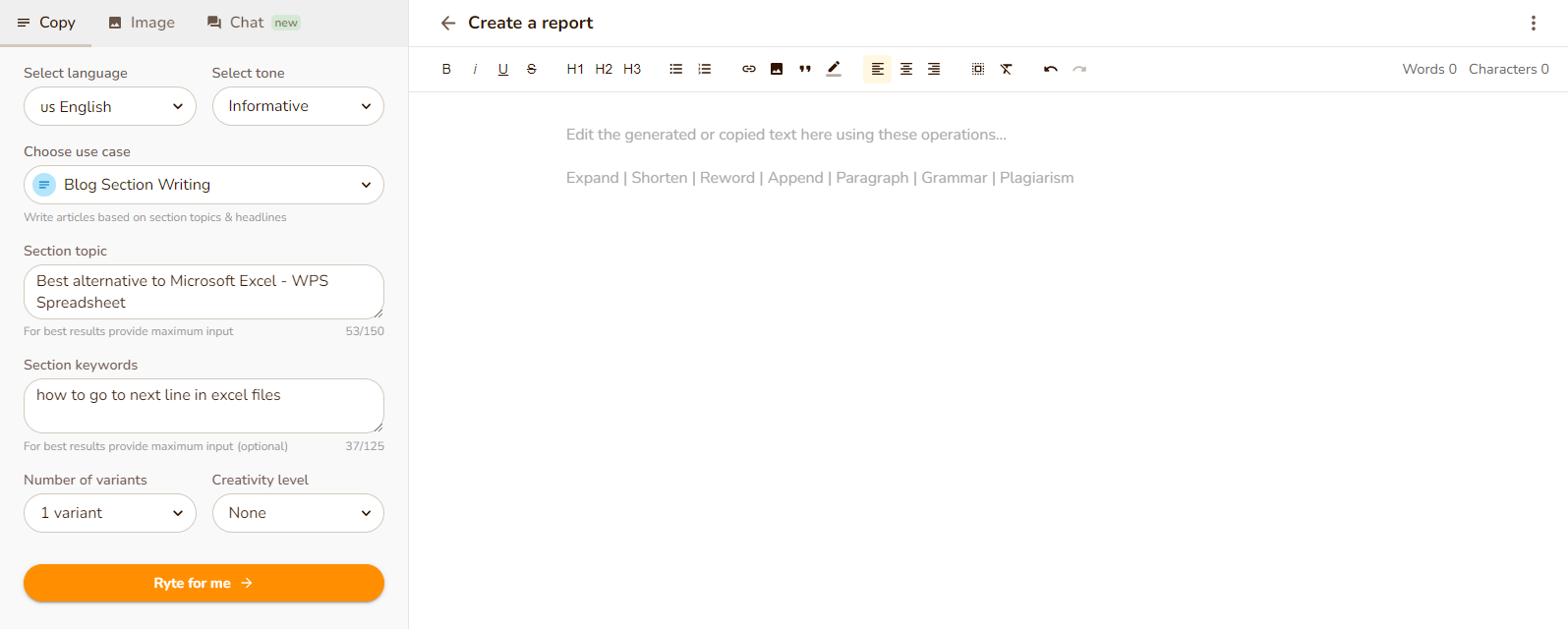
Users who want an inexpensive writing assistant with built-in grammar, plagiarism, and SEO support.
ContentBot targets content automation more than traditional report writing. I found it useful for scheduled publishing and WordPress workflows, but less intuitive when I needed a single, polished AI-generated report with clear headings and narrative flow.
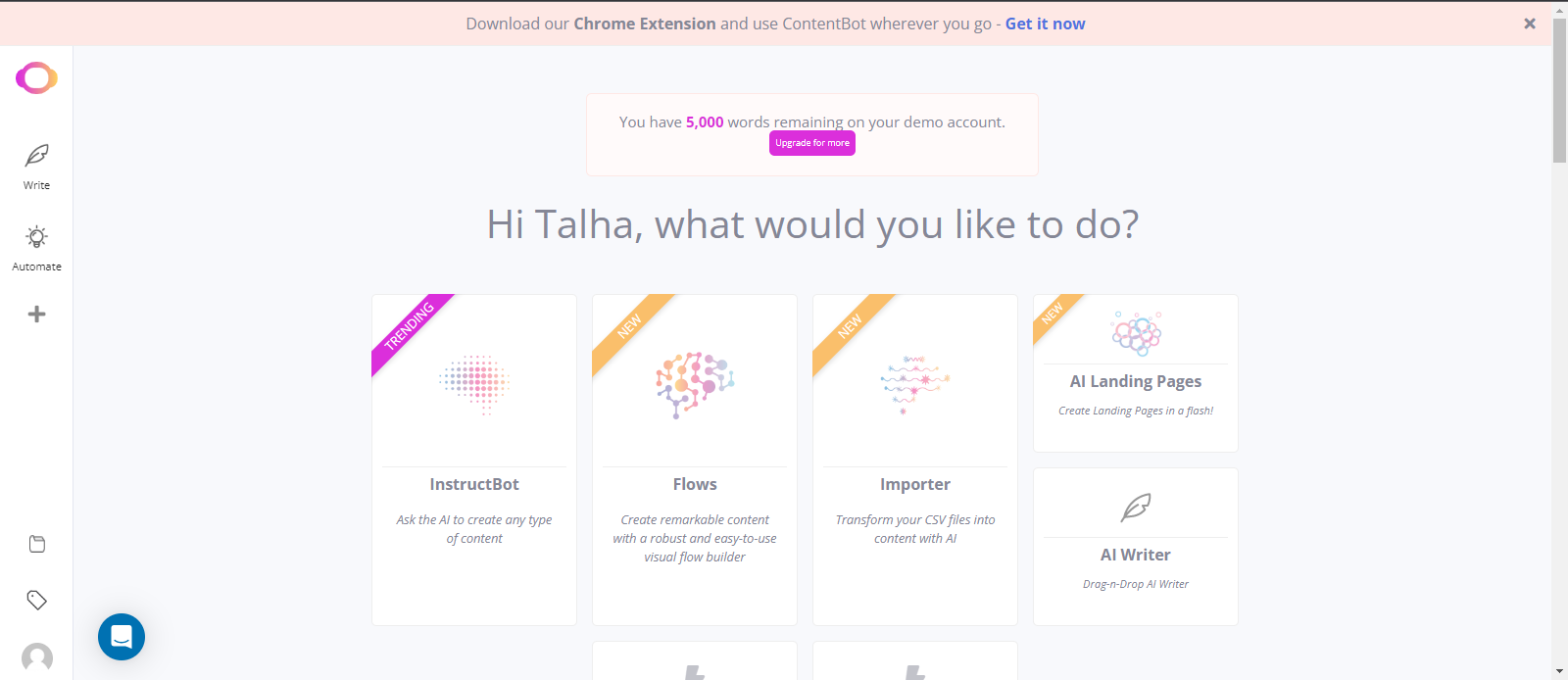
Teams that need AI-assisted content workflows, publishing automation, and WordPress support.
Frase shines when SEO research leads the project. I used it to build briefs and gather search-driven outlines before writing, which complements report work—but it is not a dedicated AI report writer for end-to-end drafting inside a document editor.

Writers who care most about topic research, SEO optimization, and search-driven content planning.
Cost mattered in my comparison because a free AI report writer only helps if you can actually finish and export the document. I noted which tools offer free tiers, where paid plans kick in, and whether you need separate office software on top.
| Tool | Pricing (my notes) | Free tier | Notes |
|---|---|---|---|
| WPS AI | Free Word, Excel, and PPT with no ads in my testing. | Yes | Best value as an all-in-one AI report writer plus office suite. |
| Copy.ai | Paid tiers felt steep for solo report projects. | Limited free tier for longer reports | Strong for marketing copy, weaker for long AI report writing. |
| Rytr | Among the lowest-cost options I tested. | Yes — good entry point | Solid budget AI report writer for shorter drafts. |
| ContentBot | Plan details vary by workflow tier. | Trial available | Better for automation than classic AI report writing. |
| Frase | Higher cost for frequent report use. | Limited for full reports | Best as an SEO research companion, not a primary AI report writer. |
This is the AI report writing workflow I use most often in WPS AI. Each step below matches the screenshots I captured during testing, so you can follow the same path from blank document to finished draft.
I start by opening a new Word document in WPS AI. If I already have source material, I sometimes run the AI summarizer first to pull key points from long reports or PDFs before drafting.
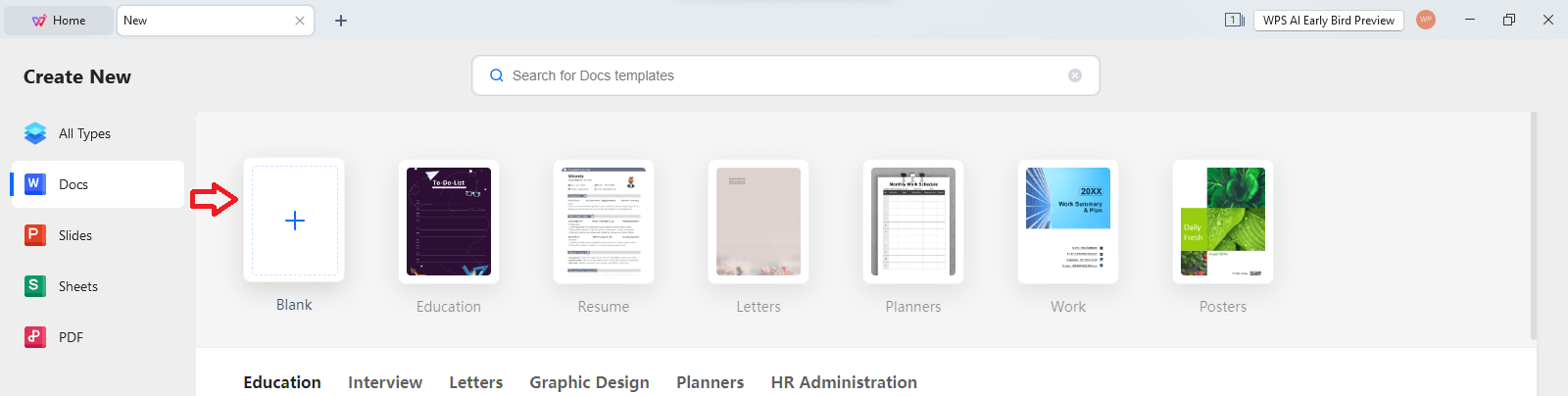
From the Home tab, I open the WPS AI panel—this is where I enter prompts for AI report generation without leaving the editor.
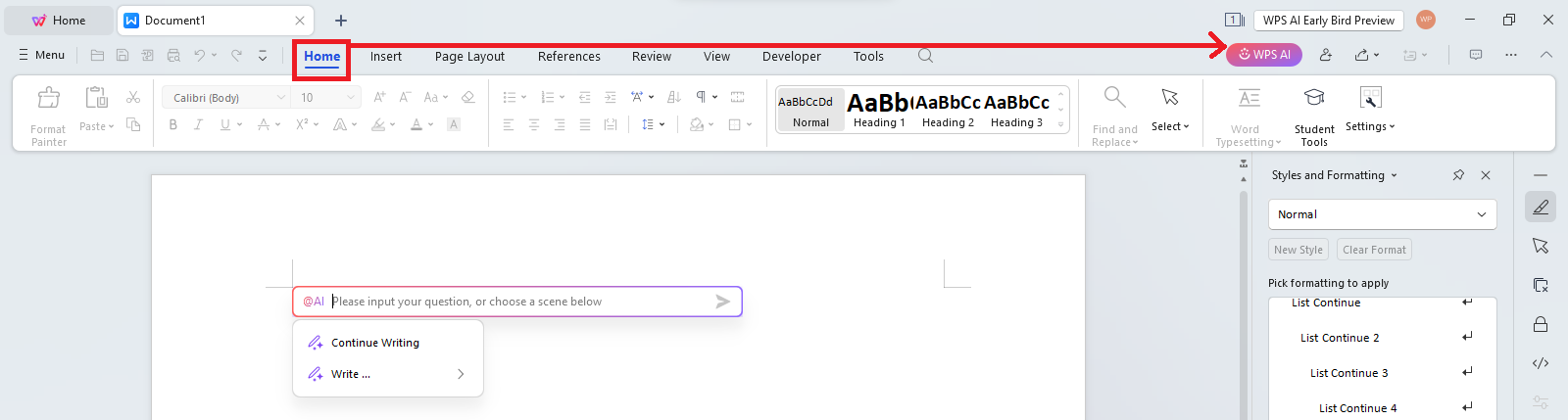
I write a specific prompt with topic, audience, and sections I need. Clear instructions produce a stronger first draft from the AI report writer.

Within seconds, WPS AI returns a structured report draft. I read through headings, data claims, and tone before accepting or requesting changes.

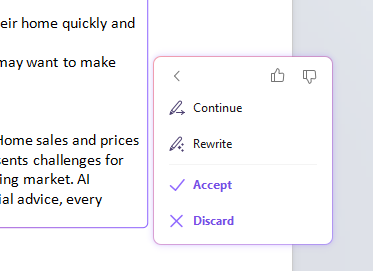
I use Continue for extra sections, Rewrite when a paragraph needs a different angle, Accept when it is ready, or Discard to start over—this is what makes WPS AI practical for real report writing, not just one-shot generation.
Copy any prompt below into your AI report writer to test structure and depth. I grouped examples from environmental and medical topics to market and sales reports—the same range I use when benchmarking tools in this review.
Write a detailed environmental report on the harmful effects of plastic trash on marine ecosystems and suggest remedies.
Write a detailed biographical report on professional footballers, covering early beginnings, youth academies, clubs, and national teams.
Write a report on insomnia, its effects on health and productivity, and methods for prevention, handling, and treatment.
Produce a thorough report on how inflation affects Pakistan socially and economically, plus ways to reduce the impact.
Create a comprehensive report on cancer prevention and well-being strategies including nutrition, activity, tobacco, alcohol, and sunlight exposure.
Investigate the social, economic, and psychological factors behind high divorce rates today.
Create an in-depth report on the social, economic, and health impacts of drug use, with diagnosis and treatment angles.
Create a market analysis report with demographic and psychographic information to help sell detergent in China.
Create a report on how Australia saved fresh water from wastage during the year 2022.
Create a report comparing pre-built computer sales in May with motherboard sales.
Straight answers from my side-by-side tests of five free AI report writers—focused on fit, quality, and cost, not a single brand pitch.
Every tool here can produce report text, but they split by workflow. Office-integrated writers led on long-form structure and in-document editing; Copy.ai and Rytr on speed and cost; Frase on SEO research; ContentBot on automation. For a single default when I need a full draft through export, I still land on the suite ranked #1 in Part 1—but your best pick should follow the use cases in the FAQ above.
If this comparison helped you choose an AI report writer, try WPS AI the way I do: install the suite, run a prompt from Part 3, and edit the draft in Word without switching tools. You get report generation, PDF support, summarization, and the rest of the office stack in one download.
