
DS-11 form filler · WPS AI Form Filler
DS-11 Form Filler for Form DS-11 PDF
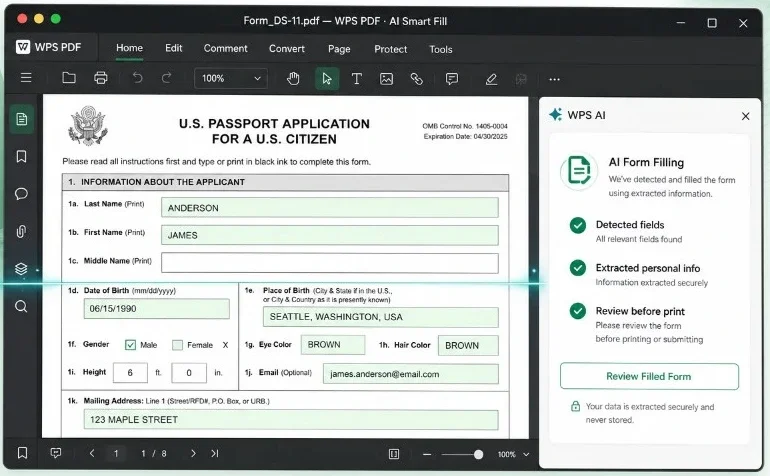
Need a DS-11 form filler for the official ds-11 form? Use WPS AI Form Filler to open Form DS-11, extract details from PDF / image / TXT or pasted text, map answers into matching fields, then review before you print for your appointment.
Recommended form filler
Fill the ds-11 form with WPS AI Form Filler
A dedicated DS-11 form filler should open the official PDF, type clean answers, and help you catch gaps before the acceptance facility. WPS AI Form Filler does that inside WPS PDF—extract from prepared sources, autofill matching fields, then let you confirm every value.
AI extract & fill
Paste notes or upload PDF / image / TXT—AI maps details into Form DS-11 fields.
AI Check before print
Spot empty required items, format issues, and inconsistent answers before you export.
Stay in WPS PDF
Edit, annotate, and export a print-ready DS-11 PDF without switching tools.
Explore the product page: WPS AI Form Filler → · PDF Filler →
How to fill
How to fill a DS-11 form with AI Form Filler
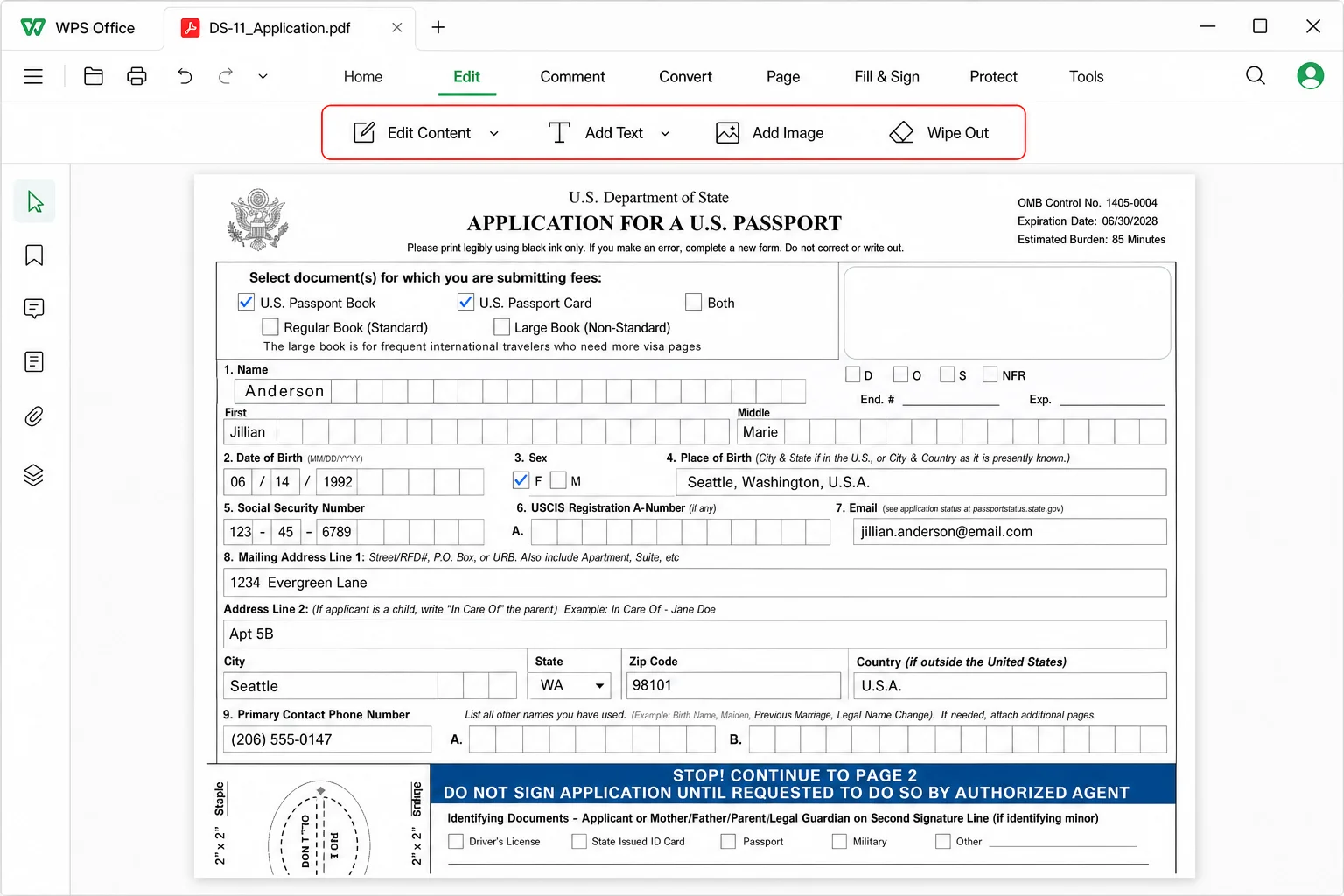
Use WPS AI Form Filler as your DS-11 form filler workflow: open the official PDF, fill fields (manually or with Extract & Fill), run a careful review, then export for the appointment. WPS prepares the document; you still submit through the official process.
1 · Open the official DS-11 PDF
Start from the file you will actually submit
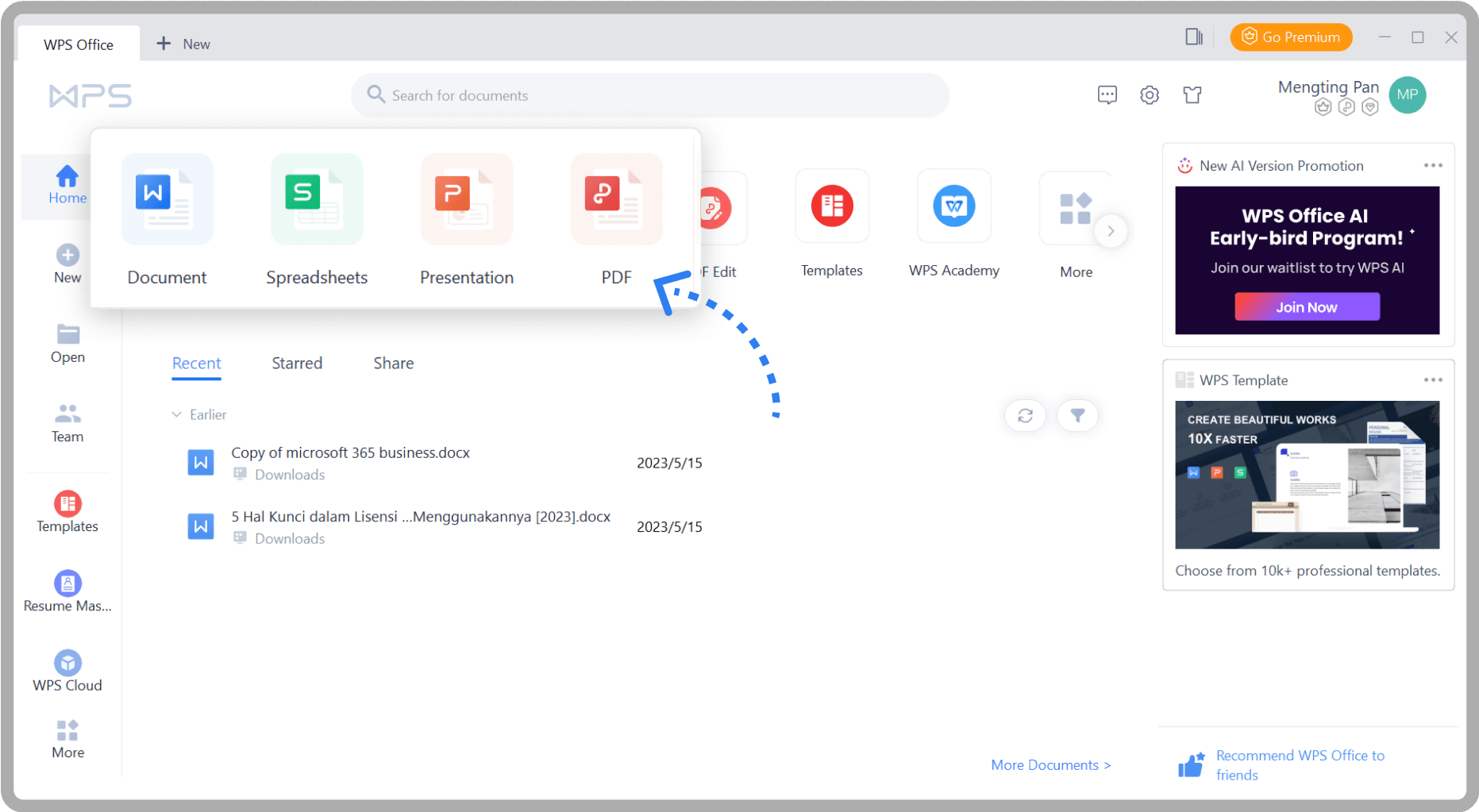
Download Form DS-11 from the official source, then open it in WPS PDF. Keep a clean working copy so you can fix typos without restarting from a blank form.
- Open the DS-11 PDF in WPS Office (PDF).
- Confirm you can see fillable fields / type on the form.
- Save a working copy before major edits.
Process · Official PDF → Open in WPS → Working copy
2 · Fill with AI Form Filler
Type once—or map prepared details automatically
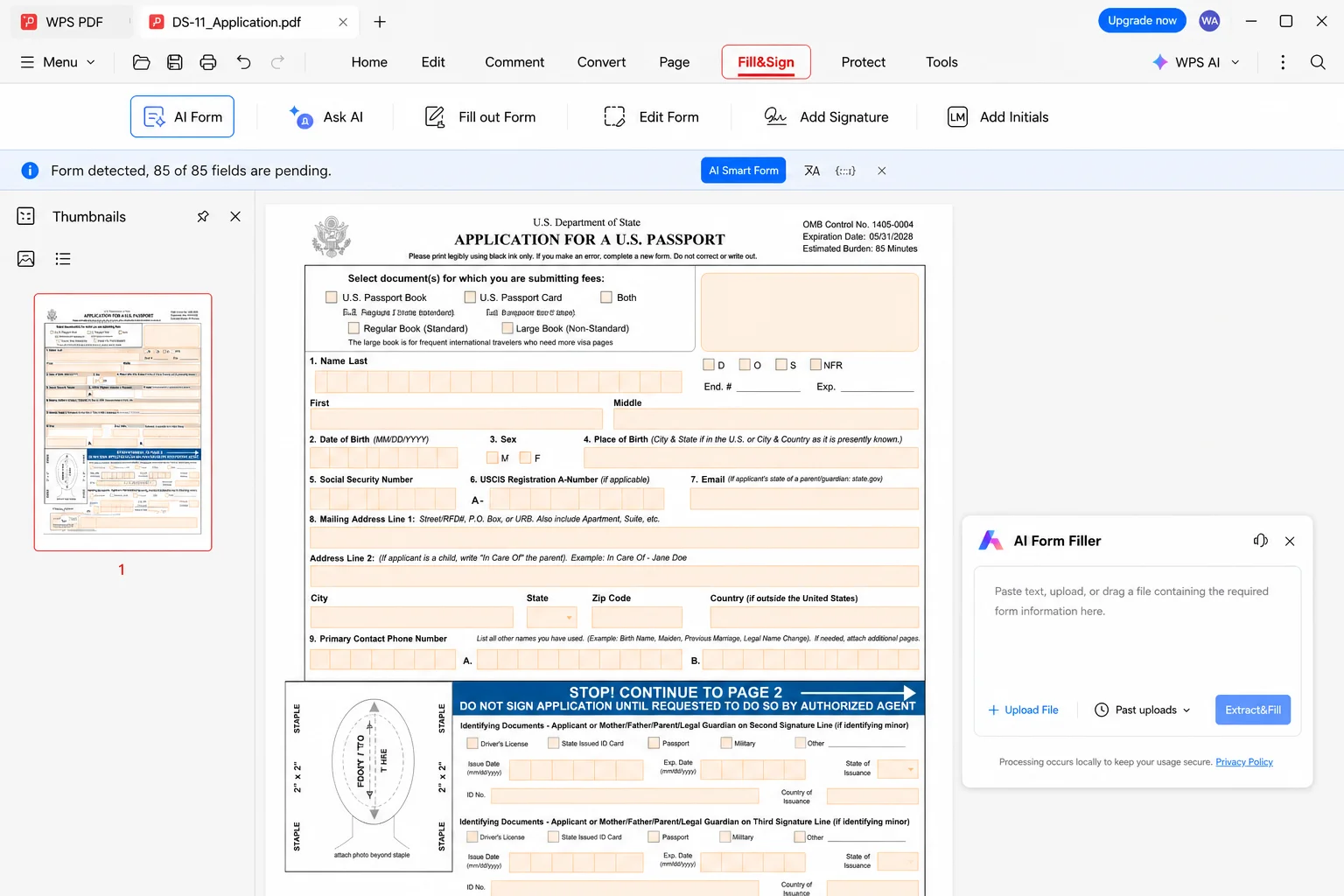
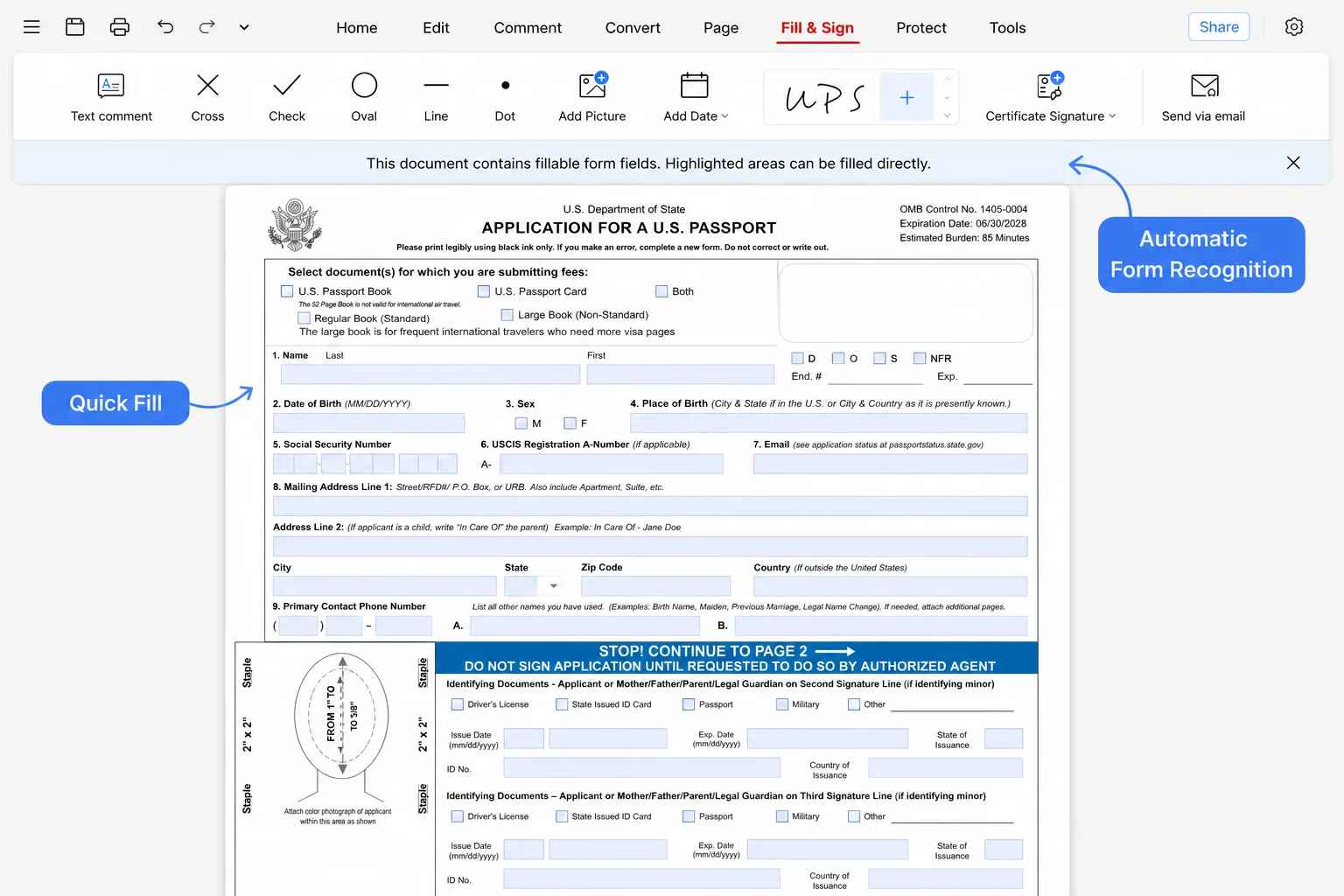
Use Fill & Sign for interactive fields. If you already have notes or a source file, AI Form Filler / Extract & Fill can place matching values into the DS-11 form faster.
- Enter personal, parent, and emergency contact blocks carefully.
- Optional: paste prepared info or upload PDF / image / TXT → Extract & Fill.
- Never invent data—use legal names and exact dates.
Process · Notes/source → Map fields → Typed DS-11
3 · AI Check & human review
Catch empty fields before you print
AI can speed entry; you own accuracy. Run AI Check, then walk the form section by section—especially name spelling, DOB, and parent/guardian blocks for minors.
- Flag blank required fields and format issues.
- Compare ID / birth evidence against typed values.
- Fix mismatches in WPS before printing.
Process · Autofill → AI Check → Human review
4 · Print / export for the appointment
Export a clean PDF, then follow official print rules
When the DS-11 form looks complete, export/print from WPS. Prefer the official single-sided black-and-white guidance unless the current instructions say otherwise.
- Export or print the final DS-11 PDF.
- Check margins and page count against official rules.
- Bring evidence, photo, and fees to the acceptance facility.
Process · Final PDF → Print → In-person submission
AI Check
AI Check for your DS-11 form filler workflow
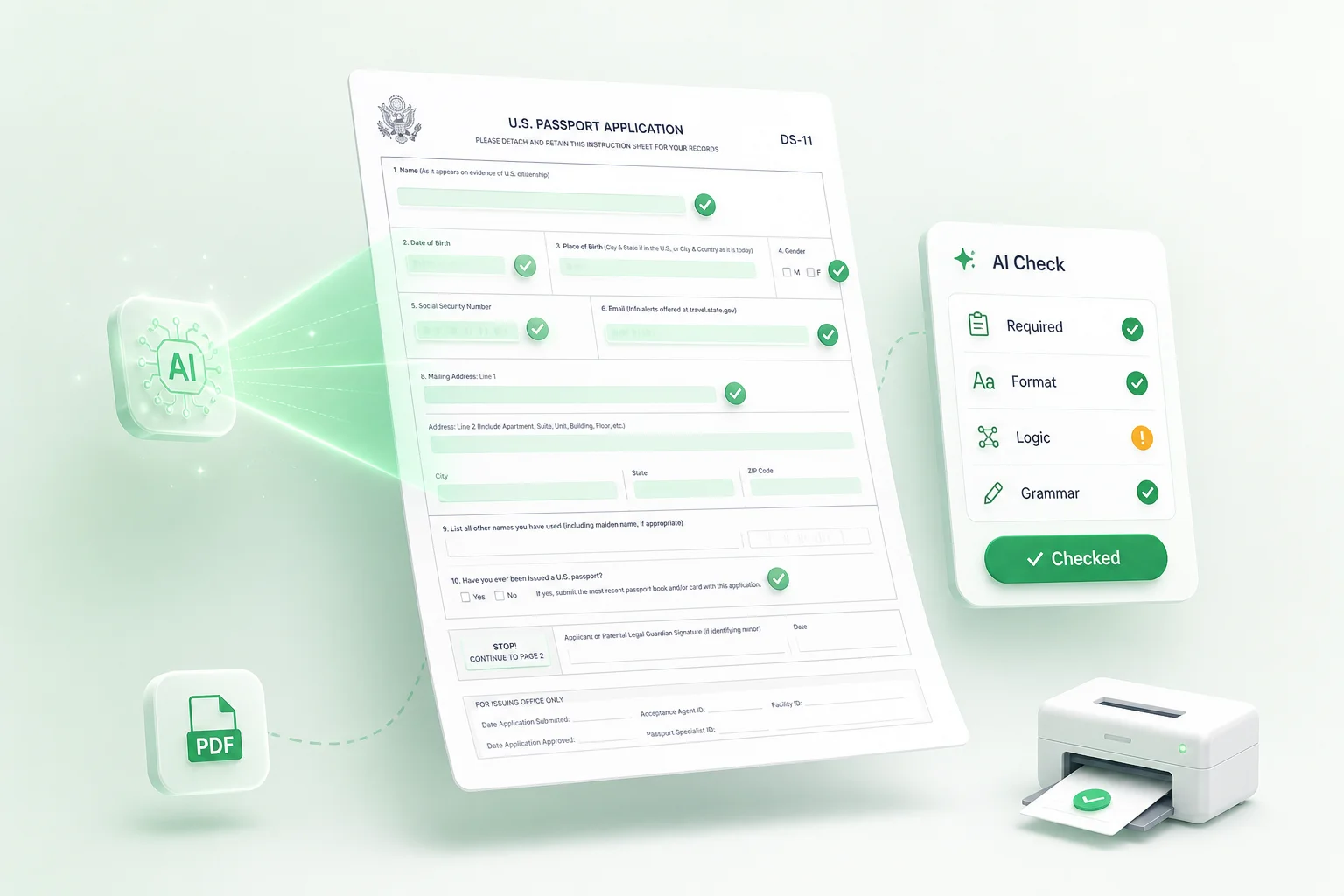
After AI Form Filler maps answers into Form DS-11, AI Check helps you validate the fill against the same prep loop applicants already follow—confirm the form, gather documents, complete every section, then print correctly—before you leave for the acceptance facility.
What AI Check looks for
One-click style review inside the DS-11 form filler flow—then you confirm against your evidence.
- Required-field check: flag empty must-fill boxes before print.
- Format check: dates, phones, emails, and ID-style values.
- Logic check: spot inconsistent names, ages, or mismatched answers.
- Grammar check: polish short written answers before export.
Fill loop + prep checklist (combined)
Use this as the human checklist that AI Check supports while you fill Form DS-11.
- 1Confirm DS-11 is correct — first-time applicants typically use Form DS-11; renewals may need another form.
- 2Collect supporting documents — citizenship proof, photo ID, passport photo, parental consent for minors, fees.
- 3Open the official DS-11 PDF — type in WPS AI Form Filler instead of handwriting.
- 4Complete every required section — personal, parent, emergency contact; don’t guess legal names or dates.
- 5AI Check, then print correctly — single-sided black-and-white full page unless official guidance differs.
- 6Visit the acceptance facility — bring printed DS-11, evidence, photo, and fees.
| Prep item | AI Check help |
|---|---|
| Official Form DS-11 PDF | Confirm fields look filled before export |
| Citizenship / ID details | Format + logic review vs typed values |
| Parent / minor blocks | Required-field gaps & name consistency |
| Print-ready PDF | Final pass after fixes, then print |
WPS PDF toolkit
WPS features that support filling Form DS-11
Beyond AI Form Filler, stay in the WPS PDF ecosystem to edit, convert, merge, and finish Fill & Sign workflows around your DS-11 packet.
AI Form Filler
Extract, autofill, and AI Check Form DS-11 fields inside WPS PDF.
OpenPDF Filler
Interactive Fill & Sign for text fields, checkboxes, and signatures.
OpenPDF Editor
Fix typos and layout when the form needs deeper edits.
OpenPDF Converter
Convert supporting scans between PDF and Office formats.
OpenPDF Merge
Combine personal copies of forms and evidence for your records.
OpenWPS PDF
All-in-one PDF workspace—fill, annotate, organize, and print.
OpenFAQ
FAQ for DS-11 form filler
Download
Use WPS AI Form Filler as your DS-11 form filler
Download WPS Office to fill Form DS-11 with AI Form Filler, run AI Check, edit mistakes, and export a print-ready PDF for your appointment.
Free Download WPS Office