Capture decisions
Minutes separate noise from commitments so teams don’t re-argue the same points next week.
Core elements · Writing guide · Free templates
Meeting minutes capture decisions, attendees, and action items so work doesn’t disappear after the call. Below: the core elements, a standard writing guide, free editable templates—then a WPS path to summarize and ship an action PPT.

Definition
Meeting minutes are the official written record of a meeting: who attended, what was discussed, what was decided, and which actions were assigned—with owners and due dates. Good minutes turn a conversation into a shareable source of truth.
Minutes separate noise from commitments so teams don’t re-argue the same points next week.
Every action item needs a name and a date—otherwise follow-up becomes optional.
Stakeholders who missed the call (or join later) can catch up from one document, not a chat dump.
Must-have fields
A complete set of meeting minutes should answer who, when, what was decided, and who does what next. Cover these elements whether you use a blank page or a free template.
Title/purpose, date, time, location or call link, and facilitator or minute-taker.
Who was present, who sent regrets, and any guests—so ownership and quorum stay clear.
List topics in order. Tie discussion notes to each agenda item instead of one long dump.
State approved choices in clear sentences: what was decided, and any conditions or votes.
Task + owner + due date (+ optional status). This is the section people re-open later.
Park unresolved issues so they don’t get lost—and schedule them for the next agenda.
Attach decks, docs, recordings, or prior minutes so context stays one click away.
Date/time (or “TBD”) and proposed topics so the loop continues without a new kickoff email.
Standard writing guide
Use this writing sequence for any standup, project sync, or steering meeting. Free editable templates below give you the structure; WPS tools later help you summarize and share.
Open last minutes + today’s agenda. Pre-fill header, attendees, and topic headings before the call starts.
Note decisions, risks, and action items under each agenda topic. Skip filler debate unless it changes the outcome.
Format: Action — Owner — Due date. Confirm names out loud before the meeting ends.
Within a few hours, tighten wording, merge duplicates, and add a short decisions summary at the top.
Send to attendees for corrections, lock the final version, store it with the project files, and pull action items into your tracker or action PPT.
Result of the steps above
After preparing from the agenda, capturing decisions and action items, then cleaning and confirming—you get a clear meeting minutes document like this, ready to send and archive.

Ready to edit
Skip inventing columns. Open an editable meeting minutes template below, fill the core elements from the guide above, then continue in the WPS workflow.
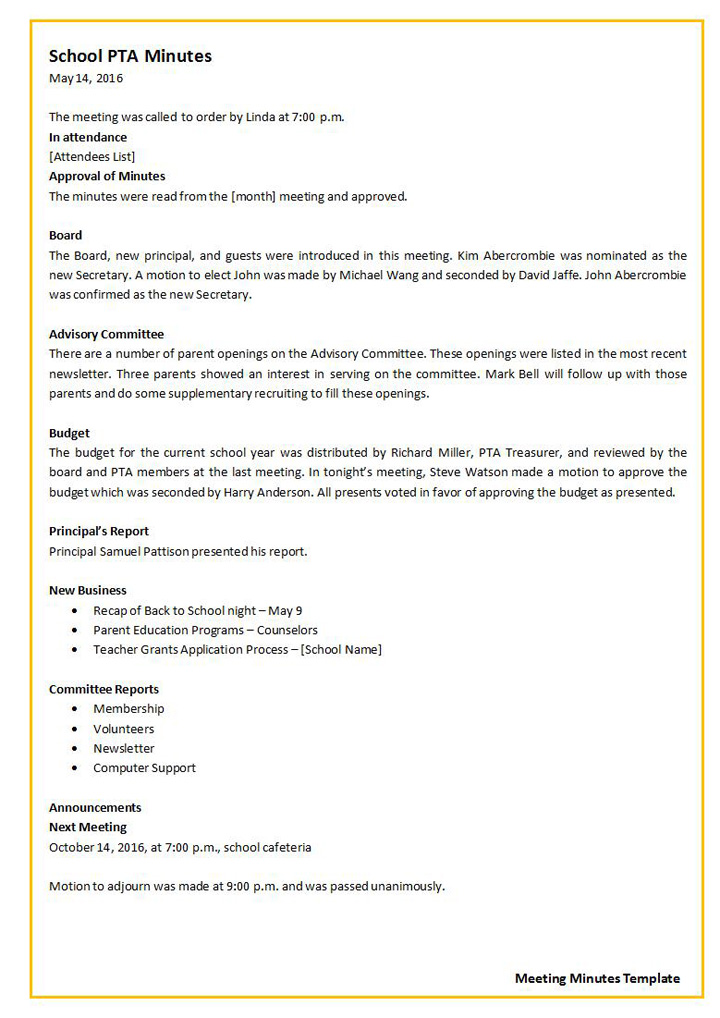 Classic
Editable · Open in WPS
Clean Word minutes layout for attendees, agenda topics, decisions, and follow-ups—ready to edit in WPS Writer.
Open template
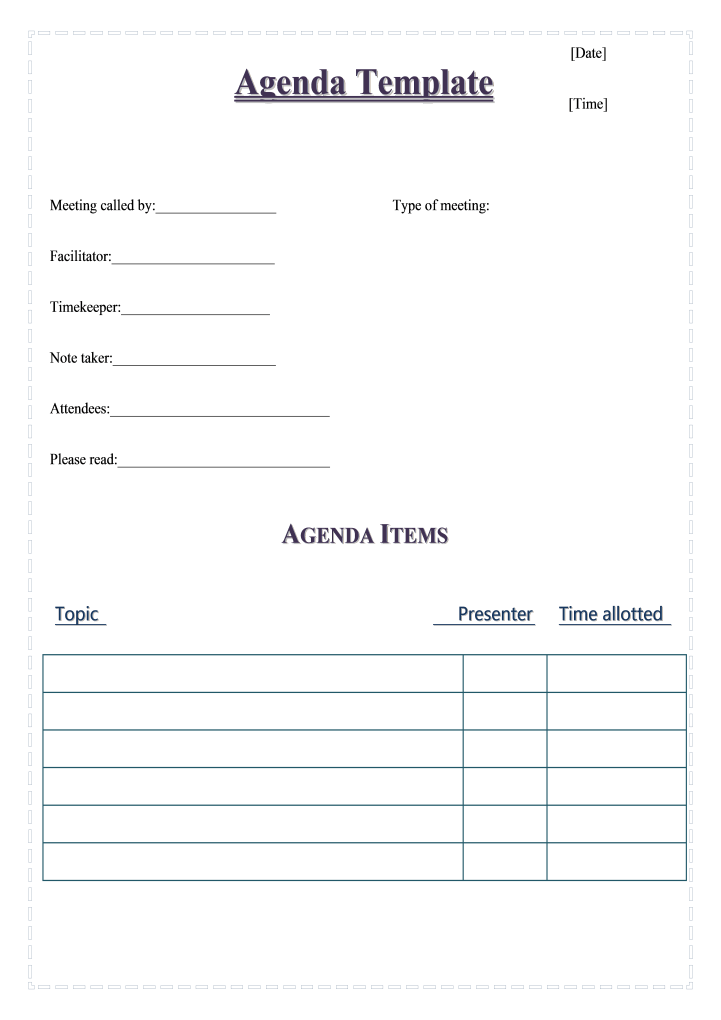 Agenda+
Editable · Open in WPS
Agenda + minutes in one doc so discussion topics stay aligned with what you record.
Open template
 Conference
Editable · Open in WPS
Conference-style minutes with a clear header block—good for steering and formal reviews.
Open template
 Formal
Editable · Open in WPS
Professional dark-blue conference minutes for leadership and cross-team syncs.
Open template
 Agenda
Editable · Open in WPS
Start before the call: timeboxed agenda topics you can paste into minutes later.
Open template
 Excel
Excel
Editable · Open in WPS
Spreadsheet tracker for project agendas, owners, and minute lines in one workbook.
Open template
Who it helps
You’ve covered what meeting minutes need and how to write them. These roles still need a fast loop from notes to owners to an action deck—what the WPS workflow below is built for.
Turn standups and steering meetings into clear owners, dates, and action slides.
Reuse a solid meeting minutes template and ship clean summaries faster.
Keep collaborative documents open so decisions don’t vanish after the call.
Translate minutes for international partners, then collect feedback with a form / poll.
Do it in WPS
Follow the WPS screen demos below: open a template, capture notes, summarize with AI, assign owners, collaborate in the cloud, then ship an action deck.
Before the call, open a meeting minutes template with topics, attendees, and timeboxes. Use WPS AI Writer to expand a rough agenda into a clean structure you can reuse weekly—so live meeting notes land in the right sections. See also WPS AI Office Copilot for in-doc prompting.

Process · Template → Fill agenda → Ready in WPS
After the meeting, run an AI summarizer / text summarizer on your notes or transcript paste. Pull out decisions, risks, and open questions—then keep the full notes for audit. AI speeds the first pass; you confirm what actually got agreed.

Process · Notes → AI summarize → Key decisions
Rewrite summary bullets into a to-do list with owners and due dates. Use AI to turn prose into numbered lists when notes are messy—then keep the list inside the same minutes doc so follow-up isn’t scattered across chat.

Process · Action table → Owners → Follow-ups
Share minutes via online documents / WPS Cloud so teammates can comment before the next standup. For international attendees, run a document translator pass. Optionally collect async votes with a form builder / poll maker after the meeting.

Process · Share → Comment → Align next steps
Feed the approved summary into an AI PPT maker to generate an editable stakeholder deck—decisions, owners, risks, and next steps. Edit slides for leadership reviews instead of rebuilding from a blank canvas.

Process · Select summary → AI PPT → Editable deck
Interactive check
Tap each item as you close the loop. Checks stay in this browser so you can continue later.
Why WPS
Built for PMs, admins, and team leads who need templates, AI summaries, collaboration, translation, forms, and action PPTs—without leaving the suite.

Draft minutes, summarize notes, comment in the cloud, translate for partners, and build an action deck without juggling five apps. WPS keeps the meeting workflow in one place—from agenda to follow-up.

WPS AI Writer helps you fill a reusable meeting minutes template—topics, attendees, and note sections—so live meeting notes land in a structure your team already recognizes.

An AI summarizer / text summarizer turns a wall of notes into decisions, risks, and open questions—so PMs and admins brief stakeholders faster without rereading everything.

Share minutes in online documents so teammates comment, resolve questions, and lock owners asynchronously. Real collaborative documents cut status meetings and keep decisions visible.

Feed the approved summary into an AI PPT maker and get an editable action report—decisions, owners, next steps—ready for leadership reviews in a fraction of the time.

Use a document translator for cross-border teams, then a form builder / poll maker for post-meeting votes—optional extras that stay inside the same WPS toolkit.
Try the workflow
Template → summarize → assign → collaborate → action PPT—without leaving the suite.
Real user reviews
Quotes published on WPS feature pages for AI Writer, AI Summarizer, AI PPT Maker, and related tools used in meeting follow-up.
“Drafting job descriptions and internal memos is so much faster now. The AI writer helps me maintain a professional tone and ensures all my communications are clear and concise.”
Linda Chen · HR Manager
“I analyze long industry reports daily. WPS AI summarizes PDFs into key takeaways, allowing me to spot trends faster and keep my stakeholders informed.”
Maria R. · Market Analyst
“WPS AI PPT creator is a game-changer for client updates. I can create a professional deck in 10 minutes instead of 2 hours. It's the best AI presentation maker I've used.”
Emma L. · Project Manager
“Translating contracts is a critical task. The WPS AI Translator is not only fast but also maintains the formatting, which is a huge time-saver. The accuracy is remarkable for legal terminology.”
Maria S. · Legal Consultant
“I use it to create quizzes and surveys for my students. This survey form creator saves me a ton of time on collecting feedback. Highly recommended!”
Michael R. · Teacher
FAQ
Get started
Agenda template, AI summary, action items, cloud comments, and action PPT—in one place.
Free DownloadWindows · Free to start