Unable to edit a locked Word document
After the document is protected, most of the function keys are grayed out and we cannot do anything about the document.
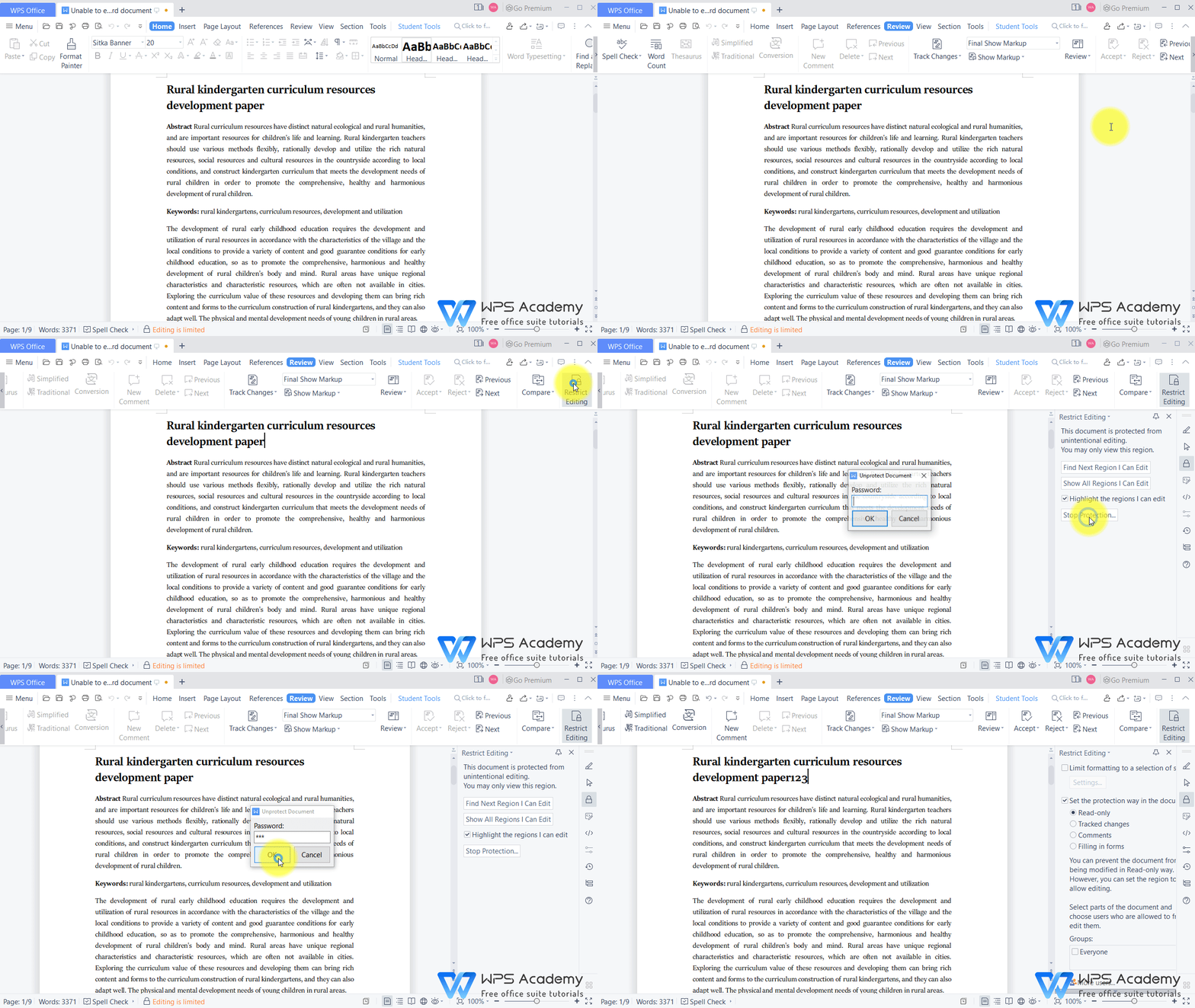
· Option 1:
1. Click the Review tab and the Restrict Editing button.
2. In the pop-up Restrict Editing interface, click the Stop Protection button. Then, the Unprotect Document dialog will pop up.
3. We enter the password and click the OK button.
4. Now, we can edit the document.
· Option 2:
1. Click Editing is limited at the bottom of the page.
2. In the pop-up Restrict Editing interface, click the Stop Protection button. Then, the Unprotect Document dialog will pop up.
3. We enter the password and click the OK button.
4. Now, we can edit the document.

To be office word advanced, you could learn how to use WPS Office Writer online in WPS Academy.



15 years of office industry experience, tech lover and copywriter. Follow me for product reviews, comparisons, and recommendations for new apps and software.


