Keep files on your device
Local Save As does not send payroll, CRM exports, or student lists to a random upload box.
Turn Excel workbooks into CSV files with WPS Spreadsheets. Open the sheet on your device, clean the data if you need to, then Save As CSV. Free download. No browser upload required.
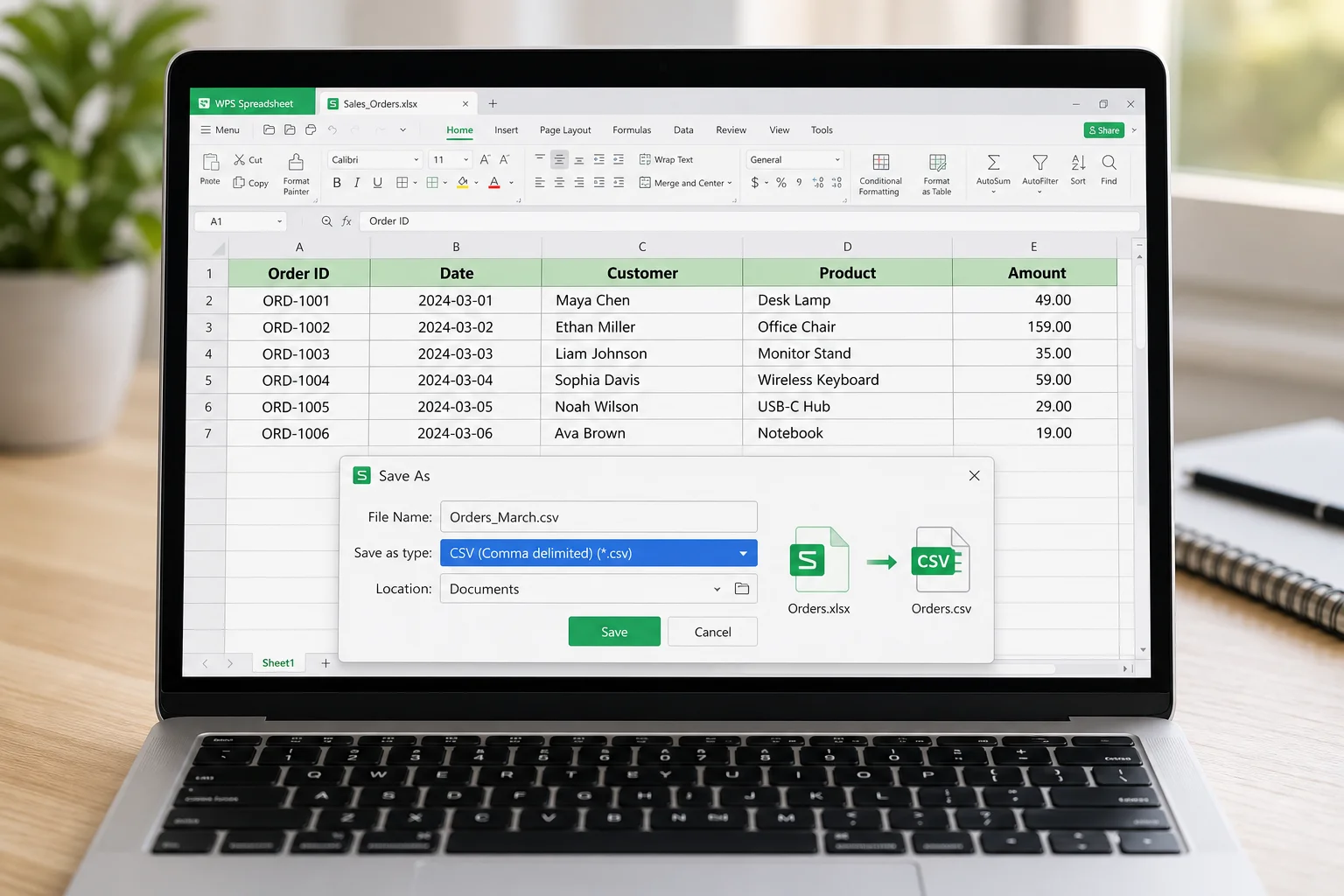
Browser converters are fine for tiny public files. WPS is better when the sheet is large, private, or still needs cleanup before export.
Local Save As does not send payroll, CRM exports, or student lists to a random upload box.
Sort, filter, delete helper columns, then export. One app for prep and CSV output.
Open XLSX, export CSV, reopen later as a spreadsheet, or move data into Writer and PDF tools.
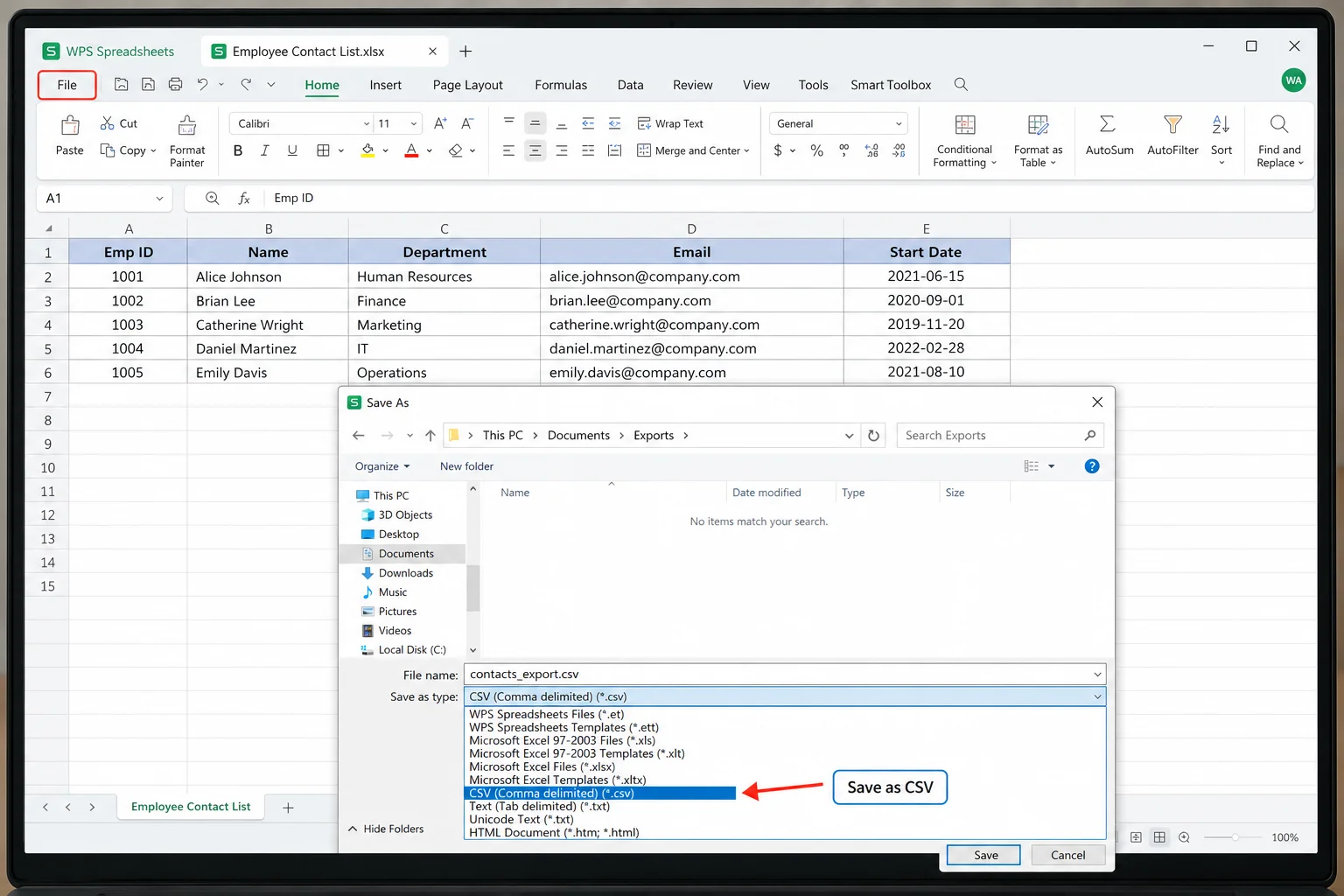
WPS Spreadsheets opens common Excel formats, then lets you export the active sheet as CSV. That is the standard, reliable path teams already use for imports and data exchange.
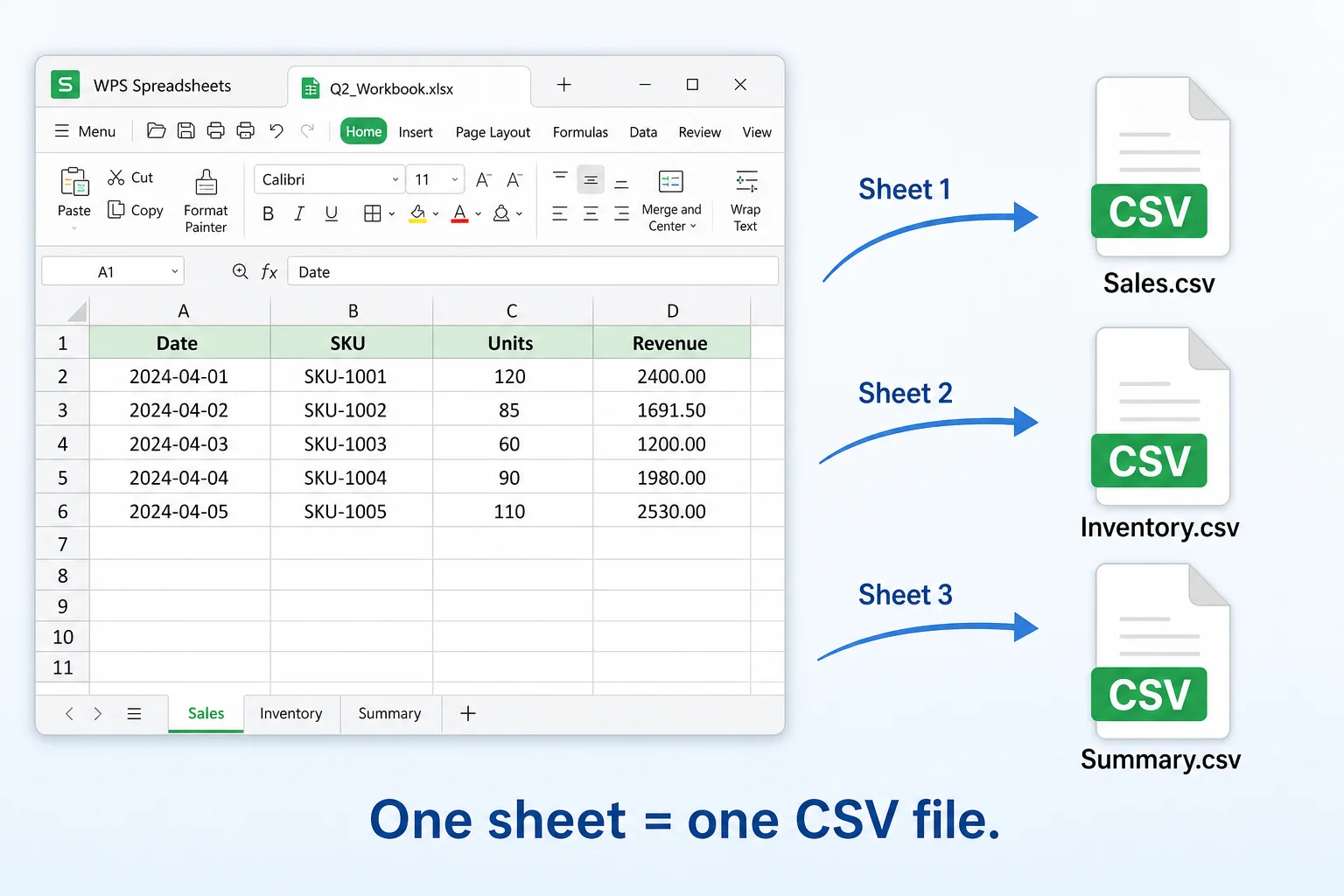
CSV is a single table of values. If your workbook has Sales, Inventory, and Summary tabs, export each sheet you need as its own CSV. That matches how most import tools expect data.
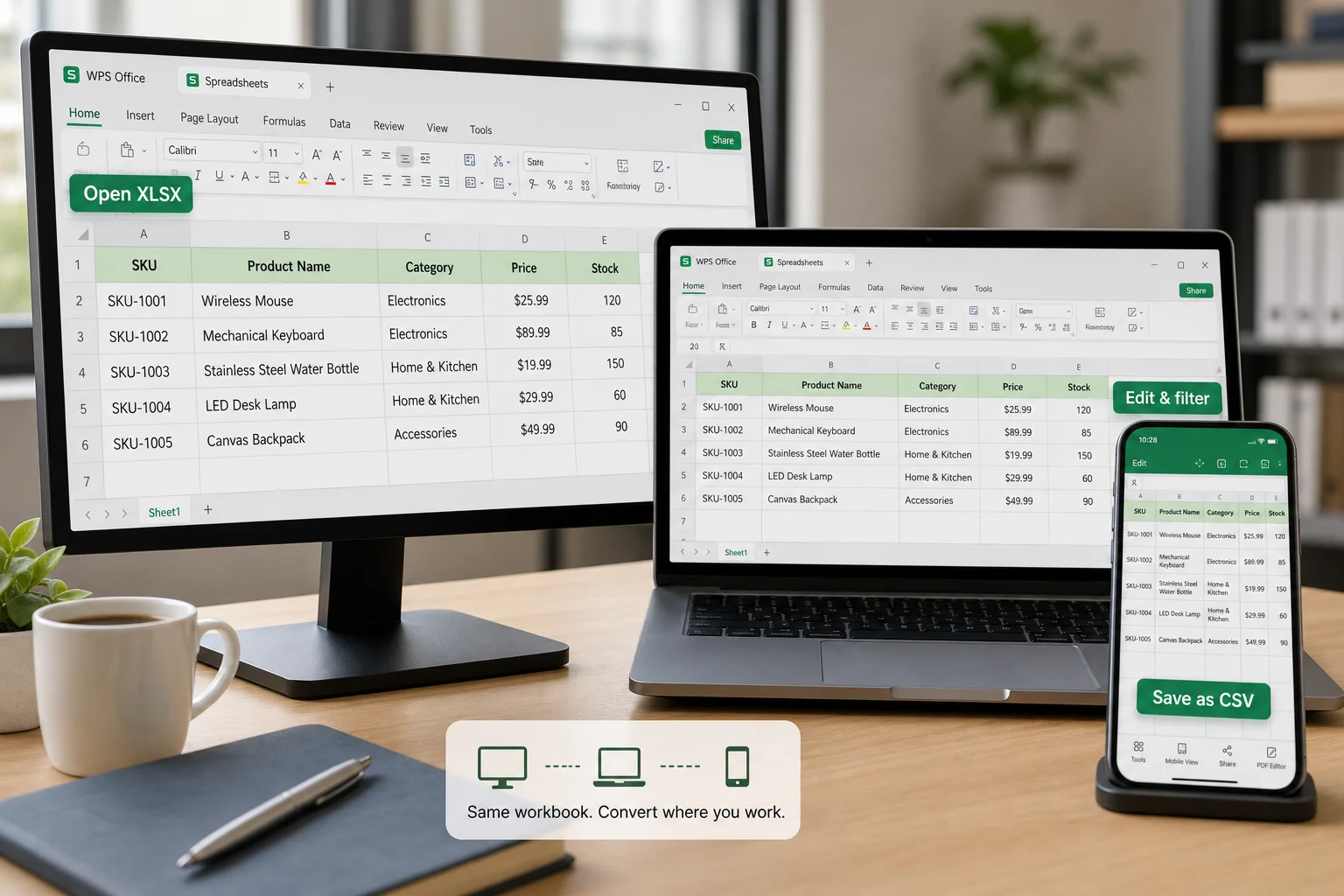
Install WPS Office on the device where your Excel files already live. Convert on a Windows PC at work, finish a quick export on Mac, or open sheets on mobile when you need a fast check.
Three steps. Usually under two minutes once WPS is installed.
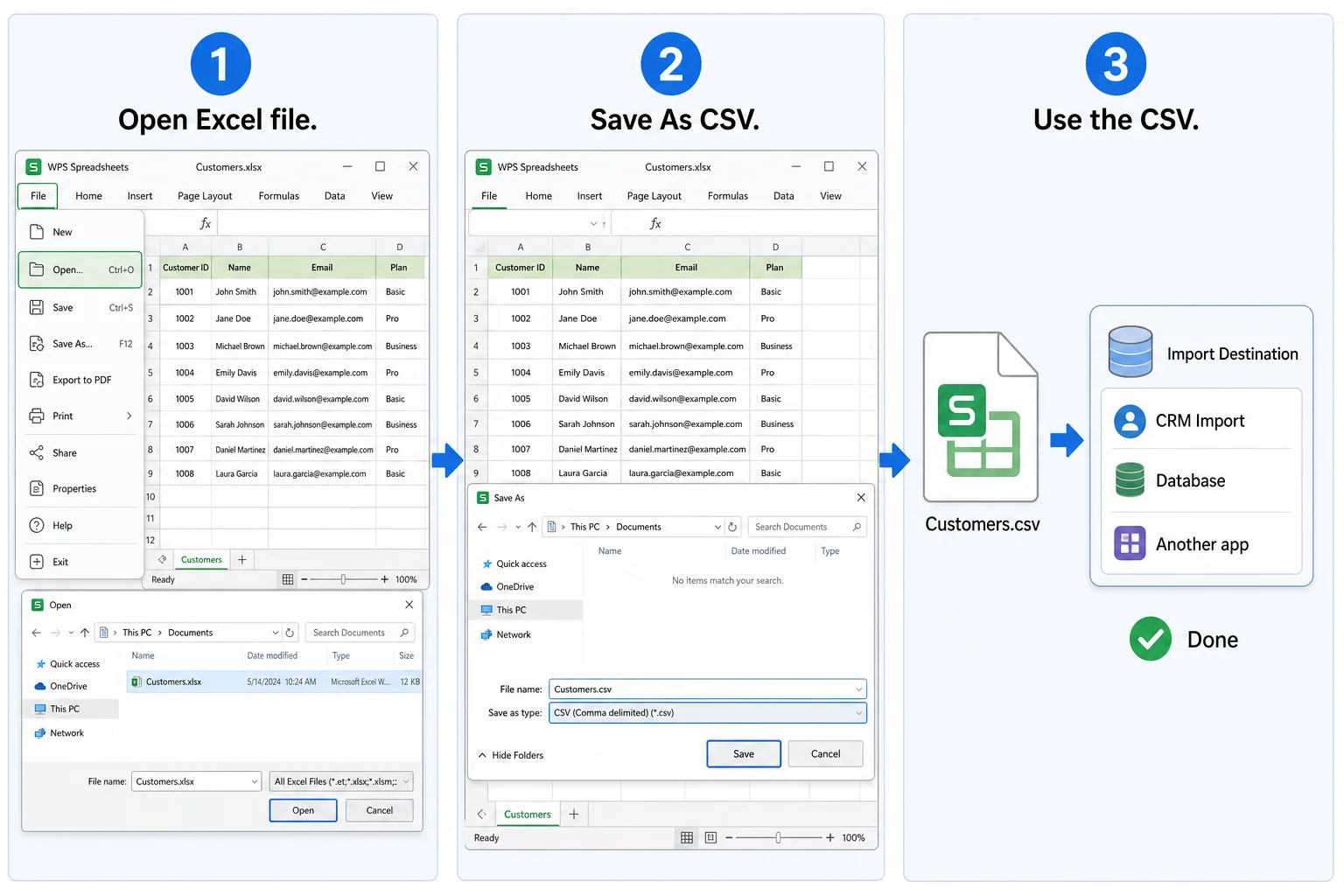
Launch WPS Spreadsheets and open the .xlsx or .xls workbook. Or double-click the file if WPS is your default spreadsheet app.
Select the sheet you want, open File > Save As, choose CSV, pick a folder, and save. Repeat for other sheets if needed.
Upload the CSV to your target system, share it, or open it again in WPS Spreadsheets. To rebuild a full workbook later, save as XLSX.
Pick the path that matches file size, privacy, and whether you still need to edit first.
| Need | WPS Spreadsheets | Browser “no install” converters |
|---|---|---|
| Private or sensitive sheets | Convert offline on your device | Usually requires upload to a website |
| Edit before export | Full spreadsheet editing, then Save As CSV | Often convert only; limited cleanup |
| Large workbooks | Open locally and export the sheet you need | May hit upload size or timeout limits |
| Ongoing Office work | Same suite for Writer, PDF, and spreadsheets | One-off conversion page |
| Quick public sample file | Works, but install first | Can be faster for a tiny one-time file |
Straight answers people ask before they convert a workbook.
Download WPS Office for free, open your XLSX or XLS file in WPS Spreadsheets, then use File > Save As and choose CSV. You do not need to upload the workbook to a website.
No. CSV stores one flat table. Export each sheet you need as its own CSV. That is normal CSV behavior, not a WPS quirk.
CSV keeps values as text. Formulas are saved as calculated results. Colors, merged cells, charts, and macros are not stored in CSV. Keep the original XLSX if you still need those.
Local Save As stays on your device. Use that path for payroll, customer lists, and other sensitive sheets instead of browser upload converters.
Yes. Open the CSV in WPS Spreadsheets and save as XLSX. See CSV to Excel for the reverse workflow.
XLSX supports multiple sheets, formulas, and formatting. CSV is a simple text table for imports and data exchange. Convert to CSV when another system asks for a flat file.
Stay inside WPS when your next step is viewing, editing online, or converting the other way.
Install WPS Spreadsheets, open your workbook, and Save As CSV without uploading sensitive data to a converter site.