Free Al Office Suite with PDF Editor

Edit Word, Excel, and PPT for FREE.
Read, edit, and convert PDFs with the powerful PDF toolkit.
Microsoft-like interface, easy to use.
Windows • MacOS • Linux • iOS • Android

Catalog
AI Image Extender: How to Expand Image Borders Intelligently with WPS
Users often need to extend photos beyond their original borders—whether for fitting images into specific layout formats, creating panoramic effects, or adjusting compositions without cropping content. Professional AI-based image extension tools typically require separate software subscriptions, complex workflows, or technical expertise. A built-in, accessible solution would help users expand images efficiently without additional costs or steep learning curves.
How to Use AI Image Extender in WPS Photos?
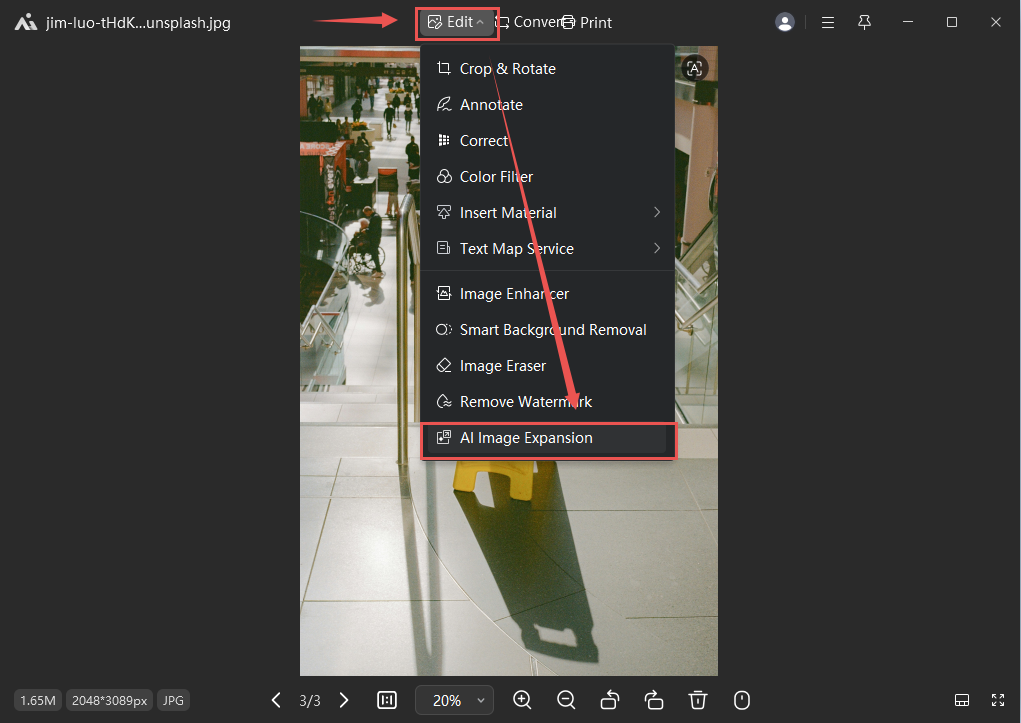
Step 1: Access AI Image Expansion
Open your image in WPS Photos, select Edit, and choose AI Image Expansion from the editing options.
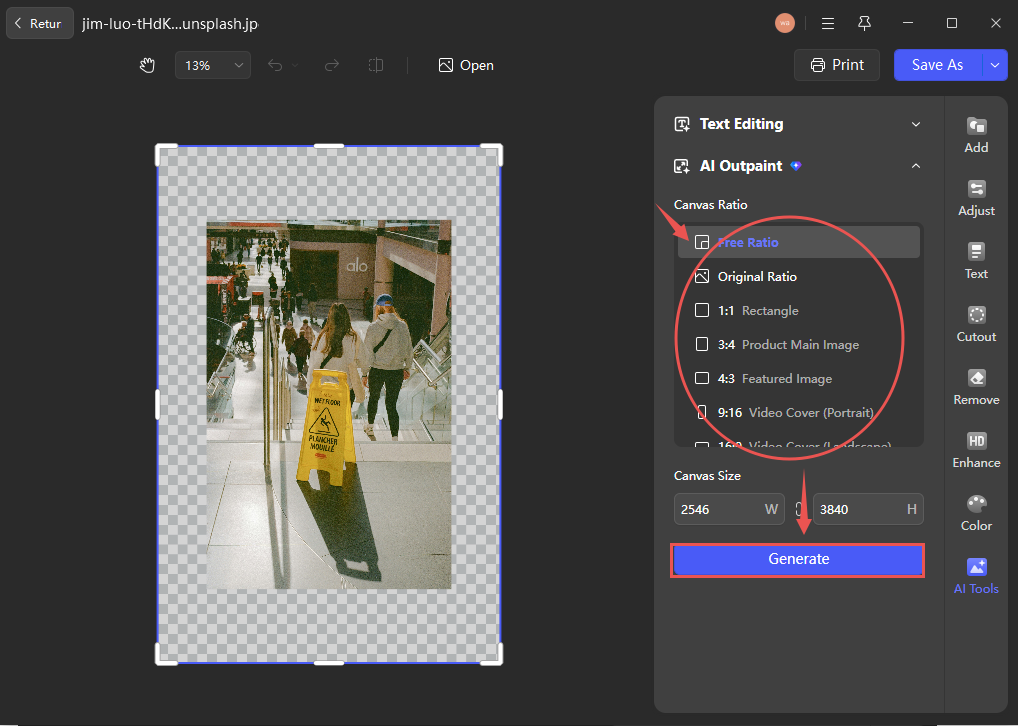
Step 2: Configure Expansion Settings
In the right-hand toolbar, adjust parameters such as expansion size and direction, then click Generate to preview the AI-extended result.
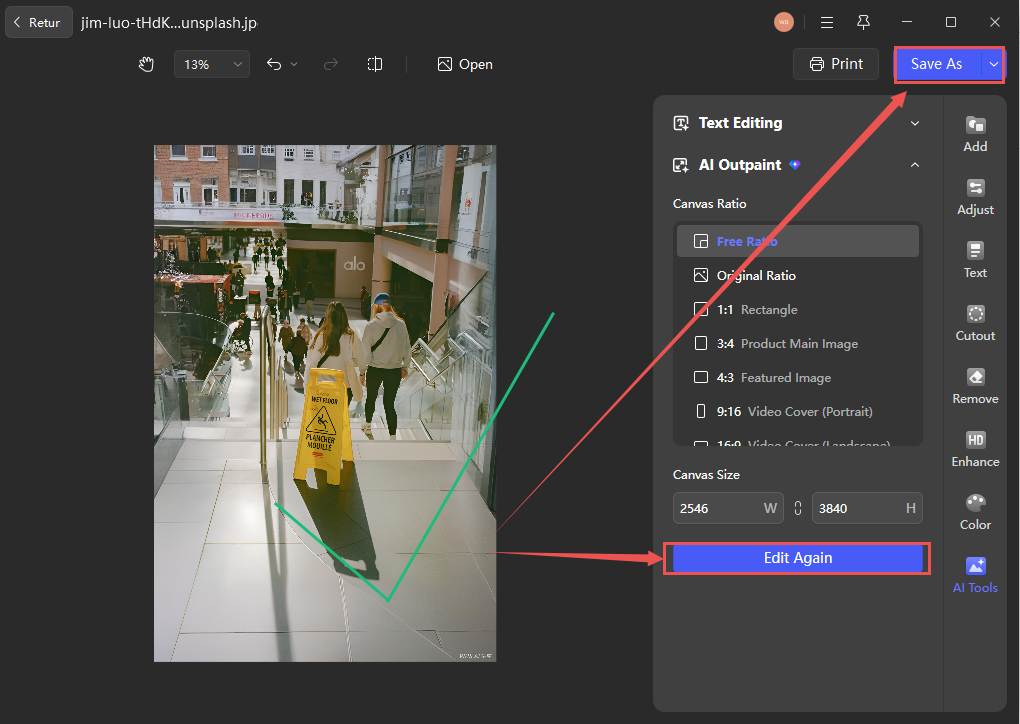
Step 3: Refine and Save
If unsatisfied with the initial result, select Edit Again to adjust settings. Once satisfied, click Save As to export the image in your preferred format.
Conclusion
Unlike standalone AI image expansion tools that require separate software or complex manual adjustments, WPS integrates this capability directly into its photo editor—allowing users to intelligently extend images with contextual awareness, preserving visual consistency and eliminating the need for external applications or multi-step workflows.



15 years of office industry experience, tech lover and copywriter. Follow me for product reviews, comparisons, and recommendations for new apps and software.


