Free Al Office Suite with PDF Editor

Edit Word, Excel, and PPT for FREE.
Read, edit, and convert PDFs with the powerful PDF toolkit.
Microsoft-like interface, easy to use.
Windows • MacOS • Linux • iOS • Android

Catalog
AI Summarizer: How to Summarize Full Documents in WPS
Office users and students often face long reports, papers, or contracts but have limited time to read every page; manually scanning or retyping key points is inefficient and error-prone. An integrated ai summarizer helps quickly surface the document’s main ideas so users can decide whether to read in full or act on the content.
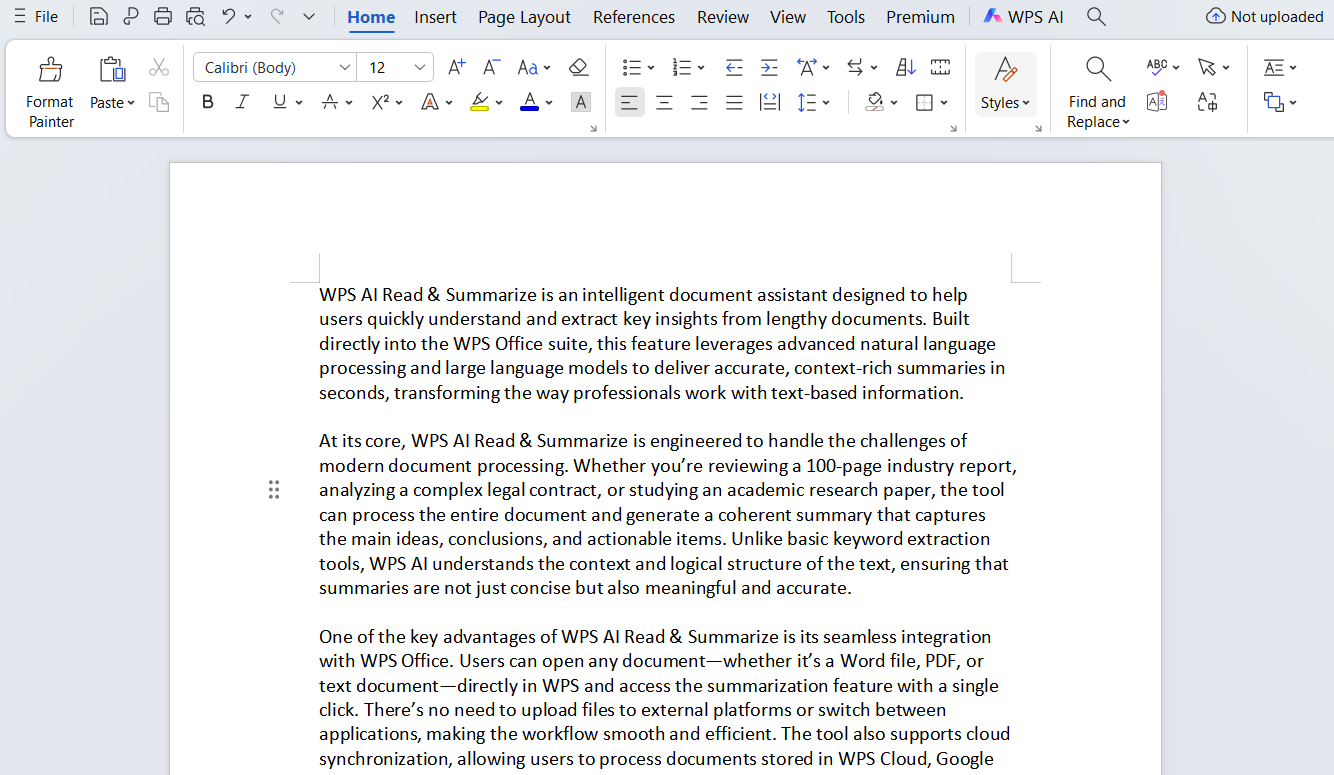
Step 1: Prepare Your Document
Launch WPS Office and open the file you want to summarize, such as a report, academic paper or contract.
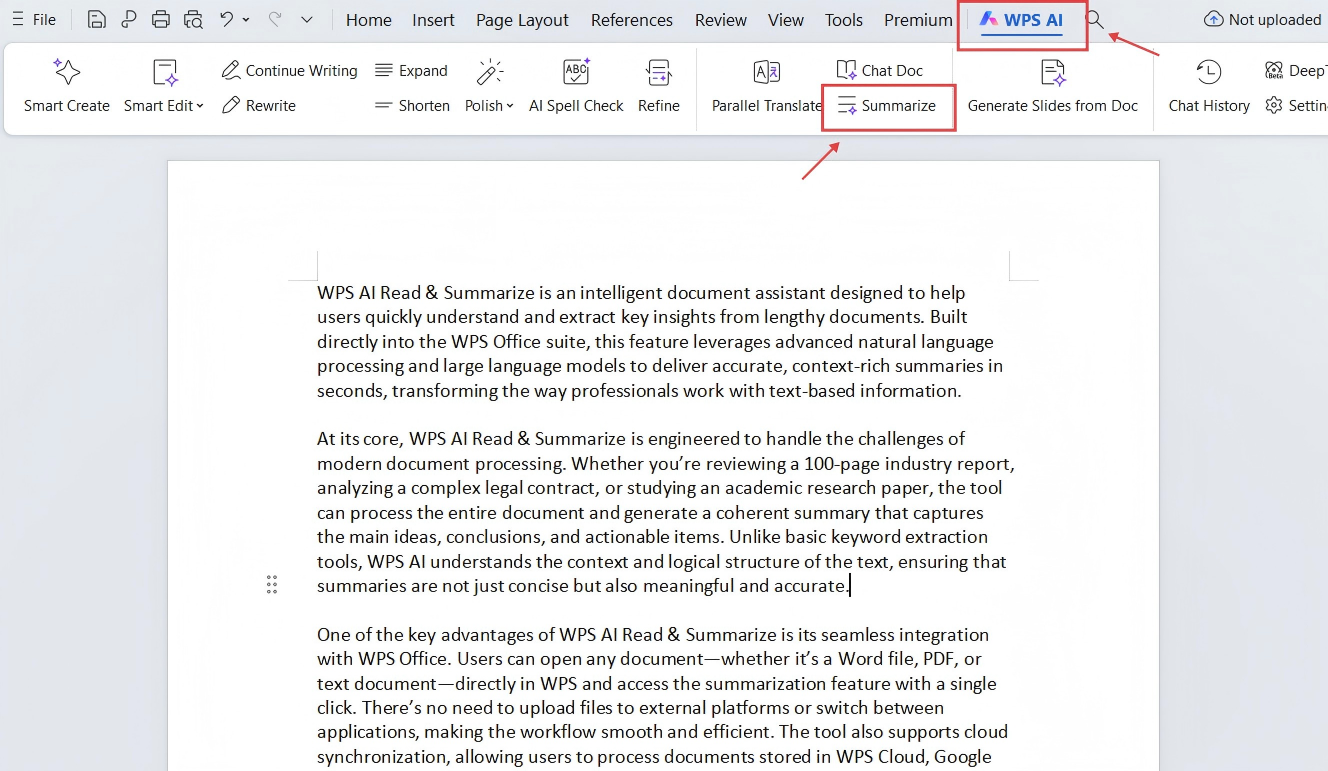
Step 2: Access AI Tools
In the navigation toolbar, click WPS AI to open the AI tool panel. Then click Summarize in the bottom section to generate an AI summary of the entire document.
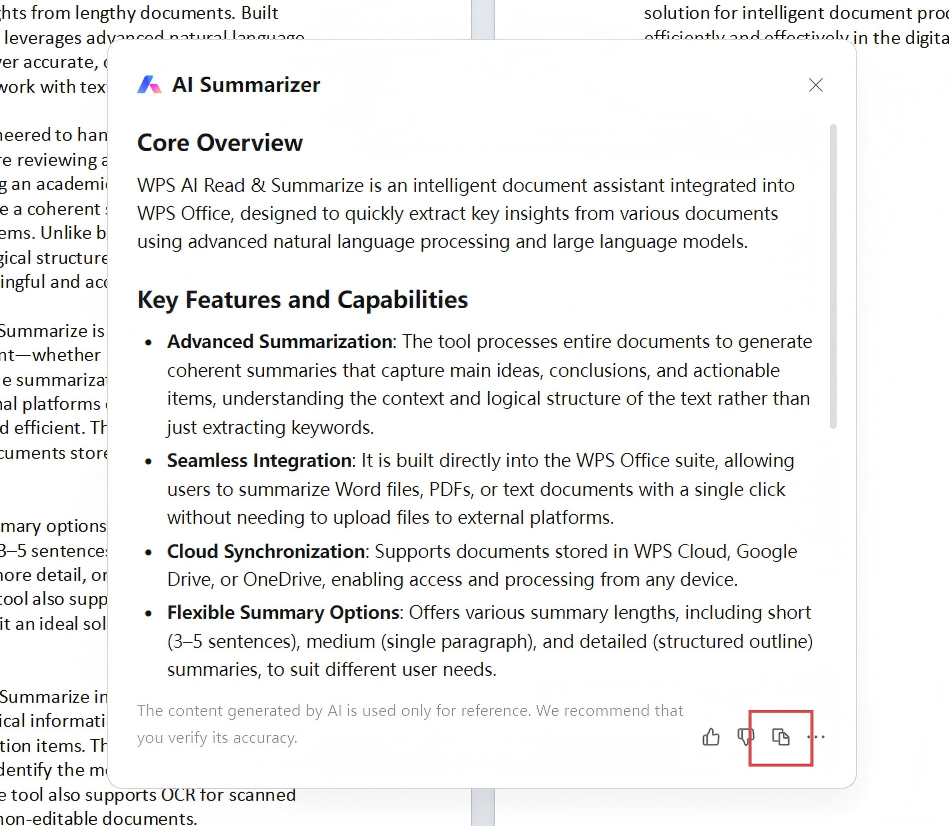
Step 3: Review and Apply AI Suggestions
Once the summary is generated, click copy icon to resume it in notes, outlines, or briefs.
Why WPS?
Unlike standalone text summarizer tools that require uploading files or switching platforms, WPS integrates the AI summarizer directly into the document editor. Users can generate full-document summaries in place and reuse the results immediately, without disrupting formatting or workflow.



15 years of office industry experience, tech lover and copywriter. Follow me for product reviews, comparisons, and recommendations for new apps and software.


