Free Al Office Suite with PDF Editor

Edit Word, Excel, and PPT for FREE.
Read, edit, and convert PDFs with the powerful PDF toolkit.
Microsoft-like interface, easy to use.
Windows • MacOS • Linux • iOS • Android

Back Up File: Configuring Automated Document Protection
In today's digital work environment, documents are vulnerable to multiple risks including hardware failure, accidental deletion, sync conflicts, and version control issues. Manual backup methods often prove inconsistent and time-consuming, while traditional cloud storage may lack intelligent organization and version tracking capabilities. A reliable, automated backup system is essential for maintaining work continuity and data integrity.
How to Configure Backup
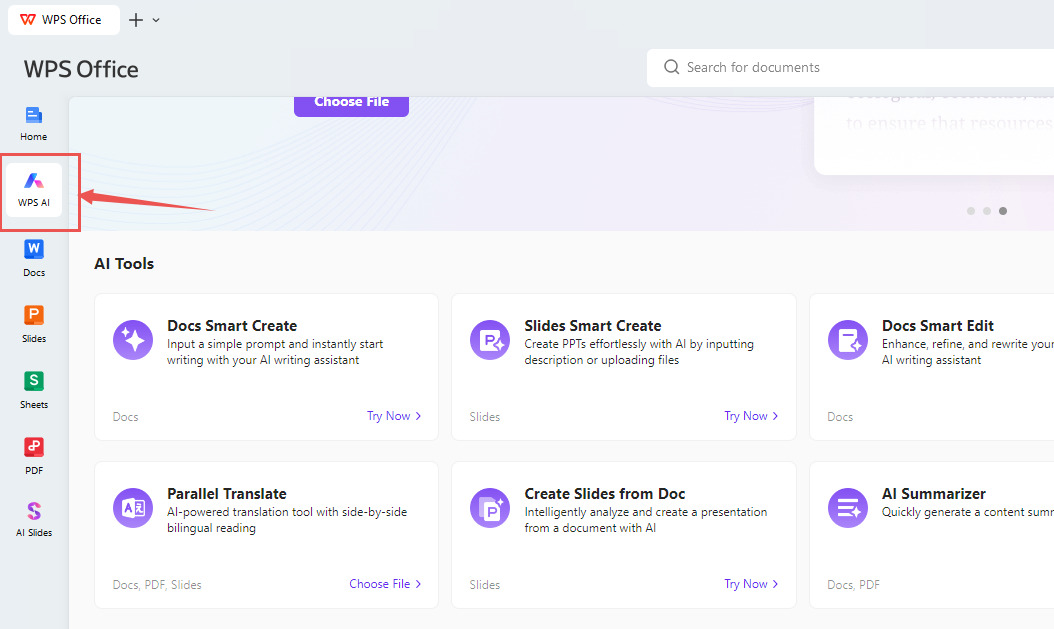
Open WPS Office and locate WPS AI in the left navigation panel.
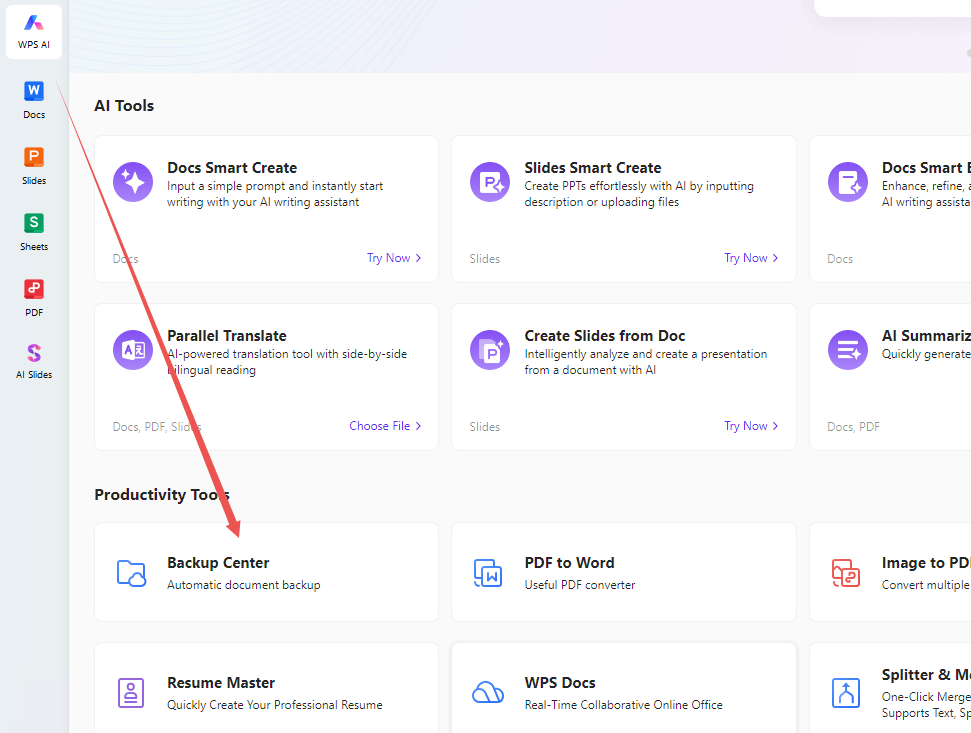
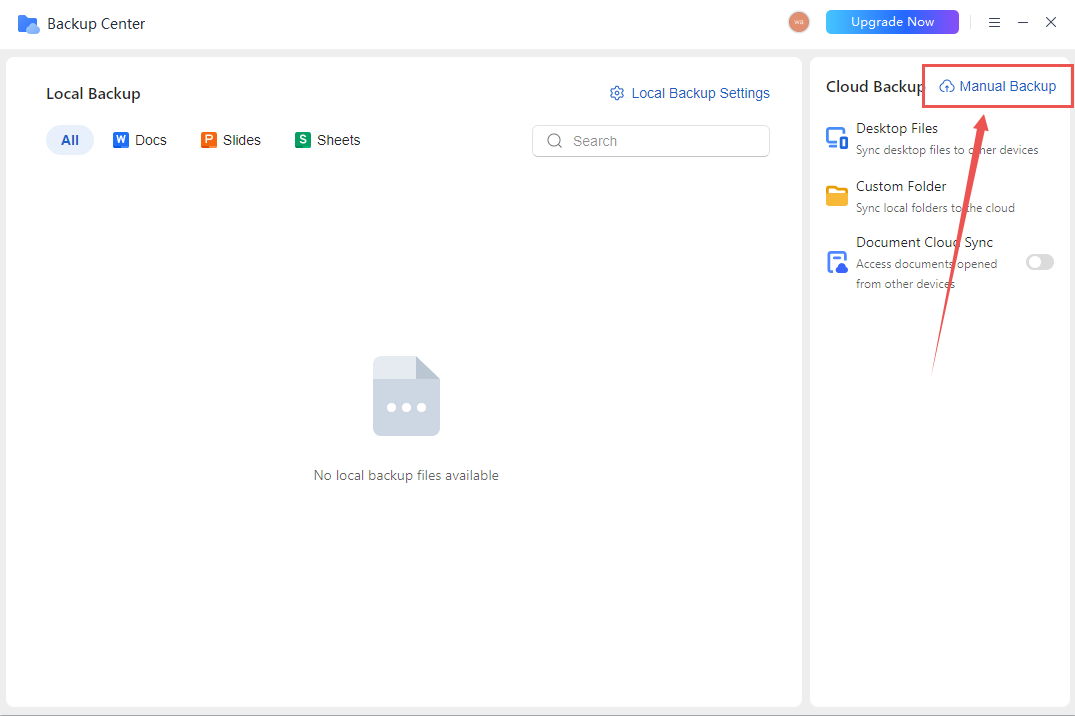
Access Backup Center listed under Productivity Tools.
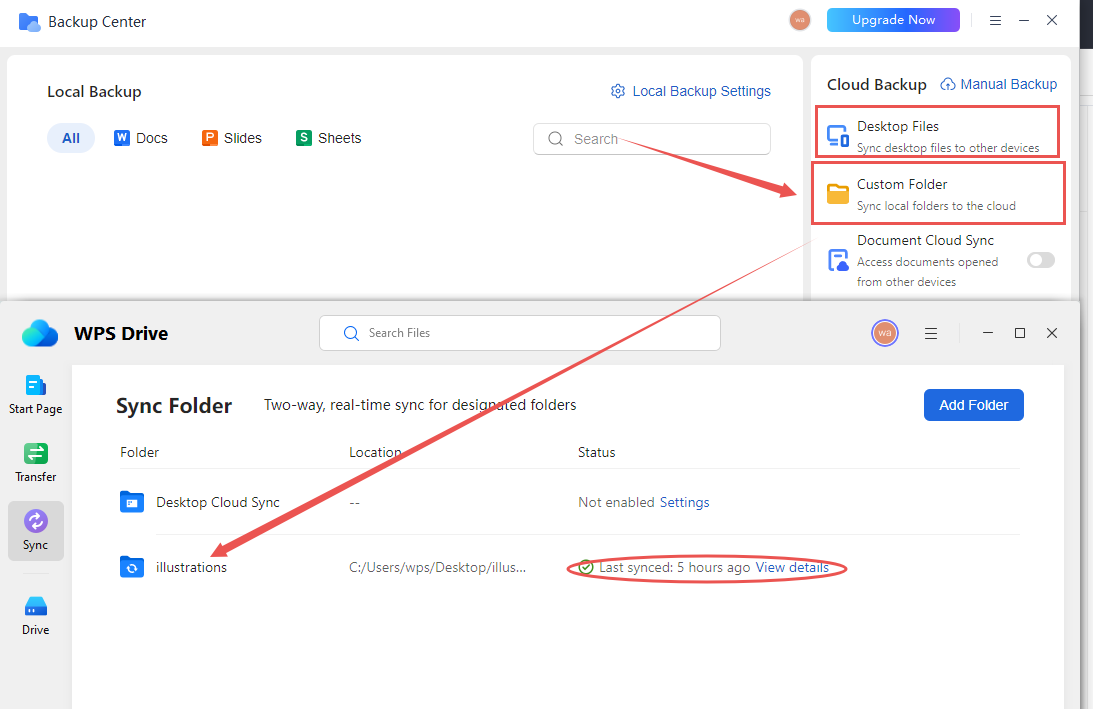
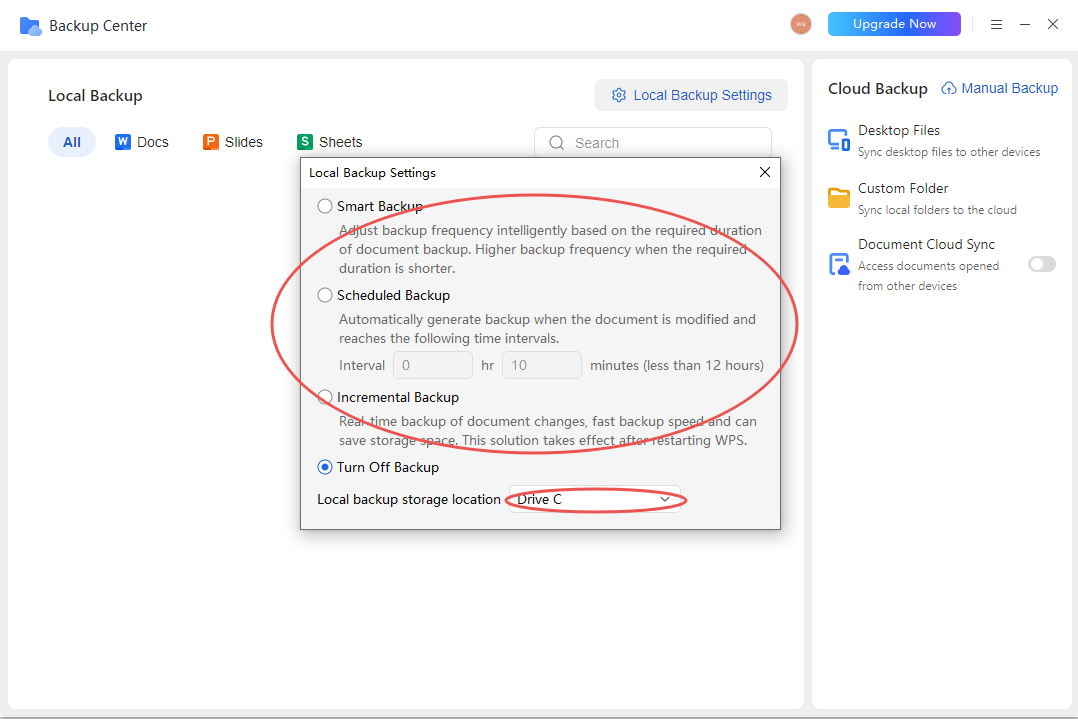
Select your preferred backup approach. If you want, activate Document Cloud Sync to back up all cloud-based files systematically.
What Distinguishes WPS Backup
Unlike conventional backup software that functions independently of document editors, WPS integrates backup capabilities within the authoring environment—enabling continuous version tracking and seamless restoration without reliance on external applications or complex configuration procedures.



15 years of office industry experience, tech lover and copywriter. Follow me for product reviews, comparisons, and recommendations for new apps and software.


