Free Al Office Suite with PDF Editor

Edit Word, Excel, and PPT for FREE.
Read, edit, and convert PDFs with the powerful PDF toolkit.
Microsoft-like interface, easy to use.
Windows • MacOS • Linux • iOS • Android

Catalog
How to convert image to text with WPS Office
In both academic and professional environments, users frequently encounter "locked" information—text embedded within screenshots, scanned PDFs, or presentation slides that cannot be copied. Manually transcribing this data is not only time-consuming but prone to human error. WPS Office addresses this inefficiency with its integrated Image to Text (Optical Character Recognition) tool, allowing users to extract and digitize content in seconds.
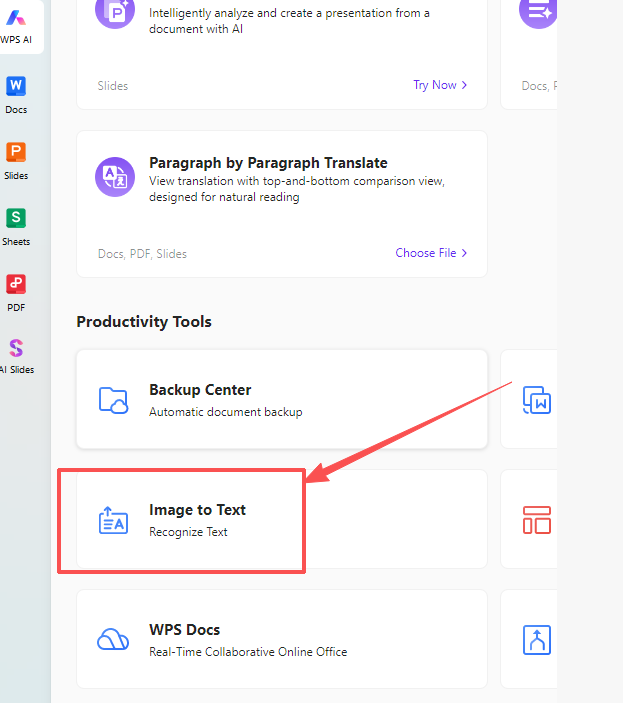
Step 1: Locate the Tool
Open the WPS Office home dashboard and navigate to the Productivity Tools section to select the Image to Text module.
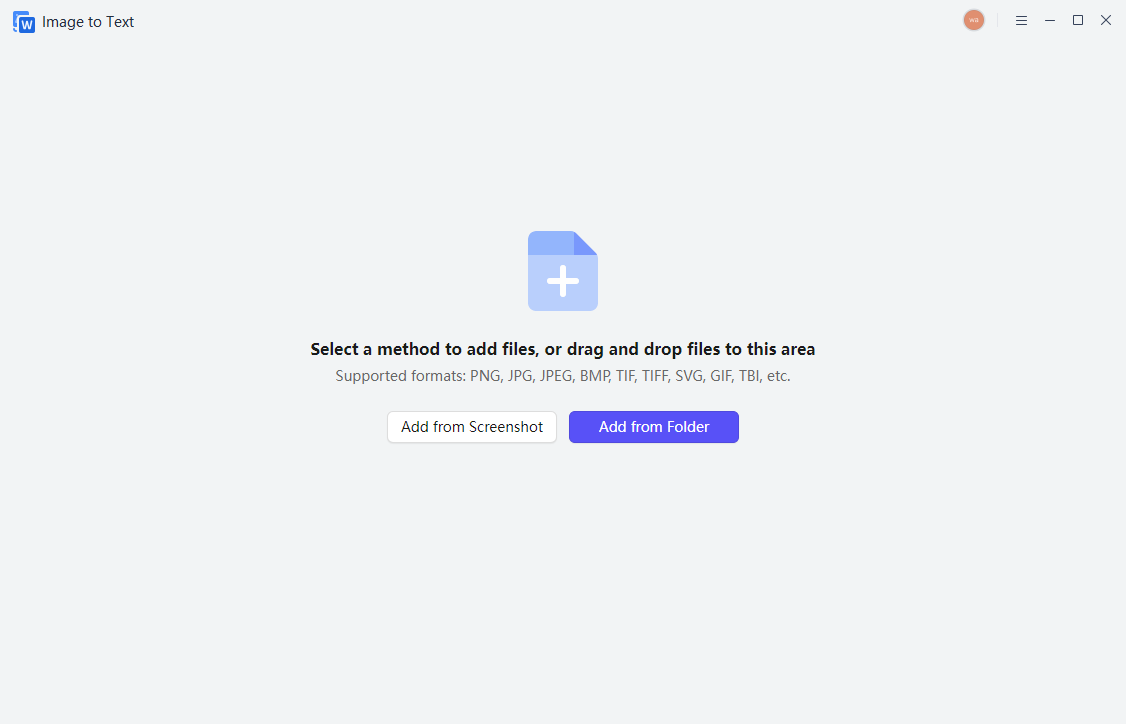
Step 2: Upload Content
Choose your preferred method of entry by clicking Add from Screenshot for immediate captures or Add from Folder to upload existing image files.
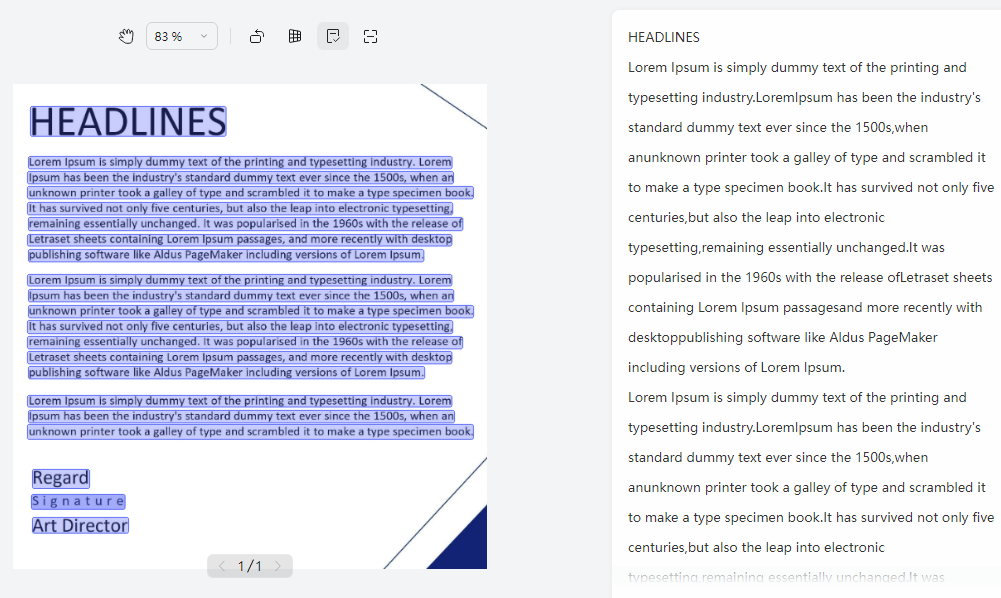
Step 3: Review Recognition
Once the image is processed, verify the extracted text in the right-hand preview pane against the original highlighted image blocks.
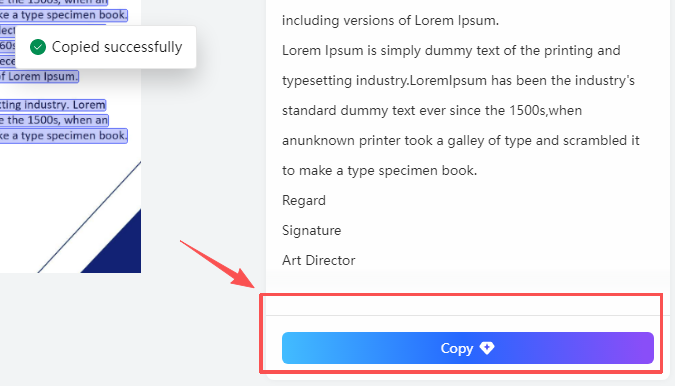
Step 4: Extract Text
Click the Copy button at the bottom right of the interface to save the text to your clipboard for immediate use.
Extra Tips
Direct Document Integration: For long-form content, the tool supports direct insertion into active documents, maintaining workflow continuity without switching windows.
Batch Processing: You can add multiple images or screenshots simultaneously to the queue to process complex research materials or multi-page reports in one go.
Why Use WPS Office for Text Extraction?
The primary advantage of WPS Office is its integrated ecosystem; unlike standalone OCR websites that require external uploads and downloads, WPS allows you to capture, recognize, and edit text within a single interface. This seamless transition from image capture to document editing—alongside features like PDF to Word—ensures a secure and efficient end-to-end digitizing process.



15 years of office industry experience, tech lover and copywriter. Follow me for product reviews, comparisons, and recommendations for new apps and software.


