How to display the speaker’s notes when connecting to the projector
1. Use WPS Office to open the PPT file.
2. Click the Slide Show tab → the Speaker Notes button.
3. In the pop-up Speaker Notes dialog, enter the notes as needed, and click the OK button.

4. Click the Set Up Show drop-down button and choose the Set Up Show option, then a dialog will pop up.
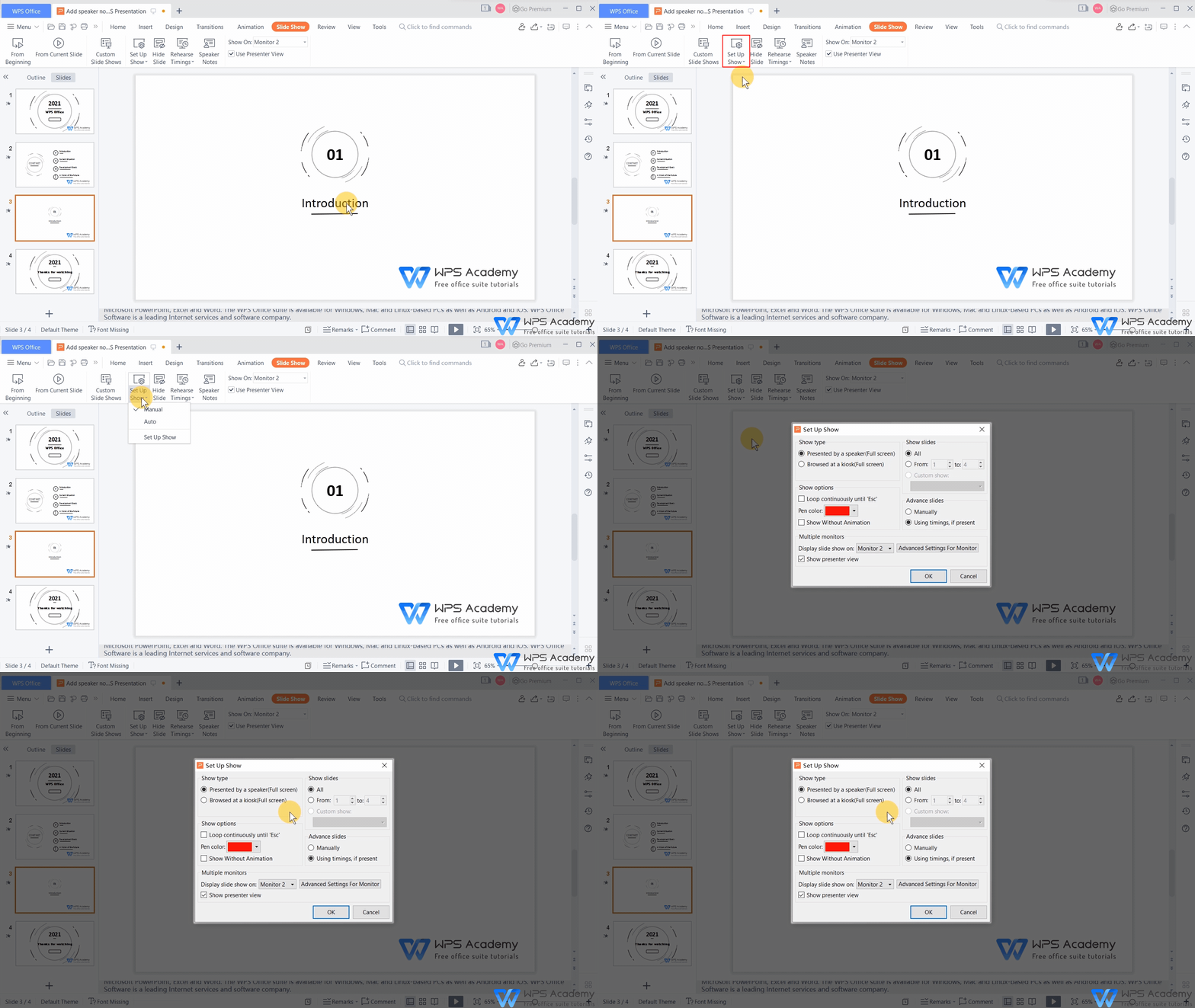
5. In the Show type area, choose Presented by a speaker (Full screen).
6. In the Multiple monitors area, check the option ofDisplay slide show on - monitor 2. Finally, click the OK button.

7. Click the From Current Slide button, then the speaker notes will be presented on the right side of the speaker’ s screen.

You will be the amazing reporter with WPS Presentation, which could be an alternative to Microsoft PowerPoint.



15 years of office industry experience, tech lover and copywriter. Follow me for product reviews, comparisons, and recommendations for new apps and software.


