How to set audio as background music in WPS Presentation
September 14, 2026
14.2K
Views
52
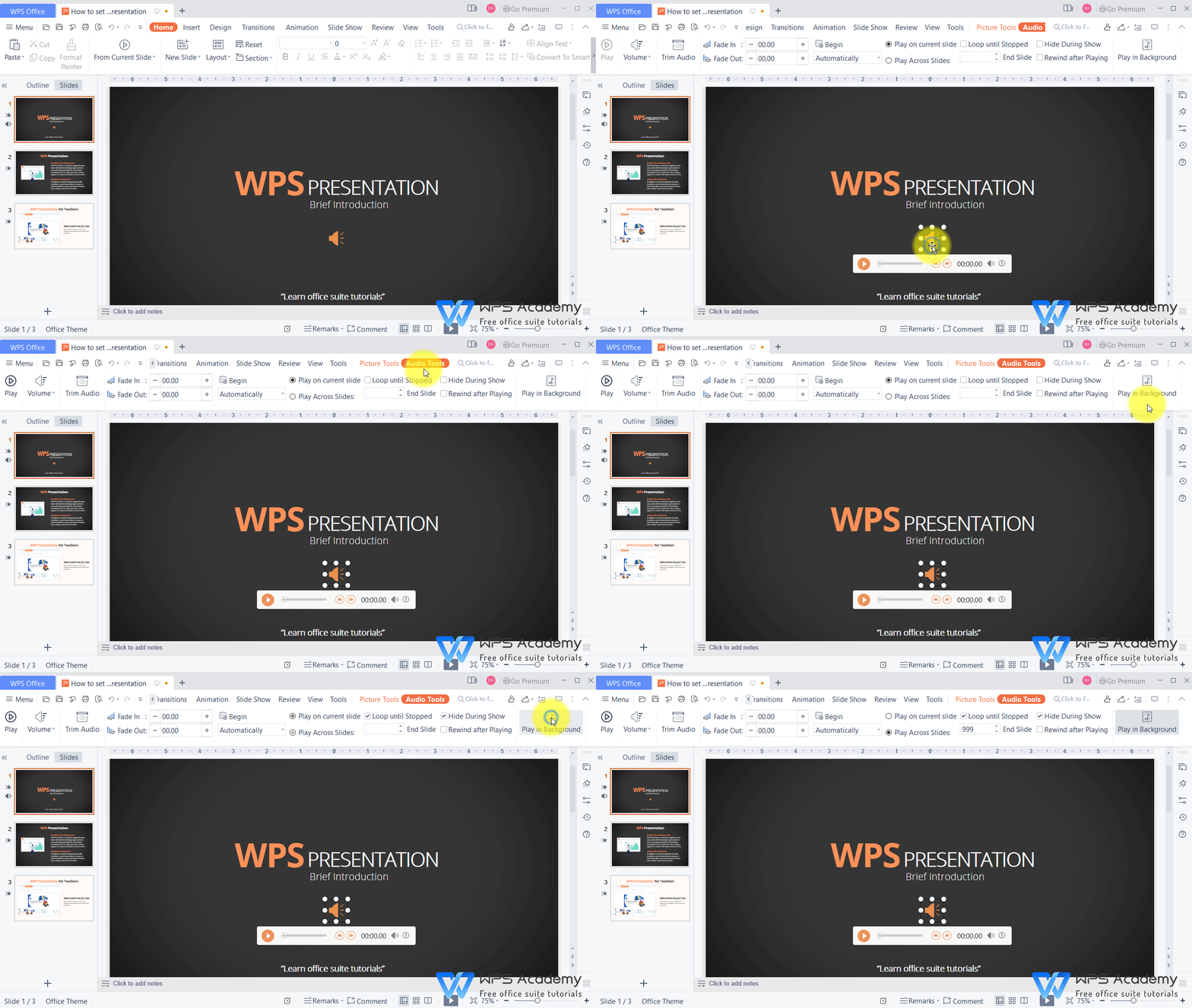
1. Use WPS Office to open slides.
2. Click the “small horn” icon, which is the audio.
3. In the Audio Tools tab, click the Play in Background button. Then the slide show will automatically play the audio, which will be looped until the end of the slide show.
You will be the amazing reporter with WPS Presentation, which could be an alternative to Microsoft PowerPoint.



15 years of office industry experience, tech lover and copywriter. Follow me for product reviews, comparisons, and recommendations for new apps and software.


