Catalog
How to set double spacing in WPS Office?
September 14, 2026
38.9K
Views
52
There are two methods for you to set double line spacing in WPS.
Option 1:
Select the paragraphs that you want to set, click Home and click the Line Spacing drop-down button. Click 2.0 in the drop-down list.

Option 2:
1. Select the paragraphs that you want to set, click Home → Settings → Paragraph.
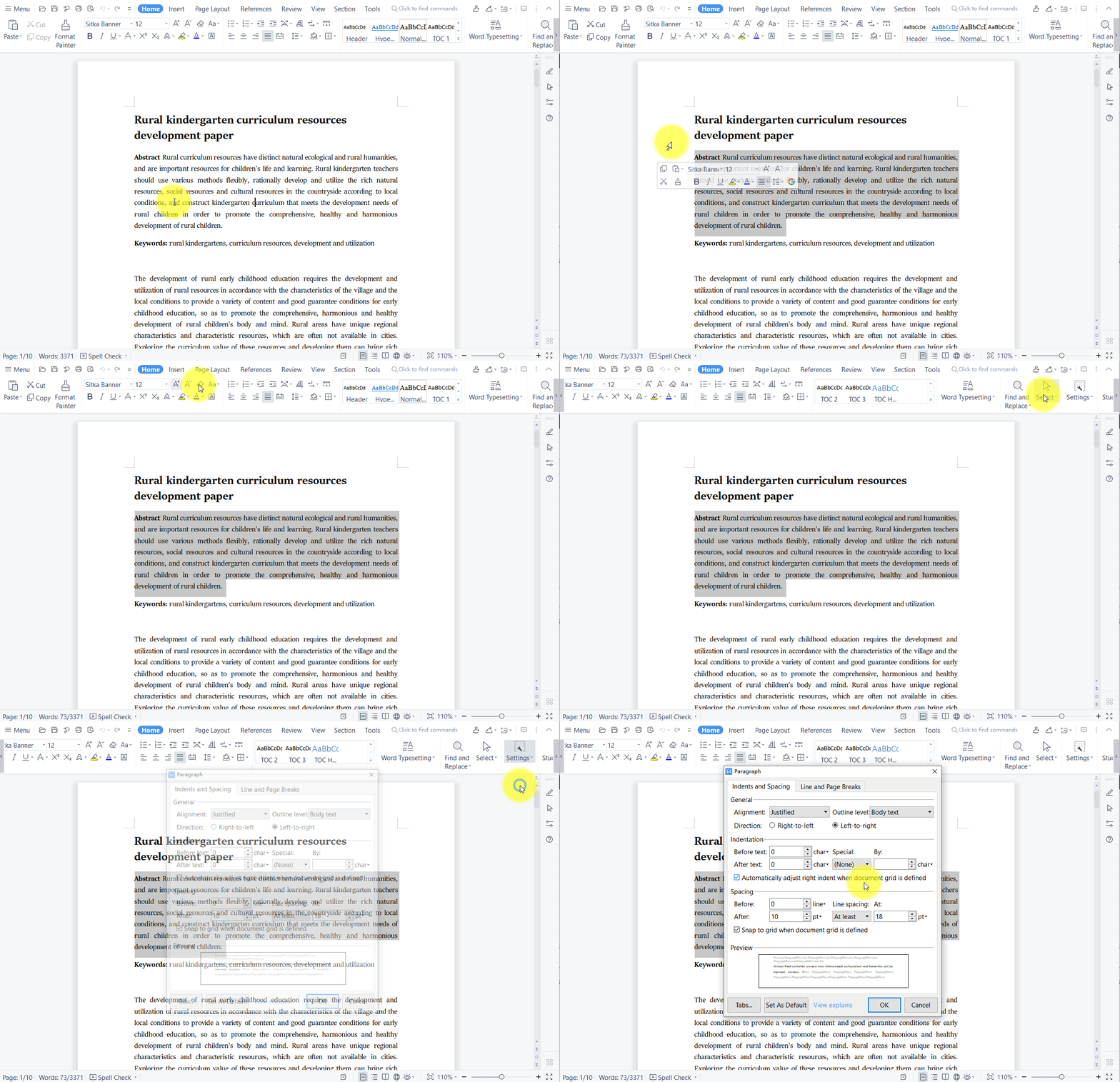
2. In the pop-up dialog, select Double in the Line Spacing drop-down list and click OK.

WPS office software could be compatible with Microsoft Office, and these training contents help students or home workers finish their work efficiently.



15 years of office industry experience, tech lover and copywriter. Follow me for product reviews, comparisons, and recommendations for new apps and software.


