Free Al Office Suite with PDF Editor

Edit Word, Excel, and PPT for FREE.
Read, edit, and convert PDFs with the powerful PDF toolkit.
Microsoft-like interface, easy to use.
Windows • MacOS • Linux • iOS • Android

Catalog
How to Enhance Images with AI Filter in WPS Office
Manually editing images for social media posts—adjusting colors, improving lighting, or applying a uniform style—is time-consuming and disrupts creative flow. This common challenge in content creation is efficiently addressed by the integrated AI Filter tool within WPS Office. The following steps detail how to quickly enhance product and event photos for Instagram and Facebook, apply professional styling to LinkedIn profile images, and create eye-catching thumbnails for TikTok and YouTube—all within your document workflow.
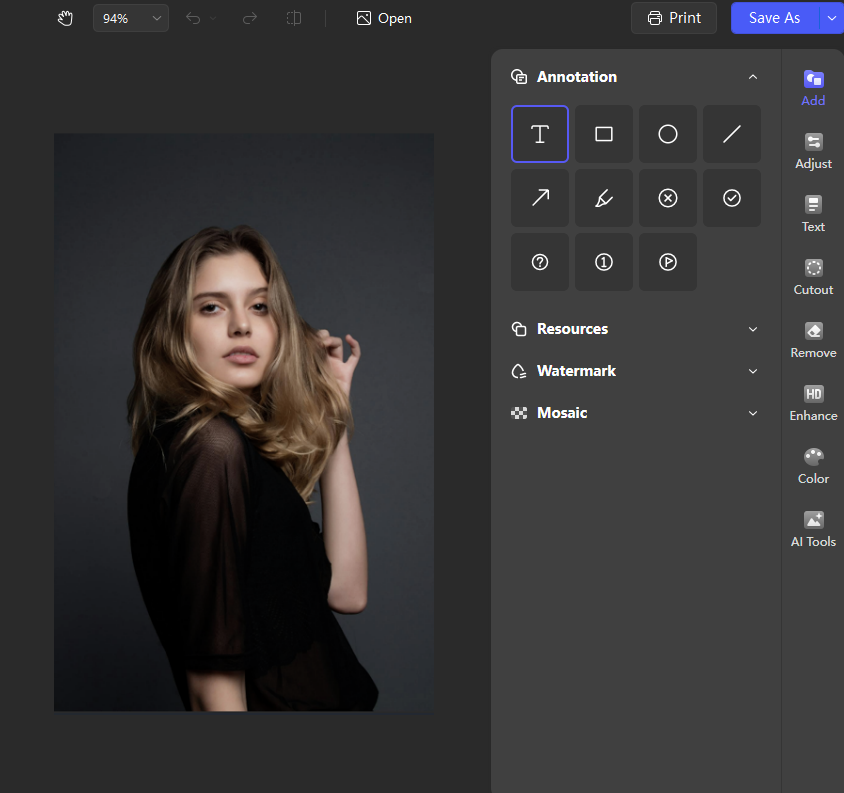
Step1:Initiate Edit Mode
Open the image editing feature in WPS
Step2:Locate Filter Options
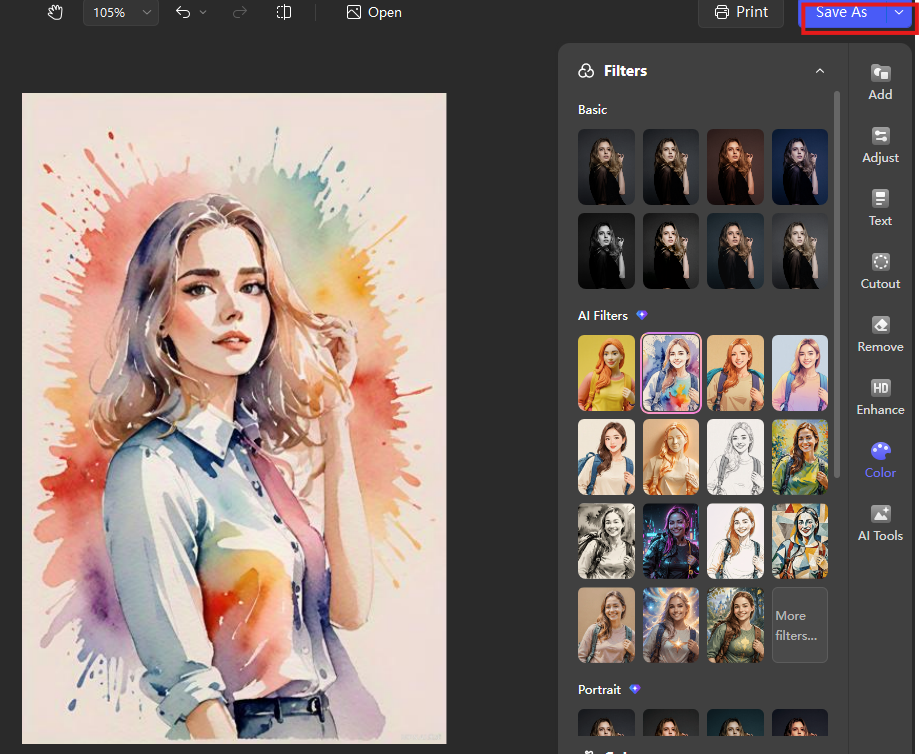
Within the Edit Image panel on the right side, find and click on the Color adjustment option. Expanding this menu reveals the AI Filters section.
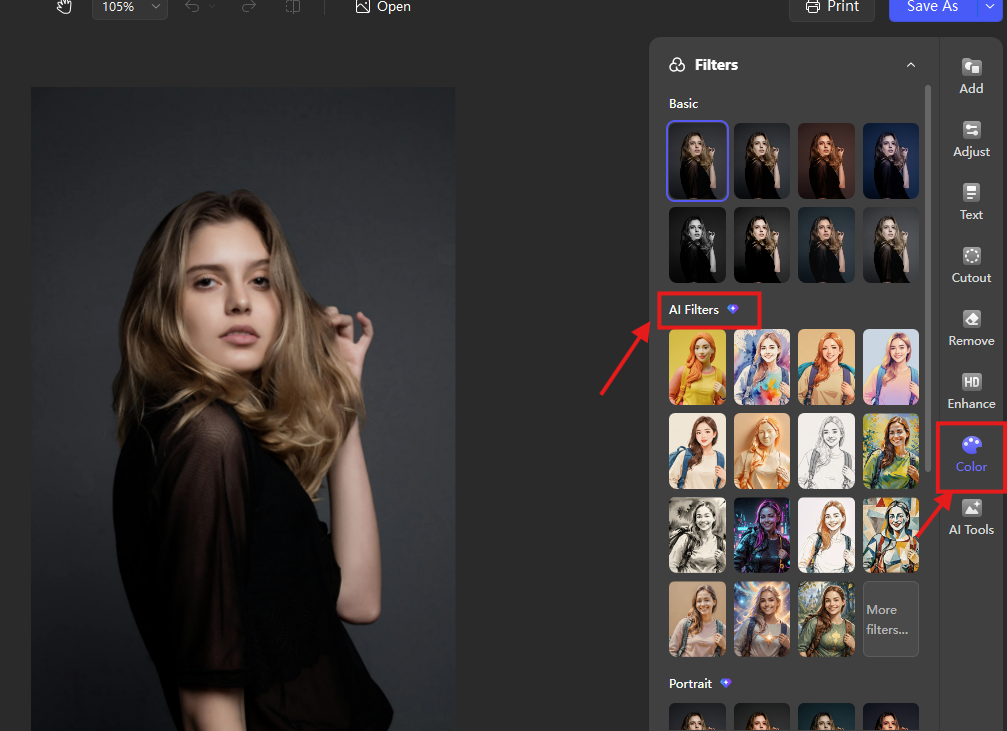
Step3:Apply an AI Filter
This category offers intelligent, one-click stylistic transformations. Using the standard portrait below, we will demonstrate how different AI filters can reimagine the same image with distinct artistic effects.
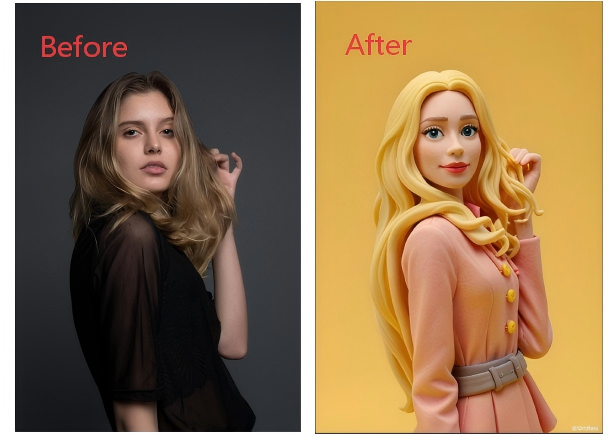
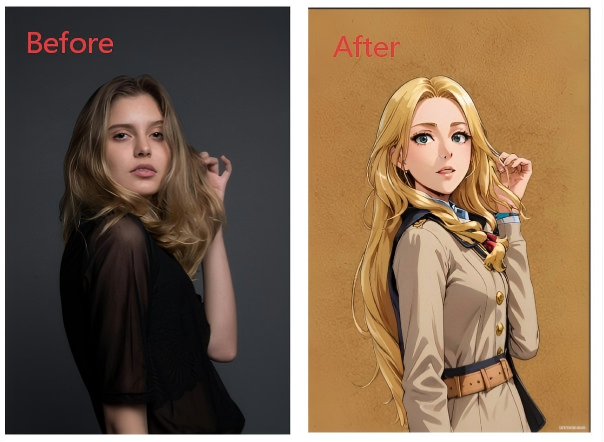
Browse through numerous stylistic presets. For example, applying different filters to the portrait above yields these results:
The Clay filter gives the image a textured, sculptural appearance.
The Anime filter creates a cel-shaded, animated style.
The “Watercolor Sketch ” filter produces a Watercolor sketch effect.
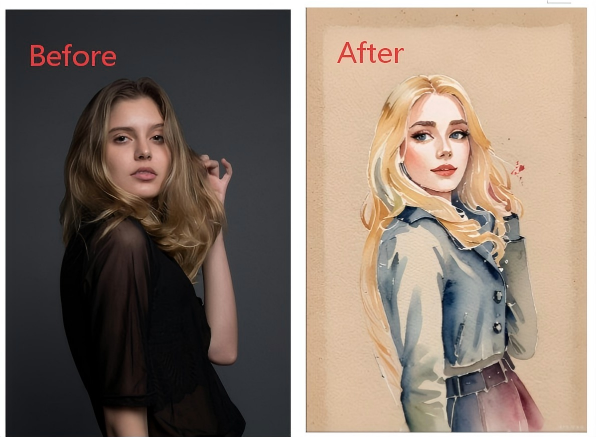
The Pencil Sketch filter transforms photos into hand-drawn, textured graphite illustrations.
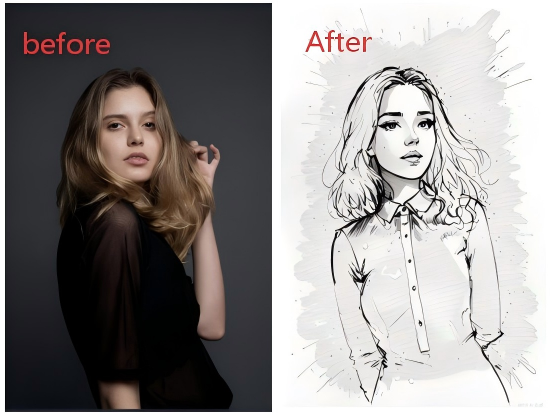
The Cyberpunk filter applies neon-glowing, futuristic aesthetics with vibrant contrast.
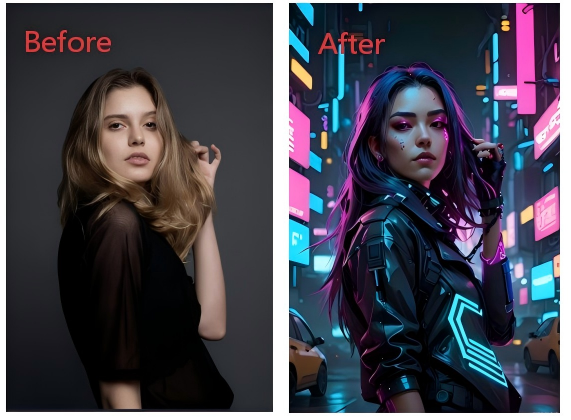
The Starry filter overlays dreamlike cosmic patterns with shimmering light effects.
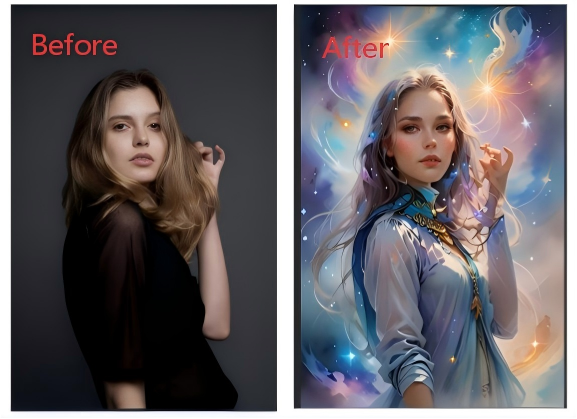
Click on any filter to apply the chosen style instantly to your image preview. Explore the full gallery to discover many more AI-powered artistic effects.
Step4:Finalize and Save
Once satisfied with the applied filter, click the Save As button at the top of the Edit Image panel. The enhanced image will be updated directly in your WPS document.
Conclusion:
WPS Office integrates advanced AI-powered image editing directly into its document environment, allowing you to enhance visuals without switching between applications. Unlike basic office suites or standalone tools that require manual uploads and exports, WPS AI Filter enables professional-grade adjustments within the original document, streamlining the entire process from editing to final layout. This seamless integration of viewing, editing, and filtering tools exemplifies the suite's commitment to a cohesive and efficient user workflow.



15 years of office industry experience, tech lover and copywriter. Follow me for product reviews, comparisons, and recommendations for new apps and software.


