Free Al Office Suite with PDF Editor

Edit Word, Excel, and PPT for FREE.
Read, edit, and convert PDFs with the powerful PDF toolkit.
Microsoft-like interface, easy to use.
Windows • MacOS • Linux • iOS • Android

Catalog
How to Use Signature Background Remover in WPS Office AI
In professional and academic workflows, users often need to extract signatures or objects from cluttered backgrounds for use in formal documents. The traditional challenge involves using complex graphic design software or unreliable online tools that compromise privacy and image quality. WPS Office provides a streamlined signature background remover within its native photo viewer to automate this process with precision.
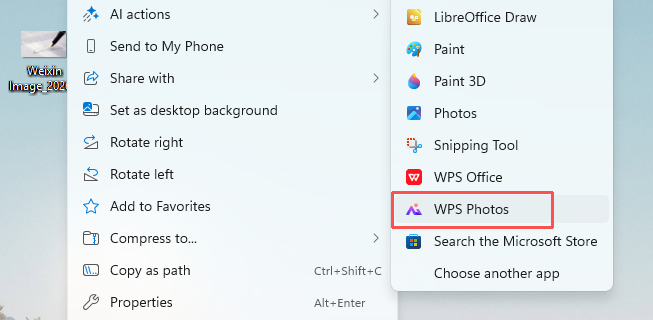
Step 1: Open with WPS Photos:
Right-click your image file, navigate to Open with, and select WPS Photos to launch the editor.
Step 2: Access Background Tools:
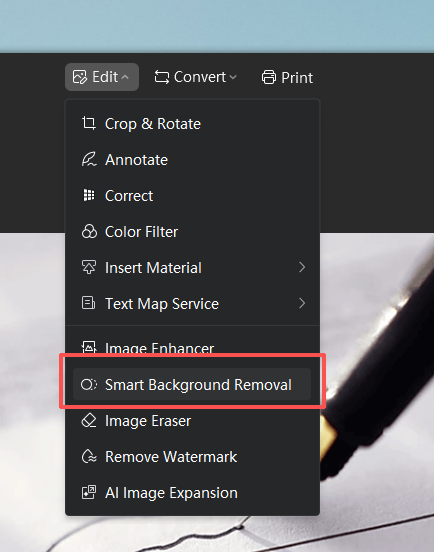
Click the Edit dropdown menu at the top of the interface and select Smart Background Removal.
Step 3: Auto-Remove the Background
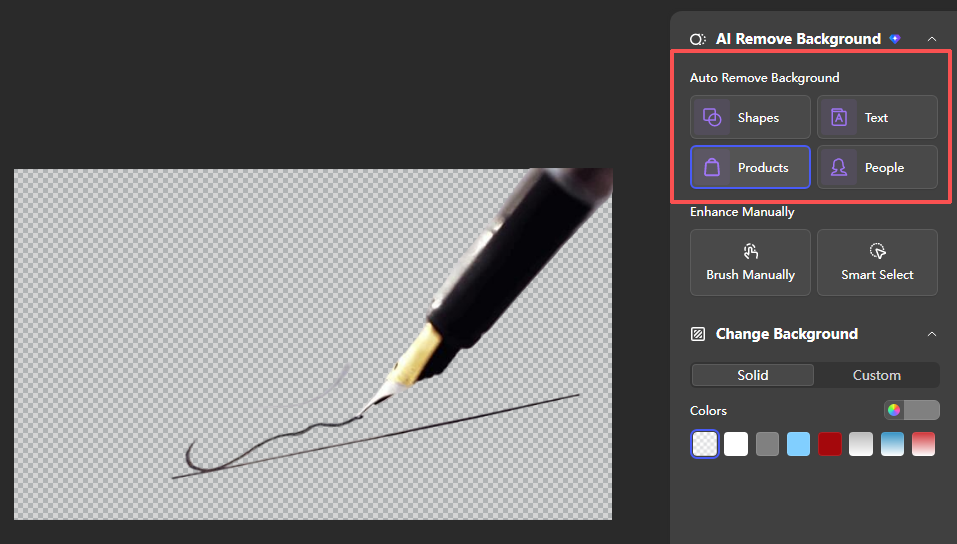
In the right-side panel, under "Auto Remove Background", choose the Products preset to automatically detect and remove the background from your signature image.
Step 4: Refine the Selection Manually
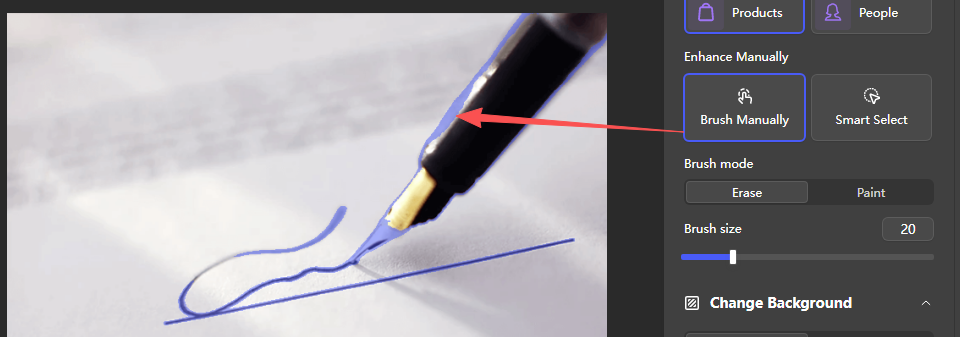
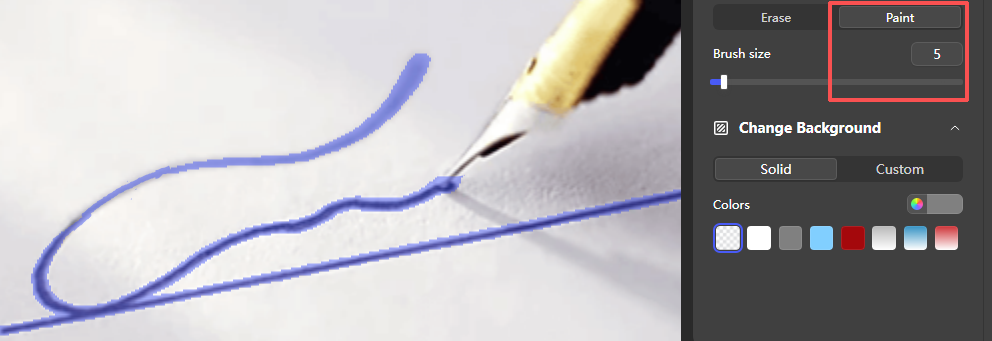
Click Brush Manually to switch between "Paint" and "Erase" modes, adjusting the brush size to refine the edges of your signature.
Step 5: Customization
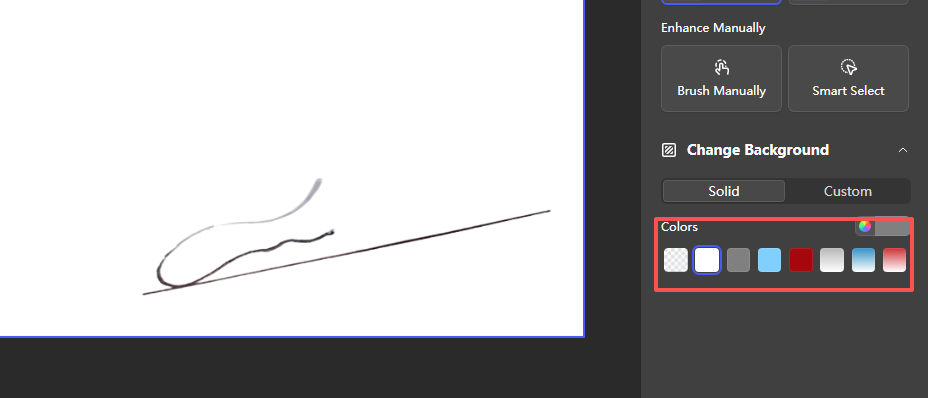
Under "Change Background", select the Solid tab and pick a color to ensure your signature blends cleanly with document backgrounds.
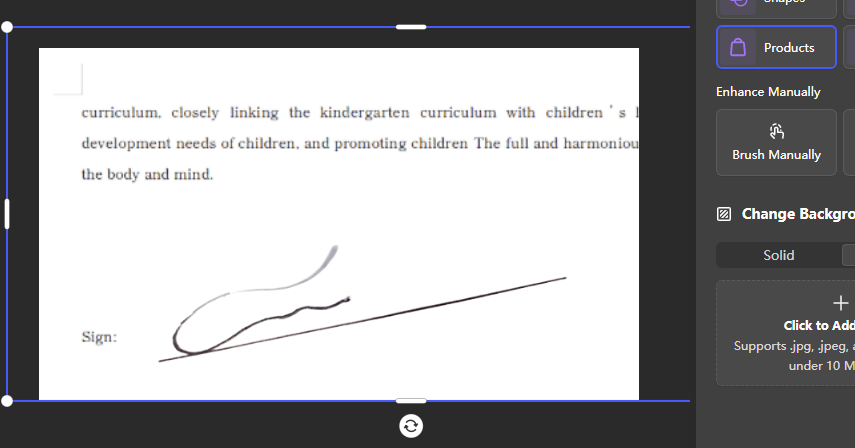
Click to Add Image,and upload your target document. Adjust the position and size of your transparent signature to fit the sign field.
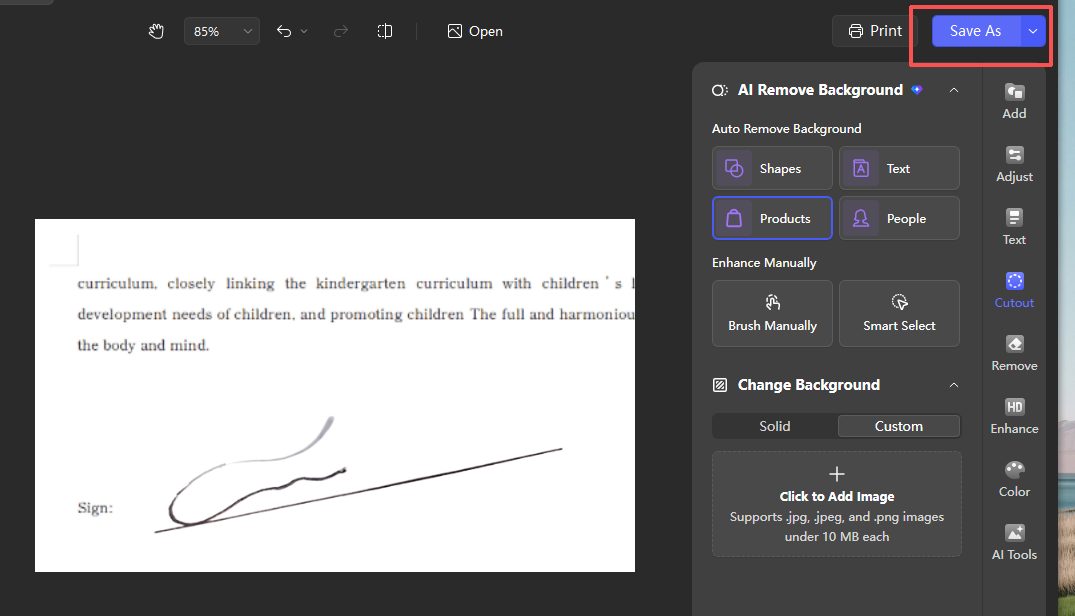
Step 6: Save the Document
Extra Tips
Manual Refinement: If the AI misses small details in a complex signature, use the Brush Manually or Smart Select tools to fine-tune the edges.
Format Compatibility: The tool supports standard web formats including .jpg, .jpeg, and .png files under 10 MB for optimal processing speed.
Why Use WPS Office?
Unlike standalone background-removal tools that require uploading files to third-party servers, WPS Photos lets you complete the entire signature background removal and document integration workflow offline, within the WPS ecosystem—ensuring data security and a seamless, all-in-one experience.



15 years of office industry experience, tech lover and copywriter. Follow me for product reviews, comparisons, and recommendations for new apps and software.


