Free Al Office Suite with PDF Editor

Edit Word, Excel, and PPT for FREE.
Read, edit, and convert PDFs with the powerful PDF toolkit.
Microsoft-like interface, easy to use.
Windows • MacOS • Linux • iOS • Android

Catalog
Text to Image Generator: Creating Visual Content with WPS AI
Why Visual Content Generation Matters in Modern Work
Creating professional presentations often requires relevant and high-quality images, yet searching for suitable visuals can be time-consuming and frustrating due to limited stock options or licensing constraints. Office users and students need an efficient way to generate custom images that align precisely with their content without interrupting their workflow.
How to Generate Images with WPS AI
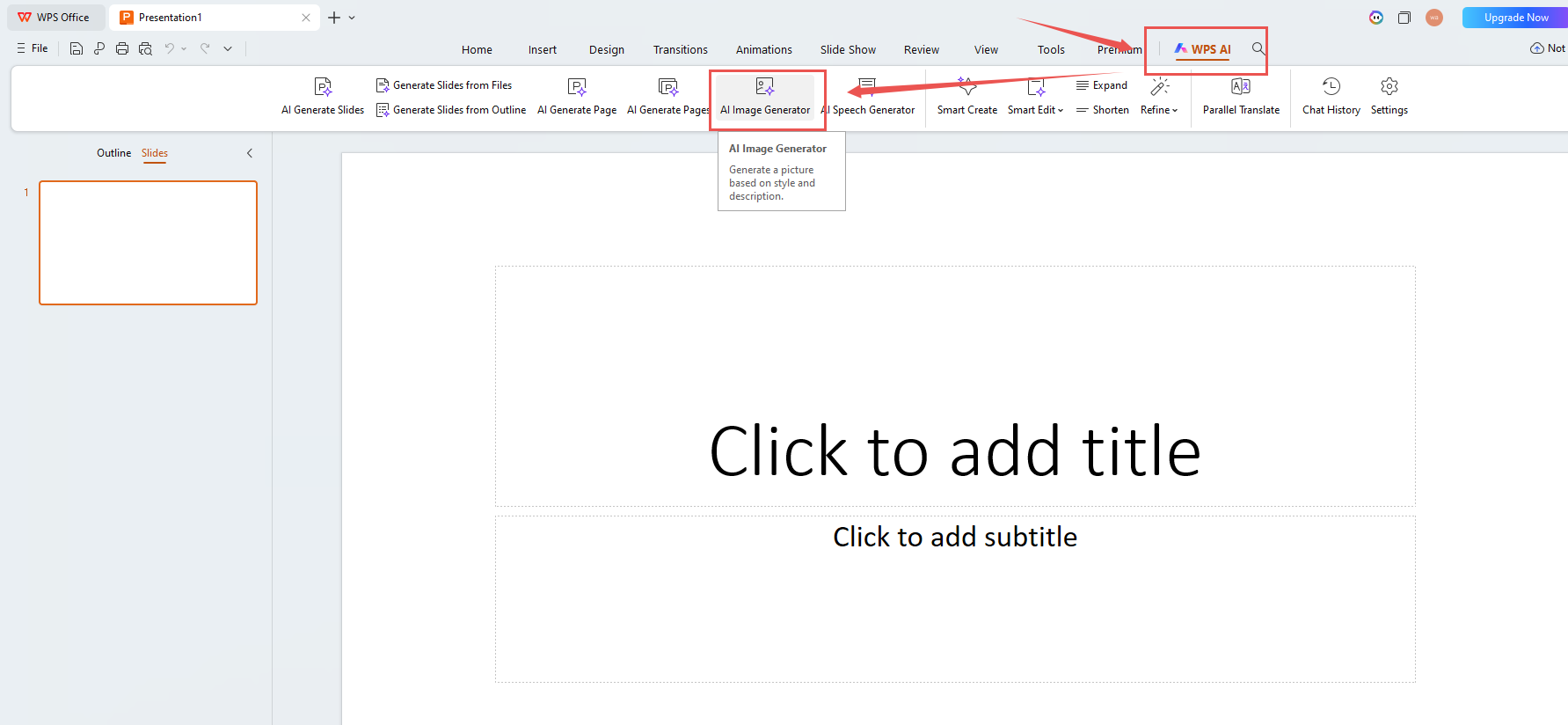
1. Open your slides in WPS Office and navigate to the WPS AI option in the top toolbar, then select AI Image Generator from the menu.
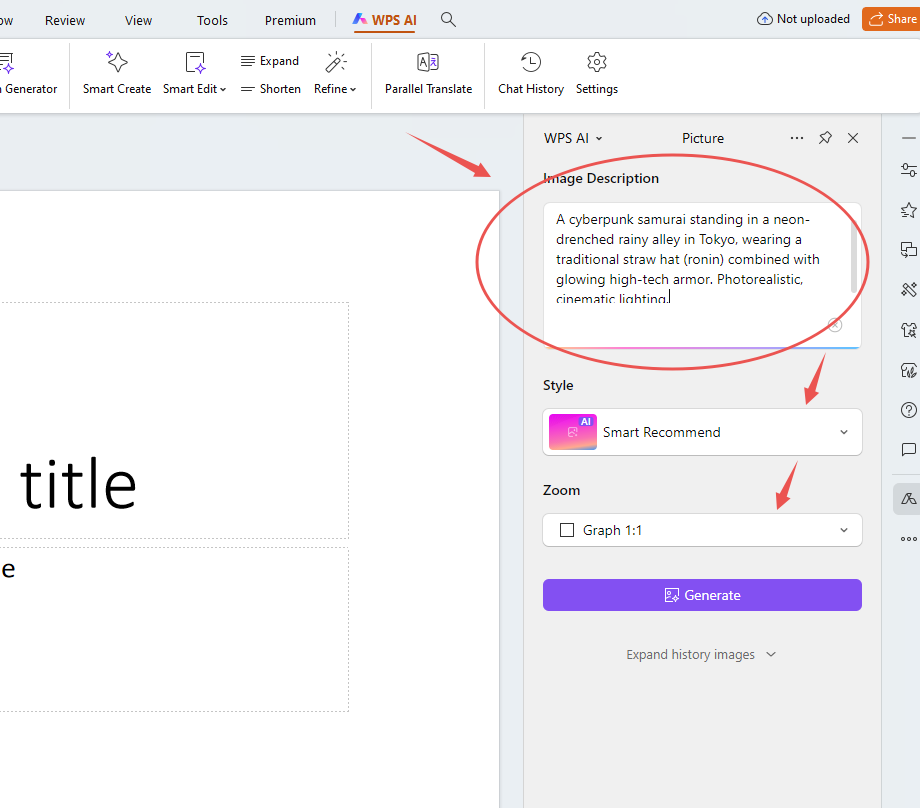
2. In the right panel, enter your image description in the Image Description field and specify your preferred style and format.
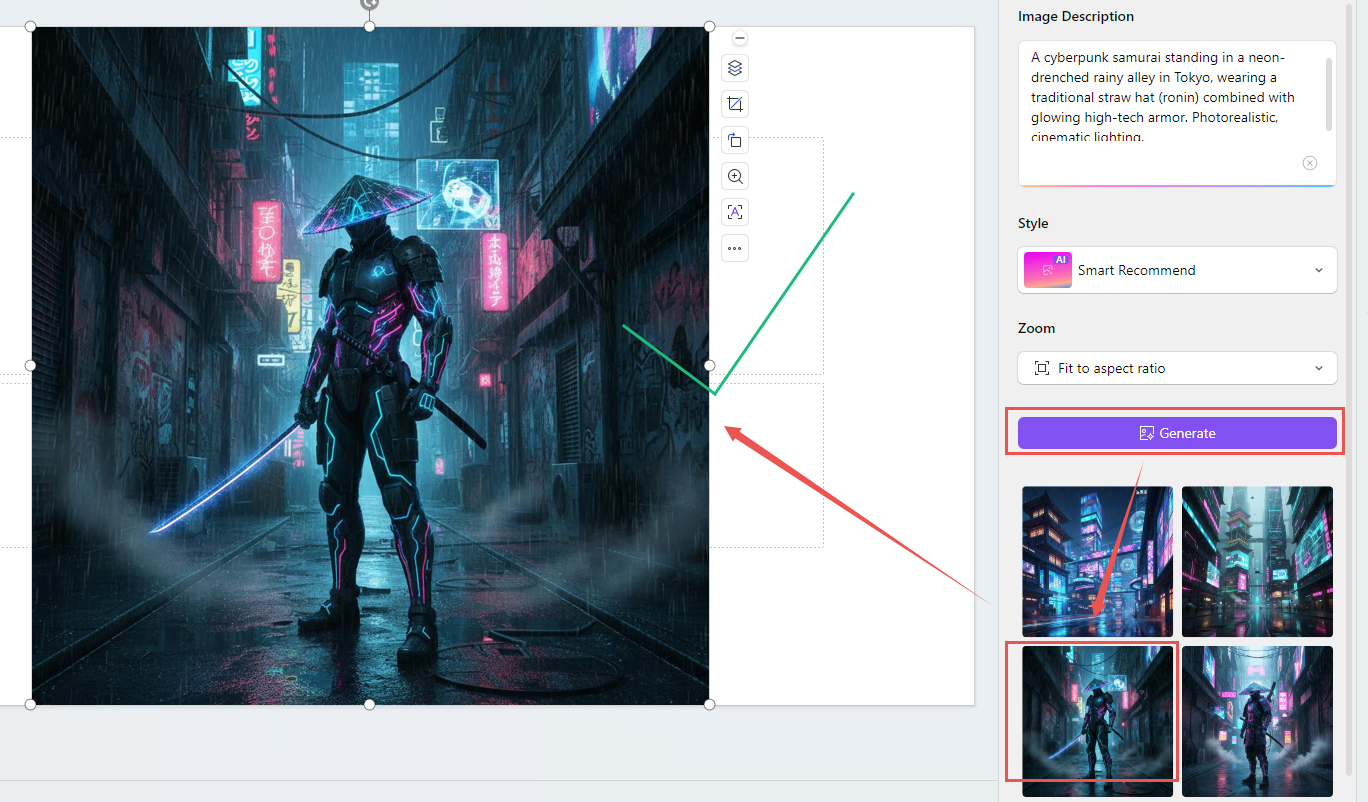
3. Click Generate to create and select one or more to insert directly into your slide if these images perfectly meet your needs.
Extra Tips
The WPS AI generator supports creating single images, multiple variations in one batch, or even generating complete presentation slides based on your textual description. This multi-scale capability allows you to develop individual graphics or build entire visual presentations efficiently within the same interface, significantly reducing the time typically spent on external graphic sourcing and manual slide composition.

What Distinguishes WPS AI Image Generation
Unlike external AI image tools that require separate platforms and manual file transfers, WPS AI integrates image generation directly into the presentation workflow—enowing users to create contextually relevant visuals within the editing environment, with immediate placement and formatting control.



15 years of office industry experience, tech lover and copywriter. Follow me for product reviews, comparisons, and recommendations for new apps and software.


