Free Al Office Suite with PDF Editor

Edit Word, Excel, and PPT for FREE.
Read, edit, and convert PDFs with the powerful PDF toolkit.
Microsoft-like interface, easy to use.
Windows • MacOS • Linux • iOS • Android

Catalog
WPS AI Slides: Complete 2026 Guide
Office workers, students, and small business owners often face tight deadlines for market reports, school events, or sales summaries. You need quick, professional PPTs without design skills or hours of manual work. WPS AI Slides delivers one-click generation, content tweaks, and full editing to match your workflow, turning ideas into polished decks effortlessly. This guide covers every step for your real scenarios.
What is WPS AI Slides?
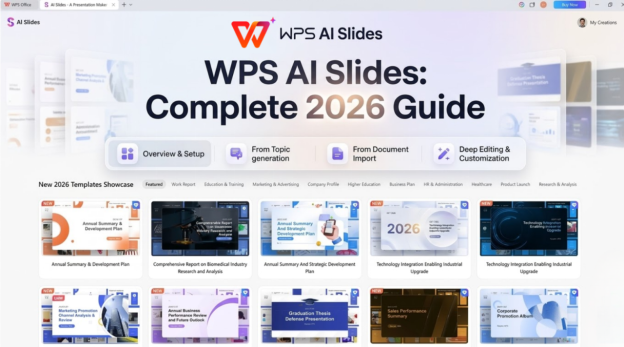
Ever get that sinking feeling staring at a blank slide deck? WPS AI Slides is your way out. It's AI built right into WPS Office Slides, working on desktop or web, where you just type what you want, upload a doc, or choose a scenario, and it spits out a full presentation. Content, structure, images, the works. Free to kick off, and premium is cheap at $4.99/month for unlimited use. Beginners love how easy it is. Pros dig skipping the boring setup.
But here's the thing that hooks you. It's not one of those half-baked AI generators that leave you hanging. You get real PowerPoint-style editing after it's done. Add animations, rearrange layers, even collab live with your team. It syncs perfectly with WPS Word and Excel too, so grabbing data feels effortless. No more format nightmares. Seriously, download it free at wps.com and try a quick test. You'll get why people rave about the time it saves.
Multiple PPT Generation Methods
Let's be honest. Most presentation tools make you jump through hoops just to start. WPS AI Slides keeps it simple with a few smart paths that match whatever chaos you're dealing with that day. Got a vague idea? One sentence does it. Have a report ready? Convert it. These get you most of the way there quick, so you spend energy on your actual story, not setup.
One-Sentence Generation
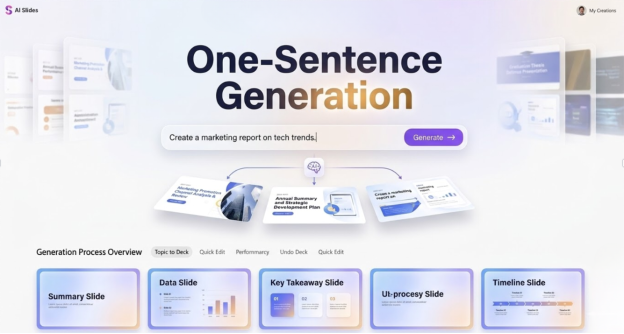
Fire up WPS Slides, hit the WPS AI tab up top, and click Create Slides with AI. Type something straightforward like "Build a 10-page market analysis PPT for investors, covering exec summary, market size, trends, and competitor breakdown," tweak the page count if you want, then smash Generate Now. In seconds, AI maps out the flow, fills in text, grabs a fitting template, and hands you a ready-to-go deck. Jump straight into edits right there.
It's a lifesaver for those "I need this yesterday" moments, churning out pro drafts way quicker than manual starts. You end up with something that looks executive-ready, saving hours you'd otherwise burn on basics. Great for sales teams or freelancers under pressure. Test short prompts first for quicker tests.
Document-to-PPT Conversion
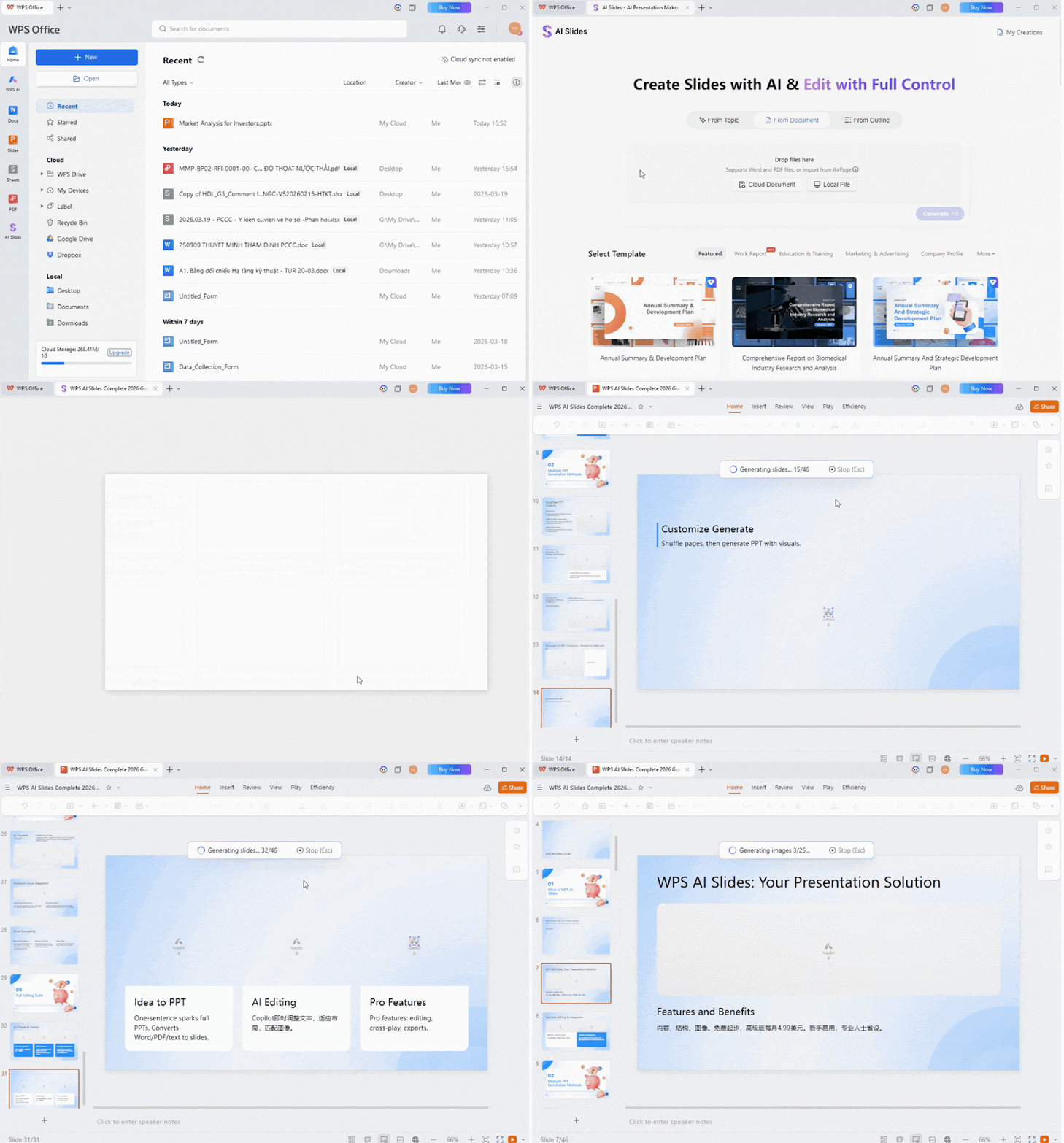
Switch to the WPS AI tab and pick Generate Slides from Document. Drag in your Word file, PDF report, or plain text notes; AI digs through it, pulls key insights, and whips up a clean outline with chapters and highlights. Shuffle pages around if the order's off, hit generate, and boom: full PPT with visuals added.
This one's gold for repurposing existing work, like turning a lengthy research doc into slides without losing details or retyping a thing. It adds that visual pop automatically, making dense info digestible. Busy pros love it for quarterly reviews or event recaps.
Tips:
Always nail your prompt specifics for sharper results. Preview outlines before full gen to save tweaks later. Keep docs under 20 pages for speed.
Easy Content Optimization

After the initial build, don't sweat imperfections. WPS AI Slides' Copilot sidebar lets you fine-tune text, swap tones, or expand sections on the fly, keeping everything aligned with your audience, whether it's stiff boardroom vibes or energetic team huddles. It makes rough drafts shine without backtracking.
Click the Copilot Beta button top-right post-generation. Feed it a note like "Tighten page 5's sales summary to hit hard with data only" or "Flip this to casual and fun for the team." AI rewrites, inserts, or refreshes instantly; drag it in or edit more. Repeat for multiple pages.
It's like having an editor on speed dial, elevating rough cuts to wow-factor without endless revisions. Readers report nailing presentations faster, with content that lands just right every time. Way smoother than copy-pasting fixes.
Custom Template Upload
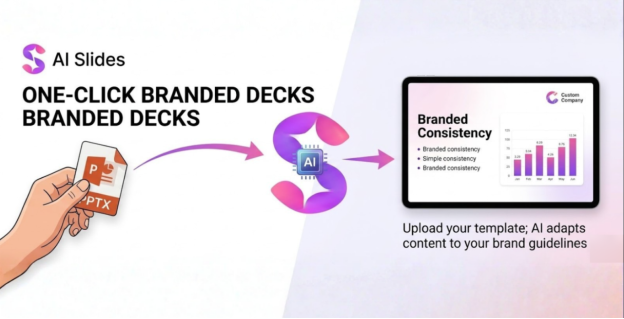
Stuck with brand guidelines or school formats? Upload your own PPT template, and WPS AI Slides molds the AI-generated content right into it, matching fonts, colors, and layouts without a hitch. No more clashing styles or manual overhauls. It keeps your identity front and center.
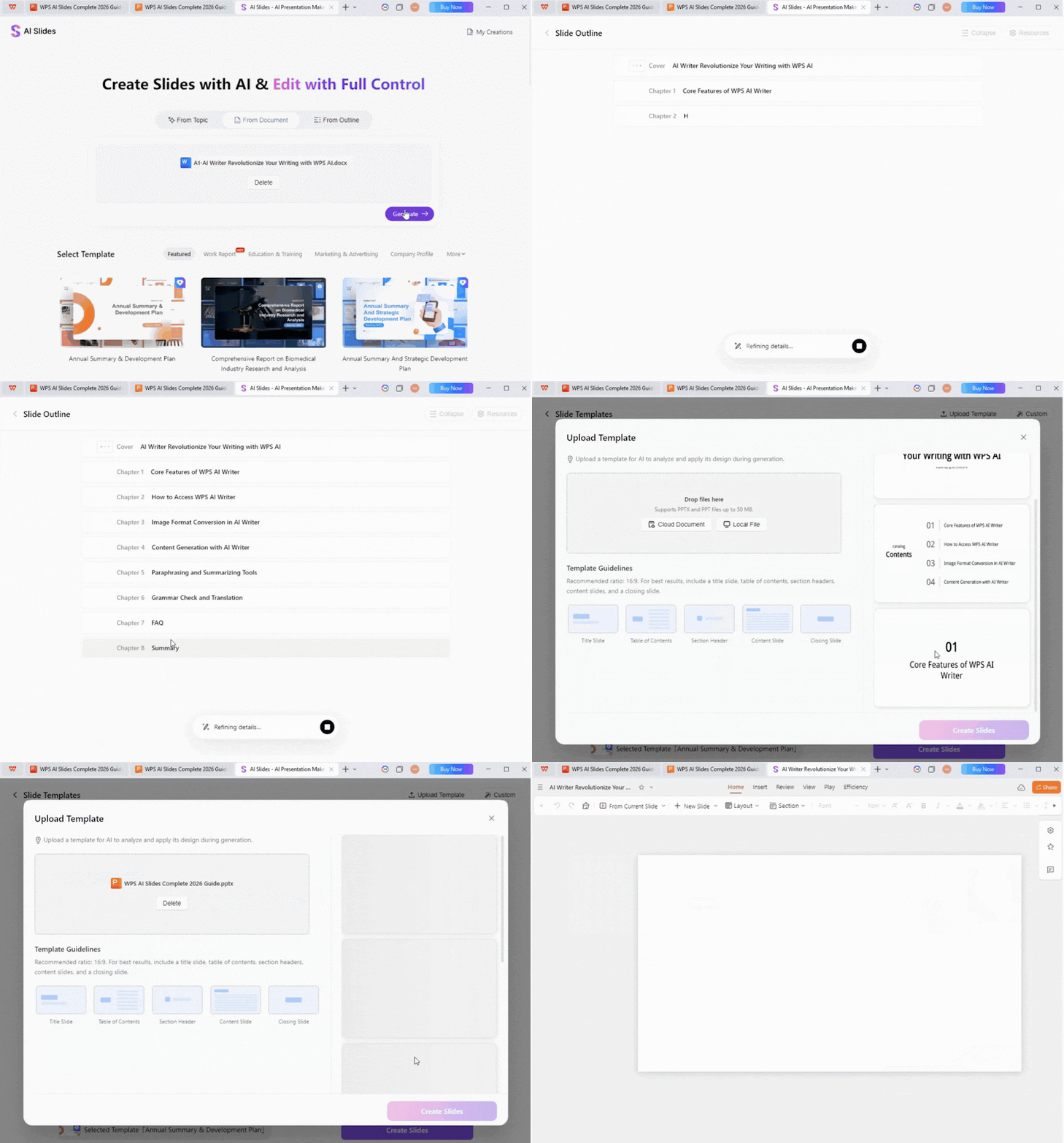
From the gen screen, tap Custom Template, upload your PPTX, and let AI adapt everything: charts resize smartly, text flows perfectly. Regen if needed or polish in the editor for that custom edge. Works with logos too.
Enterprises and teams swear by this for uniformity; it keeps your look consistent across decks. Way more flexible than cookie-cutter tools out there. Perfect for marketing or academic consistency.
Automatic Image Matching
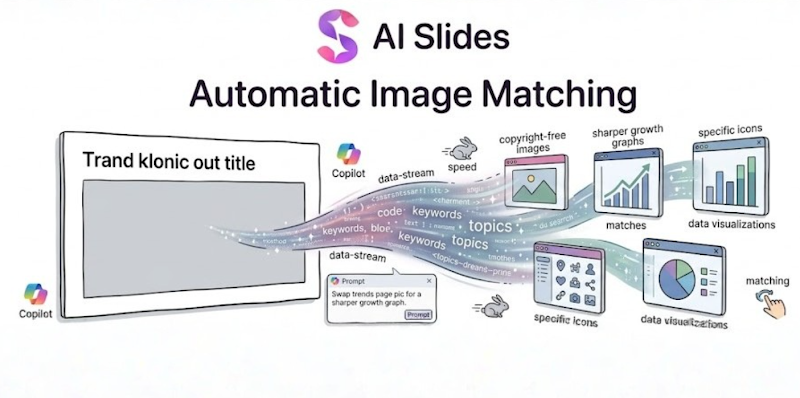
Why scour stock sites when AI grabs perfect, copyright-free images, charts, or icons based on your slide's topic? It amps up bland text into visuals that pop, no design eye required. Slides go from flat to engaging in one go.
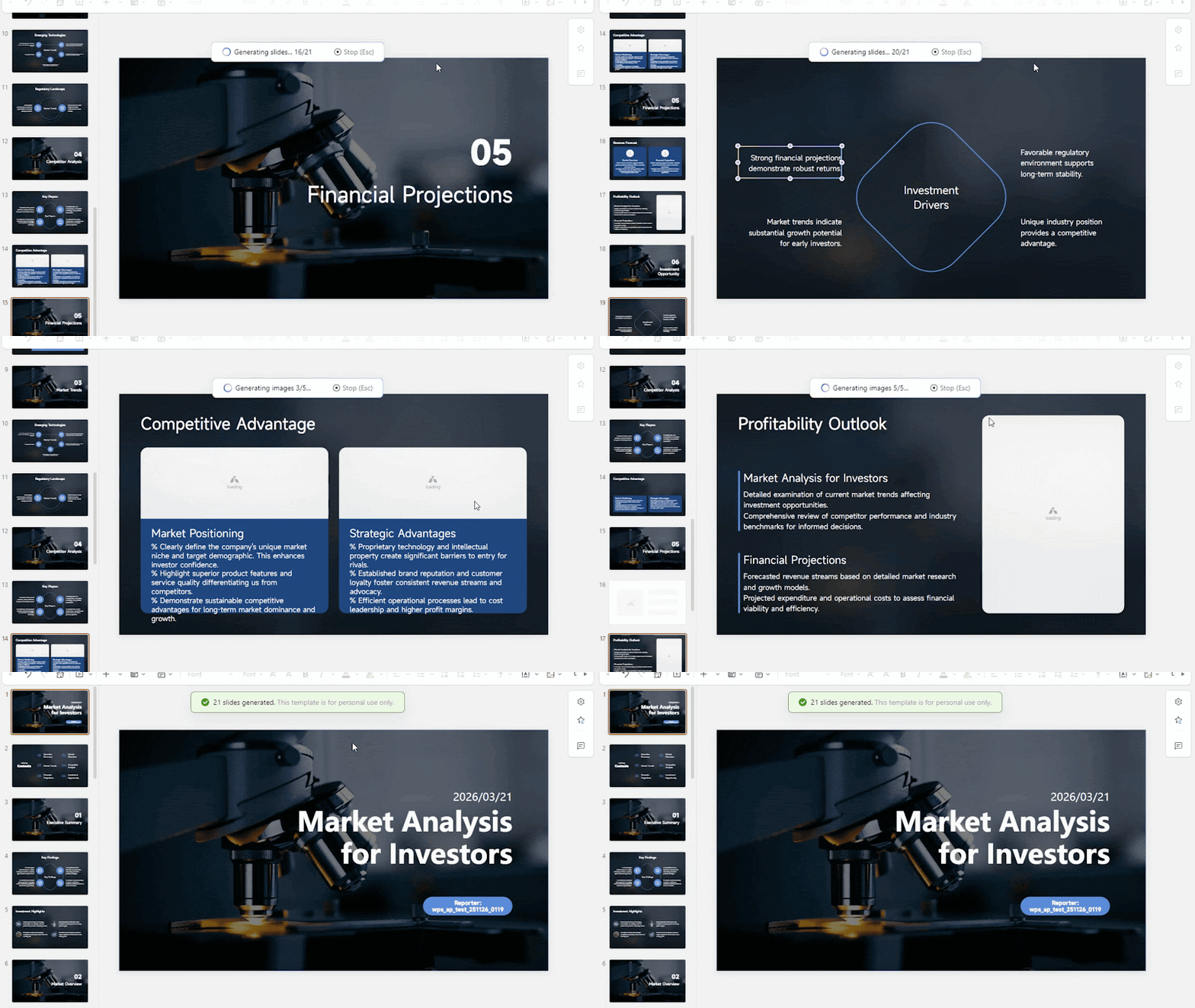
It kicks in auto during generation. Tweak via Copilot: "Swap trends page pic for a sharper growth graph." Matches stick tight to your narrative. Preview before finalizing.
Cuts hunt time in half, letting you shine on story over sourcing. Killer for data slides or pitches needing that visual hook. Always boosts viewer attention.
Full Editing Suite
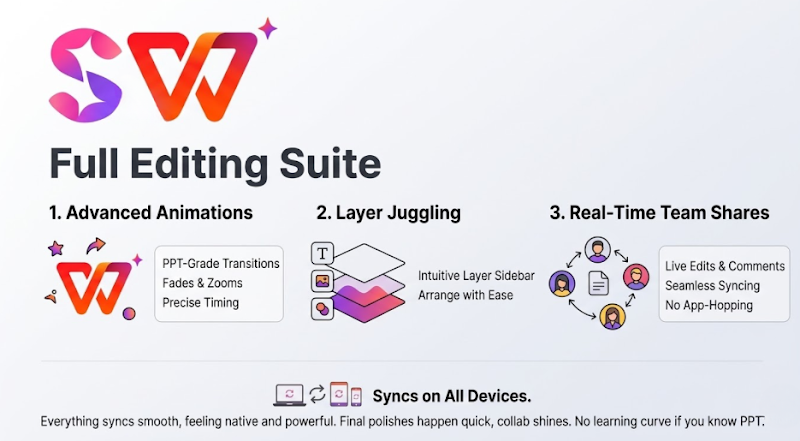
AI starts strong, but pros demand control: animations, layer juggling, real-time team shares. WPS packs PowerPoint-grade tools so you stay in one spot, no app-hopping. Full power at your fingertips.
Grab an element, hit Animation tab for fades, zooms, or bounces; set timing. Sidebar handles layers; Share invites collaborators for live edits and comments. Changes sync across devices.
Everything syncs smooth, feeling native and powerful. Final polishes happen quick, collab shines for groups. No learning curve if you know PPT.
Key Features
One-sentence sparks full PPTs from basic ideas.
Converts Word/PDF/text to outlined, visual slides.
Copilot chats for instant text tweaks, tone flips.
Uploads custom templates; AI adapts layouts.
Auto-matches free images/charts to content.
Pro editing: animations, layers, multi-user collab.
Desktop/web cross-play with cloud sync.
Exports clean PPTX/PDF for any software.
Core Advantages
Slashes creation from hours to minutes.
Pro output, zero design know-how needed.
Total customization via templates/styles.
Plugs into WPS Word/Excel/PDF ecosystem.
Flawless PowerPoint file handling.
Just $4.99/month, half rival prices.
Works desktop, web, anywhere you roam.
Limitations
Free tier caps AI uses per day.
Tricky charts like funnels want hand-fixing.
Windows desktop owns advanced stuff.
Needs net connection always.
Mac/web trim some pro tools.
Competitors Comparison
Wondering how WPS AI Slides stacks up against popular alternatives? This breakdown compares core capabilities across key areas like AI power, design flexibility, and pricing, helping you see why it often comes out ahead for practical use.
WPS owns versatility and bang-for-buck. Google fits its bubble but skimps AI; Gamma looks slick, edits meh. Choose based on your ecosystem needs, but WPS handles most workflows best.
FAQs
Is WPS AI Slides free to use?
Yes, the free version lets you generate a limited number of PPTs daily, perfect for light needs like school projects. Premium at $4.99/month unlocks unlimited access, custom templates, and advanced Copilot features. No credit card needed to start.
Can I use custom templates with WPS AI Slides?
Absolutely. Upload your PPTX template during generation, and AI automatically adapts content to your fonts, colors, and layouts. Ideal for brands or schools maintaining style consistency without manual redesigns every time.
Does it work offline?
No, AI features like generation, optimization, and image matching require internet. Editing works offline once generated. Cloud sync keeps files accessible across devices, but plan connectivity for creation sessions.
How does it compare to Gamma AI?
WPS offers fuller editing (animations, layers) and document conversion, plus cheaper pricing. Gamma excels in minimalist designs but limits exports to links and customization. WPS wins for PowerPoint users needing editable files.
What file formats can I export?
Export to PPTX (fully editable in PowerPoint), PDF, or images. No watermarks, no format glitches. Integrates directly with WPS Word/Excel for further tweaks or sharing.
Is it available on Mac?
Yes, desktop app for Mac, plus web version. Windows has the fullest advanced tools like complex animations. All platforms sync via cloud for seamless switching.
Conclusion
WPS AI Slides flips the script on PPT pain, marrying AI brains with hands-on edits to deliver standout decks fast. For 2026 hustlers crafting reports, events, or pitches, it crushes competitors on price, power, and ease. Ditch the grind; unlock better work at wps.com now.



15 years of office industry experience, tech lover and copywriter. Follow me for product reviews, comparisons, and recommendations for new apps and software.


