Free Al Office Suite with PDF Editor

Edit Word, Excel, and PPT for FREE.
Read, edit, and convert PDFs with the powerful PDF toolkit.
Microsoft-like interface, easy to use.
Windows • MacOS • Linux • iOS • Android

Catalog
WPS AI Spreadsheet 2026 Practical Guide for Smarter Data Work
Office workers, analysts, and business owners struggle with formula errors, slow trend analysis, and messy HR formatting. WPS AI Excel turns plain language into instant spreadsheet results with free basic AI and full Microsoft compatibility, unlike costly Excel Copilot or limited Google Gemini. This guide covers four key functions with practical scenarios: inventory ranking, income trends, employee rosters, and sales pipeline cleanup. Start at wps.com.
What is WPS AI Excel?
WPS AI Excel seamlessly integrates artificial intelligence directly into WPS Spreadsheets, transforming traditional spreadsheet work into conversational data processing. Instead of memorizing complex functions like VLOOKUP, INDEX-MATCH, or PivotTable configurations, users simply describe their desired outcome in plain language: "rank top sellers," "create monthly expense summary," or "highlight overdue invoices." The AI instantly generates working formulas, charts, formatting, and batch operations.
Developed by Kingsoft for over 1 billion global users, WPS Spreadsheets matches Microsoft Excel's core capabilities while adding intuitive AI assistance. The free version provides essential AI functions plus 1GB cloud storage and support for 47 file formats. The Pro upgrade costs approximately $14 monthly with annual billing, unlocking unlimited AI usage, ad removal, and advanced features like OCR for scanned tables and PDF-to-spreadsheet conversion.
Key benefits for target users include perfect compatibility with .xlsx, .xls, and .csv files (formulas, charts, and formatting remain intact), cross-platform support (Windows, Mac, Android), and real-time multi-person collaboration with granular permission controls. Download from wps.com to test with your existing files immediately.
Core Function 1: AI Formula Generation

Most spreadsheet users spend 60-70% of their time writing and troubleshooting formulas. AI Formula Generation eliminates this barrier by converting plain English descriptions into complex, accurate Excel formulas instantly.
Practical example for users: Retail inventory prioritization (typical sheet with columns: A=Item, B=Quantity, C=UnitValue, needing reorder ranking).
| Item | Quantity | Unit Value ($) | Stock Value ($) | Reorder Priority |
|---|---|---|---|---|
| Shampoo 500ml | 5 | 8.50 | 42.50 | High |
| Conditioner | 20 | 7.80 | 156.00 | Medium |
| Hair Gel | 40 | 6.00 | 240.00 | Low |
| Body Wash | 8 | 9.20 | 73.60 | High |
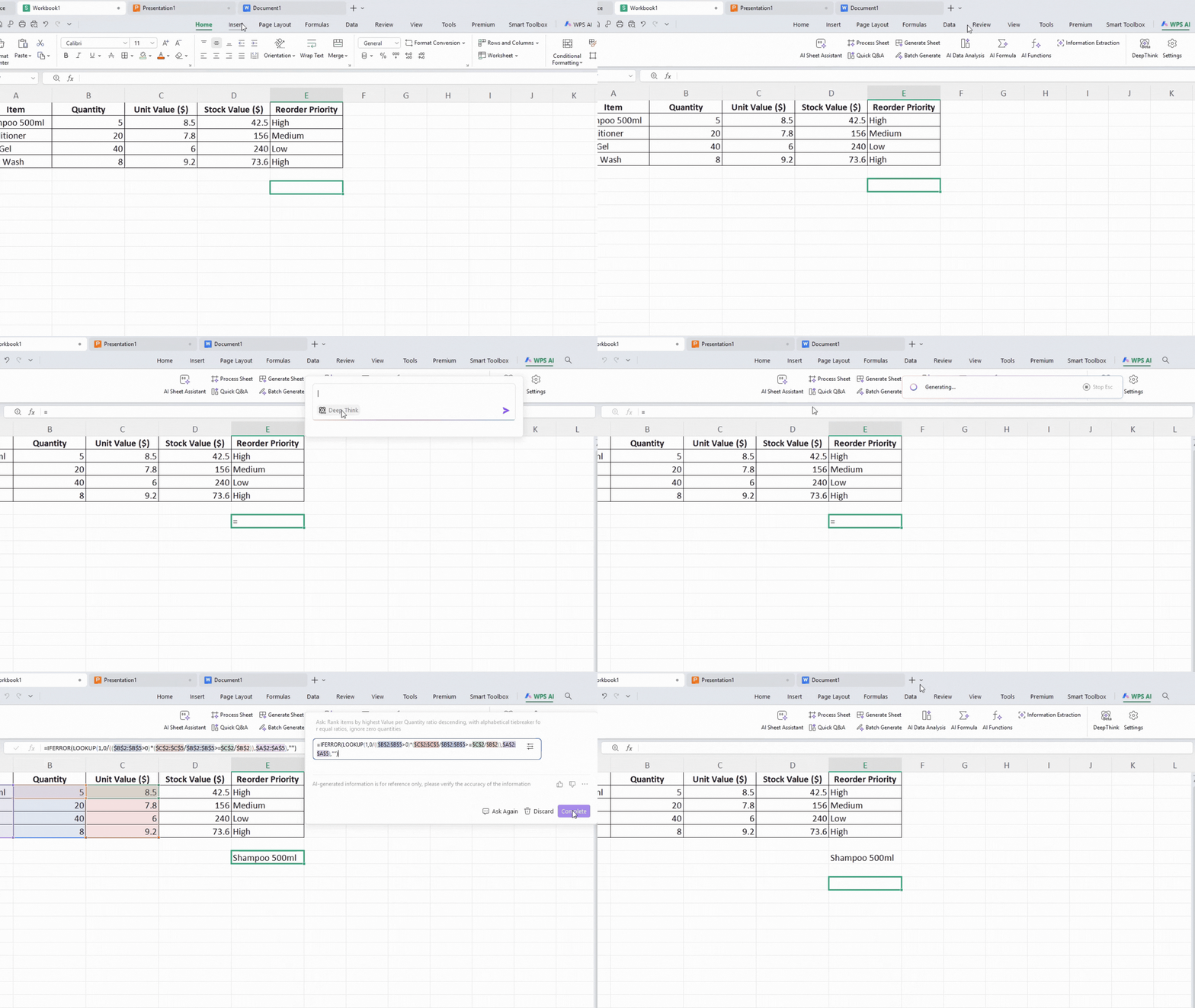
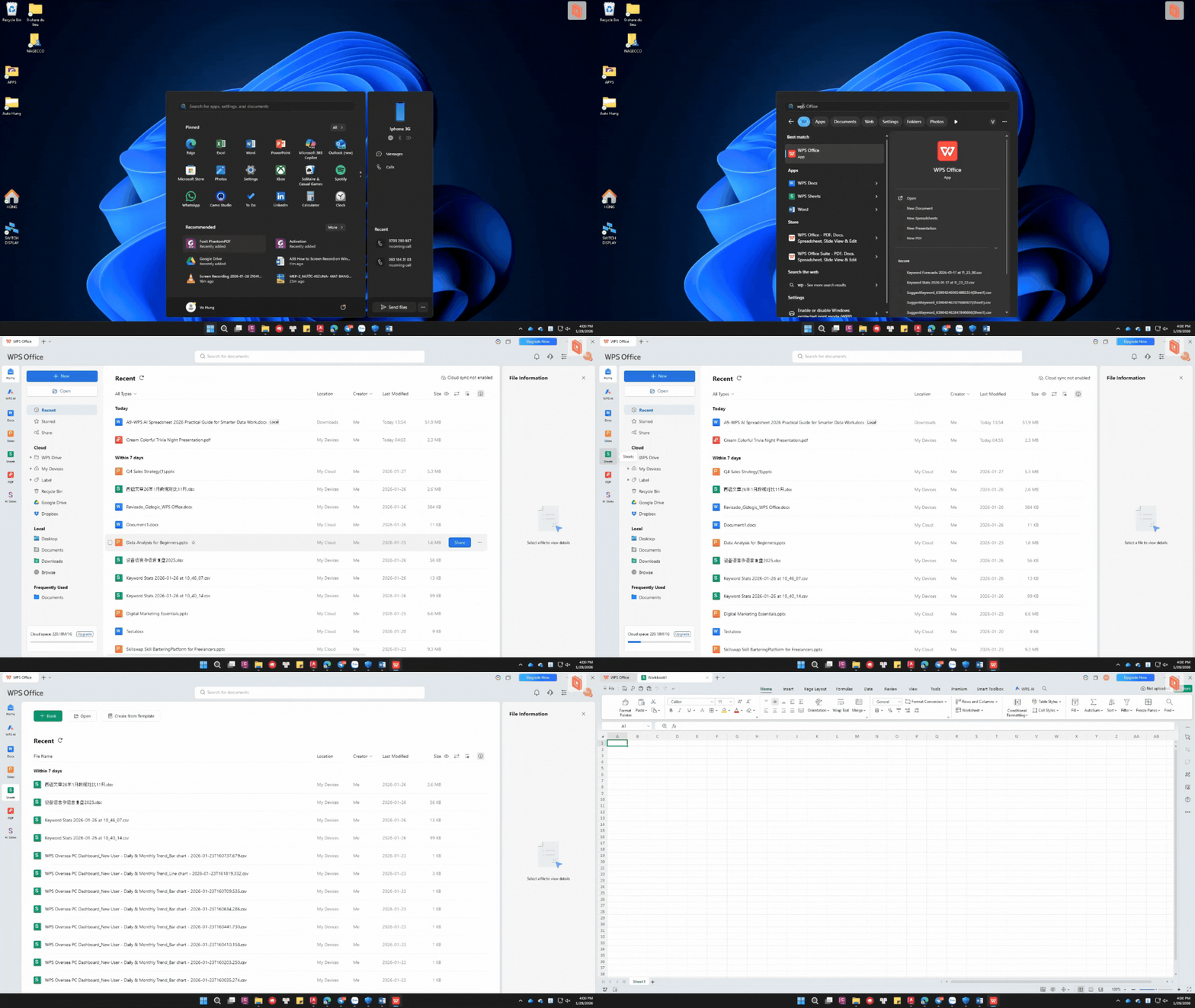
Step 1: Launch WPS Spreadsheet and open your inventory data file.
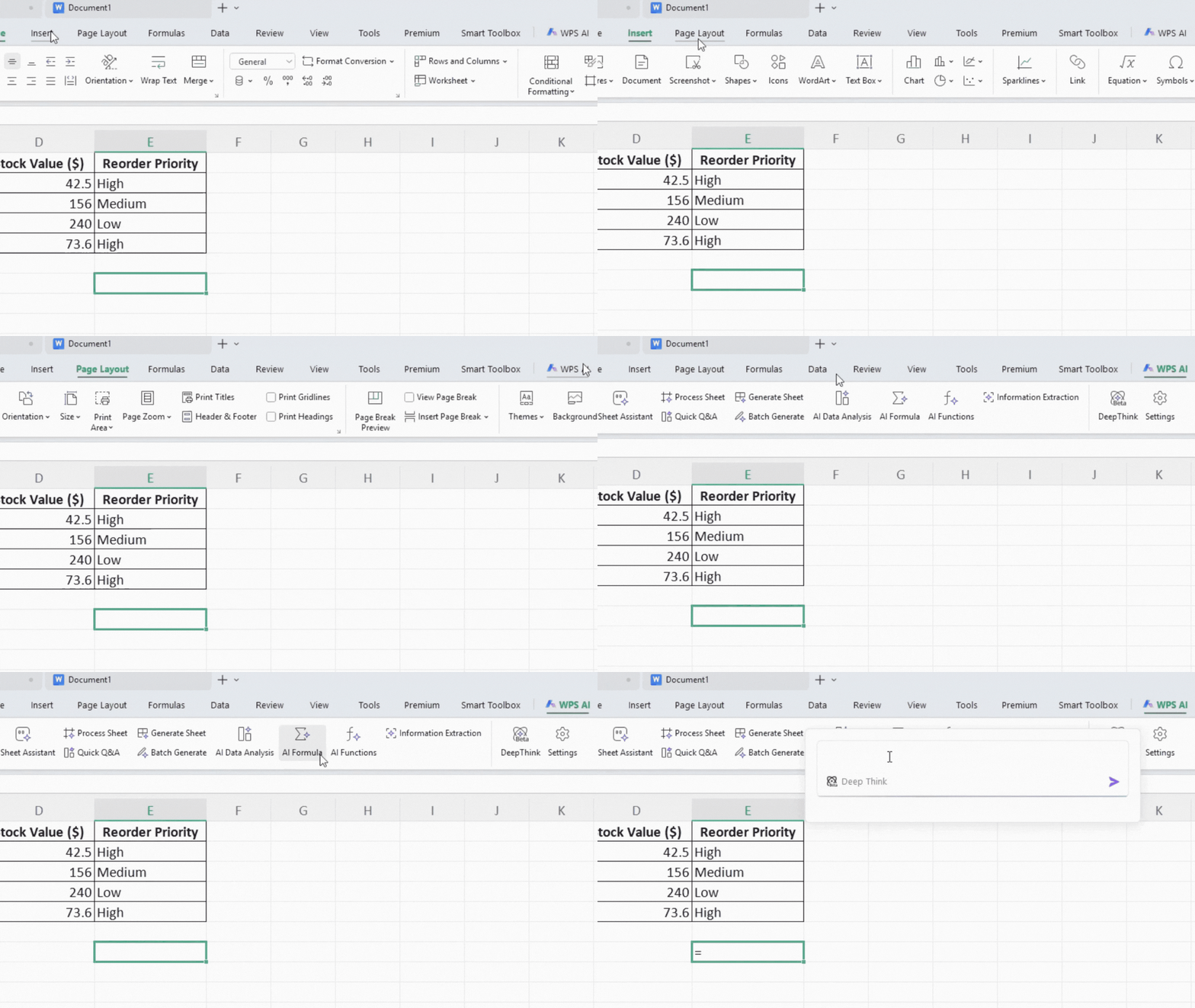
Step 2: Navigate to the WPS AI tab in the top menu bar. Choose Method A: Direct "AI Formula" button, or Method B: Click any cell and type "=" to trigger the intelligent "Help write formula" popup (recommended for experienced users).
Step 3: Enter precise natural language instruction: "Rank items by highest Value per Quantity ratio descending, with alphabetical tiebreaker for equal ratios, ignore zero quantities."
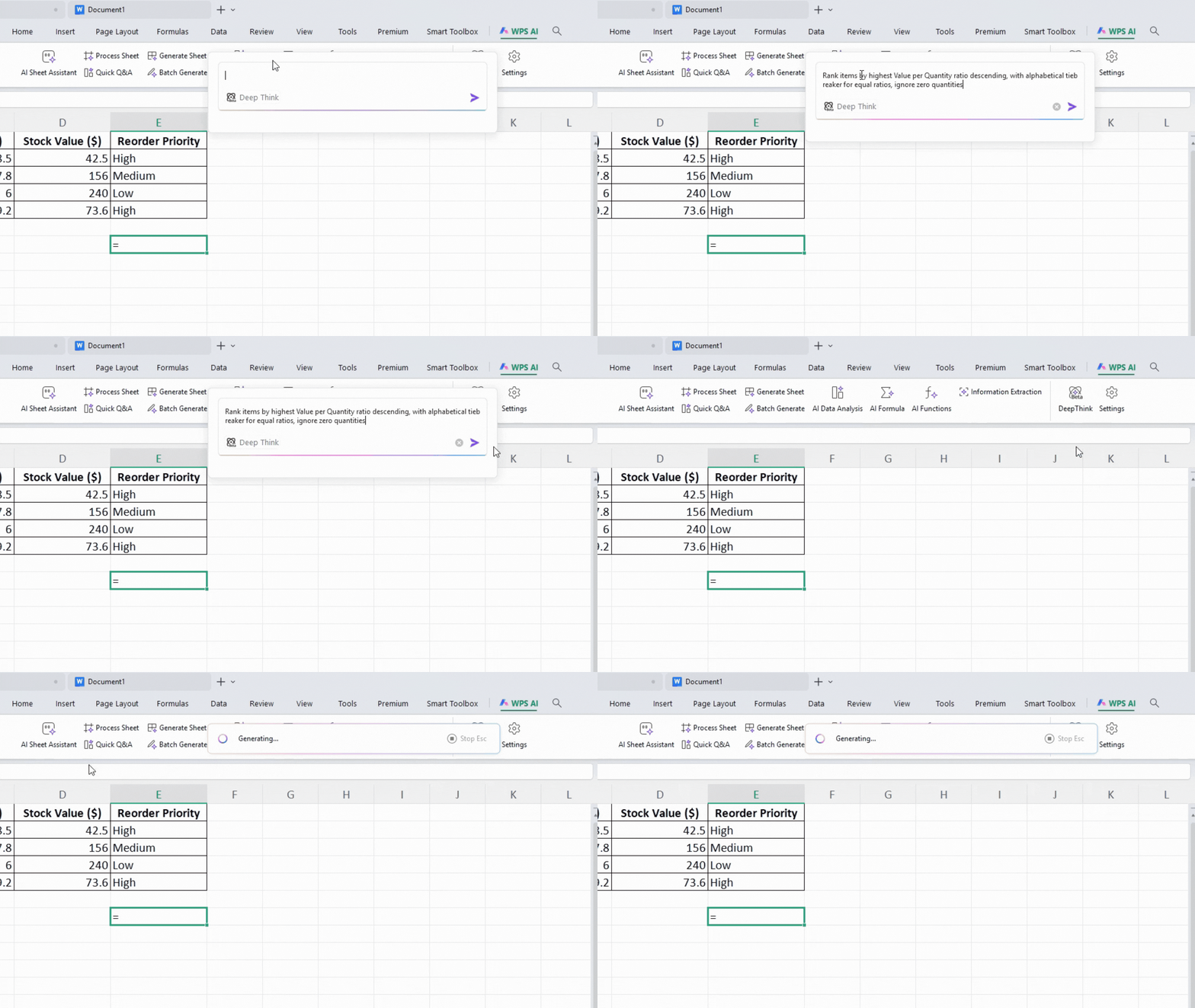
Step 4: AI generates complete formula: =IFERROR(MOD(SMALL(IF(B2:B5=0,"",--C2:C5/B2:B5/1%+ROW(2:5)),ROW(1:3)),100)-1,"") Review the auto-generated explanation below the formula.
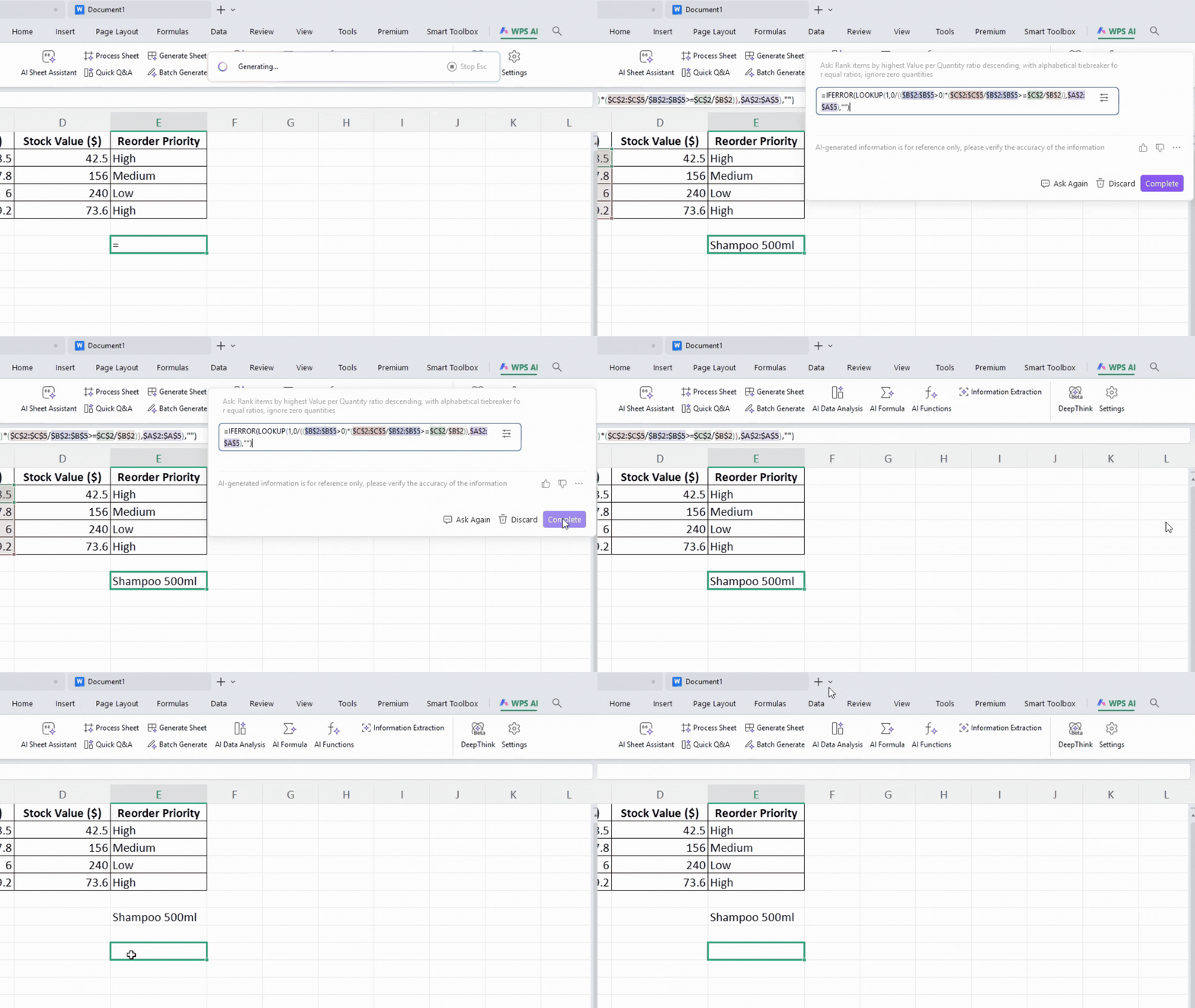
Step 5: Click "Insert Formula." Drag the small green fill handle (bottom-right cell corner) down to apply across all rows.
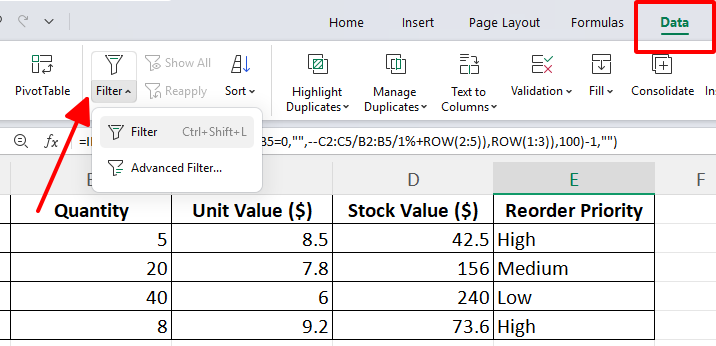
Step 6: Apply Data > Filter, then sort by Rank column to identify top-priority reorders instantly.
Common Issues & Solutions:
| Issue / Tip | What Happens | Simple Solution |
|---|---|---|
| Formula ignores blanks | Empty cells cause wrong results | Add “handle blank cells” in the prompt |
| Large datasets are slow | Whole-column formulas reduce speed | Limit the range to $C$2:$C$1000 |
| Pro Tip | Junior staff struggle to understand formulas | Use “explain this formula in simple terms” |
This function saves analysts 45+ minutes per complex calculation while teaching proper Excel logic through explanations.
Best Practice Tips:
Always test formulas on 10-row samples first. Save frequently used prompts in a template sheet. Combine with Freeze Panes (View tab) for large scrolling datasets.
Core Function 2: AI Data Analysis + WPS Copilot Assistant (WPSAI)
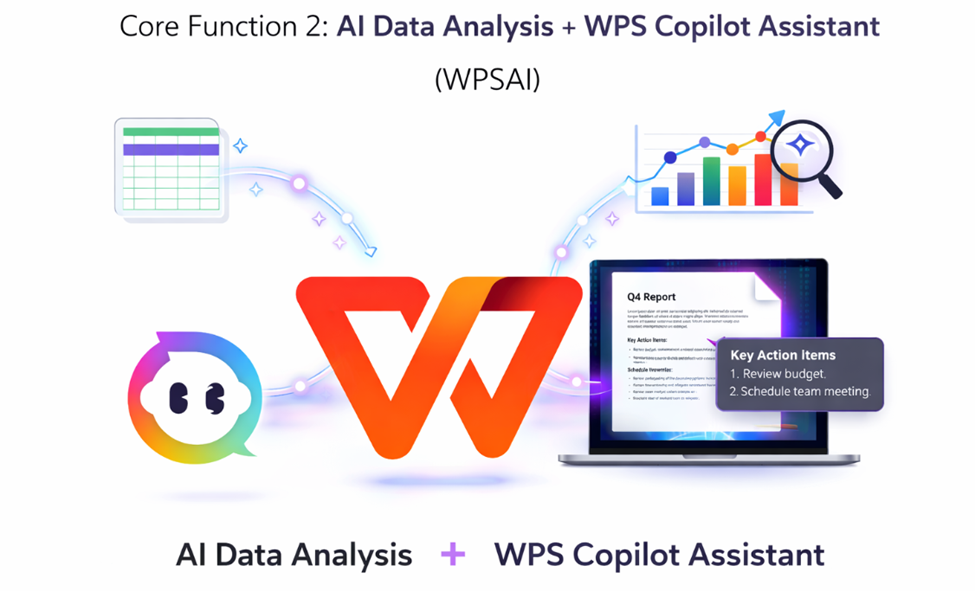
You've got 18 months of freelance billing scattered across your WPS Spreadsheets - columns A=Month, B=Client, C=Hours, D=HourlyRate, E=Total - and Friday client calls need insights NOW. AI Data Analysis and WPS Copilot swoop in through the right sidebar, mixing smart charts, WPSAI batch processing, and full workflow automation to transform billing chaos into professional client proposals before lunch.
Step 1: Quick-select A1:E25 (don't forget headers). WPS AI tab > AI Data Analysis. Sidebar pops right up.
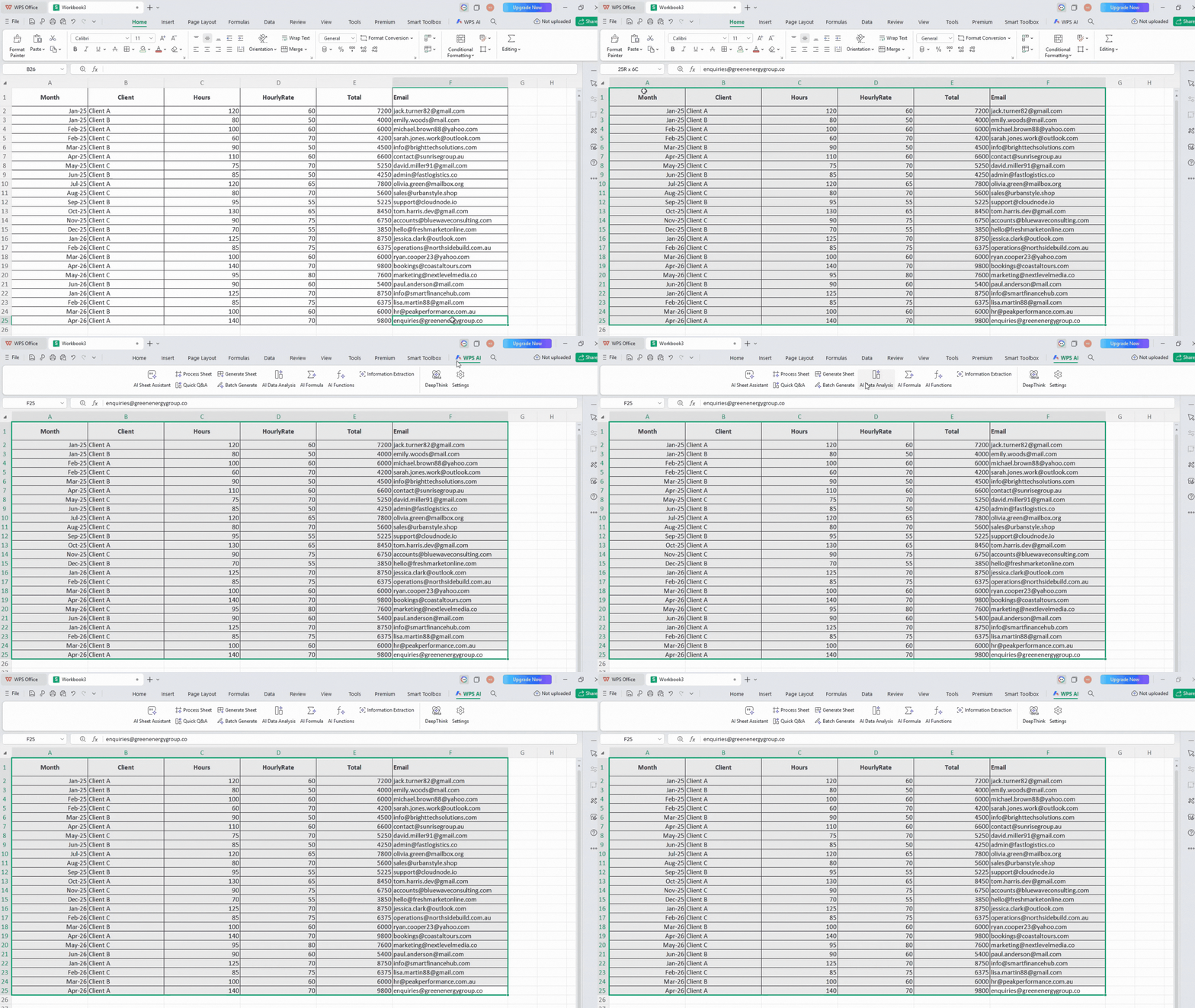
Step 2: Talk normally: "Show my top 5 clients by hourly rate trends, chart their growth patterns, predict Q2 2026 total earnings, flag seasonal dips."
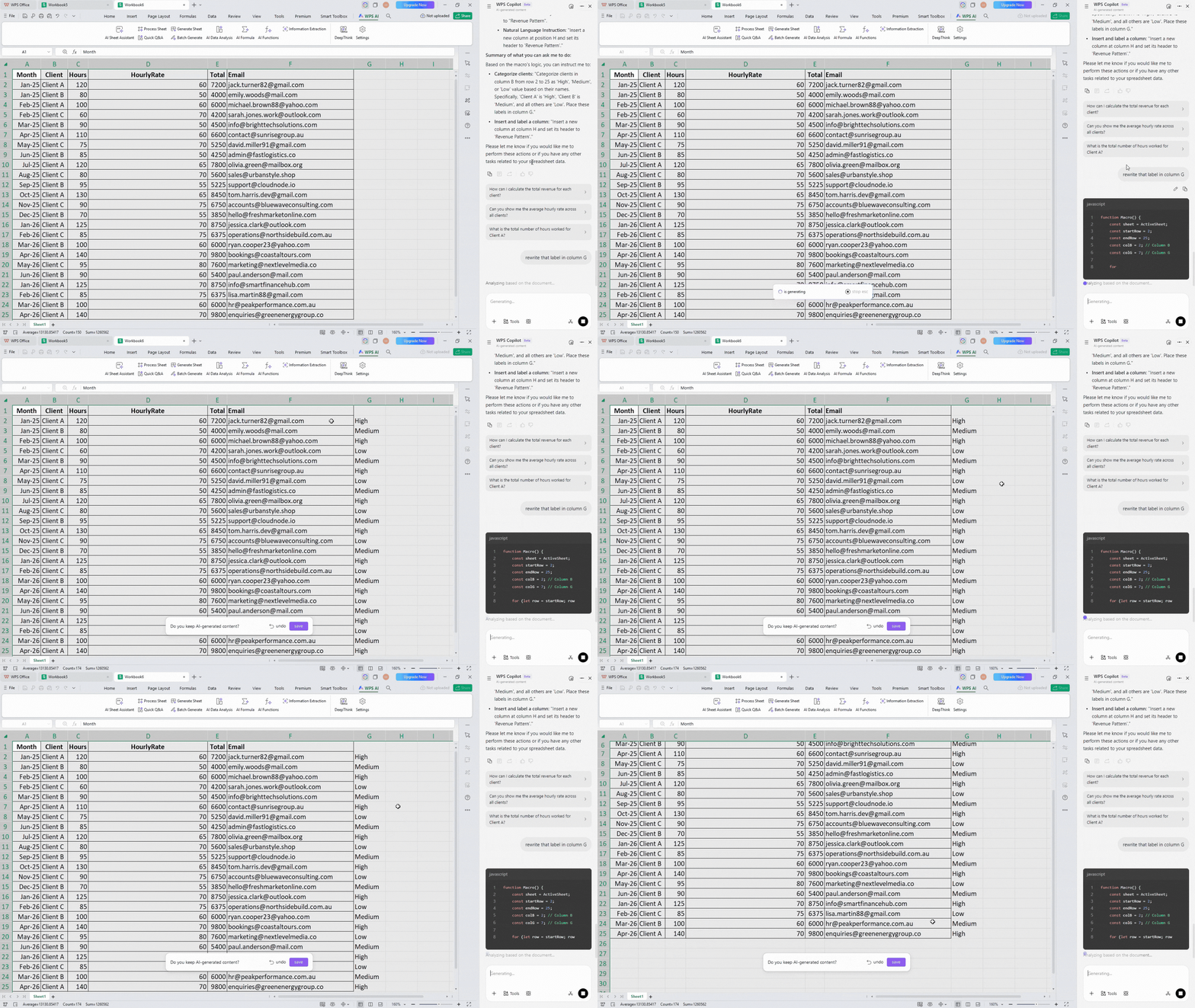
Step 3: Copilot keeps rolling: " Use WPSAI to tag each client High/Medium/Low value based on revenue patterns and write that label in column G., pull their contact emails from Column F, create client performance heatmap, highlight who's ready for rate increases. write that label in column G”
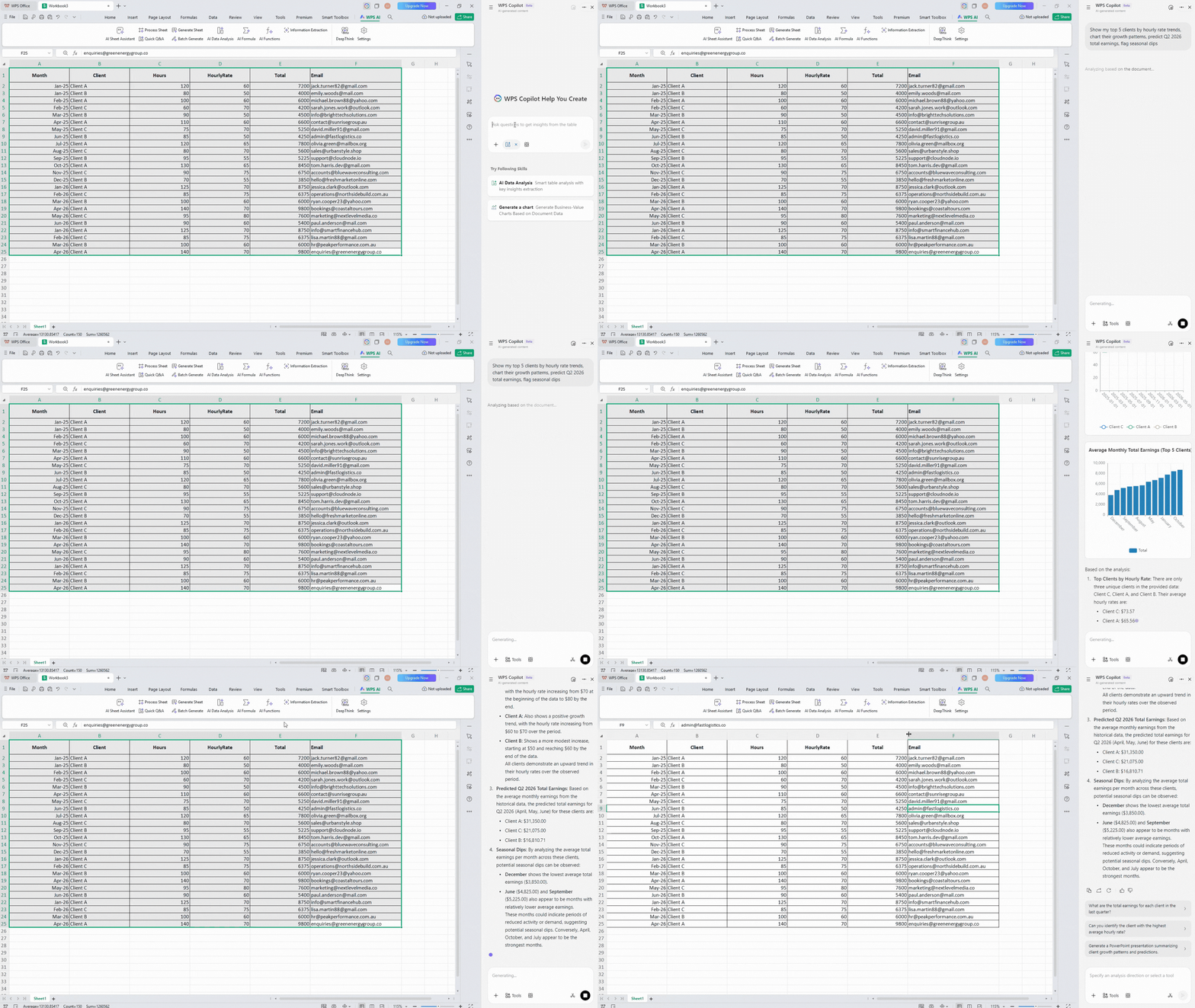
Step 5: Full results land: Clean summary ("Client X winter rates jumped 28%, Client Y shows summer potential"), live trend charts + performance heatmap, client tiers ready for negotiation, email list prepped, perfect upsell targets highlighted in green.
Step 6: Close the deal: "Build client proposal slides" or "Email my High-value clients their personalized growth summary with rate increase discussion points."
Bonus workflow for portfolio building: "Copilot, analyze seasonal billing patterns first, then WPSAI categorize project types for marketing portfolio, create tiered client dashboard with next-quarter projections and renewal reminders."
Why this combo changes everything:
| Feature | Real Win |
|---|---|
| Live sync | Charts refresh as WPSAI processes your clients |
| Multi-sheet magic | Analyze billing Sheet1, tier clients Sheet2 |
| Smart tiers | Explains exactly why Client X merits High value |
| One-prompt pipeline | Full client proposal workflow instantly |
| Pitch-ready | Instant presentation decks + personalized emails |
Real freelancer impact: That overwhelming billing spreadsheet becomes 5 polished client proposals with rate justification, portfolio categorization, and renewal reminders in 8 minutes flat - versus 3+ hours manually building charts, sorting clients, and drafting emails.
Pro tips:
Always start analysis, then chain WPSAI tasks
Name sheets clearly (Billing_Data, Client_Tiers)
Save your top 3 client workflows as templates
Core Function 3: AI Sheet Assistant
Manual spreadsheet formatting, table creation, and batch processing consume excessive time across departments. AI Sheet Assistant executes complex sheet manipulations through single natural language commands.
Step 1: Select target range A1:D50.
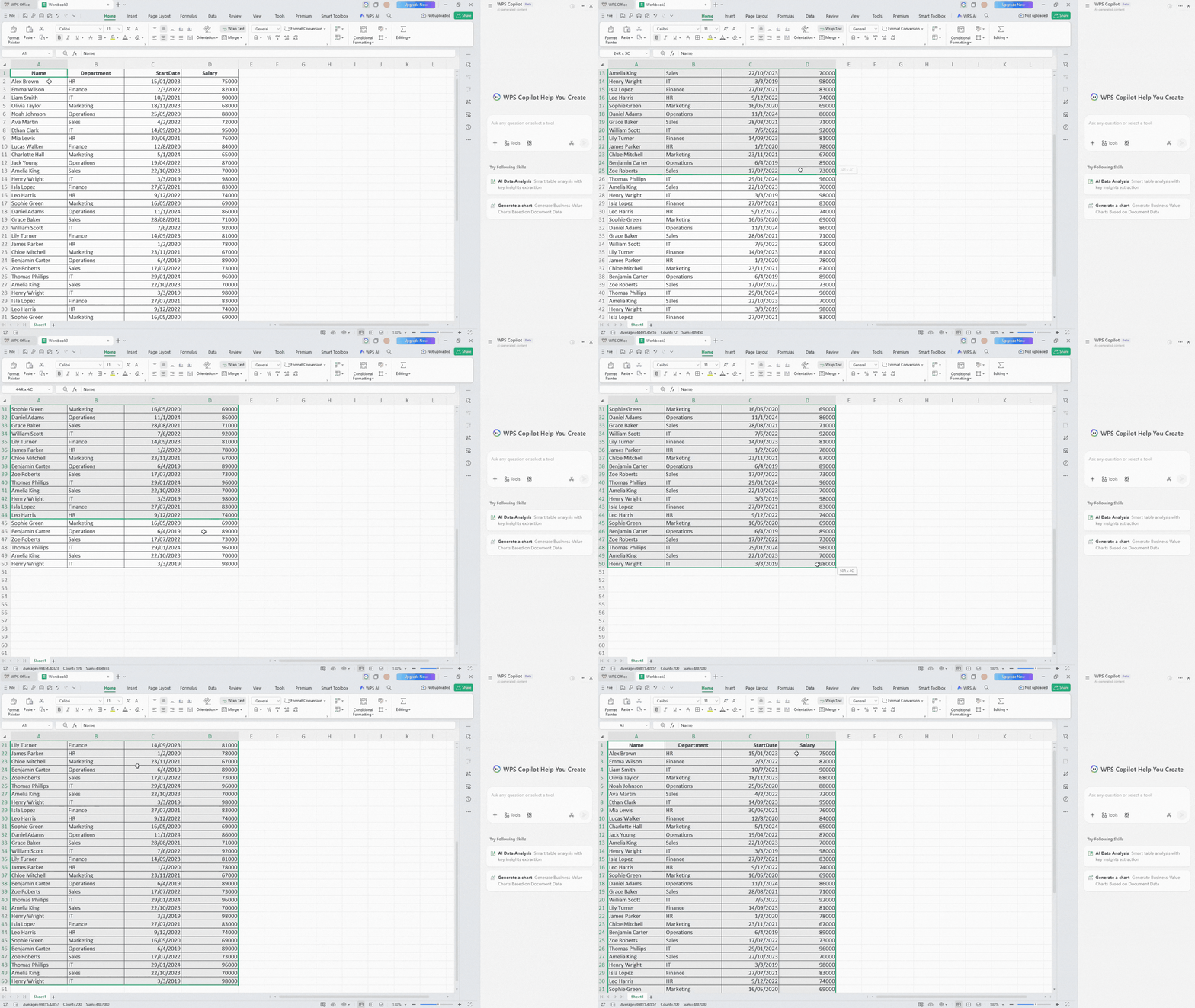
Step 2: WPS AI > AI Sheet Assistant sidebar.
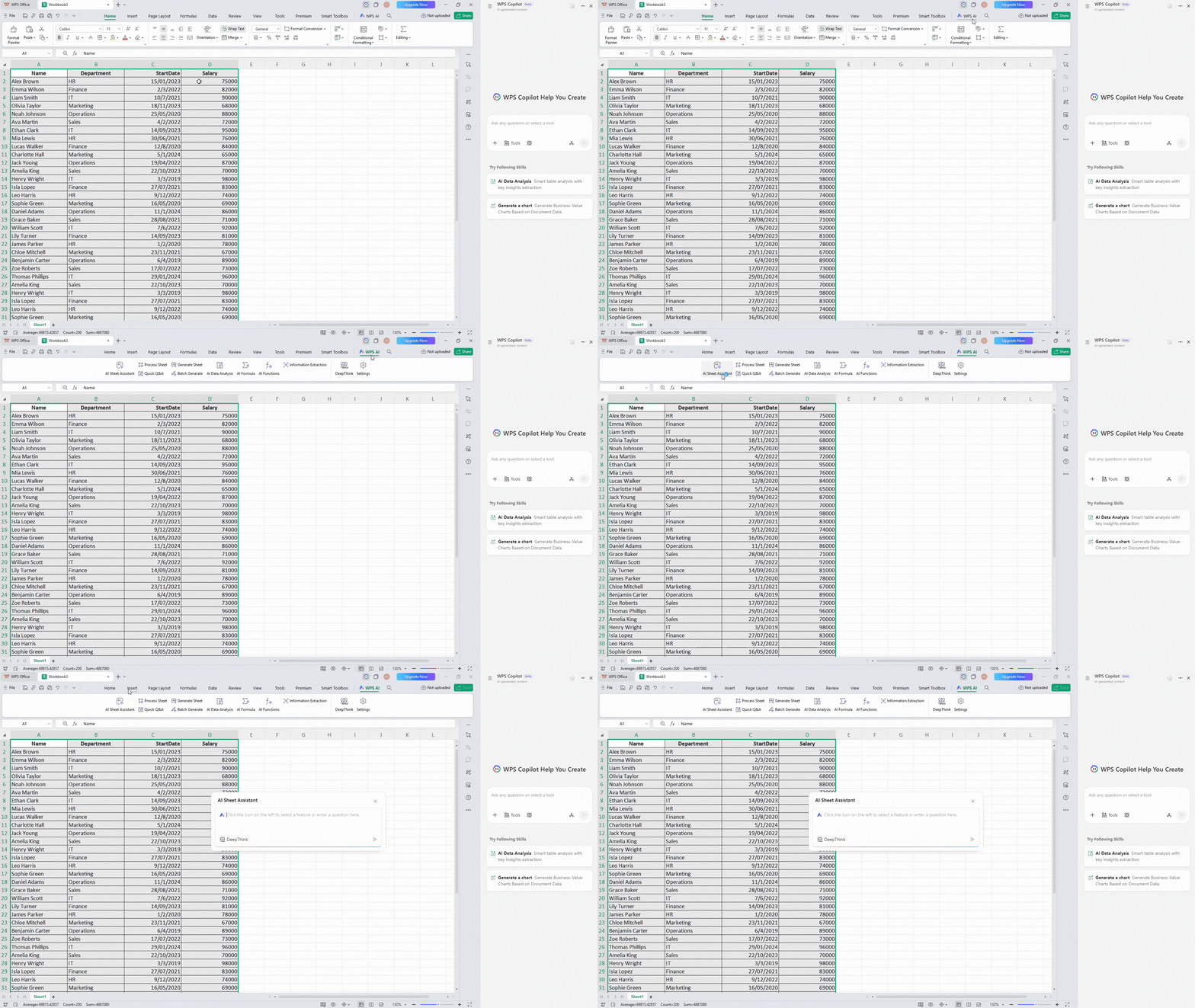
Step 3: Comprehensive formatting command: "Apply conditional formatting by department (Sales=blue fill, Marketing=green fill, HR=yellow fill), merge Name-Department into single Column A, create StartDate hierarchy column showing Year-Month, sort by newest hires first, add data validation dropdown for Status column (Active/Probation/Terminated)."
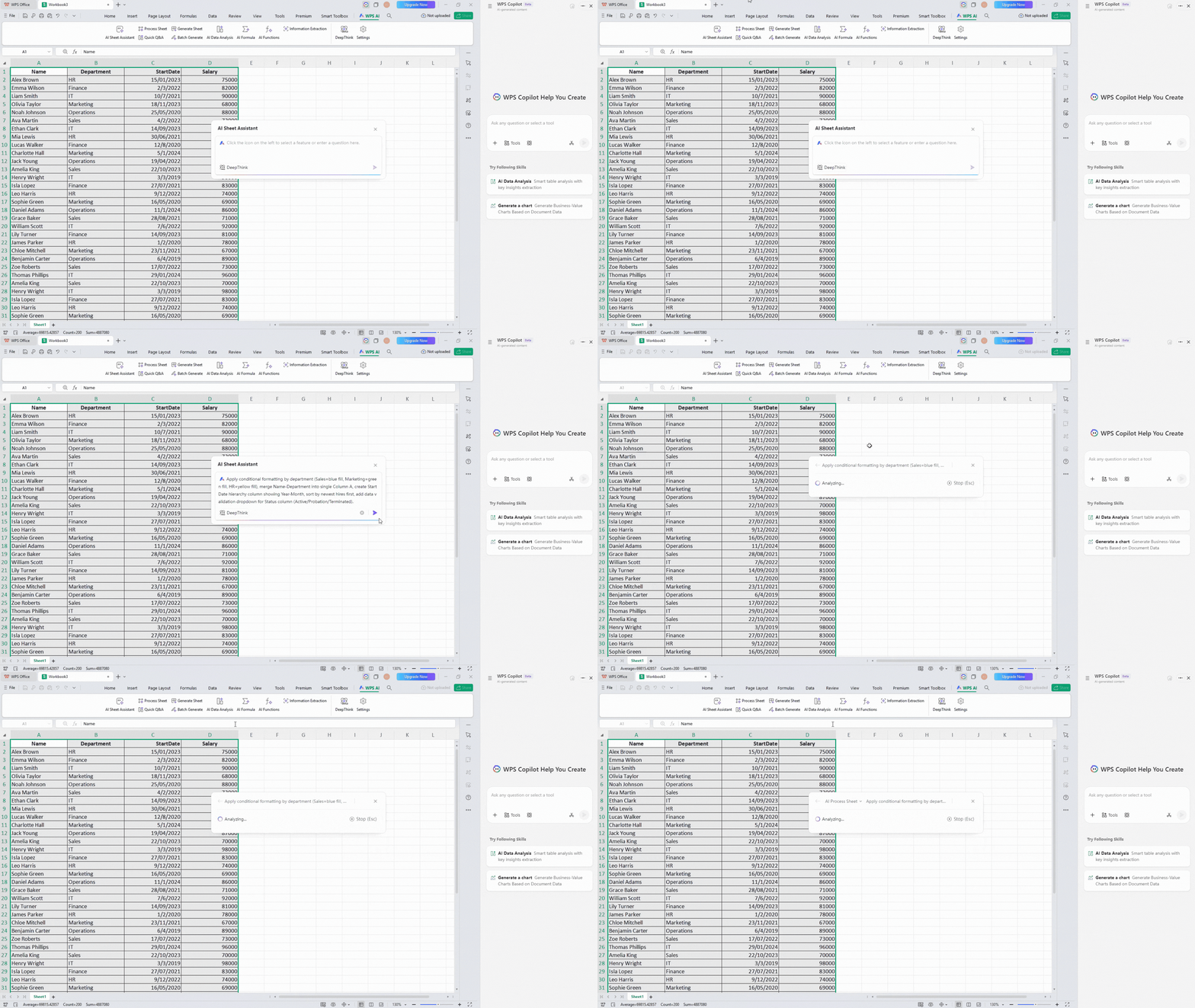
Step 4: AI previews changes with editable code, then applies instantly.

Practical example for users: AI table creation for financial planning.
Step 1: Create a new worksheet, click starting cell A1.
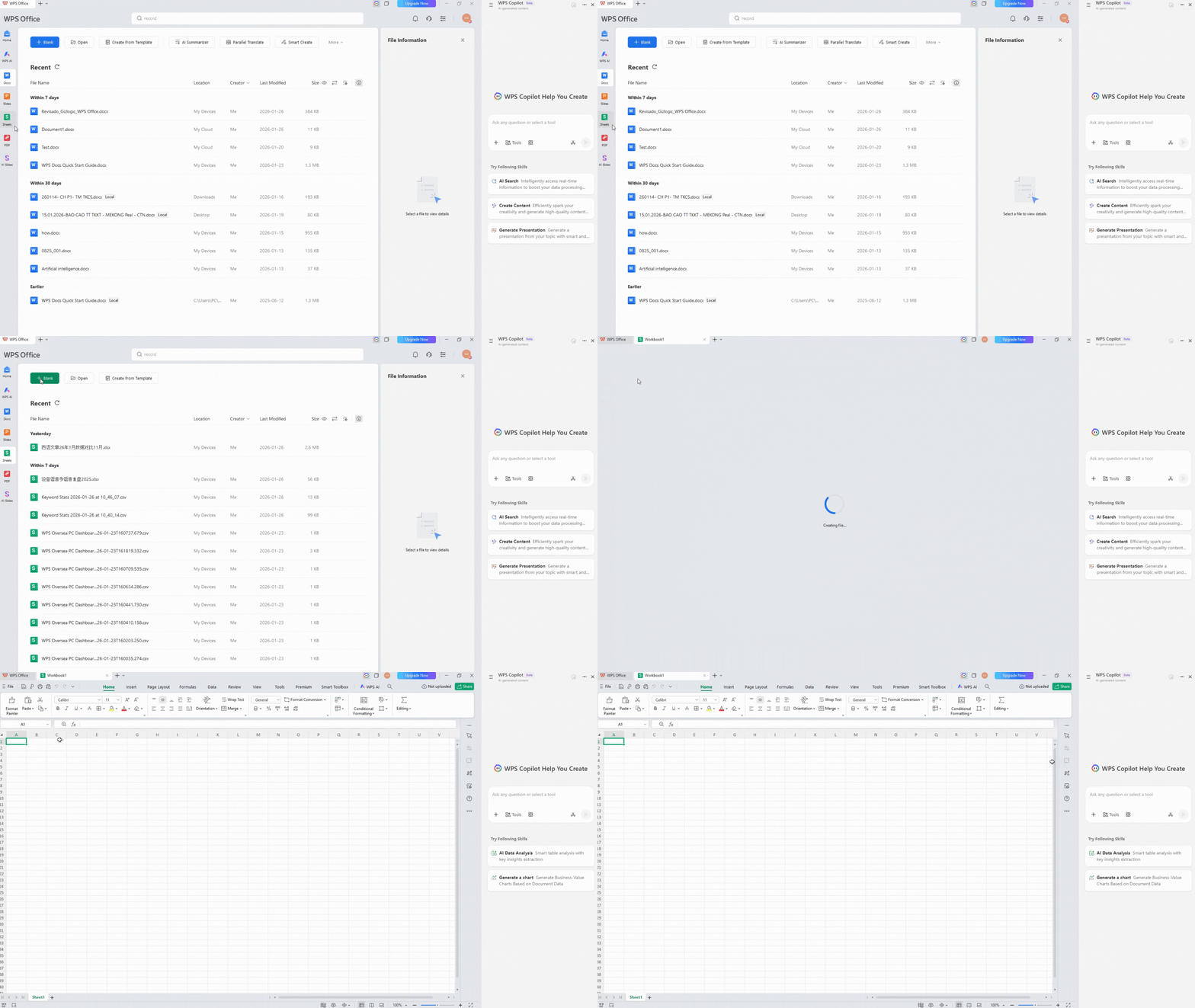
Step 2: AI Sheet Assistant > Generate Sheet function.
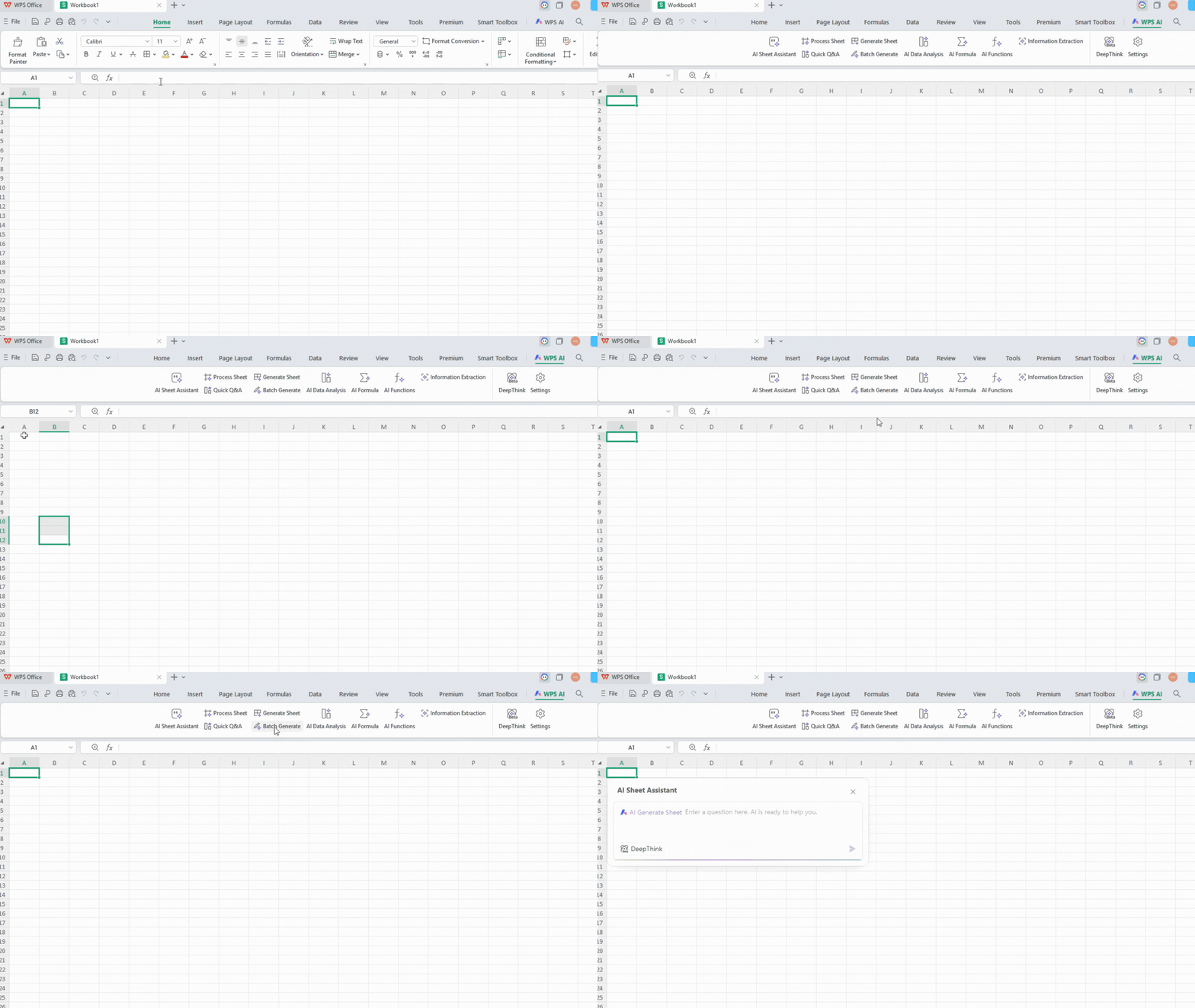
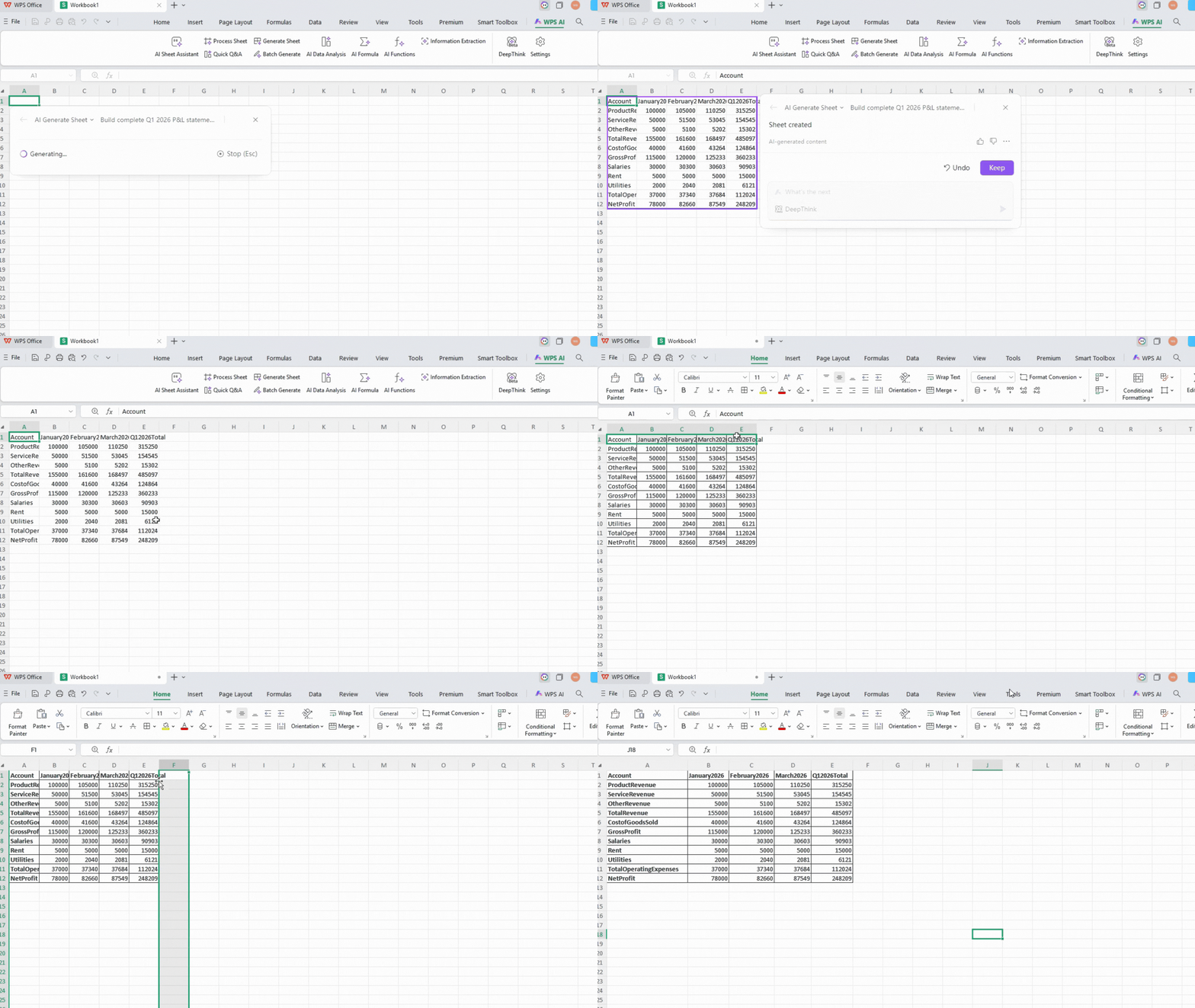
Step 3: "Build complete Q1 2026 P&L statement template with categories Revenue (Product/Service/Other), Cost of Goods, Operating Expenses (Salaries/Rent/Utilities), formulas for Gross Margin/Net Profit, sample data for January with growth assumptions, conditional formatting for negative variances."
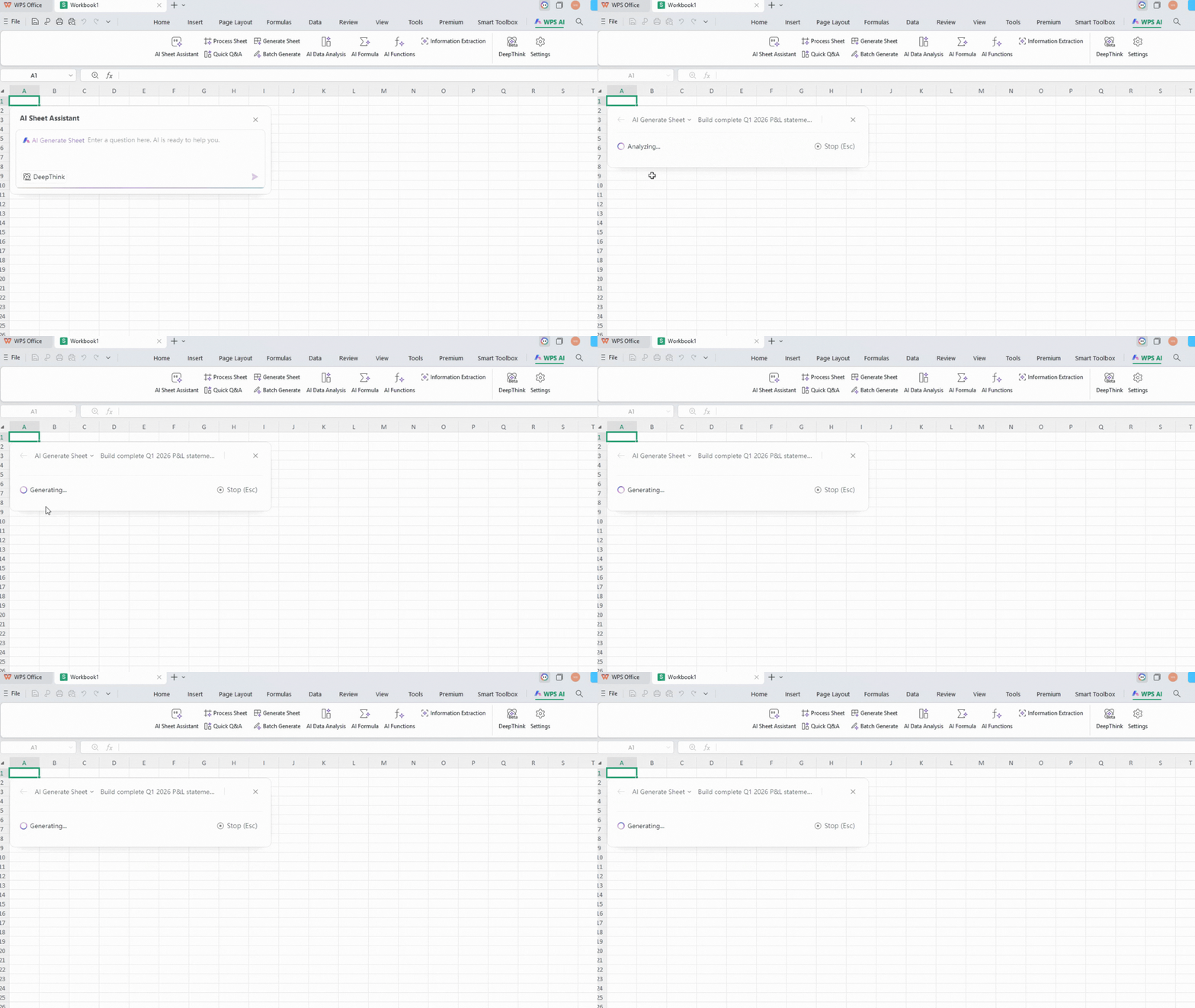
Step 4: Fully functional financial model appears instantly with professional formatting.
Cross-Department Applications:
Sales: Auto-segment leads by region/value
HR: Format onboarding lists, calculate tenure
Finance: Build budget templates, variance analysis
Operations: Inventory categorization, reorder schedules
Platform Notes: Full feature set on Windows desktop; Mac/iOS supports core functions with minor limitations on advanced conditional formatting.
Power Tips:
Use specific color names (not hex codes). Reference exact column letters. Windows version supports most complex operations.
Core Advantages
Plain language eliminates formula memorization barriers. Free tier meets 80% of daily needs; Pro pricing undercuts competitors by 50%. Common tasks reduce from 30-60 minutes to 2-5 minutes. Perfect Microsoft Office compatibility eliminates file conversion headaches. Real-time collaboration with role-based permissions scales from solo to enterprise.
Additional benefits include 47-format support, bidirectional PDF conversion retaining formulas/charts, OCR converting scanned invoices to editable spreadsheets, and seamless cross-platform synchronization without OneDrive dependency.
Competitor Comparison
| Feature | WPS AI Excel | Excel Copilot | Google Sheets Gemini |
|---|---|---|---|
| Formula Generation | Cell popup, multilingual | Enterprise subscription | Basic prompt processing |
| Data Analysis | Instant charts/forecasts | Requires Power BI | Cloud-based, limited depth |
| Sheet Control | Natural language execution | Manual VBA/macros | Addon/script dependent |
| Batch Processing | Native =WPSAI() functions | Complex Power Query | Apps Script required |
| File Compatibility | Perfect .xlsx preservation | Version/format issues | Frequent formula breaks |
| Cross-Platform | Full desktop/mobile | Windows-centric | Chrome/browser dependent |
| AI Cost (monthly) | $14 annual plan | $30+ Office 365 bundle | $7+ with daily limits |
| Offline Capability | Full editing, AI cached | Limited offline | Cloud required |
Decision Framework: WPS dominates for cost-conscious SMBs/freelancers. Excel Copilot fits locked-in enterprises. Gemini suits simple browser-based sharing.
Limitations
Internet connection required for live AI processing (basic editing fully offline). Free tier includes usage quotas and non-intrusive ads. Advanced AI Sheet Assistant features optimized for Windows desktop (Mac/iOS 85% functionality). Highly specialized statistical requests occasionally require prompt refinement. Large datasets (>50k rows) benefit from Pro unlimited processing.


FAQs
Is WPS AI Excel completely free for basic use?
Yes, core AI Spreadsheet functions including formula generation, basic analysis, and formatting work free with 1GB cloud storage supporting 47 formats. Pro upgrade ($14/month annual) removes all limits/ads for unlimited professional usage.
Will my existing Excel files work perfectly in WPS AI Excel?
100% compatibility with Microsoft .xlsx, .xls, .csv files. All formulas, charts, pivot tables, and conditional formatting import/export without corruption or adjustment, unlike Google Sheets frequent formula errors.
Which feature is the most user-friendly?
AI Functions (=WPSAI) wins hands-down. Super sensitive to prompts,
lightning-fast responses, and dead-simple operation - just type
=WPSAI(cell, "your task") and drag. Perfect for daily batch work like
client categorization or product descriptions.
What groups of people is WPS AI Excel suitable
for?
Freelancers needing client insights fast, small business owners handling
sales/inventory without analysts, office workers battling formula
errors, data analysts wanting conversational analysis over PivotTables,
and sales teams turning CRM dumps into executive reports. Anyone tired
of Excel complexity.
How does WPS AI Excel pricing compare long-term?
Free tier handles 80% of needs indefinitely. Pro annual plan costs $168/year vs Excel Copilot $468+ (Office 365 bundle). Includes 6 months free Pro benefits first year. No usage-based overage fees unlike Gemini business tiers.
Summary
AI Spreadsheet intelligence through WPS AI Excel converts spreadsheet frustration into competitive advantage. Office workers instantly rank priorities, analysts generate C-level dashboards, small business owners forecast cash flow, sales teams qualify pipelines efficiently. Download the free version at wps.com and implement these proven workflows on your immediate priorities.



15 years of office industry experience, tech lover and copywriter. Follow me for product reviews, comparisons, and recommendations for new apps and software.


