

'%3e%3cpath%20d='M8%200C12.4183%200%2016%203.58172%2016%208C16%2012.4183%2012.4183%2016%208%2016C3.58172%2016%200%2012.4183%200%208C0%203.58172%203.58172%200%208%200ZM11.6162%204.38379C11.2257%203.99337%2010.5927%203.99338%2010.2021%204.38379L8%206.58594L5.79785%204.38379C5.40732%203.99334%204.77429%203.99329%204.38379%204.38379C3.99331%204.77429%203.99335%205.40733%204.38379%205.79785L6.58594%208L4.38379%2010.2021C3.99348%2010.5927%203.99341%2011.2257%204.38379%2011.6162C4.77426%2012.0066%205.40734%2012.0065%205.79785%2011.6162L8%209.41406L10.2021%2011.6162C10.5927%2012.0066%2011.2257%2012.0067%2011.6162%2011.6162C12.0067%2011.2257%2012.0066%2010.5927%2011.6162%2010.2021L9.41406%208L11.6162%205.79785C12.0066%205.40735%2012.0066%204.77429%2011.6162%204.38379Z'%20fill='%23080E17'%20fill-opacity='0.46'/%3e%3c/g%3e%3cdefs%3e%3cclipPath%20id='clip0_3761_713'%3e%3crect%20width='16'%20height='16'%20fill='white'/%3e%3c/clipPath%3e%3c/defs%3e%3c/svg%3e)




'%3e%3cpath%20fill-rule='evenodd'%20clip-rule='evenodd'%20d='M21.4999%2010.9993C21.4999%205.20009%2016.7986%200.498901%2010.9993%200.498901C5.19994%200.498901%200.498657%205.20009%200.498657%2010.9993C0.498657%2016.2404%204.33858%2020.5844%209.35855%2021.3722V14.0346H6.69238V10.9993H9.35855V8.68594C9.35855%206.05427%2010.9262%204.60062%2013.3248%204.60062C14.4736%204.60062%2015.6753%204.80571%2015.6753%204.80571V7.38979H14.3512C13.0468%207.38979%2012.64%208.19921%2012.64%209.0296V10.9993H15.5523L15.0867%2014.0346H12.64V21.3722C17.66%2020.5844%2021.4999%2016.2404%2021.4999%2010.9993Z'%20fill='%231568EA'/%3e%3c/g%3e%3c/svg%3e)


'%3e%3cpath%20d='M2.42045%2022.1876H6.31818V12.7217L0.75%208.54553V20.5171C0.75%2021.4414%201.49892%2022.1876%202.42045%2022.1876Z'%20fill='%234285F4'/%3e%3cpath%20d='M19.682%2022.1876H23.5797C24.5041%2022.1876%2025.2502%2021.4387%2025.2502%2020.5171V8.54553L19.682%2012.7217'%20fill='%2334A853'/%3e%3cpath%20d='M19.682%205.48293V12.7216L25.2502%208.54543V6.31816C25.2502%204.25236%2022.8921%203.07469%2021.2411%204.31361'%20fill='%23FBBC04'/%3e%3cpath%20d='M6.31824%2012.7217V5.48303L13.0001%2010.4944L19.6819%205.48303V12.7217L13.0001%2017.733'%20fill='%23EA4335'/%3e%3cpath%20d='M0.75%206.31816V8.54543L6.31818%2012.7216V5.48293L4.75909%204.31361C3.10534%203.07469%200.75%204.25236%200.75%206.31816Z'%20fill='%23C5221F'/%3e%3c/g%3e%3cdefs%3e%3cclipPath%20id='clip0_2954_7305'%3e%3crect%20width='24.5'%20height='18.375'%20fill='white'%20transform='translate(0.75%203.8125)'/%3e%3c/clipPath%3e%3c/defs%3e%3c/svg%3e)


Looking for free printable MTG proxy PDF templates? This guide compares three popular sources—Pinterest, SeekPNG, and DeviantArt—so you can find blank Magic-style card layouts quickly. After you download a template (often as PNG), you can convert it to PDF, customize the text or artwork, and print it with WPS Office.
Where to Download Printable MTG Proxy PDF Templates for Free
Use the comparison below to pick a source based on template variety, ad clutter, and whether designs are truly free.
| Website | Best for | Free templates? | Watch-outs |
|---|---|---|---|
| Fast visual discovery and many customizable blanks | Many free pins (verify source rights) | Heavy ads; quality varies by pin | |
| SeekPNG | PNG blanks and gaming-related assets | Many free downloads | Older designs; ad-heavy pages |
| DeviantArt | Artistic MTG-style frames and color variants | Mixed—some paid / premium | Licensing and premium locks |
1. Pinterest
Pinterest is a strong visual search engine for MTG proxy template PDFs and blank card frames. Search for terms like “MTG proxy template PDF” or “blank Magic card template,” then open pins that lead to downloadable images. Many templates are easy to customize once you convert them to PDF.

Black Magic Card Template — Available at Pinterest
This Black Magic-style blank features electric blue borders and an empty center for rules text or artwork. It works well for playtesting, custom card prototypes, or casual proxy printing.

Pros:
Wide range of customizable MTG-style templates
Simple visual browsing and tag/search discovery
Fast way to compare frame styles before downloading
Cons:
Ad-heavy browsing experience
Pin quality and licensing vary—check the original source
2. SeekPNG
SeekPNG hosts printable MTG proxy template assets (often PNG) that you can convert to PDF for editing and printing. It is convenient when you need a blank frame quickly, though many assets lean toward older visual styles.

Blank Magic Card Template — Available at SeekPNG
This blank uses black textured borders with an empty center for text or art. It suits dark-themed prototypes and quick playtest proxies once converted to PDF.

Pros:
Many downloadable blank card assets
Useful for gamers who need PNG templates fast
Cons:
Pages can feel cluttered with ads
Fewer contemporary design options
3. DeviantArt
DeviantArt is popular for artistic MTG proxy templates and colorful frame packs. Tag search helps you explore beige, electric blue, red, and other styles—but confirm each file’s license, because many premium assets are paid.

Blank MTG Proxy Templates — Available at DeviantArt
These templates emphasize vibrant color palettes and clean frames. They are useful for designers and playtesters who want polished visuals, provided the creator allows free use or you purchase the licensed version.

Pros:
Strong artistic variety and tag-based discovery
Good for polished or themed card frames
Cons:
Some features and templates require payment
Licensing rules differ by creator


How to Edit and Print Your MTG Proxy PDF Template using WPS Office
Most free MTG proxy templates download as PNG images. WPS Office helps you convert those images to PDF, add text or artwork, and print from one suite—with free basic tools and a familiar office interface.
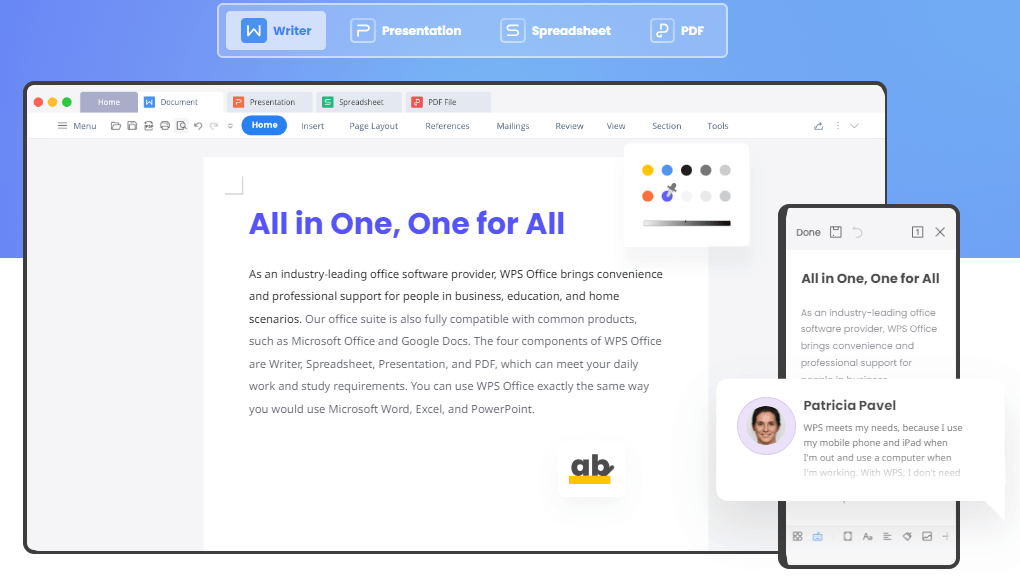


How to convert and customize an MTG proxy template
To edit an MTG proxy template with WPS Office, follow these steps:
Step 1: Launch WPS Office. New users can download WPS Office and install it first.
If your template is a PNG, convert the image to PDF before editing.
Step 2: Click New in the sidebar, then select PDF.
Step 3: Under Convert, choose Image to PDF.

Step 4: Upload the MTG proxy template image and click Convert.

Step 5: Use WPS PDF editing tools to add card text, adjust layout, or insert artwork.

Step 6: Save your customized MTG proxy PDF and print or share it.
Additional tips
Explore more templates: Browse the WPS template library inside the app for additional document and design layouts.
Build from scratch: Use WPS tools to create a blank card layout if you cannot find a free template that fits your needs.
Print settings: Print at actual card size when possible, and use thicker paper for more realistic proxies.
Why WPS Office works well for proxy PDFs
Clean, familiar interface
Free basic PDF conversion and editing tools
Built-in template library and DIY editing options
Direct printing from the application

FAQs
What is the difference between proxy and real Magic cards?
A common difference is the printing pattern (often described as a rosette). Factory-printed genuine cards and home-printed proxies usually look different under close inspection. Always compare against a real card from the same set, because official print patterns also change over time.
Can you use proxy cards in MTG?
Proxies are typically limited to casual play, playtesting, or replacing a damaged card already in a game—depending on house rules or the event organizer. Always confirm the rules with your playgroup or tournament host first.
Are proxy cards allowed in official MTG tournaments?
In official Magic: The Gathering tournaments, proxies are generally not allowed. In rare cases, a judge may authorize an official proxy for a specific match; that card must be clearly marked as a proxy and usually cannot be reused in other events.
How do I know if a card is a proxy?
Check weight, thickness, print pattern, and light penetrability. Older or rebacked proxies are often easier to spot by feel, while high-quality blue-core proxies may need closer inspection of print details and light tests. Many proxies also feel glossier than genuine cards.
Conclusion: Download free MTG proxy templates, then edit with WPS Office
Pinterest, SeekPNG, and DeviantArt each offer useful paths to printable MTG proxy templates—choose based on free availability, design style, and licensing. Once you have a template image, download WPS Office to convert it to PDF, customize the card, and print your proxies with less friction.

'%3e%3cpath%20d='M19.9911%204.11386V6.471H18.5894C18.0775%206.471%2017.7322%206.57814%2017.5536%206.79243C17.3751%207.00671%2017.2858%207.32814%2017.2858%207.75671V9.44421H19.9019L19.5536%2012.0871H17.2858V18.8639H14.5536V12.0871H12.2769V9.44421H14.5536V7.49779C14.5536%206.39064%2014.8632%205.53201%2015.4822%204.92189C16.1013%204.31177%2016.9257%204.00671%2017.9554%204.00671C18.8304%204.00671%2019.509%204.04243%2019.9911%204.11386Z'%20fill='%23333333'/%3e%3c/g%3e%3cdefs%3e%3cclipPath%20id='clip0_2938_8199'%3e%3crect%20width='16'%20height='16'%20fill='white'%20transform='translate(8%204.00671)'/%3e%3c/clipPath%3e%3c/defs%3e%3c/svg%3e)
'%3e%3cpath%20d='M17.5237%2010.7813L23.4811%204H22.0699L16.8949%209.88693L12.7648%204H8L14.2469%2012.9029L8%2020.0133H9.4112L14.8725%2013.7952L19.2352%2020.0133H24M9.92053%205.04213H12.0885L22.0688%2019.0224H19.9003'%20fill='%23333333'/%3e%3c/g%3e%3cdefs%3e%3cclipPath%20id='clip0_2938_8200'%3e%3crect%20width='16'%20height='16.0134'%20fill='white'%20transform='translate(8%204)'/%3e%3c/clipPath%3e%3c/defs%3e%3c/svg%3e)


