
How to create a presentation with WPS AI
Generate slides from a topic, document, or outline, then polish the content before presenting.
Create presentations from ideas, documents, or outlines. Use WPS AI to generate slides, polish content, match visuals, and prepare speaker notes.

6 of 10 · Avg. pace: 2.1 min · On track ✓WPS AI helps you generate presentations from topics, documents, or outlines, create new slides, polish slide content, match visuals, and prepare speaker notes.
Enter a topic, upload a document, or paste an outline. WPS AI helps create a presentation structure and turn your content into slides.
Use AI to improve a single slide, match visuals to your content, and apply presentation templates that fit your topic.
Use WPS AI to generate slide copy from a topic, polish existing text, or adjust the length of your content for better presentation flow.
Slide 5 updated.WPS AI helps generate speaker notes from your slide content, so you can prepare key talking points before presenting.
Opening: Welcome the audience and introduce yourself. Mention the purpose of the presentation — a product launch that will redefine productivity.
Key point: Emphasize the market opportunity. Reference the $4.2B TAM and our unique positioning. Pause for 3 seconds after the hook.
Transition: "Let me walk you through our agenda for today…" Move to Slide 2 with a confident pace. Estimated time: 2 minutes.
Share presentations, co-edit slides, leave comments, manage permissions, and keep work organized with version history.
Start faster with presentation templates, icons, images, charts, and design resources for business reports, pitch decks, lessons, and project updates.

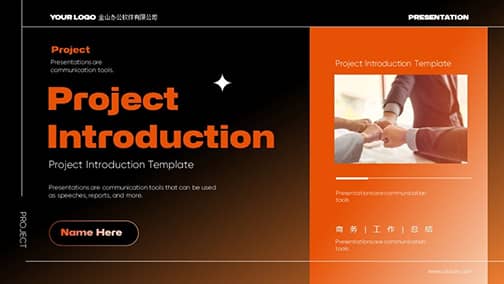









Use WPS Presentation to generate slides, polish content, convert files, prepare speaker notes, and share your deck more easily.
Convert PDF files into editable presentation slides for easier reuse and editing.
Ask WPS AI to edit, enhance, or restructure any slide in your presentation.
Describe the slide you need, and WPS AI helps generate a new slide based on your topic or content.
Generate speaker notes from your presentation slides. WPS AI helps turn slide content into clear talking points, making it easier to prepare, rehearse, and present.
Use AI translation for presentation slides. Translate slide content, explain selected text, and summarize key points to make your PPT easier to read and share.
Move from slides to reports, data, and PDFs without switching between disconnected tools.


Turn slide insights into polished reports, contracts, and proposals.

Analyze data, automate formulas, and collaborate in real time.

Create stunning slides with AI-powered design and animations.

Convert, edit, compress, sign, and share documents from the same suite.
Use online tools for common file tasks like PDF to PPT, PPT to PDF, and PDF compression — then continue editing in WPS Presentation when you need the full workspace.
From AI slide generation to templates, speaker notes, and collaboration, WPS Presentation helps you create and share decks faster.
"Switched from PowerPoint and never looked back. The AI features save me hours every week on presentations. Slide design, animations, templates — everything just works."
"Best free presentation app on mobile, hands down. I create my entire pitch deck library from my phone. The cross-platform sync is flawless."
"Our team of 40 uses WPS for real-time collaboration on pitch decks and client presentations. The commenting and version history rival paid tools at a fraction of the cost."
"I teach business communication and recommend WPS to all my students. 100% compatible with .pptx, the PDF export is clean, and the built-in slide templates are a huge time saver."
"The PDF to PPT conversion alone is worth it. I process dozens of invoices daily and WPS handles complex table layouts better than any tool I've tried."
"Lightweight, fast, and opens huge files without crashing. I work with 200+ slide decks and WPS handles them smoothly on my mid-range laptop."
Generate slides from a topic, document, or outline, then polish the content before presenting.
Use WPS Office to extract key points from long content and build a presentation outline.
Use speaker notes to organize your thoughts, prompt key talking points and guide your delivery.
Yes. WPS Presentation supports common PowerPoint formats such as .pptx, .ppt, and .ppsx for everyday editing and sharing.
Yes. WPS AI can help generate presentations, create new slides, polish slide content, match visuals, and prepare speaker notes.
Yes. WPS Office connects Writer, Spreadsheet, Presentation, and PDF tools in one workspace.
Teams can share presentations, co-edit slides, leave comments, manage permissions, and use version history.
Yes. You can use WPS AI to generate a presentation from a topic, document, or outline, then edit the slides in WPS Presentation.
Open and save .pptx, .ppt, .ppsx with full fidelity. 80+ animations, morph transitions, and presenter tools.
Free forever. 100% PowerPoint compatible. Built for 600M+ people.