

'%3e%3cpath%20d='M8%200C12.4183%200%2016%203.58172%2016%208C16%2012.4183%2012.4183%2016%208%2016C3.58172%2016%200%2012.4183%200%208C0%203.58172%203.58172%200%208%200ZM11.6162%204.38379C11.2257%203.99337%2010.5927%203.99338%2010.2021%204.38379L8%206.58594L5.79785%204.38379C5.40732%203.99334%204.77429%203.99329%204.38379%204.38379C3.99331%204.77429%203.99335%205.40733%204.38379%205.79785L6.58594%208L4.38379%2010.2021C3.99348%2010.5927%203.99341%2011.2257%204.38379%2011.6162C4.77426%2012.0066%205.40734%2012.0065%205.79785%2011.6162L8%209.41406L10.2021%2011.6162C10.5927%2012.0066%2011.2257%2012.0067%2011.6162%2011.6162C12.0067%2011.2257%2012.0066%2010.5927%2011.6162%2010.2021L9.41406%208L11.6162%205.79785C12.0066%205.40735%2012.0066%204.77429%2011.6162%204.38379Z'%20fill='%23080E17'%20fill-opacity='0.46'/%3e%3c/g%3e%3cdefs%3e%3cclipPath%20id='clip0_3761_713'%3e%3crect%20width='16'%20height='16'%20fill='white'/%3e%3c/clipPath%3e%3c/defs%3e%3c/svg%3e)




'%3e%3cpath%20fill-rule='evenodd'%20clip-rule='evenodd'%20d='M21.4999%2010.9993C21.4999%205.20009%2016.7986%200.498901%2010.9993%200.498901C5.19994%200.498901%200.498657%205.20009%200.498657%2010.9993C0.498657%2016.2404%204.33858%2020.5844%209.35855%2021.3722V14.0346H6.69238V10.9993H9.35855V8.68594C9.35855%206.05427%2010.9262%204.60062%2013.3248%204.60062C14.4736%204.60062%2015.6753%204.80571%2015.6753%204.80571V7.38979H14.3512C13.0468%207.38979%2012.64%208.19921%2012.64%209.0296V10.9993H15.5523L15.0867%2014.0346H12.64V21.3722C17.66%2020.5844%2021.4999%2016.2404%2021.4999%2010.9993Z'%20fill='%231568EA'/%3e%3c/g%3e%3c/svg%3e)


'%3e%3cpath%20d='M2.42045%2022.1876H6.31818V12.7217L0.75%208.54553V20.5171C0.75%2021.4414%201.49892%2022.1876%202.42045%2022.1876Z'%20fill='%234285F4'/%3e%3cpath%20d='M19.682%2022.1876H23.5797C24.5041%2022.1876%2025.2502%2021.4387%2025.2502%2020.5171V8.54553L19.682%2012.7217'%20fill='%2334A853'/%3e%3cpath%20d='M19.682%205.48293V12.7216L25.2502%208.54543V6.31816C25.2502%204.25236%2022.8921%203.07469%2021.2411%204.31361'%20fill='%23FBBC04'/%3e%3cpath%20d='M6.31824%2012.7217V5.48303L13.0001%2010.4944L19.6819%205.48303V12.7217L13.0001%2017.733'%20fill='%23EA4335'/%3e%3cpath%20d='M0.75%206.31816V8.54543L6.31818%2012.7216V5.48293L4.75909%204.31361C3.10534%203.07469%200.75%204.25236%200.75%206.31816Z'%20fill='%23C5221F'/%3e%3c/g%3e%3cdefs%3e%3cclipPath%20id='clip0_2954_7305'%3e%3crect%20width='24.5'%20height='18.375'%20fill='white'%20transform='translate(0.75%203.8125)'/%3e%3c/clipPath%3e%3c/defs%3e%3c/svg%3e)


If you drive with Uber in California, especially in busy areas like Los Angeles and San Diego, you must complete a vehicle inspection before going online. This safety check verifies that your car meets Uber’s operational standards, protecting both drivers and passengers. Yet many new and existing drivers struggle to locate the correct Uber inspection form, whether they need a printable version, a downloadable PDF, or one that also works for Lyft.
So, where can drivers find a free, accurate, and ready-to-use Uber inspection form that they can print or submit immediately? This article provides a simple solution: 10 ready-to-use Uber inspection form templates, including official versions for California and other states.
Part 1: What Is Uber Inspection?
An Uber vehicle inspection is a mandatory safety check that every driver must complete before they are allowed to accept rides. This review ensures that the vehicle meets Uber’s minimum safety and maintenance standards, including working brakes, visibility, tire condition, seat belts, and other essential components. For most drivers, the inspection must be performed by a certified mechanic or an authorized inspection center.
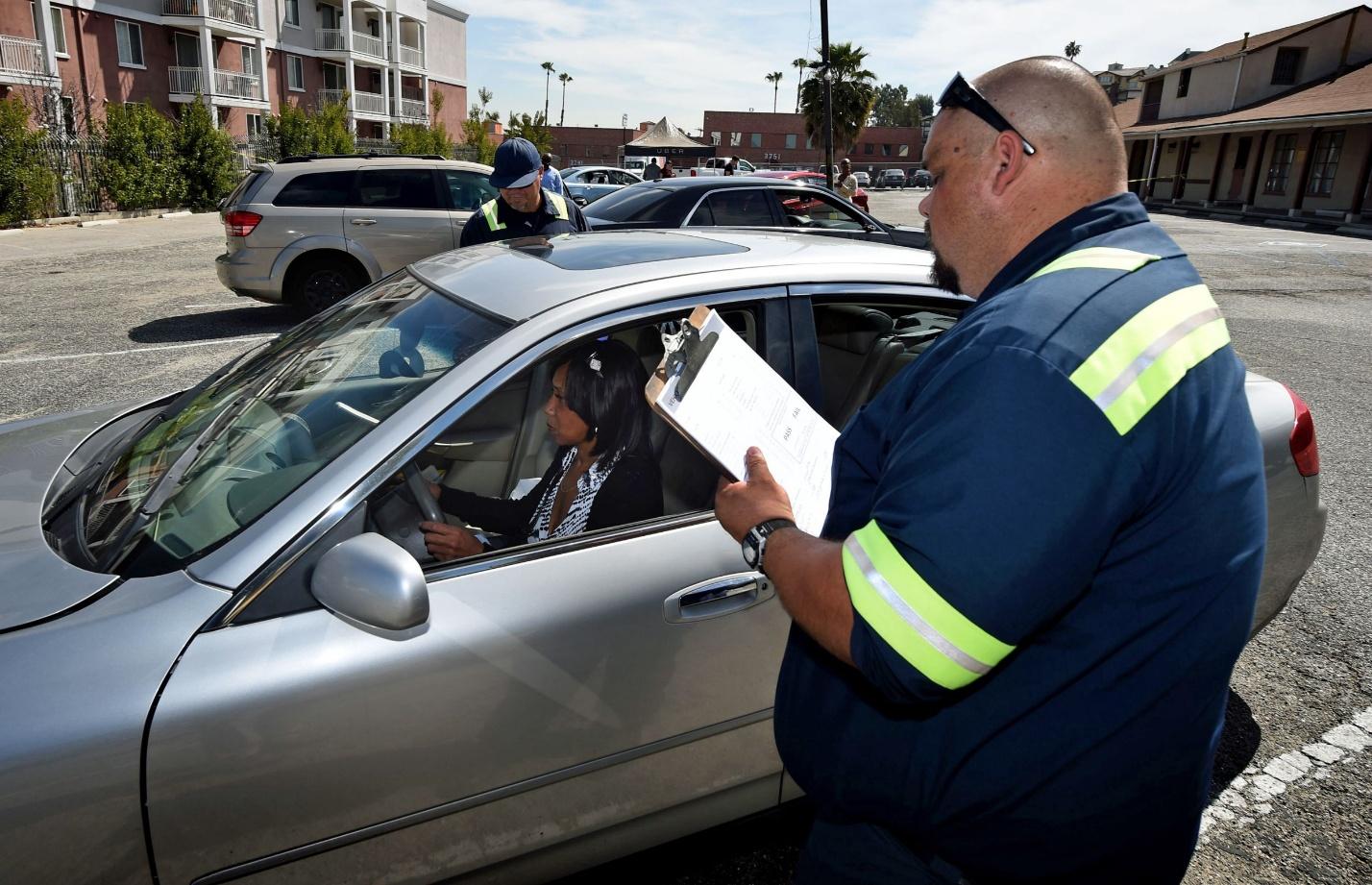
Drivers typically bring a printed Uber inspection form to the appointment. The mechanic uses this document to verify that each safety requirement is met. After the checklist is completed, the signed form is submitted through the Uber Driver app. Only after the form is approved can a driver begin or continue operating on the platform.
The procedure is straightforward.
Drivers first schedule an inspection with a certified mechanic or authorized inspection center.
They must print or download the required form and bring it to the appointment.
Most inspections take about 20–30 minutes to complete.
In California, inspections are especially important because state regulations require consistent verification of vehicle safety. Drivers in cities such as Los Angeles and San Diego often complete their inspections annually, or sooner if they replace or update their vehicle.
Regular inspections are necessary to maintain compliance with Uber’s rules. If an inspection expires, a driver may be temporarily prevented from going online until a new form is submitted and approved. For this reason, having quick and easy access to the correct downloadable form is essential.
Part 2: 10 Free Ready-to-Use Uber Inspection Form Templates
Finding the correct Uber inspection form PDF can be challenging, especially for drivers who need quick approval. To simplify the process, here are 10 ready-to-use templates you can download, print, or edit immediately. Each option is compatible with mechanics across the United States, including those offering inspections near San Diego, CA, and near Los Angeles, CA.
These forms offer convenience for drivers who want an Uber inspection form free and accessible without navigating multiple websites.
1. Official Uber Inspection Form for California
This is the approved form for California-based Uber drivers. It meets state safety requirements and is accepted by all licensed mechanics.
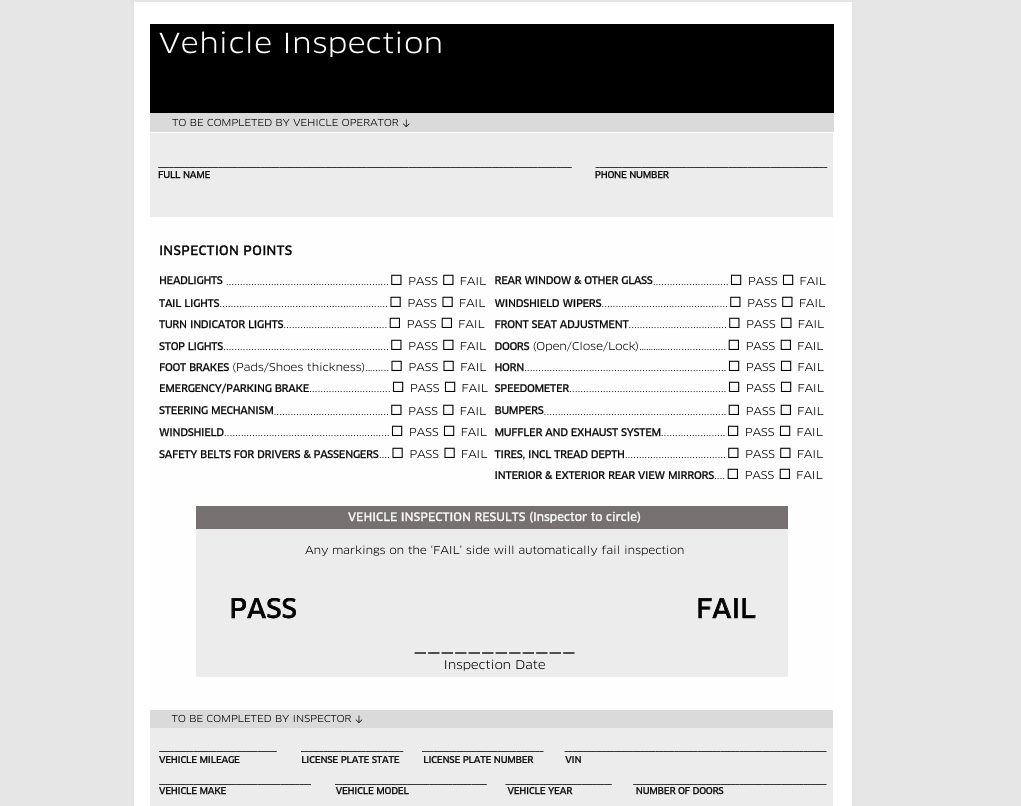
Download the Official Uber Inspection Form Now
2. Official Uber Inspection Form for Alabama
A state-specific version suitable for drivers operating in Alabama.
Download: https://www.tinkerdiy.com/hubfs/uber-vehicle-inspection-form-alabama.pdf?hsLang=en
3. Uber TNC Inspection Form
This template is commonly accepted in multiple states and covers Transportation Network Company (TNC) requirements.
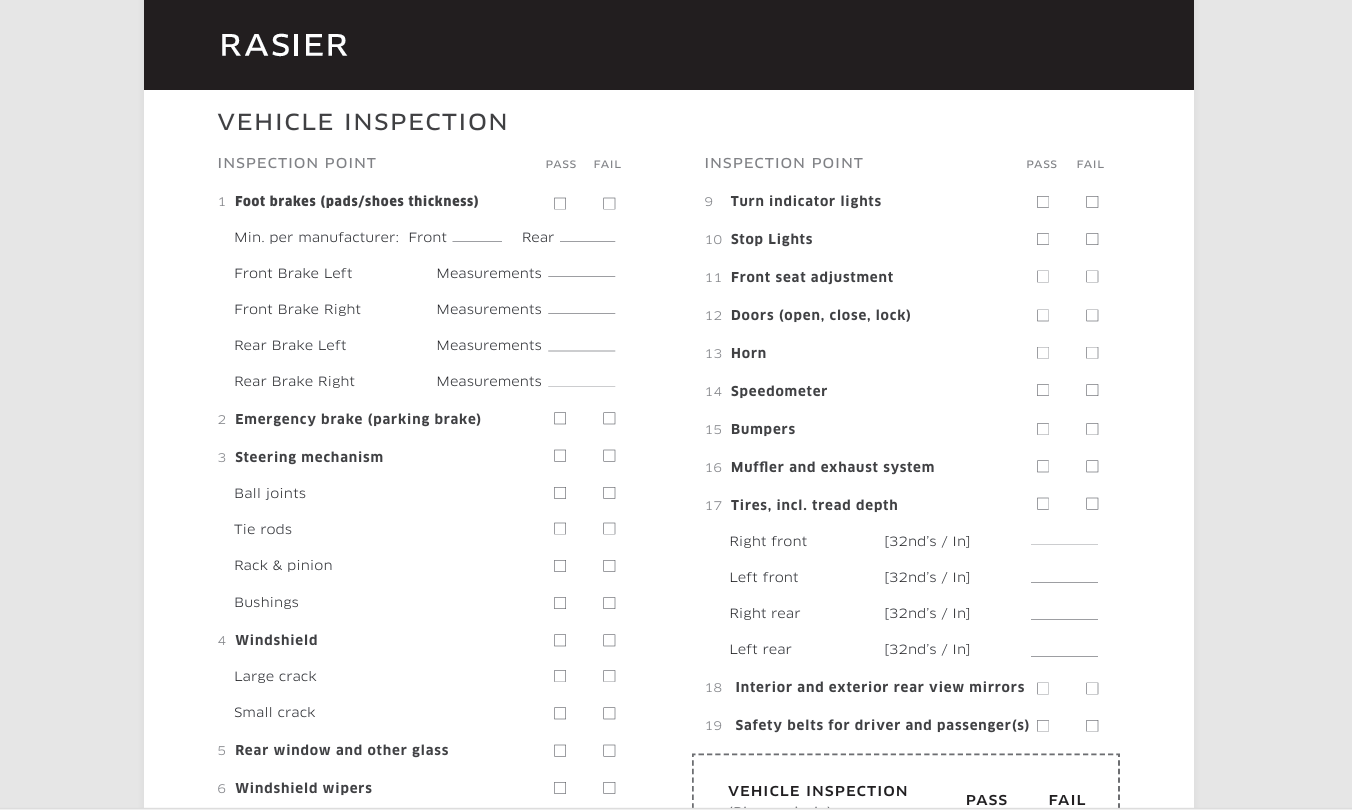
Download:
https://uber-static.s3.amazonaws.com/la_dops/uber_TNC_inspection_form_v9.pdf
4. Online-Editing Uber Inspection Form
This tool allows drivers to fill out the form digitally before bringing it to a mechanic. Ideal for faster submission.
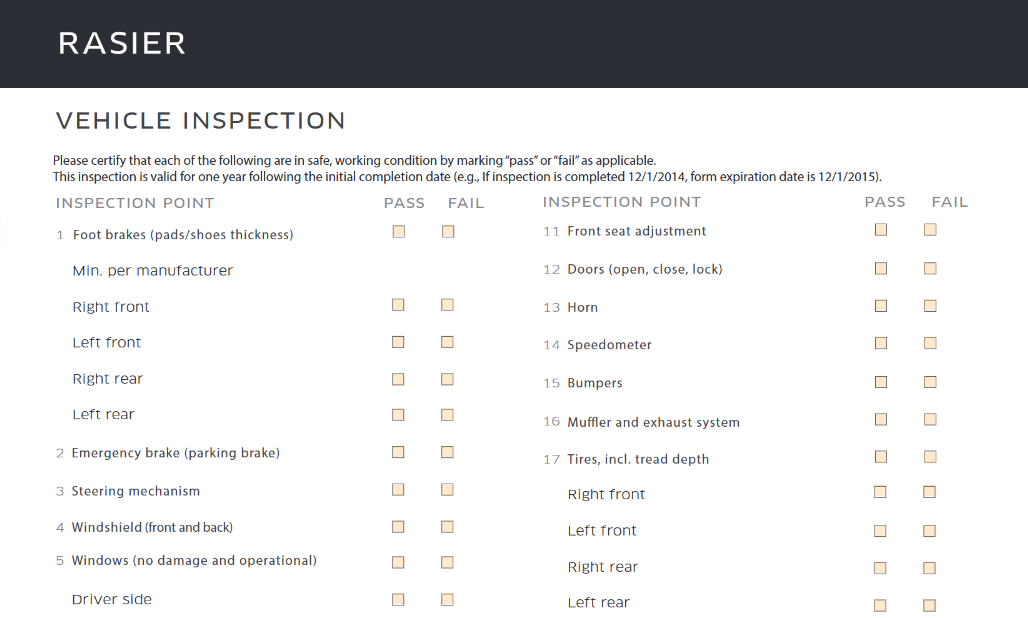
Download: PDFfiller - uber inspection form(1).pdf
5. Blue Online Editing Inspection Form
A clean, structured online-editing layout for drivers who prefer digital preparation before printing.
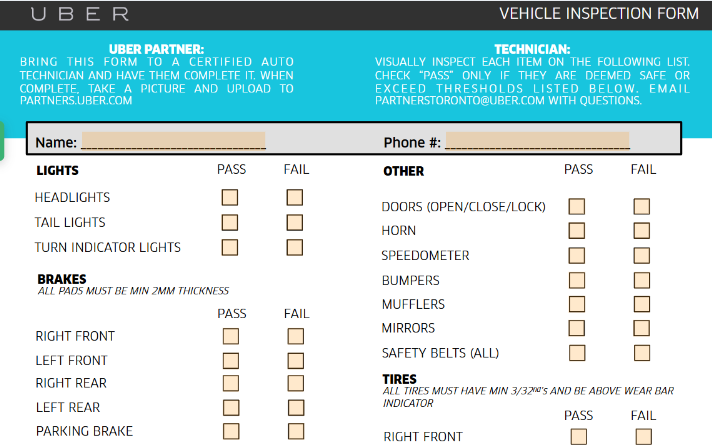
Download:
PDFfiller
- uber inspection form.pdf
6. Simple Vehicle Inspection Template
A universal inspection form is often accepted by independent mechanics. It serves as a backup when the official form is unavailable.
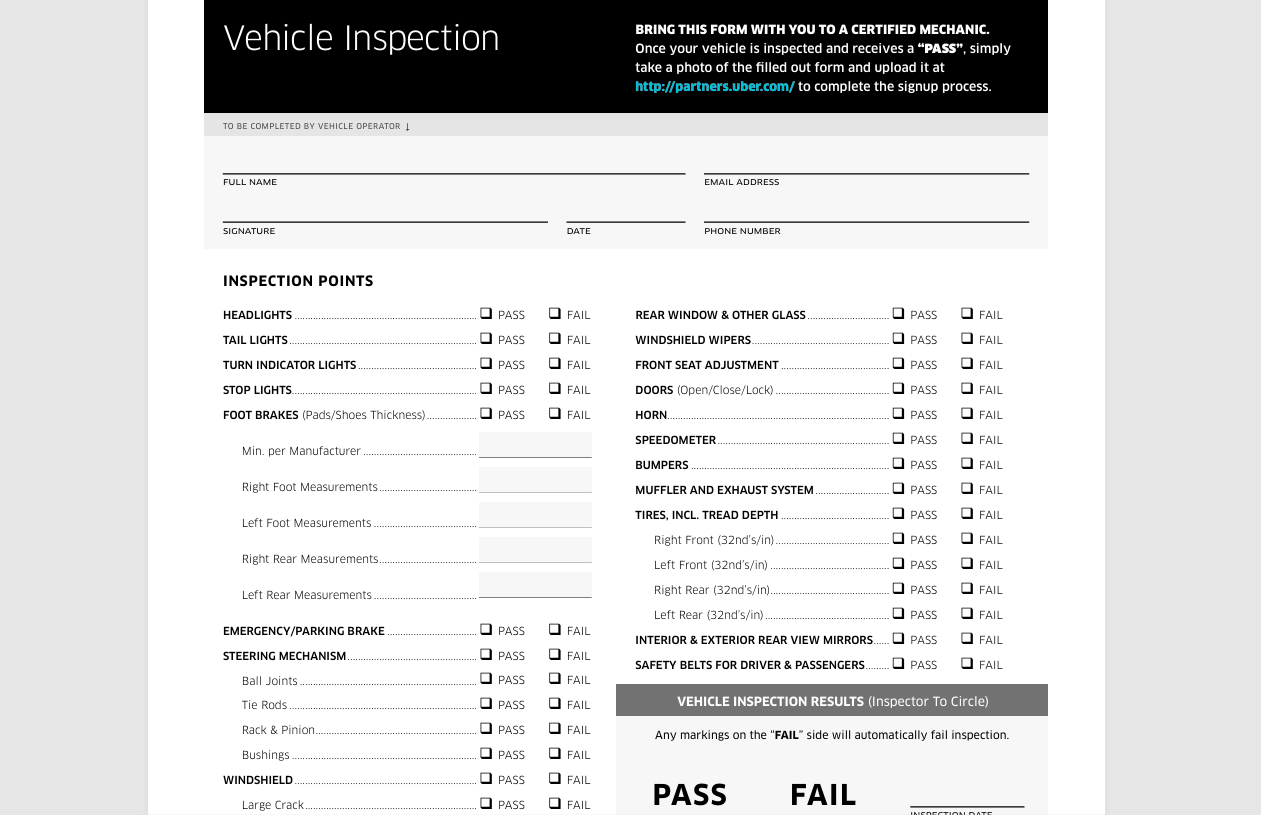
Download: VehicleInspectionForm.pdf
7. Chicago Uber Inspection Form
Designed specifically for Chicago ride-hailing requirements, often used for local TNC compliance.
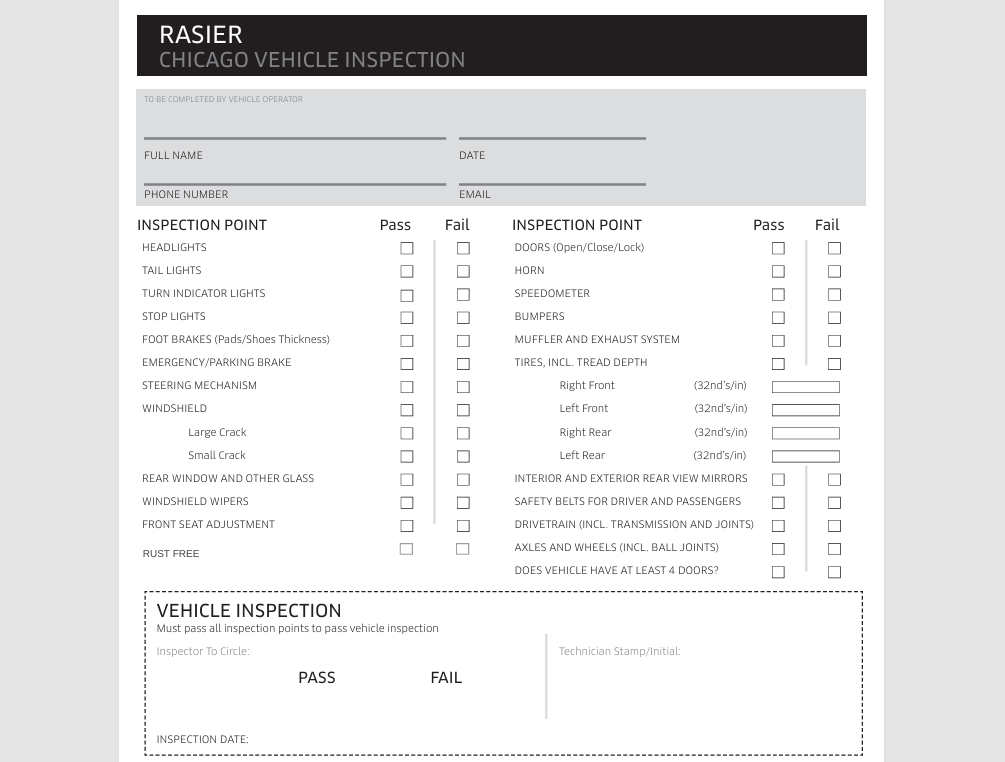
Download: 2018+Uber+Chicago+Vehicle+Inspection+Form.pdf
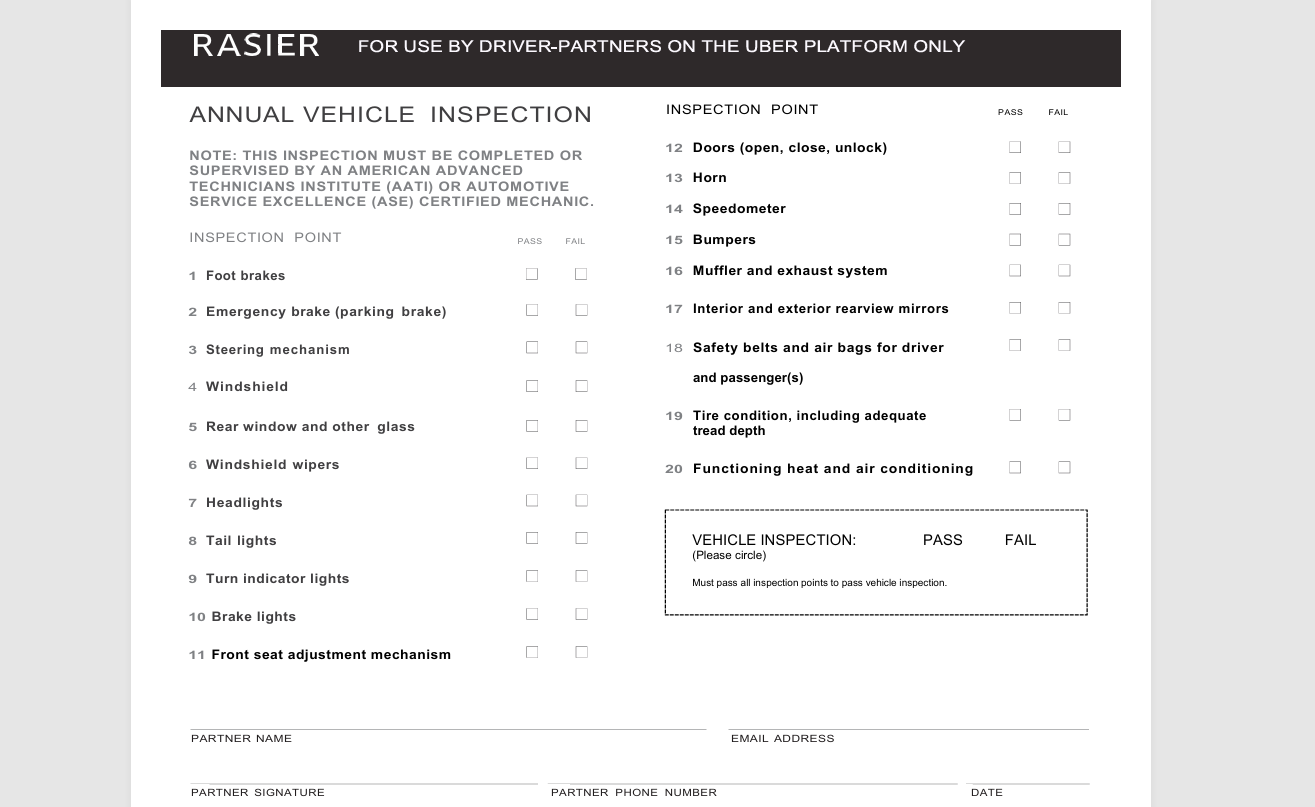
8. Rasier Uber Inspection Form
A variation is sometimes required by Uber subsidiaries or specific markets.
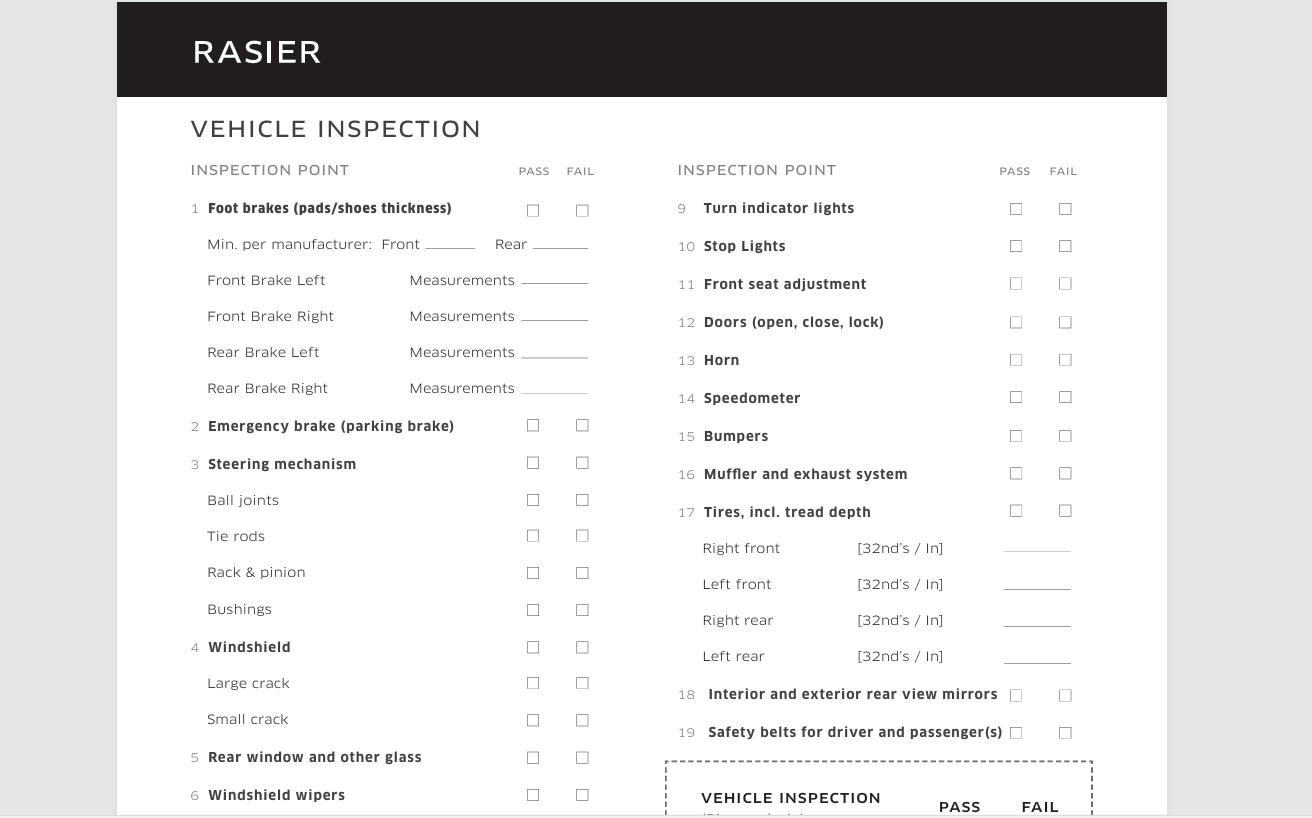
9. General Inspection Form
A standard inspection checklist is used when drivers cannot locate an official form. Mentioning here because the above options cover nearly all Uber-ready forms.
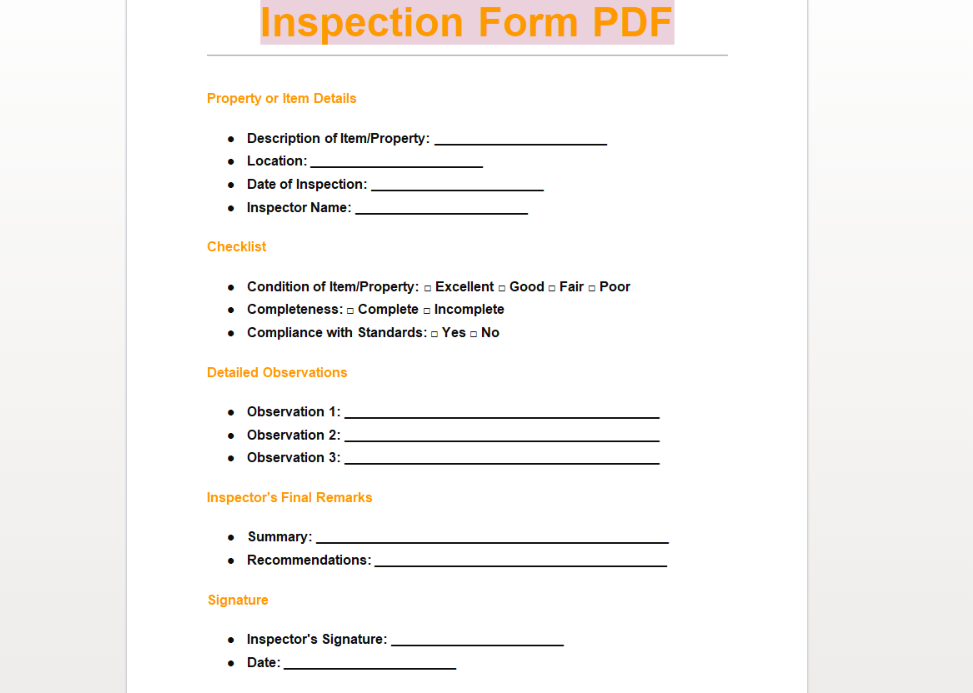
Download:
https://images.sampleforms.com/wp-content/uploads/2024/04/Inspection-Form-PDF.docx
10. Vehicle Inspection Form PDF
Another general-purpose vehicle inspection template suitable for basic compliance checks.
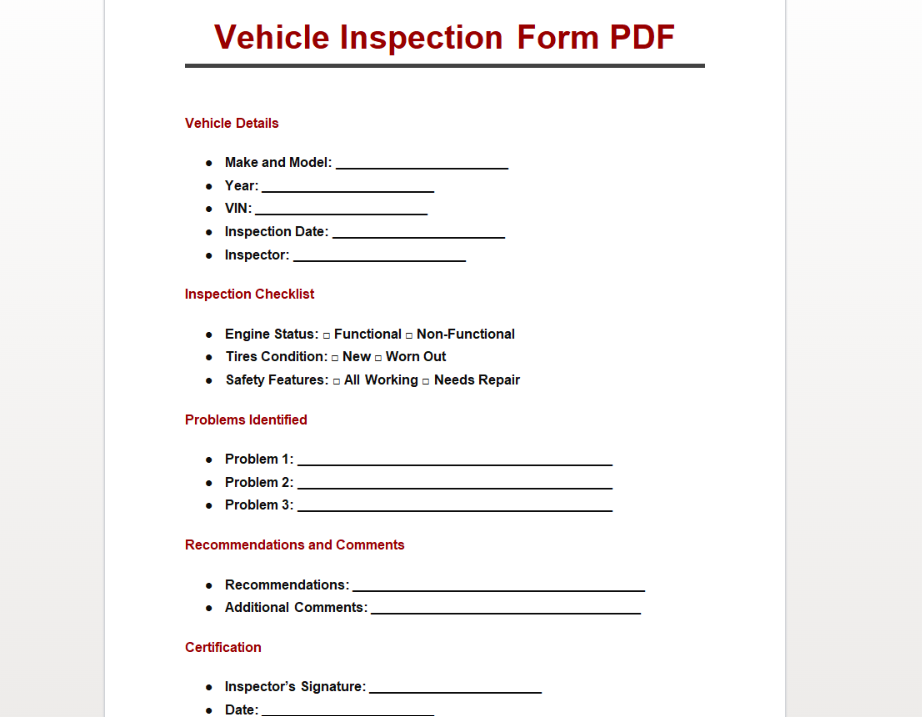
Download:
https://images.sampleforms.com/wp-content/uploads/2024/04/Vehicle-Inspection-Form-PDF.docx
The forms above represent almost every commonly used Uber inspection form download resource available online. Drivers who also work with Lyft may find the Lyft inspection form similar, but it cannot replace the Uber version unless stated by a mechanic.
Part 3: How to Edit and Print an Uber Inspection Form in Word & PDF
Once you download an Uber inspection form PDF, you may need to update or personalize certain fields before printing. WPS Office offers simple tools to edit both PDF and Word versions of the form, save them as new documents, and generate shareable online links. The tutorials below explain how to complete these tasks step by step.
How to Edit an Uber Inspection Form in WPS PDF
WPS PDF makes it easy to edit text, add notes, fill in checkboxes, and prepare your form before taking it to a certified mechanic.
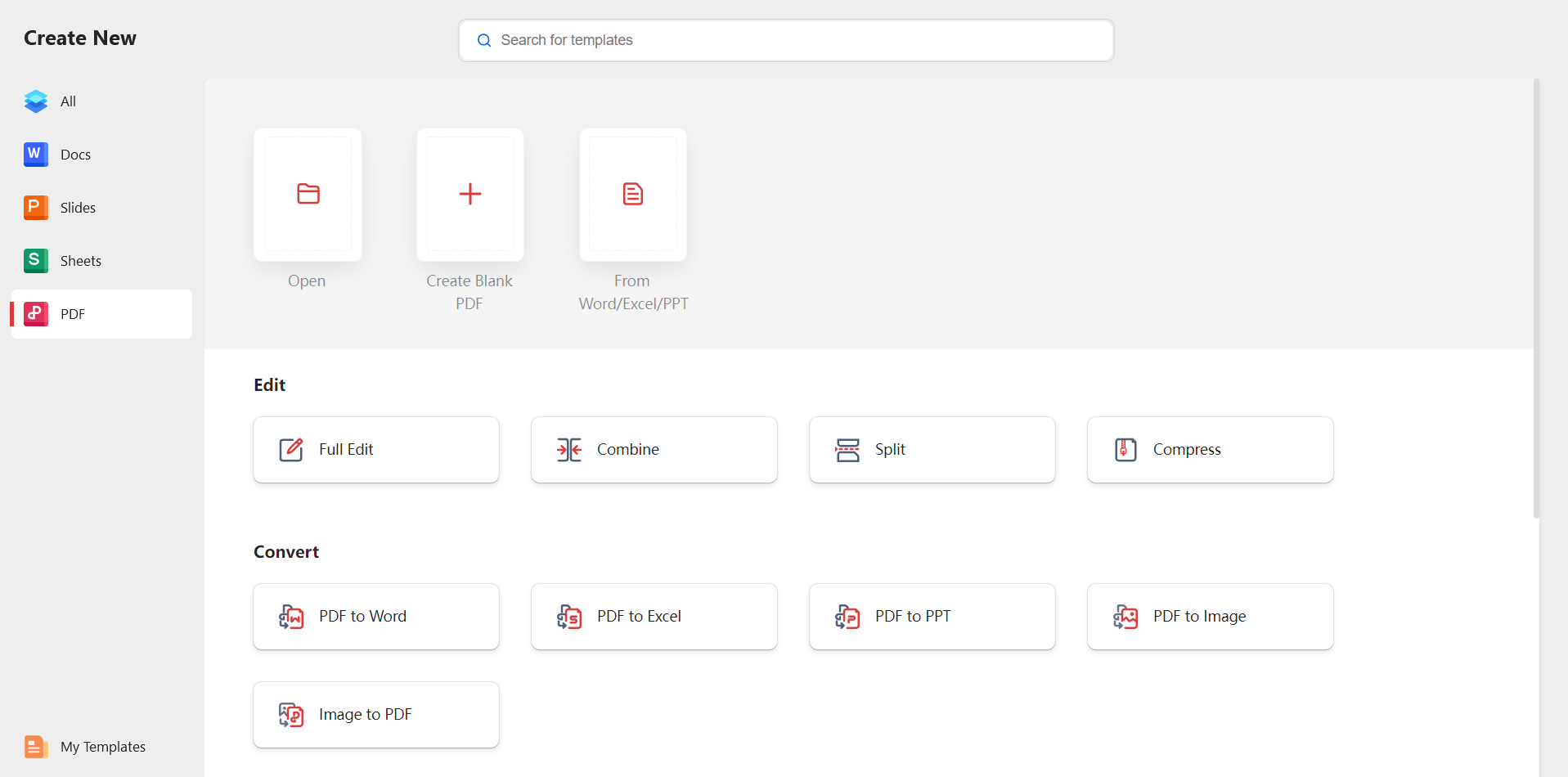
Step 1: Open WPS PDF
Open WPS Office and select PDF from the main menu.
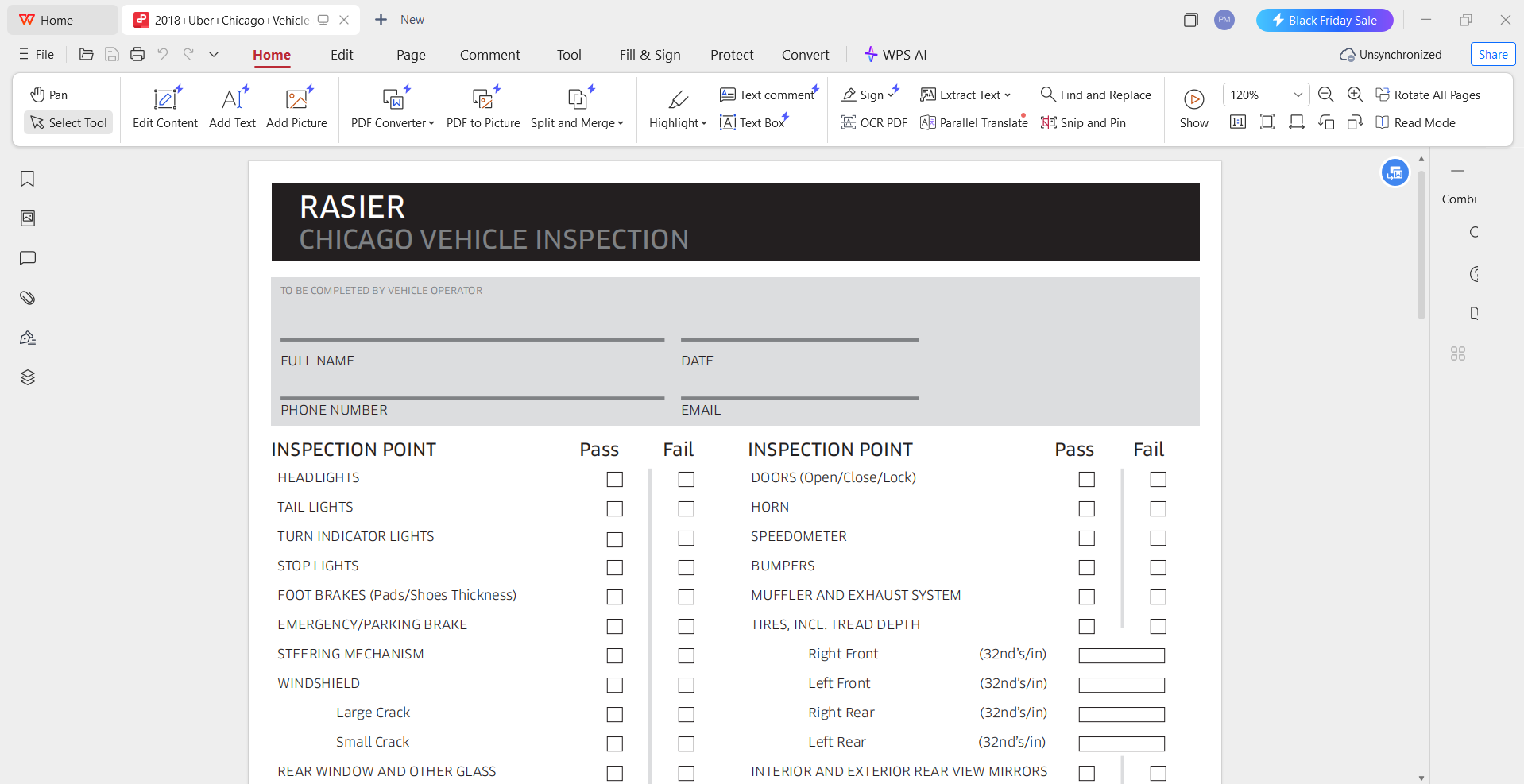
Step 2: Upload Your Uber Inspection Form PDF
Click Open File and choose the Uber inspection form free PDF downloaded earlier.
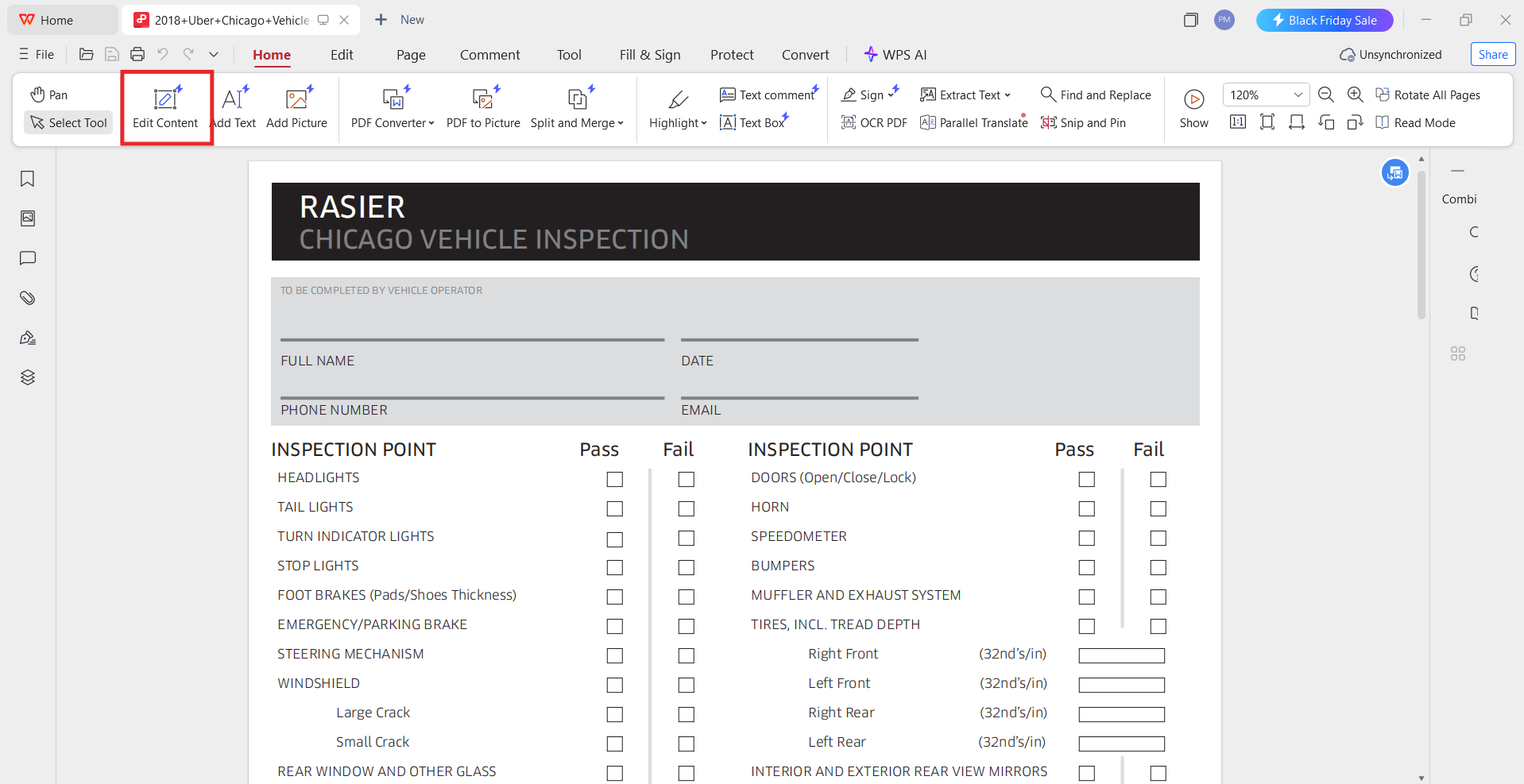
Step 3: Enter Edit Mode
Select Edit PDF from the toolbar to modify text fields.
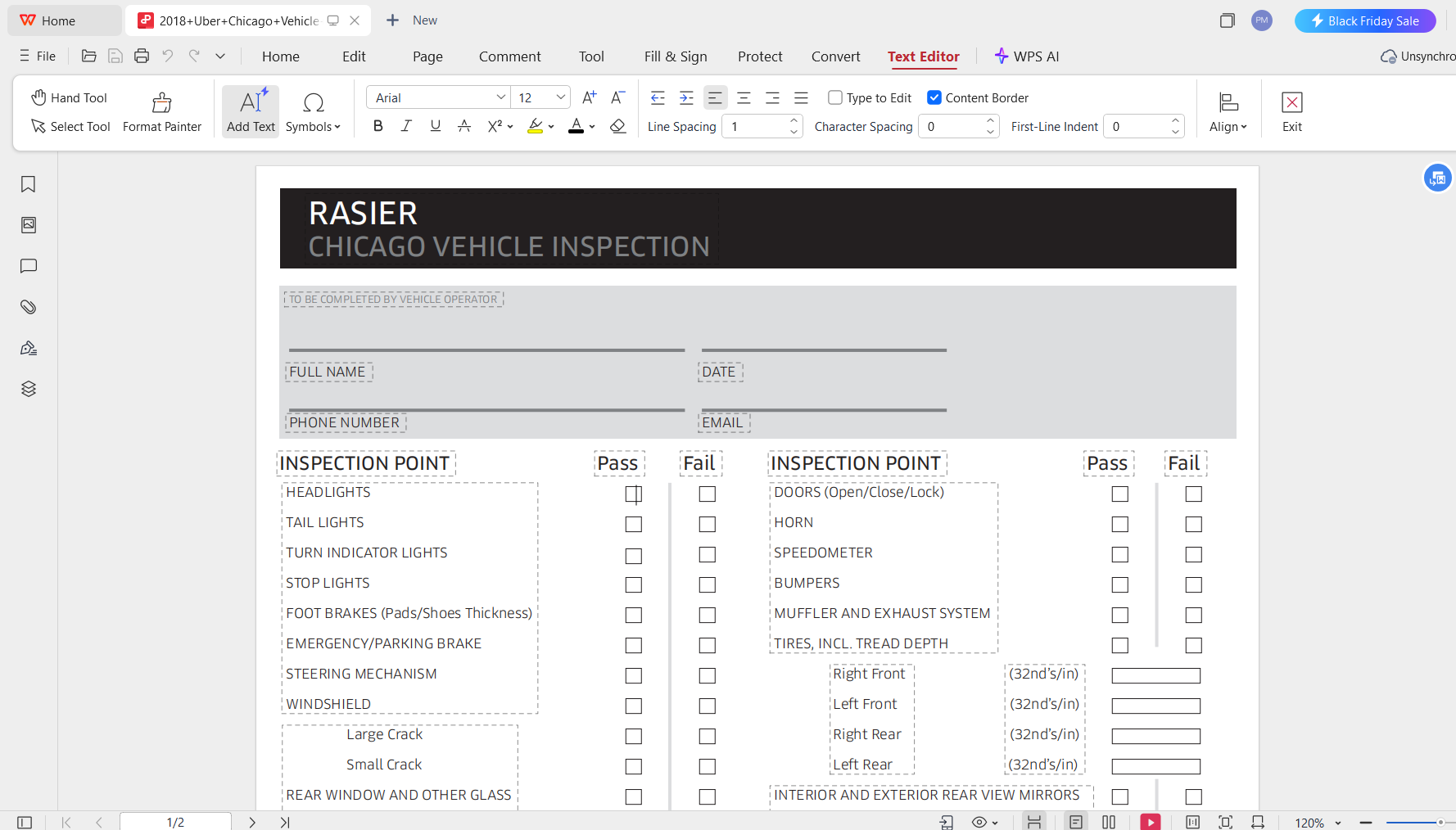
Step 4: Fill in Required Fields
Update driver information, vehicle details, or inspection notes using the available editing tools.
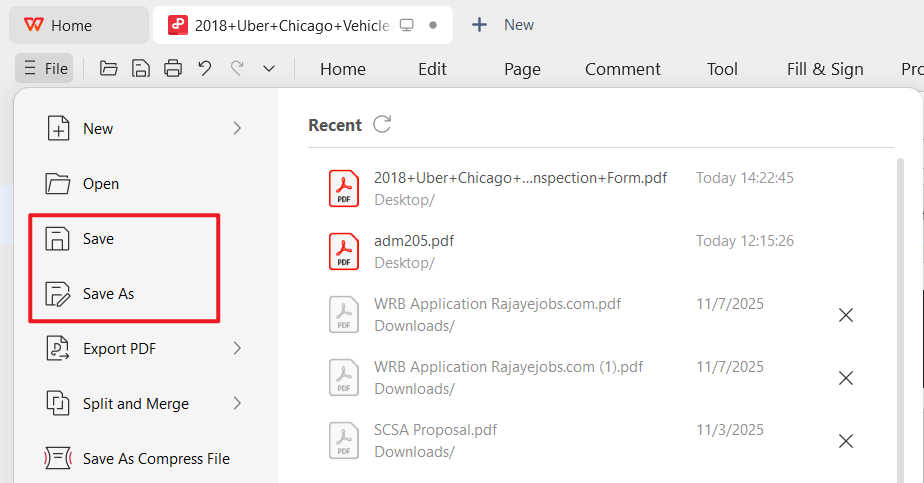
Step 5: Save as PDF
Click File > Save As to export a clean, updated version of your edited inspection form.
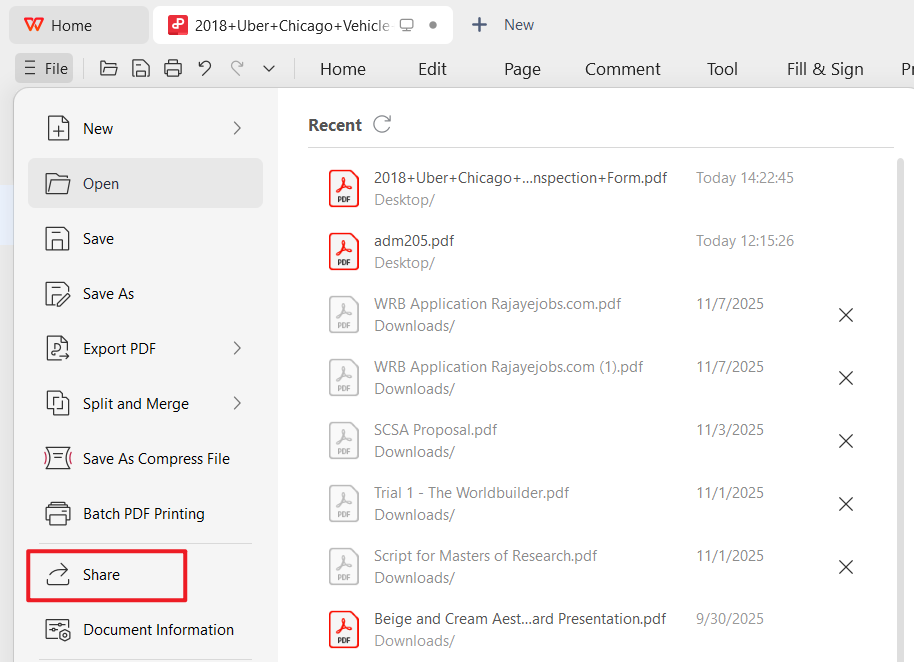
Step 6: Generate Online Link
Go to Share > Generate Link to create a secure, shareable online link.
How to Edit an Uber Inspection Form in WPS Writer (Word Format)
Some templates, especially generic inspection forms, download as DOCX files. WPS Writer provides a flexible environment for editing these documents.
Step 1: Open WPS Writer
Launch WPS Office and select Writer from the home screen.
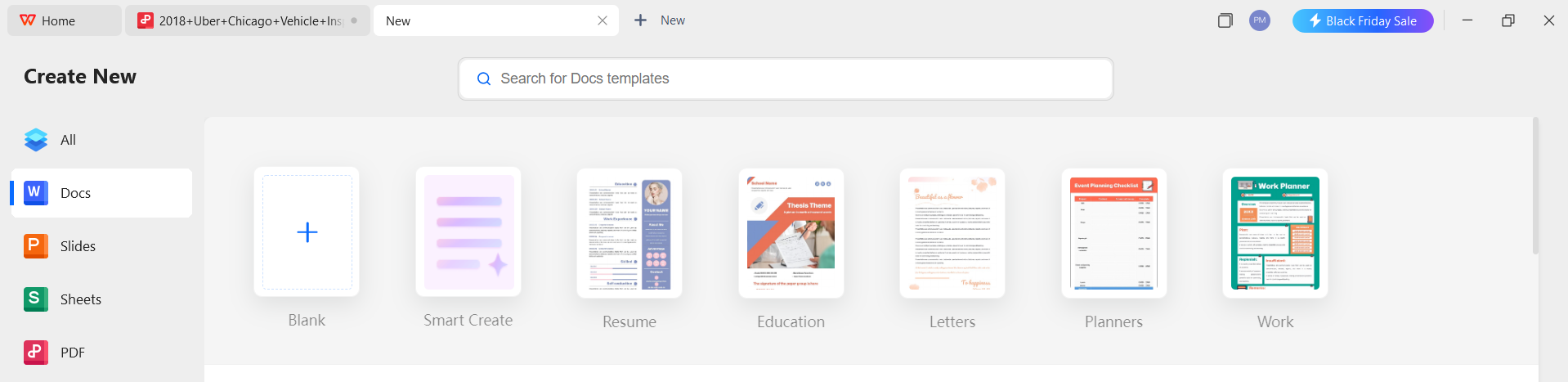
Step 2: Import the Template
Click Open and upload the inspection form Word file.
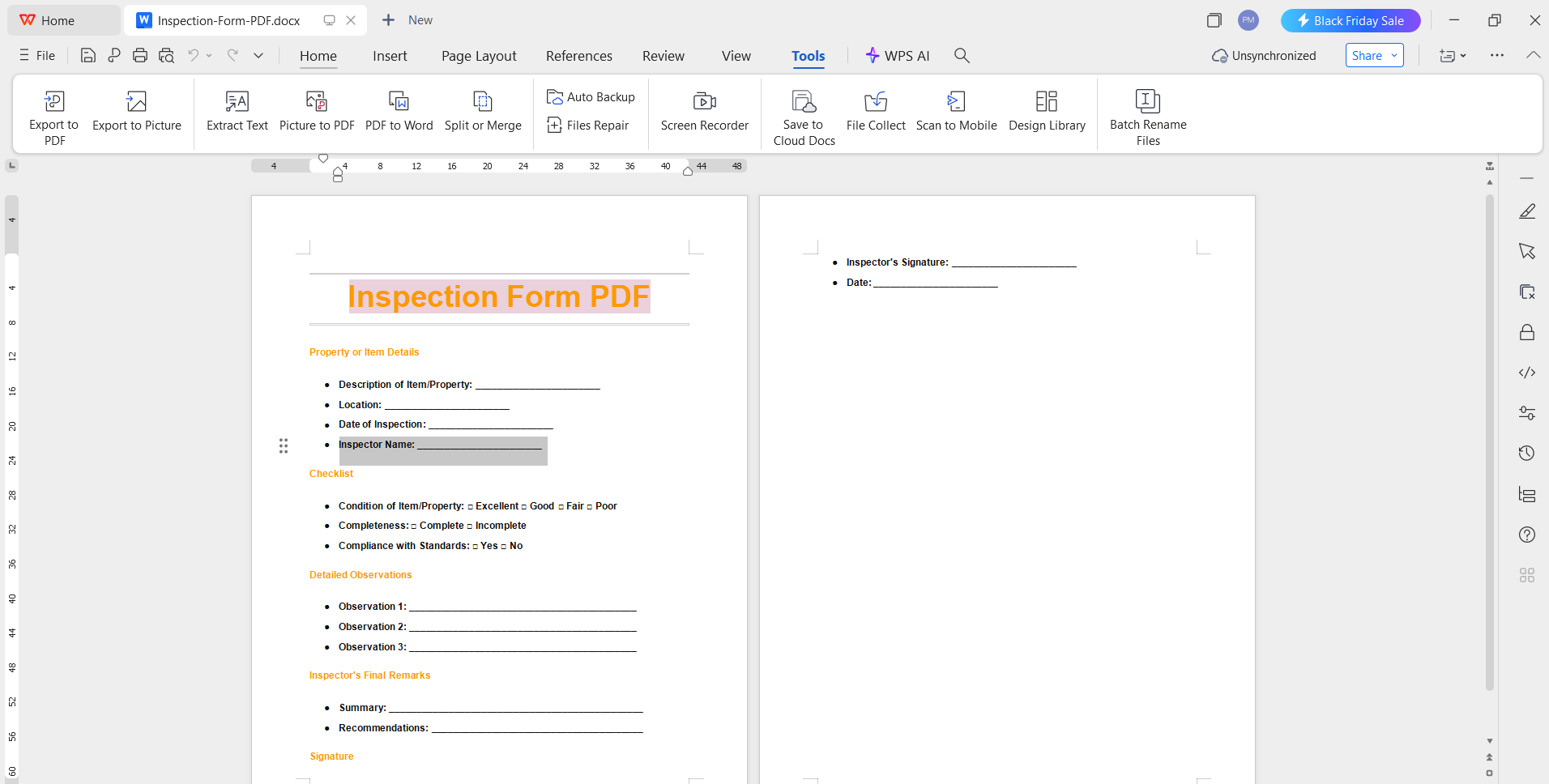
Step 3: Start Editing
Modify text, add notes, or adjust the layout to match your mechanic’s requirements.
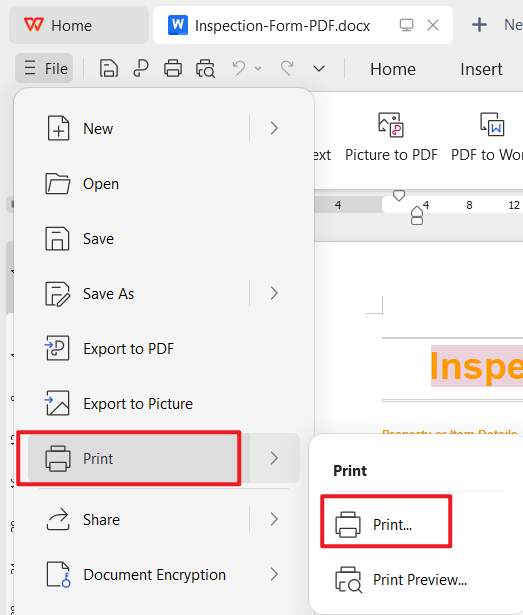
Step 4: Print the Form
Go to File > Print to prepare the form for physical submission.
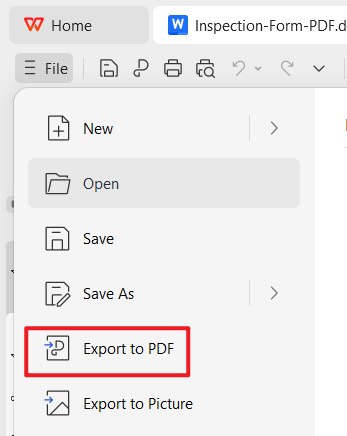
Step 5: Save as PDF
Export your edited form as a PDF by selecting File > Export to PDF.
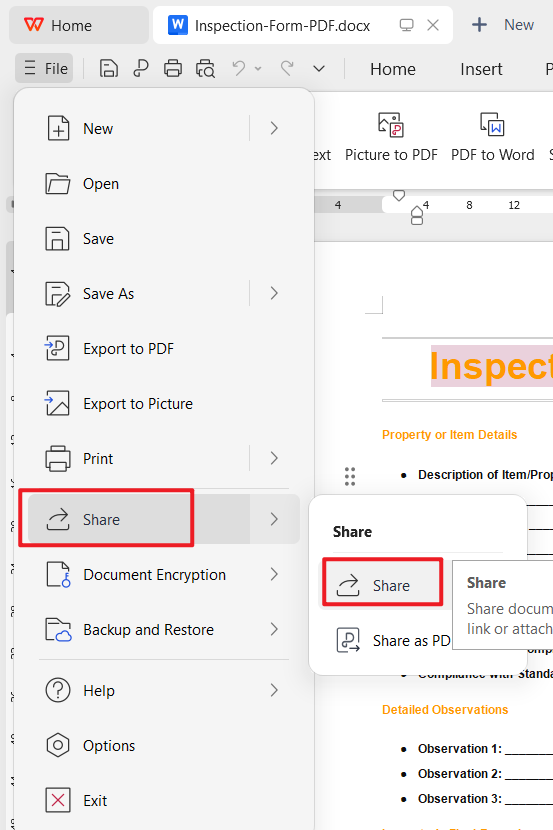
Step 6: Create a Shareable Online Link
Use Share > Generate Link to collaborate or store your form online.
Part 4: Free Office Suite with Editable Uber Inspection Form
Editing, printing, and sharing an Uber inspection form PDF becomes much easier when you use a complete office suite that supports both Word and PDF formats. WPS Office is a free, all-in-one productivity platform that allows you to open, edit, convert, and collaborate on any inspection form with minimal effort. Whether you downloaded the template as a document or a PDF, WPS Office provides a smooth workflow for preparing your inspection paperwork.

WPS Office includes word-processing tools, a powerful PDF editor, cloud storage, AI assistance, and a wide range of templates. These features help drivers customize their inspection forms and ensure they meet the requirements before visiting a certified mechanic.
Features
AI helps with writing
WPS Office offers AI tools that help refine text, organize content, and correct formatting. This is useful when preparing a cleaner, more structured version of your inspection form.
Free download and free to use Word, Excel, and PPT. Powerful PDF toolkit
Drivers can edit Word files, fill PDFs, and export updated versions without paying for extra software.
Rich template store
WPS provides thousands of free templates for forms, resumes, agreements, checklists, and other documents. This includes templates similar to the ones listed above.
Rich functions
You can edit text, insert tables, annotate PDFs, merge files, or convert between different formats as needed.
Support online documents
Your Uber inspection form can be stored online for easy access across devices. This makes it convenient to share the document with mechanics or upload it through the Driver app.
Safe and stable
WPS Office is designed for secure data handling. Your documents stay private whether saved locally or in the cloud.
Shareable editing
You can generate shareable links to collaborate, request feedback, or store a backup copy of your inspection paperwork.
FAQs
Q1. Are the templates on WPS free to use?
Yes. WPS Office provides a wide range of free templates for documents such as letters, forms, and resumes. Many options are available at no cost, while a WPS Pro subscription unlocks a larger template library and additional advanced features.
Q2. Do I need an account to download templates?
Not always. Websites like Microsoft Create and SlidesCarnival allow users to download templates without creating an account. However, platforms such as Template.net or Canva may require registration when accessing premium templates.
Q3. Can I customize the Uber inspection form?
Yes. You can modify columns, layout, text fields, or design elements. PDF versions can be edited using a PDF editor, while Word versions can be fully customized in WPS Writer.
Q4. How often do I need to get a vehicle inspection?
Uber requires vehicle inspections every 12 months or every 50,000 miles, whichever comes first. This ensures that the vehicle meets the minimum safety standards outlined in the Uber inspection form.
Q5. What does it usually cost to get a vehicle inspection?
Most inspection facilities charge between 20 and 40 dollars. Uber does not cover the cost of the inspection, so drivers must pay the fee themselves.
Q6. Where can I find a licensed mechanic to complete my vehicle inspection?
You can visit any certified mechanic, even if they are not listed in the Driver app. The app also provides a map view showing recommended inspection centers. Drivers in larger cities, including areas near Los Angeles, CA, and near San Diego, CA, can typically find multiple approved locations.
Summary
This guide has provided a complete set of resources for drivers who need quick access to a reliable Uber inspection form, including free, printable, and downloadable templates. From official state-specific documents to general inspection checklists, each option supports drivers who need an Uber inspection form download they can edit, print, or submit immediately. The tutorials above also demonstrated how to edit both Word and PDF formats using WPS Office, save updated versions, and generate shareable online links for easy submission.
If you want to explore more editable templates beyond the ones listed here, the WPS Office template store offers a wide selection of forms and documents ready for download. These templates can be customized directly within the software, allowing drivers to complete paperwork efficiently. Whether preparing a vehicle inspection form or managing other rideshare documents, WPS Office provides the tools needed to work quickly and professionally.

'%3e%3cpath%20d='M19.9911%204.11386V6.471H18.5894C18.0775%206.471%2017.7322%206.57814%2017.5536%206.79243C17.3751%207.00671%2017.2858%207.32814%2017.2858%207.75671V9.44421H19.9019L19.5536%2012.0871H17.2858V18.8639H14.5536V12.0871H12.2769V9.44421H14.5536V7.49779C14.5536%206.39064%2014.8632%205.53201%2015.4822%204.92189C16.1013%204.31177%2016.9257%204.00671%2017.9554%204.00671C18.8304%204.00671%2019.509%204.04243%2019.9911%204.11386Z'%20fill='%23333333'/%3e%3c/g%3e%3cdefs%3e%3cclipPath%20id='clip0_2938_8199'%3e%3crect%20width='16'%20height='16'%20fill='white'%20transform='translate(8%204.00671)'/%3e%3c/clipPath%3e%3c/defs%3e%3c/svg%3e)
'%3e%3cpath%20d='M17.5237%2010.7813L23.4811%204H22.0699L16.8949%209.88693L12.7648%204H8L14.2469%2012.9029L8%2020.0133H9.4112L14.8725%2013.7952L19.2352%2020.0133H24M9.92053%205.04213H12.0885L22.0688%2019.0224H19.9003'%20fill='%23333333'/%3e%3c/g%3e%3cdefs%3e%3cclipPath%20id='clip0_2938_8200'%3e%3crect%20width='16'%20height='16.0134'%20fill='white'%20transform='translate(8%204)'/%3e%3c/clipPath%3e%3c/defs%3e%3c/svg%3e)


