Free All-in-One Office Suite with PDF Editor

Edit Word, Excel, and PPT for FREE.
Read, edit, and convert PDFs with the powerful PDF toolkit.
Microsoft-like interface, easy to use.
Windows • MacOS • Linux • iOS • Android

Catalog
SUMPRODUCT Function in Excel.
SUMPRODUCT Function in Excel.
WPS Spreadsheet could be an alternative to Microsoft Office Excel. It includes 100's of built-in formulas, pivot tables, and more.
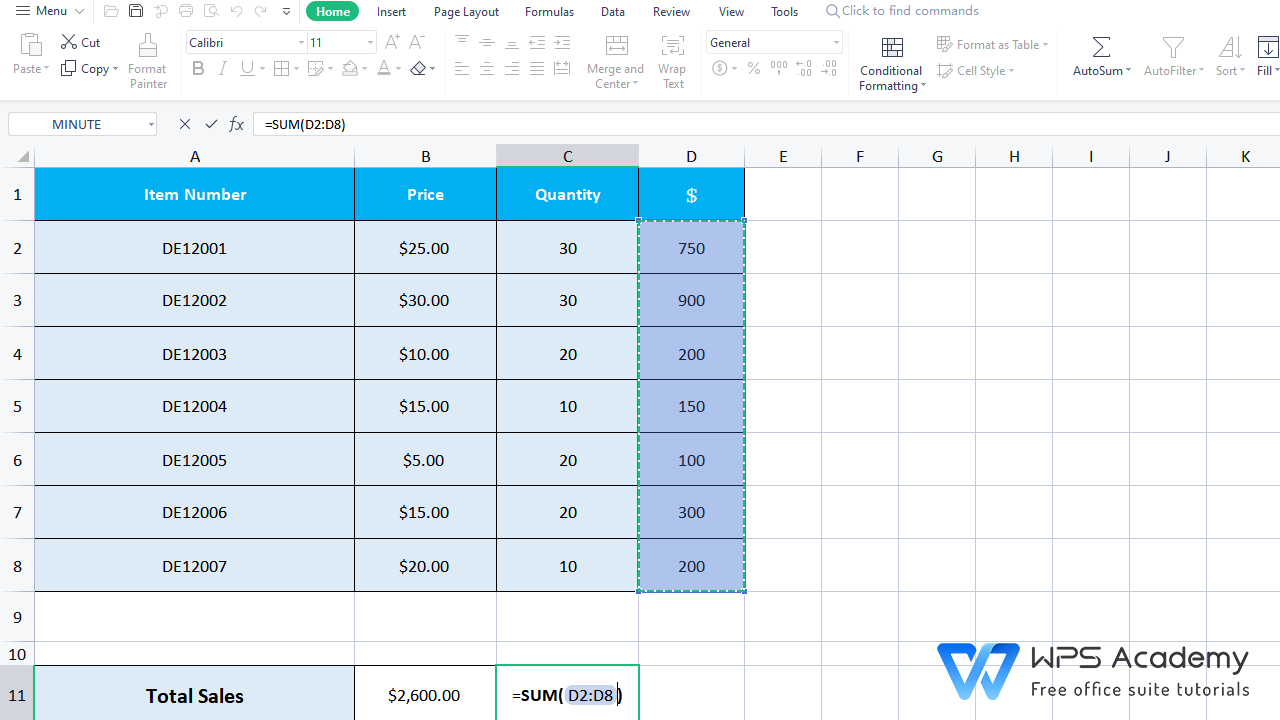
Given the price and sales volume of each product, to calculate the total sales, are you still using the SUM function to add every value?
That is, in this case, to calculate the sales for each product (25*30 for the first product, 30*30 for the second one) , a beginer may add them together with the SUM function like what is shown in the following picture.
If you know how SUMPRODUCT works, all will be easier!
· Description
The SUMPRODUCT Functioncan multiply ranges together and returns the sum of products.
· Syntax:
=SUMPRODUCT (array1, [array2], ...)
· Arguments:
Array1 - The first array or range to multiply, then add.
Array2 - [optional] The second array or range to multiply, then add.
· Example:
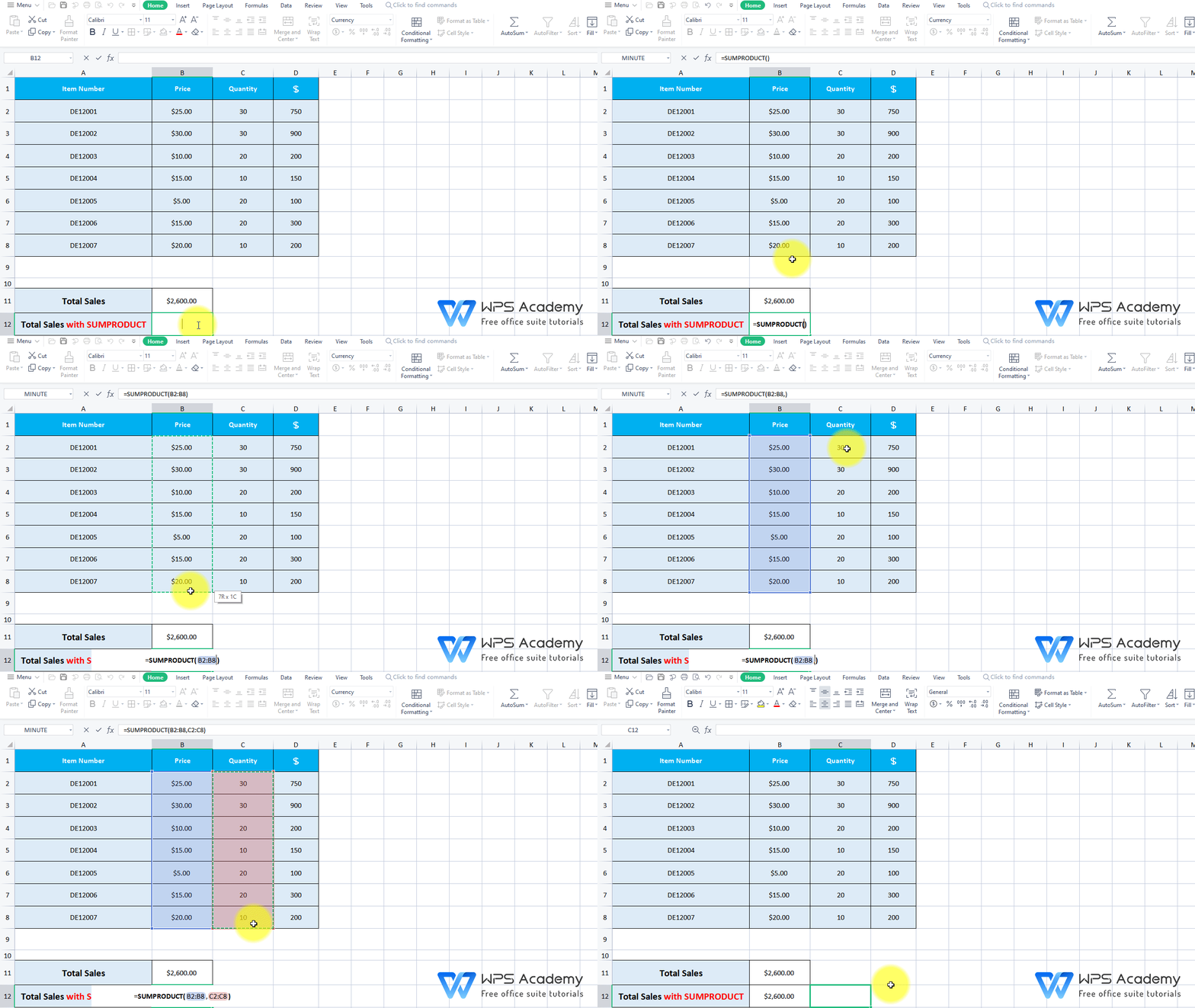
Suppose we want to calculate the total amount of these products.
Open your table in WPS Spreadsheet, click cell B12.
In this case, we need to insert the SUMPRODUCT function.
1) Array1: B2:B8 is the first column that we wish to multiply.
2) Array2: C2:C8 is the second column that we wish to multiply.
The calculation will goes like: B2*C2+B3*C3+...+B8*C8.
So, we choose to enter the following formula in cell B12,
=SUMPRODUCT(B2:B8,C2:C8)
Then we are told that the total sales is $2600.



15 years of office industry experience, tech lover and copywriter. Follow me for product reviews, comparisons, and recommendations for new apps and software.


