

'%3e%3cpath%20d='M8%200C12.4183%200%2016%203.58172%2016%208C16%2012.4183%2012.4183%2016%208%2016C3.58172%2016%200%2012.4183%200%208C0%203.58172%203.58172%200%208%200ZM11.6162%204.38379C11.2257%203.99337%2010.5927%203.99338%2010.2021%204.38379L8%206.58594L5.79785%204.38379C5.40732%203.99334%204.77429%203.99329%204.38379%204.38379C3.99331%204.77429%203.99335%205.40733%204.38379%205.79785L6.58594%208L4.38379%2010.2021C3.99348%2010.5927%203.99341%2011.2257%204.38379%2011.6162C4.77426%2012.0066%205.40734%2012.0065%205.79785%2011.6162L8%209.41406L10.2021%2011.6162C10.5927%2012.0066%2011.2257%2012.0067%2011.6162%2011.6162C12.0067%2011.2257%2012.0066%2010.5927%2011.6162%2010.2021L9.41406%208L11.6162%205.79785C12.0066%205.40735%2012.0066%204.77429%2011.6162%204.38379Z'%20fill='%23080E17'%20fill-opacity='0.46'/%3e%3c/g%3e%3cdefs%3e%3cclipPath%20id='clip0_3761_713'%3e%3crect%20width='16'%20height='16'%20fill='white'/%3e%3c/clipPath%3e%3c/defs%3e%3c/svg%3e)




'%3e%3cpath%20fill-rule='evenodd'%20clip-rule='evenodd'%20d='M21.4999%2010.9993C21.4999%205.20009%2016.7986%200.498901%2010.9993%200.498901C5.19994%200.498901%200.498657%205.20009%200.498657%2010.9993C0.498657%2016.2404%204.33858%2020.5844%209.35855%2021.3722V14.0346H6.69238V10.9993H9.35855V8.68594C9.35855%206.05427%2010.9262%204.60062%2013.3248%204.60062C14.4736%204.60062%2015.6753%204.80571%2015.6753%204.80571V7.38979H14.3512C13.0468%207.38979%2012.64%208.19921%2012.64%209.0296V10.9993H15.5523L15.0867%2014.0346H12.64V21.3722C17.66%2020.5844%2021.4999%2016.2404%2021.4999%2010.9993Z'%20fill='%231568EA'/%3e%3c/g%3e%3c/svg%3e)


'%3e%3cpath%20d='M2.42045%2022.1876H6.31818V12.7217L0.75%208.54553V20.5171C0.75%2021.4414%201.49892%2022.1876%202.42045%2022.1876Z'%20fill='%234285F4'/%3e%3cpath%20d='M19.682%2022.1876H23.5797C24.5041%2022.1876%2025.2502%2021.4387%2025.2502%2020.5171V8.54553L19.682%2012.7217'%20fill='%2334A853'/%3e%3cpath%20d='M19.682%205.48293V12.7216L25.2502%208.54543V6.31816C25.2502%204.25236%2022.8921%203.07469%2021.2411%204.31361'%20fill='%23FBBC04'/%3e%3cpath%20d='M6.31824%2012.7217V5.48303L13.0001%2010.4944L19.6819%205.48303V12.7217L13.0001%2017.733'%20fill='%23EA4335'/%3e%3cpath%20d='M0.75%206.31816V8.54543L6.31818%2012.7216V5.48293L4.75909%204.31361C3.10534%203.07469%200.75%204.25236%200.75%206.31816Z'%20fill='%23C5221F'/%3e%3c/g%3e%3cdefs%3e%3cclipPath%20id='clip0_2954_7305'%3e%3crect%20width='24.5'%20height='18.375'%20fill='white'%20transform='translate(0.75%203.8125)'/%3e%3c/clipPath%3e%3c/defs%3e%3c/svg%3e)


Ever stared at that empty bio box on LinkedIn or Instagram, wondering where to even begin? You're not alone. Folks often freeze up, unsure what key bits to toss in first or how to squeeze everything into tight character limits, like Twitter's quick 160 chars punch versus LinkedIn's meatier profile. Readers hunt for flexible bio templates that give a solid starting frame, easy tweaks for social feeds or pro sites, and content that grabs attention without feeling stiff. This piece hands over those exact templates, plus simple edit tricks to fix the hassle.
How to Write a Bio
A bio's your quick-hit story, summing up who you are, what you've nailed, and why folks should care, popping up everywhere from LinkedIn summaries to Instagram hooks or resume blurbs. It shifts size on the fly: snappy one-liners for social scrolls, beefier chunks for career pages, always built to snag eyes in seconds. People search how to write a bio to dodge that blank-page dread and whip up stuff that fits any spot perfectly.
What is a Bio
Picture your bio as an elevator chat boiled down: mixes real facts with a dash of you, linking up audiences on sites, apps, or event flyers. It bends per spot, going bold and short for Insta, deep on skills for LinkedIn. Readers dig ones that ring true but shine pro, nailing that common snag of not knowing how to kick things off.
What to Include in a Bio
Hit the basics: your name and gig, big wins backed by numbers, standout skills, a fun personal nugget, and a nudge to connect. Tweak the meat based on where it's going: pack in hobbies for casual vibes, stack credentials for job hunts. Platforms crave that mix, so numbers like "boosted sales 40%" add punch, solving the puzzle of what makes a bio click.
10 Best Bio Templates
These 10 bio templates tackle everything from corner office types to artsy souls, all free to snag and tweak right away. Each lays out spots for your info, fixing that reader itch for fast, pro-looking bios no matter the platform. Grab Word or PDF files, swap in your deets, and you're set.
Business Leader Biography Template [Word]
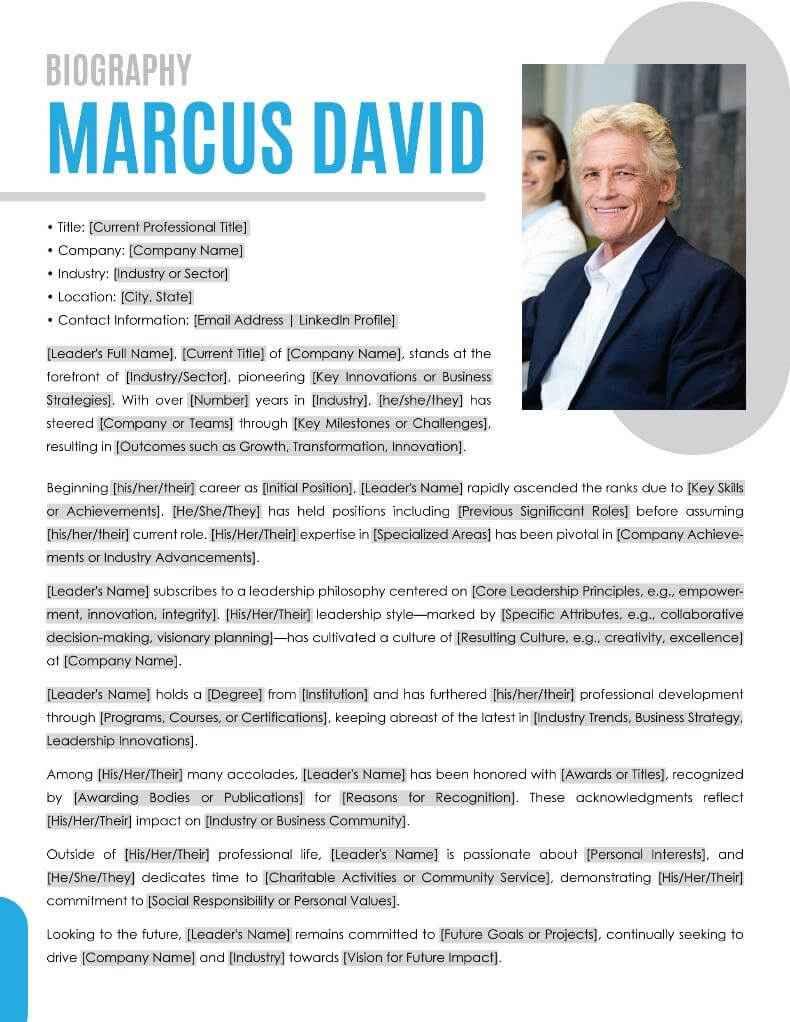
Perfect for bosses laying out their climb, key wins, and big-picture plans in a sharp, no-fuss setup. It carves space for early days, standout moves, and what's next, great for company pages or talk intros. Users lean on it to sound commanding yet approachable for reports or sites.
Board Member Biography Template [Word]
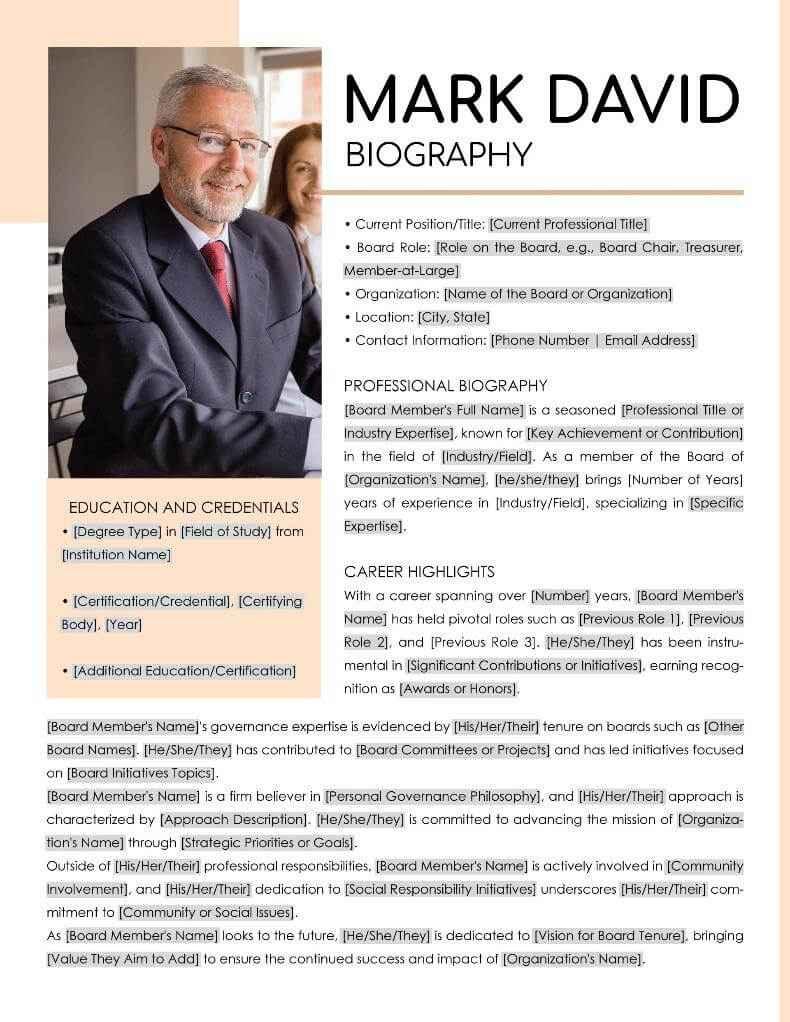
Built for oversight gigs, it zooms in on know-how, impacts, and group ties in a tight package. Spots for roles, time served, and committees make it spot-on for charity or biz profiles. Readers craft bios here that scream trust and fit right into yearly wrap-ups.
Teacher Biography Template [Word]
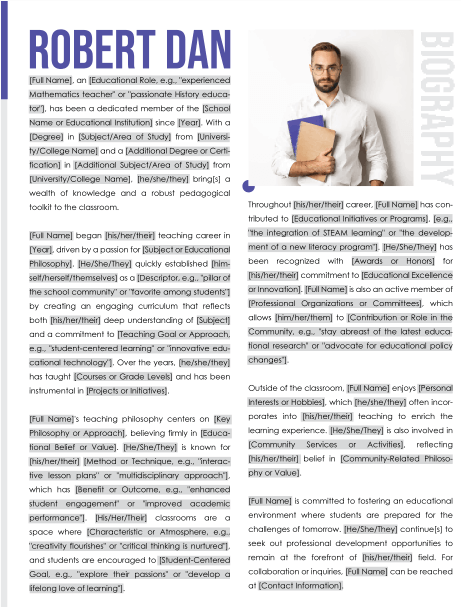
Made for classroom pros, it spells out your teaching vibe, years in the trenches, and go-to subjects with hooks that pull folks in. It juggles creds and heart, ideal for school homepages or conference blurbs. The flow lets users share drive without dumping too much.
Personal Biography Template [Word]
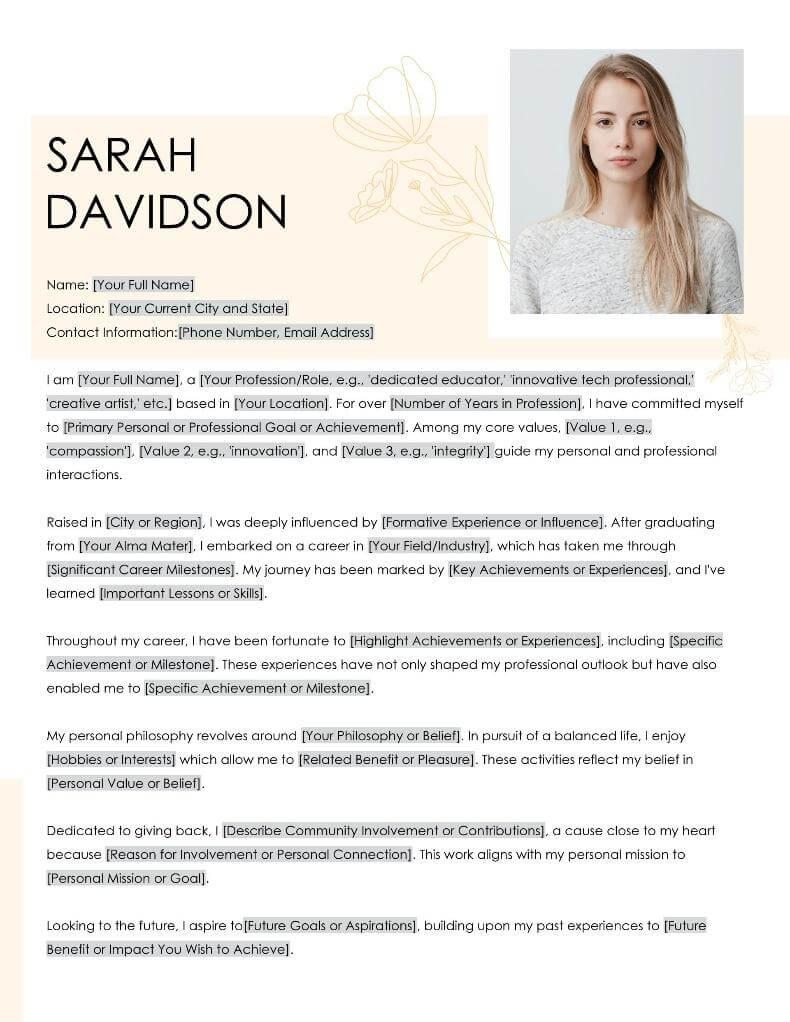
All-purpose life recap, blending backstory, fun sides, and work wins into something folks relate to quick. Open paragraphs for family tales, likes, and aims suit blogs or party pages. Readers pick it to mix cozy with capable, no sweat.
Professional Biography Template [Word]
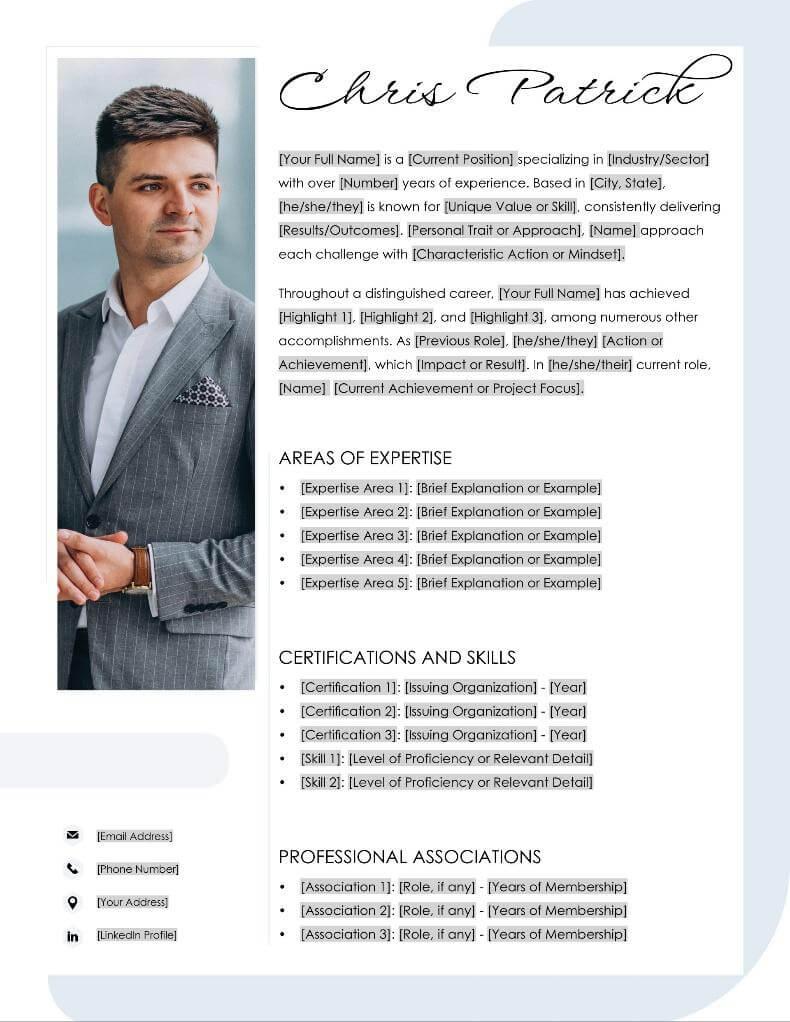
Career spotlight, cramming skills, jobs, and real results into a sleek flow. Bullet wins and talent lists turn it into LinkedIn or resume rocket fuel. Users grab it to flex know-how across fields in a flash.
Military Service Biography Templates (Army, Air Force) [Word]
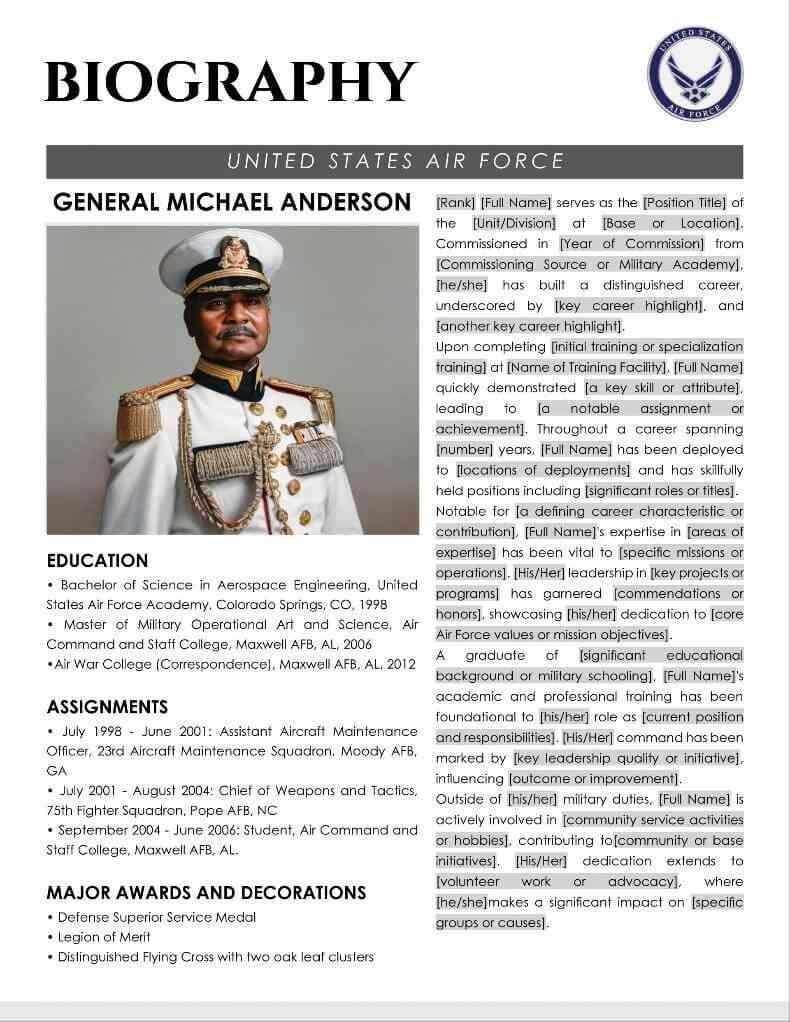
Covers duty logs, ranks, missions, and next chapters with respect-built sections. Room for badges and civvy shifts fits vet spotlights or service dos. Its detail helps users honor paths the right way.
Artist Biography Template [Word]
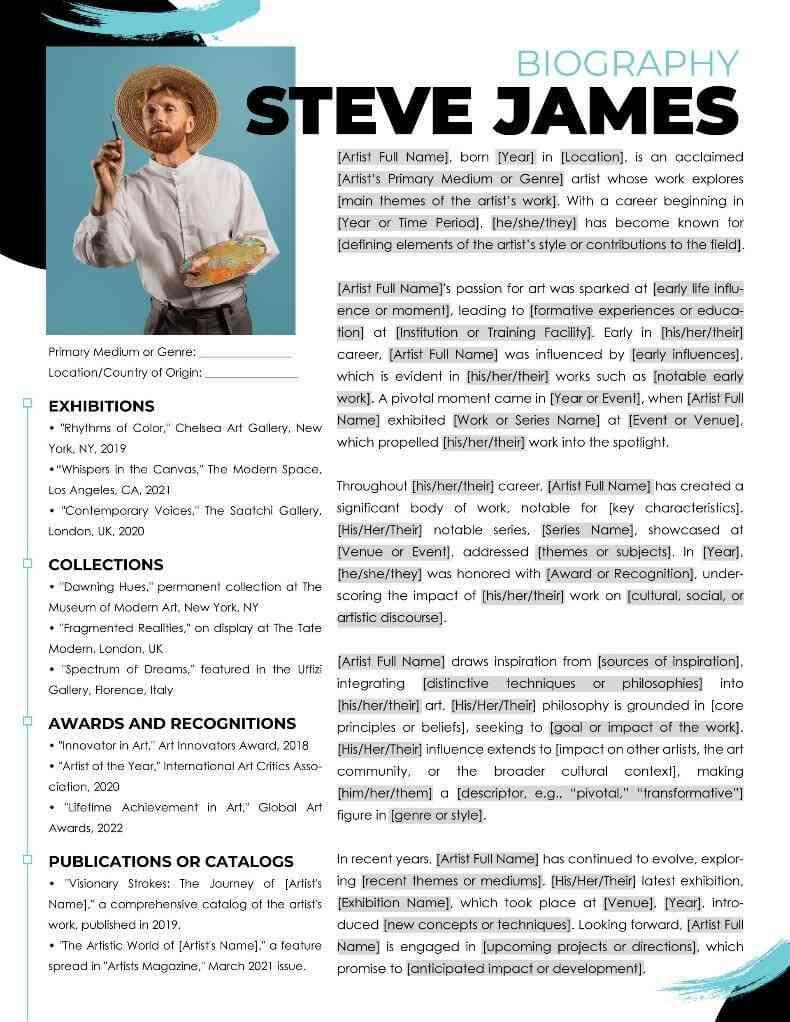
Creatives flock here for style breakdowns, muses, standout works, and shows in a looker layout. Prompts on tools and sparks make it gallery or statement ready. Readers shape it to voice their one-of-a-kind spark.
Free Creative Professional Bio [PDF]

Flashy visuals meet words for gig workers fusing art with work chops. Big headers for gigs and strengths prep it for showreels. Users tweak online for bios that jump off social or pages.
Free Short Professional Bio [PDF]
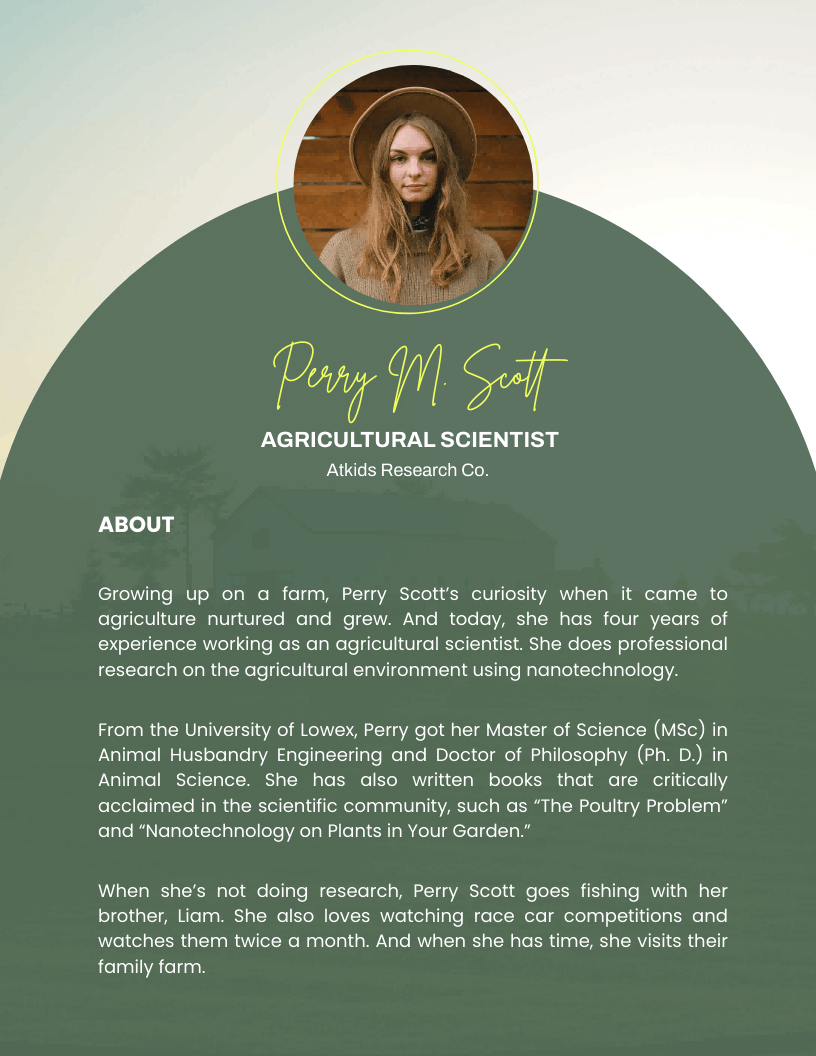
Down to 100 words, it jams roles, hits, and reaches into a zippy read-anywhere hit. Strips extras for email tags or app spots. Readers snatch it for spots yelling short and sweet.
Free Personal Professional Bio [PDF]

Life-meets-work mashup, slipping warmth into creds with slots for loves and markers. Hybrid heaven for your site, easy to warm up while keeping clout. The rhythm guides users to bios that connect deep.
For more picks, check the WPS template site. Tons of WPS templates wait, always fitting what you need for grab-and-go use.
How to Edit Bio Template in Word/PDF
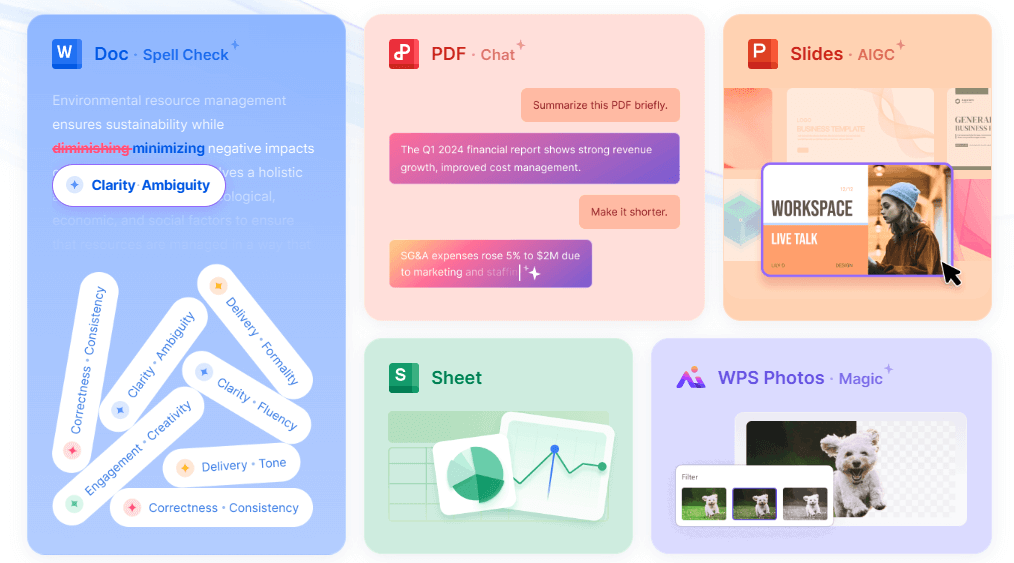
WPS Office cuts the fuss on bio template tweaks, with dead-simple Word and PDF tools hitting reader wants for speedy changes. Run through these to swap text, style up, and share, landing pro shine hassle-free. AI even pitches fixes to smooth it out.
How to Edit in Word
Step 1: Grab the template and fire up WPS Writer.
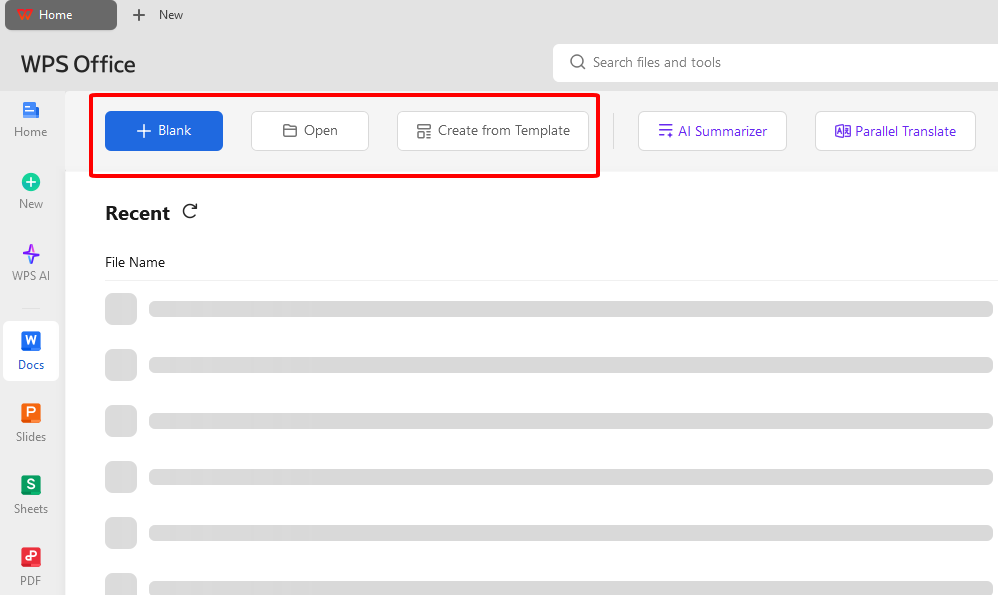
Step 2: Hunt placeholders like name or wins, swap with yours.
Step 3: Toolbar time: bold the big stuff, bullet skills, drop in pics.
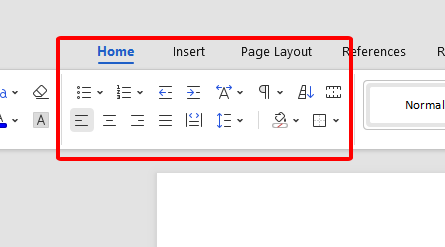
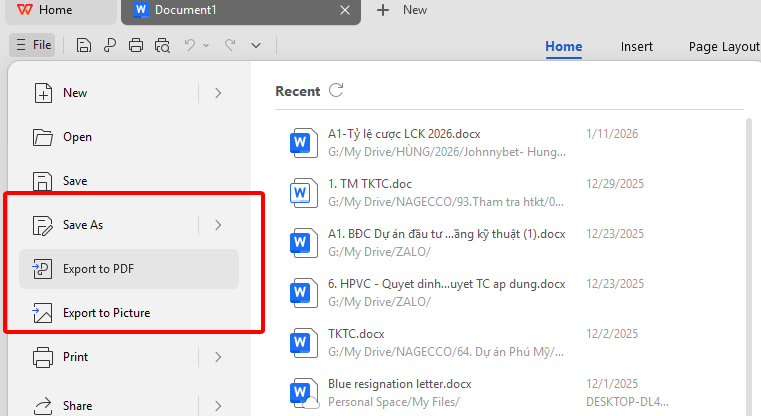
Step 4: Save DOCX or flip to PDF; whip up a share link from File for team eyes.
How to Edit in PDF
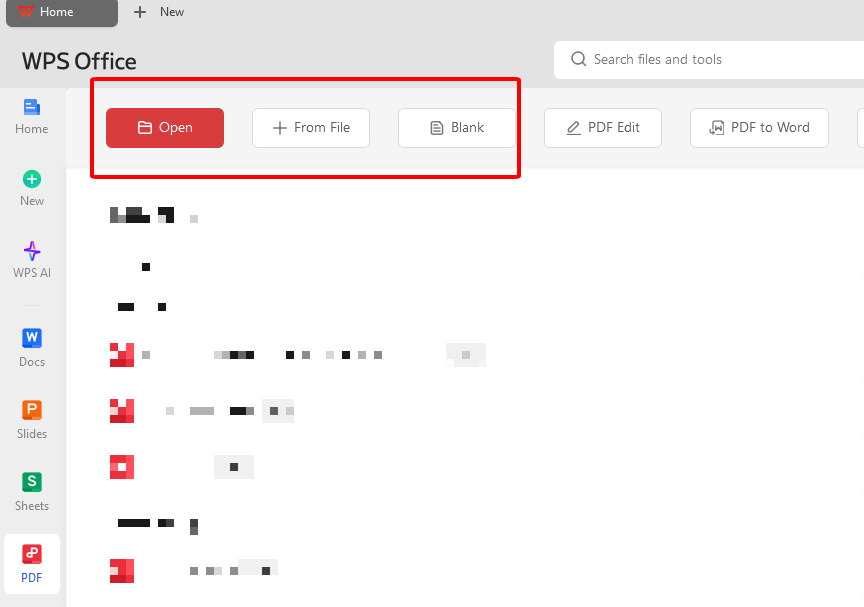
Step 1: Pop the PDF into WPS PDF editor.
Step 2: Tap text spots to overwrite placeholders easy.
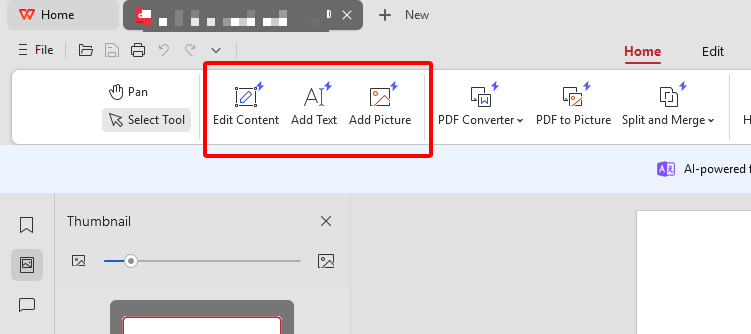
Step 3: Toss in lines or logos from the side tools.
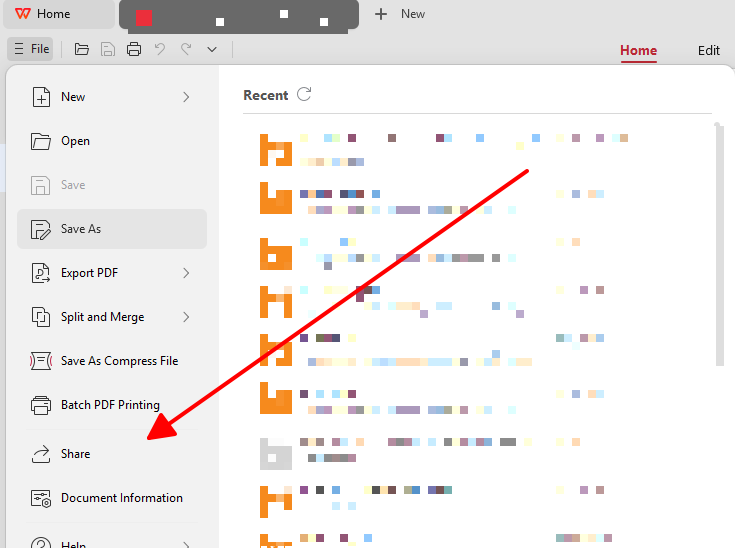
Step 4: Lock saves and spin an online link for crew input.
Tips to Write a Bio
Lean active words and hard numbers to ooze sure-footed punch. Shape size and vibe per spot for dead-on fit. Slip in life bits light to warm it up, not steal the show. Stuff searchable terms like job titles or tricks naturally. Cap with a straight-up next step nudge. Go "I" for close chats, "he/she" for stiff intros. Chop hard: ditch blah for laser focus.
Free Office Suite with Editable Templates
WPS Office stands out as a free, all-in-one suite that rivals pricey options like Microsoft Office, perfect for anyone tweaking bio templates without the cost. It packs Writer for docs, Spreadsheet for data, Presentation for slides, and a beefy PDF editor, all downloadable at no charge from wps.com. Users love how it handles everything from quick bio edits to full projects, keeping things light on your machine while delivering pro results.
Overview
Since kicking off in 1989, WPS Office has grown to serve over 500 million folks worldwide, nailing that sweet spot of free power and ease. It mirrors familiar tools but skips the subscription nag, letting you dive into bio template examples or how to write a bio guides right away. The suite shines for platform-hoppers needing free bio template flexibility across Word and PDF, no extra software hunts required.
Features
AI helps writing: Built-in AI suggests bio phrasing, sums up achievements, or polishes drafts, turning rough how to write a bio notes into slick pros fast.
Free download and free to use Word, Excel, and PPT: Grab Writer, Spreadsheet, Presentation at zero cost, fully loaded for bio template edits without watermarks or limits.
Powerful PDF toolkit: Edit free bio template PDFs directly, add text or images, export clean, solving platform adaptability woes.
Rich template store: Thousands of free bio template options at template.wps.com, from personal to business leader styles, ready to customize.
Rich functions: Tabbed views, cloud sync, format compatibility beat clunky rivals, making bio swaps seamless.
Support online documents: Work anywhere with real-time collab, share bio drafts via links for feedback.
Safe and stable: Rock-solid on Windows, Mac, mobile, no crashes mid-edit, trusted by pros for daily grinds.
Shareable editing: Generate links for team tweaks on bio template examples, no email chains needed.
Pros hit hard: endless free templates mean no blank-page stress, direct edits save hours, and AI turns "how to write a bio" struggles into wins. Compared to paid suites, WPS skips bloat for speed, ideal for readers juggling social and pro bios. Download once, edit forever.
FAQs
1. How should a professional LinkedIn bio differ from a social media (e.g., Instagram/X) bio?
LinkedIn ones stretch 2-4 paras, hammering wins, path, chops, and aims in a boss tone that builds cred. Social hits cap at 160 chars, zeroing your edge, likes, and quick hooks with zippy, you-flavored zing. The split nails deep dives against fast-scroll grabs.
2. Should I write my bio in the first person ("I") or third person ("He/She/They")?
"I" clicks for social, sites, or me-pages, pulling readers in real and raw like a chat. "She/he" shines on work sites, talks, or press packs, formal like another's intro for that pro distance. Pick per scene to land the right feel.
3. What is the ideal length for different bio types?
Social thrives 50-100 chars for blink reads, pro ones bloom 200-400 words for full scoop. Events or apps land 150-word sweet spots, info-packed but breezy. Twist to your crowd for stickiest hits.
4. How can keywords improve a bio's visibility?
Drop job terms like "SEO whiz" or "lead manager" up top and in skills to climb LinkedIn or search ranks. Weave natural, not forced, for algo love. Targets hunt queries spot-on.
Summary
This rundown tackles how to write a bio, free bio template grabs, WPS edits, and sharp tips for 2026 wins. Readers score fixes for empty starts and platform squeezes with ready frames and tweaks. WPS Office rules with template troves, AI smarts, and buttery edits. Snag it at wps.com for bio game on lock.

'%3e%3cpath%20d='M19.9911%204.11386V6.471H18.5894C18.0775%206.471%2017.7322%206.57814%2017.5536%206.79243C17.3751%207.00671%2017.2858%207.32814%2017.2858%207.75671V9.44421H19.9019L19.5536%2012.0871H17.2858V18.8639H14.5536V12.0871H12.2769V9.44421H14.5536V7.49779C14.5536%206.39064%2014.8632%205.53201%2015.4822%204.92189C16.1013%204.31177%2016.9257%204.00671%2017.9554%204.00671C18.8304%204.00671%2019.509%204.04243%2019.9911%204.11386Z'%20fill='%23333333'/%3e%3c/g%3e%3cdefs%3e%3cclipPath%20id='clip0_2938_8199'%3e%3crect%20width='16'%20height='16'%20fill='white'%20transform='translate(8%204.00671)'/%3e%3c/clipPath%3e%3c/defs%3e%3c/svg%3e)
'%3e%3cpath%20d='M17.5237%2010.7813L23.4811%204H22.0699L16.8949%209.88693L12.7648%204H8L14.2469%2012.9029L8%2020.0133H9.4112L14.8725%2013.7952L19.2352%2020.0133H24M9.92053%205.04213H12.0885L22.0688%2019.0224H19.9003'%20fill='%23333333'/%3e%3c/g%3e%3cdefs%3e%3cclipPath%20id='clip0_2938_8200'%3e%3crect%20width='16'%20height='16.0134'%20fill='white'%20transform='translate(8%204)'/%3e%3c/clipPath%3e%3c/defs%3e%3c/svg%3e)


