

'%3e%3cpath%20d='M8%200C12.4183%200%2016%203.58172%2016%208C16%2012.4183%2012.4183%2016%208%2016C3.58172%2016%200%2012.4183%200%208C0%203.58172%203.58172%200%208%200ZM11.6162%204.38379C11.2257%203.99337%2010.5927%203.99338%2010.2021%204.38379L8%206.58594L5.79785%204.38379C5.40732%203.99334%204.77429%203.99329%204.38379%204.38379C3.99331%204.77429%203.99335%205.40733%204.38379%205.79785L6.58594%208L4.38379%2010.2021C3.99348%2010.5927%203.99341%2011.2257%204.38379%2011.6162C4.77426%2012.0066%205.40734%2012.0065%205.79785%2011.6162L8%209.41406L10.2021%2011.6162C10.5927%2012.0066%2011.2257%2012.0067%2011.6162%2011.6162C12.0067%2011.2257%2012.0066%2010.5927%2011.6162%2010.2021L9.41406%208L11.6162%205.79785C12.0066%205.40735%2012.0066%204.77429%2011.6162%204.38379Z'%20fill='%23080E17'%20fill-opacity='0.46'/%3e%3c/g%3e%3cdefs%3e%3cclipPath%20id='clip0_3761_713'%3e%3crect%20width='16'%20height='16'%20fill='white'/%3e%3c/clipPath%3e%3c/defs%3e%3c/svg%3e)




'%3e%3cpath%20fill-rule='evenodd'%20clip-rule='evenodd'%20d='M21.4999%2010.9993C21.4999%205.20009%2016.7986%200.498901%2010.9993%200.498901C5.19994%200.498901%200.498657%205.20009%200.498657%2010.9993C0.498657%2016.2404%204.33858%2020.5844%209.35855%2021.3722V14.0346H6.69238V10.9993H9.35855V8.68594C9.35855%206.05427%2010.9262%204.60062%2013.3248%204.60062C14.4736%204.60062%2015.6753%204.80571%2015.6753%204.80571V7.38979H14.3512C13.0468%207.38979%2012.64%208.19921%2012.64%209.0296V10.9993H15.5523L15.0867%2014.0346H12.64V21.3722C17.66%2020.5844%2021.4999%2016.2404%2021.4999%2010.9993Z'%20fill='%231568EA'/%3e%3c/g%3e%3c/svg%3e)


'%3e%3cpath%20d='M2.42045%2022.1876H6.31818V12.7217L0.75%208.54553V20.5171C0.75%2021.4414%201.49892%2022.1876%202.42045%2022.1876Z'%20fill='%234285F4'/%3e%3cpath%20d='M19.682%2022.1876H23.5797C24.5041%2022.1876%2025.2502%2021.4387%2025.2502%2020.5171V8.54553L19.682%2012.7217'%20fill='%2334A853'/%3e%3cpath%20d='M19.682%205.48293V12.7216L25.2502%208.54543V6.31816C25.2502%204.25236%2022.8921%203.07469%2021.2411%204.31361'%20fill='%23FBBC04'/%3e%3cpath%20d='M6.31824%2012.7217V5.48303L13.0001%2010.4944L19.6819%205.48303V12.7217L13.0001%2017.733'%20fill='%23EA4335'/%3e%3cpath%20d='M0.75%206.31816V8.54543L6.31818%2012.7216V5.48293L4.75909%204.31361C3.10534%203.07469%200.75%204.25236%200.75%206.31816Z'%20fill='%23C5221F'/%3e%3c/g%3e%3cdefs%3e%3cclipPath%20id='clip0_2954_7305'%3e%3crect%20width='24.5'%20height='18.375'%20fill='white'%20transform='translate(0.75%203.8125)'/%3e%3c/clipPath%3e%3c/defs%3e%3c/svg%3e)


AI tools like Genius AI have made content creation faster, but many still fall short when that content needs to become a polished presentation. Limitations around layout control, visual customization, and reliable exports often get in the way. For teams that need more than text, WPS AI Slides offers a more complete solution with AI-powered slide creation, flexible editing, and seamless PPTX export inside the WPS Office ecosystem. In this guide, we’ll explore the best Genius AI alternatives and help you decide which one fits your needs.
Overview of Genius AI
Genius AI is an AI-poweredplatform designed primarily for content generation and workflow automation. It is commonly used by digital marketers and sales professionals to create marketing copy, assist with writing tasks, and streamline productivity through automated responses.
Key Features of Genius AI
AI-driven text generation: Creates tailored social media captions, sales scripts, and messaging.
Automation-focused workflows: Streamline repetitive tasks and customer interactions.
Cloud-based access: Offers accessible, web-based tools with basic integration capabilities.
Limitations of Genius AI
Limited support for presentation creation: It lacks dedicated tools for building visual slide decks.
Minimal visual design control: Users cannot manipulate layouts, fonts, or visual hierarchy effectively.
Not optimized for structured export: It struggles to export content into standard business formats like PPTX.
Genius AI Alternatives: 4 Best Choices
If you are finding Genius AI too limited for your broader creative needs, there are several powerful Genius AI alternative toolsavailable. We have selected four top AI tools similar to Genius AI that offer different strengths, ranging from advanced reasoning and research to specialized video automation and no-code app building.
1. Claude AI
Claude AI, developed by Anthropic, is a high-performance language model designed for reliability and nuanced understanding. Unlike Genius AI, which is often narrowly focused on short-form sales copy, Claude excels at processing massive amounts of information, handling complex reasoning tasks, and generating long-form text that reads naturally.
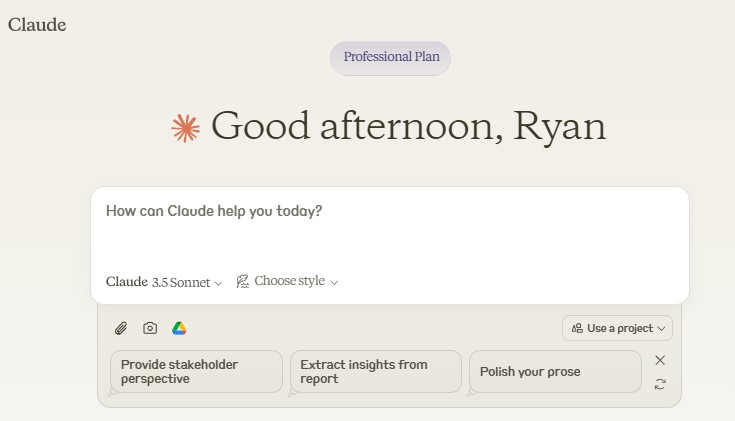
Its massive context window is a game-changer for professionals who need to analyze entire books or legal documents in a single promptwithout losing detail. By prioritizing safety and reducing hallucination rates, Claude provides a dependable partner for drafting comprehensive research papers or coding projects where accuracy is paramount, offering a more human-like writing style than standard chatbots.
Features:
Large Context Window: Capable of analyzing and summarizing massive documents or books in a single prompt.
Advanced Reasoning: Performs complex logical tasks and coding assistance better than standard chatbots.
Natural Tone: Generates writing that feels significantly less robotic and more human-like.
Pros:
Excellent for drafting long-form content and research.
High safety standards and reduced hallucination rates.
Cons:
Strictly text-based; cannot generate images or slides.
Lacks the specific sales-automation features of Genius AI.
Pricing:
Claude AI offers a capable Free tier for casual use, though it comes with daily message limits. For professionals requiring higher capacity, the Pro plan provides significantly expanded usage limits along with priority access during peak times. Teams can collaborate using the Team plan, which adds administrative controls and centralized billing to streamline management for larger groups.

2. Genspark AI
Genspark functions as an intelligent research engine rather than just a text generator. It aggregates information from across the web to create Sparkpages, which are concise, reliable summaries of any topic, effectively serving as a high-speed analyst that verifies facts before you even start writing.
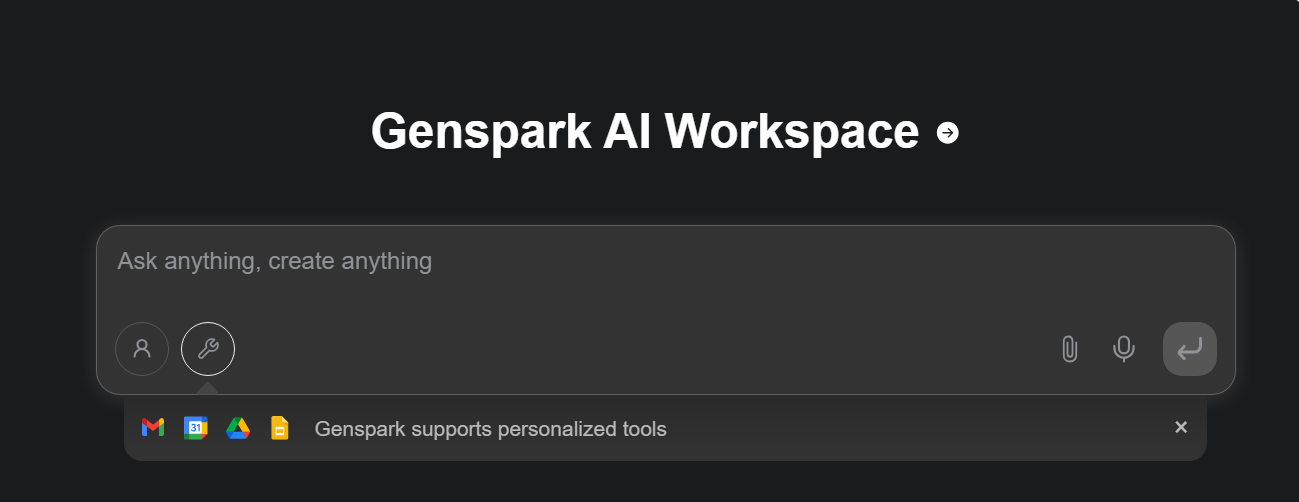
This approach dramatically reduces the time spent sifting through search results, allowing you to validate ideas and gather credible sources instantly. By synthesizing multiple viewpoints into a single, shareable page, it shifts the focus from simple content creation to deep information discovery, ensuring your projects are built on a foundation of verified data.
Features:
AI-Aggregated Search: Synthesizes results from multiple sources into a single, readable answer.
Sparkpages: Creates instant, shareable one-page summaries of any topic.
Fact-Checking: Prioritizes credible sources to reduce misinformation.
Pros:
Great for research and idea validation.
Saves time by consolidating multiple search results.
Cons:
Focused on information consumption, not creative content generation.
Does not offer document or presentation creation tools.
Pricing:
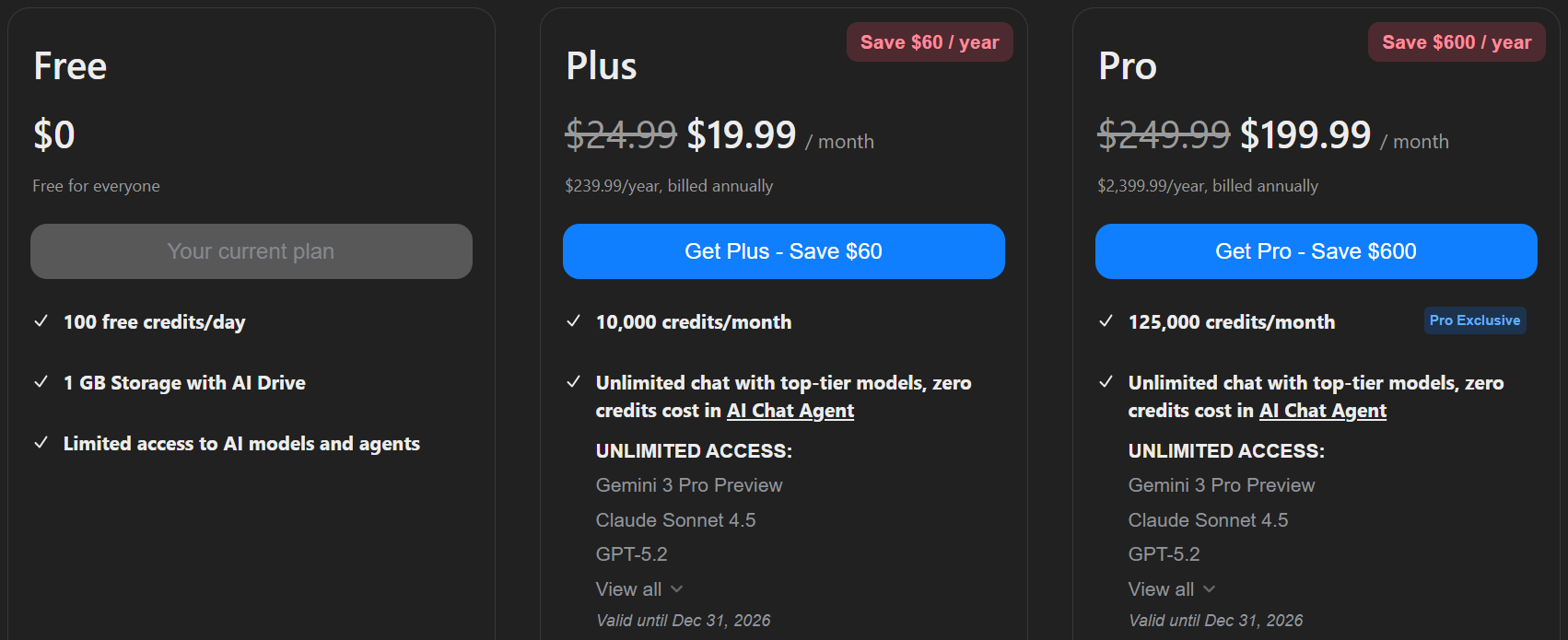
Genspark operates on a freemium model, allowing users to test basic features with a Free plan that includes daily credit limits. For more serious research and content creation, the Plus plan unlocks priority access, advanced models, and higher credit allowances. Higher-tier plans are also available for power users and agencies requiring massive usage limits to support heavy workloads.
3. Storyteq
While Genius AI handles text, Storyteq steps in to automate the visual side of marketing as a specialized Creative Automation platform. It allows marketing teams to scale their production capabilities by generating thousands of variations of video and display ads from a single master asset.
This capability is indispensable for global brands that need to localize content for different markets without rebuilding every asset from scratch. By integrating directly with your digital asset management systems, it ensures strict brand consistency across every channel, allowing teams to launch complex, multi-region campaigns with a fraction of the manual effort usually required.
Features:
Automated Video Creation: Generates multiple versions of video ads based on data inputs.
Dynamic Templates: Allows for easy localization of content for different markets.
Asset Management: Integrates with your existing digital asset library for seamless workflows.
Pros:
Excellent for scaling visual marketing campaigns.
High level of brand consistency control.
Cons:
Complex learning curve for non-designers.
Focused on ads, not business documents or presentations.
Pricing:
Unlike standard SaaS tools with simple tiers, Storyteq primarily focuses on enterprise clients and employs a custom pricing model that typically requires a demo or consultation. While entry-level packages are available for smaller startups, comprehensive enterprise solutions designed for high-volume asset generation are priced to reflect the platform's industrial capability and scale.
4. Base44
Base44 takes a different approach by focusing on operational efficiency through no-code automation. It empowers businesses to build custom internal tools and automated data extraction workflows, effectively acting as the backend engine that powers productivity behind the scenes. No-code is ideal for lightweight internal tools; when you need owned source code, complex multi-tenant product logic, or long-term engineering ownership, you are evaluating custom software, not another AI writing tool. But professional custom software development describe full-cycle web, mobile, and desktop delivery for teams that have outgrown no-code constraints.
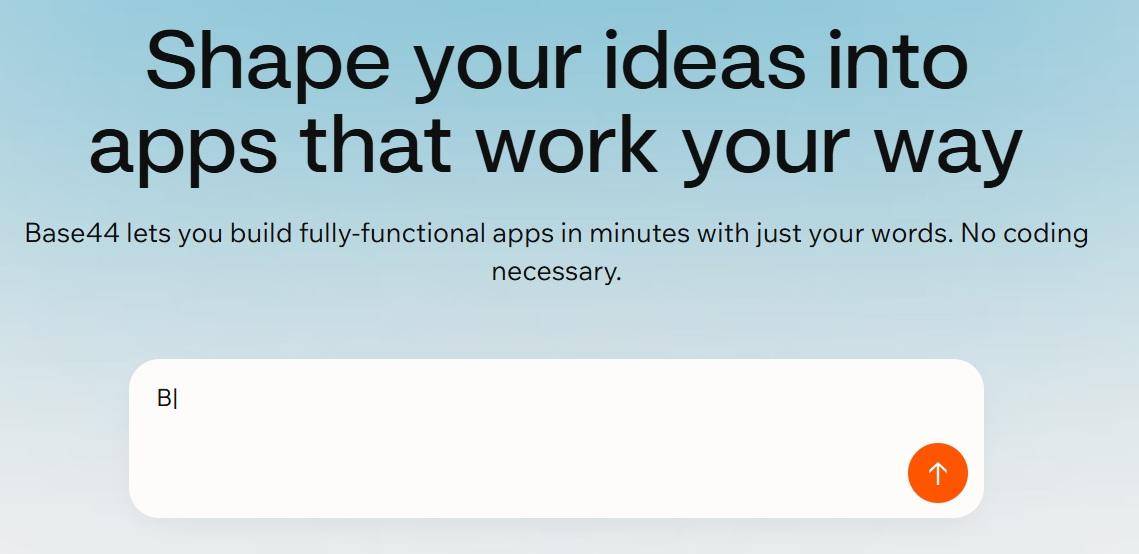
Instead of just generating text, it triggers complex sequences of actions based on specific inputs, reducing the burden of manual data entry. This flexibility allows operations teams to construct tailored solutions that process documents and manage data streams automatically, solving logistical challenges that creative writing tools simply cannot address.
Features:
No-Code Builder: Allows users to create custom internal apps without programming knowledge.
AI Data Extraction: Automatically pulls and processes data from various document types.
Workflow Triggers: Automates complex sequences of actions based on specific inputs.
Pros:
Highly flexible for operations and data management.
Reduces manual data entry tasks significantly.
Cons:
The technical nature makes it less suitable for creative writing.
Not a content generation tool in the traditional sense.
Pricing:
Base44 offers a highly scalable tiered structure, starting with a Free plan for testing core features. Paid options begin with the Starter tier for personal projects, moving up to the Builder plan for professional features like custom domains. For scaling applications with high volume needs, Pro and Elite plans are available, offering increasingly higher limits and dedicated support options.

Comparison Table of Alternatives to Genius AI
To help you identify the right tool for your specific workflow, whether it's writing, research, or automation, we have compared the key capabilities of these Genius AI alternatives below.
| Tool | Primary Focus | Presentation Support | Customization Level | Export Options | Best For |
|---|---|---|---|---|---|
| Genius AI | Content & automation | Limited | Low | Text-based outputs | Marketing copy & workflows |
| Claude AI | Writing & reasoning | No | Low | Text formats | Research & long-form writing |
| Genspark AI | Content discovery | No | Low | Text summaries | Idea generation |
| Storyteq | Interactive content | Partial | Medium | Platform-specific | Marketing storytelling |
| Base44 | No-code automation | No | Medium | App-based outputs | Workflow automation |
| WPS AI Slides | AI presentation creation | Yes (Core feature) | High | PPTX, slides | Professional presentations |
Best AI Slide Tool – WPS AI Slides
Most of the alternatives above are strong in specific areas like research or ad copy, but they stop short when it comes to turning text into a polishedpresentation. That’s where WPS AI Slides stands apart. It closes the gap between generating content and delivering a finished deck, making it a better fit for professionals who need presentation-ready results, not just written drafts.
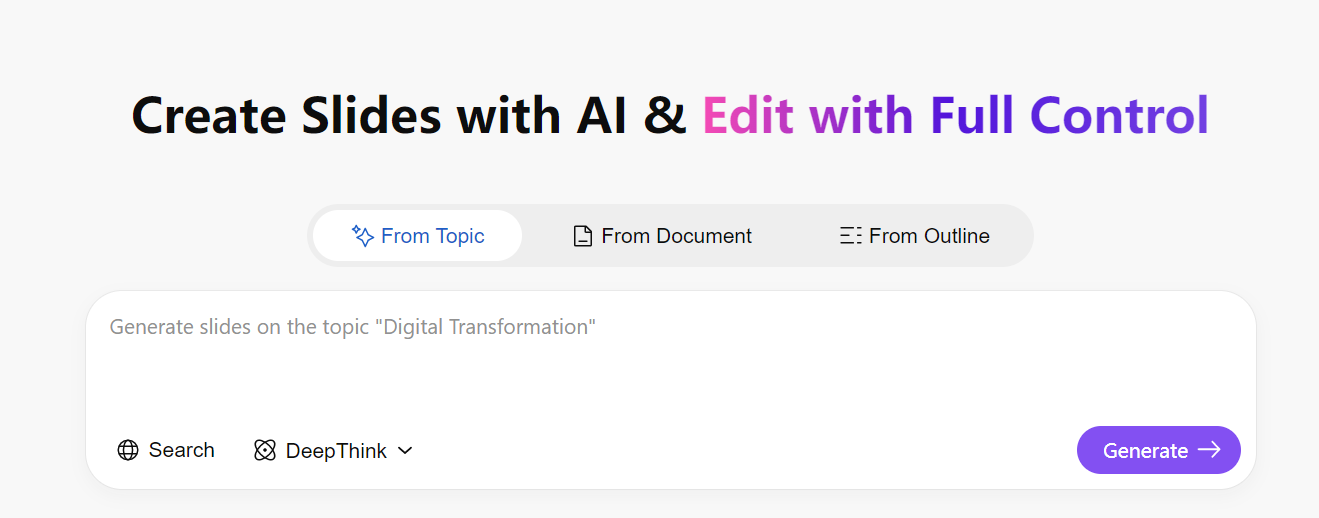
WPS AI Slides is built into the WPS Office suite and designed specifically for creating presentations. Instead of responding with paragraphs of text, it converts simple prompts into structured, fully editable slide decks, making it easy to go from an early idea to a file that’s ready to present in just minutes
1. Which WPS AI Tools Are Best for Genius AI Users?
For those moving away from Genius AI, the WPS AI All-in-One Suite (Writer, Slides, and PDF) is the most practical place to start. It brings content creation and execution into a single workflow, making it easier to turn ideas into finished materials. This setup works especially well for marketers, educators, and business teams that need outputs they can actually use.
2. WPS AI Writer – A Capable Alternative for Content Creation
Genius AI is effective for short-form content, but WPS AI Writer is built for longer, more structured writing. It helps develop rough ideas into complete reports or campaigns, produces well-formatted documents such as blog posts, proposals, and emails, and refines tone to match professional, persuasive, or academic contexts.
Best suited for anyone who needs complete documents rather than quick captions or drafts.
3. WPS AI Slides – Converting Ideas into Finished Presentations
This is where WPS AI offers a clear advantage.
Instant Deck Creation: Generates full slide decks from a single prompt or outline.
Clear Structure: Organizes content into a logical sequence with headings and bullet points.
Editable Output: Exports presentations as native.pptx files that can be edited in standard office software.
Content created with Genius AI can be quickly turned into presentation-ready slides using WPS AI Slides.
4. WPS AI PDF – Research and Document Analysis
For anyone working with detailed reports or long documents, WPS AI PDF adds functionality that creative tools often lack. It allows direct interaction with PDFs, pulls out key data and insights, and summarizes lengthy material into concise overviews. This makes it better suited for professional and academic work where depth and accuracy are important.
How WPS AI Slides Covers Key Gaps
Design Control: Full flexibility over layout, structure, and visuals.
File Compatibility: Supports native PPTX and other standard formats.
Ecosystem Integration: Works smoothly with documents and spreadsheets inside WPS Office.
Ideal for:
Educational presentations and coursework
Business reports, pitches, and internal training
Anyone who wants fast AI assistance without losing control over formatting and design
FAQs
1. Is Genius AI suitable for creating presentations?
Genius AI focuses mainly on text and automation, with limited support for structured slide creation. It is not designed to build visual decks.
2. Which Genius AI alternative is best for presentations?
Most alternatives prioritize text or workflows, while tools like WPS AI Slides are built specifically for presentations, making them the best choice for visual outputs.
3. Can AI tools export presentations as PPT files?
Most general AI chatbots cannot. Only presentation-focused tools such as WPS AI Slides support full PPTX export, ensuring compatibility with Microsoft PowerPoint.
4. Are Genius AI alternatives better for customization?
Some alternatives offer flexibility in content creation, but customization for slide design is usually limited outside of dedicated slide tools like WPS AI.
The Complete Alternative to Genius AI
While Genius AI serves a specific purpose for social media and sales automation, it falls short for professionals who need structured deliverables. WPS AI Slides is one of the best Genius AI Alternatives that offers the missing link, providing a comprehensive platform to generate, edit, and export high-quality presentations. For users seeking a versatile, all-in-one alternative that handles documents, slides, and PDFs, WPS AI is the superior choice.

'%3e%3cpath%20d='M19.9911%204.11386V6.471H18.5894C18.0775%206.471%2017.7322%206.57814%2017.5536%206.79243C17.3751%207.00671%2017.2858%207.32814%2017.2858%207.75671V9.44421H19.9019L19.5536%2012.0871H17.2858V18.8639H14.5536V12.0871H12.2769V9.44421H14.5536V7.49779C14.5536%206.39064%2014.8632%205.53201%2015.4822%204.92189C16.1013%204.31177%2016.9257%204.00671%2017.9554%204.00671C18.8304%204.00671%2019.509%204.04243%2019.9911%204.11386Z'%20fill='%23333333'/%3e%3c/g%3e%3cdefs%3e%3cclipPath%20id='clip0_2938_8199'%3e%3crect%20width='16'%20height='16'%20fill='white'%20transform='translate(8%204.00671)'/%3e%3c/clipPath%3e%3c/defs%3e%3c/svg%3e)
'%3e%3cpath%20d='M17.5237%2010.7813L23.4811%204H22.0699L16.8949%209.88693L12.7648%204H8L14.2469%2012.9029L8%2020.0133H9.4112L14.8725%2013.7952L19.2352%2020.0133H24M9.92053%205.04213H12.0885L22.0688%2019.0224H19.9003'%20fill='%23333333'/%3e%3c/g%3e%3cdefs%3e%3cclipPath%20id='clip0_2938_8200'%3e%3crect%20width='16'%20height='16.0134'%20fill='white'%20transform='translate(8%204)'/%3e%3c/clipPath%3e%3c/defs%3e%3c/svg%3e)


