Free All-in-One Office Suite with PDF Editor

Edit Word, Excel, and PPT for FREE.
Read, edit, and convert PDFs with the powerful PDF toolkit.
Microsoft-like interface, easy to use.
Windows • MacOS • Linux • iOS • Android

Catalog
File Sync: How to Enable Automatic Document Synchronization in WPS
Professionals and students often work across multiple devices and locations, facing risks such as unexpected system crashes, accidental file deletion, or device failure. These incidents can interrupt workflows and result in permanent data loss. While many applications require manual backup procedures or rely on external cloud services, integrated and automatic synchronization remains a critical yet often missing feature in office productivity tools.
Setting Up Automatic Document Sync
-
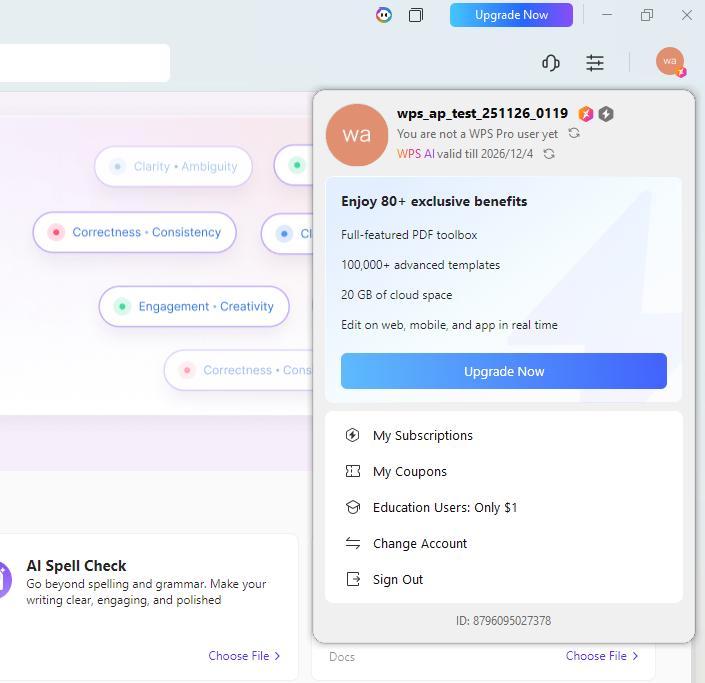
Log into WPS with your registered account.
log in -
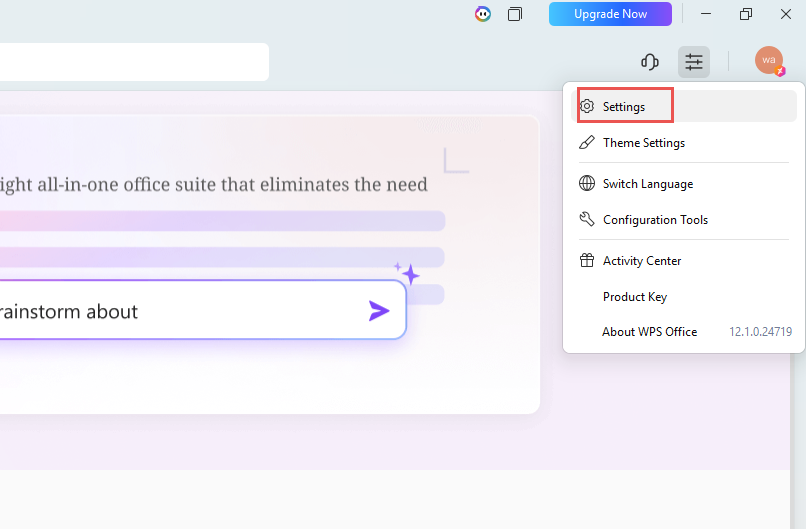
Navigate to Home → Settings .
settings -
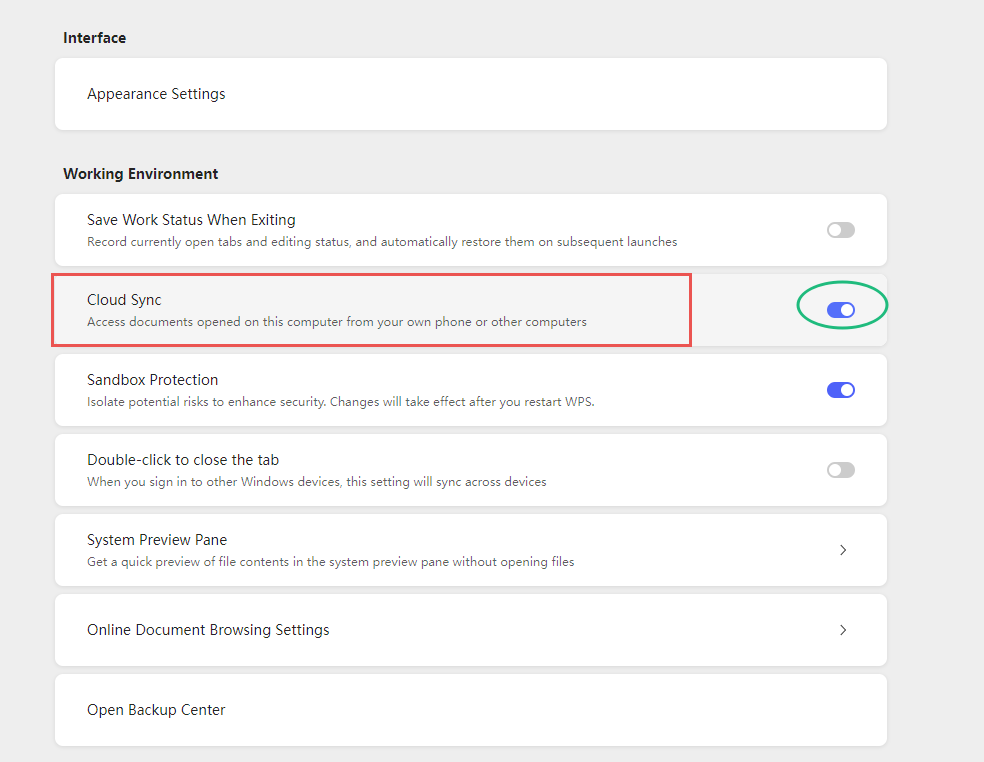
Activate Cloud Sync.Once enabled, all open and saved files will automatically synchronize to your cloud account in the background.
open Cloud Sync
Recovering Files After Interruption
-
If files become inaccessible due to technical issues, log into WPS on any device.In the home interface, use the search field to locate files by name, keyword, or date.
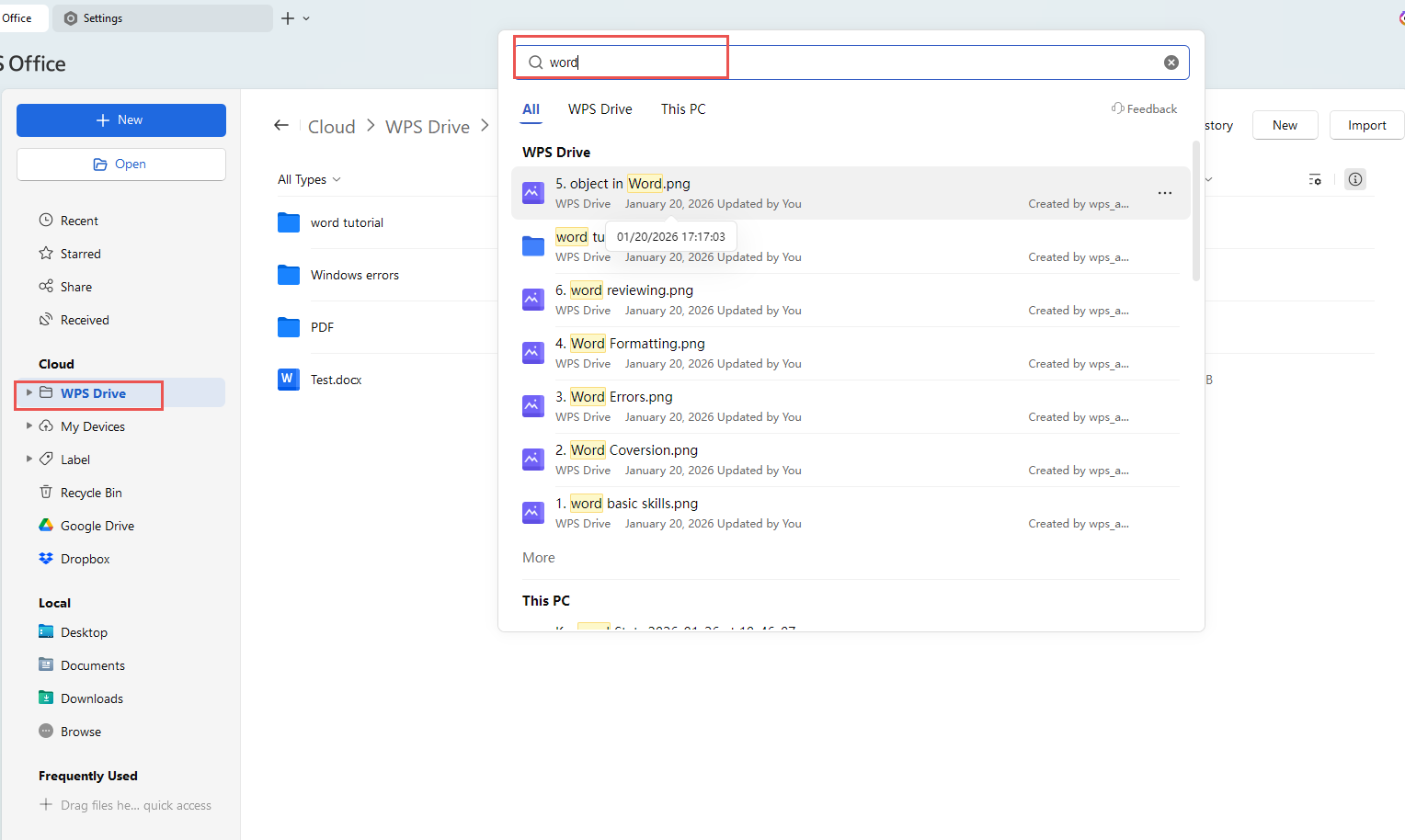
search Select the relevant backup from your cloud document list to restore or continue editing.
Flexible Sync Options
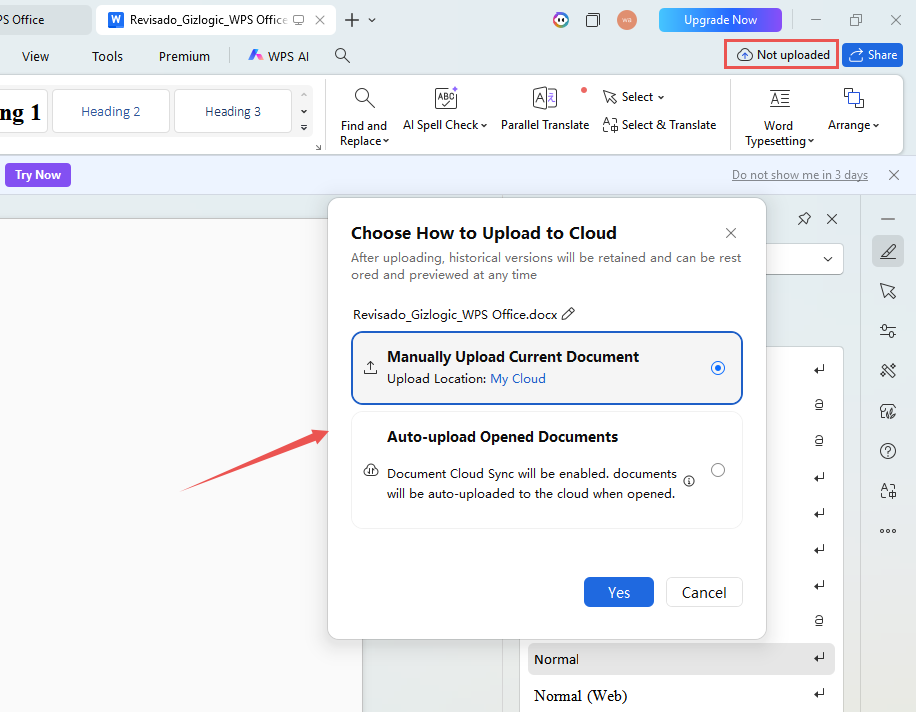
To sync specific files without enabling full automation, open the document, select the cloud icon in the upper-right interface, and choose between Manually upload or Auto-up load.
How WPS File Sync Differs
Unlike generic cloud services that operate separately from editing software, WPS integrates sync functionality directly into the document interface—allowing real-time backup without interrupting active work, and enabling near-instant recovery without manual exports or third-party tool dependencies.
Also Read:
- 1. How to save a word document as an XML file
- 2. 10 Timesheet Calculator Excel Template: Employee Payroll, Automatic Attendance Calculation, and More!
- 3. How to set the automatic backup time
- 4. How to turn off automatic numbering in WPS Writer
- 5. How to activate and stop Automatic Numbering in Word?
- 6. How to set the automatic backup time



15 years of office industry experience, tech lover and copywriter. Follow me for product reviews, comparisons, and recommendations for new apps and software.


