Free All-in-One Office Suite with PDF Editor

Edit Word, Excel, and PPT for FREE.
Read, edit, and convert PDFs with the powerful PDF toolkit.
Microsoft-like interface, easy to use.
Windows • MacOS • Linux • iOS • Android

Catalog
AI Writer: Revolutionize Your Writing with WPS AI
Ever feel stuck staring at a blank page, or worse, typing out text from a blurry photo or scanned receipt? You are probably hunting for an ai writer that not only spits out fresh content but also pulls usable text straight from images, saving you from hours of grunt work. That's where WPS AI Writer steps in, built right into WPS Office to handle everything from drafts to edits without you jumping between apps. This guide breaks it all down, zeroing in on image format conversion function while covering the full toolkit, so you can tackle reports, emails, or blogs with less hassle.
Core Features of WPS AI Writer
WPS AI Writer packs a full toolbox right inside WPS Writer. It handles content generation, image format conversion function through smart OCR, paraphrasing, summarization, translation across 30+ languages, and thorough grammar checks. Everything processes locally. Your data stays private and works offline. That's a huge win if you're on spotty Wi-Fi or handling sensitive files.
Think about it. Instead of fiddling with separate apps, you get one ai writer that does it all in place. You search for quick OCR or draft creation. It handles both with high accuracy on prints and handwriting. Batch options make light work of big jobs too.
How to Access WPS AI Writer
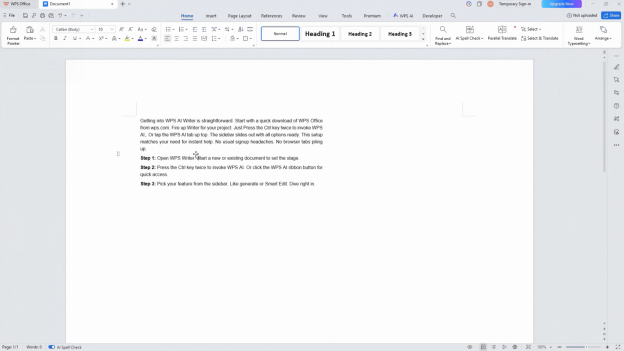
Getting into WPS AI Writer is straightforward. Start with a quick download of WPS Office from wps.com. Fire up Writer for your project. Just Press the Ctrl key twice to invoke WPS AI,. Or tap the WPS AI tab up top. The sidebar slides out with all options ready. This setup matches your need for instant help. No usual signup headaches. No browser tabs piling up.
Step 1: Open WPS Writer. Start a new or existing document to set the stage.
Step 2: Press the Ctrl key twice to invoke WPS AI. Or click the WPS AI ribbon button for quick access.
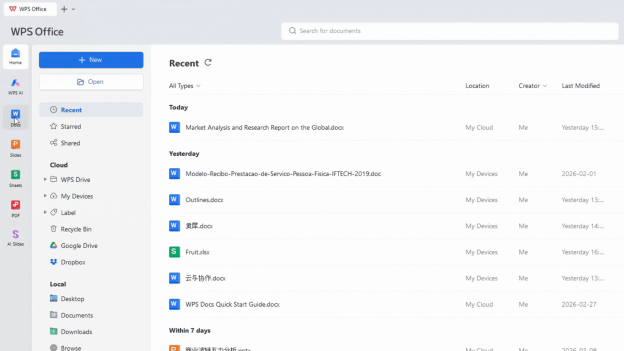
Step 3: Pick your feature from the sidebar. Like generate or Smart Edit. Dive right in.
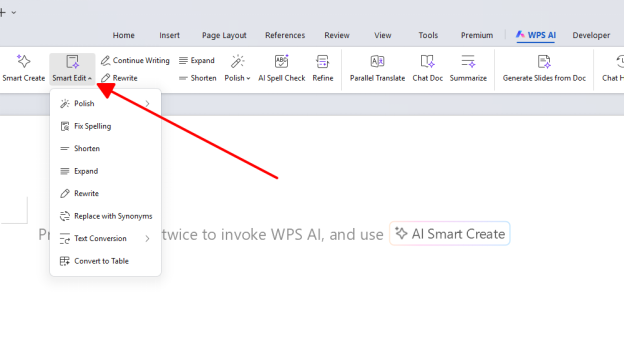
You want efficiency from the first click. This method nails it. It cuts out the fluff you see in clunkier competitors. Gets you productive right away.
Image Format Conversion in AI Writer
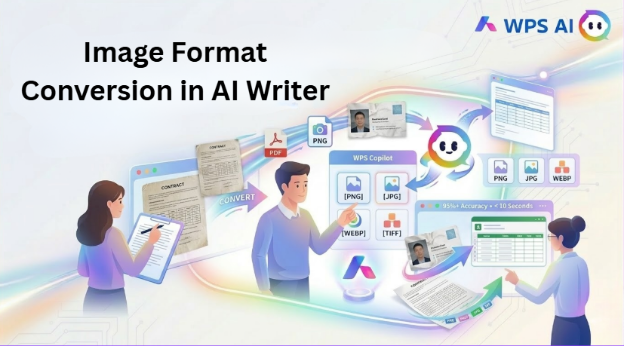
The image format conversion function truly shines as the heart of this ai writer. Drop in JPGs, PNGs, PDFs, or even phone snaps. Yank out editable text while holding onto tables and layouts. Whether it's a crumpled business card or a multi-page contract scan, it chews through batches fast. Spits out results you can tweak on the spot. Or shoot to Excel.
Folks often need this for digitizing old notes or invoices. No headache of manual entry. It delivers 95%+ accuracy on prints. Even fixes skewed angles. Keeps formatting intact. No rebuilding from scratch.
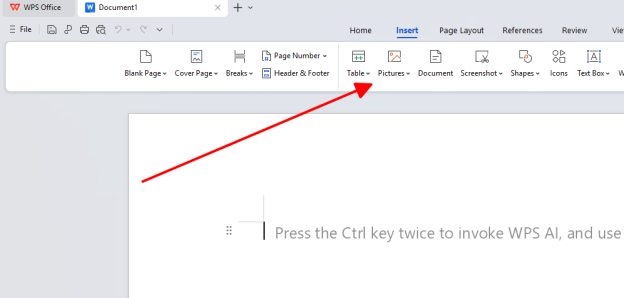
Step 1: Go to Insert > Pictures. Or drag your image straight into the document canvas.
Step 2: Right-click the image. Hit WPS Copilot. Or select it from the WPS AI sidebar menu.
Step 3: “Scan the preview”. Make quick edits if needed. Paste or export the text seamlessly.
This tackles your daily grind of turning photos into Word text head-on. Often in under 10 seconds per file.
Content Generation with AI Writer

Content generation in WPS AI Writer turns vague ideas into full drafts. Emails or outlines with a single prompt. Crafts text that sounds natural and on-topic. Builds structured sections you can build on. Complete with headings and lists.
If you're racing deadlines. Need an ai writer to kickstart without the blank-page panic. This fits perfectly. Offers tones from professional to chatty. Avoids the robotic vibe of some tools. Learns from your tweaks over time.
Step 1: Type your prompt right in the doc. Like "Draft a 500-word post on AI trends."
Step 2: Press generate. Eyeball the output popping up in the sidebar preview.
Step 3: Hit continue, expand, or rewrite buttons. Fine-tune until it clicks just right.
Your push for faster writing gets a real boost here. Churns out usable stuff quicker than staring at a screen.
Paraphrasing and Summarizing Tools
Paraphrasing with this ai writer takes your selected chunk. Spins it fresh. Picks styles like concise, formal, or creative. Dodges duplication flags. Summarizing shrinks rambling reports or articles. Into tight bullets or overviews. Grabs the essence without losing key facts.
You are likely after ways to refresh old content. Or boil down research fast. These tools handle context smartly. Outperform one-note rewriters. Work on big files too. Clutch for students or managers.
Step 1: Highlight the text block you want to rework or condense in your document.
Step 2: From WPS AI sidebar. Choose Paraphrase or Summarize. Select a style option.
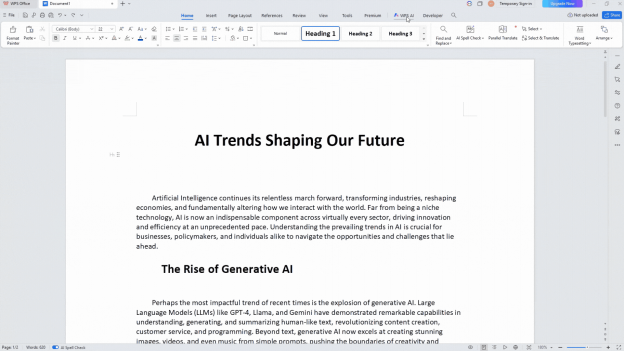
Step 3: Review the new version. Tweak words if you like. Slot it back into place.
It eases the "make this original" chore. Gives polished results that feel like your own voice.
Grammar Check and Translation
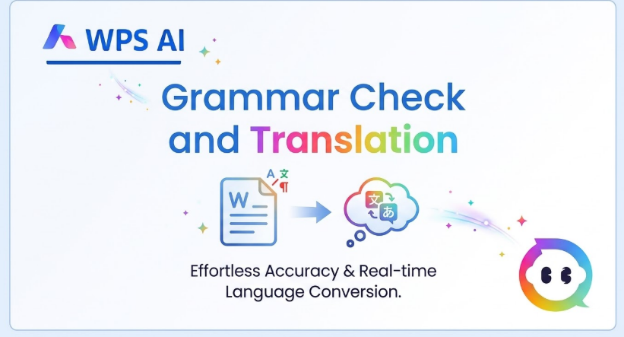
Grammar check runs deep scans on your writing. Flags not just typos. But awkward phrasing and style slips. Offers easy one-click fixes. Tips to improve. Translation swaps languages smoothly. Turns English drafts into Vietnamese or Spanish. Natural flow for global sharing.
Professionals juggling multicultural teams want this ai writer edge. Clean, quick polishes. Catches nuances that basic checkers miss. Processes whole docs offline. No waiting on servers.
Step 1: Select your text. Or let it auto-scan the whole document for issues.
Step 2: Click through sidebar suggestions. Apply grammar or translation changes live.
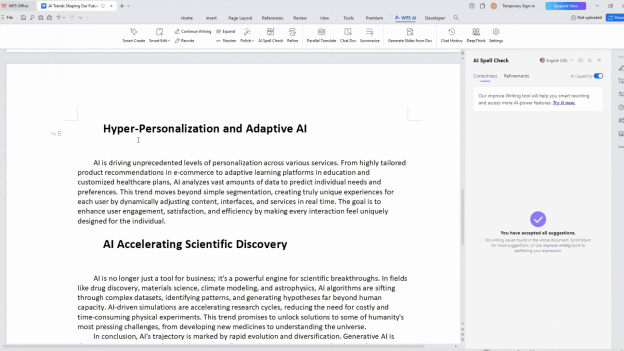
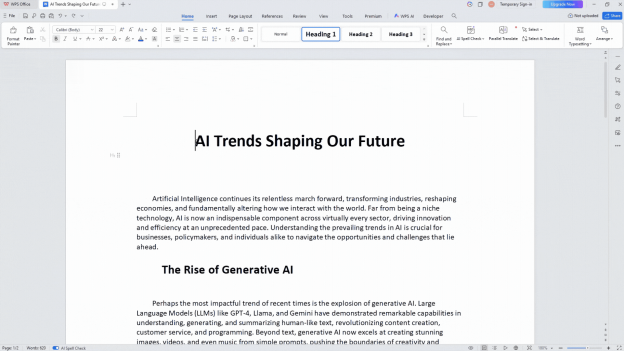
Spell check
This keeps your work sharp and borderless. Just what you need for pro-level output.
You know, it reminds me of a paid version of Grammarly, but a more sophisticated one with more AI features to help you write better, all at a more affordable price than Grammarly.
Advanced Features Overview
Beyond basics, advanced perks like table extraction from images. Into editable spreadsheets. Text humanizer makes AI outputs read more naturally. These round out the ai writer for data pros or heavy creators. All without extra downloads.
FAQ
What is WPS AI Writer?
WPS AI Writer integrates into WPS Office. Your all-around writing helper. Covers generation, OCR, edits, and more. Speeds up tasks like drafting or digitizing images right in Writer. Download free from wps.com. Jump in without limits on basics.
How does image format conversion work?
Image format conversion grabs text from photos, scans, or PDFs. Uses OCR. Keeps layouts and tables whole for instant edits. Shines on batches. Exports cleanly to docs or sheets. Quick, high-accuracy pulls for most everyday files.
Is WPS AI Writer free to use?
Basic features of this ai writer come free. Plenty of room to play. No card needed upfront. Upgrade to Pro for unlimited runs on big jobs. Grab it at wps.com. Test offline today for real workflow wins.
What are the key WPS AI Writer features?
Key WPS AI Writer features span content creation. Image format conversion. Rephrasing, summaries, grammar fixes, and translations. Blend seamlessly for end-to-end writing help. Local processing means speed and privacy.
Can AI Writer handle handwritten text?
Yes, the ai writer tackles clear handwriting through OCR. Solid results. Especially neat scripts. Prints hit near-perfect. Cursive might need light edits. Practical for notes or forms in real scenarios.
How accurate is the OCR in AI Writer?
OCR in this ai writer clocks 95%+ on printed text. Tables, and standard scans. Batch smarts for volume work. Straightens minor skews. Exports ready-to-use. Reliable enough for pros handling docs daily.
Summary
WPS AI Writer revolutionizes writing in WPS Office as a complete ai writer toolkit for 2026. Its standout image format conversion function uses OCR to extract editable text from JPGs, PDFs, and scans at 95%+ accuracy, preserving tables for docs or Excel. Other features include content generation from prompts, paraphrasing, summarization, 30+ language translation, grammar checks, and table extraction, all offline. Access it free at wps.com by pressing the Ctrl key twice to invoke WPS AI Writer. Streamline reports and emails effortlessly.
Also Read:
- 1. No need to download grammar checker in word, you have WPS Writer!
- 2. Top 10 business analysis report writing template Excel free download 2022
- 3. 10 Amazing Character Sheet Templates for Your Next Writing Project
- 4. How to Save a WPS File as a PDF in WPS Writer (Guide for Beginners)
- 5. AI Document Generator: Writing, OCR, and Editing Explained [2026]
- 6. TOP 10 Free Obituary Templates and Writing Tips



15 years of office industry experience, tech lover and copywriter. Follow me for product reviews, comparisons, and recommendations for new apps and software.


