

'%3e%3cpath%20d='M8%200C12.4183%200%2016%203.58172%2016%208C16%2012.4183%2012.4183%2016%208%2016C3.58172%2016%200%2012.4183%200%208C0%203.58172%203.58172%200%208%200ZM11.6162%204.38379C11.2257%203.99337%2010.5927%203.99338%2010.2021%204.38379L8%206.58594L5.79785%204.38379C5.40732%203.99334%204.77429%203.99329%204.38379%204.38379C3.99331%204.77429%203.99335%205.40733%204.38379%205.79785L6.58594%208L4.38379%2010.2021C3.99348%2010.5927%203.99341%2011.2257%204.38379%2011.6162C4.77426%2012.0066%205.40734%2012.0065%205.79785%2011.6162L8%209.41406L10.2021%2011.6162C10.5927%2012.0066%2011.2257%2012.0067%2011.6162%2011.6162C12.0067%2011.2257%2012.0066%2010.5927%2011.6162%2010.2021L9.41406%208L11.6162%205.79785C12.0066%205.40735%2012.0066%204.77429%2011.6162%204.38379Z'%20fill='%23080E17'%20fill-opacity='0.46'/%3e%3c/g%3e%3cdefs%3e%3cclipPath%20id='clip0_3761_713'%3e%3crect%20width='16'%20height='16'%20fill='white'/%3e%3c/clipPath%3e%3c/defs%3e%3c/svg%3e)




'%3e%3cpath%20fill-rule='evenodd'%20clip-rule='evenodd'%20d='M21.4999%2010.9993C21.4999%205.20009%2016.7986%200.498901%2010.9993%200.498901C5.19994%200.498901%200.498657%205.20009%200.498657%2010.9993C0.498657%2016.2404%204.33858%2020.5844%209.35855%2021.3722V14.0346H6.69238V10.9993H9.35855V8.68594C9.35855%206.05427%2010.9262%204.60062%2013.3248%204.60062C14.4736%204.60062%2015.6753%204.80571%2015.6753%204.80571V7.38979H14.3512C13.0468%207.38979%2012.64%208.19921%2012.64%209.0296V10.9993H15.5523L15.0867%2014.0346H12.64V21.3722C17.66%2020.5844%2021.4999%2016.2404%2021.4999%2010.9993Z'%20fill='%231568EA'/%3e%3c/g%3e%3c/svg%3e)


'%3e%3cpath%20d='M2.42045%2022.1876H6.31818V12.7217L0.75%208.54553V20.5171C0.75%2021.4414%201.49892%2022.1876%202.42045%2022.1876Z'%20fill='%234285F4'/%3e%3cpath%20d='M19.682%2022.1876H23.5797C24.5041%2022.1876%2025.2502%2021.4387%2025.2502%2020.5171V8.54553L19.682%2012.7217'%20fill='%2334A853'/%3e%3cpath%20d='M19.682%205.48293V12.7216L25.2502%208.54543V6.31816C25.2502%204.25236%2022.8921%203.07469%2021.2411%204.31361'%20fill='%23FBBC04'/%3e%3cpath%20d='M6.31824%2012.7217V5.48303L13.0001%2010.4944L19.6819%205.48303V12.7217L13.0001%2017.733'%20fill='%23EA4335'/%3e%3cpath%20d='M0.75%206.31816V8.54543L6.31818%2012.7216V5.48293L4.75909%204.31361C3.10534%203.07469%200.75%204.25236%200.75%206.31816Z'%20fill='%23C5221F'/%3e%3c/g%3e%3cdefs%3e%3cclipPath%20id='clip0_2954_7305'%3e%3crect%20width='24.5'%20height='18.375'%20fill='white'%20transform='translate(0.75%203.8125)'/%3e%3c/clipPath%3e%3c/defs%3e%3c/svg%3e)


Getting paid for your work should feel rewarding, not stressful, yet creating a professional invoice can sometimes feel like a chore. I remember spending hours trying to make my invoices look presentable, only to end up frustrated by formatting issues and missing details. Many freelancers and small business owners face the same challenge: wanting a clean, professional layout without the headache of designing one from scratch. That’s where Microsoft Word invoice templates come in handy. But not all templates are created equal, some look plain, others lack flexibility. So in this guide, I’ll take you through the best options available and introduce a faster, more efficient alternative: the WPS Free Invoice Generator, designed to make invoicing effortless and professional.
What to Look for in a Microsoft Word Invoice Template
Every professional invoice should include key elements that make it complete and credible: your business name, client details, invoice number, due date, an itemized list of services or products, the total amount, and clear payment terms. These details help avoid confusion and ensure smooth transactions. Clarity and customization are vital. A clean, easy-to-read layout with your brand’s touch shows professionalism and builds client trust, making your invoices both practical and polished.
When you personalize your invoice with your logo or color scheme, it reinforces your brand identity. Consistent formatting also makes it easier for clients to process payments on time. Ultimately, the goal is to present your business as reliable, transparent, and organized. Customization and clarity go hand in hand. A well-designed template should be easy to edit, visually clean, and flexible enough to reflect your brand’s personality. I found that clean and minimal templates often work best. Overly fancy layouts might look nice but can get messy when you try to update them frequently.
10 Recommended Microsoft Word Invoice Templates
Let’s explore the top 10 Microsoft invoice templates that can give your billing process a more professional edge. Each one comes from Microsoft’s official template collection, so you can trust their quality and compatibility.
1. Service Invoice (Simple Lines Design Document)
The Service Invoice (Simple Lines Design Document) template offers a minimalistic layout that keeps things neat and organized. It’s perfect for freelancers who prioritize clarity. The bold lines make each section easy to distinguish, giving a tidy and professional touch to your billing process. You can personalize it with your logoand color scheme to align it with your brand.
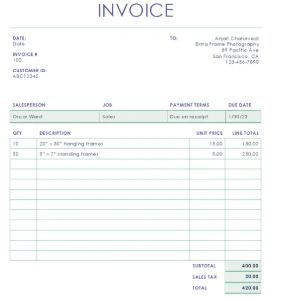
This one’s my personal go-to for quick invoices. It keeps things simple yet refined.
2. Business Invoice (Basic)
The Business Invoice (Basic) template is a clean, straightforward choice for small businesses. It includes every essential detail, from client data to payment breakdowns. This design keeps your invoice easy to read and ensures all sections are visible without overwhelming the client. It’s great for recurring transactions and general business purposes.
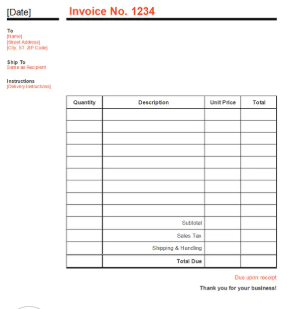
Great for official invoices, it has just enough professionalism without overcomplicating things.
3. Invoice (Timeless Design)
The Invoice (Timeless Design) template embodies elegance and simplicity. It uses a subtle layout that gives your document a timeless, classic look. You can adapt it for both services and products. Its structure is particularly suited for clients who appreciate a formal appearance without distractions.
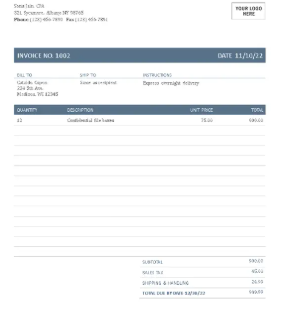
Works great for long-term clients who appreciate consistency and clarity.
4. Service Invoice
The Service Invoice template focuses on simplicity and functionality. It’s well-organized, letting you insert multiple service descriptions in a clean layout. You can easily customize it for different billing cycles or clients. It’s especially useful for consultants and individual professionals.
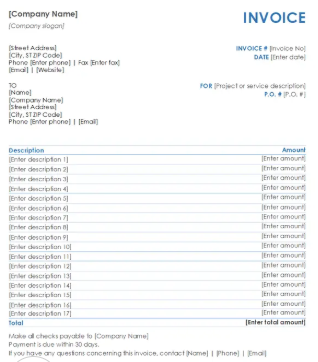
This one’s a safe bet for repeat billing cycles.
5. Simple Corporate Purple Standard Invoice
The Simple Corporate Purple Standard Invoice template adds a professional yet stylish tone to your invoices. The purple header and minimalist lines give it a refined yet contemporary appeal. It’s ideal if you want to stand out while keeping your brand identity consistent. The structure provides plenty of room for essential details.
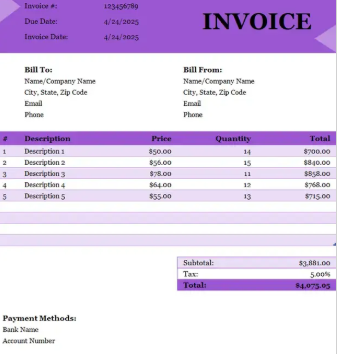
This one’s perfect when you want to show a little brand personality.
6. Simple Blue Timesheet Invoice
The Simple Blue Timesheet Invoice is perfect for professionals charging hourly. It allows you to log time, rates, and totals neatly. The blue tones make it visually appealing and easy to follow for your clients. This layout keeps your invoicing process transparent and clear, especially for time-based services.
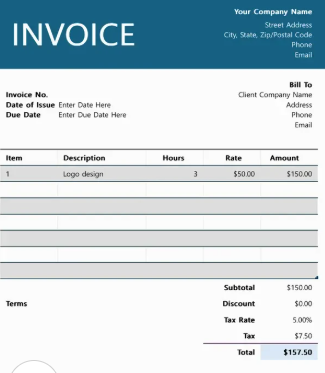
I used this while consulting, it helped keep my time logs accurate.
7. Invoice (Worksheet)
The Invoice (Worksheet) template works best for businessesthat manage bulk billing. It’s structured like a spreadsheet, allowing detailed product or service entries. The design gives a systematic approach to itemizing transactions. It’s especially handy for retail or service providers dealing with large invoices.
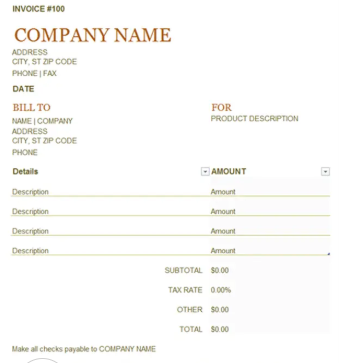
I’d use it for clients with multiple billable projects, it keeps everything in one place.
8. Simple Corporate Yellow Standard Invoice
The Simple Corporate Yellow Standard Invoice template brings a touch of brightness to your business documents. The yellow highlights improve readability and visual appeal. It fits various industries and keeps things easy to interpret for your clients. It’s a great option if you want something vibrant yet professional.
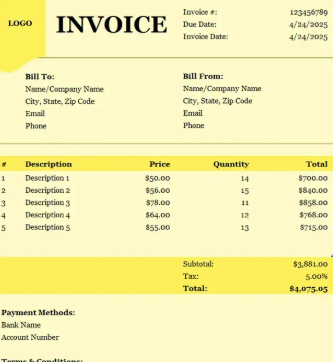
I like how this design subtly catches attention without being flashy.
9. Simple Black & Purple Commercial Invoice
The Simple Black & Purple Commercial Invoice template is modern and bold. Its dark accents give it a premium feel that works well for tech startups or creative firms. The sections are neatly aligned to ensure the data stands out clearly. This design is ideal if you want a sleek, distinctive appearance for your invoices.
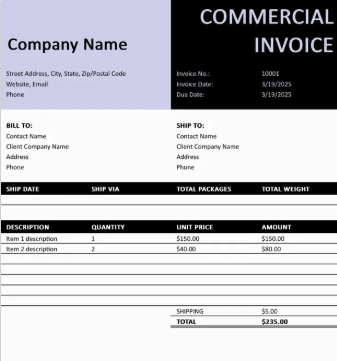
This template worked well when I wanted to give a premium look to my invoices.
10. Modern Corporate Green Standard Invoice
The Modern Corporate Green Standard Invoice template merges professionalism with a touch of freshness. The green theme gives it a modern, eco-friendly vibe. It’s great for startups or businesses focusing on sustainability. The layout maintains a balance between detailed data and a clean presentation.
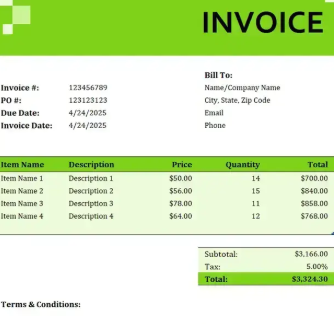
I like this one for environmentally conscious brands or startups focusing on sustainability.
Switch to WPS Free Invoice Generator for Faster Invoicing
After testing several microsoft office invoice templates, I realized that the manual editing process can be time-consuming. If you’re handling multiple clients or projects, automation saves hours. That’s where the WPS Free Invoice Generator comes in. This online tool offers pre-built templates, auto-calculations, and easy PDF exports, all without needing Word. It’s free, intuitive, and accessible anywhere. You can create invoices in just minutes by entering your details and letting the tool handle the formatting.
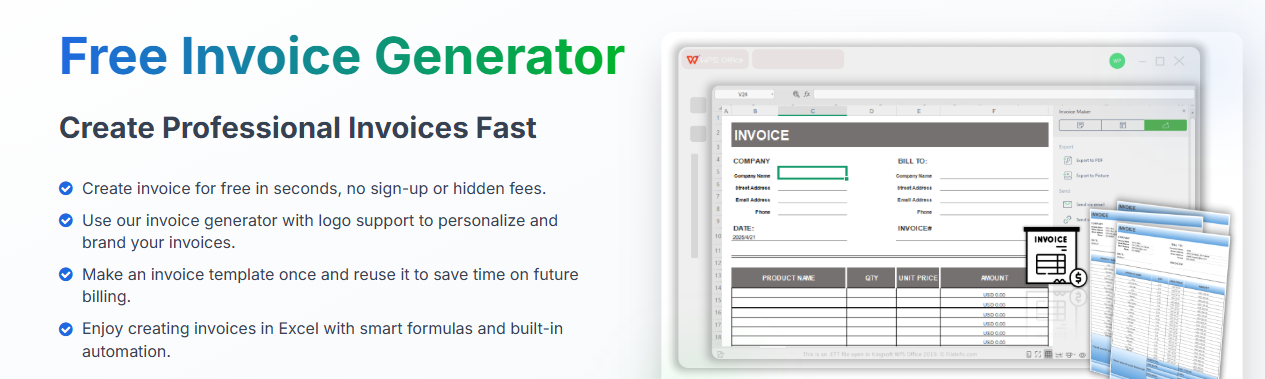
The interface is user-friendly, so even if you’re not tech-savvy, you’ll find it simple to navigate. Plus, it saves your invoices for future use, helping you maintain organized records effortlessly. For freelancers or small business owners who handle multiple clients, it’s an ideal solution for managing billingquickly and professionally.
Features:
Automatically calculates totals, taxes, and discounts.
Offers professional designs suited for freelancers, consultants, and small businesses.
Allows instant PDF export and sharing.
Works entirely online, no installation needed.
Pros:
Saves time with automation
No formatting errors
Supports global currency options
Cons:
Limited offline use
Requires an internet connection
Few advanced customization options
How to Use:
Step 1: First of all, open the Word version of the template in WPS Office.
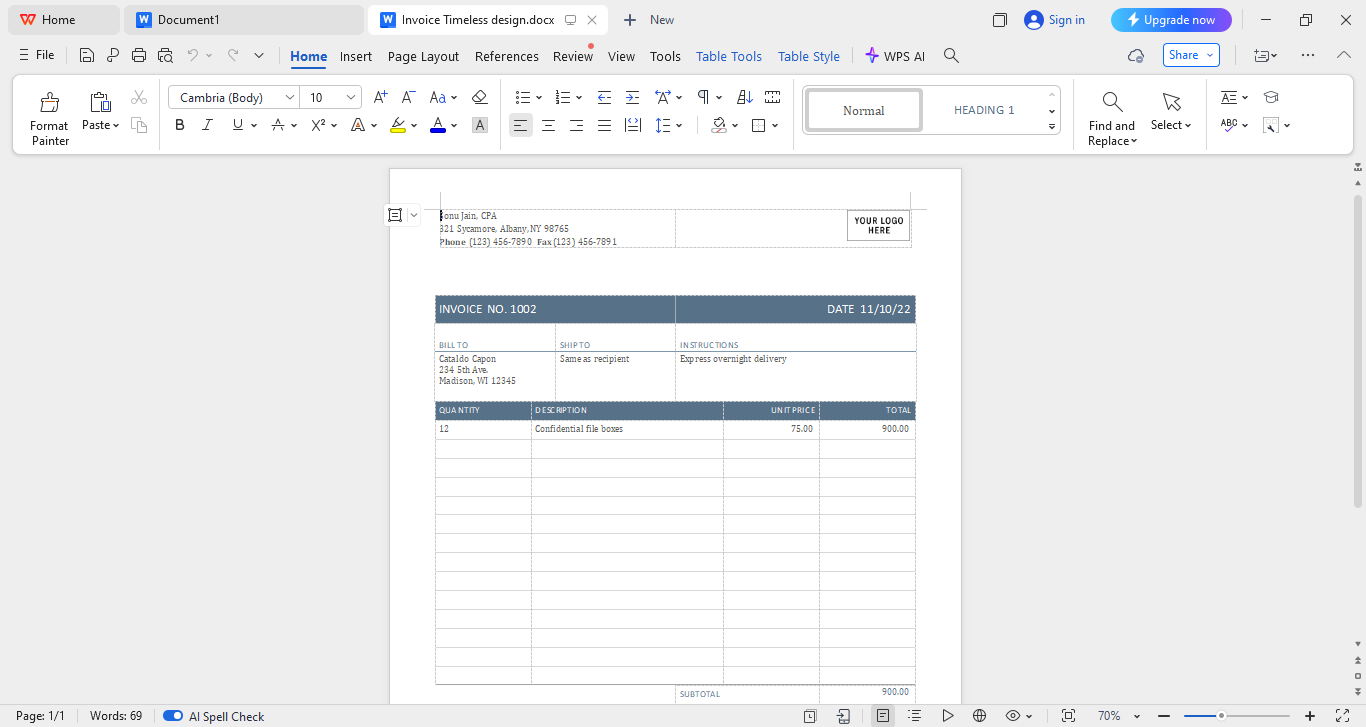
Step 2: Now add your business name, client details, and payment information by selecting the text fields in the template and customizing them to fit your needs.
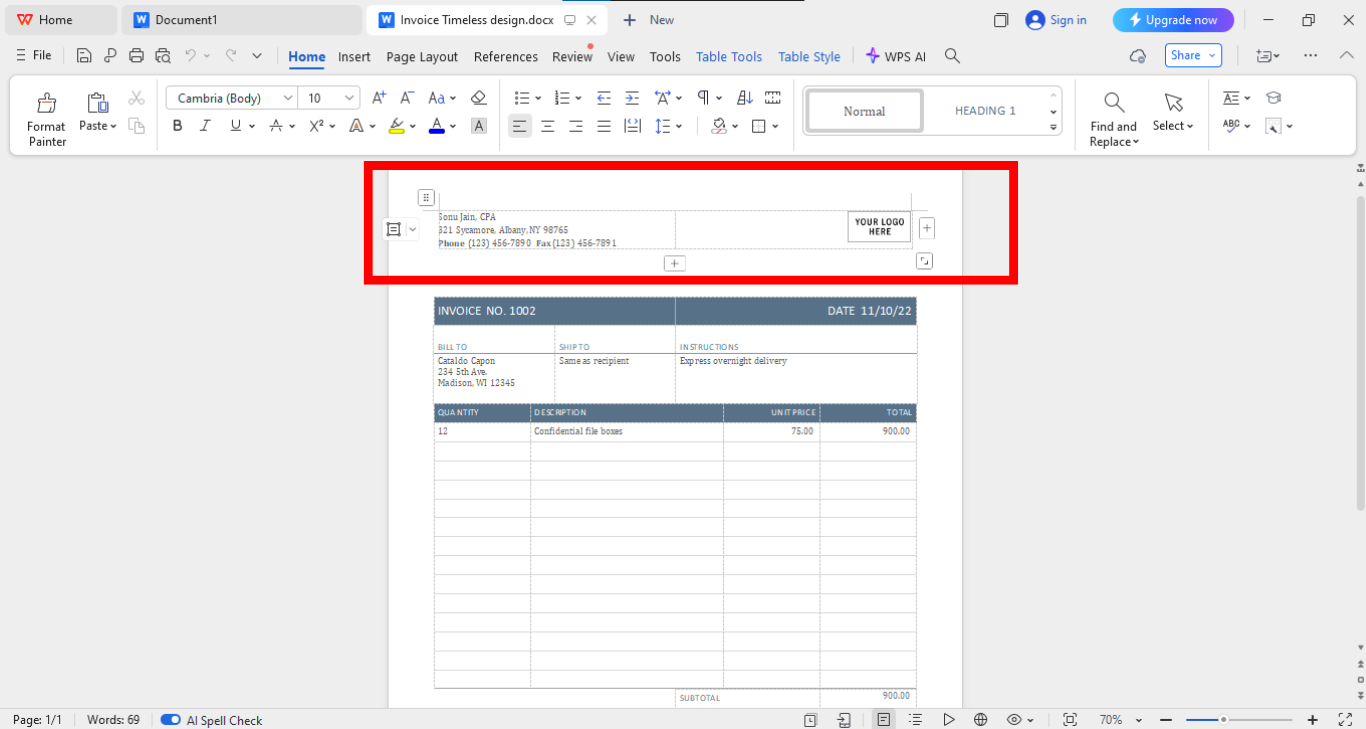
Step 3: You can modify fonts and headings or add your logo image using the toolbar located above the template.
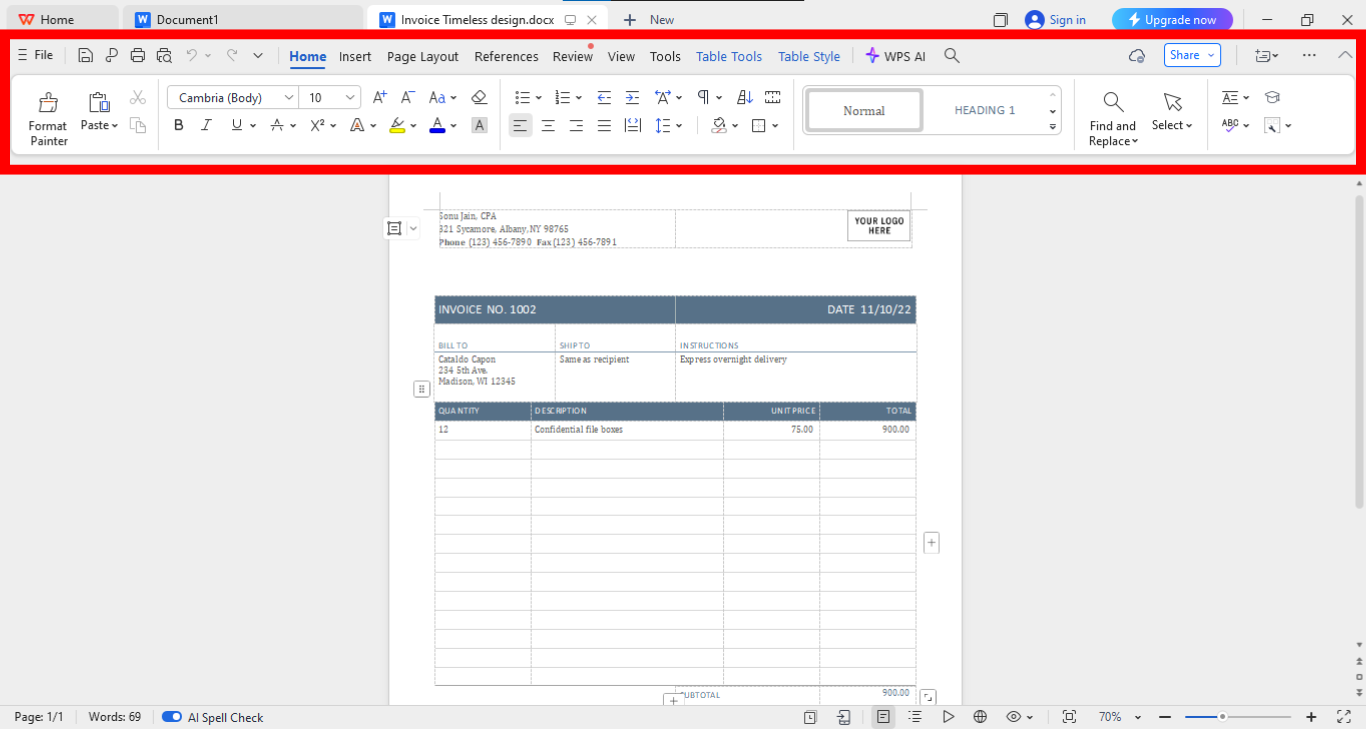
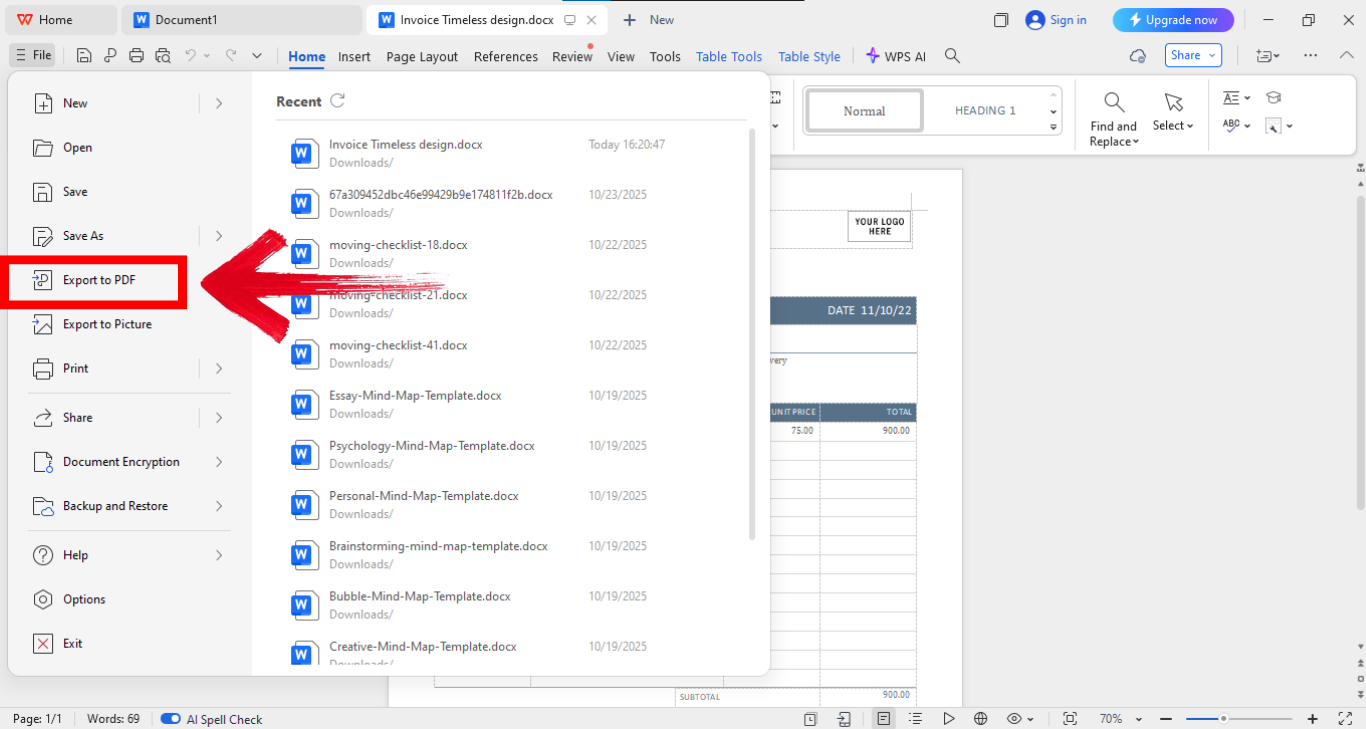
Step 4: Now go onto the “File”option on the top left of your screen and click “Export to PDF.” to save your file as a PDF.
After switching to WPS, my invoicing process became effortless. What took 15–20 minutes before now takes barely five.
FAQs
Q1: Do Word invoice templates calculate totals automatically?
No, they don’t. You’ll need to input calculations manually. WPS Free Invoice Generator, on the other hand, automates this process.
Q2: What are the drawbacks of using Word invoice templates?
Manual edits can lead to errors, and formatting changes take extra time.
Q3: Is there a faster alternative to Word invoice templates?
Yes. WPS Free Invoice Generator is faster, cleaner, and ready-to-use.
Q4: How do I choose the right invoice template in Word?
Pick one with all essential fields, easy customization, and a simple layout.
Your Invoicing Game Plan
Creating a professional invoice shouldn’t drain your time or patience. For freelancers and small business owners, every minute spent formatting or calculating totals is time taken away from real work. That’s why having the right tools matters. These ten Microsoft Word invoice templates are great starting points if you want structure, clarity, and a polished look without starting from scratch. But as helpful as Word templates can be, they still require manual effort: editing fields, checking totals, and reformatting for every client. That’s where WPS Free Invoice Generator completely changes the game. It automates the entire process with pre-designed templates, auto-calculations, and quick PDF exports. I’ve found it to be lightweight, efficient, and accessible from anywhere, making invoicing faster, smarter, and entirely stress-free.

'%3e%3cpath%20d='M19.9911%204.11386V6.471H18.5894C18.0775%206.471%2017.7322%206.57814%2017.5536%206.79243C17.3751%207.00671%2017.2858%207.32814%2017.2858%207.75671V9.44421H19.9019L19.5536%2012.0871H17.2858V18.8639H14.5536V12.0871H12.2769V9.44421H14.5536V7.49779C14.5536%206.39064%2014.8632%205.53201%2015.4822%204.92189C16.1013%204.31177%2016.9257%204.00671%2017.9554%204.00671C18.8304%204.00671%2019.509%204.04243%2019.9911%204.11386Z'%20fill='%23333333'/%3e%3c/g%3e%3cdefs%3e%3cclipPath%20id='clip0_2938_8199'%3e%3crect%20width='16'%20height='16'%20fill='white'%20transform='translate(8%204.00671)'/%3e%3c/clipPath%3e%3c/defs%3e%3c/svg%3e)
'%3e%3cpath%20d='M17.5237%2010.7813L23.4811%204H22.0699L16.8949%209.88693L12.7648%204H8L14.2469%2012.9029L8%2020.0133H9.4112L14.8725%2013.7952L19.2352%2020.0133H24M9.92053%205.04213H12.0885L22.0688%2019.0224H19.9003'%20fill='%23333333'/%3e%3c/g%3e%3cdefs%3e%3cclipPath%20id='clip0_2938_8200'%3e%3crect%20width='16'%20height='16.0134'%20fill='white'%20transform='translate(8%204)'/%3e%3c/clipPath%3e%3c/defs%3e%3c/svg%3e)


