For any business, the final invoice is a direct reflection of its
professional brand. But without organized billing, managing multiple
clients can be overwhelming. A consulting invoice template helps
simplify the process by clearly documenting services, hours, and
payments. Still, even with so many invoice generators, you might get
confused, as most generic invoices lack consulting-specific details. In
this guide, I’ll share free, customizable templates tailored for
consulting projects and show you how to refine them easily using WPS
Invoice Generator.
Consulting Invoice Templates
Use Word, Excel, and PPT for FREE
How to Write a Consulting
Invoice
A consulting invoice is essentially a document issued by a consultant, small business, or freelancer to request payment
for the services they have provided to a client. But before you download
any template from the list below, it's worth understanding what makes a
consulting invoice effective. Most consultants start drafting an invoice
without having a clear structure or format in mind. Without structure
and clarity, even the best work can seem disorganized, leading to
confusion and slow payments. Think of your Consulting invoice as a final
summary of the total value provided, formal, transparent, and easy to
understand.
Here’s what to usually include in your consulting invoice:
Consultant and client details: You'll need your full name or company name, address, and email, as well as your client's.
Invoice number and date: Every invoice must have its own unique number (like "INV-001") and a clear issue date for tracking.
Description of services (hours worked, deliverables): Don't just write "Consulting." Break it down into deliverables, such as "Phase 1: Market Analysis" or "10 hours of strategic planning."
Hourly rate or fixed fees: Show the math clearly. List your rate for each line item so the client sees exactly how you got the total.
Total cost and payment terms: This is crucial. Include the final bolded total and your payment due date (e.g., "Net 30").
Notes on taxes or additional charges: This is the perfect place for your tax number, bank details, or late fee policies.
Once you’ve structured these key elements, you’re ready to choose a
template that presents them perfectly.
When I first began working with consulting teams, I noticed how much
time was wasted creating invoices from scratch. A ready-made consulting invoice template completely changed that, it saved hours and made every
bill look polished and professional. These free templates help organize
details, calculate rates easily, and maintain a consistent, credible
look for every client.
1. Stripe Consulting Invoice
Template
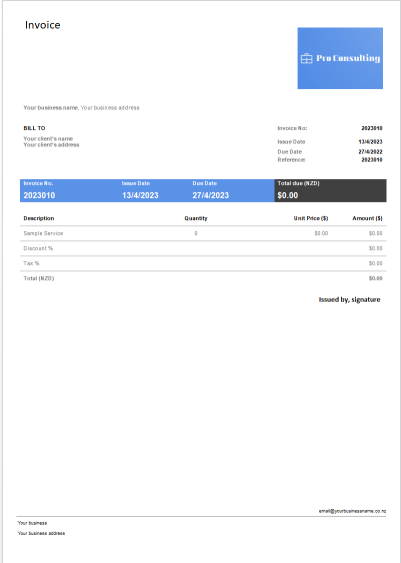
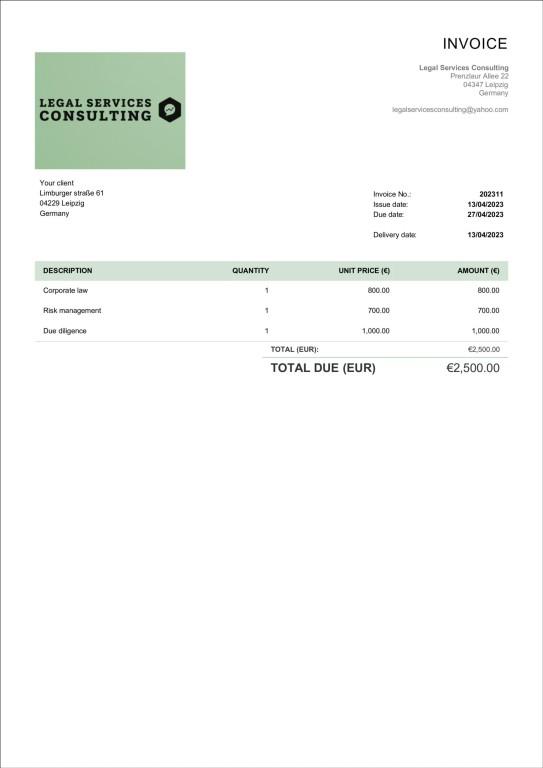
This Stripe
Consulting Invoice Template is a clean, professional billing
document designed for consultants handling client-based projects. The
layout features structured sections for Consultant and Client Details,
Invoice Number, Issue and Due Dates, and a comprehensive service
breakdown with Quantity, Unit Price, and Amount fields. Built to ensure
accuracy and clarity, it automatically summarizes discounts, tax
percentages, and total payable amounts, allowing consultants to maintain
transparency and streamline their payment tracking process.
Stripe Consulting Invoice Template
2. Classic Consulting Template
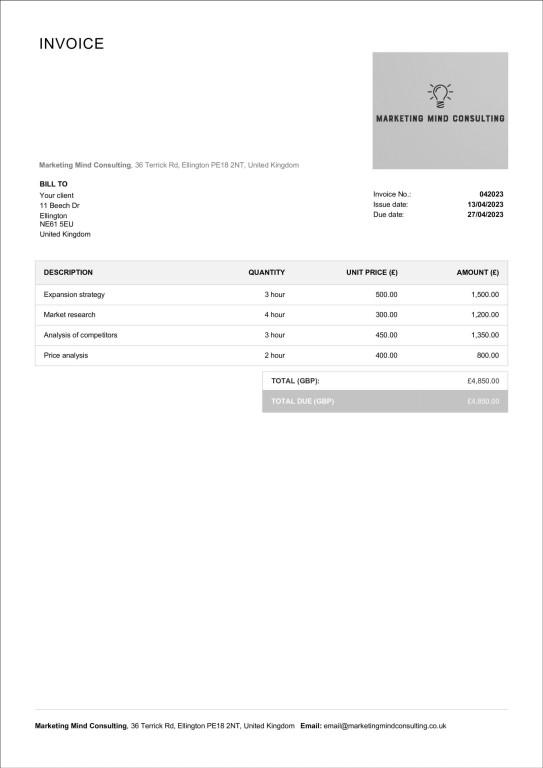
This Classic
Consulting Template is a traditional, minimalist document,
making it a great choice for consultants who prefer a clean, grayscale
format over a colorful one. The key difference is its layout, which
removes the color header bar and places the Invoice No., Issue Date, and
Due Date in a simple stacked list on the right. This design is built for
straightforward clarity, providing all essential itemization fields for
a professional, printer-friendly bill.
Classic Consulting Template
3. Modern Consulting Template
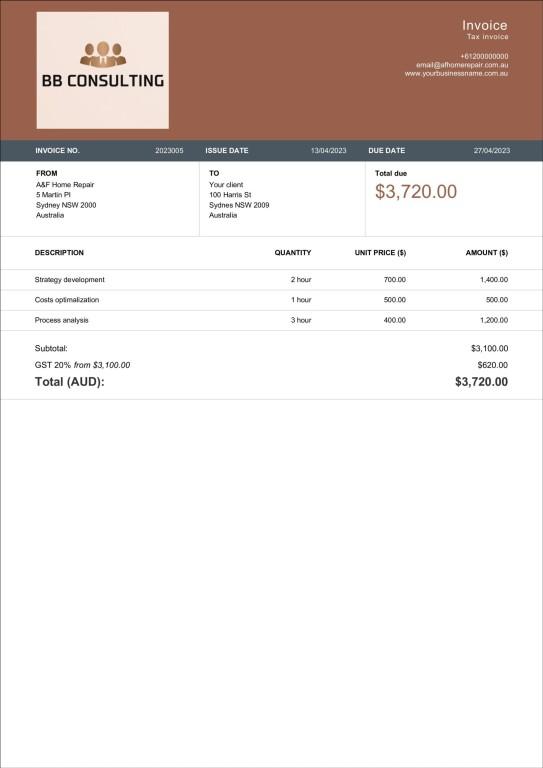
This Modern
Consulting Template is a bold, premium document designed for
consultants who want to project a strong brand identity using bold
colors. The layout is uniquely structured with a dominant, two-part
header that displays the logo, contact info, and key dates, while also
giving the "Total due" its own prominent space right at the top. This
template clearly separates "FROM" and "TO" details, ensuring maximum
clarity for your clients.
Modern Consulting Template
4. Simple Consulting Template
The Simple
Consulting Template is an elegant and minimalistic template,
unlike the previous one, which is perfect for consultants who are
looking for a template that is modern but not too complicated. It also
uniquely includes a "Delivery date" field stacked with the Invoice No.
and Issue date, which is perfect for deliverable-based tracking.
Simple Consulting Template
5. Consulting Template
(Word-Consulting-2-DB)
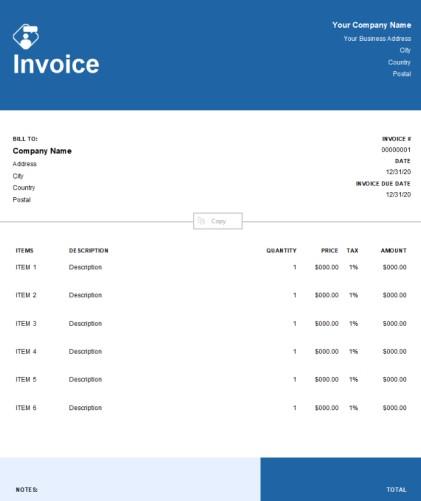
The Word-Consulting-2-DB
template is a clean, modern document designed for consultants
who prefer a bold, corporate-blue theme. The layout is defined by a
solid blue header and a matching blue footer that contains the final
total, which is visually distinct from the previous templates. Its key
feature is the itemized table that includes a separate tax column for
each line item, making it the perfect invoice template for consulting
services for professionals who need to apply different tax rates to
various services or products.
Consulting-2-DB Template
6. Consulting Template
(Consulting1-G)
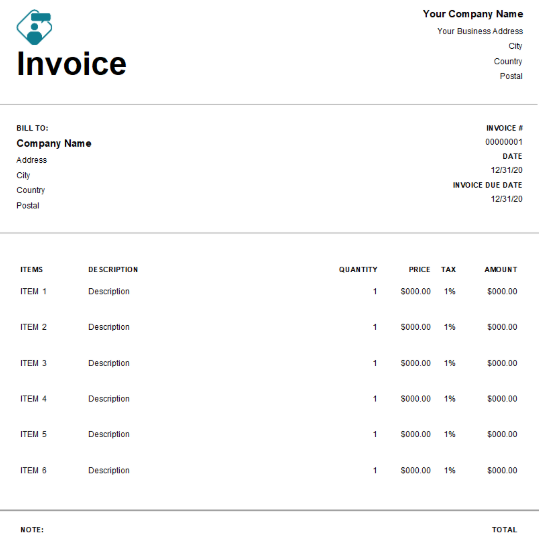
This consulting
invoice is an ultra-minimalist, black-and-white document
designed for consultants who need maximum clarity and a printer-friendly
format. The layout is a more streamlined version of the previous
template, removing the solid-color header and footer bars for a clean,
open, and ink-saving design. Built for functional precision, it retains
the key per-line-item TAX column, making it the perfect choice for
professionals who must apply different tax rates to services but want
the most straightforward, unbranded template.
Consulting1-G Template
7. Consulting Template
(Consulting3-B)
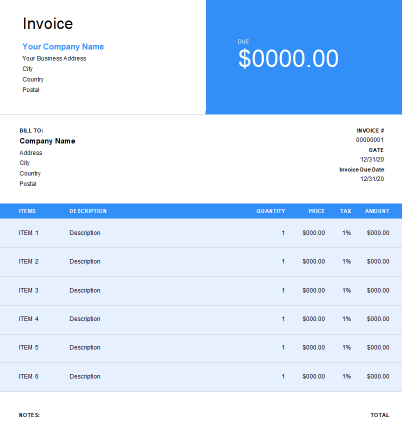
This Consulting3-B
template is a visually bold, modern document designed for
consultants who want to make the total amount due the primary focus. The
layout is uniquely defined by a massive, bright blue color block on the
top right, which prominently displays the word DUE and the final dollar
amount, making it the most important visual element. Built for maximum
clarity and immediate impact, this design uses a matching blue header
for the itemized list (which includes a per-line TAX column) to ensure
the client's attention is drawn directly to the payment request.
Consulting3-B Template
8. Consulting Template
(Consulting4-P)
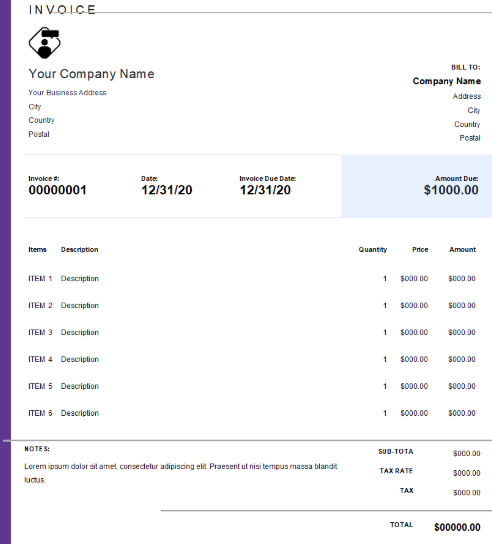
The Consulting4-P
template is an elegant, stylish document designed for creative
professionals who want a sophisticated and modern brand look. The layout
is defined by its distinct purple accents and a unique, light-purple
shaded header bar that cleanly organizes the Invoice, Date, Invoice Due
Date, and a prominent Amount Due box all in one line. This structure is
built for a clean, high-end presentation and uses a simple summary for
the final TOTAL, making it the perfect choice for designers or brand
strategists who need to project creativity.
Consulting4-P Template
9. Consulting Template
(Consulting5-G)
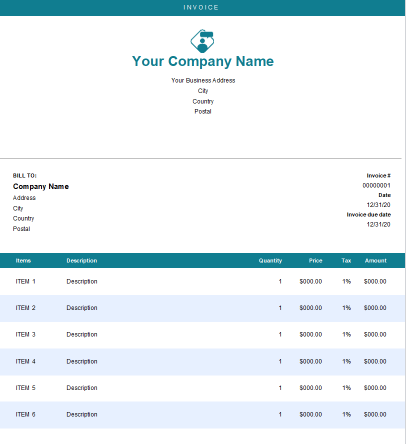
The Consulting5-G
template is a fresh, professional document designed for
consultants who want a clean layout with a strong, modern color
identity. The layout is defined by its deep teal color, which is used
consistently in the "INVOICE" title, the company name, and the main
itemized table header for a cohesive, branded feel. Built for
professionals who require detailed billing, this template retains the
per-line-item TAX column while providing a stylish, colorful alternative
to a standard black-and-white format.
Consulting5-G Template
10. Duplicate Consulting
Word Template
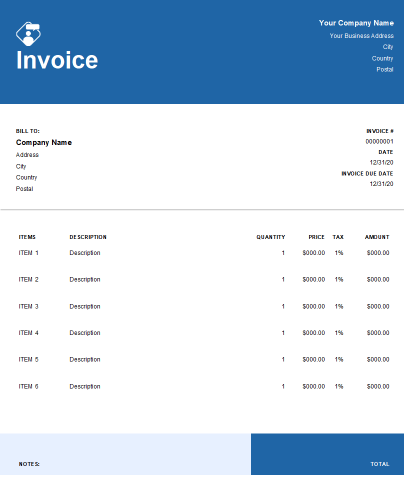
This corporate
consulting template is a bold, professional document designed
for consultants who want a strong, modern-blue brand theme. The layout
features a solid blue header for the "Invoice" title, and it retains the
highly functional per-line TAX column for detailed, itemized billing.
This version has a more open layout at the bottom, making it a great
choice for consultants who need that specific tax feature in a less
blocky design.
Duplicate Consulting Template
A
Smarter Way to Create Consulting Invoices: WPS Invoice Generator
Templates are a great start, but I felt that manually entering every
invoice every time was exhausting. There are hundreds of templates
available, and working with them requires software that can make the
entire process efficient. I usually edit these templates by opening them
in WPS Office, as it lets me
take full control over the entire editing process. Because you don't only have to fill in the details in the
template, but also make them reflect your brand identity. A tool like
WPS Invoice Generator can make the entire process effective and
easy.
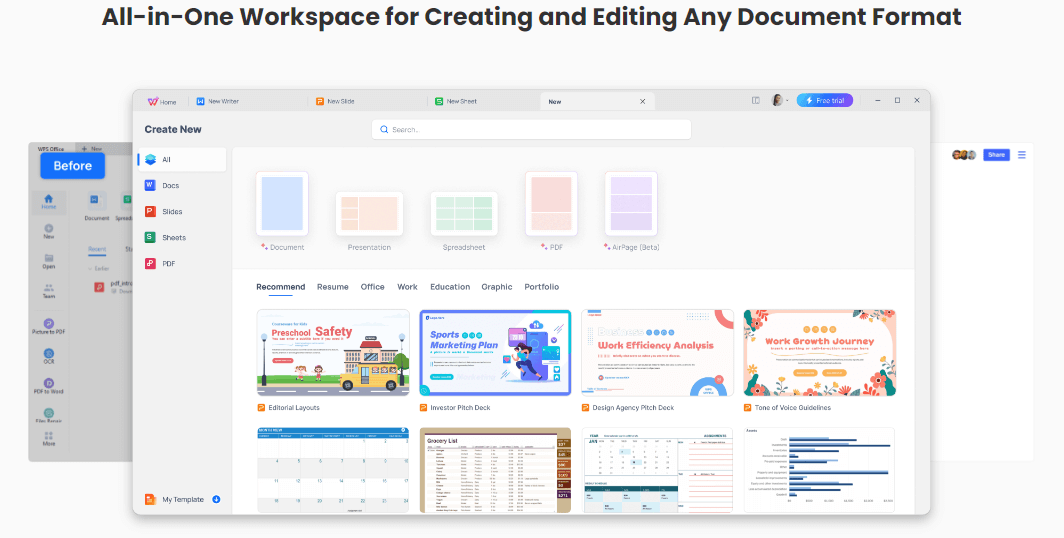
WPS Writer
Features:
Ease of Use: Create and send professional invoices in just a few clicks, saving you valuable time on administrative work.
Professionalism: Offers ready-to-use, polished layouts specifically suited for consulting, ensuring you look professional to your clients.
Efficiency: Manage all your client invoices across multiple projects in one place, complete with automatic record keeping.
Customization: Add your personal logo, brand colors, and any custom billing fields you need to make the invoice truly yours.
AI Assistance: Helps you handle complex service-based billing by suggesting calculations and reducing costly manual errors.
How to
Create a Rent Invoice with Invoice Generator
Here’s how you can use WPS Office to customize your Invoice template according to your specifications.
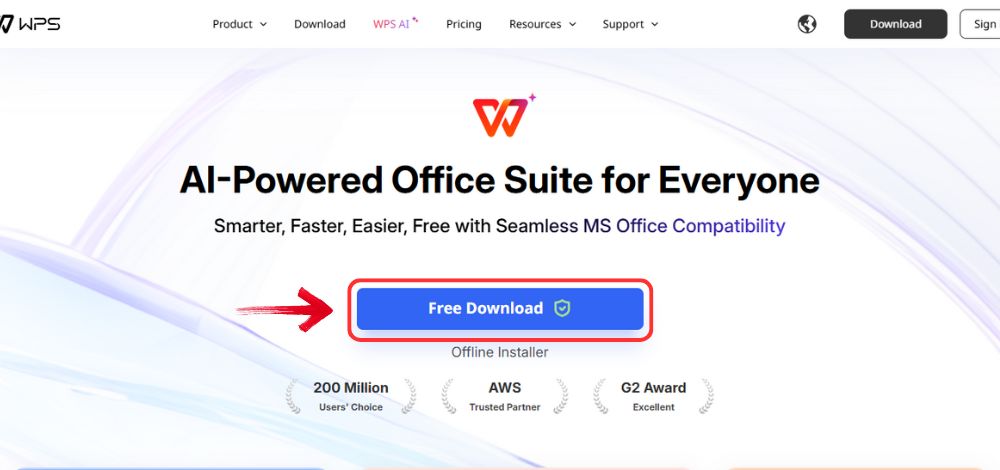
Step 1: Open your browser to visit WPS Office and click the "Free Download" button to start the download.
Download WPS Office
Step 2: The download will finish in a few seconds.
Once done, run the installation file like you would for any other app or
software.
Step 3: WPS Office will show you a few simple terms
and conditions. Accept them, then click the "Install
Now" button to begin the installation.
Install WPS Office
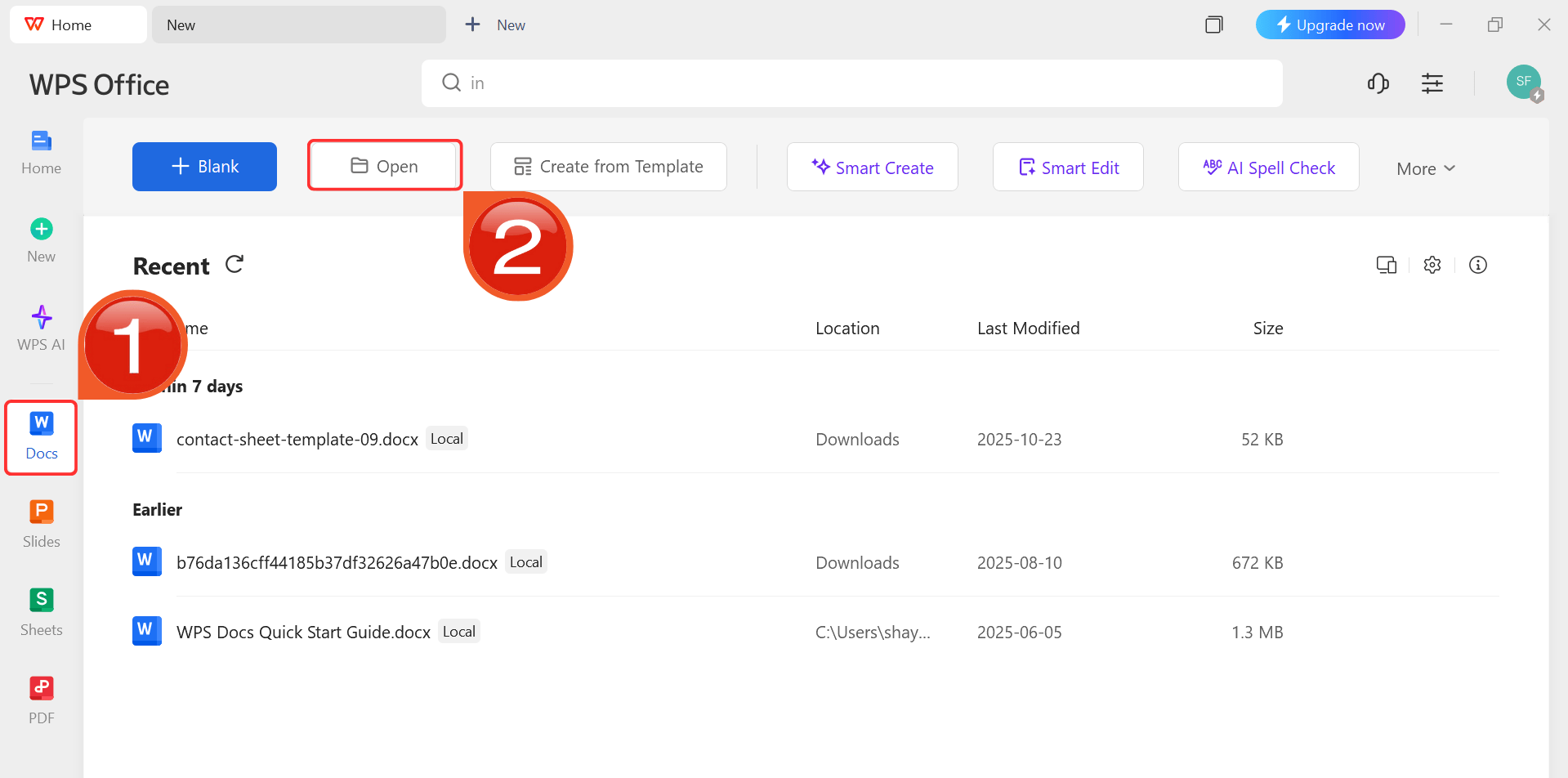
Step 4: After installation, in WPS Office, click “Docs” from the left sidebar and hit “Open” to select your downloaded template or select
from the template library in WPS Office.
WPS Docs Dashboard
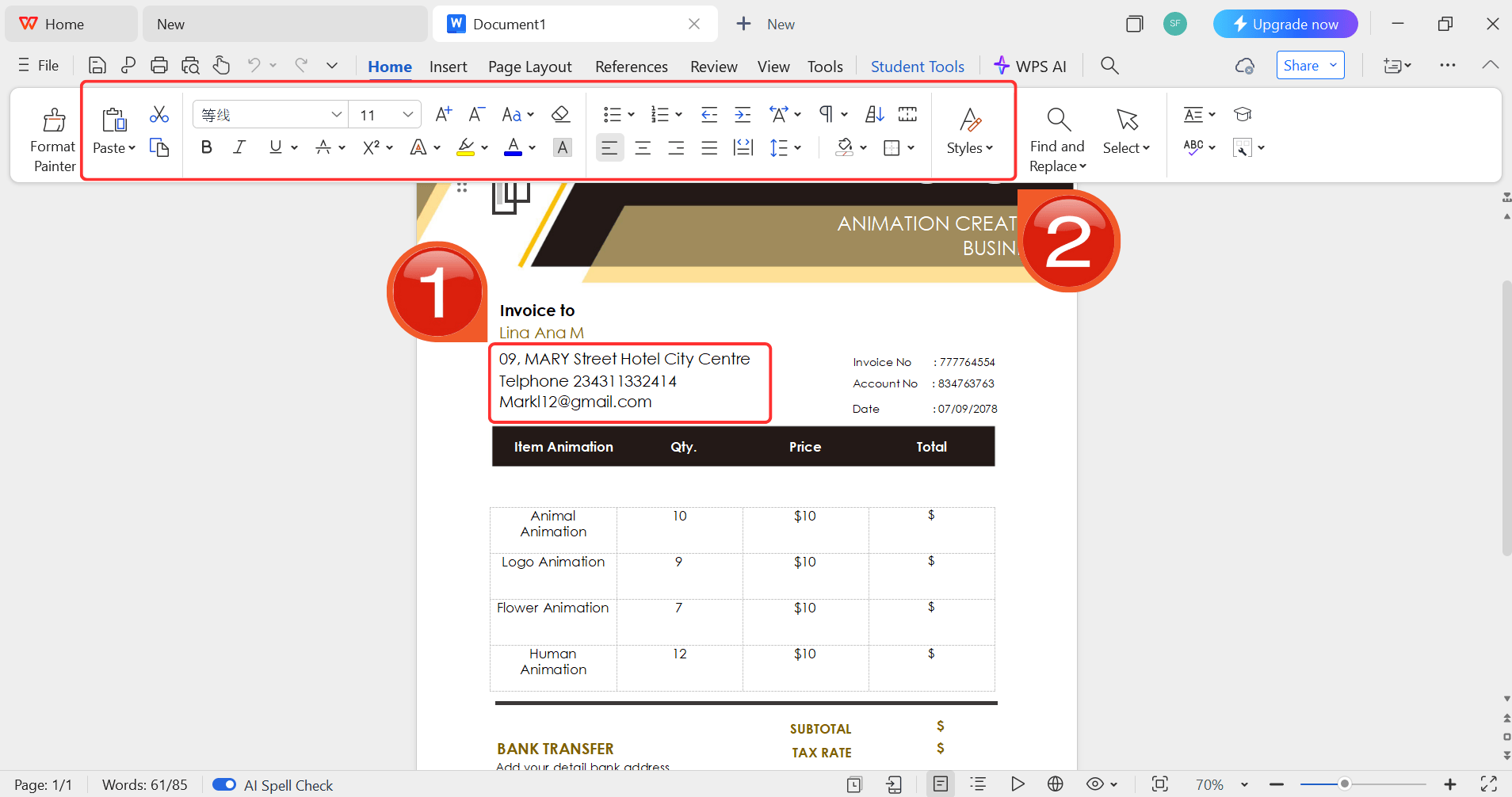
Step 5: Then click on the text you want to modify
and just enter your details within it by using the Ribbon above.
Customize your template
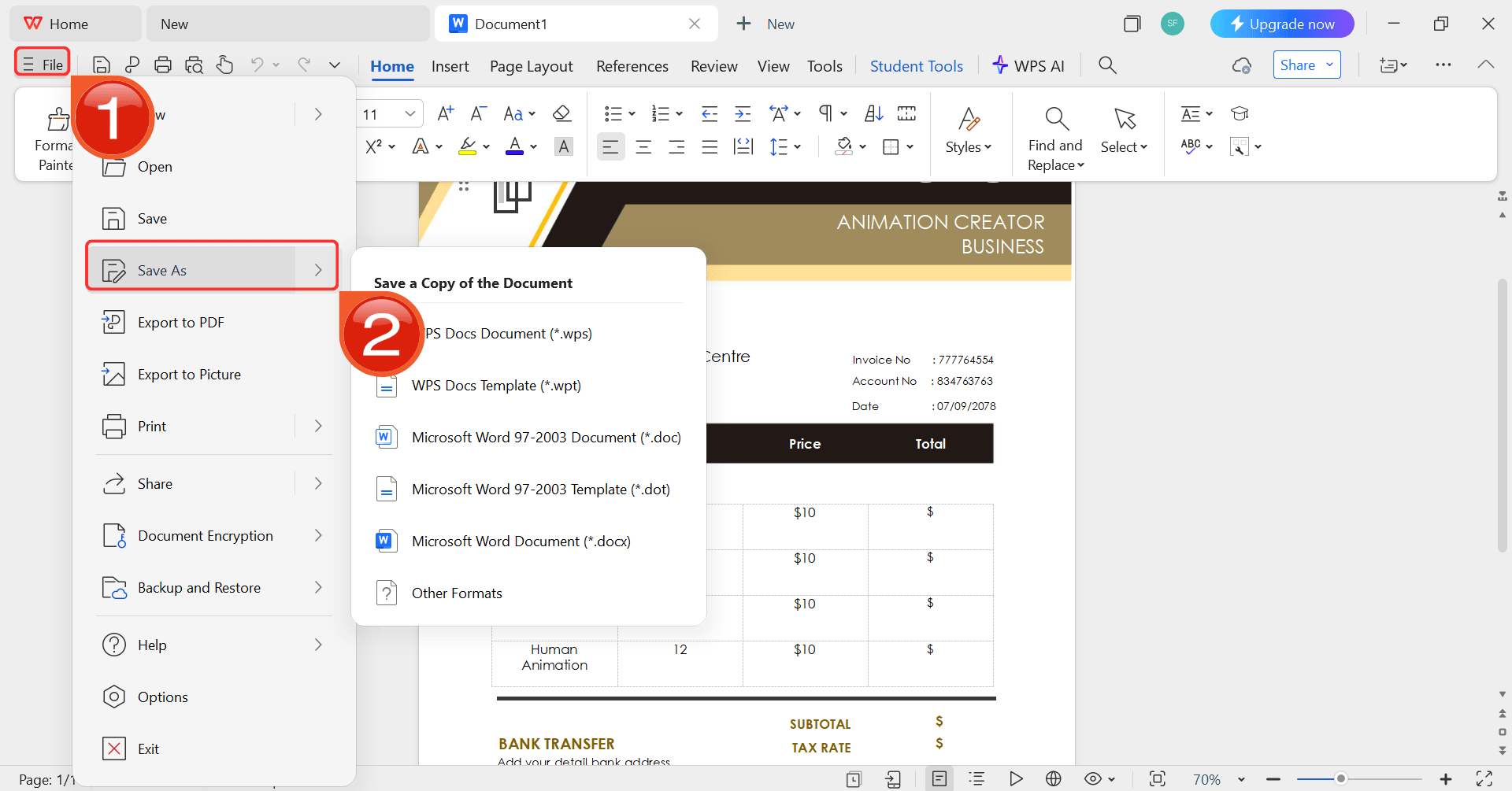
Step 6: After you’re done modifying the template,
head to “File” and choose “Save as” to
save the invoice in your desired format.
Save the invoice
Use Word, Excel, and PPT for FREE
FAQs
Q1: Can I add my company logo?
Yes, all these templates are fully customizable. You can easily add
your logo, brand colors, and contact information.
Q2:
Are these templates suitable for freelancers and firms?
Absolutely. They work perfectly for solo consultants and can be
easily adapted by larger consulting agencies.
Q3: Which formats are supported?
The templates are in Word (.docx) format, which you can easily edit
and save as a PDF. The WPS Invoice Generator allows you to export
directly to PDF.
Q4: How do I send the invoice?
The most professional way is to save your completed invoice as a PDF
and attach it to an email for your client.
Q5: How
detailed should my service description be?
Be as clear as possible. Instead of "Consulting," write "Market
research and analysis (10 hours @ $150/hr)." This prevents client
questions and speeds up payment.
Q6:
What's the difference between an invoice and a purchase order?
A purchase order (PO) is sent by the client to requestservices. An invoice is sent by you, the consultant, to collect
payment for services you've already delivered.
My Final Recommendation
Getting your billing right is key to a successful consulting business. A high-quality template is the first step to looking professional and getting paid on time. While these Word templates are a great start, I strongly suggest trying a dedicated tool. The WPS Office really streamlines the whole process, from creation to sending. It’s the best way to move on from a simple consulting invoice template to a truly professional billing system.
7+ years in productivity tech. I test and review the latest tools to simplify your workflow. Follow for honest app comparisons, practical guides, and curated tech picks to boost efficiency.


'%3e%3cpath%20d='M8%200C12.4183%200%2016%203.58172%2016%208C16%2012.4183%2012.4183%2016%208%2016C3.58172%2016%200%2012.4183%200%208C0%203.58172%203.58172%200%208%200ZM11.6162%204.38379C11.2257%203.99337%2010.5927%203.99338%2010.2021%204.38379L8%206.58594L5.79785%204.38379C5.40732%203.99334%204.77429%203.99329%204.38379%204.38379C3.99331%204.77429%203.99335%205.40733%204.38379%205.79785L6.58594%208L4.38379%2010.2021C3.99348%2010.5927%203.99341%2011.2257%204.38379%2011.6162C4.77426%2012.0066%205.40734%2012.0065%205.79785%2011.6162L8%209.41406L10.2021%2011.6162C10.5927%2012.0066%2011.2257%2012.0067%2011.6162%2011.6162C12.0067%2011.2257%2012.0066%2010.5927%2011.6162%2010.2021L9.41406%208L11.6162%205.79785C12.0066%205.40735%2012.0066%204.77429%2011.6162%204.38379Z'%20fill='%23080E17'%20fill-opacity='0.46'/%3e%3c/g%3e%3cdefs%3e%3cclipPath%20id='clip0_3761_713'%3e%3crect%20width='16'%20height='16'%20fill='white'/%3e%3c/clipPath%3e%3c/defs%3e%3c/svg%3e)




'%3e%3cpath%20fill-rule='evenodd'%20clip-rule='evenodd'%20d='M21.4999%2010.9993C21.4999%205.20009%2016.7986%200.498901%2010.9993%200.498901C5.19994%200.498901%200.498657%205.20009%200.498657%2010.9993C0.498657%2016.2404%204.33858%2020.5844%209.35855%2021.3722V14.0346H6.69238V10.9993H9.35855V8.68594C9.35855%206.05427%2010.9262%204.60062%2013.3248%204.60062C14.4736%204.60062%2015.6753%204.80571%2015.6753%204.80571V7.38979H14.3512C13.0468%207.38979%2012.64%208.19921%2012.64%209.0296V10.9993H15.5523L15.0867%2014.0346H12.64V21.3722C17.66%2020.5844%2021.4999%2016.2404%2021.4999%2010.9993Z'%20fill='%231568EA'/%3e%3c/g%3e%3c/svg%3e)


'%3e%3cpath%20d='M2.42045%2022.1876H6.31818V12.7217L0.75%208.54553V20.5171C0.75%2021.4414%201.49892%2022.1876%202.42045%2022.1876Z'%20fill='%234285F4'/%3e%3cpath%20d='M19.682%2022.1876H23.5797C24.5041%2022.1876%2025.2502%2021.4387%2025.2502%2020.5171V8.54553L19.682%2012.7217'%20fill='%2334A853'/%3e%3cpath%20d='M19.682%205.48293V12.7216L25.2502%208.54543V6.31816C25.2502%204.25236%2022.8921%203.07469%2021.2411%204.31361'%20fill='%23FBBC04'/%3e%3cpath%20d='M6.31824%2012.7217V5.48303L13.0001%2010.4944L19.6819%205.48303V12.7217L13.0001%2017.733'%20fill='%23EA4335'/%3e%3cpath%20d='M0.75%206.31816V8.54543L6.31818%2012.7216V5.48293L4.75909%204.31361C3.10534%203.07469%200.75%204.25236%200.75%206.31816Z'%20fill='%23C5221F'/%3e%3c/g%3e%3cdefs%3e%3cclipPath%20id='clip0_2954_7305'%3e%3crect%20width='24.5'%20height='18.375'%20fill='white'%20transform='translate(0.75%203.8125)'/%3e%3c/clipPath%3e%3c/defs%3e%3c/svg%3e)






'%3e%3cpath%20d='M19.9911%204.11386V6.471H18.5894C18.0775%206.471%2017.7322%206.57814%2017.5536%206.79243C17.3751%207.00671%2017.2858%207.32814%2017.2858%207.75671V9.44421H19.9019L19.5536%2012.0871H17.2858V18.8639H14.5536V12.0871H12.2769V9.44421H14.5536V7.49779C14.5536%206.39064%2014.8632%205.53201%2015.4822%204.92189C16.1013%204.31177%2016.9257%204.00671%2017.9554%204.00671C18.8304%204.00671%2019.509%204.04243%2019.9911%204.11386Z'%20fill='%23333333'/%3e%3c/g%3e%3cdefs%3e%3cclipPath%20id='clip0_2938_8199'%3e%3crect%20width='16'%20height='16'%20fill='white'%20transform='translate(8%204.00671)'/%3e%3c/clipPath%3e%3c/defs%3e%3c/svg%3e)
'%3e%3cpath%20d='M17.5237%2010.7813L23.4811%204H22.0699L16.8949%209.88693L12.7648%204H8L14.2469%2012.9029L8%2020.0133H9.4112L14.8725%2013.7952L19.2352%2020.0133H24M9.92053%205.04213H12.0885L22.0688%2019.0224H19.9003'%20fill='%23333333'/%3e%3c/g%3e%3cdefs%3e%3cclipPath%20id='clip0_2938_8200'%3e%3crect%20width='16'%20height='16.0134'%20fill='white'%20transform='translate(8%204)'/%3e%3c/clipPath%3e%3c/defs%3e%3c/svg%3e)


