



'%3e%3cpath%20fill-rule='evenodd'%20clip-rule='evenodd'%20d='M21.4999%2010.9993C21.4999%205.20009%2016.7986%200.498901%2010.9993%200.498901C5.19994%200.498901%200.498657%205.20009%200.498657%2010.9993C0.498657%2016.2404%204.33858%2020.5844%209.35855%2021.3722V14.0346H6.69238V10.9993H9.35855V8.68594C9.35855%206.05427%2010.9262%204.60062%2013.3248%204.60062C14.4736%204.60062%2015.6753%204.80571%2015.6753%204.80571V7.38979H14.3512C13.0468%207.38979%2012.64%208.19921%2012.64%209.0296V10.9993H15.5523L15.0867%2014.0346H12.64V21.3722C17.66%2020.5844%2021.4999%2016.2404%2021.4999%2010.9993Z'%20fill='%231568EA'/%3e%3c/g%3e%3c/svg%3e)


'%3e%3cpath%20d='M2.42045%2022.1876H6.31818V12.7217L0.75%208.54553V20.5171C0.75%2021.4414%201.49892%2022.1876%202.42045%2022.1876Z'%20fill='%234285F4'/%3e%3cpath%20d='M19.682%2022.1876H23.5797C24.5041%2022.1876%2025.2502%2021.4387%2025.2502%2020.5171V8.54553L19.682%2012.7217'%20fill='%2334A853'/%3e%3cpath%20d='M19.682%205.48293V12.7216L25.2502%208.54543V6.31816C25.2502%204.25236%2022.8921%203.07469%2021.2411%204.31361'%20fill='%23FBBC04'/%3e%3cpath%20d='M6.31824%2012.7217V5.48303L13.0001%2010.4944L19.6819%205.48303V12.7217L13.0001%2017.733'%20fill='%23EA4335'/%3e%3cpath%20d='M0.75%206.31816V8.54543L6.31818%2012.7216V5.48293L4.75909%204.31361C3.10534%203.07469%200.75%204.25236%200.75%206.31816Z'%20fill='%23C5221F'/%3e%3c/g%3e%3cdefs%3e%3cclipPath%20id='clip0_2954_7305'%3e%3crect%20width='24.5'%20height='18.375'%20fill='white'%20transform='translate(0.75%203.8125)'/%3e%3c/clipPath%3e%3c/defs%3e%3c/svg%3e)


Need to fix a typo in a PDF, fill out a form, or add a signature—but do not want to pay for Adobe Acrobat? You are not alone. Professional PDF suites can be expensive, especially when you only need occasional edits.
The good news: you can edit a PDF for free. This guide covers three mainstream free options—from quick browser markups to full-featured online and offline editing—so you can pick the right tool for your task.
Method 1: How to Edit a PDF for Free with WPS Office
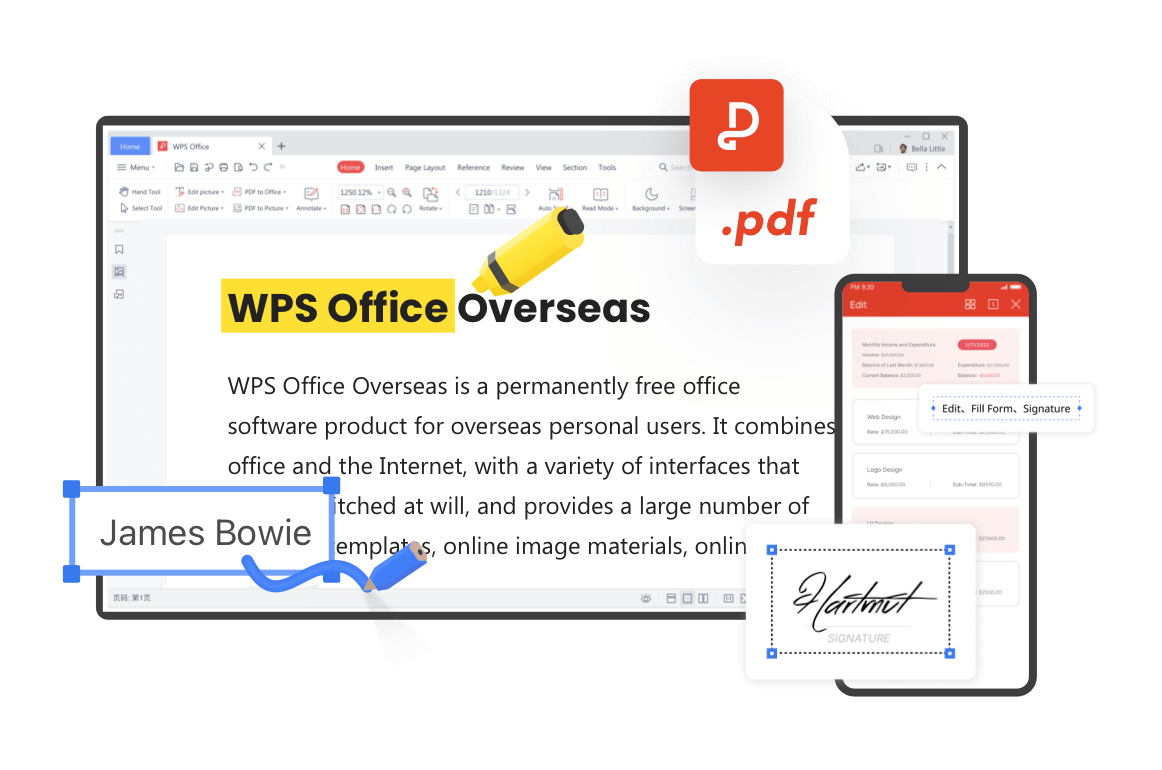
While tools like iLovePDF and Smallpdf are widely known web-based converters, WPS Office stands out as a powerful, all-in-one suite that offers both smooth web-based editing and robust offline software. If you need true text editing (changing original text, not just drawing over it), high stability with large files, and exceptional cost-performance without aggressive paywalls, WPS is our top recommendation.
WPS provides a free web experience and desktop/mobile apps. You can edit original text, fill forms, split or merge pages, and convert formats—without being locked into a browser-only workflow.
Step 1: Open WPS PDF (or go to the WPS Web PDF Tools page).
Step 2: Drag and drop your PDF file into the editor.

Step 3: Click Edit Content / Edit Text to modify text directly, change fonts, or adjust images and layout.

Step 4: Save or export your newly edited PDF for free.
Method 2: How to Edit a PDF for Free with iLovePDF
For i love pdf edit pdf, iLovePDF is a popular web-based platform designed for quick document conversion, page merging, and basic PDF annotations directly from your browser. It is a solid choice when you need fast markups or page organization without installing software.
How to edit a PDF with iLovePDF:
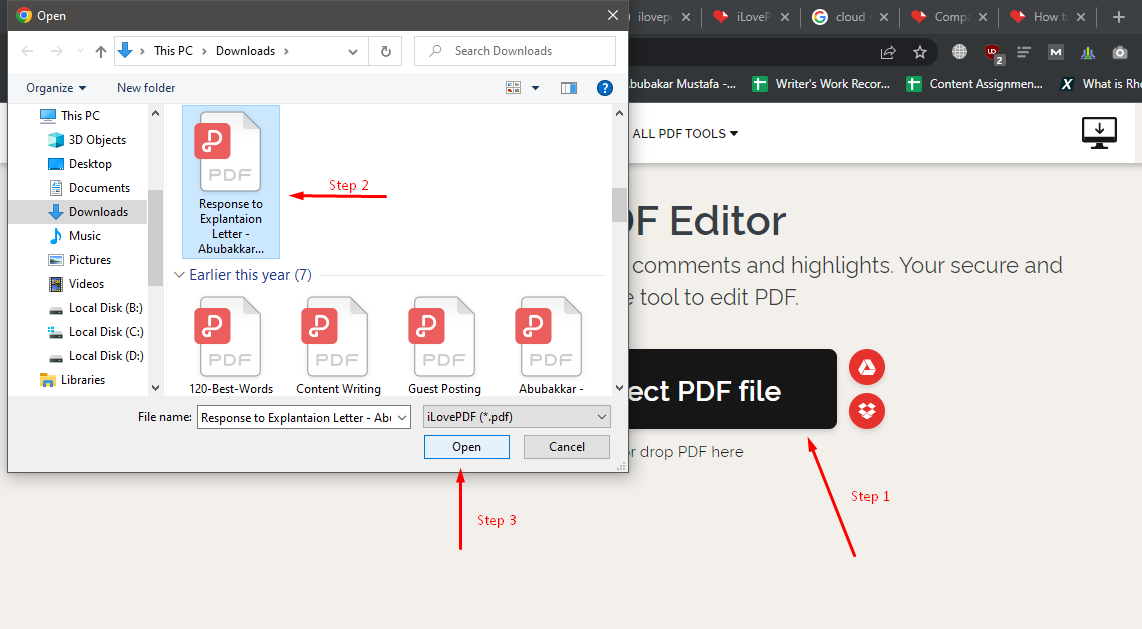
Step 1: Go to the iLovePDF Edit PDF tool page.
Step 2: Upload your PDF from your device, Google Drive, or Dropbox.
Step 3: Use the top toolbar to add text boxes, images, shapes, or freehand drawings.
Step 4: Click Edit PDF and download your file.
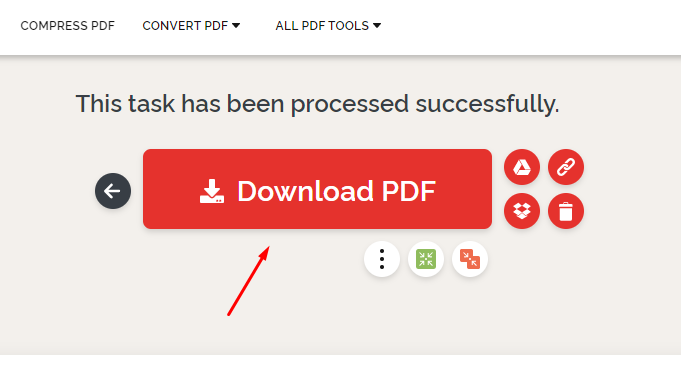
🌟Note: iLovePDF’s free web editor is strongest for annotations and overlays. For deep changes to original wording while keeping layout, a native editor like WPS Office usually works better.
Method 3: How to Edit a PDF for Free with Smallpdf
The smallpdf pdf editor is a sleek, user-friendly browser tool ideal for adding quick markups, highlights, and e-signatures to short documents. It shines when you want a lightweight online workflow for light edits.
How to edit a PDF with Smallpdf:
Step 1: Visit the Smallpdf Free PDF Editor.
Step 2: Drag your PDF file into the upload area.
Step 3: Add comments, highlight text, insert shapes, or upload an e-signature.
Step 4: Click Export to download your edited document.
On the free plan, expect task rate limits. True text rewriting beyond overlays is often reserved for Pro, so treat Smallpdf as a quick markup and signing option rather than a full Acrobat replacement.

Comparing Free PDF Editing: WPS vs. iLovePDF vs. Smallpdf
Use this table to match the tool to your editing needs.
| Feature / Criteria | WPS Office | iLovePDF | Smallpdf |
|---|---|---|---|
| Primary Editing Mode | Direct Text Editing + Annotations | Annotations & Overlay Text | Annotations & Markup (Text editing behind Pro) |
| Offline Desktop App | Yes (Full Suite Available) | Limited / Separate Download | Paid Pro Feature |
| Daily File Limits | Generous Free Tier | Limits on batch operations | Task rate limits on free plan |
| Large File Stability | High (Handles 100MB+ smoothly) | Moderate | Moderate |
| Best For | Comprehensive edits, direct text changes, offline/online versatility | Fast browser-based page merging & simple markups | Quick highlights and light document sign-offs |


Best Alternative to iLovePDF & Smallpdf: WPS Office
Here is why we recommend WPS when you need to edit a PDF for free:
Direct text editing vs. text overlay: Many online tools only place a new text box on top of the PDF. WPS can recognize and modify existing text blocks, fonts, and layout more naturally.
Seamless cross-platform sync: Start editing on the web, then continue on your phone or desktop client when you need more control.
Privacy & security: For large or sensitive files, you do not have to upload everything to the cloud—edit offline with the desktop app instead.
Best value / cost-performance: Get core PDF editing capabilities similar to what people expect from Acrobat-level workflows, without paying for a premium subscription just to fix everyday documents.
Ready to try it? Download WPS Office and open your PDF in a few clicks.
Frequently Asked Questions (FAQ)
Can I edit existing text in a PDF for free?
Yes. While many web tools only allow drawing or adding text overlays, tools like WPS Office let you click directly into existing text blocks to modify wording, font size, and layout without paying.
Is it safe to edit PDFs online?
Most reputable web editors (like iLovePDF and Smallpdf) use TLS encryption to secure your uploads. However, for confidential documents, using an offline tool like WPS Office on your desktop is safer.
How do I edit a scanned PDF file?
To learn how to edit scanned pdf files or image-based documents, you need a tool with OCR (Optical Character Recognition) to convert scanned images into selectable, editable text. After OCR, you can revise the content and save a new PDF.

'%3e%3cpath%20d='M19.9911%204.11386V6.471H18.5894C18.0775%206.471%2017.7322%206.57814%2017.5536%206.79243C17.3751%207.00671%2017.2858%207.32814%2017.2858%207.75671V9.44421H19.9019L19.5536%2012.0871H17.2858V18.8639H14.5536V12.0871H12.2769V9.44421H14.5536V7.49779C14.5536%206.39064%2014.8632%205.53201%2015.4822%204.92189C16.1013%204.31177%2016.9257%204.00671%2017.9554%204.00671C18.8304%204.00671%2019.509%204.04243%2019.9911%204.11386Z'%20fill='%23333333'/%3e%3c/g%3e%3cdefs%3e%3cclipPath%20id='clip0_2938_8199'%3e%3crect%20width='16'%20height='16'%20fill='white'%20transform='translate(8%204.00671)'/%3e%3c/clipPath%3e%3c/defs%3e%3c/svg%3e)
'%3e%3cpath%20d='M17.5237%2010.7813L23.4811%204H22.0699L16.8949%209.88693L12.7648%204H8L14.2469%2012.9029L8%2020.0133H9.4112L14.8725%2013.7952L19.2352%2020.0133H24M9.92053%205.04213H12.0885L22.0688%2019.0224H19.9003'%20fill='%23333333'/%3e%3c/g%3e%3cdefs%3e%3cclipPath%20id='clip0_2938_8200'%3e%3crect%20width='16'%20height='16.0134'%20fill='white'%20transform='translate(8%204)'/%3e%3c/clipPath%3e%3c/defs%3e%3c/svg%3e)


