In freelancing, the work doesn’t end once you hit “send”. Getting
paid smoothly depends on how clearly you present your work and that
starts with your invoice. A well-designed freelance invoice template is
a reflection of your professionalism and attention to detail. The right
one can turn a routine transaction into an all round experience for your
client. In this guide, you’ll learn how to write an invoice that gets
noticed, explore free templates, and see how WPS Invoice Generator can
simplify everything.
Freelance Invoice Templates
How to Write a
Freelance Invoice Template
When you're billing clients, your invoice does more than just request
payment, it shows how you operate as a professional. An effective freelancerinvoice format tells your client that you value clarity, organization,
and transparency just as much as the work you deliver. It also helps
avoid misunderstandings, making the payment process smooth and timely.
In short, a good invoice builds trust and keeps your financial records
clean.
Sample Invoice
Here are the core items every freelance invoice should cover:
Your name or business name if you have one, and your contact
details such as email, phone, and optionally address.
Your client’s name and contact details like company name if
applicable, billing address.
A unique invoice number and the issue date of that
invoice.
The description of services provided, along with quantities,
rates, and total amounts.
The payment due date and your preferred payment method.
If tax or VAT applies in your jurisdiction, include taxdetails and a breakdown.
By including those elements, you reduce the chance of delays or
confusion. When your client sees a well-formatted freelance invoice
example, it builds trust and helps you get paid faster.
In this era, people still design invoices from scratch when they
should switch to ready-to-use templates that already exist to make their
work easier. The following 10 freelance invoice templates are completely
free to download, editable, and printable in Word or WPS Office. Each
one is linked directly so you can choose a version that fits your
freelancing style and business type. They’re designed to save time while
keeping your invoices professional, consistent, and easy for clients to
read.
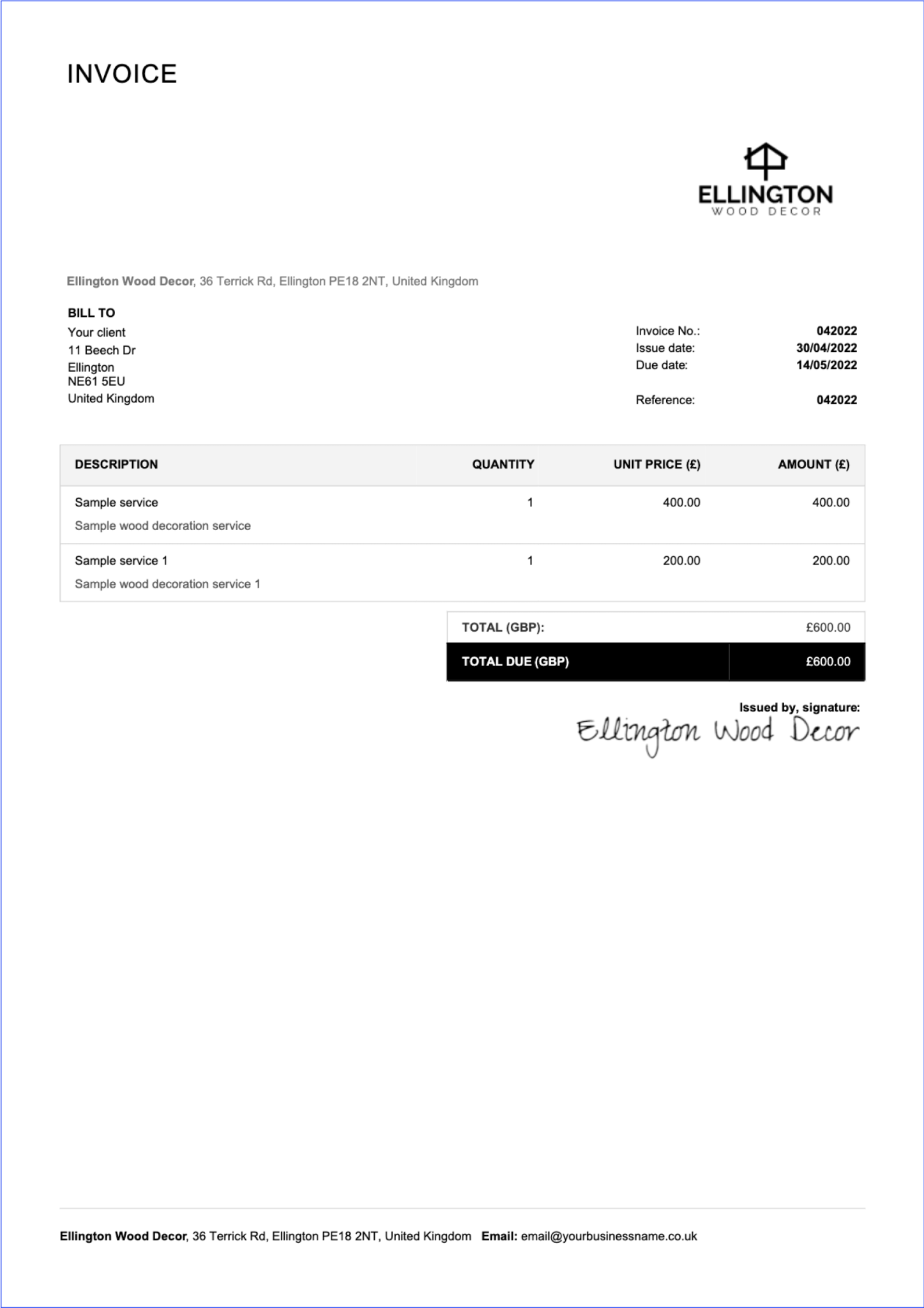
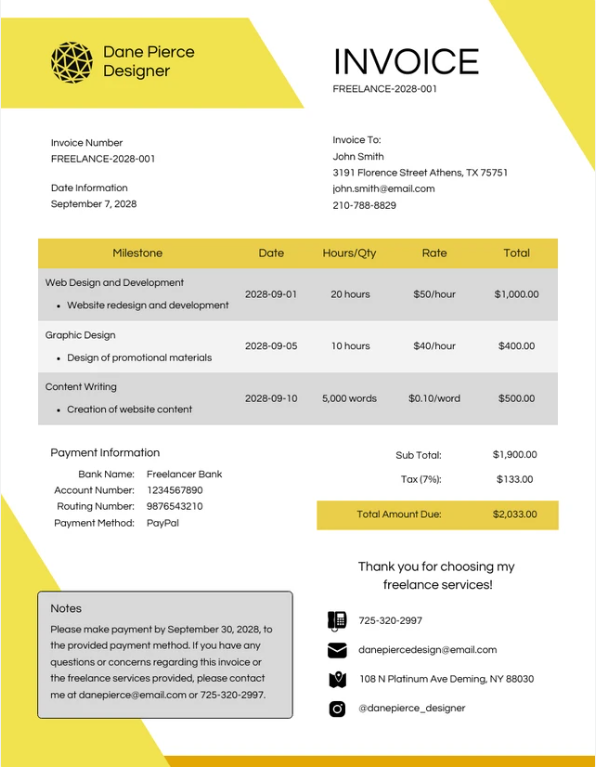
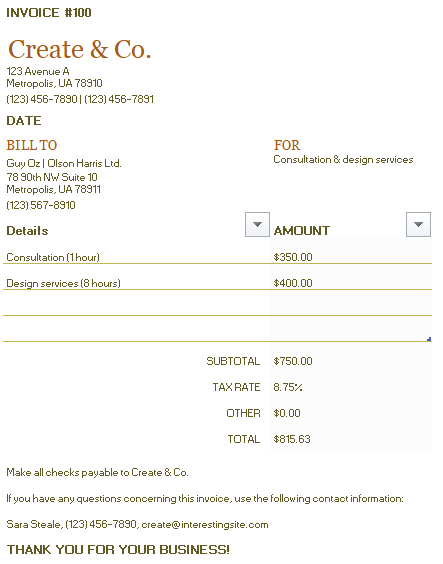
1. Simple Corporate Yellow
Invoice
This clean, Yellow-Accented
Freelance Writer Invoice template adds a touch of color without
losing its professional edge. The structure is minimal yet eye-catching,
making it perfect for freelancers who want their invoices to feel fresh
and approachable. It keeps all essential sections clear: client details,
service breakdown, and totals, while maintaining visual balance. The
layout also works well for writers handling multiple projects at once,
keeping billing simple and organized.
Yellow Corporate Invoice Template
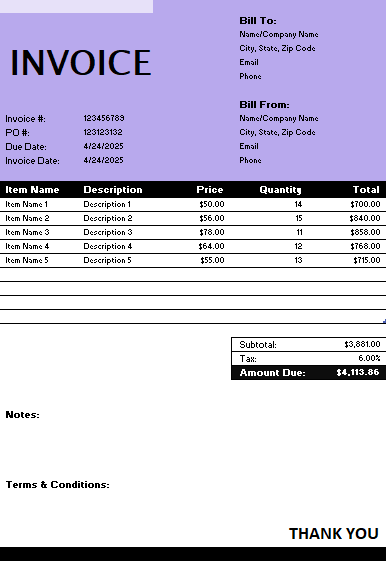
2. Simple Corporate
Purple & Black Invoice
This Simple
Corporate Purple Invoice uses bold purple and black accents to
give your invoice a sleek and modern identity. It’s particularly
suitable for freelancers in tech, design, or media who want their
invoice to reflect the same creativity and professionalism as their
work. The contrast between deep purple headers and clean white space
draws the eye to important details like totals and due dates. The
overall layout keeps things refined, easy to read, and visually
balanced.
Purple and Black Corporate Invoice Template
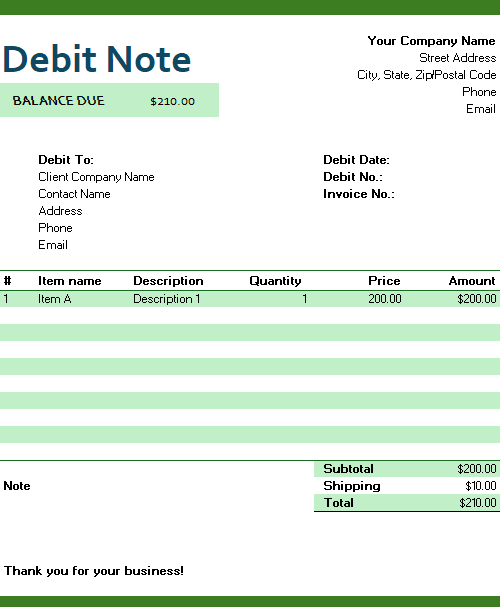
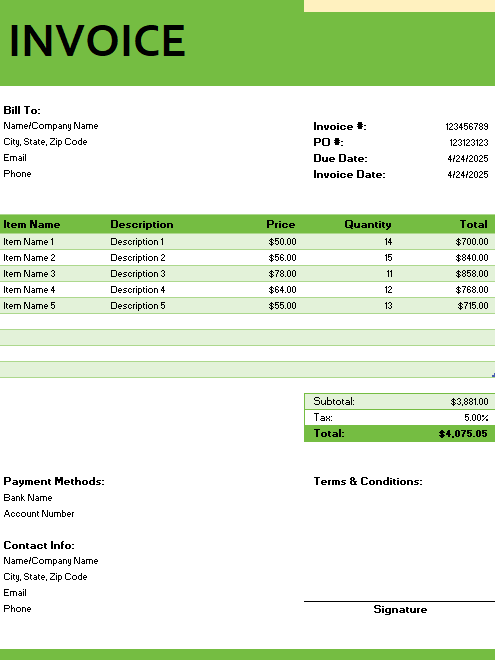
3. Simple Green Debit Note
For freelancers who handle recurring projects, retainer work, or need
to make occasional billing adjustments, this Green
Debit-Note template is a practical solution. Its fresh green
color scheme communicates transparency and trust while maintaining a
neat, businesslike tone. Every section is clearly labeled, from client
details to corrected balances, making it easy to track revisions or
additional charges. The design is simple but efficient, helping you
manage client accounts without confusion. It’s ideal for long-term
collaborations where periodic invoice updates are common.
Green Debit Note Template
4. Simple Corporate Purple
Invoice
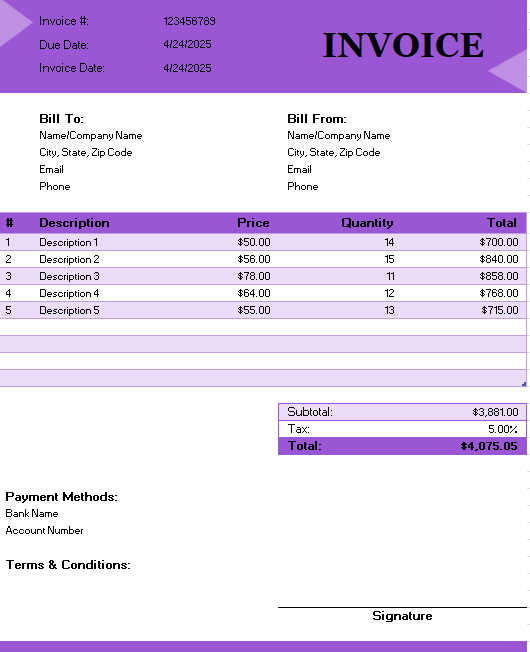
This Simple
Corporate Purple Invoice offers a straightforward design with an
elegant touch of color. It’s perfect for freelancers who prefer
simplicity but still want a professional visual identity. The structure
makes room for essential details like project descriptions, hours, and
itemized totals without feeling crowded. Purple accents give the
document a subtle sophistication that works well across different
industries. It’s a solid, versatile layout that communicates reliability
while still looking fresh and modern.
Corporate Purple Invoice Template
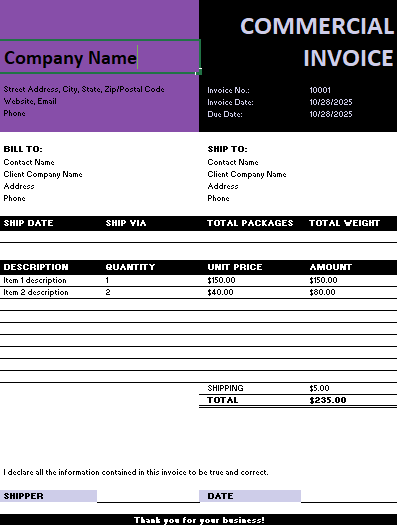
5. Simple Black &
Purple Commercial Invoice
If you work frequently with business or enterprise-level clients,
this Commercial
Invoice template is a great match. The black and purple color
palette gives it a strong, formal tone that pairs well with high-value
projects or corporate contracts. Each section is organized to emphasize
clarity: listing project summaries, payment terms, and totals in a
precise order. The professional design ensures your invoice looks
credible and detail-oriented. It’s an ideal choice for consultants,
developers, or agencies that need a layout reflecting both trust and
sophistication.
Black and Purple Commercial Invoice Template
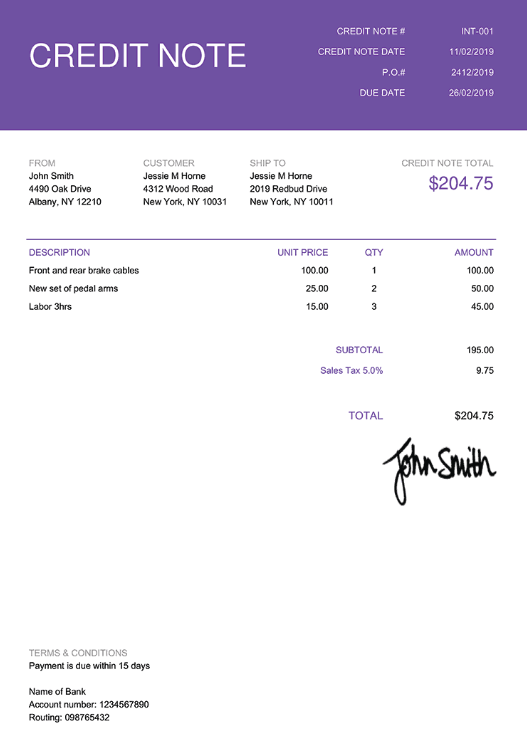
6. Simple Purple Credit Note
When you need to issue a refund, correct a billing error, or adjust a
previous invoice, this Credit-Note
template is the right fit. Its purple design keeps it consistent
with other professional invoice formats, giving your documents a
cohesive visual style. The sections are easy to follow, clearly
separating adjustments, original amounts, and new totals. It’s
especially useful for freelancers who handle multiple clients and want a
consistent documentation system for financial transparency. Simple,
organized, and visually clear, it’s made to handle corrections without
any problem.
Purple Credit Note Template
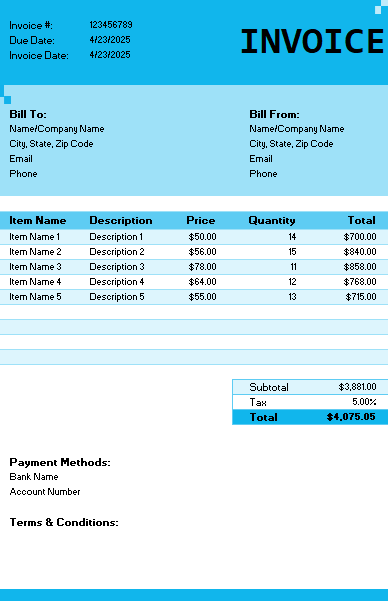
7. Simple Basic Blue Invoice
Blue represents trust and dependability, which makes this Simple
Basic Blue Invoice one of the most versatile and timeless
options for freelancers. It’s organized, and ideal for those who prefer
a classic business look. The design features straightforward sections
for client information, work details, totals, and payment instructions.
The calming blue tone helps create a sense of professionalism and ease
for your clients while reviewing the invoice.
Basic Blue Invoice Template
8. Invoice Worksheet Template
This Invoice
Worksheet Template is a perfect fit for freelancers who bill
hourly or manage multiple deliverables under one project. It provides
ample space to record detailed time entries, descriptions of each task,
hourly rates, and subtotals before finalizing your total. The grid-style
design promotes accuracy and is especially useful for consultants,
developers, or writers who manage ongoing workloads. It’s easy to edit
and print, giving you a transparent and organized billing structure.
Invoice Worksheet Template
9. Corporate Green & Yellow
Invoice
Bright and lively without being over the top, this Green
and Yellow Invoice Template hits the perfect spot between
creativity and professionalism. It’s great for designers, marketers, and
creative freelancers who want their invoices to reflect their brand’s
visual identity. The layout remains clear and methodical, ensuring
clients can easily read and verify payment details. The color pairing
adds energy while maintaining legibility, helping your invoice stand out
without losing formality. It’s a stylish yet dependable choice for
modern freelancers.
Green and Yellow Corporate Invoice Template
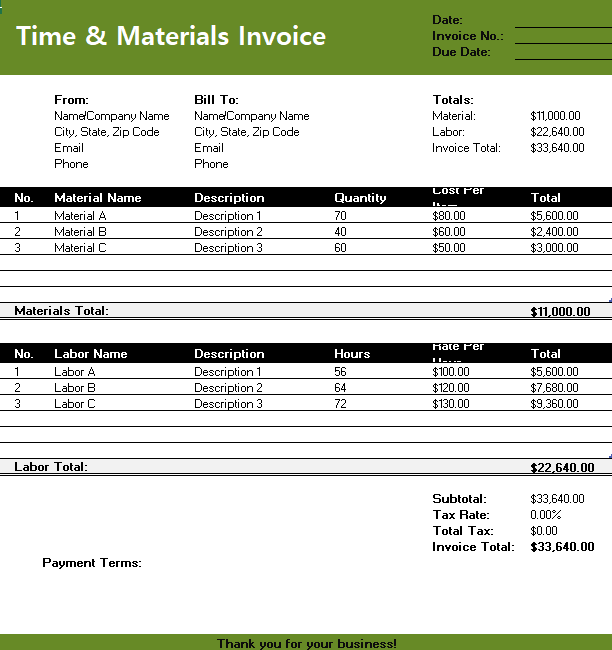
10. Green & Black Timesheet
Invoice
If you work on projects billed hourly or by milestones, this Timesheet
Invoice Template is designed with you in mind. It combines
structure and simplicity, offering clear sections for tracking work
hours, tasks, rates, and final costs. The green and black color
combination gives it a professional yet distinctive appearance that
looks sharp on both screen and print. It’s particularly helpful for
developers, consultants, and agencies that manage time-based projects.
With this layout, you can keep your invoicing consistent, accurate, and
visually polished.
Green Timesheet Invoice Template
A
Smarter Way to Create Freelance Invoice Invoices: WPS Invoice
Generator
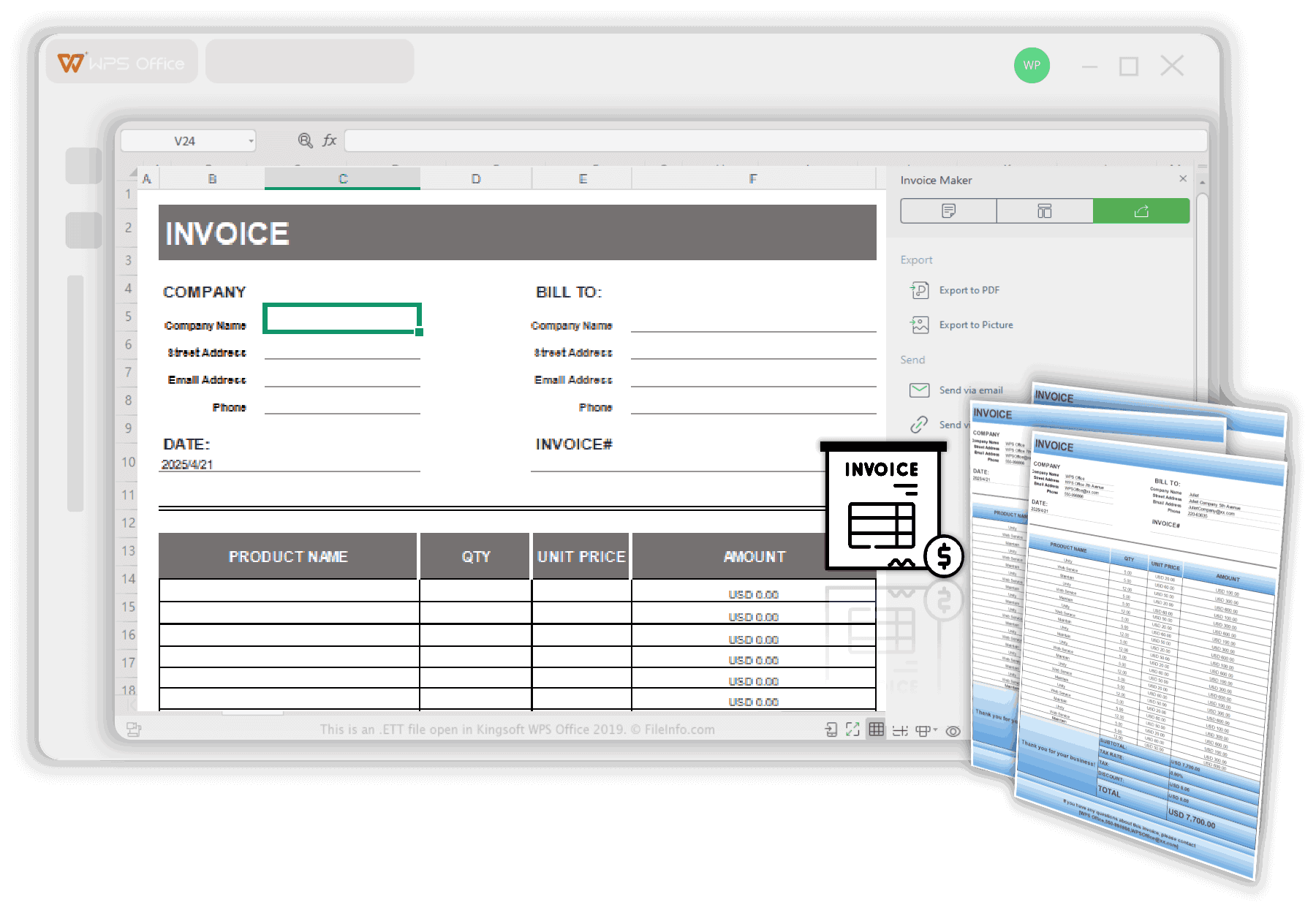
The best-designed invoices can start to feel repetitive when you’re
sending multiple invoices each month. Editing the same cells, adjusting
totals, and reformatting layouts takes more time than it should. So you
need a tool that could keep the structure of a professional and free invoice
template pdf but make the process faster and more organized. The built-in WPS Invoice
Generator does exactly that as it lets you customize, and manage
invoice templates without opening a separate file every time.
WPS Invoice Generator
Below are the reasons why WPS Invoice Generator is used
worldwide:
It’s easy: you can edit an invoice in just a few
clicks.
It keeps things professional: the output looks
clean and client-ready.
It boosts efficiency: you can manage multiple
invoices across projects.
It supports customization: add your logo, brand
colours, or custom fields.
It has AI assistance: helpful when your billing
is complex or you need quick calculations.
The tool is part of the WPS
Office suite, so it’s lightweight, free, and completely
compatible with Word-based formats. You can customize templates, add
your branding, and export the final invoice as a PDF ready to send to
clients. Here’s how to get started:
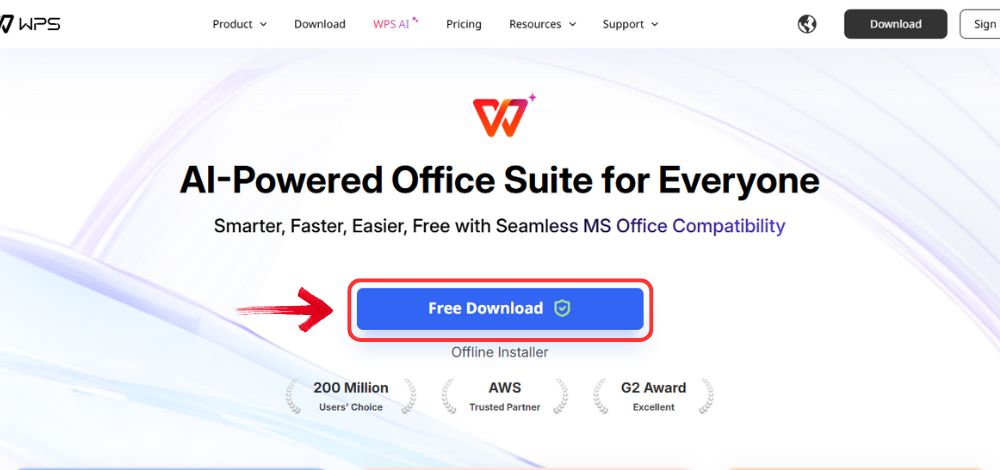
Step 1: Go to WPS
Office, and click the “Free Download” button to
install WPS Office on your computer.
Download WPS Office
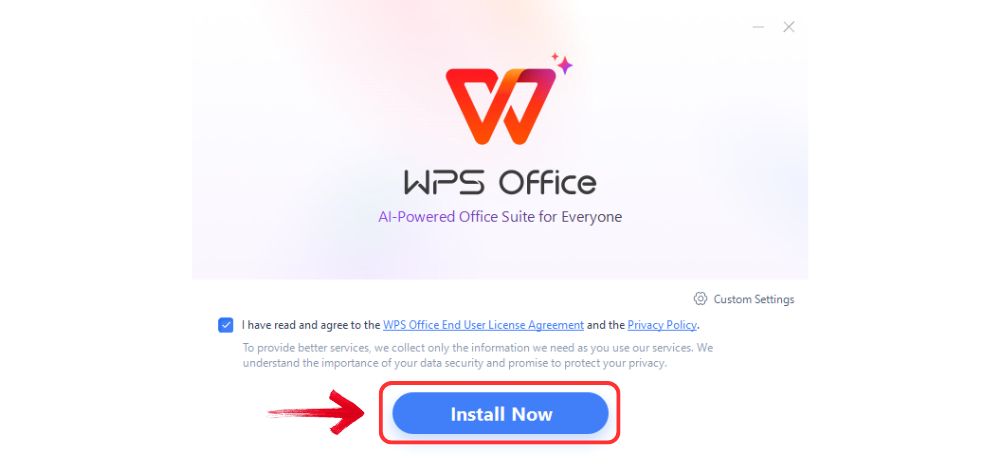
Step 2: Once the download is complete, run the setup
file as you would with any other app. Follow the on-screen instructions
to install it.
Install WPS Office
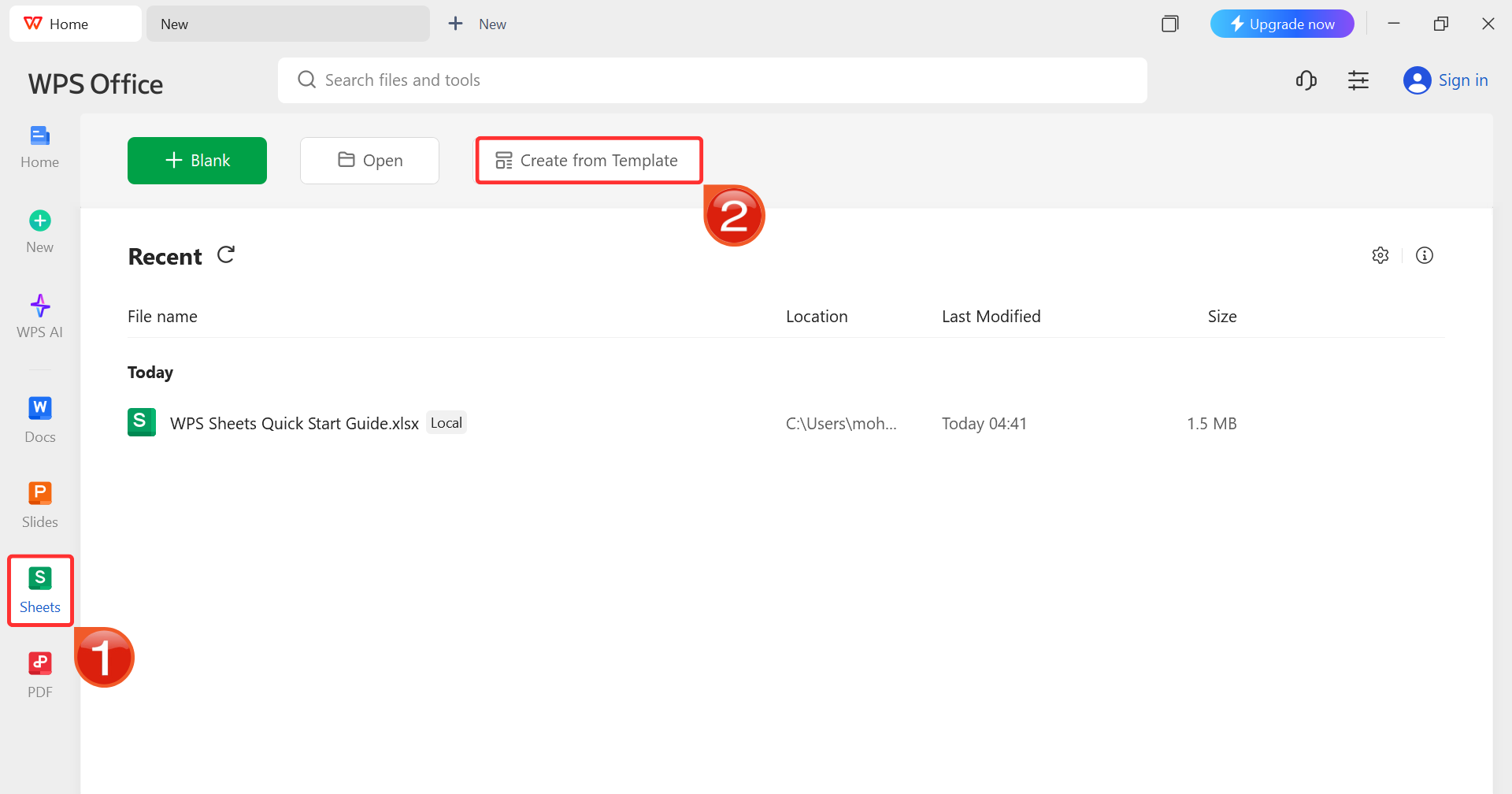
Step 3: On the WPS Office dashboard, click“Sheets” from the left sidebar and hit “Create
from Template” to launch WPS Spreadsheet using your desired
template.
WPS Spreadsheet Dashboard
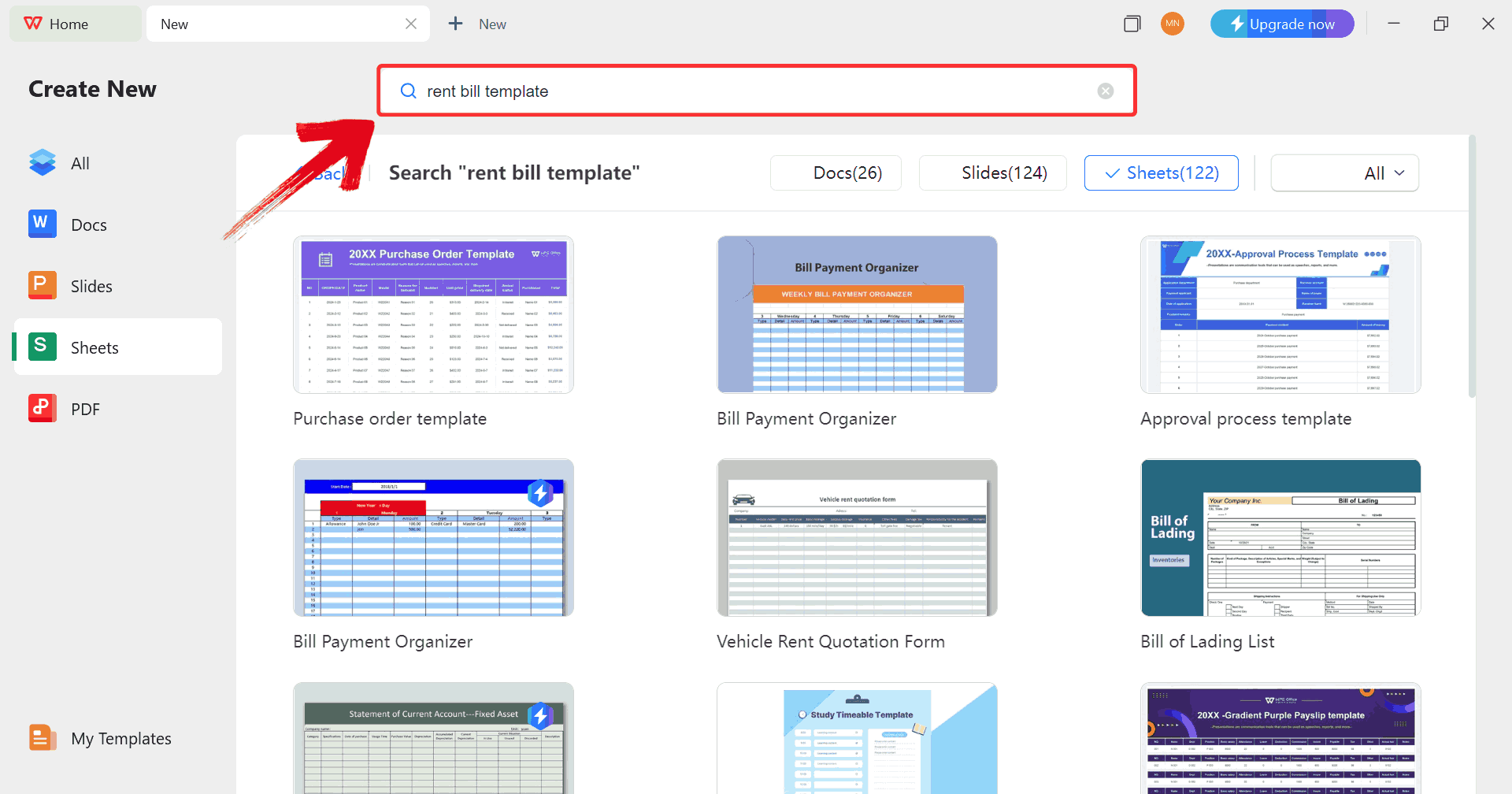
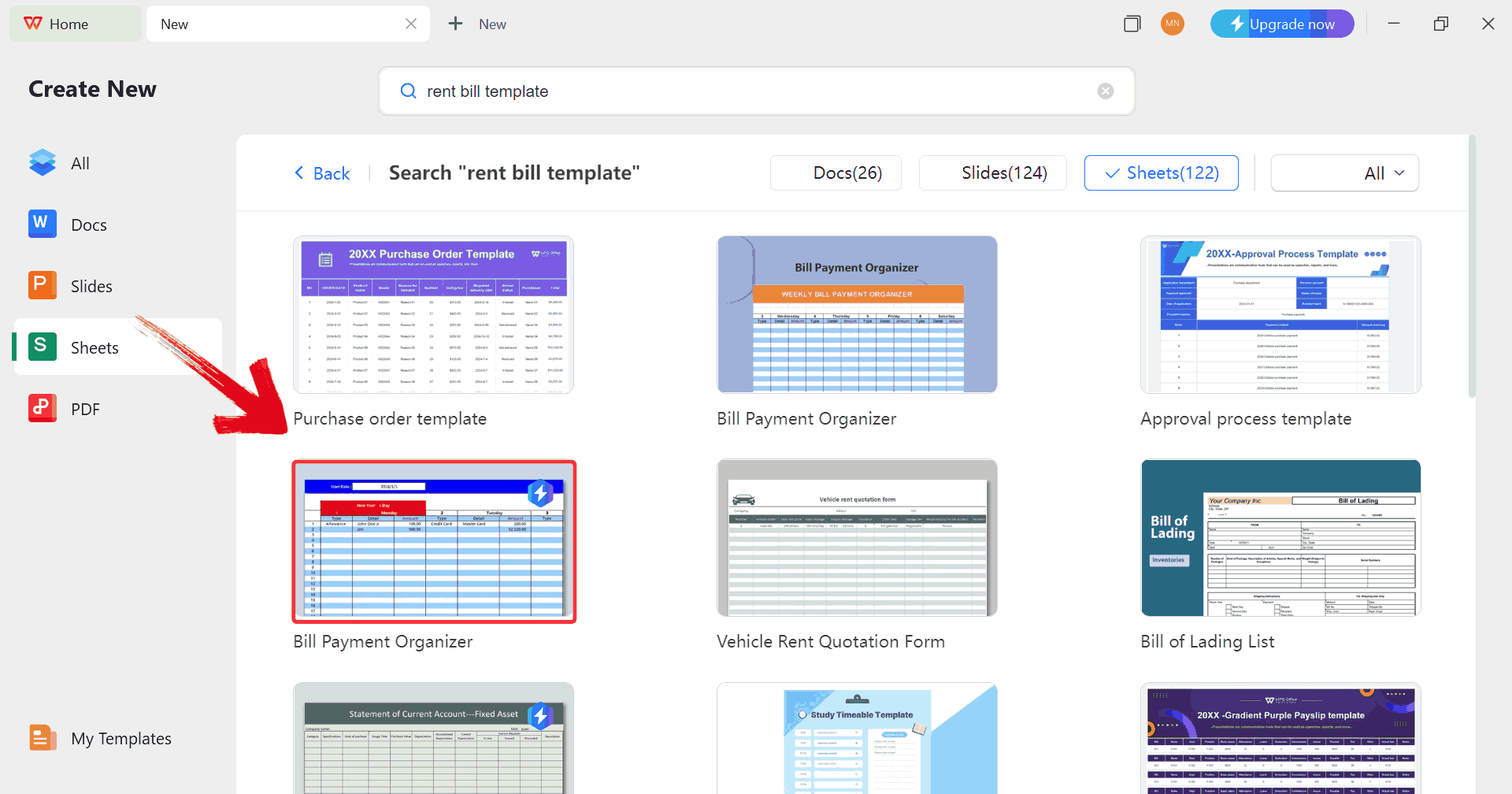
Step 4: In the template gallery’s search bar, you
can search for any invoice such as “rent bill template”to see all available rent bill invoices ready for use.
Search Template
Step 5: Just click on any template that fits your
needs to open it and start customizing your template right away.
Choose Template
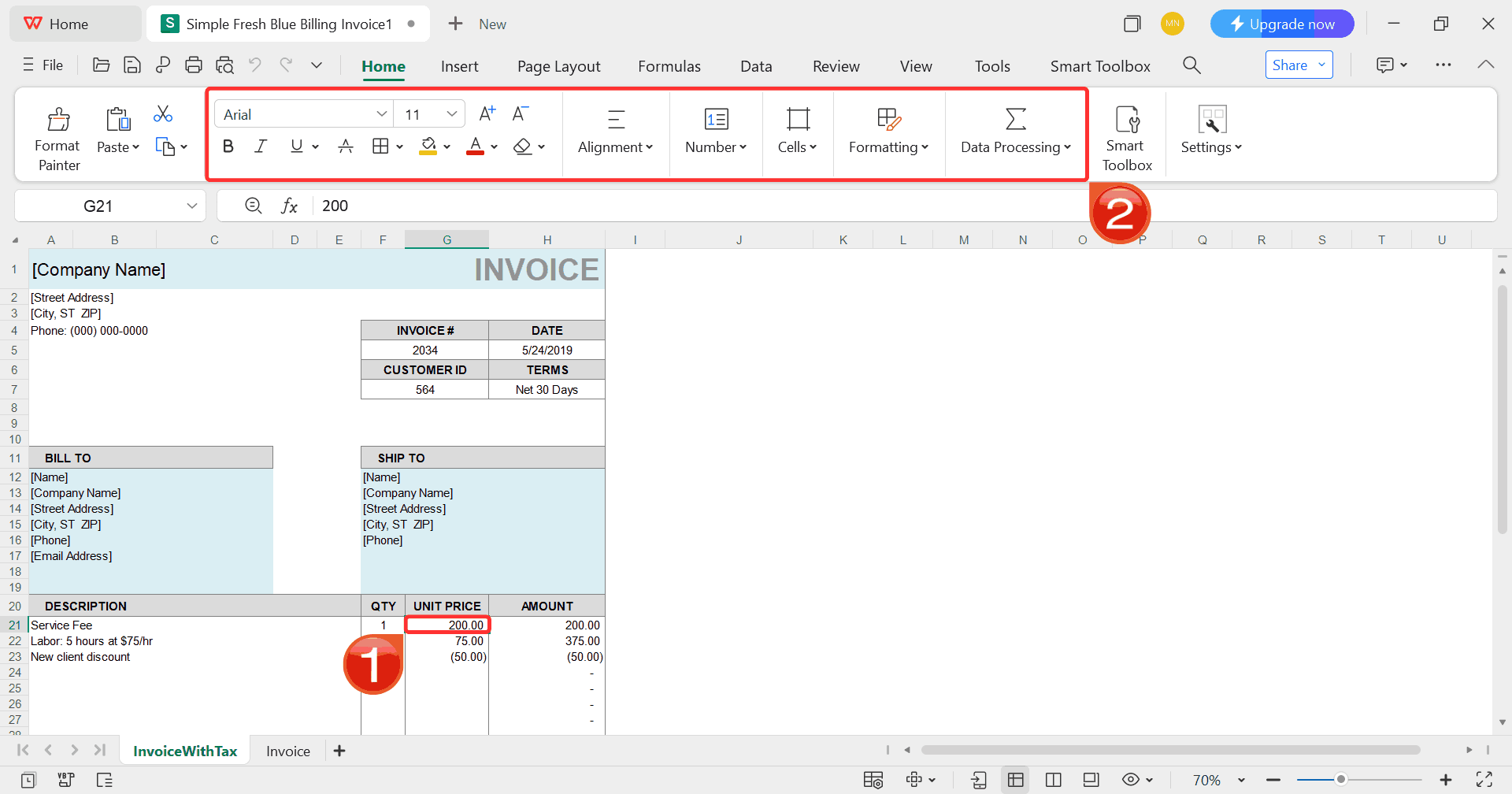
Step 6: Select any cell in your spreadsheet, and
then use the menu at the top to make whatever changes you need like
adjusting formatting, editing text, or changing formulas.
Customize Template
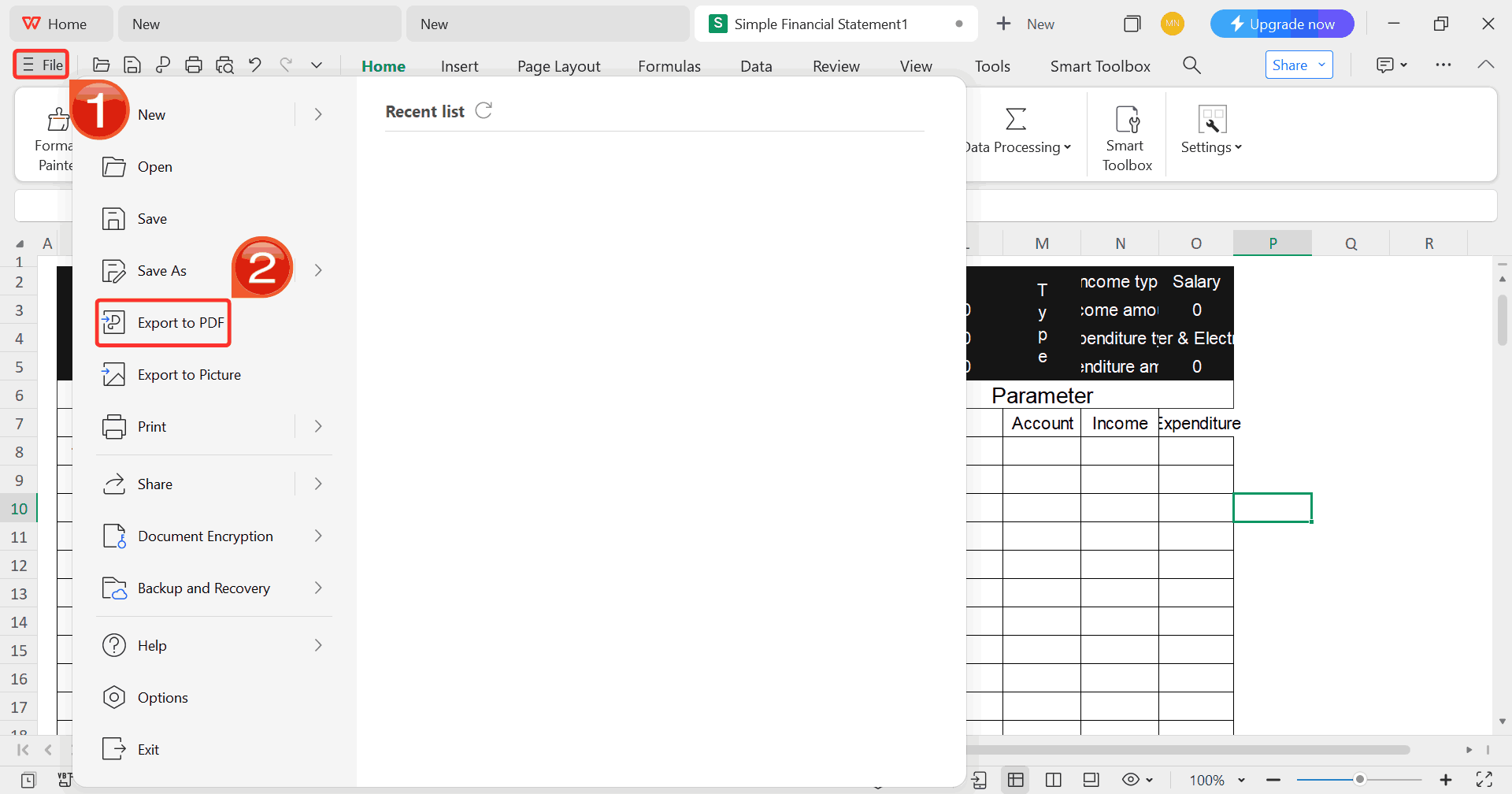
Step 7: Once you’re done customizing your template,
click on “File”, then select “Export to
PDF” to save your rent bill in a polished, shareable
format.
Export Template
FAQs
1.
Do freelancers need to include tax information in invoices?
Yes, depending on your country’s laws, you may need to include tax or
VAT registration number, tax breakdowns and correct invoice fields.
2. How do I send
my freelance invoice to a client?
You can send your invoice as a PDF attachment via email or provide a
secure cloud link. Make sure it’s clearly numbered, dated and labeled
“Invoice.”
3. What is the
best format for freelance invoices?
PDF is recommended for professionalism and security, but Word or
Excel templates work if you need to edit before exporting.
QuickBooks
4. Can I
reuse invoice templates for multiple clients?
Yes, templates are designed for reuse. Just update the client’s name,
details, the services provided and invoice number before sending the
next one.
5.
Should I include payment terms like “Due in 15 days” or “Net 30”?
Absolutely. Setting clear payment terms (Net 15, Net 30, etc.) helps
manage expectations and encourages timely payment.
6. How soon should I send
the invoice?
Send your freelance billing invoice template as soon as the project
or milestone is complete. Delays on the billing side often translate
into payment delays. Clear, timely invoices build trust and improve cash
flow.
Smart Invoicing Made
Simple with WPS
Freelancing thrives on trust and professionalism and your invoice
plays a big part in that. It doesn’t matter if you use a ready freelance
invoice template or create your own, the goal is the same: clarity,
consistency, and credibility. Ready-made templates from Microsoft Create
make it easy to start, while the WPS Invoice
Generator takes things a step further with automation,
customization, and effortless management. If you want to save time, look
professional, and never miss a payment again, start exploring WPS today
as your next invoice could be ready in minutes.
I'm Maira, experienced in using office suite tools and technology to support professional tasks. My regular use of Office software has helped me develop strong command over these tools, especially in drafting legal instruments and helpful content.


'%3e%3cpath%20d='M8%200C12.4183%200%2016%203.58172%2016%208C16%2012.4183%2012.4183%2016%208%2016C3.58172%2016%200%2012.4183%200%208C0%203.58172%203.58172%200%208%200ZM11.6162%204.38379C11.2257%203.99337%2010.5927%203.99338%2010.2021%204.38379L8%206.58594L5.79785%204.38379C5.40732%203.99334%204.77429%203.99329%204.38379%204.38379C3.99331%204.77429%203.99335%205.40733%204.38379%205.79785L6.58594%208L4.38379%2010.2021C3.99348%2010.5927%203.99341%2011.2257%204.38379%2011.6162C4.77426%2012.0066%205.40734%2012.0065%205.79785%2011.6162L8%209.41406L10.2021%2011.6162C10.5927%2012.0066%2011.2257%2012.0067%2011.6162%2011.6162C12.0067%2011.2257%2012.0066%2010.5927%2011.6162%2010.2021L9.41406%208L11.6162%205.79785C12.0066%205.40735%2012.0066%204.77429%2011.6162%204.38379Z'%20fill='%23080E17'%20fill-opacity='0.46'/%3e%3c/g%3e%3cdefs%3e%3cclipPath%20id='clip0_3761_713'%3e%3crect%20width='16'%20height='16'%20fill='white'/%3e%3c/clipPath%3e%3c/defs%3e%3c/svg%3e)




'%3e%3cpath%20fill-rule='evenodd'%20clip-rule='evenodd'%20d='M21.4999%2010.9993C21.4999%205.20009%2016.7986%200.498901%2010.9993%200.498901C5.19994%200.498901%200.498657%205.20009%200.498657%2010.9993C0.498657%2016.2404%204.33858%2020.5844%209.35855%2021.3722V14.0346H6.69238V10.9993H9.35855V8.68594C9.35855%206.05427%2010.9262%204.60062%2013.3248%204.60062C14.4736%204.60062%2015.6753%204.80571%2015.6753%204.80571V7.38979H14.3512C13.0468%207.38979%2012.64%208.19921%2012.64%209.0296V10.9993H15.5523L15.0867%2014.0346H12.64V21.3722C17.66%2020.5844%2021.4999%2016.2404%2021.4999%2010.9993Z'%20fill='%231568EA'/%3e%3c/g%3e%3c/svg%3e)


'%3e%3cpath%20d='M2.42045%2022.1876H6.31818V12.7217L0.75%208.54553V20.5171C0.75%2021.4414%201.49892%2022.1876%202.42045%2022.1876Z'%20fill='%234285F4'/%3e%3cpath%20d='M19.682%2022.1876H23.5797C24.5041%2022.1876%2025.2502%2021.4387%2025.2502%2020.5171V8.54553L19.682%2012.7217'%20fill='%2334A853'/%3e%3cpath%20d='M19.682%205.48293V12.7216L25.2502%208.54543V6.31816C25.2502%204.25236%2022.8921%203.07469%2021.2411%204.31361'%20fill='%23FBBC04'/%3e%3cpath%20d='M6.31824%2012.7217V5.48303L13.0001%2010.4944L19.6819%205.48303V12.7217L13.0001%2017.733'%20fill='%23EA4335'/%3e%3cpath%20d='M0.75%206.31816V8.54543L6.31818%2012.7216V5.48293L4.75909%204.31361C3.10534%203.07469%200.75%204.25236%200.75%206.31816Z'%20fill='%23C5221F'/%3e%3c/g%3e%3cdefs%3e%3cclipPath%20id='clip0_2954_7305'%3e%3crect%20width='24.5'%20height='18.375'%20fill='white'%20transform='translate(0.75%203.8125)'/%3e%3c/clipPath%3e%3c/defs%3e%3c/svg%3e)




'%3e%3cpath%20d='M19.9911%204.11386V6.471H18.5894C18.0775%206.471%2017.7322%206.57814%2017.5536%206.79243C17.3751%207.00671%2017.2858%207.32814%2017.2858%207.75671V9.44421H19.9019L19.5536%2012.0871H17.2858V18.8639H14.5536V12.0871H12.2769V9.44421H14.5536V7.49779C14.5536%206.39064%2014.8632%205.53201%2015.4822%204.92189C16.1013%204.31177%2016.9257%204.00671%2017.9554%204.00671C18.8304%204.00671%2019.509%204.04243%2019.9911%204.11386Z'%20fill='%23333333'/%3e%3c/g%3e%3cdefs%3e%3cclipPath%20id='clip0_2938_8199'%3e%3crect%20width='16'%20height='16'%20fill='white'%20transform='translate(8%204.00671)'/%3e%3c/clipPath%3e%3c/defs%3e%3c/svg%3e)
'%3e%3cpath%20d='M17.5237%2010.7813L23.4811%204H22.0699L16.8949%209.88693L12.7648%204H8L14.2469%2012.9029L8%2020.0133H9.4112L14.8725%2013.7952L19.2352%2020.0133H24M9.92053%205.04213H12.0885L22.0688%2019.0224H19.9003'%20fill='%23333333'/%3e%3c/g%3e%3cdefs%3e%3cclipPath%20id='clip0_2938_8200'%3e%3crect%20width='16'%20height='16.0134'%20fill='white'%20transform='translate(8%204)'/%3e%3c/clipPath%3e%3c/defs%3e%3c/svg%3e)


