

'%3e%3cpath%20d='M8%200C12.4183%200%2016%203.58172%2016%208C16%2012.4183%2012.4183%2016%208%2016C3.58172%2016%200%2012.4183%200%208C0%203.58172%203.58172%200%208%200ZM11.6162%204.38379C11.2257%203.99337%2010.5927%203.99338%2010.2021%204.38379L8%206.58594L5.79785%204.38379C5.40732%203.99334%204.77429%203.99329%204.38379%204.38379C3.99331%204.77429%203.99335%205.40733%204.38379%205.79785L6.58594%208L4.38379%2010.2021C3.99348%2010.5927%203.99341%2011.2257%204.38379%2011.6162C4.77426%2012.0066%205.40734%2012.0065%205.79785%2011.6162L8%209.41406L10.2021%2011.6162C10.5927%2012.0066%2011.2257%2012.0067%2011.6162%2011.6162C12.0067%2011.2257%2012.0066%2010.5927%2011.6162%2010.2021L9.41406%208L11.6162%205.79785C12.0066%205.40735%2012.0066%204.77429%2011.6162%204.38379Z'%20fill='%23080E17'%20fill-opacity='0.46'/%3e%3c/g%3e%3cdefs%3e%3cclipPath%20id='clip0_3761_713'%3e%3crect%20width='16'%20height='16'%20fill='white'/%3e%3c/clipPath%3e%3c/defs%3e%3c/svg%3e)



'%3e%3cpath%20fill-rule='evenodd'%20clip-rule='evenodd'%20d='M21.4999%2010.9993C21.4999%205.20009%2016.7986%200.498901%2010.9993%200.498901C5.19994%200.498901%200.498657%205.20009%200.498657%2010.9993C0.498657%2016.2404%204.33858%2020.5844%209.35855%2021.3722V14.0346H6.69238V10.9993H9.35855V8.68594C9.35855%206.05427%2010.9262%204.60062%2013.3248%204.60062C14.4736%204.60062%2015.6753%204.80571%2015.6753%204.80571V7.38979H14.3512C13.0468%207.38979%2012.64%208.19921%2012.64%209.0296V10.9993H15.5523L15.0867%2014.0346H12.64V21.3722C17.66%2020.5844%2021.4999%2016.2404%2021.4999%2010.9993Z'%20fill='%231568EA'/%3e%3c/g%3e%3c/svg%3e)


'%3e%3cpath%20d='M2.42045%2022.1876H6.31818V12.7217L0.75%208.54553V20.5171C0.75%2021.4414%201.49892%2022.1876%202.42045%2022.1876Z'%20fill='%234285F4'/%3e%3cpath%20d='M19.682%2022.1876H23.5797C24.5041%2022.1876%2025.2502%2021.4387%2025.2502%2020.5171V8.54553L19.682%2012.7217'%20fill='%2334A853'/%3e%3cpath%20d='M19.682%205.48293V12.7216L25.2502%208.54543V6.31816C25.2502%204.25236%2022.8921%203.07469%2021.2411%204.31361'%20fill='%23FBBC04'/%3e%3cpath%20d='M6.31824%2012.7217V5.48303L13.0001%2010.4944L19.6819%205.48303V12.7217L13.0001%2017.733'%20fill='%23EA4335'/%3e%3cpath%20d='M0.75%206.31816V8.54543L6.31818%2012.7216V5.48293L4.75909%204.31361C3.10534%203.07469%200.75%204.25236%200.75%206.31816Z'%20fill='%23C5221F'/%3e%3c/g%3e%3cdefs%3e%3cclipPath%20id='clip0_2954_7305'%3e%3crect%20width='24.5'%20height='18.375'%20fill='white'%20transform='translate(0.75%203.8125)'/%3e%3c/clipPath%3e%3c/defs%3e%3c/svg%3e)


Medhasoft 2026 is the online route many students in Bihar use to find and apply for education incentives after Matric, Intermediate, or Graduation. The portal is not one single scholarship. It is a central place for several state-supported schemes, and each scheme has its own eligibility rules, documents, incentive amount, and deadline.
This guide explains how Medhasoft 2026 works, what to prepare before you start, how to submit an application, and how to check what happens after submission. It also highlights the details that most often delay verification or payment.
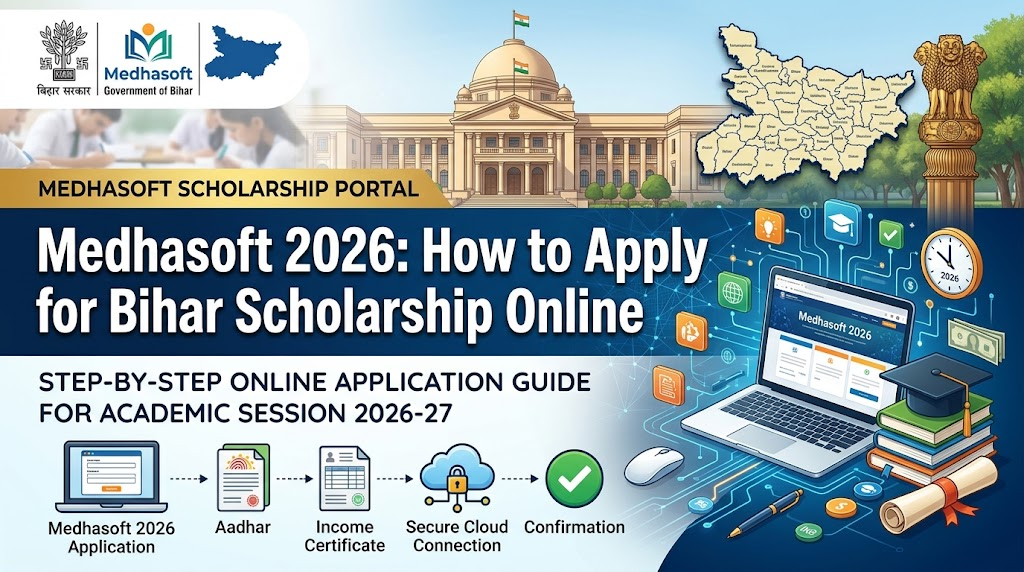
Medhasoft 2026: How to Apply for Bihar Scholarship Online
Medhasoft 2026 Eligibility and Scheme Types
Medhasoft 2026 eligibility is scheme-specific. The general portal requirement is only the first step. You also need to satisfy the academic, category, gender, division, residency, and bank-account conditions attached to the particular scheme you select.
Common conditions include passing the qualifying examination in the relevant year, studying or passing from a recognised institution, meeting the required division or percentage, belonging to the category covered by the scheme, and having a bank account in the student’s name. For DBT payments, the account should also meet the portal’s Aadhaar-seeding or verification requirements.
| Scheme type | Typical student group | Indicative incentive |
|---|---|---|
| Mukhyamantri Balika Protsahan Yojana | Matric pass girls in the covered categories, usually with first division | ₹10,000 |
| Mukhyamantri Vidhyarthi Protsahan Yojana | Matric pass boys in the covered general category, usually with first division | ₹10,000 |
| SC & ST Medhavriti Yojana | Eligible Matric or Inter students from SC/ST categories | ₹8,000–₹15,000 |
| BC & EBC Medhavriti Yojana | Eligible Backward Class or Extremely Backward Class students | ₹10,000 |
| Balika Snatak Protsahan Yojana | Eligible girls who passed graduation | ₹50,000 |
The amounts above are examples reported in public 2026 guidance. They are not a promise for every applicant. Always confirm the current scheme name, incentive amount, and eligibility conditions in the official notice before submitting your form.
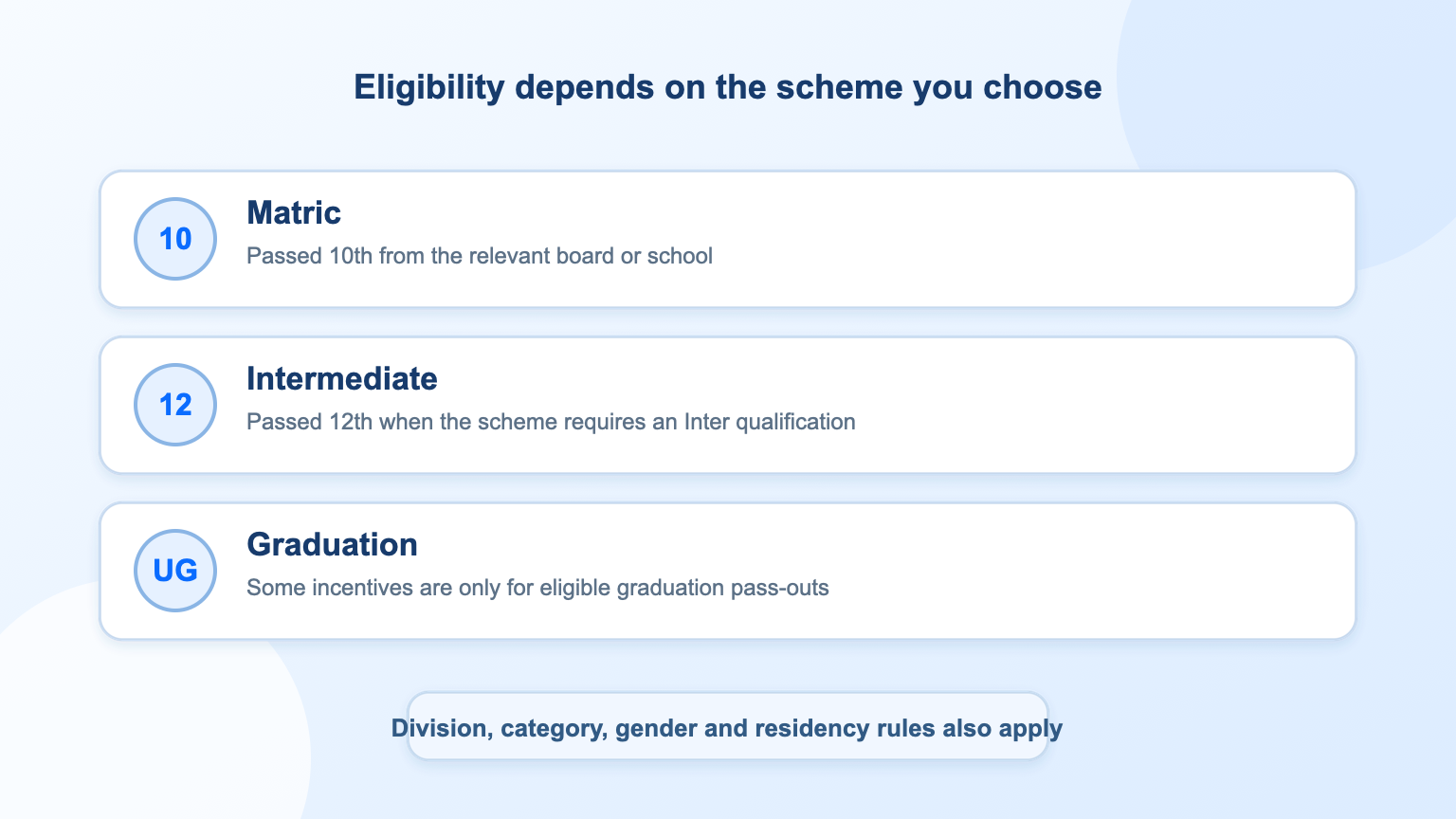
Medhasoft 2026 eligibility levels and categories
Documents Required for Medhasoft 2026
Prepare your information before you open the form. Most delays happen because a name, date of birth, registration number, or bank detail does not match the official record. Keep a scanned or clearly photographed copy of every document you may need, and check file size and format rules before uploading.
Registration or roll number: use the number printed on your Matric, Inter, or graduation record for the relevant scheme.
Date of birth and personal details: the name and DOB should match your Aadhaar, marksheet, and bank record.
Aadhaar card: useful for identity verification and, where required, Aadhaar-seeded DBT payments.
Bank account details: account number, account holder name, and IFSC code for an account in the student’s name.
Educational marksheet or certificate: proof of the qualifying examination and division.
Passport-size photograph: upload it only if the selected scheme asks for one.
Category, residence, or income certificate: required only where the scheme’s rules ask for it.
Registered mobile number: keep it active because it may be used for login, OTPs, or application updates.
If a PDF is too large for the upload limit, compress a copy rather than shrinking the text until it becomes unreadable. You can follow this guide on how to compress a PDF and keep the original file unchanged.
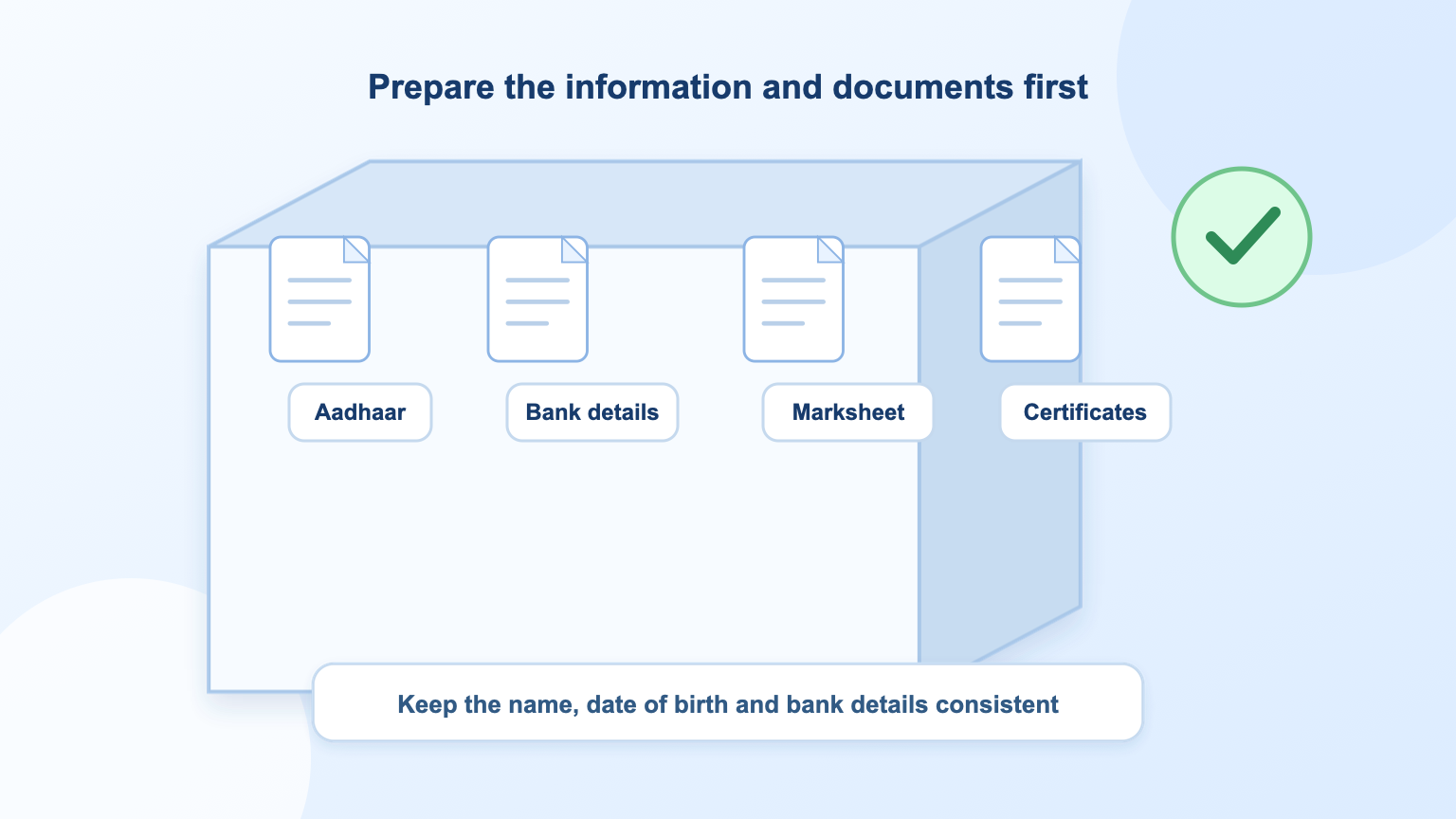
Required documents for Medhasoft 2026 applications


How to Apply Online for Medhasoft 2026
The screen names can change when Bihar updates the portal, but the application path is usually similar. Read the scheme instructions first, then complete the steps in one session if possible.
Open the official portal. Go to medhasoft.bihar.gov.in and choose the 2026 link for your qualification or scheme. Avoid lookalike pages, paid form-filling sites, and anyone asking for your OTP.
Select the correct scheme. Choose the scheme that matches your exam year, qualification, division, category, and gender. Read the eligibility note before you enter any data.
Log in with the requested credentials. Depending on the scheme, the portal may ask for a registration number, roll number, date of birth, mobile number, or a newly created login. Use the exact details printed in your records.
Verify student and academic information. Check your name, father’s or mother’s name, date of birth, school or institution, exam year, roll number, registration number, and marks before continuing.
Enter bank details. Add the account number, IFSC code, bank name, and account holder name. Use an account in the student’s name and make sure the details are active for DBT.
Upload the required documents. Stay within the allowed file type and size. Confirm that every upload is readable and that the document belongs to the correct applicant.
Review the declaration and submit. Read the declaration carefully. After submission, download or print the acknowledgement and save the application or registration number.
No application fee is mentioned in the public 2026 guidance. If a third-party website asks for a payment to submit a government scholarship form, stop and verify the instruction through the official portal or the school, college, or department handling your application.
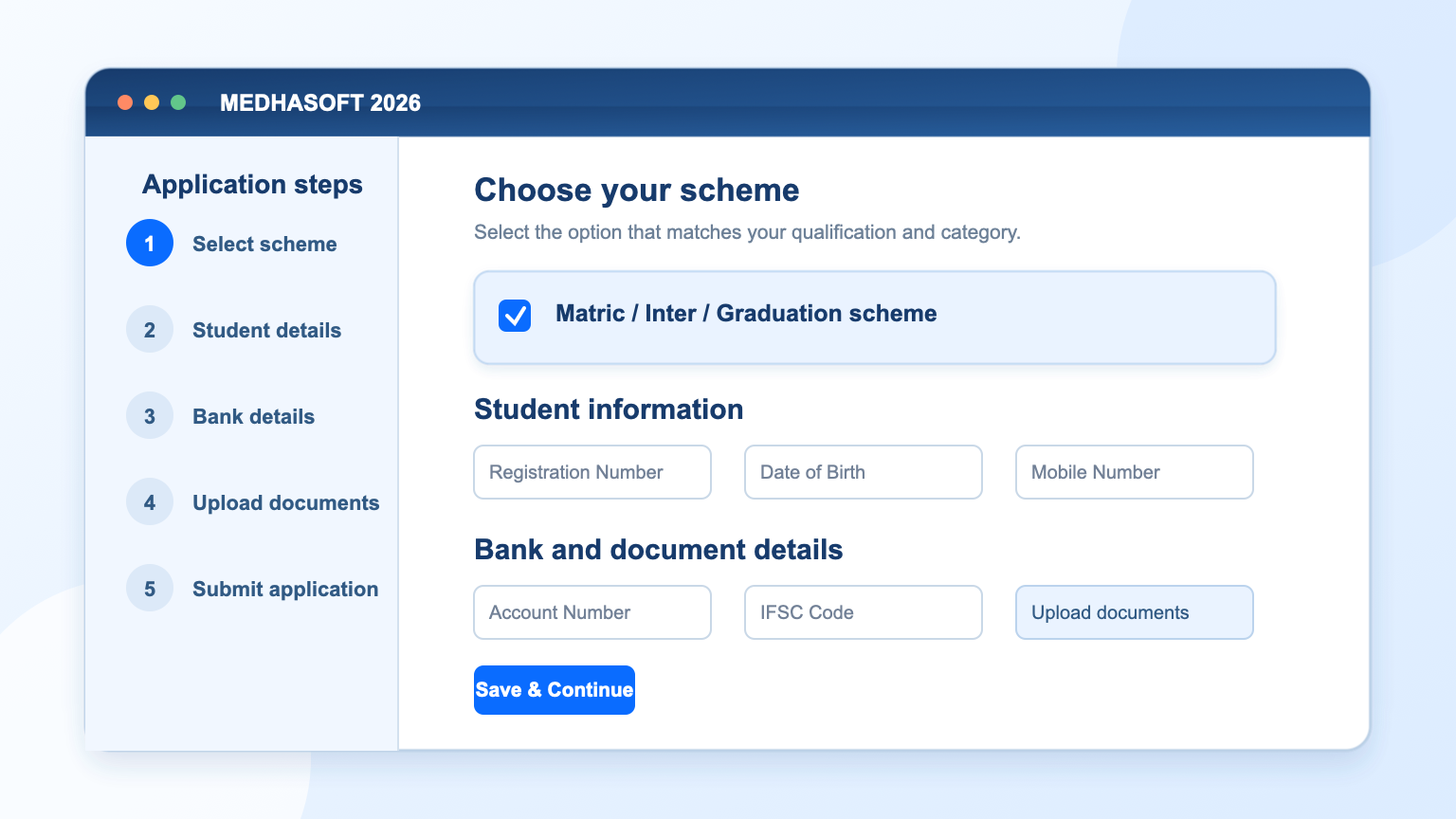
Medhasoft 2026 online application form steps
How to Check Medhasoft 2026 Status and Avoid Errors
After submission, keep your application number, registered mobile number, and login details safe. If status tracking is available for your scheme, open the official portal, select the relevant scheme, choose the application-status or payment-status option, and enter the requested registration details.
A status may remain unchanged for some time because the application can pass through several checks: institution verification, departmental review, data validation, approval, and payment processing. A pending status does not automatically mean rejection. If a correction window is open, use it to fix genuine errors and upload the correct document. If no correction option is available, contact the institution or department shown in the scheme instructions.
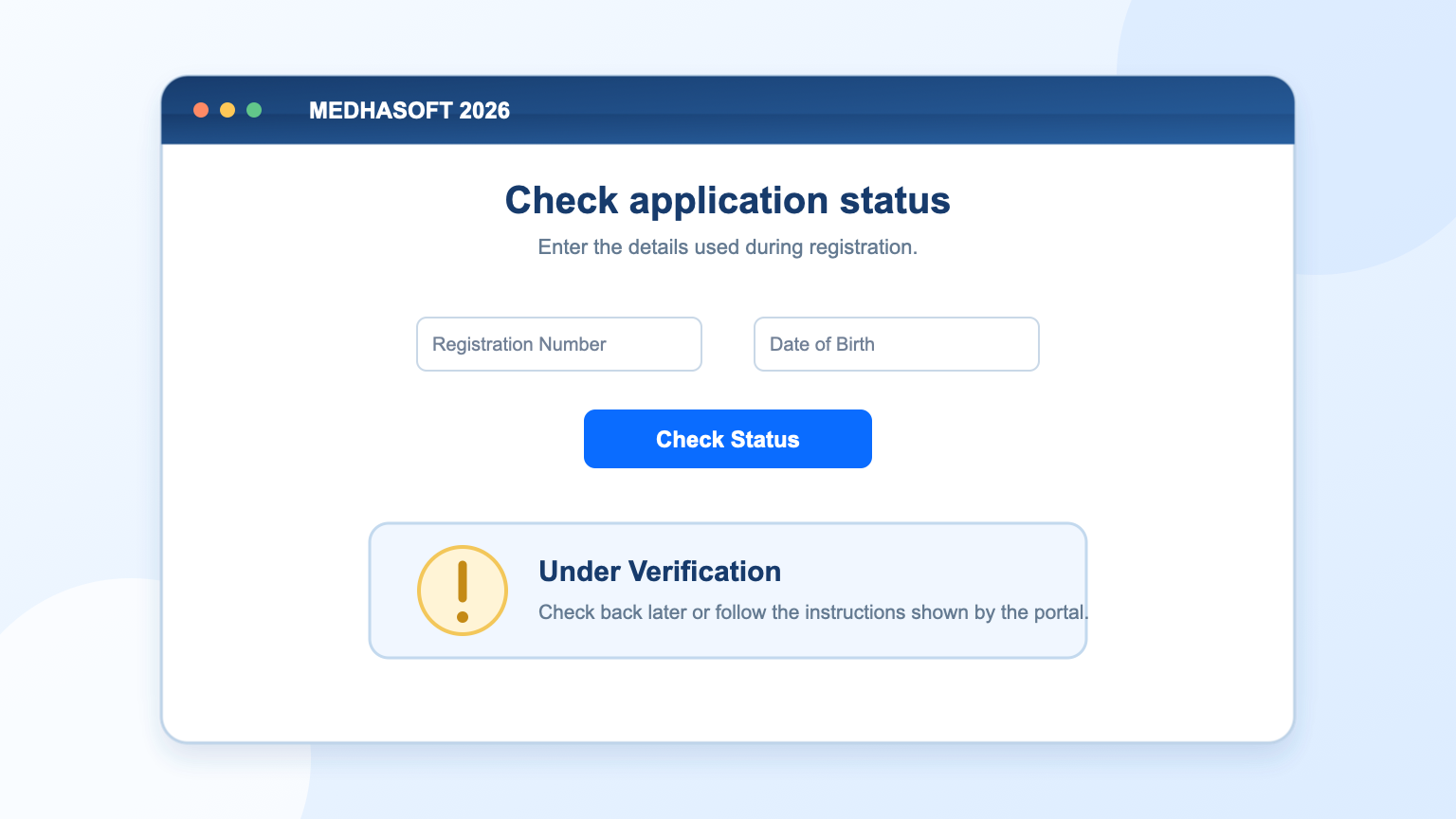
Medhasoft 2026 application status checking screen
Common Medhasoft 2026 application mistakes
Wrong bank details: an incorrect IFSC code, inactive account, or name mismatch can stop the payment.
Mismatched personal information: names and dates should agree across the portal, Aadhaar, marksheet, and bank record.
Missing or unreadable documents: check the scheme checklist and preview each upload before submission.
Wrong scheme: a student may qualify for one incentive but not another. Read the eligibility note instead of choosing by amount alone.
Duplicate or late applications: submit once through the correct scheme and keep track of the last date for that scheme.
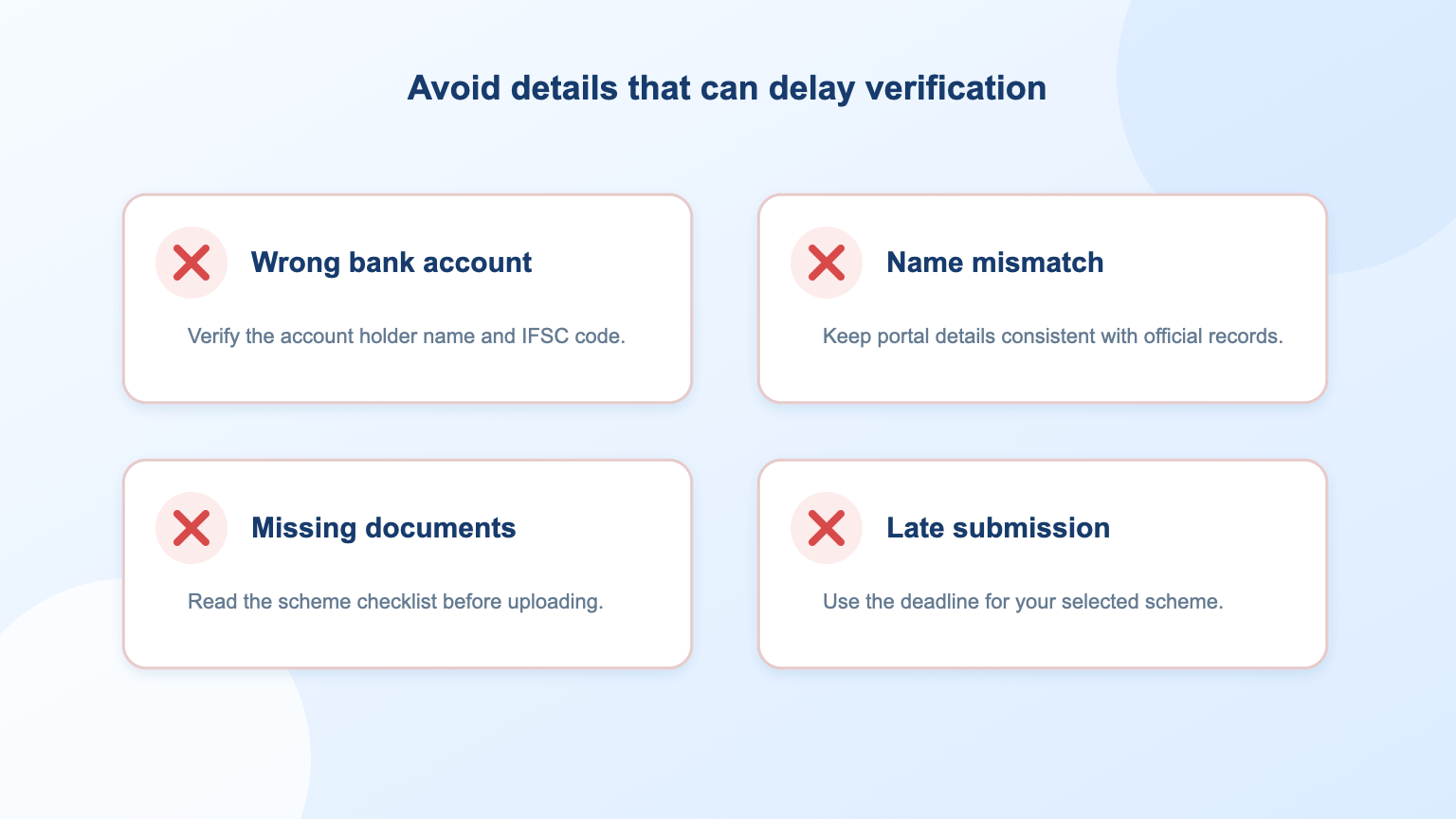
Common Medhasoft 2026 application mistakes
The Best Free Office Alternative: WPS Office
Scholarship applications often involve downloading notices, checking marksheets, filling in forms, converting documents, and preparing PDFs for upload. WPS Office gives students a free all-in-one workspace for Word, Excel, PowerPoint, and PDF files, so the task does not require several unrelated apps.
You can use WPS Office to open and review application documents, copy important details accurately, edit a draft, export a PDF, and reorganise or compress files where the PDF toolkit is available. This is useful when an upload limit rejects a scan or when you need a clean electronic copy before submitting the form.
Open common Word, Excel, PowerPoint, and PDF files in one suite.
Create a clearer PDF copy of application information when needed.
Use PDF tools and templates to reduce last-minute file-format problems.
Start with the free WPS Office download, or explore the WPS Writer page for document editing. For a detailed walkthrough, see the WPS guide on compressing PDF files.
WPS Office free office suite homepage
FAQs
Is Medhasoft 2026 a scholarship?
Medhasoft is the online portal, not one single scholarship. It provides access to multiple Bihar education incentive or scholarship schemes, each with its own rules.
When did Medhasoft 2026 applications start?
Public guidance for the 2026 cycle shows applications and registration links opening on 25 May 2026. The final date can vary by scheme, so check the specific notice on the official portal.
Who can apply through Medhasoft 2026?
Eligible students may include Matric, Intermediate, or graduation pass-outs, subject to the academic, category, division, gender, residency, and bank-account conditions of the selected scheme.
Which documents are required for Medhasoft 2026?
Common requirements include a registration or roll number, date of birth, Aadhaar, bank details, marksheet, and a photograph or certificate when the scheme asks for it.
How can I check my Medhasoft 2026 status?
Use the official portal’s application status or payment status option with your registration or application number and other requested details. The exact screen depends on the selected scheme.

'%3e%3cpath%20d='M19.9911%204.11386V6.471H18.5894C18.0775%206.471%2017.7322%206.57814%2017.5536%206.79243C17.3751%207.00671%2017.2858%207.32814%2017.2858%207.75671V9.44421H19.9019L19.5536%2012.0871H17.2858V18.8639H14.5536V12.0871H12.2769V9.44421H14.5536V7.49779C14.5536%206.39064%2014.8632%205.53201%2015.4822%204.92189C16.1013%204.31177%2016.9257%204.00671%2017.9554%204.00671C18.8304%204.00671%2019.509%204.04243%2019.9911%204.11386Z'%20fill='%23333333'/%3e%3c/g%3e%3cdefs%3e%3cclipPath%20id='clip0_2938_8199'%3e%3crect%20width='16'%20height='16'%20fill='white'%20transform='translate(8%204.00671)'/%3e%3c/clipPath%3e%3c/defs%3e%3c/svg%3e)
'%3e%3cpath%20d='M17.5237%2010.7813L23.4811%204H22.0699L16.8949%209.88693L12.7648%204H8L14.2469%2012.9029L8%2020.0133H9.4112L14.8725%2013.7952L19.2352%2020.0133H24M9.92053%205.04213H12.0885L22.0688%2019.0224H19.9003'%20fill='%23333333'/%3e%3c/g%3e%3cdefs%3e%3cclipPath%20id='clip0_2938_8200'%3e%3crect%20width='16'%20height='16.0134'%20fill='white'%20transform='translate(8%204)'/%3e%3c/clipPath%3e%3c/defs%3e%3c/svg%3e)


