Starting your journey as a Lyft driver means making sure your vehicle
meets Lyftâs safety standards, and the Lyft inspection form is the final
requirement before you can go online.
Many drivers struggle not with the inspection itself, but with
finding the correct, up-to-date form that Lyft actually accepts.
This guide helps you avoid that frustration by sharing verified
inspection templates and showing how to edit them properly.
Use Word, Excel, and PPT for FREE
Part 1. What Is a Lyft
Inspection Form
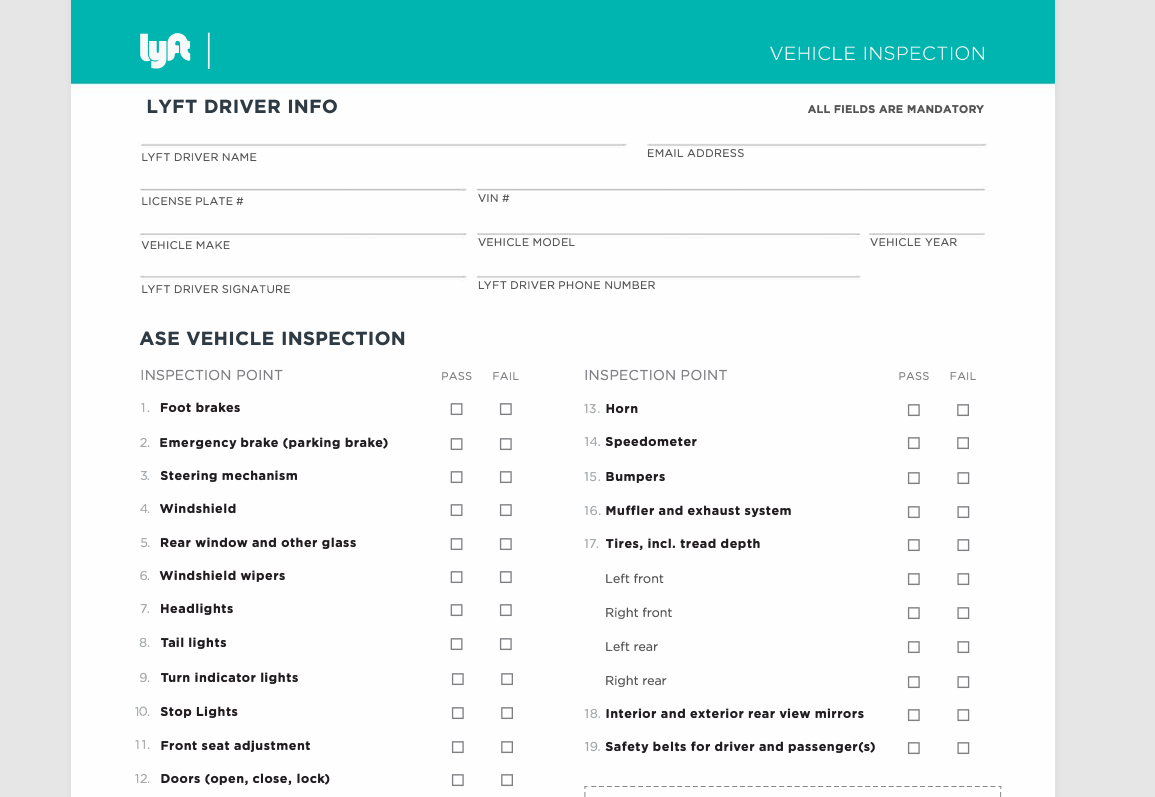
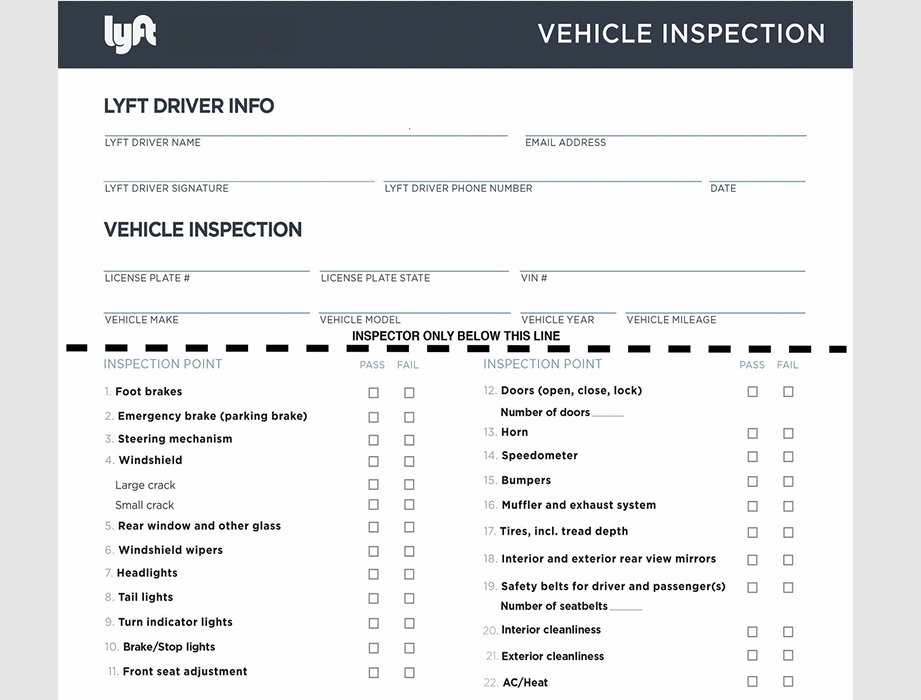
A Lyft inspection form is a standardized checklist completed and
signed by a licensed mechanic. It records the condition of key vehicle
components and confirms whether the car is safe for rideshare use. Lyft
reviews this form during driver onboarding and renewal checks.
How to create a Lyft inspection form
Purpose of the Lyft
Inspection Form
The main purpose of the Lyft inspection form is passenger and driver
safety. It ensures that every approved vehicle meets minimum standards
for braking, lighting, visibility, and structural integrity. From my experience, submitting a properly completed form also speeds up
Lyftâs approval process and reduces the risk of rejection due to missing
or unclear information.
How to Obtain the Lyft
Inspection Form
There are several reliable ways to obtain a Lyft inspection form for
free:
Downloading state-specific templates provided by trusted
third-party sources
Accessing forms through Lyft-approved inspection
partners
Using editable templates that can be completed digitally before
printing
Many drivers confuse these forms with an Uber inspection form, but
Lyft requires its own format. Using the correct Lyft-specific version is
critical, especially when submitting a Lyft inspection form pdf free
download for online review.
Part
2. 10 Lyft Inspection Form from Different States [Free Download]
Below are verified, state-specific Lyft inspection form templates
that drivers commonly use and get approved without issues. Iâve included
a short note for each state based on usability and clarity, plus direct
download links. Most files are PDFs, which is ideal if you want a clean
printout or a quick upload. If you plan to edit details digitally, PDFs
also work well with editors like WPS.
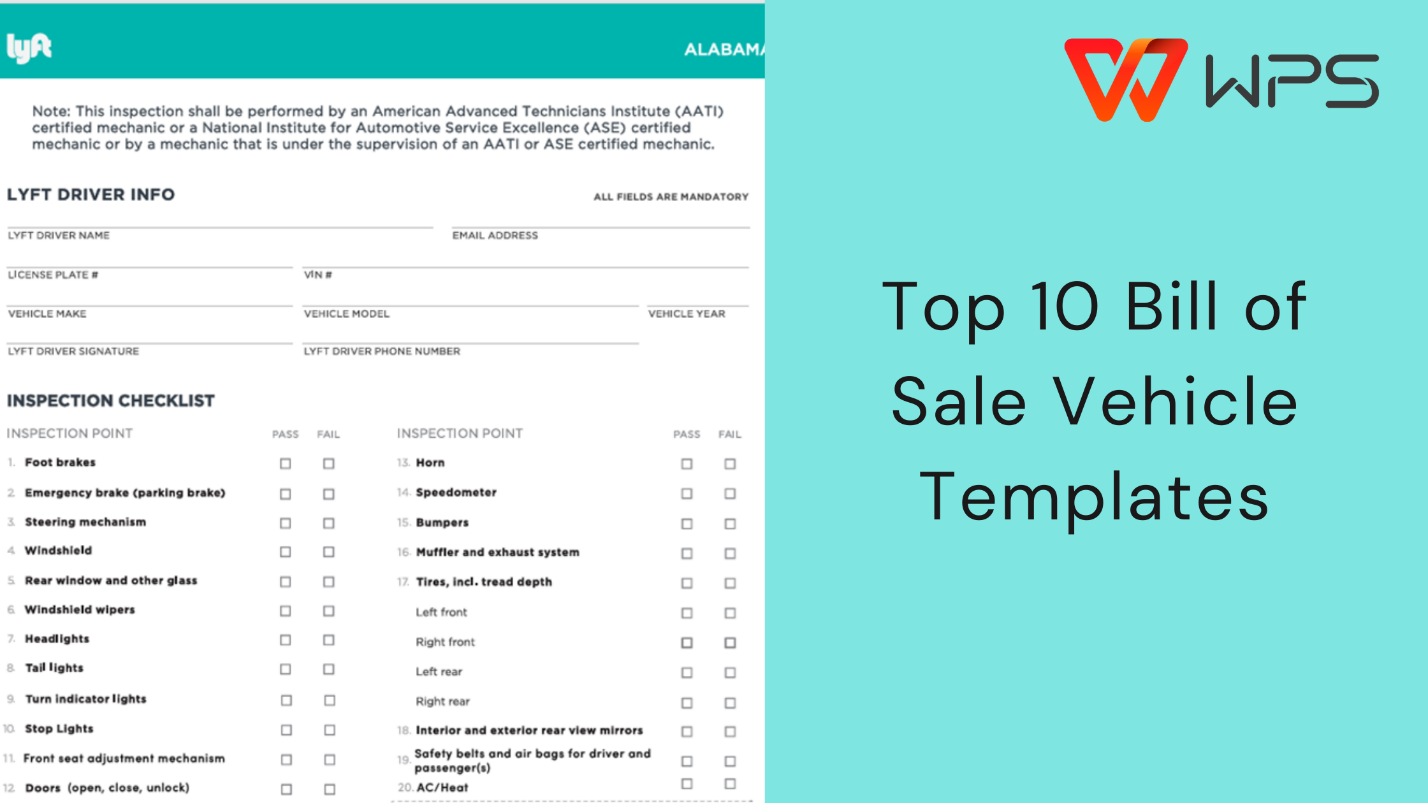
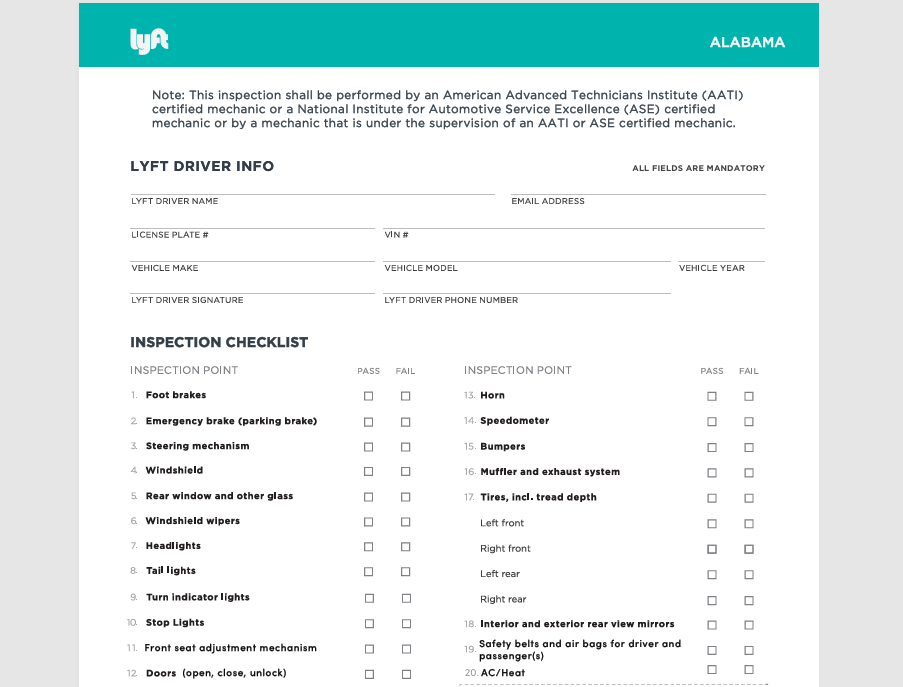
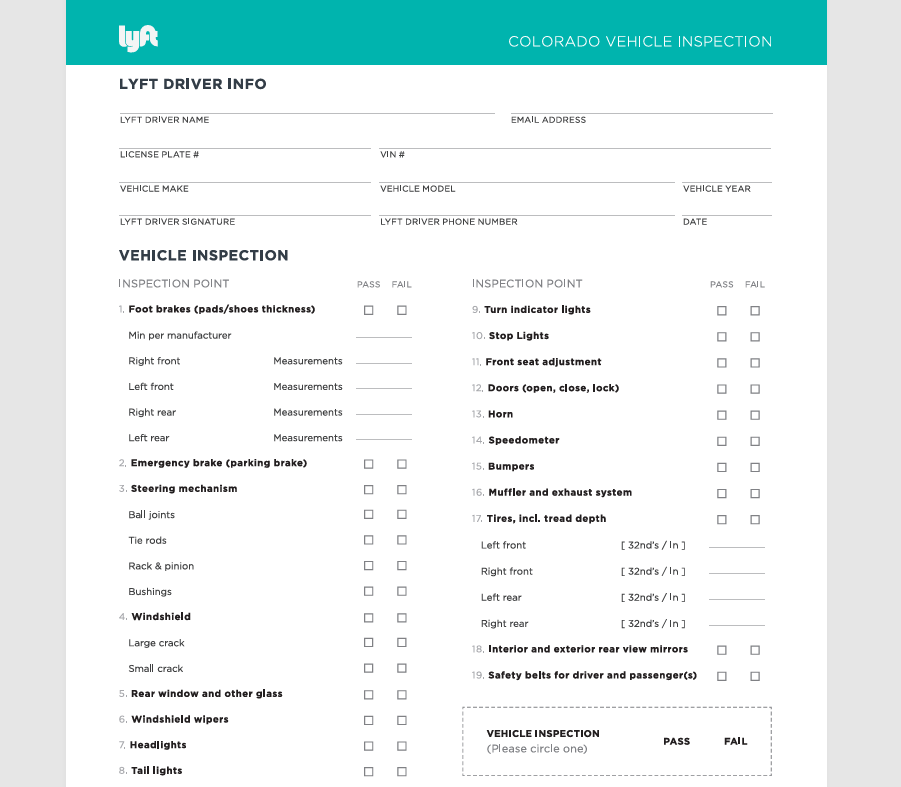
1. Alabama Lyft Inspection
Forms [PDF]
This Alabama template is straightforward and clearly structured. It
covers all essential safety checkpoints without unnecessary sections,
which helps mechanics complete it quickly.
Alaskaâs form is slightly more detailed, especially around lighting
and visibility. This is useful given the weather conditions, but it also
means you should double-check every section before submission.
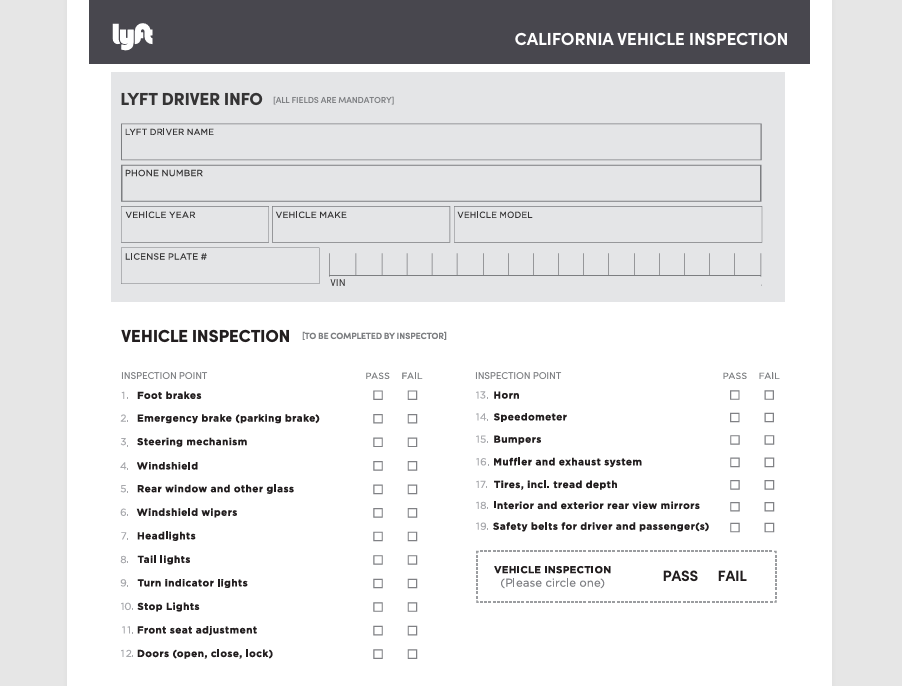
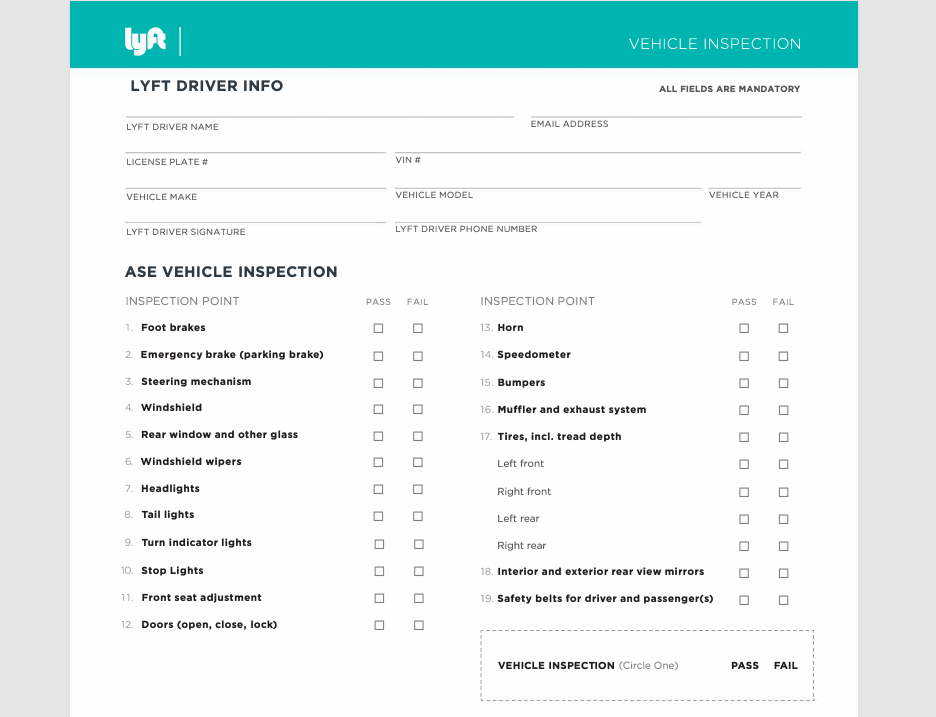
California has stricter compliance rules, and this template reflects
that. From experience, this is one of the most commonly rejected states
if the wrong version is used, so stick to this exact format.
This form balances clarity and brevity well. Mechanics usually have
no trouble completing it, and Lyftâs review team tends to approve it
quickly if scanned clearly.
Connecticutâs version is clean and compact. Itâs a good example of a
Lyft inspection form PDF free download that works well for both printing
and digital uploads.
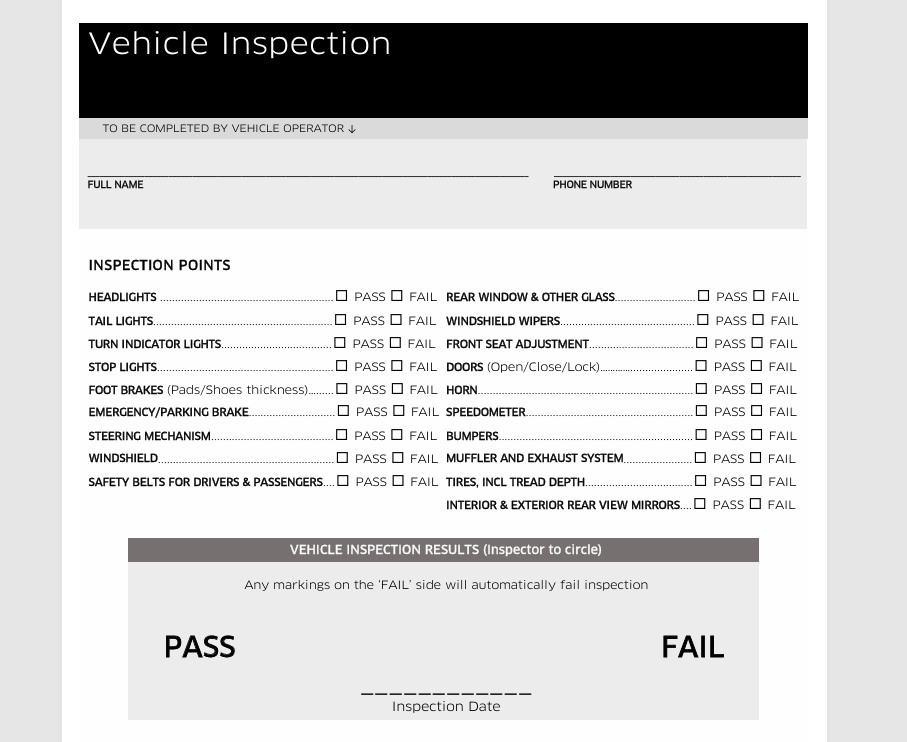
Florida drivers often confuse Lyft and Uber documents. This file is
clearly labeled and avoids that mistake, even though it looks similar to
an Uber inspection form.
Georgiaâs form is simple and beginner-friendly. If this is your first
inspection, this template minimizes confusion and reduces back-and-forth
with the mechanic.
Indianaâs layout is very structured, which helps ensure no section is
missed. I recommend reviewing it once before your appointment so you
know what will be checked.
This is a state-hosted document and feels more official than many
third-party templates. Itâs a solid choice if you want maximum
compliance confidence.
If you only need to print and sign, PDFs are the safest option. If
you want to fill in details digitally, add notes, or clean up scanned
text, choose a PDF editor. Some platforms also offer a Lyft inspection
form online, but I still recommend keeping a local copy for backup.
Part
3. How to Further Edit and Print Optimized Lyft Inspection Forms
Now that youâve seen reliable, state-specific templates, the next
step is making them submission-ready. After downloading a suitable Lyft
inspection form, many drivers want to fill it digitally, clean up
formatting, or save a clear copy for upload. This is where using a
proper editor matters, especially if you plan to manage everything
online instead of handwriting forms.
Below is a practical walkthrough using WPS Office, which I often
recommend because it handles PDFs and images cleanly without forcing
paid upgrades for basic tasks.
How to
Create Lyft Inspection Form Files Using WPS
If youâre starting from a downloaded template or want to rebuild a
clean version, this is the most reliable approach.
Steps:
Step 1: Download and install WPS Office from the official
website.
Download and install WPS Office
Step 2: Open WPS and select WPS PDF from the
home screen.
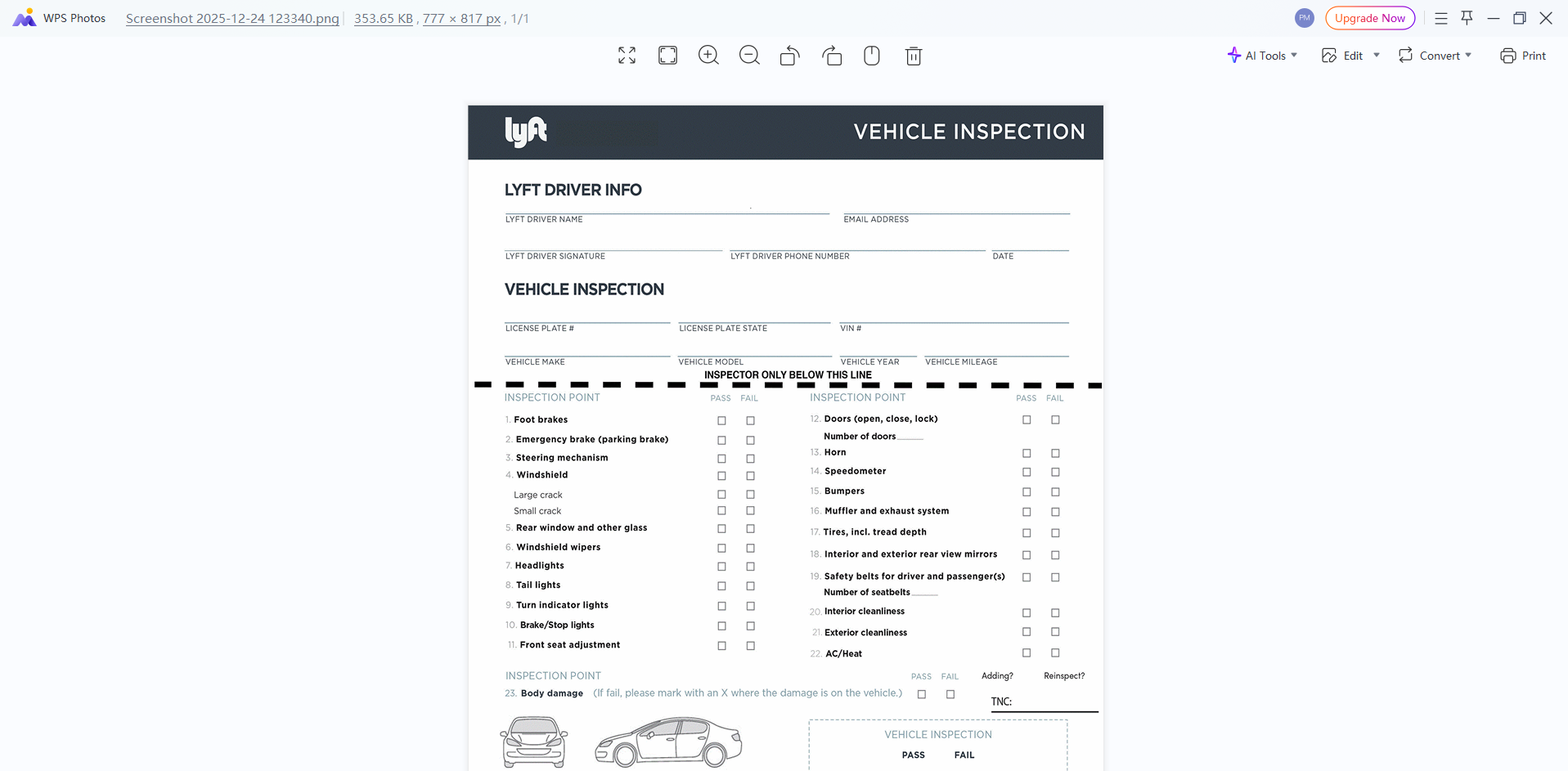
Step 3: Import your downloaded Lyft inspection form PDF or image
file.
Import your downloaded Lyft inspection form PDF
Step 4: Use text and checkbox tools to fill in vehicle details
digitally.
Step 5: Review spacing, alignment, and legibility before
saving.
This process answers a common concern about how to create Lyft
inspection form files that look professional and are easy for Lyft
reviewers to read.
Recommended: WPS
PDF for Editing PDF Templates
Most state templates are PDFs, which makes WPS PDF the most practical choice.
Why WPS PDF works well:
Edit text directly without breaking layout
Add checkmarks, dates, and mechanic details cleanly
Works smoothly for the Lyft inspection form PDF free download files
Editing steps:
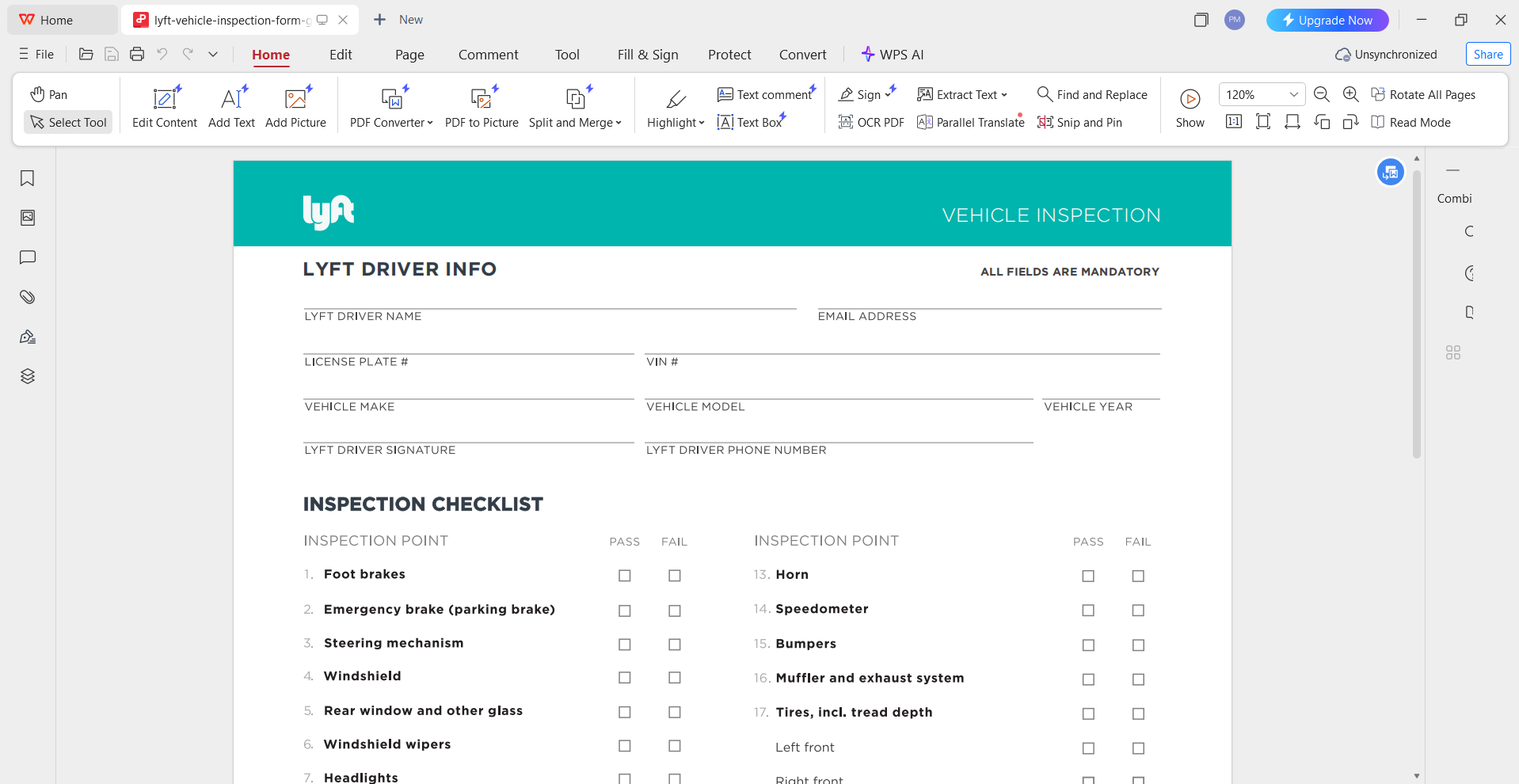
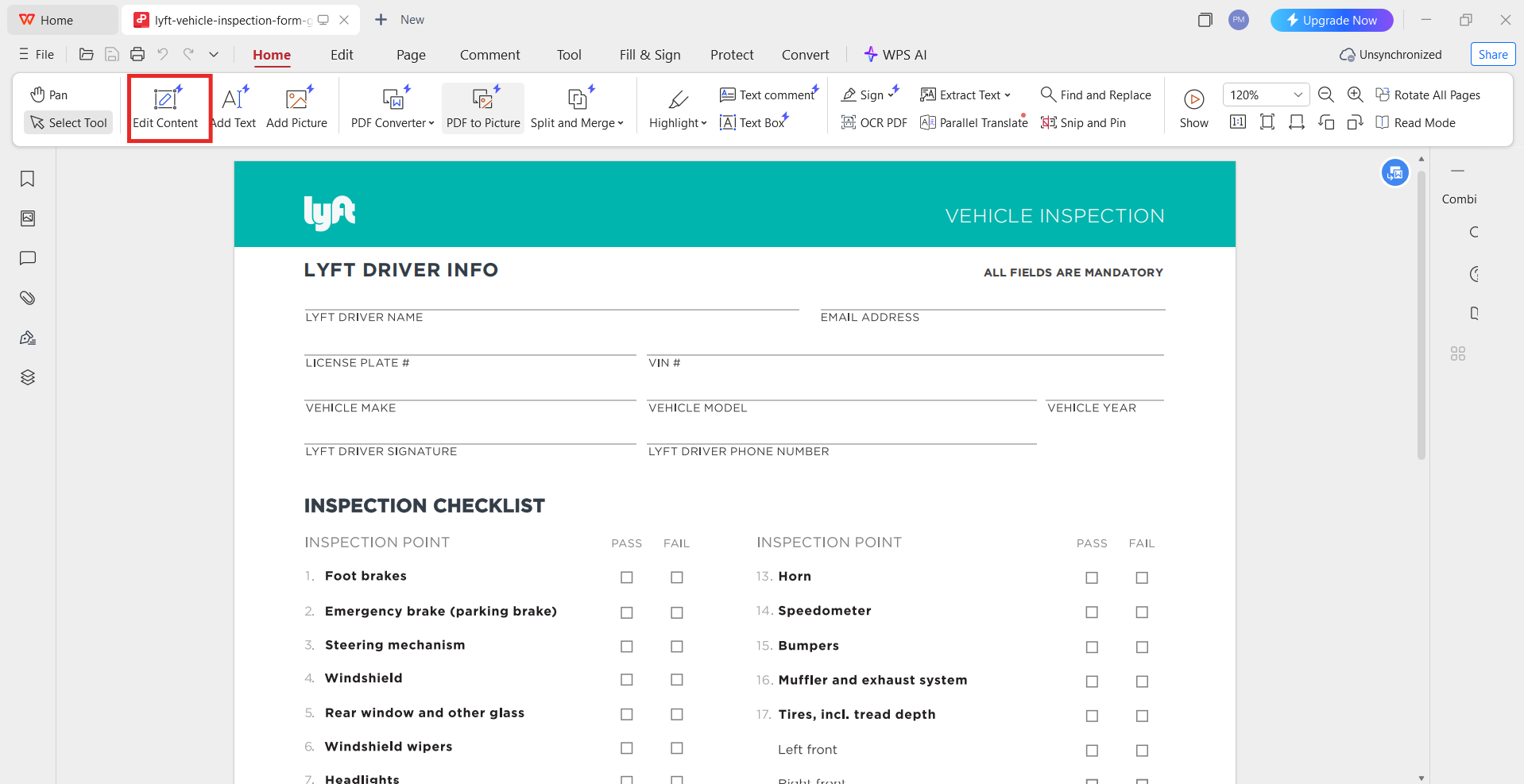
Step 1: Open the PDF in WPS PDF.
Step 2: Click Edit Content to enable text and checkbox editing.
Click Edit Content
Step 3: Fill in all required fields carefully.
Step 4: Save the file as a new PDF to avoid overwriting the
original.
Recommended:
WPS Photo for Image-Based Templates
Some templates are shared as JPG or PNG files. In those cases, WPS Photo is useful.
When to use this option:
You downloaded an image instead of a PDF
You want to annotate or add typed text on top
Youâre converting an image into a printable document
Steps:
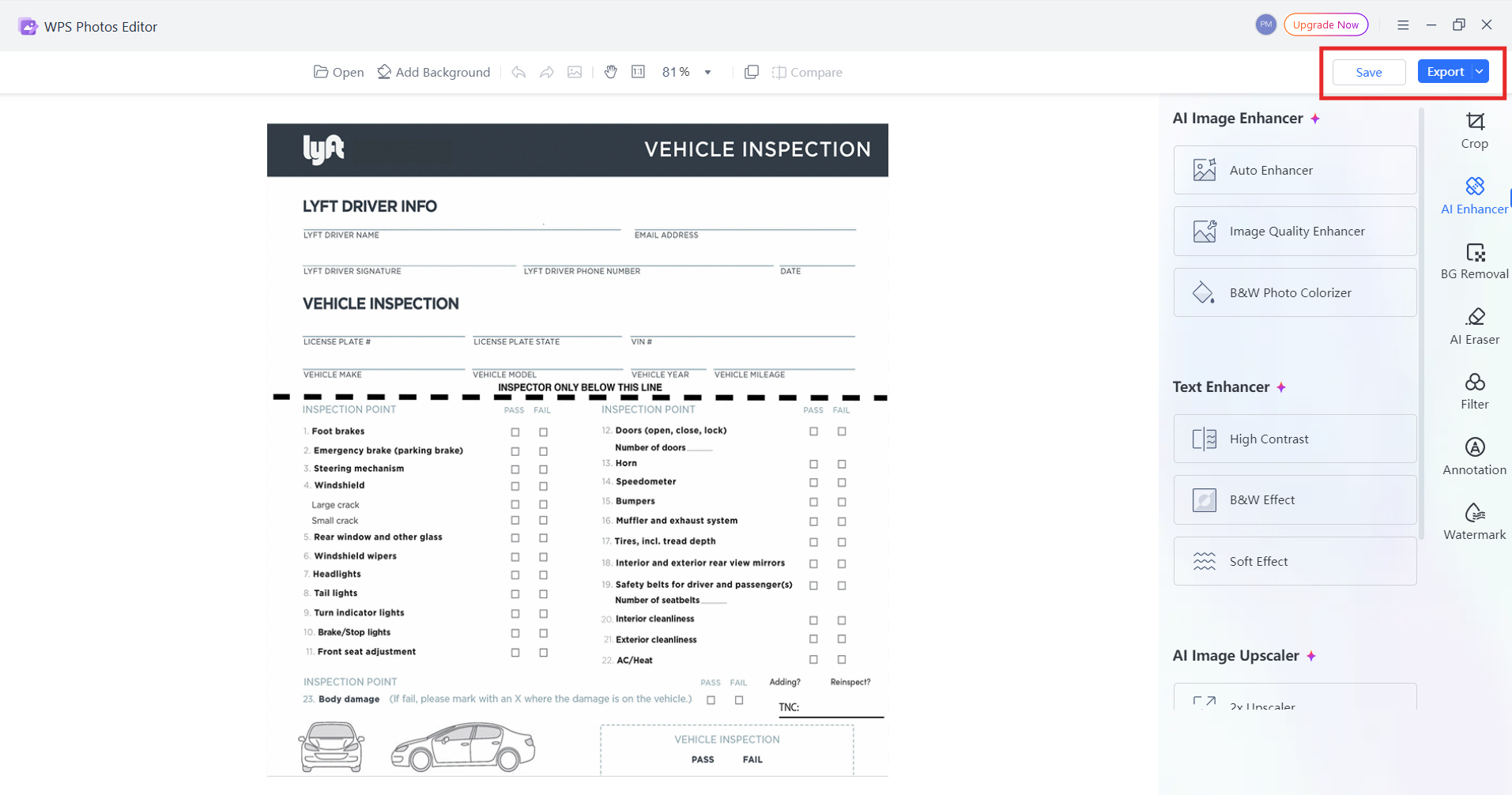
Step 1: Open the image in WPS Photo.
Open the image in WPS Photo
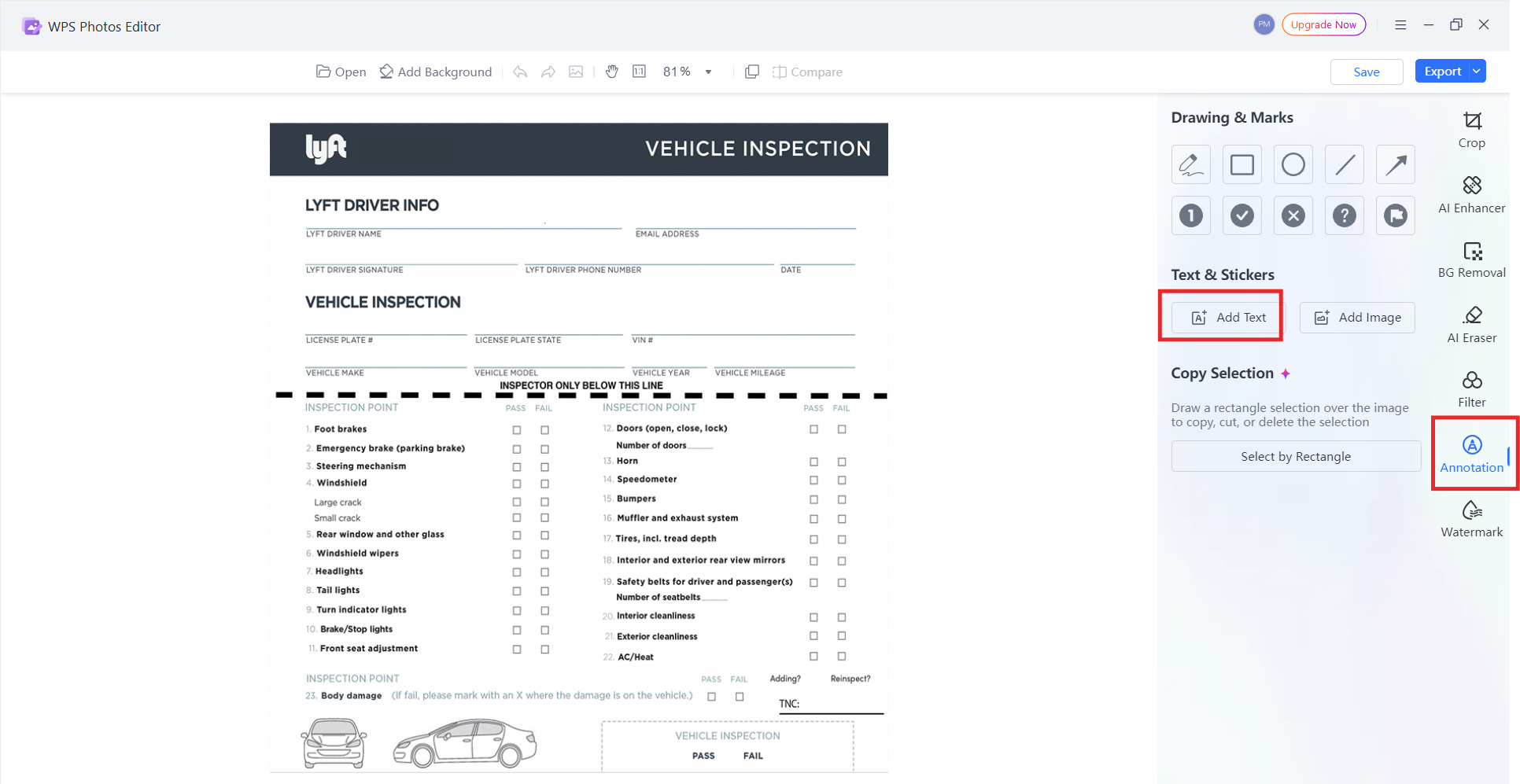
Step 2: Add text boxes for vehicle and inspection
details.
Add text boxes
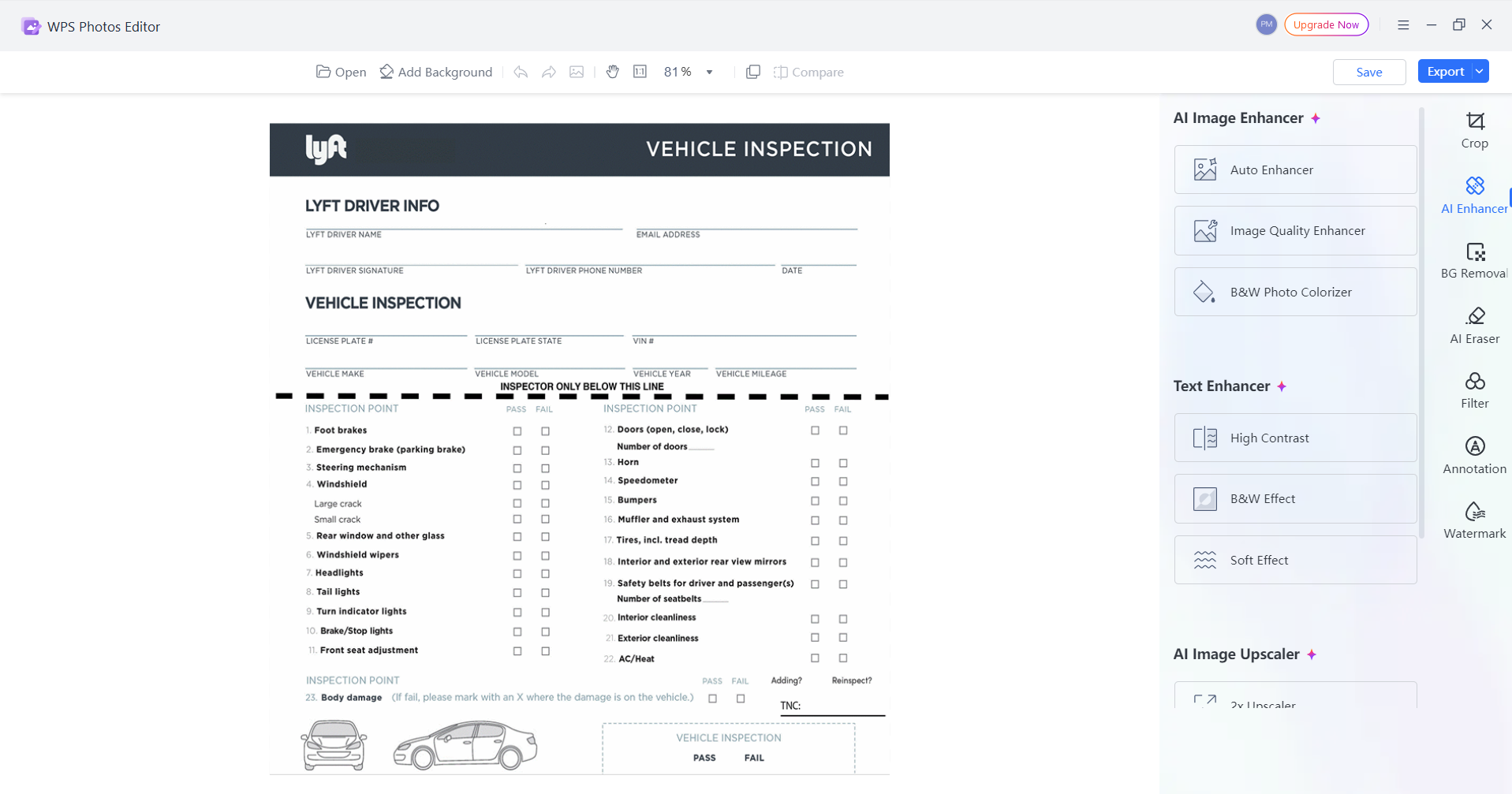
Step 3: Adjust contrast and clarity if the image is
faint.
Adjust contrast
Step 4: Export or print once the layout looks clean.
Export the Template
This approach works well if you have found a Lyft inspection form
online that isnât already a PDF.
How to
Save the Edited Lyft Inspection Form as a PDF
Saving your final file correctly avoids upload issues.
Steps:
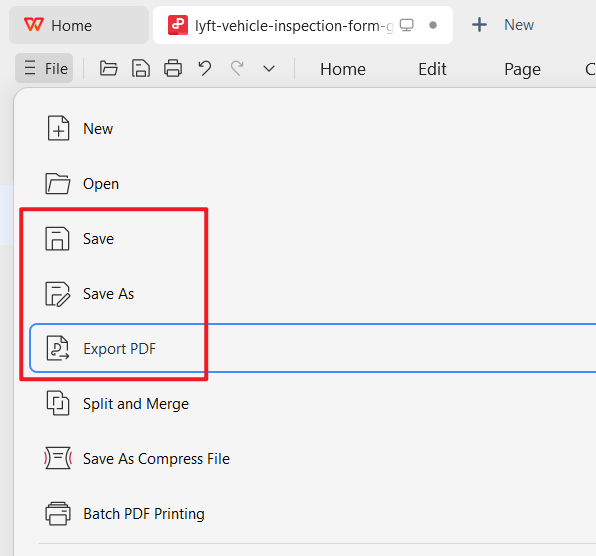
Step 1: Click Save As in WPS.
Step 2: Choose PDF as the output
format.
Choose PDF as the output format
Step 3: Set standard resolution for clarity.
Step 4: Name the file clearly (for example,
âLyft_Inspection_CA_2025.pdfâ).
From experience, clean PDF files upload faster and are less likely to
be flagged compared to photos taken from a phone.
Part 4. A Recommended Tool: WPS Office for Lyft Inspection Forms
By now youâve seen how detailed a Lyft inspection form can beâespecially state templates like California. These forms matter for driver approval, and filling them wrong (or rushing through dozens of fields) can cost time you donât have. I know some people are unsure how to fill the form in the first place, while others need to complete a lot of paperwork in a short window. Thatâs why I recommend WPS Office: its AI Form Filler can take prepared information and help populate matching PDF fields quickly, so you spend more time reviewing and less time typing the same details again and again.
WPS Office PDF tools overview
Hereâs a simple way to use AI Form Filler on a Lyft inspection form PDF:
Step 1. Download the template you need (for example, a California Lyft inspection form PDF) and save it locally.
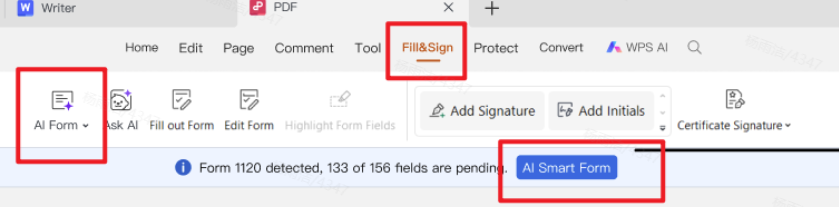
Step 2. Open the PDF in WPS Office, then go to PDF â Fill&Sign.
WPS PDF AI Form toolbar
Step 3. When WPS detects form fields, click AI Form in the ribbon or AI Smart Form on the prompt bar.
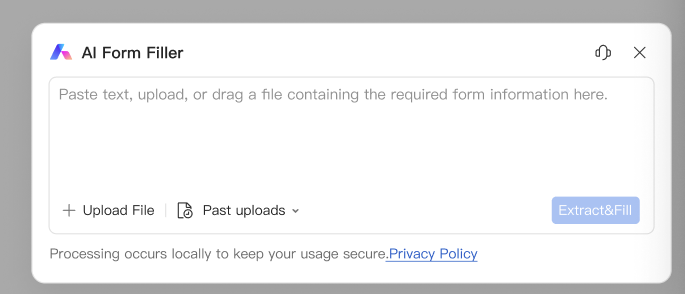
Step 4. In the AI Form Filler window, paste text, click + Upload File, or drag a file that already contains vehicle/driver details. Then click Extract&Fill.
WPS AI Form Filler dialog
Step 5. Review every autofilled field carefullyâespecially VIN, plate number, odometer, and inspection checkboxesâthen save the completed PDF.
100% secure
Iâll be honest: AI Form Filler is a paid capability, and that can feel frustrating at first. Still, the workflow is straightforward, and in many cases it costs less than relying on Adobe for the same kind of multi-field PDF work. If you often get stuck on âI have the form but donât know how to fill it efficientlyââor you need to complete several inspection PDFsâthe combination of autofill plus a quick accuracy check is exactly what helps.
And you donât have to use only paid features. WPS also includes plenty of free, simple tools that are useful before and after AI fill:
Free PDF editing & Fill&Sign for manual tweaks, checkboxes, and e-signatures
Conversion tools if your form starts as Word or an image and needs a clean PDF
Print-friendly cleanupâcompress or adjust pages so the form prints clearly for the shop or inspector
Basic document editing in Writer/Spreadsheet when you need notes, checklists, or supporting paperwork
In short: use AI Form Filler when speed matters, and lean on the free PDF tools when you just need a safe edit, signature, or print-ready file. That mix is what makes WPS a practical recommendation for Lyft inspection form PDFsânot a hard sales pitch.
FAQs
1. Does the Lyft Inspection Form expire, and how often do I
need a new inspection?
Yes. The inspection and the Lyft inspection form both have an
expiration date. In most regions, a new inspection is required every 12
months or after reaching a mileage limit, such as 50,000 miles,
whichever comes first.
2. What parts of my vehicle does the mechanic check on the
Lyft Inspection Form?
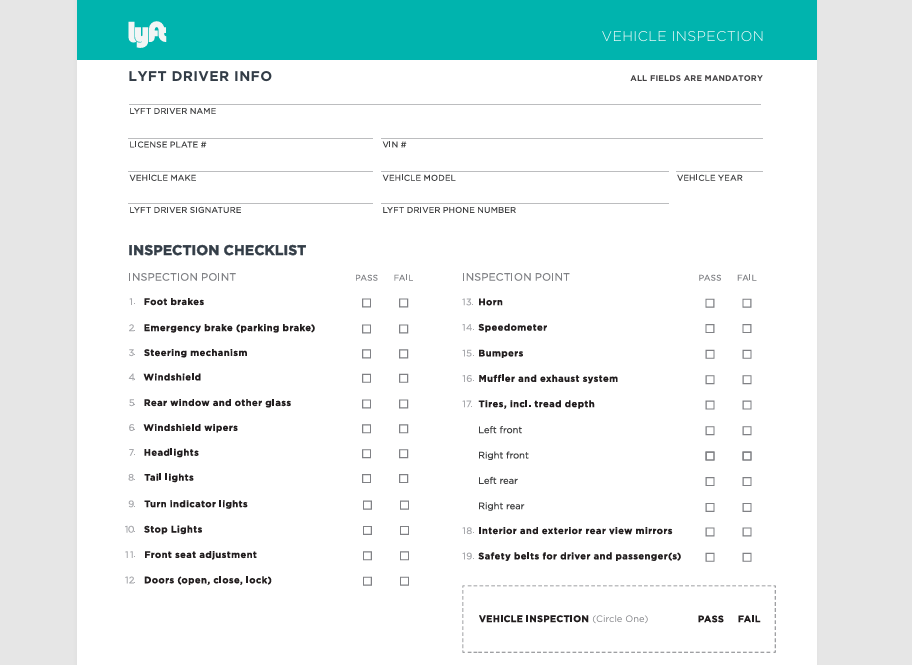
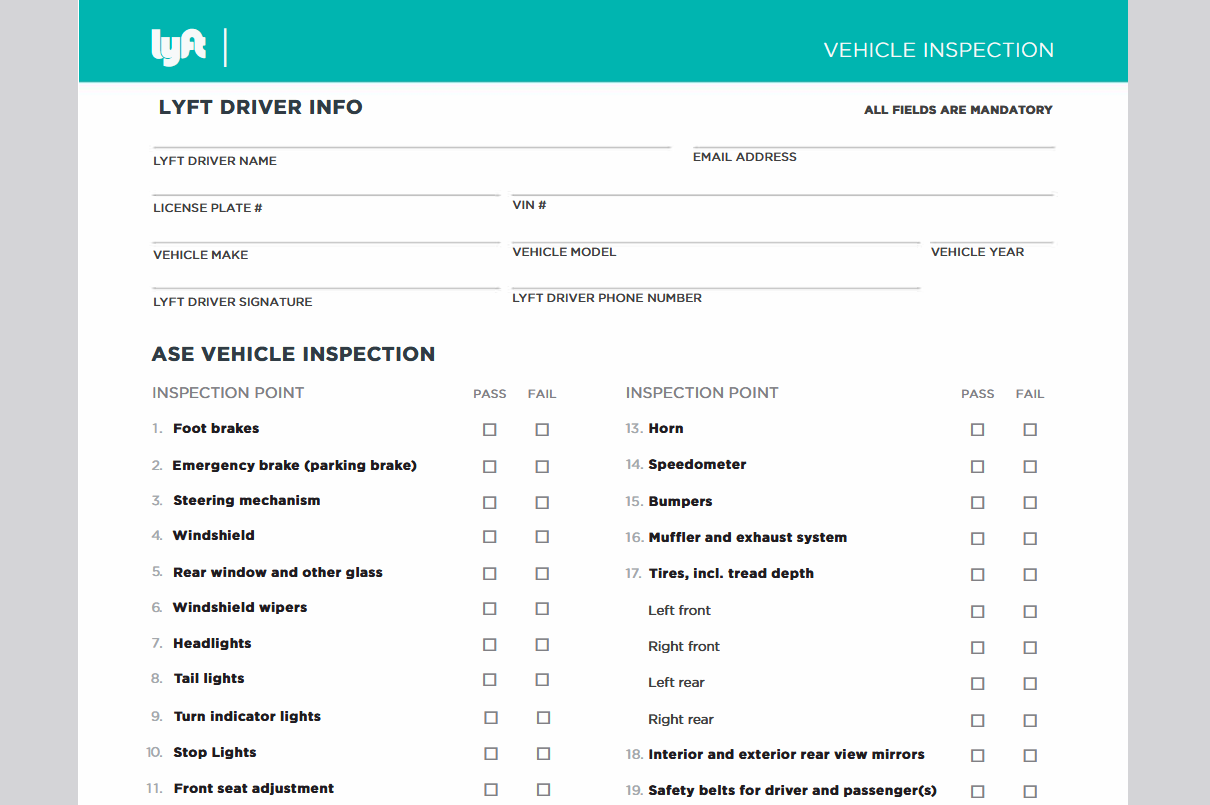
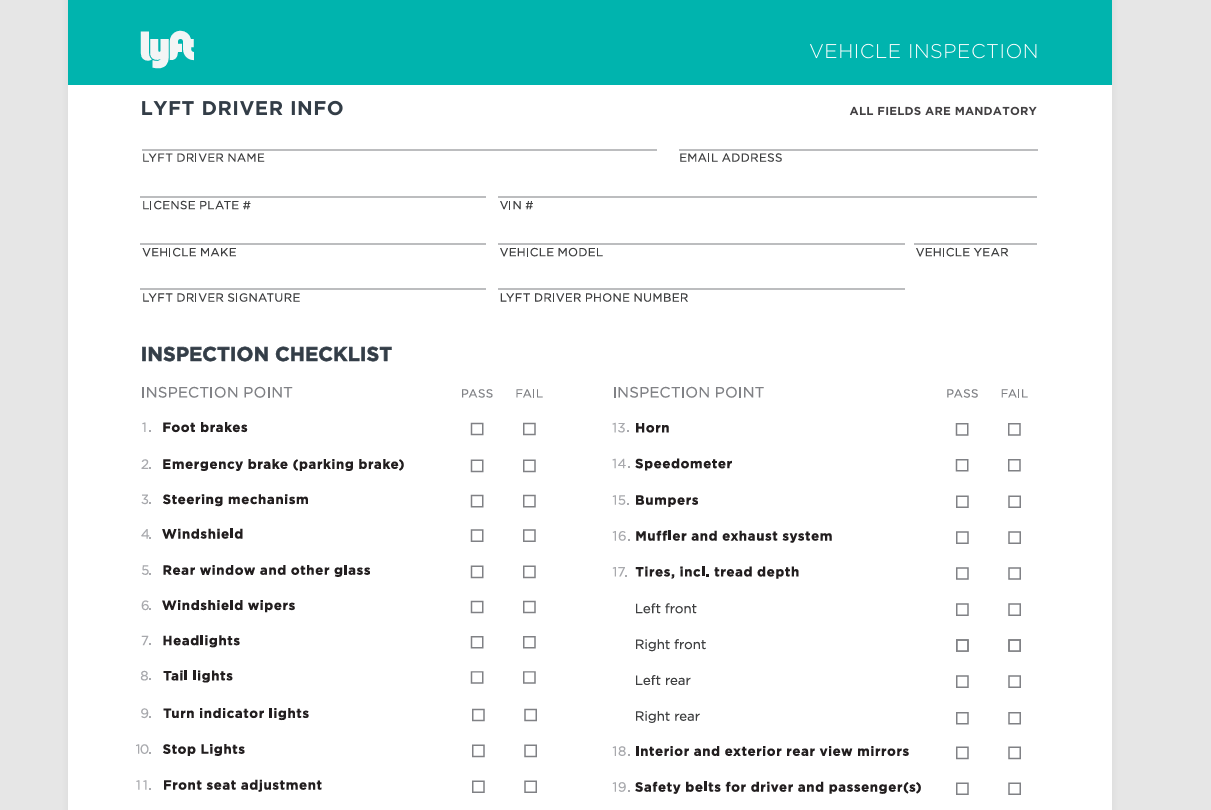
The form typically includes a 19-point checklist. Common items
include brakes, steering, tires and tread depth, headlights, taillights,
seatbelts, mirrors, windows, horn, and the speedometer.
3. Can I use the same inspection form for Lyft and
Uber?
No. While the checks are similar, Lyft and Uber require different
documents. An Uber inspection form may look nearly identical, but
submitting it for Lyft can lead to rejection.
4. Is a digital Lyft Inspection Form accepted, or do I need a
printed copy?
Most regions accept digital uploads as long as the form is clear,
complete, and signed. However, itâs wise to keep a printed copy in case
Lyft requests verification later.
For a faster fill-and-sign workflow, try WPS pdf filler tools in WPS Office.
The Lyft inspection form is a mandatory step for getting approved as a driver, and using the correct state-specific template can save time and prevent delays. Downloading verified forms, editing them properly, and submitting clear files all improve approval speed.
Using WPS Office makes the process easier by allowing you to edit PDFs, images, and documents in one place. With the right tools and templates, you can complete your inspection smoothly and get on the road faster.
Office software expert with 15+ years of experience since 2009. I specialize in tech tutorials, productivity tools, and digital solutions for everyday users. Passionate about making technology simple and accessible for everyone.


'%3e%3cpath%20d='M8%200C12.4183%200%2016%203.58172%2016%208C16%2012.4183%2012.4183%2016%208%2016C3.58172%2016%200%2012.4183%200%208C0%203.58172%203.58172%200%208%200ZM11.6162%204.38379C11.2257%203.99337%2010.5927%203.99338%2010.2021%204.38379L8%206.58594L5.79785%204.38379C5.40732%203.99334%204.77429%203.99329%204.38379%204.38379C3.99331%204.77429%203.99335%205.40733%204.38379%205.79785L6.58594%208L4.38379%2010.2021C3.99348%2010.5927%203.99341%2011.2257%204.38379%2011.6162C4.77426%2012.0066%205.40734%2012.0065%205.79785%2011.6162L8%209.41406L10.2021%2011.6162C10.5927%2012.0066%2011.2257%2012.0067%2011.6162%2011.6162C12.0067%2011.2257%2012.0066%2010.5927%2011.6162%2010.2021L9.41406%208L11.6162%205.79785C12.0066%205.40735%2012.0066%204.77429%2011.6162%204.38379Z'%20fill='%23080E17'%20fill-opacity='0.46'/%3e%3c/g%3e%3cdefs%3e%3cclipPath%20id='clip0_3761_713'%3e%3crect%20width='16'%20height='16'%20fill='white'/%3e%3c/clipPath%3e%3c/defs%3e%3c/svg%3e)




'%3e%3cpath%20fill-rule='evenodd'%20clip-rule='evenodd'%20d='M21.4999%2010.9993C21.4999%205.20009%2016.7986%200.498901%2010.9993%200.498901C5.19994%200.498901%200.498657%205.20009%200.498657%2010.9993C0.498657%2016.2404%204.33858%2020.5844%209.35855%2021.3722V14.0346H6.69238V10.9993H9.35855V8.68594C9.35855%206.05427%2010.9262%204.60062%2013.3248%204.60062C14.4736%204.60062%2015.6753%204.80571%2015.6753%204.80571V7.38979H14.3512C13.0468%207.38979%2012.64%208.19921%2012.64%209.0296V10.9993H15.5523L15.0867%2014.0346H12.64V21.3722C17.66%2020.5844%2021.4999%2016.2404%2021.4999%2010.9993Z'%20fill='%231568EA'/%3e%3c/g%3e%3c/svg%3e)


'%3e%3cpath%20d='M2.42045%2022.1876H6.31818V12.7217L0.75%208.54553V20.5171C0.75%2021.4414%201.49892%2022.1876%202.42045%2022.1876Z'%20fill='%234285F4'/%3e%3cpath%20d='M19.682%2022.1876H23.5797C24.5041%2022.1876%2025.2502%2021.4387%2025.2502%2020.5171V8.54553L19.682%2012.7217'%20fill='%2334A853'/%3e%3cpath%20d='M19.682%205.48293V12.7216L25.2502%208.54543V6.31816C25.2502%204.25236%2022.8921%203.07469%2021.2411%204.31361'%20fill='%23FBBC04'/%3e%3cpath%20d='M6.31824%2012.7217V5.48303L13.0001%2010.4944L19.6819%205.48303V12.7217L13.0001%2017.733'%20fill='%23EA4335'/%3e%3cpath%20d='M0.75%206.31816V8.54543L6.31818%2012.7216V5.48293L4.75909%204.31361C3.10534%203.07469%200.75%204.25236%200.75%206.31816Z'%20fill='%23C5221F'/%3e%3c/g%3e%3cdefs%3e%3cclipPath%20id='clip0_2954_7305'%3e%3crect%20width='24.5'%20height='18.375'%20fill='white'%20transform='translate(0.75%203.8125)'/%3e%3c/clipPath%3e%3c/defs%3e%3c/svg%3e)








'%3e%3cpath%20d='M19.9911%204.11386V6.471H18.5894C18.0775%206.471%2017.7322%206.57814%2017.5536%206.79243C17.3751%207.00671%2017.2858%207.32814%2017.2858%207.75671V9.44421H19.9019L19.5536%2012.0871H17.2858V18.8639H14.5536V12.0871H12.2769V9.44421H14.5536V7.49779C14.5536%206.39064%2014.8632%205.53201%2015.4822%204.92189C16.1013%204.31177%2016.9257%204.00671%2017.9554%204.00671C18.8304%204.00671%2019.509%204.04243%2019.9911%204.11386Z'%20fill='%23333333'/%3e%3c/g%3e%3cdefs%3e%3cclipPath%20id='clip0_2938_8199'%3e%3crect%20width='16'%20height='16'%20fill='white'%20transform='translate(8%204.00671)'/%3e%3c/clipPath%3e%3c/defs%3e%3c/svg%3e)
'%3e%3cpath%20d='M17.5237%2010.7813L23.4811%204H22.0699L16.8949%209.88693L12.7648%204H8L14.2469%2012.9029L8%2020.0133H9.4112L14.8725%2013.7952L19.2352%2020.0133H24M9.92053%205.04213H12.0885L22.0688%2019.0224H19.9003'%20fill='%23333333'/%3e%3c/g%3e%3cdefs%3e%3cclipPath%20id='clip0_2938_8200'%3e%3crect%20width='16'%20height='16.0134'%20fill='white'%20transform='translate(8%204)'/%3e%3c/clipPath%3e%3c/defs%3e%3c/svg%3e)


