
Free PDF Saver
Save Any Document as PDF Instantly
The most powerful free PDF saver for PC and mobile. Convert, compress, and protect any document with WPS Office — no subscription required.
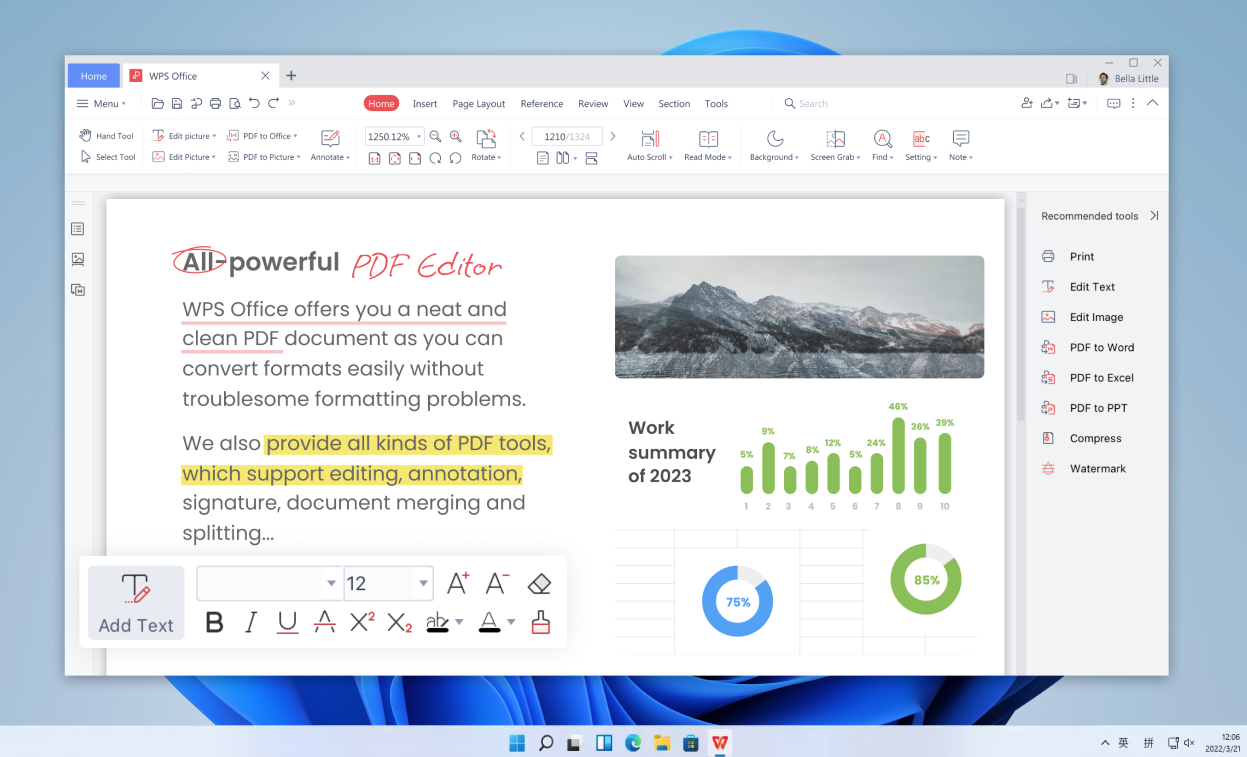
High-Fidelity Saving
Export any document to PDF with perfect formatting retention.
Secure & Compressed
Encrypt, compress, and batch-save PDFs in one click.
AI-Powered PDF Tools
Edit, summarize, and chat with your PDFs using built-in AI.
Universal Access
Save and sync PDFs across Windows, Mac, Android, iOS, and Linux.
Do any of these PDF problems
sound familiar?
Old PDF tools make simple tasks frustratingly hard.
Formatting Always Breaks
Export a Word file and the fonts shift, tables collapse, and images move. Every tool claims to preserve formatting — none of them do.
Files Too Large to Share
You save as PDF and the file balloons to 50 MB. Email rejected. Cloud storage full. Clients frustrated. Compressing manually takes forever.
Manual Editing Takes Hours
Need to edit a scanned PDF? Find key information in a 100-page report? Without AI, you're doing it all by hand, line by line.
Files Stuck on One Device
Saved the PDF on your laptop but need it on your phone right now? No sync, no access. The meeting starts in 5 minutes.
Everything You Need in One Free PDF Saver
WPS Office combines the best PDF saving, editing, and AI tools in a single free application.
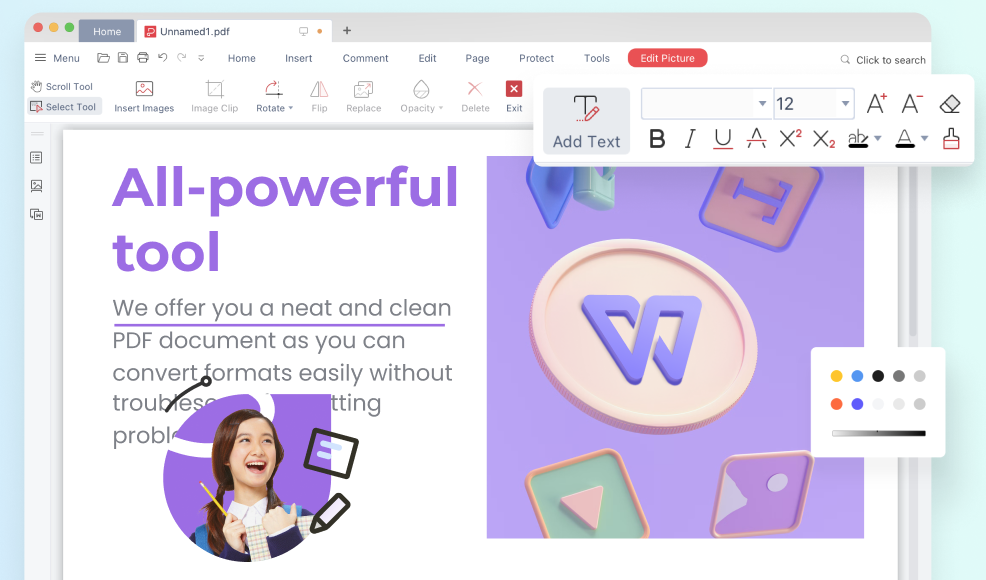
High-Fidelity PDF Saver
- Export Word, Excel, and PPT to PDF with 100% layout preservation.
- Retain all fonts, images, tables, and hyperlinks in the saved PDF.
- Save web pages and localized files as universal PDFs in one click.
- Use the online pdf saver for quick conversions without installing software.
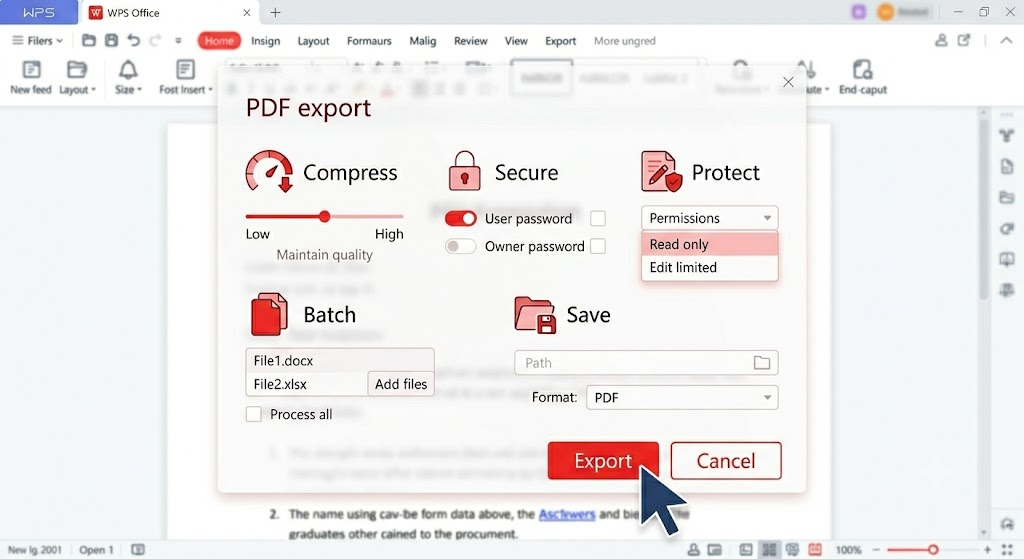
Secure & Compressed PDF Saving
- Compress large files during saving without any loss of visual clarity.
- Add password protection and edit permissions directly in the pdf saver.
- Batch save as pdf to process multiple files in one go.
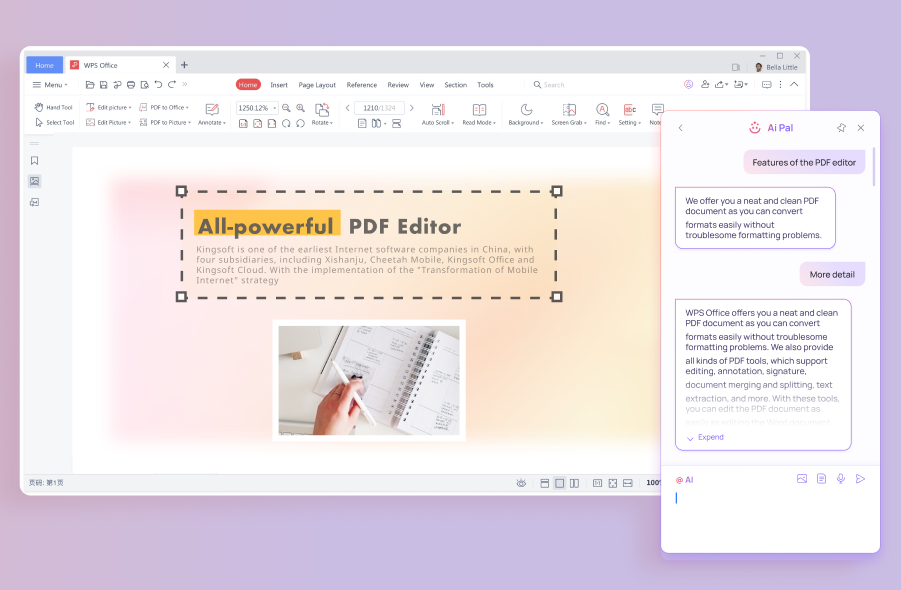
AI-Powered PDF Assistance
- Summarize long PDFs into key points with a single click.
- Chat with any PDF — ask questions and get instant answers from the document.
- Extract text from scanned PDFs using AI-powered OCR technology.
Universal PDF Saver Access
- Sync saved PDFs across Windows, Mac, Linux, Android, and iOS.
- Save as PDF and access from any device via WPS Cloud instantly.
- Work completely offline — no internet needed to use the pdf saver.
How to Use the Free PDF Saver in 3 Simple Steps
Start saving documents as PDF in under a minute.
Open Your File
Launch WPS Office and open any Word, Excel, PPT, or image file you want to save as PDF.
Select PDF Saver
Go to Menu → Export to PDF. Customize compression, security, and page range settings.
Save and Download
Click Save. Your PDF is generated instantly — ready to share, store, or upload anywhere.
How WPS PDF Saver Compares
See how the free WPS PDF saver stacks up against paid competitors.
|
WPS PDF Saver
Recommended
|
Adobe Acrobat | SmallPDF | |
|---|---|---|---|
| Free PDF saver | ✓ | ✗ | ~ Limited uses/day |
| AI tools (Chat PDF, OCR) | ✓ | ~ Paid plan only |
✗ |
| Offline PDF saving | ✓ | ✓ | ✗ |
| Batch save as PDF | ✓ | ✓ | ~ Pro plan only |
| Password encryption | ✓ | ✓ | ~ Pro plan only |
| Cross-platform (mobile) | ✓ | ~ Desktop focused |
~ Web only |
| Monthly price | Free | $14.99+ | $9+ |
How Professionals Use Our PDF Saver
Join millions of users who rely on WPS for daily PDF saving and document management.

Sarah J.
University Student
"This free pdf saver is a lifesaver. I convert my study notes and research papers to PDF in seconds without losing any formatting. Adobe was too expensive."

Michael R.
Financial Analyst
"The batch save as pdf feature saves me hours every week. I export entire quarterly reports at once, with compression enabled — clients receive clean, small files every time."

Linda K.
E-commerce Owner
"I needed a secure pdf saver for business contracts. WPS processes everything offline so my customers' data stays on my device. The password encryption works perfectly."
More Tools in WPS Office
Explore the full suite of AI-powered productivity tools inside WPS Office.
Free CSV Viewer
Quickly open, preview, and manage CSV files with intelligent table rendering for fast data inspection.
Learn moreExtract Text with AI
Extract text from images, scanned documents, and screenshots instantly with intelligent AI OCR.
Learn moreAI in Excel Spreadsheets
Use AI-enhanced spreadsheet tools to automate formulas, analyze data, and generate tables faster.
Learn moreFree Survey Maker
Design surveys quickly with ready-made templates and collect responses in one seamless WPS workflow.
Learn moreResponse Insights
Create, edit, and polish content instantly with the AI Writer tool in WPS Office.
Learn moreAI Spell Check
Catch spelling errors and improve writing fluency with AI-powered spell checking.
Learn moreFrequently Asked Questions
Everything you need to know about our free PDF saver.
The Only Free PDF Saver You'll Ever Need
Download WPS Office today and experience the most complete free PDF saver on the market. Convert, compress, encrypt, and sync — all in one app.
Available on Windows · Mac · Android · iOS · Linux · 200M+ users worldwide