

'%3e%3cpath%20d='M8%200C12.4183%200%2016%203.58172%2016%208C16%2012.4183%2012.4183%2016%208%2016C3.58172%2016%200%2012.4183%200%208C0%203.58172%203.58172%200%208%200ZM11.6162%204.38379C11.2257%203.99337%2010.5927%203.99338%2010.2021%204.38379L8%206.58594L5.79785%204.38379C5.40732%203.99334%204.77429%203.99329%204.38379%204.38379C3.99331%204.77429%203.99335%205.40733%204.38379%205.79785L6.58594%208L4.38379%2010.2021C3.99348%2010.5927%203.99341%2011.2257%204.38379%2011.6162C4.77426%2012.0066%205.40734%2012.0065%205.79785%2011.6162L8%209.41406L10.2021%2011.6162C10.5927%2012.0066%2011.2257%2012.0067%2011.6162%2011.6162C12.0067%2011.2257%2012.0066%2010.5927%2011.6162%2010.2021L9.41406%208L11.6162%205.79785C12.0066%205.40735%2012.0066%204.77429%2011.6162%204.38379Z'%20fill='%23080E17'%20fill-opacity='0.46'/%3e%3c/g%3e%3cdefs%3e%3cclipPath%20id='clip0_3761_713'%3e%3crect%20width='16'%20height='16'%20fill='white'/%3e%3c/clipPath%3e%3c/defs%3e%3c/svg%3e)




'%3e%3cpath%20fill-rule='evenodd'%20clip-rule='evenodd'%20d='M21.4999%2010.9993C21.4999%205.20009%2016.7986%200.498901%2010.9993%200.498901C5.19994%200.498901%200.498657%205.20009%200.498657%2010.9993C0.498657%2016.2404%204.33858%2020.5844%209.35855%2021.3722V14.0346H6.69238V10.9993H9.35855V8.68594C9.35855%206.05427%2010.9262%204.60062%2013.3248%204.60062C14.4736%204.60062%2015.6753%204.80571%2015.6753%204.80571V7.38979H14.3512C13.0468%207.38979%2012.64%208.19921%2012.64%209.0296V10.9993H15.5523L15.0867%2014.0346H12.64V21.3722C17.66%2020.5844%2021.4999%2016.2404%2021.4999%2010.9993Z'%20fill='%231568EA'/%3e%3c/g%3e%3c/svg%3e)


'%3e%3cpath%20d='M2.42045%2022.1876H6.31818V12.7217L0.75%208.54553V20.5171C0.75%2021.4414%201.49892%2022.1876%202.42045%2022.1876Z'%20fill='%234285F4'/%3e%3cpath%20d='M19.682%2022.1876H23.5797C24.5041%2022.1876%2025.2502%2021.4387%2025.2502%2020.5171V8.54553L19.682%2012.7217'%20fill='%2334A853'/%3e%3cpath%20d='M19.682%205.48293V12.7216L25.2502%208.54543V6.31816C25.2502%204.25236%2022.8921%203.07469%2021.2411%204.31361'%20fill='%23FBBC04'/%3e%3cpath%20d='M6.31824%2012.7217V5.48303L13.0001%2010.4944L19.6819%205.48303V12.7217L13.0001%2017.733'%20fill='%23EA4335'/%3e%3cpath%20d='M0.75%206.31816V8.54543L6.31818%2012.7216V5.48293L4.75909%204.31361C3.10534%203.07469%200.75%204.25236%200.75%206.31816Z'%20fill='%23C5221F'/%3e%3c/g%3e%3cdefs%3e%3cclipPath%20id='clip0_2954_7305'%3e%3crect%20width='24.5'%20height='18.375'%20fill='white'%20transform='translate(0.75%203.8125)'/%3e%3c/clipPath%3e%3c/defs%3e%3c/svg%3e)


Engagement ceremonies are one of the most memorable times of anyone’s life, and making the perfect invitations is essential for a good celebration. However, professional design services can cost you a lot and can take a lot of time to get made. So, where can you find customizable engagement templates easily? In this guide, I’ll be highlighting 10 engagement invitation template free I found and introduce WPS Office to format them easily.
10 Free Engagement Invitation Templates You Can Download and Customize
Planning an engagement ceremony can be really stressful, even though it shouldn’t be. It’s supposed to be an event of joy and happiness for the couple, but dealing with the planning and making invitationsfrom scratch can feel like a chore. I’ve been there myself, and I relied on free engagement invitation templates I found online to simplify the process. In this section, I’ll be walking you through 10 of these templates so you can choose whichever one fits the tone of your celebration best.
1. Free Engagement Invitation Template
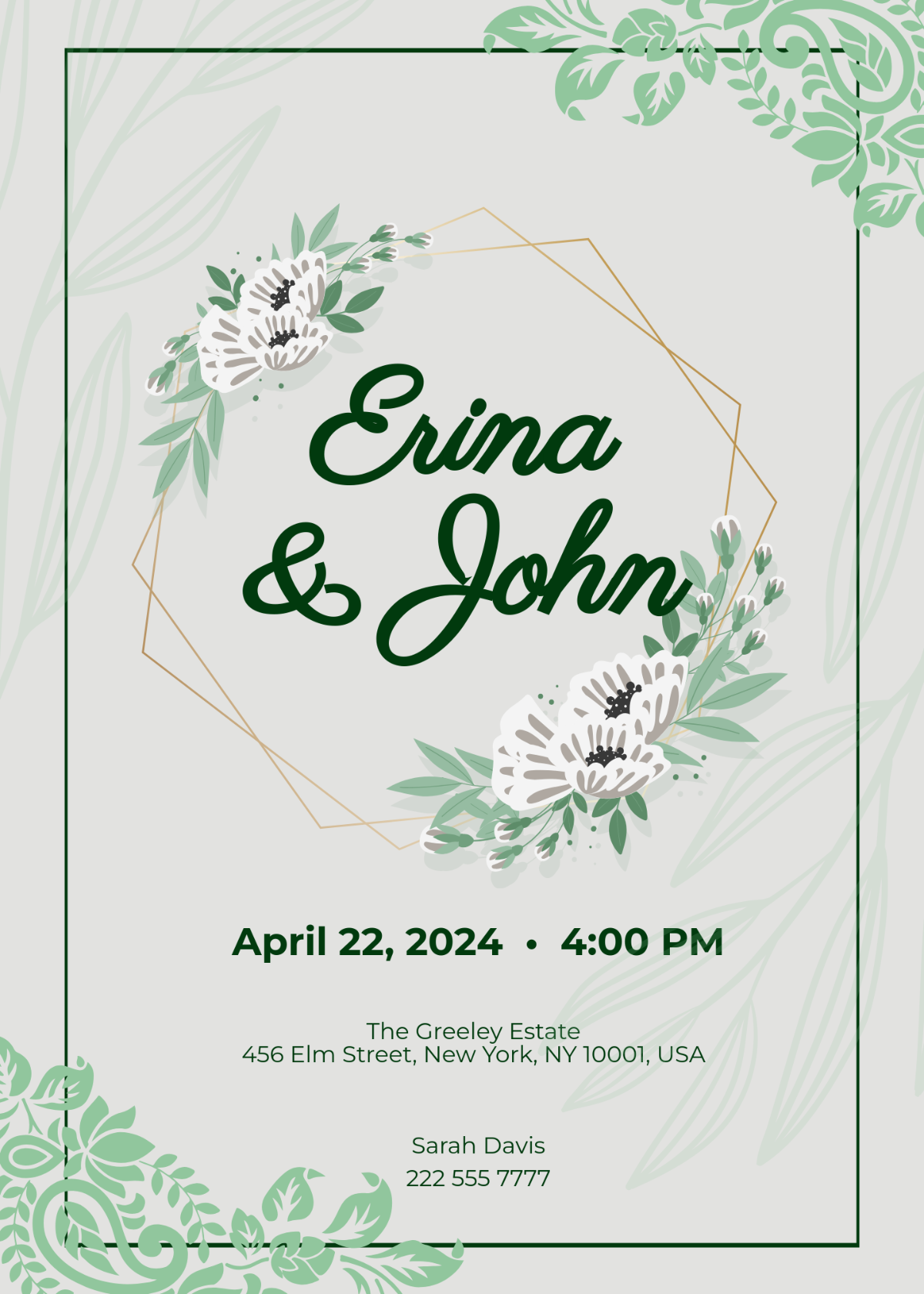
The Free Engagement Invitation Template is a basic example of what an engagement invitation template should look like. It features floral patterns around the names of the engaged couple, along with the required details of the ceremony just under it, so guests know when and where to come.
Format: PDF/PNG
2. Floral Engagement Invitation Template
If your engagement ceremony has a mature and elegant theme, then going for the Floral Engagement Invitation Template would fit the tone well. It features floral patterns on the corners, along with including the names of the engaged couple in a bold font at the centre. It’s great because it features every detail of the ceremony, so your guests won’t be confused.
Format: PDF/PNG
3. Digital Engagement Invitation Template
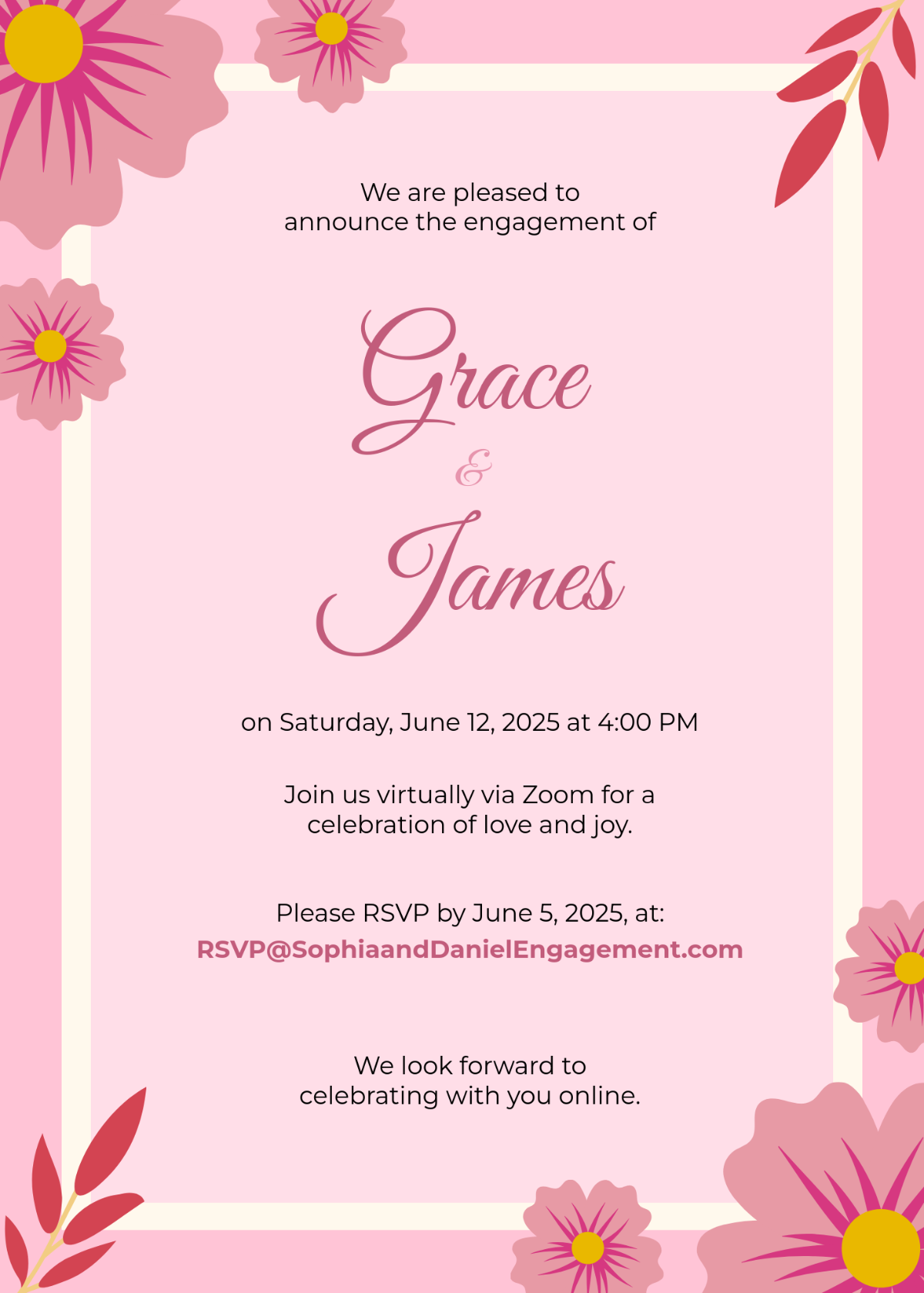
For lighthearted engagement parties where the invitations need to have a wholesome theme, the Digital Engagement Invitation Template would be a solid pick for your invites. It features a light pink background, with flowers and leaves popping out from the corners, which gives off a lovely impression. It includes all the necessary details for the party, even the RSVP link.
Format: PDF/PNG
4. Rustic Engagement Invitation Template
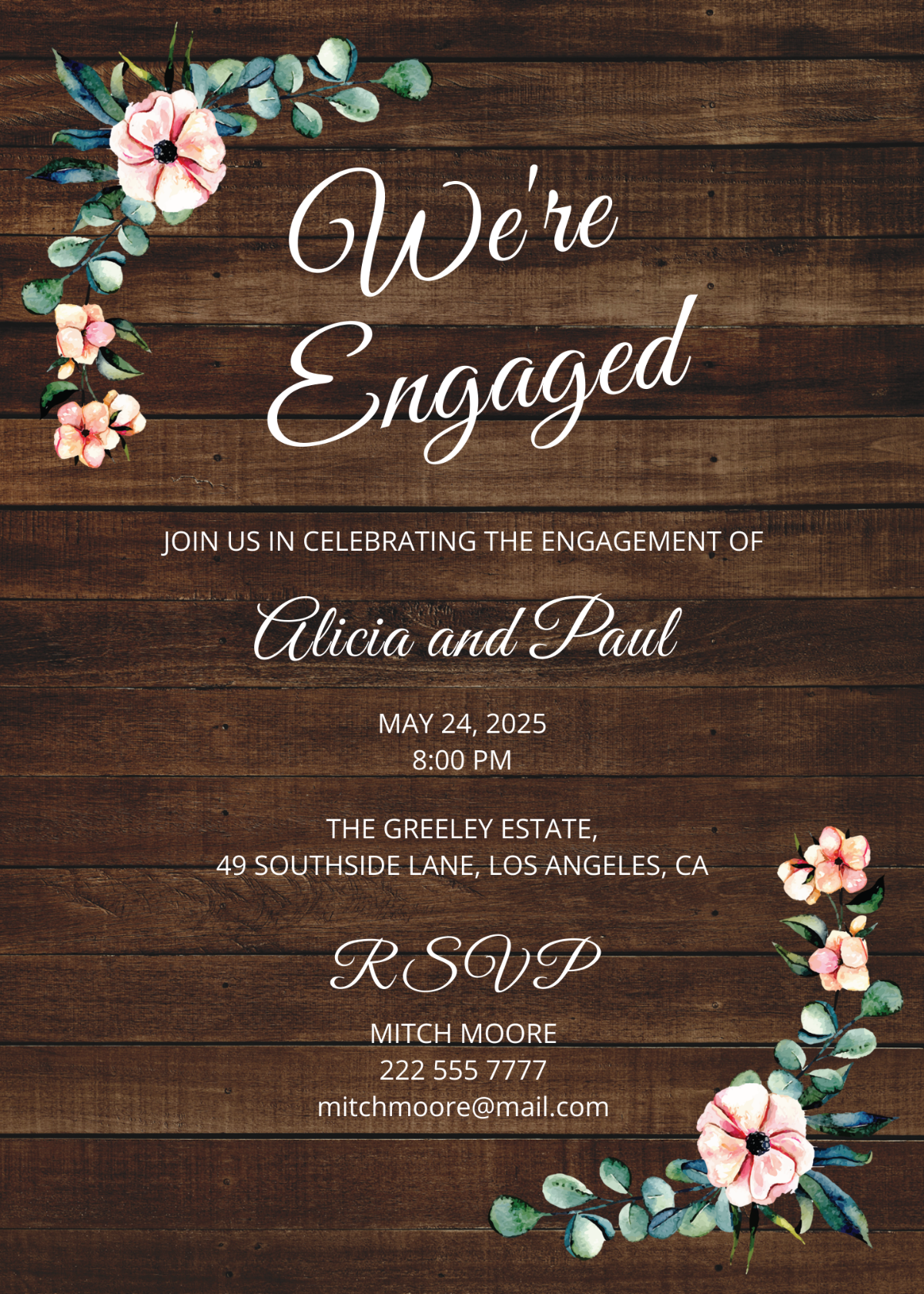
The Rustic Engagement Invitation Template is perfect for those who want something more old-school instead of modern minimalism. It features an oaky wooden background, beautiful floral patterns, and lastly, the details of the invitation written in a classic handwriting font, which perfectly balances everything out.
Format: PDF/PNG
5. Blush Engagement Invitation Template
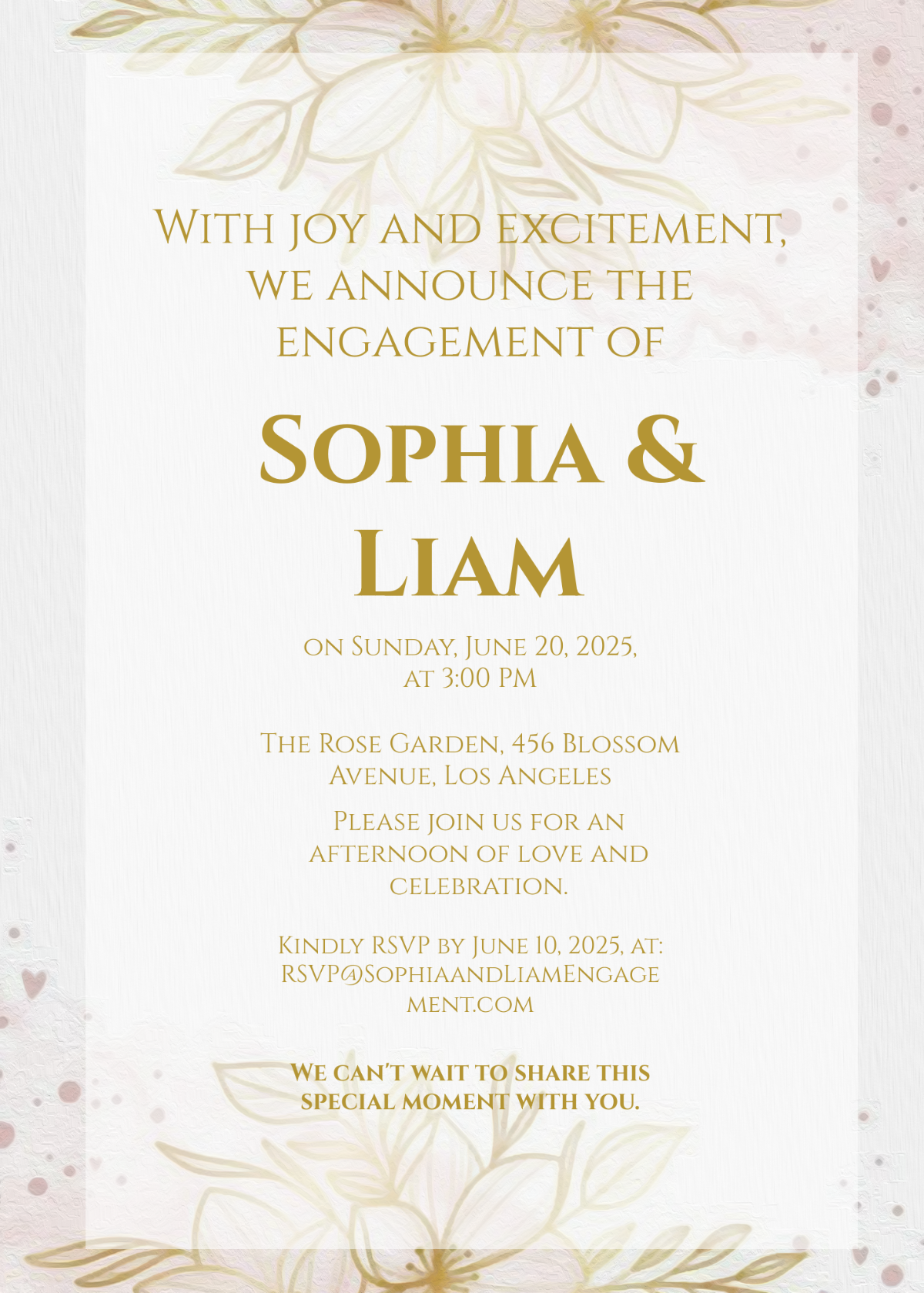
The Blush Engagement Invitation Template is really great for those couples who want a minimalistic approach to their engagement parties and don’t want anything too extravagant for the invite cards. It features a plain white and golden color palette, with all the required details being completely customizable to match your party.
Format: PDF/PNG
6. Beige Engagement Invitation Template
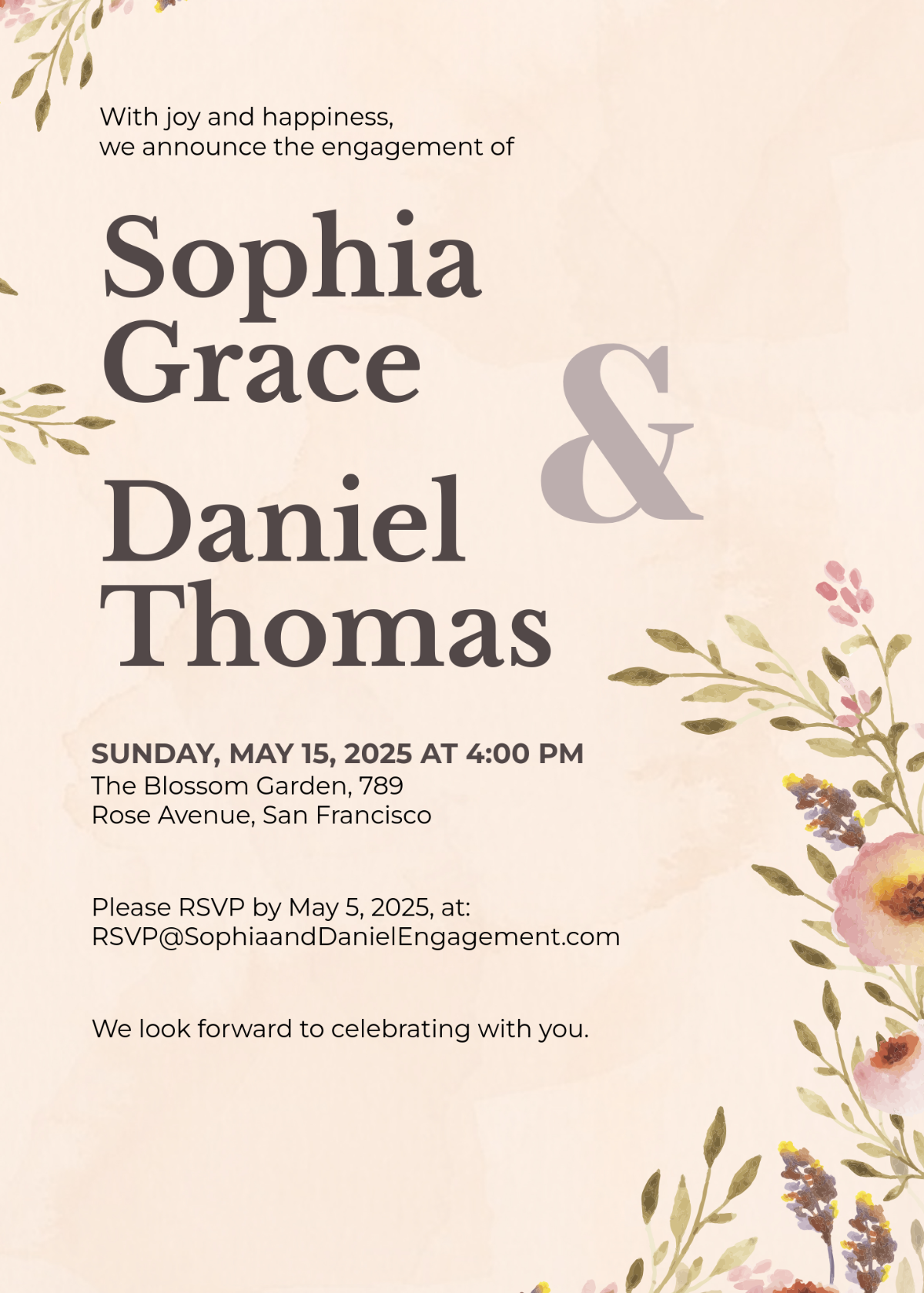
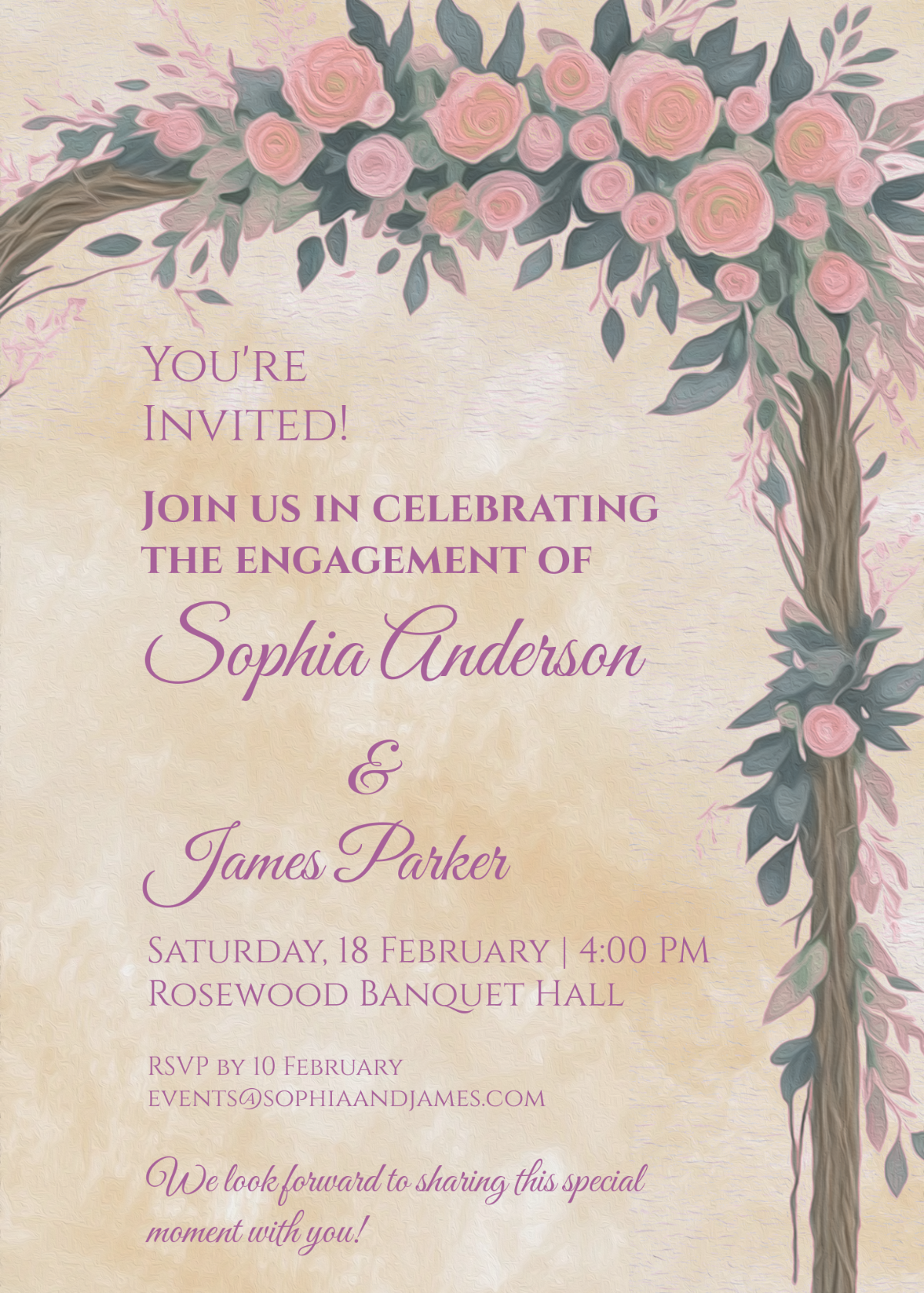
For those looking for something fancy and extravagant for their special day, the Beige Engagement Invitation Template would be my recommendation. It features a beautiful beige background along with floral arrangements that seem to be painted with watercolors. It’s completely customizable, so you can change the details to match your own party.
Format: PDF/PNG
7. Grand Engagement Invitation Template
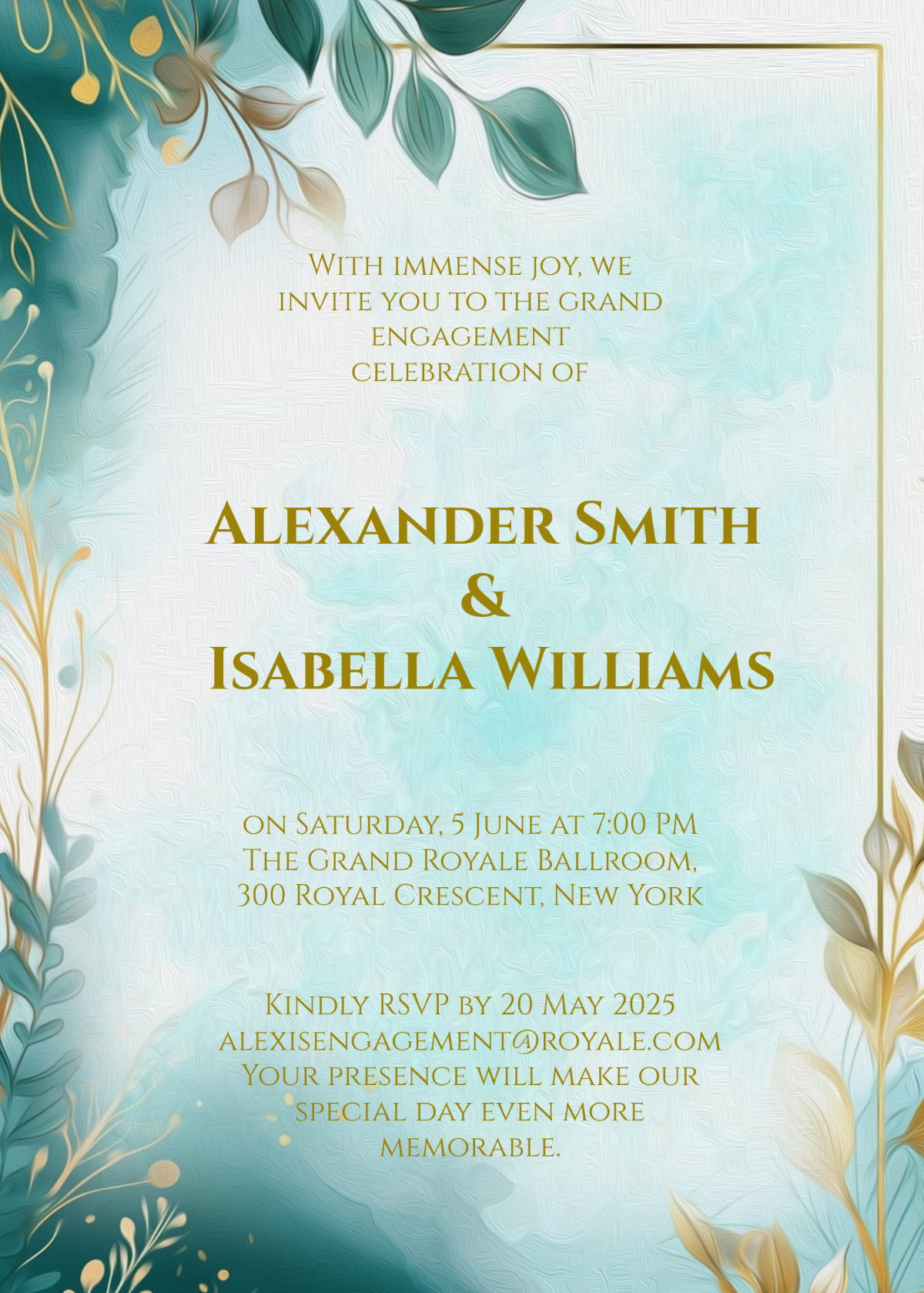
If you want to stand out from the rest of your friends and fellows, then going for the Grand Engagement Invitation Template would definitely be the ideal choice. It features an extravagant layout with brightly colored leaves surrounding the frame, along with the RSVP details for the party, so your guests don’t have to deal with any confusion.
Format: PDF/PNG
8. Hand-Drawn Engagement Invitation Template
The Hand-Drawn Engagement Invitation Template is another good option if you want something on the minimalistic side. It features hand-drawn flower patterns in the corners of the frame, along with the details of the party written in a beautiful golden font that really shows the charm of your party.
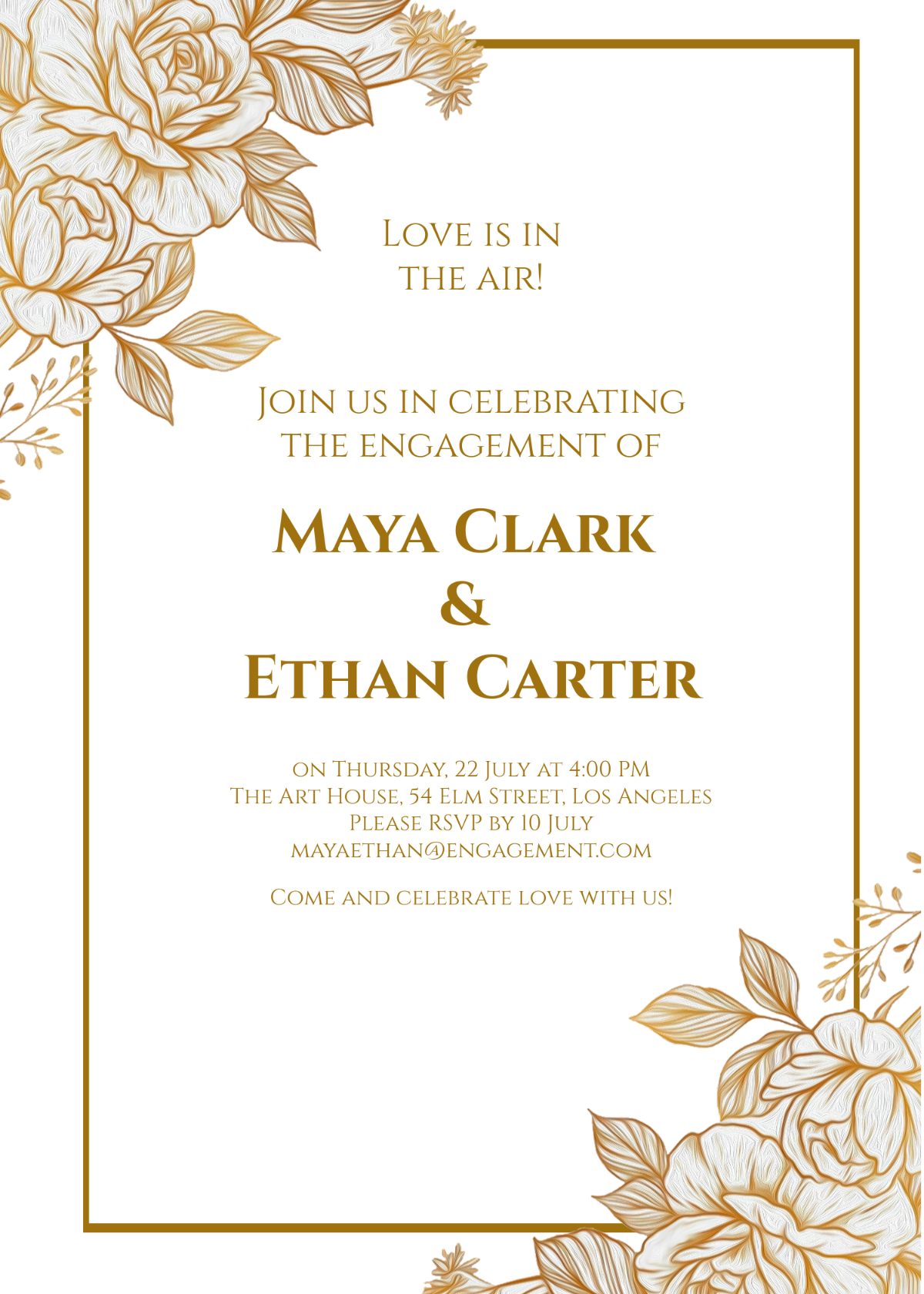
Format: PDF/PNG
9. Colorful DIY Engagement Invitation Template
If you want to have an engagement party that’s appealing to both kids and adults alike, then going for the Colorful DIY Engagement Invitation Template would be a good choice. It features soft, bright tones that surround the frame, along with the celebration details written in a beautiful black tone so your guests can see clearly.
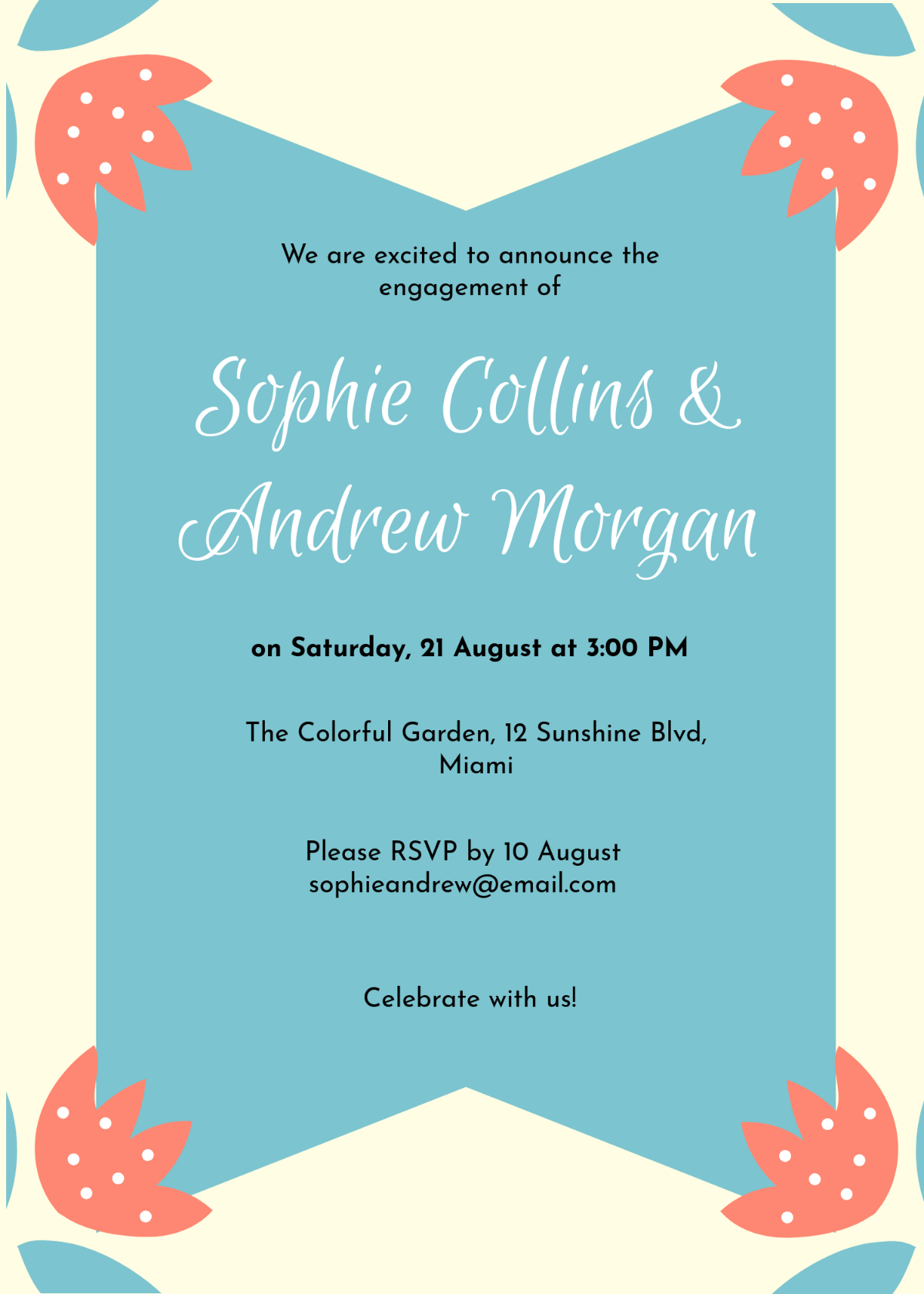
Format: PDF/PNG
10. Engagement Invitation with Photo Template
The Engagement Invitation with Photo Template is the perfect pick if you want your party to be truly grand and memorable. It features a completely customizable photo template at the very centre, where you can add a picture of your own engagement, or any other memorable photo. Under the frame, all the details are mentioned clearly, which you can change to match your own.

Format: PDF/PNG
How to Further Edit Engagement Invitation Templates
Once you have decided which template you want to pick for your engagement invitations, the next step is customizing the templates and enhancing them further. I use WPS Office for this as it equips me with everything I need to create polished and professional-looking invites without going through much hassle. In this section, I’ll walk you through all the steps you need to take to further edit your engagement invitation templates, regardless of the format they’re in.
How to Edit Free Engagement Invitation Templates in PDF
If your engagement invitation template is saved as a PDF file, you can edit it very easily and have much more control over it. WPS PDF Editor has features to edit any PDF document completely free. I’ll walk you through every step myself so you can get rid of any worries you might have.
Step 1: Download the engagement invitation template you want to use as a PDF and open it using WPS Office.
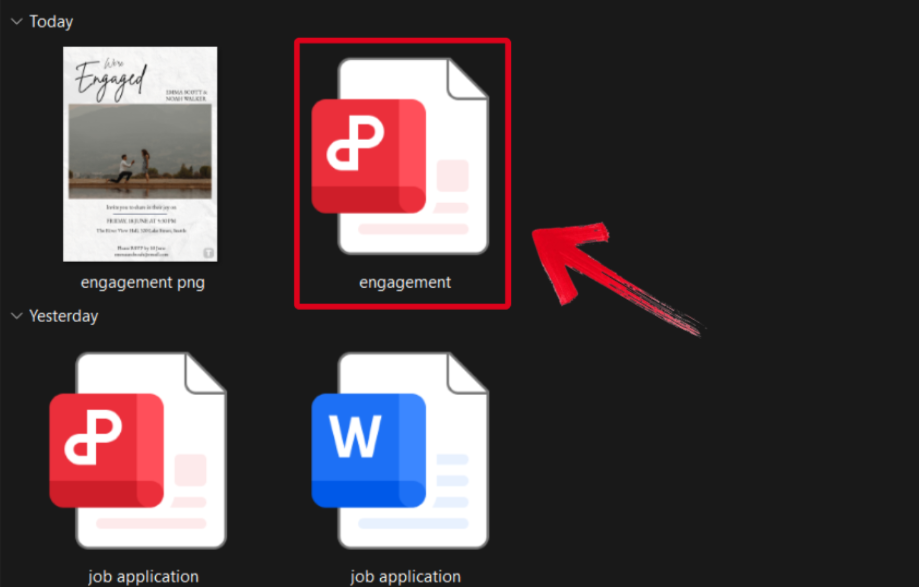
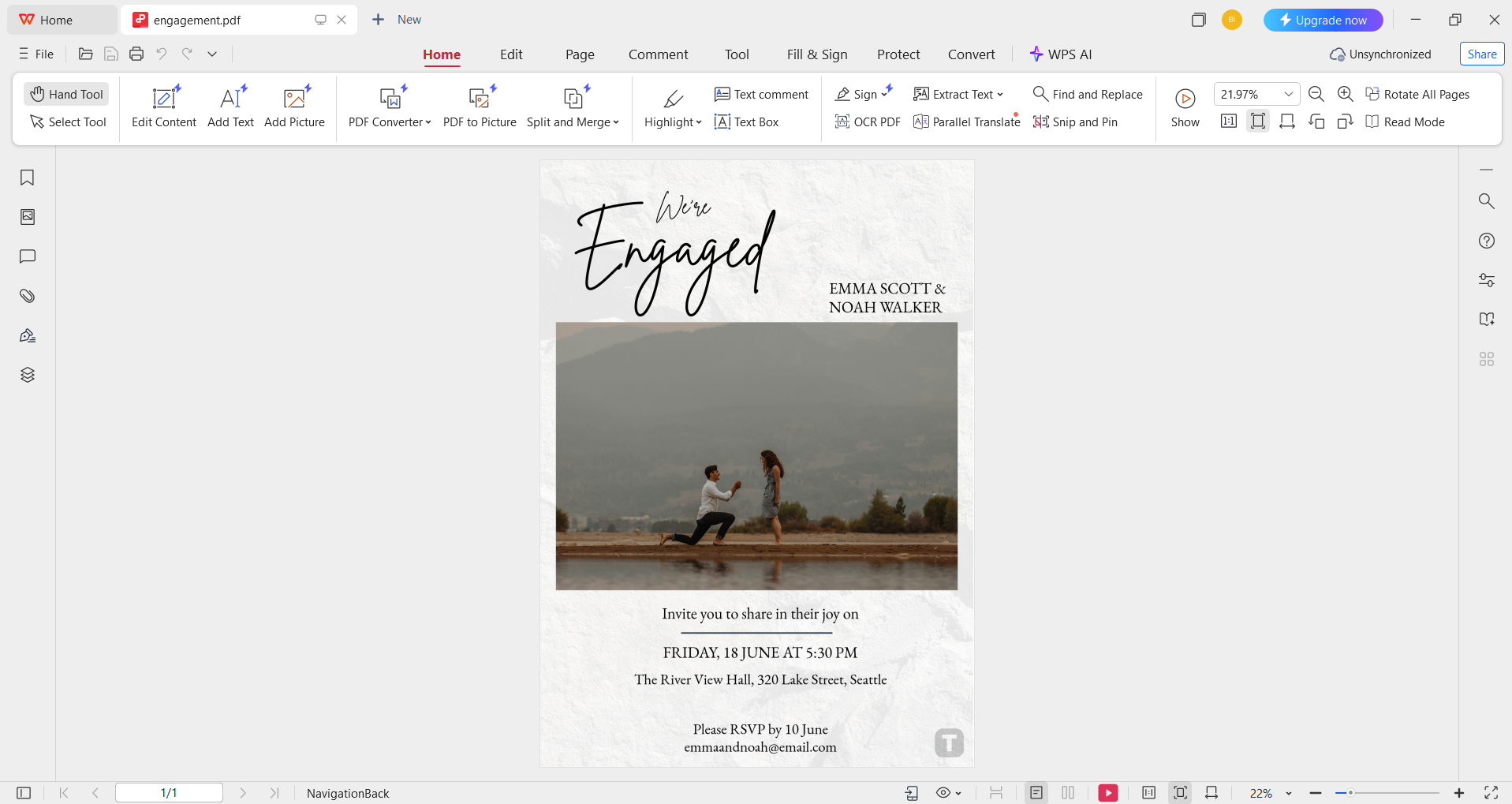
Step 2: Change the description details to match your own. You can customize the font, text size, and even the color scheme easily.
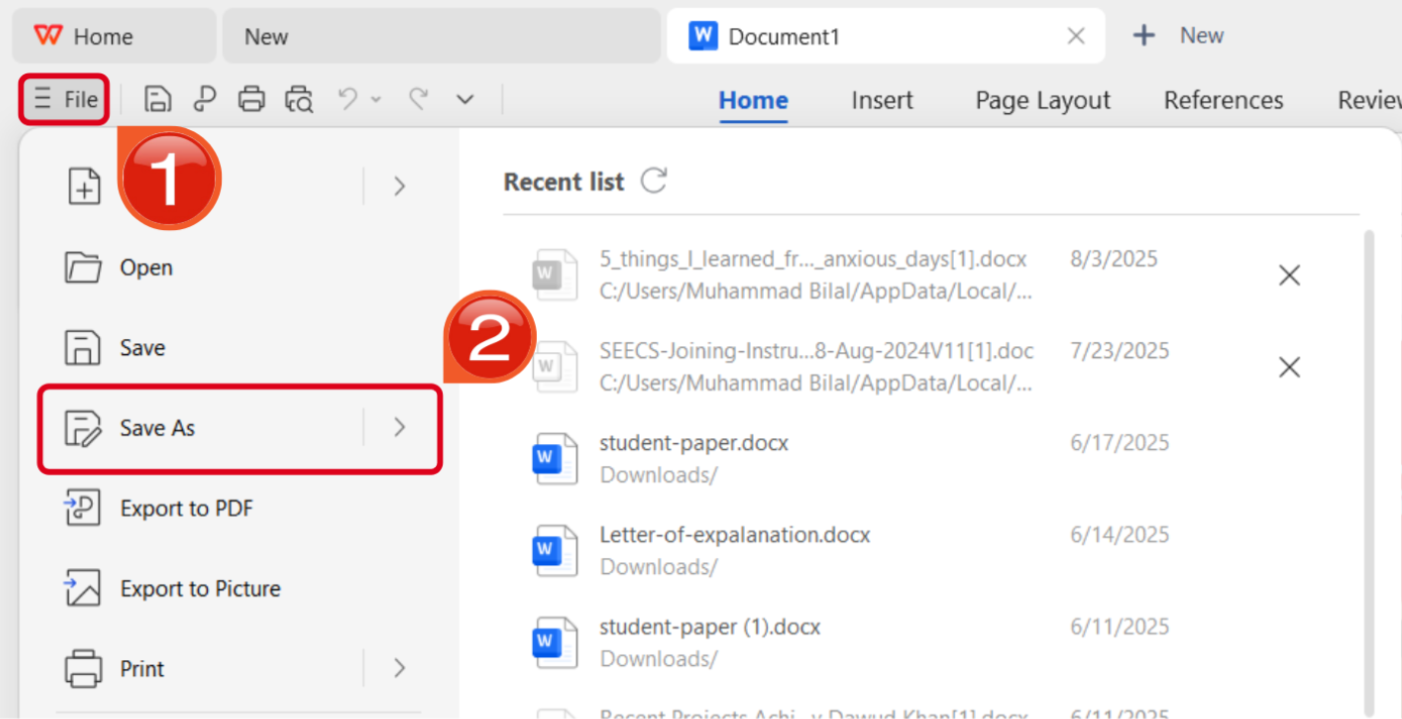
Step 3: Once you’ve finished editing, press theFile button in the top-right corner and then hitSave As.
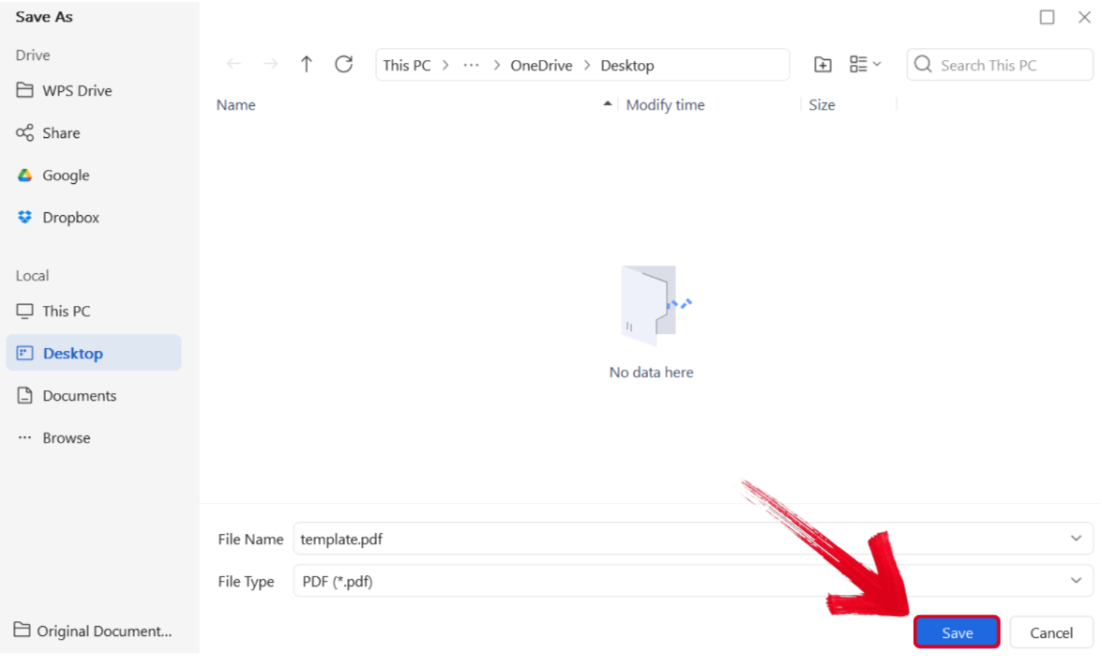
Step 4: Select the folder you want your PDF downloaded to, then press Save.
How to Edit Free Engagement Invitation Templates in PNG
If your engagement invitation template example is saved as a PNG image, then you can easily enhance it using WPS Photo. The process is incredibly simple, and I’ll walk you through each step myself so you don’t have to deal with any hassle.
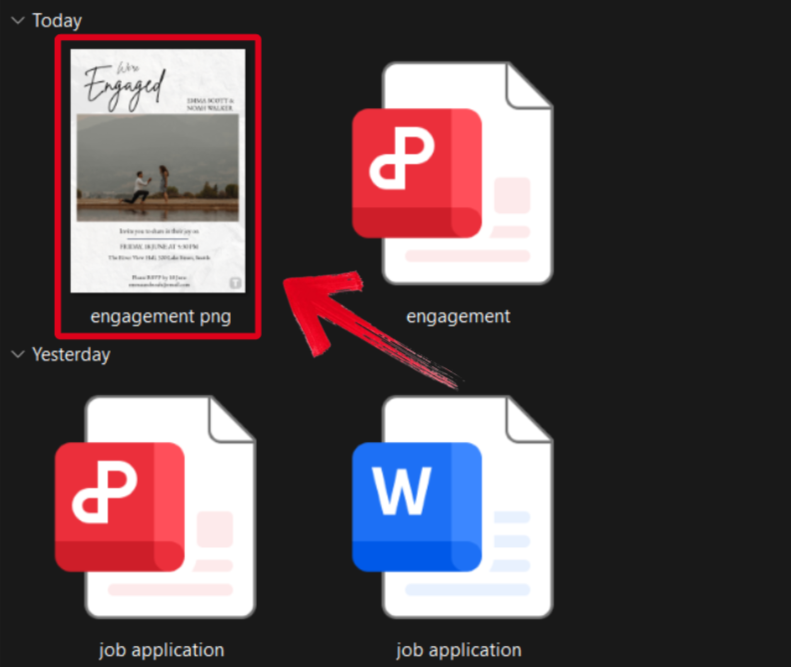
Step 1: Open the engagement invitation template you downloaded using WPS Photos to get started.
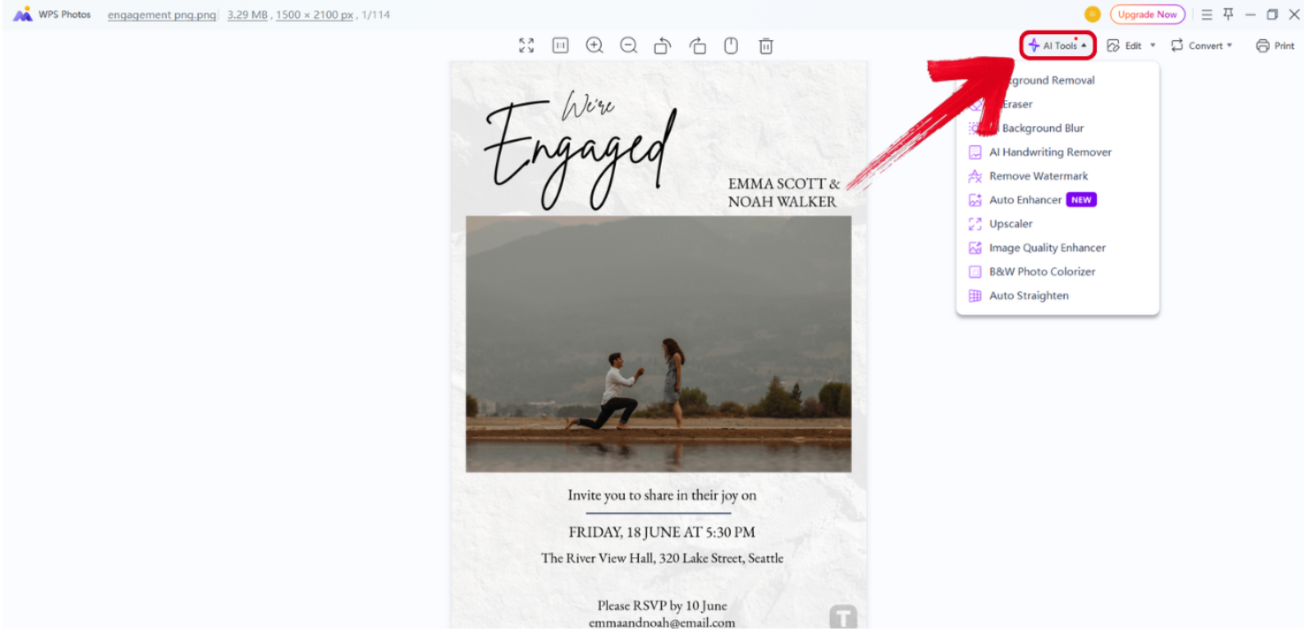
Step 2: In the WPS Photos window, you’ll see a bunch of editing tools given to you, including smart AI Toolsto help you enhance your photos.
AI Image Enhancer: Improve the quality of your image using AI enhancement.
AI Upscaler: Bring life back into old photos by restoring them through the AI upscaler.
AI Watermark Removal: If there are any watermarks on your template, you can elevate the visual appeal with the watermark removal tool.
AI Background Blur: Emphasize focus on the main subjects of your photo by blurring the background.
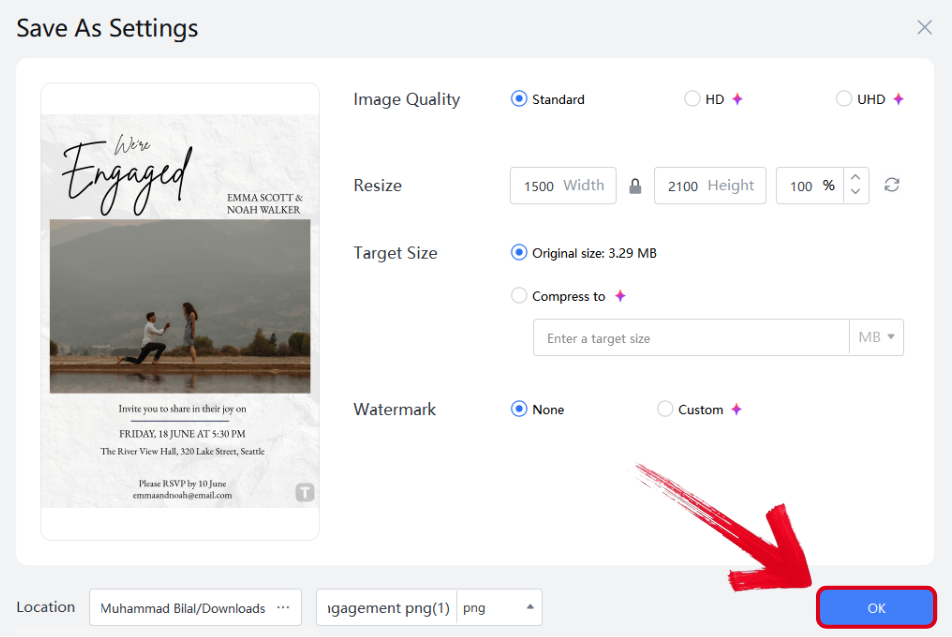
Step 3: Press Ctrl + S to open theSave As window. Adjust the image quality, size, and format, and then press OK to finish.
WPS Office – An AI-Powered All-in-One Suite for Simpler Invitation Design
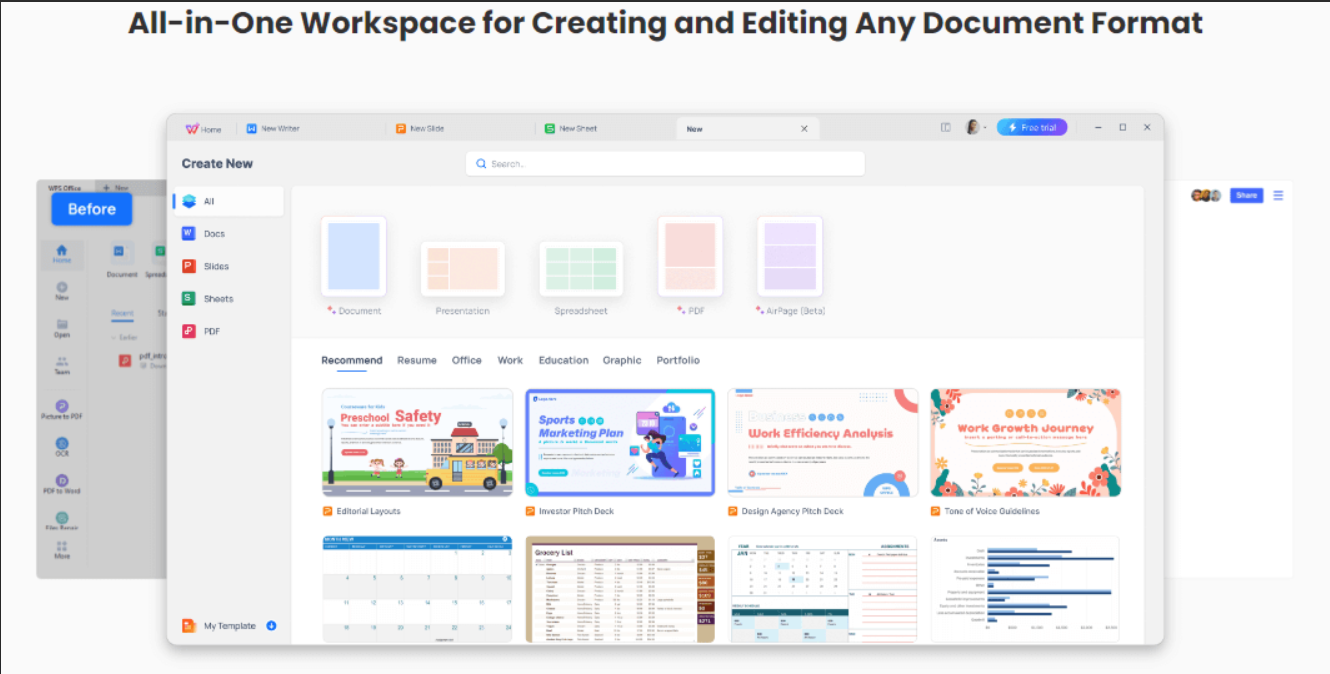
When I’m dealing with planning an engagement party, it can be really stressful, and every single minute is important. I can’t waste any time dealing with unreliable and clunky tools that only slow me down and add to my stress. This is why I always rely on WPS Office for all my workflow needs. It offers me access to countless different templates and all the tools I need to edit them and make them my own. In this section, I’ll be highlighting some of the notable features of WPS that make it an ideal option in any workflow.
Features
Offers a large library of free templates
Simple and easy editing interface
Thousands of free list and document templates
Compatible with all office formats, including Word, Excel, PPT, and even PDF
Smart AI assistance and formatting features
WPS Office has easily become my top choice when it comes to planning parties and crafting invitations. It works seamlessly across every single device of mine, so I never have to worry about compatibility. With its efficient and ad-free interface, I can easily boost my productivity and save a ton of time.
FAQs
Q1: Do I need graphic design skills to use these templates?
Not at all. Tools like WPS Office offer beginner-friendly interfaces where you can edit text and styles without needing any design background.
Q2: When should I send out my engagement invitations?
It’s best to send engagement invitations 4 to 6 weeks before the party. This gives guests enough time to RSVP and make travel or scheduling arrangements.
Q3: Is it necessary to include a gift registry link in an engagement invitation?
It’s optional. If you choose to include one, do so subtly — either on a separate card or via a QR code or link — so it doesn’t appear as a demand for gifts.
Q4: Is it okay to send digital engagement invitations instead of printed ones?
Yes. Digital invitations are increasingly popular and convenient, especially for informal parties or when time is limited. They are also eco-friendly and often easier to track RSVPs.
Streamlining Engagement Invitations
Your engagement is supposed to be a time of joy and love, but dealing with the planning and invitations can mess up everything and make it incredibly stressful. I’ve been there myself, and I simplified this process by using an engagement invitation template free I found online. They are completely customizable and let me change up whatever I want to fit the theme and details of my own party.
I pair my engagement invitation templates with WPS Office for the perfect invitation crafting workflow. It equips me with all the tools I need to polish and enhance my templates, regardless of the format they’re saved in, making it an ideal choice for anyone planning an engagement ceremony.

'%3e%3cpath%20d='M19.9911%204.11386V6.471H18.5894C18.0775%206.471%2017.7322%206.57814%2017.5536%206.79243C17.3751%207.00671%2017.2858%207.32814%2017.2858%207.75671V9.44421H19.9019L19.5536%2012.0871H17.2858V18.8639H14.5536V12.0871H12.2769V9.44421H14.5536V7.49779C14.5536%206.39064%2014.8632%205.53201%2015.4822%204.92189C16.1013%204.31177%2016.9257%204.00671%2017.9554%204.00671C18.8304%204.00671%2019.509%204.04243%2019.9911%204.11386Z'%20fill='%23333333'/%3e%3c/g%3e%3cdefs%3e%3cclipPath%20id='clip0_2938_8199'%3e%3crect%20width='16'%20height='16'%20fill='white'%20transform='translate(8%204.00671)'/%3e%3c/clipPath%3e%3c/defs%3e%3c/svg%3e)
'%3e%3cpath%20d='M17.5237%2010.7813L23.4811%204H22.0699L16.8949%209.88693L12.7648%204H8L14.2469%2012.9029L8%2020.0133H9.4112L14.8725%2013.7952L19.2352%2020.0133H24M9.92053%205.04213H12.0885L22.0688%2019.0224H19.9003'%20fill='%23333333'/%3e%3c/g%3e%3cdefs%3e%3cclipPath%20id='clip0_2938_8200'%3e%3crect%20width='16'%20height='16.0134'%20fill='white'%20transform='translate(8%204)'/%3e%3c/clipPath%3e%3c/defs%3e%3c/svg%3e)


