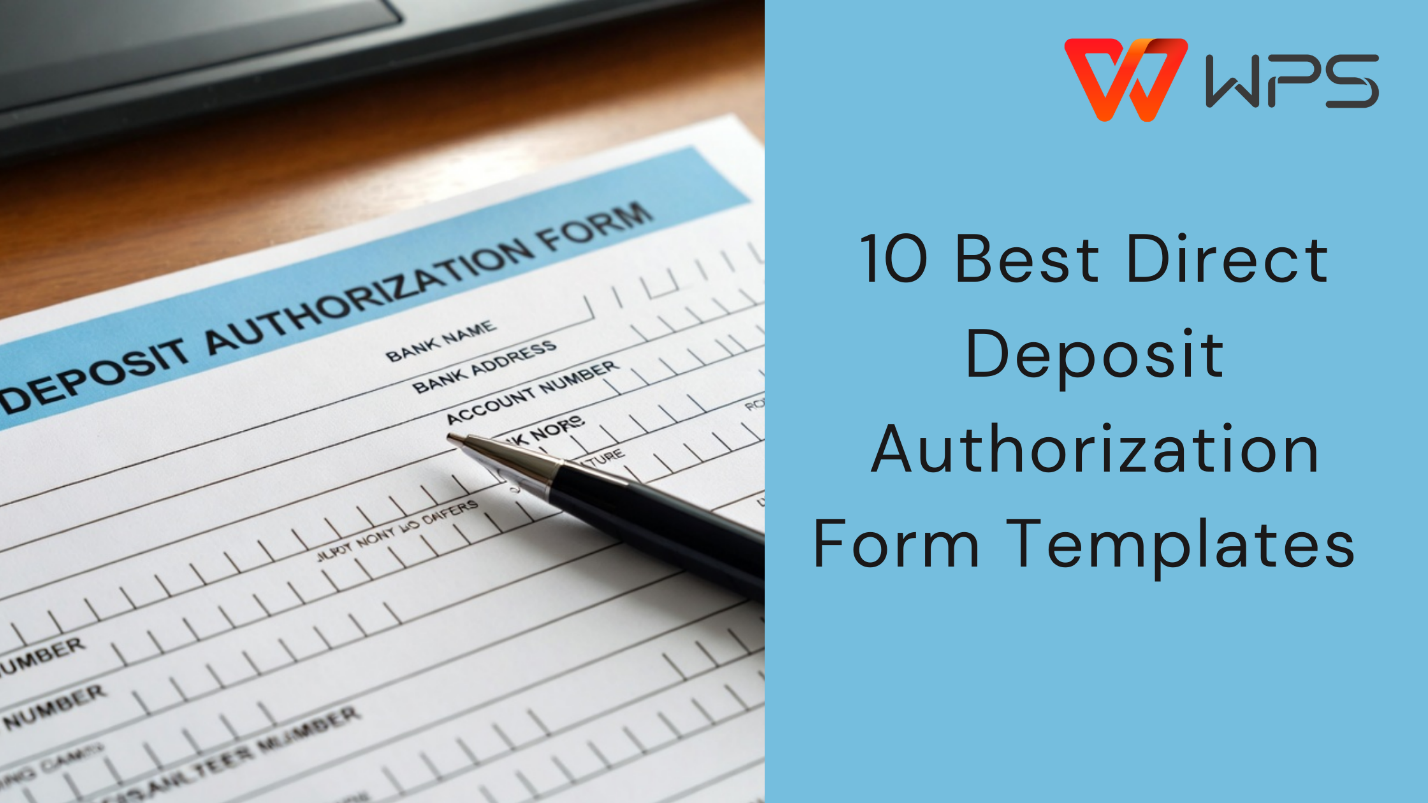
10 Eye-catching Direct Deposit Authorization Form Templates
Paper paychecks are quickly disappearing, but switching to electronic
payroll is not always smooth. Many HR teams struggle with collecting
accurate bank details while staying compliant with payroll rules.
So how can businesses simplify payroll without risking errors or
legal issues? In this article, we share Direct Deposit Authorization Form templates
you can download for free and show how to edit them efficiently.
Part 1.
What Is a Direct Deposit Authorization Form
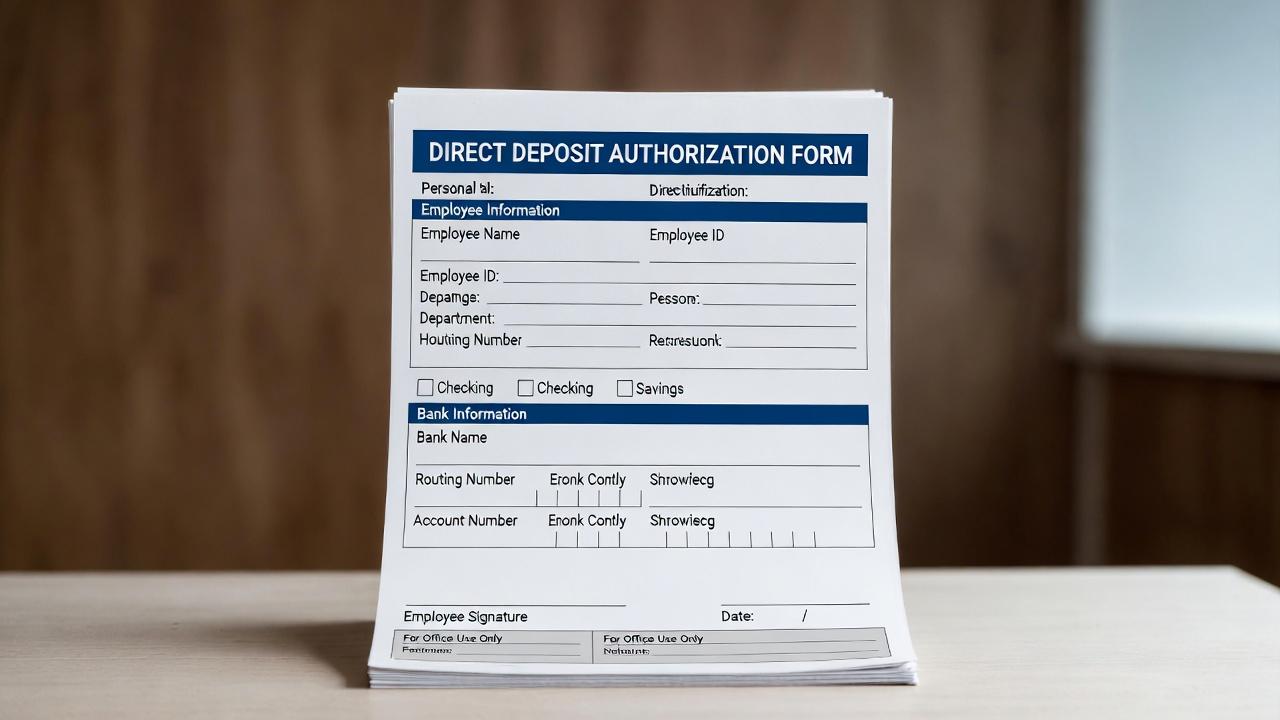
A Direct Deposit Authorization Form is a legal document that allows
an employer to deposit wages directly into an employee’s bank account.
By signing this form, the employee gives written permission for
electronic payments through the ACH network.
What Is a Direct Deposit Authorization Form
For HR administrators and small business owners, this form is
essential. It protects both parties by confirming that payment details
are accurate and that the deposit is authorized. Without it, payroll
errors can lead to disputes, delayed salaries, or compliance risks.
Why This Form Matters
Ensures wages are deposited securely and on time
Reduces payroll processing costs
Creates a written record for compliance and audits
Prevents disputes related to unauthorized payments
Many organizations rely on a direct deposit authorization form free
template to speed up onboarding and payroll setup, especially when
managing multiple employees.
By Type
Direct Deposit Authorization Forms can vary depending on their
purpose. Common types include:
Employee payroll authorization forms
Government or benefit payment authorization forms
Child support or legal payment authorization forms
Vendor or provider direct deposit forms
Each type follows the same core structure but may include additional
fields based on regulatory or organizational needs.
What to
Include on a Direct Deposit Authorization Form
What to Include on a Direct Deposit Authorization Form
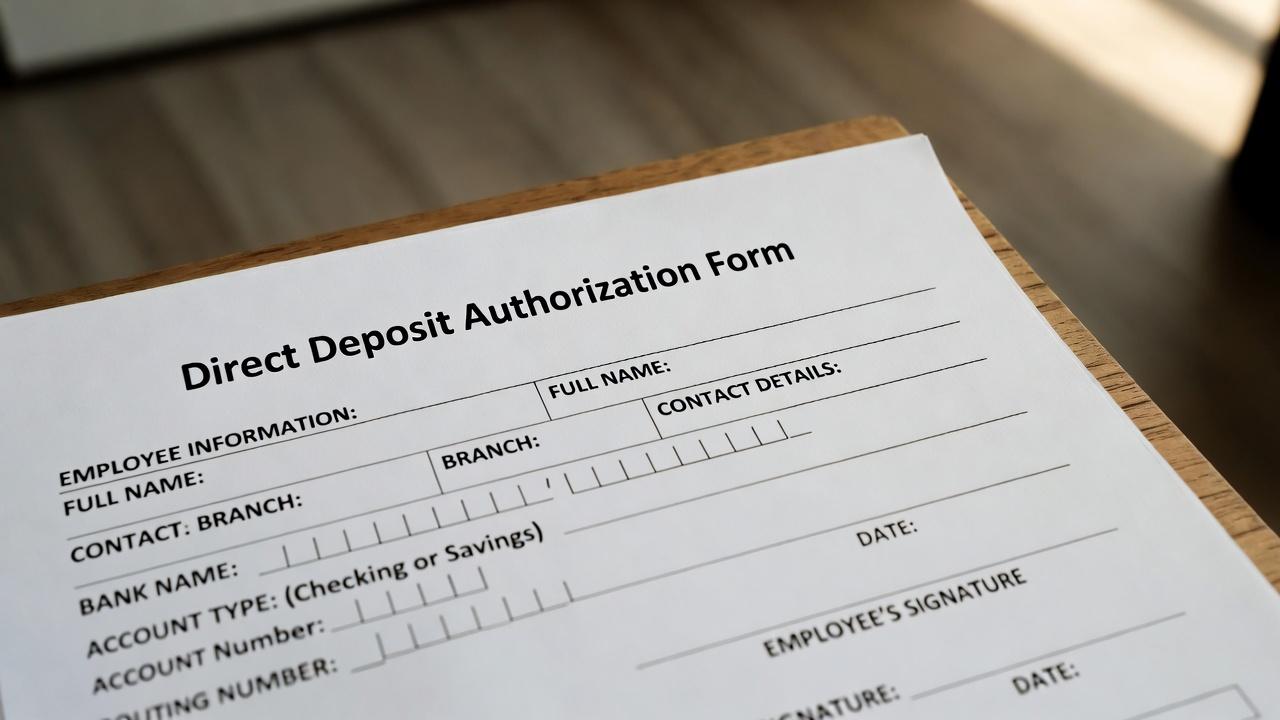
To ensure accuracy and compliance, a Direct Deposit Authorization
Form should include the following information:
Some banks may request institution-specific versions, such as a
direct deposit authorization form from Chase, a direct deposit
authorization form from Bank of America, or a direct deposit
authorization form from Regions, but the required details remain largely
the same.
Including all required fields reduces payment failures and helps
payroll teams process salaries with confidence.
Part
2. 10 Striking Direct Deposit Authorization Form [Free Download]
After working with payroll teams and small business owners, I’ve
noticed that the most common payroll issues come from unclear or overly
complex authorization forms. The templates below are reliable, widely
used, and suitable for different organizational needs. Most are
available as PDF files, which is ideal for consistency, while others can
be converted for editing depending on your workflow.
Tip: If you plan to customize fields or add
branding, choose templates that are easy to edit in Word or PDF formats.
For simple distribution, PDFs work best.
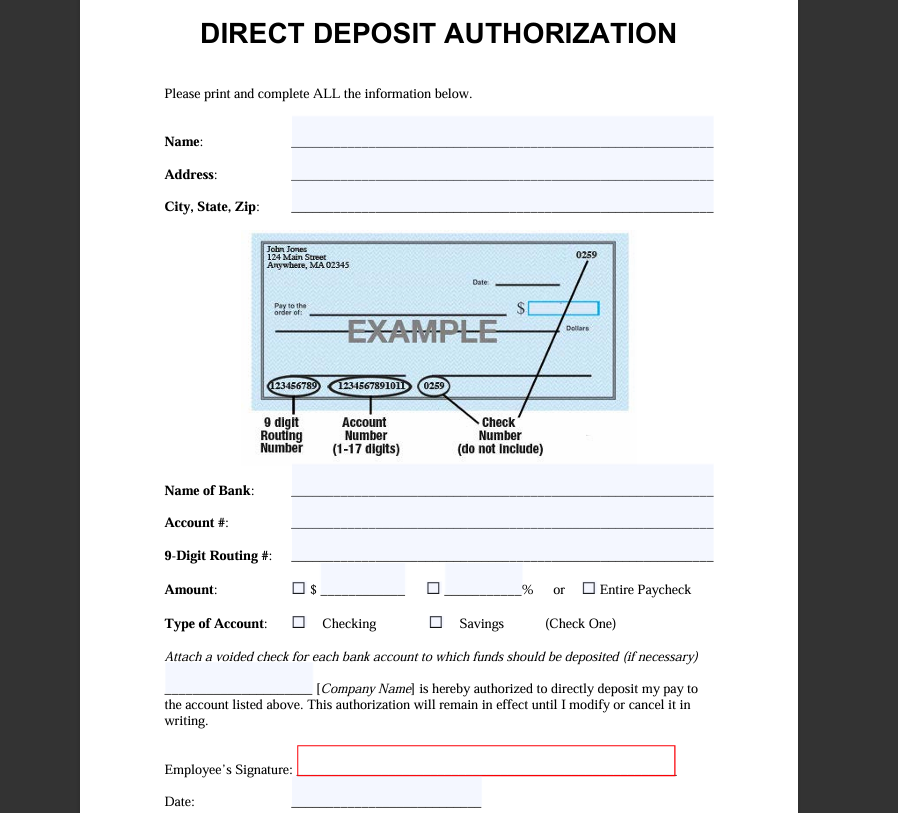
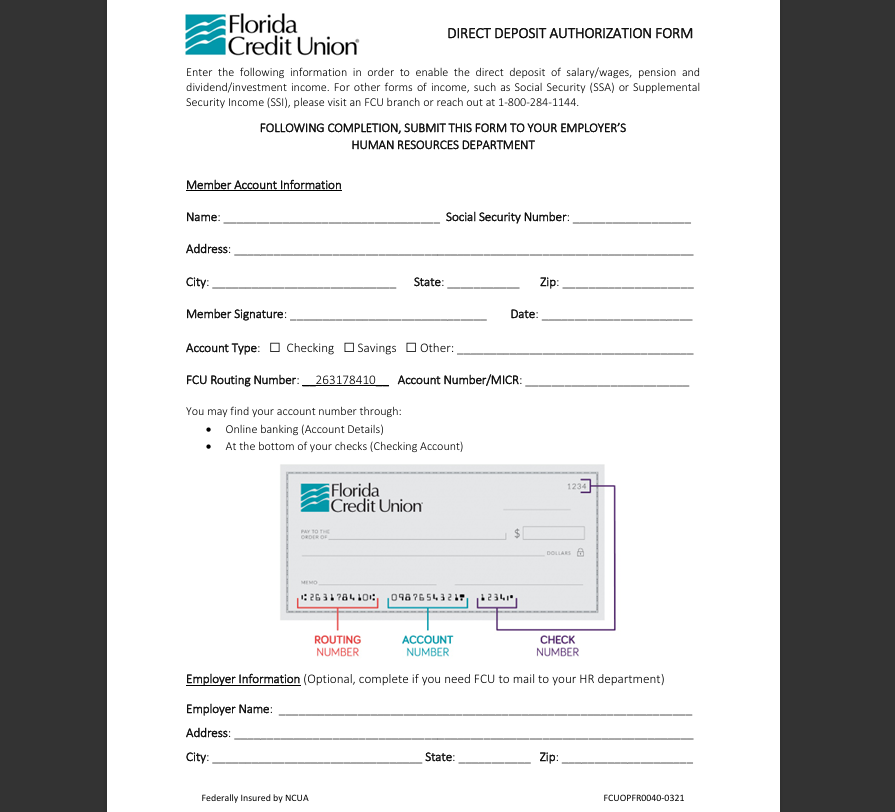
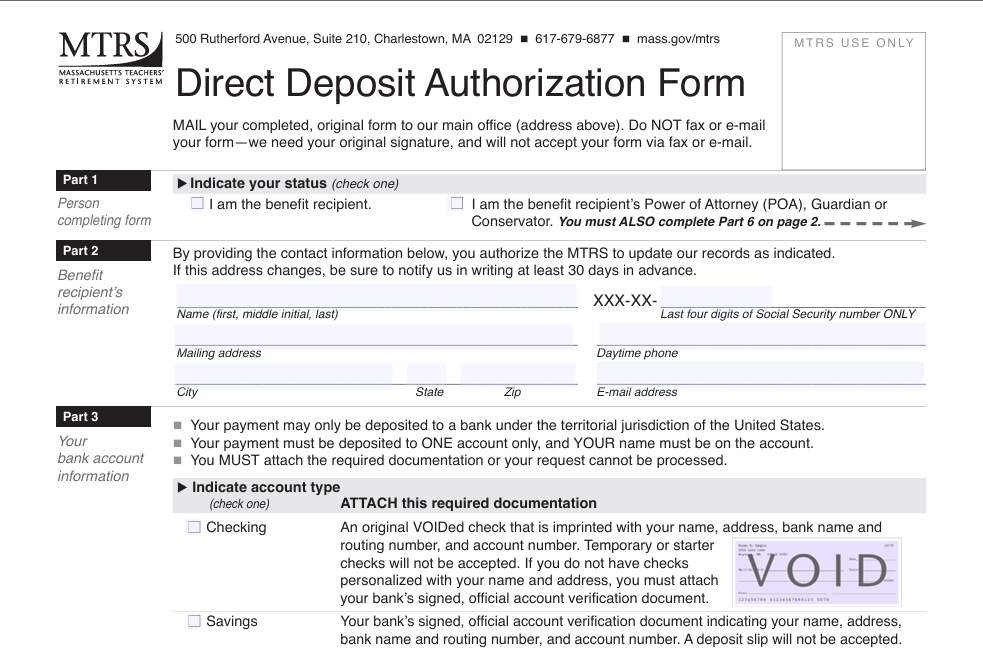
1. Direct Deposit
Authorization
This is a clean, straightforward template that covers all essential
banking and authorization details. It is ideal for small businesses that
want a no-frills solution.
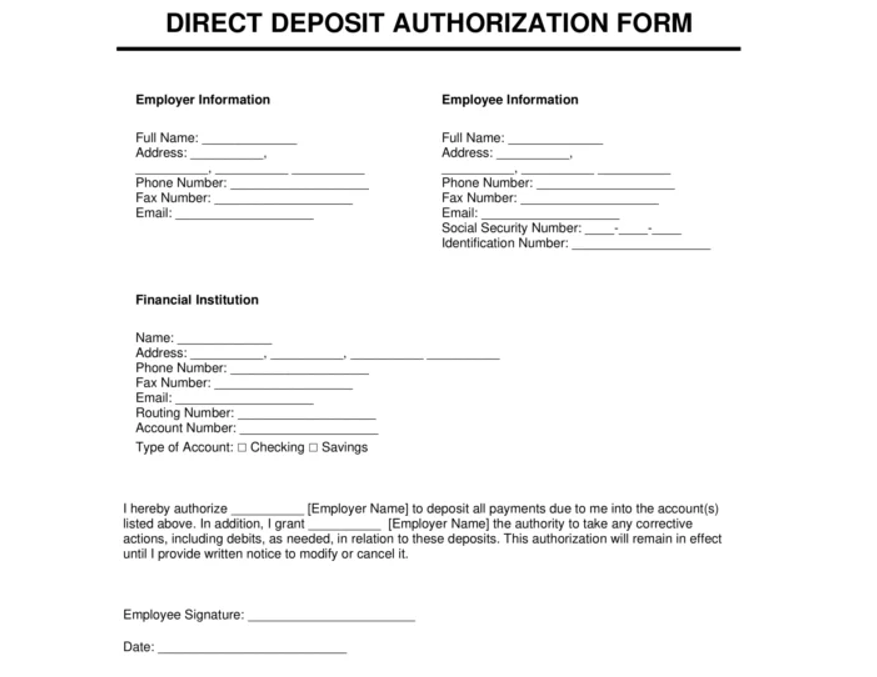
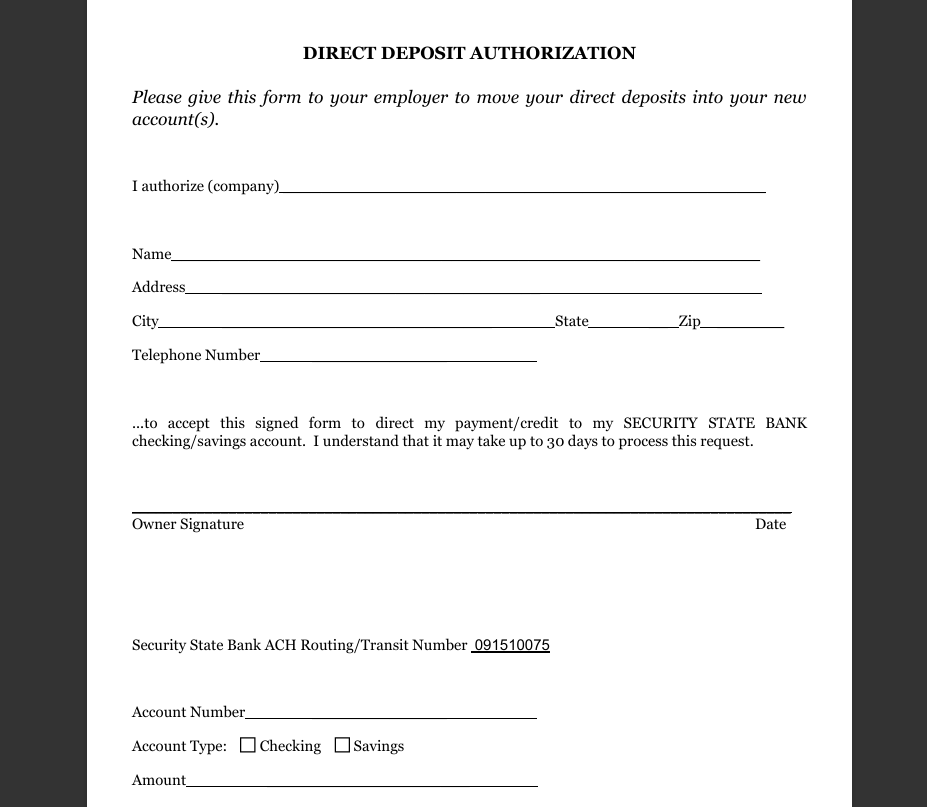
This direct deposit authorization form free option is well-structured
and suitable for businesses that want flexibility when editing or
branding the document.
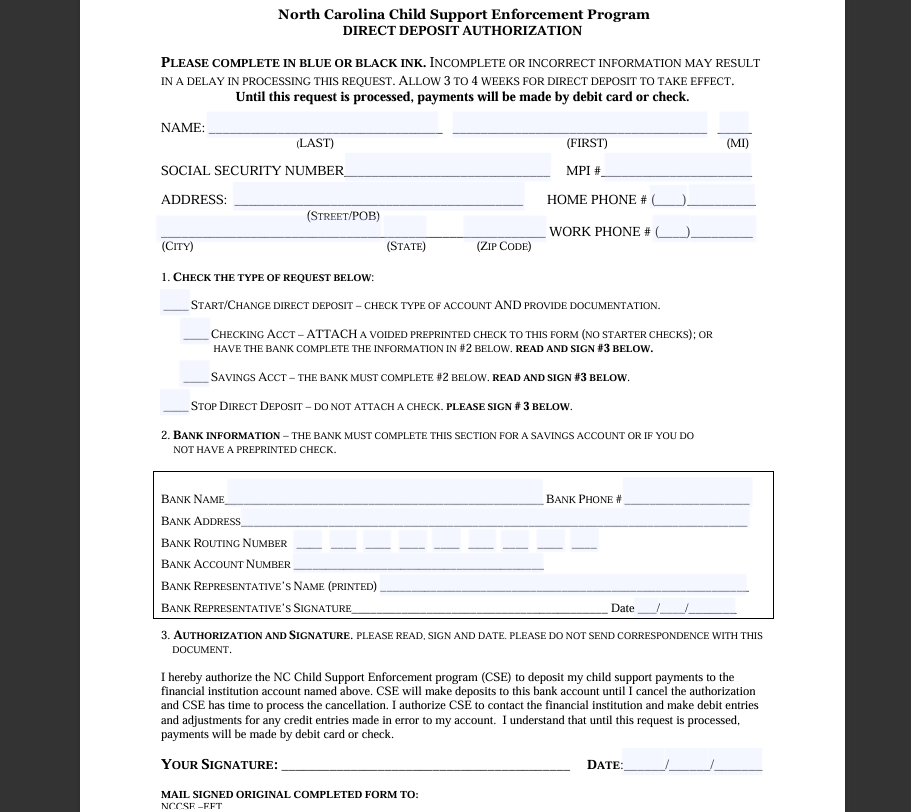
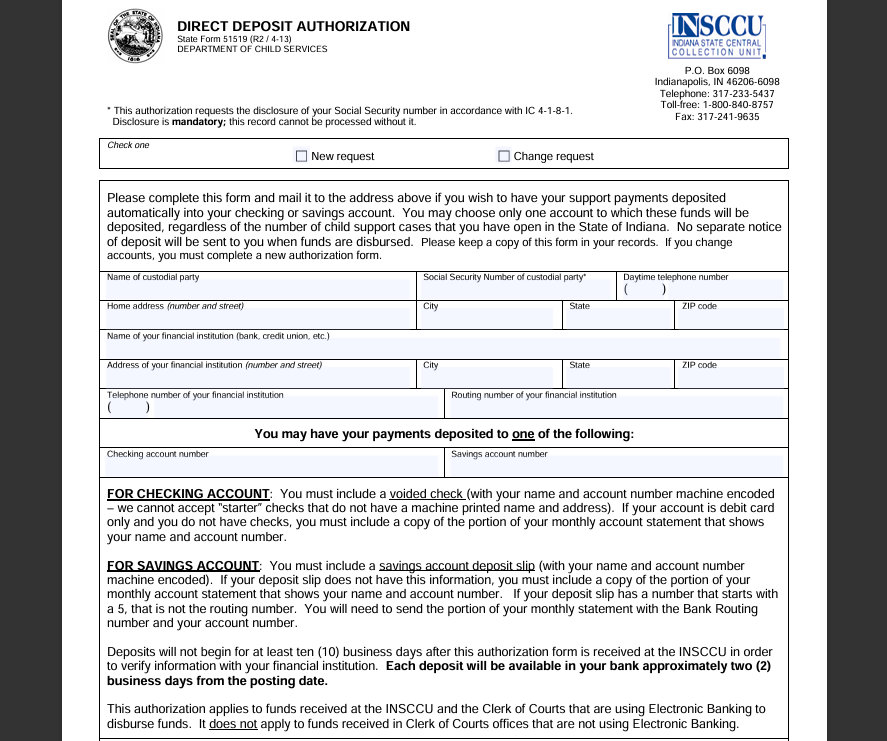
4.
North Carolina Child Support Enforcement Program Direct Deposit
Authorization
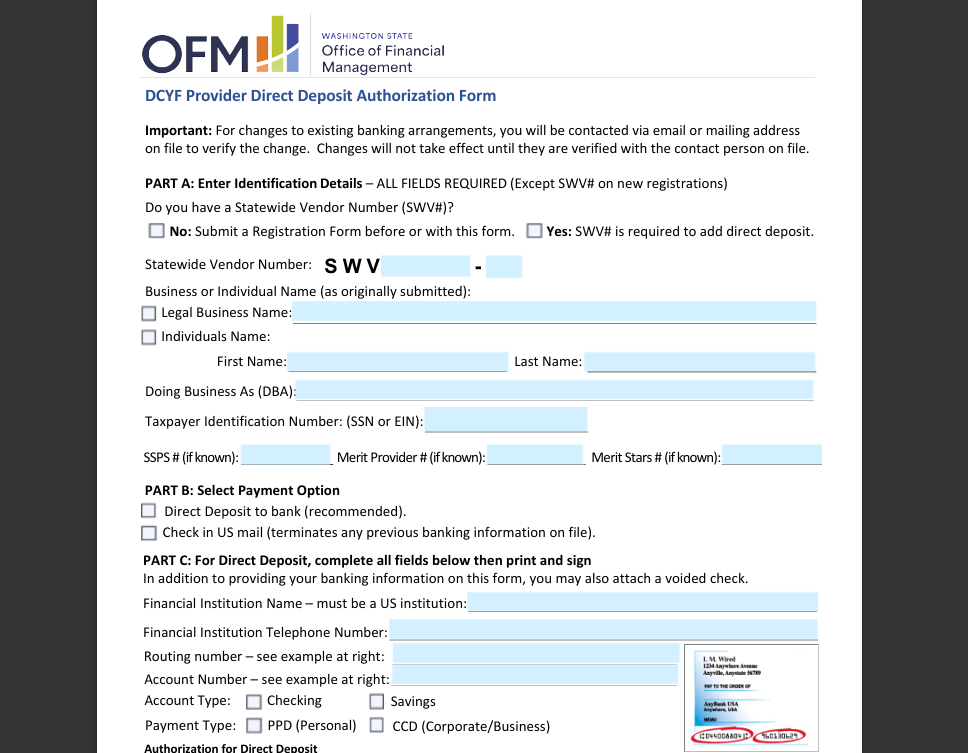
This template is useful for organizations that need to follow
government or compliance-driven formatting. It emphasizes accuracy and
authorization clarity.
North Carolina Child Support Enforcement Program Direct Deposit Authorization
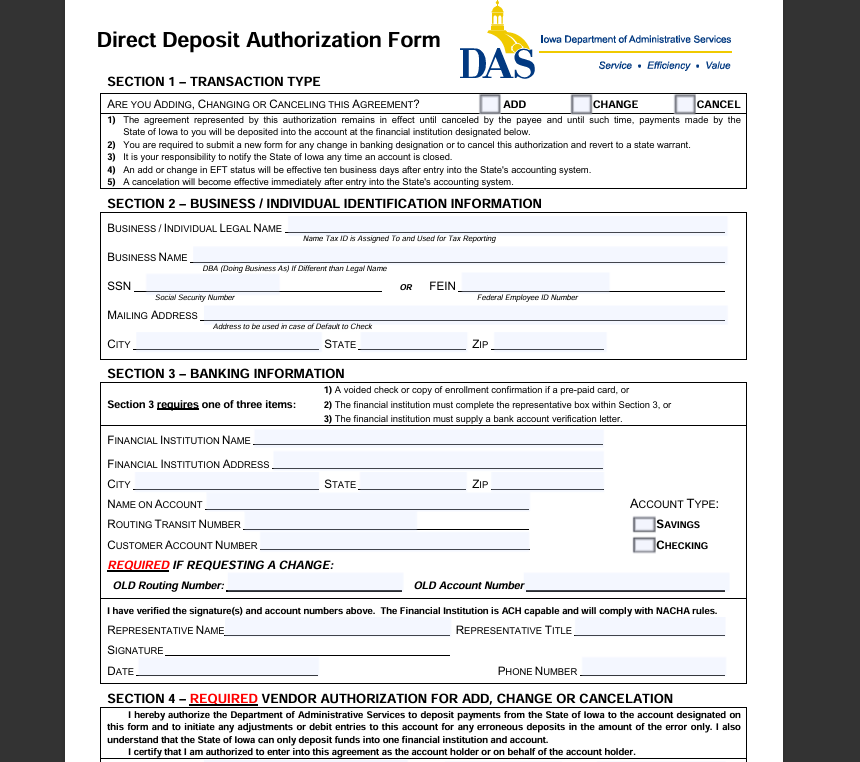
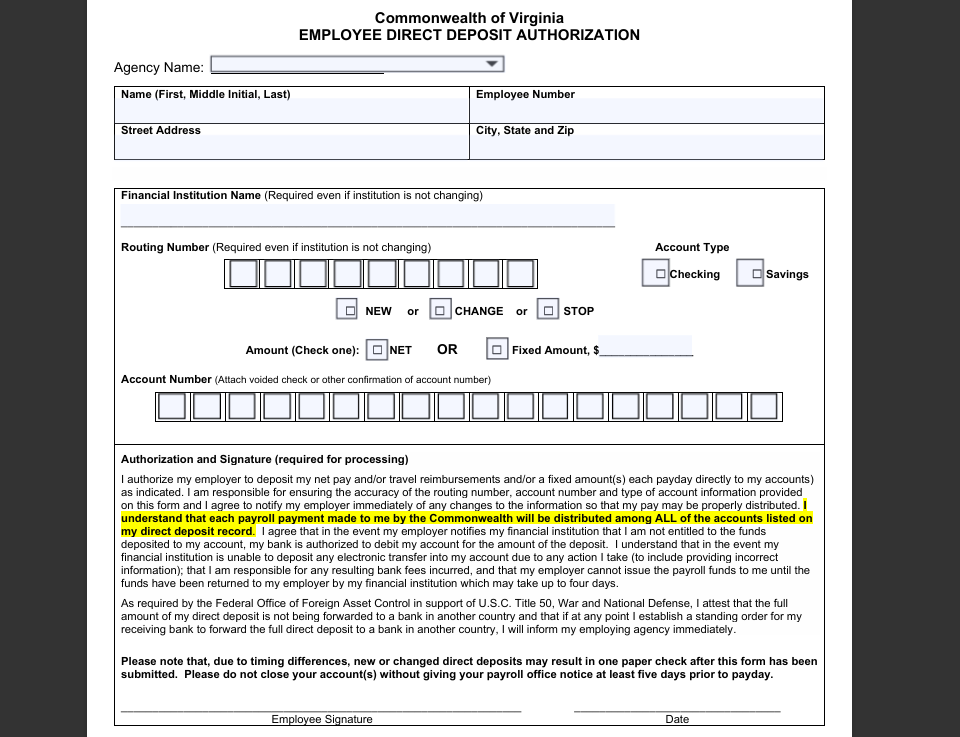
From a practical standpoint, I usually recommend starting with
templates 1, 3, or 7.
They are flexible, easy to understand, and suitable for most payroll
systems. If your organization works closely with banks or government
agencies, templates 4 and 5 offer
better compliance alignment.
Also, remember to choose the format based on your workflow. PDFs are
best for distribution and signatures, while editable formats are better
if you plan to customize fields or add company branding.
Part
3. How to Further Edit and Print Optimized Direct Deposit Authorization
Form
After reviewing the templates above, you can download the one that
best fits your payroll needs and customize it further. While many
templates are ready to use, most businesses still need to add company
details, adjust wording, or format the document for printing or digital
signing. This is where a flexible office tool becomes essential.
Whether you downloaded a Word file or a PDF, WPS makes it easy to
edit, refine, and finalize a Direct Deposit Authorization Form without
changing the original structure.
How
to Create a Direct Deposit Authorization Form in WPS Writer
If you prefer working with an editable document or want to build a
form from scratch, WPS Writer is a practical option.
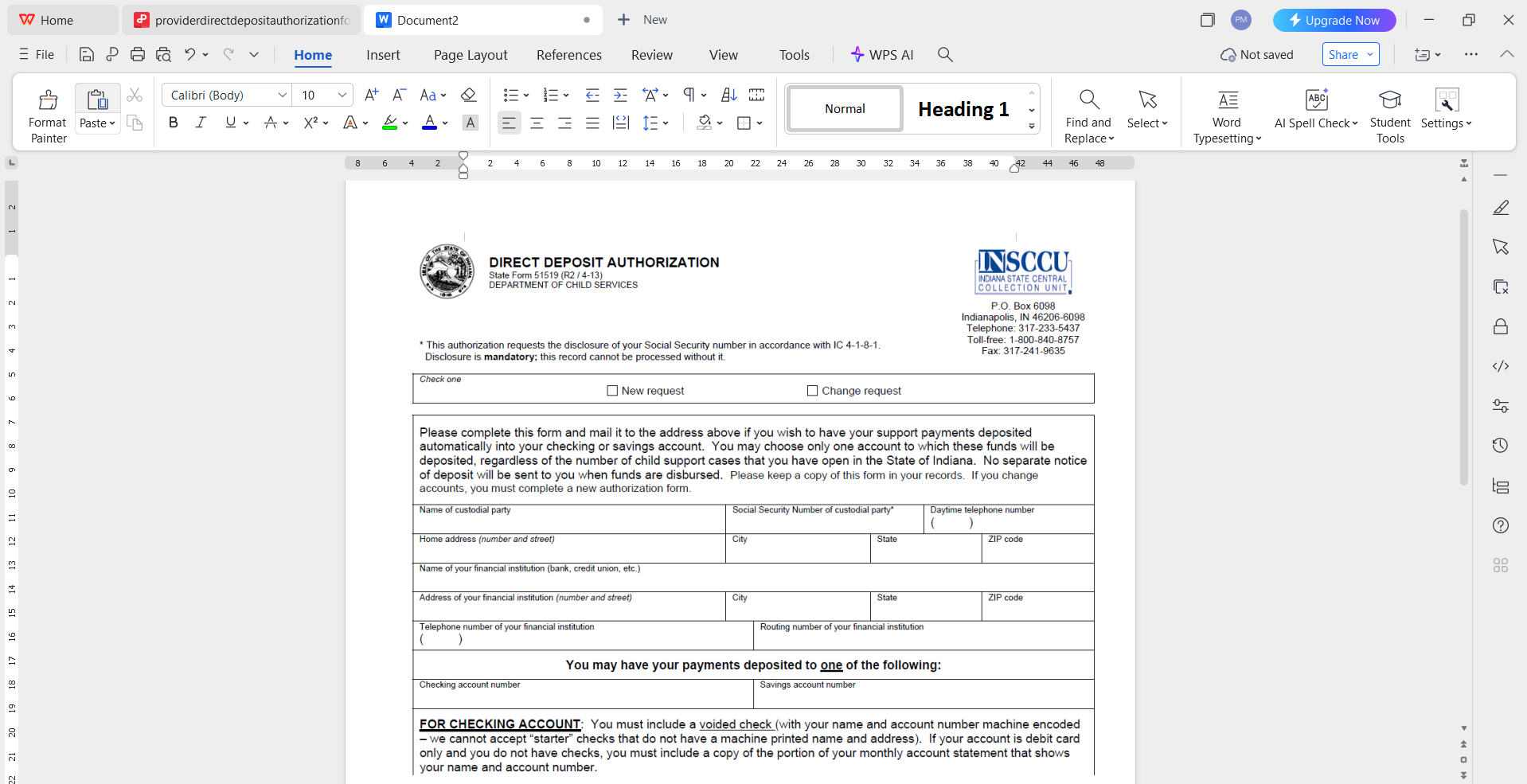
Step 1: Open WPS Writer
Launch WPS Office and open WPS Writer. Choose a blank document or
open a downloaded Word-based template.
Open Direct Deposit Authorization Form in WPS Writer
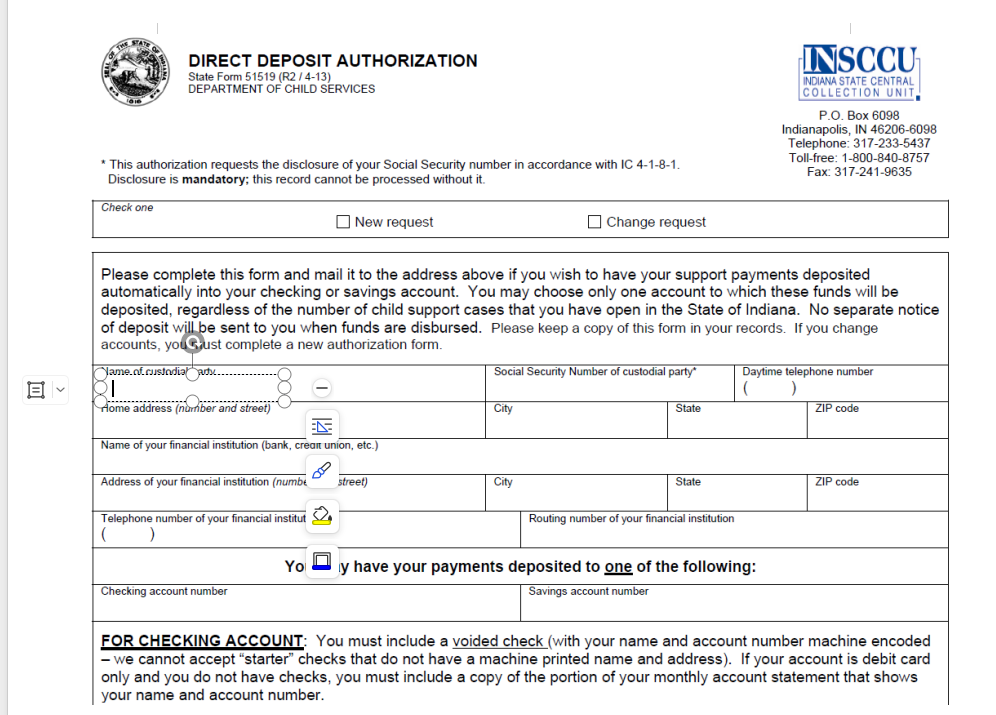
Step 2: Insert Core Form Fields
Add essential fields such as employee name, bank name, account type,
account number, routing number, and authorization statement. Use tables
to keep the layout clean and readable.
Edit Direct Deposit Authorization Form in WPS Writer
Step 3: Adjust Formatting for Clarity
Use consistent font sizes and spacing. Keep sections clearly labeled
so employees can complete the form without confusion.
Step 4: Save for Distribution
Once completed, save the document or export it as a PDF for secure
sharing and printing.
Save Direct Deposit Authorization Form in WPS Writer
From experience, creating the form in WPS Writer gives you more
control over layout and branding, especially if you need to standardize
payroll documents across departments.
Recommended:
WPS PDF for Editing Direct Deposit Authorization Form
Many templates are only available in PDF format. Instead of
recreating them manually, WPS PDF allows direct editing.
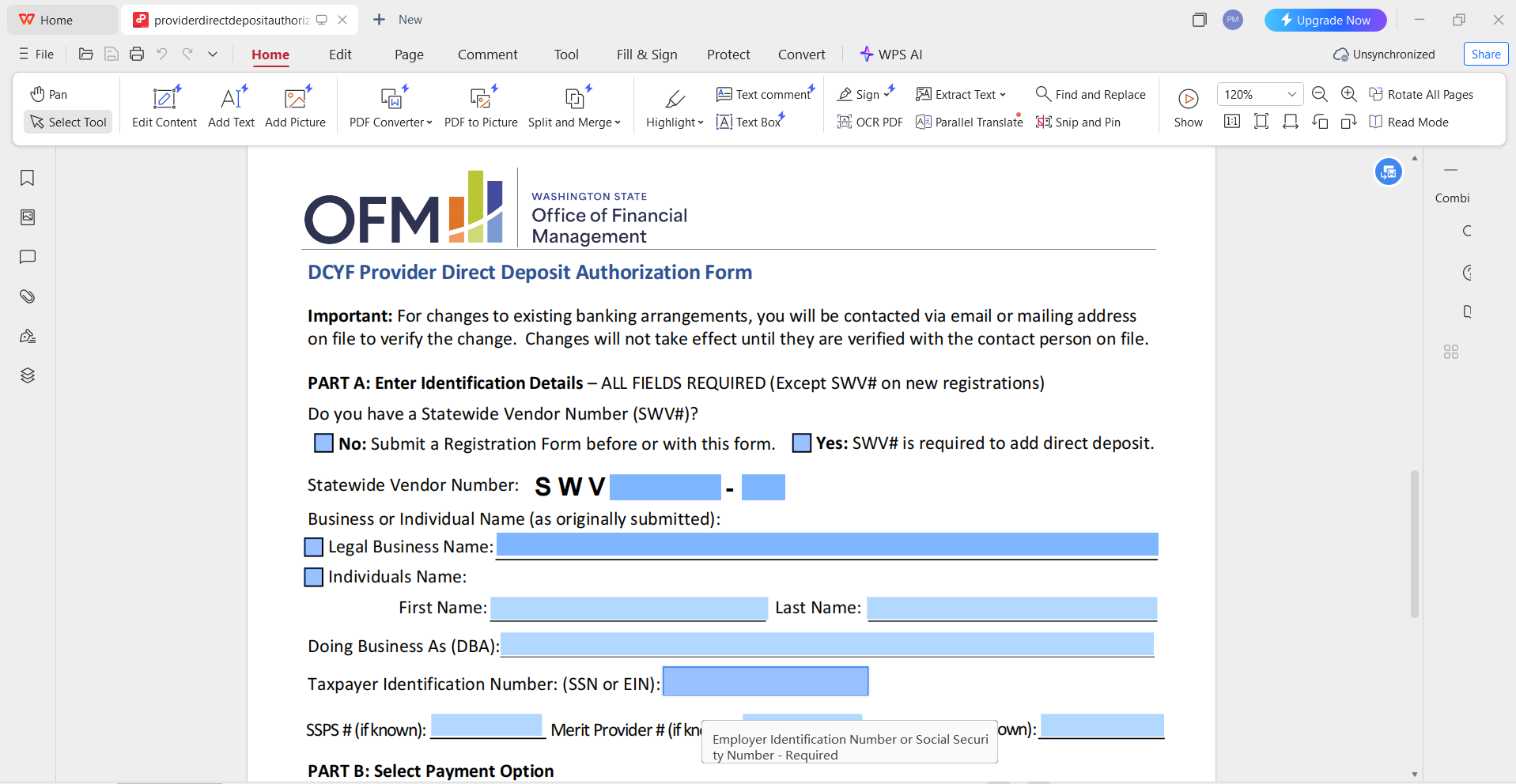
Step 1: Open the PDF in WPS Office
Right-click the file and open it with WPS PDF.
Open Direct Deposit Authorization Form in WPS PDF
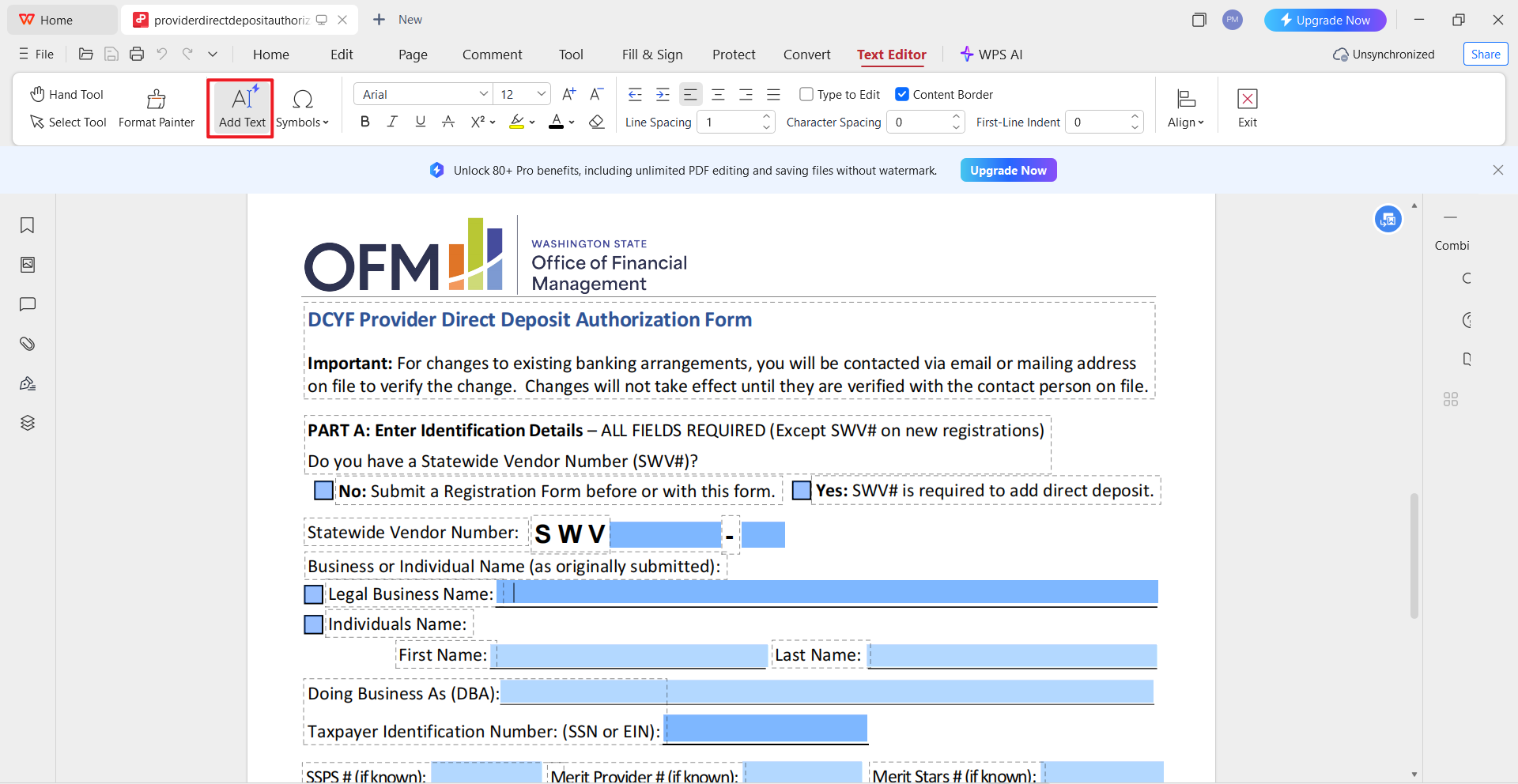
Step 2: Edit Text and Fields
Use the edit tool to modify text fields, add company information, or
adjust instructions.
Edit Direct Deposit Authorization Form in WPS PDF
Step 3: Convert if Needed
If deeper editing is required, use the “PDF to Word” feature to
convert the file into an editable document.
This method works well when handling standardized templates used
across multiple payroll cycles.
How to Save the Edited
Template as a PDF
After final edits, saving the document correctly is important for
compliance and record-keeping.
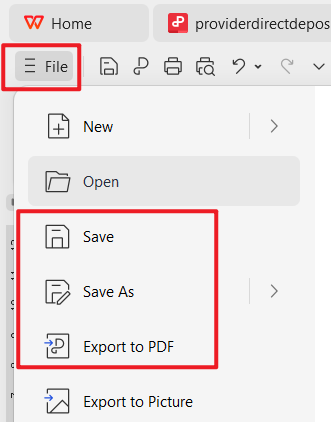
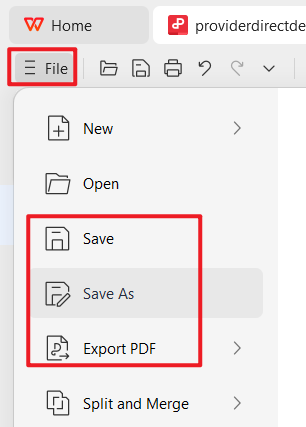
Step 1: Click “Save As” or “Export to
PDF”
Save Direct Deposit Authorization Form in WPS PDF
Step 2: Choose PDF format for universal
access
Step 3: Review formatting before
finalizing
Saving the Direct Deposit Authorization Form as a PDF ensures the
layout remains unchanged when shared with employees or stored for
audits.
Personal Editing Insight
In practice, I usually recommend keeping two versions of the form.
One editable version for internal updates, and one finalized PDF version
for employee submission. This approach minimizes errors while keeping
payroll documentation consistent and secure.
Part
4. Free Office Suite: Easy Create Direct Deposit Authorization
When managing payroll documents regularly, using a flexible and
reliable office suite can significantly reduce errors and save time. WPS
Office is a practical choice for creating, editing, and managing a
Direct Deposit Authorization Form, especially for small businesses and
HR teams working with limited resources.
WPS Office
WPS Office allows you to
work with Word and PDF formats in one place, which is particularly
useful when handling different versions of authorization forms from
banks or government sources.
Why Choose WPS Office
WPS Office offers a balance between simplicity and professional
functionality. It supports both document creation and advanced PDF
editing without requiring separate software.
Key Features:
AI helps with writing and refining document content
Free download and free to use Word editor and a powerful PDF
toolkit
Rich template store for business and HR documents
Supports online documents for collaboration
Safe, stable, and suitable for long-term document
storage
Easy sharing and export options
In my experience, WPS Office works well for teams that frequently
handle bank-specific forms, including those used for direct deposit
authorization form Bank of America and direct deposit authorization form
Regions, where accuracy and consistency are critical.
FAQs
1. What specific information must be on the form to ensure
payment accuracy?
To avoid failed payments, the form must collect the bank name,
account type, account number, and the 9-digit routing number. It should
also include the employee’s signature and date.
2. How do I use WPS Office to edit a PDF authorization form
template?
If you download a PDF template, open it in WPS Office. Use the PDF
editing or PDF to Word feature to modify text fields, add company
details, and save the final version as a PDF for distribution.
3. Is a bank-specific direct deposit authorization form
required?
Some employers request bank-specific forms, such as a direct deposit
authorization form from Chase, but most payroll systems accept standard
authorization forms as long as all required banking details are
accurate.
4. Can I use a direct deposit authorization form free
template for payroll compliance?
Yes, a direct deposit authorization form free template can be used if
it includes proper authorization language, complete banking details, and
a signed consent section. Always verify compliance with local labor
regulations.
Summary
A Direct Deposit Authorization Form is a critical document for
ensuring accurate, secure, and compliant payroll processing. Choosing
the right template helps reduce errors, speed up onboarding, and protect
both employers and employees.
By using reliable templates and editing them with WPS Office, businesses can easily
customize, finalize, and store authorization forms in both Word and PDF
formats. With its free tools, rich features, and flexible editing
options, WPS Office is a practical solution for managing payroll
documentation efficiently and professionally.
Office software expert with 15+ years of experience since 2009. I specialize in tech tutorials, productivity tools, and digital solutions for everyday users. Passionate about making technology simple and accessible for everyone.


'%3e%3cpath%20d='M8%200C12.4183%200%2016%203.58172%2016%208C16%2012.4183%2012.4183%2016%208%2016C3.58172%2016%200%2012.4183%200%208C0%203.58172%203.58172%200%208%200ZM11.6162%204.38379C11.2257%203.99337%2010.5927%203.99338%2010.2021%204.38379L8%206.58594L5.79785%204.38379C5.40732%203.99334%204.77429%203.99329%204.38379%204.38379C3.99331%204.77429%203.99335%205.40733%204.38379%205.79785L6.58594%208L4.38379%2010.2021C3.99348%2010.5927%203.99341%2011.2257%204.38379%2011.6162C4.77426%2012.0066%205.40734%2012.0065%205.79785%2011.6162L8%209.41406L10.2021%2011.6162C10.5927%2012.0066%2011.2257%2012.0067%2011.6162%2011.6162C12.0067%2011.2257%2012.0066%2010.5927%2011.6162%2010.2021L9.41406%208L11.6162%205.79785C12.0066%205.40735%2012.0066%204.77429%2011.6162%204.38379Z'%20fill='%23080E17'%20fill-opacity='0.46'/%3e%3c/g%3e%3cdefs%3e%3cclipPath%20id='clip0_3761_713'%3e%3crect%20width='16'%20height='16'%20fill='white'/%3e%3c/clipPath%3e%3c/defs%3e%3c/svg%3e)




'%3e%3cpath%20fill-rule='evenodd'%20clip-rule='evenodd'%20d='M21.4999%2010.9993C21.4999%205.20009%2016.7986%200.498901%2010.9993%200.498901C5.19994%200.498901%200.498657%205.20009%200.498657%2010.9993C0.498657%2016.2404%204.33858%2020.5844%209.35855%2021.3722V14.0346H6.69238V10.9993H9.35855V8.68594C9.35855%206.05427%2010.9262%204.60062%2013.3248%204.60062C14.4736%204.60062%2015.6753%204.80571%2015.6753%204.80571V7.38979H14.3512C13.0468%207.38979%2012.64%208.19921%2012.64%209.0296V10.9993H15.5523L15.0867%2014.0346H12.64V21.3722C17.66%2020.5844%2021.4999%2016.2404%2021.4999%2010.9993Z'%20fill='%231568EA'/%3e%3c/g%3e%3c/svg%3e)


'%3e%3cpath%20d='M2.42045%2022.1876H6.31818V12.7217L0.75%208.54553V20.5171C0.75%2021.4414%201.49892%2022.1876%202.42045%2022.1876Z'%20fill='%234285F4'/%3e%3cpath%20d='M19.682%2022.1876H23.5797C24.5041%2022.1876%2025.2502%2021.4387%2025.2502%2020.5171V8.54553L19.682%2012.7217'%20fill='%2334A853'/%3e%3cpath%20d='M19.682%205.48293V12.7216L25.2502%208.54543V6.31816C25.2502%204.25236%2022.8921%203.07469%2021.2411%204.31361'%20fill='%23FBBC04'/%3e%3cpath%20d='M6.31824%2012.7217V5.48303L13.0001%2010.4944L19.6819%205.48303V12.7217L13.0001%2017.733'%20fill='%23EA4335'/%3e%3cpath%20d='M0.75%206.31816V8.54543L6.31818%2012.7216V5.48293L4.75909%204.31361C3.10534%203.07469%200.75%204.25236%200.75%206.31816Z'%20fill='%23C5221F'/%3e%3c/g%3e%3cdefs%3e%3cclipPath%20id='clip0_2954_7305'%3e%3crect%20width='24.5'%20height='18.375'%20fill='white'%20transform='translate(0.75%203.8125)'/%3e%3c/clipPath%3e%3c/defs%3e%3c/svg%3e)



'%3e%3cpath%20d='M19.9911%204.11386V6.471H18.5894C18.0775%206.471%2017.7322%206.57814%2017.5536%206.79243C17.3751%207.00671%2017.2858%207.32814%2017.2858%207.75671V9.44421H19.9019L19.5536%2012.0871H17.2858V18.8639H14.5536V12.0871H12.2769V9.44421H14.5536V7.49779C14.5536%206.39064%2014.8632%205.53201%2015.4822%204.92189C16.1013%204.31177%2016.9257%204.00671%2017.9554%204.00671C18.8304%204.00671%2019.509%204.04243%2019.9911%204.11386Z'%20fill='%23333333'/%3e%3c/g%3e%3cdefs%3e%3cclipPath%20id='clip0_2938_8199'%3e%3crect%20width='16'%20height='16'%20fill='white'%20transform='translate(8%204.00671)'/%3e%3c/clipPath%3e%3c/defs%3e%3c/svg%3e)
'%3e%3cpath%20d='M17.5237%2010.7813L23.4811%204H22.0699L16.8949%209.88693L12.7648%204H8L14.2469%2012.9029L8%2020.0133H9.4112L14.8725%2013.7952L19.2352%2020.0133H24M9.92053%205.04213H12.0885L22.0688%2019.0224H19.9003'%20fill='%23333333'/%3e%3c/g%3e%3cdefs%3e%3cclipPath%20id='clip0_2938_8200'%3e%3crect%20width='16'%20height='16.0134'%20fill='white'%20transform='translate(8%204)'/%3e%3c/clipPath%3e%3c/defs%3e%3c/svg%3e)


