

'%3e%3cpath%20d='M8%200C12.4183%200%2016%203.58172%2016%208C16%2012.4183%2012.4183%2016%208%2016C3.58172%2016%200%2012.4183%200%208C0%203.58172%203.58172%200%208%200ZM11.6162%204.38379C11.2257%203.99337%2010.5927%203.99338%2010.2021%204.38379L8%206.58594L5.79785%204.38379C5.40732%203.99334%204.77429%203.99329%204.38379%204.38379C3.99331%204.77429%203.99335%205.40733%204.38379%205.79785L6.58594%208L4.38379%2010.2021C3.99348%2010.5927%203.99341%2011.2257%204.38379%2011.6162C4.77426%2012.0066%205.40734%2012.0065%205.79785%2011.6162L8%209.41406L10.2021%2011.6162C10.5927%2012.0066%2011.2257%2012.0067%2011.6162%2011.6162C12.0067%2011.2257%2012.0066%2010.5927%2011.6162%2010.2021L9.41406%208L11.6162%205.79785C12.0066%205.40735%2012.0066%204.77429%2011.6162%204.38379Z'%20fill='%23080E17'%20fill-opacity='0.46'/%3e%3c/g%3e%3cdefs%3e%3cclipPath%20id='clip0_3761_713'%3e%3crect%20width='16'%20height='16'%20fill='white'/%3e%3c/clipPath%3e%3c/defs%3e%3c/svg%3e)




'%3e%3cpath%20fill-rule='evenodd'%20clip-rule='evenodd'%20d='M21.4999%2010.9993C21.4999%205.20009%2016.7986%200.498901%2010.9993%200.498901C5.19994%200.498901%200.498657%205.20009%200.498657%2010.9993C0.498657%2016.2404%204.33858%2020.5844%209.35855%2021.3722V14.0346H6.69238V10.9993H9.35855V8.68594C9.35855%206.05427%2010.9262%204.60062%2013.3248%204.60062C14.4736%204.60062%2015.6753%204.80571%2015.6753%204.80571V7.38979H14.3512C13.0468%207.38979%2012.64%208.19921%2012.64%209.0296V10.9993H15.5523L15.0867%2014.0346H12.64V21.3722C17.66%2020.5844%2021.4999%2016.2404%2021.4999%2010.9993Z'%20fill='%231568EA'/%3e%3c/g%3e%3c/svg%3e)


'%3e%3cpath%20d='M2.42045%2022.1876H6.31818V12.7217L0.75%208.54553V20.5171C0.75%2021.4414%201.49892%2022.1876%202.42045%2022.1876Z'%20fill='%234285F4'/%3e%3cpath%20d='M19.682%2022.1876H23.5797C24.5041%2022.1876%2025.2502%2021.4387%2025.2502%2020.5171V8.54553L19.682%2012.7217'%20fill='%2334A853'/%3e%3cpath%20d='M19.682%205.48293V12.7216L25.2502%208.54543V6.31816C25.2502%204.25236%2022.8921%203.07469%2021.2411%204.31361'%20fill='%23FBBC04'/%3e%3cpath%20d='M6.31824%2012.7217V5.48303L13.0001%2010.4944L19.6819%205.48303V12.7217L13.0001%2017.733'%20fill='%23EA4335'/%3e%3cpath%20d='M0.75%206.31816V8.54543L6.31818%2012.7216V5.48293L4.75909%204.31361C3.10534%203.07469%200.75%204.25236%200.75%206.31816Z'%20fill='%23C5221F'/%3e%3c/g%3e%3cdefs%3e%3cclipPath%20id='clip0_2954_7305'%3e%3crect%20width='24.5'%20height='18.375'%20fill='white'%20transform='translate(0.75%203.8125)'/%3e%3c/clipPath%3e%3c/defs%3e%3c/svg%3e)


At its core, a catering contract is not just paperwork. It is the document that turns an event plan into a clear, enforceable agreement between you and your client. When written well, it protects your time, your income, and your reputation.
So how do you create a catering contract that is detailed enough to cover risks like cancellations, allergies, and damages, but still flexible for real-world events? In this article, I will share 10 striking catering contract templates you can download for free and show you how to edit them easily using professional office tools.
Part 1. What Is a Catering Contract
A catering contract template is a written agreement between a caterer and a client that clearly defines the scope of services for an event. It outlines what will be provided, when it will be delivered, and how payment and responsibilities are handled.
For caterers, this document acts as operational protection. For clients, it offers clarity and accountability. A well-structured contract reduces misunderstandings and sets professional expectations on both sides.
Key Information a Catering Contract Should Include
A basic catering contract template should clearly state:
Event date, time, and location
Client and caterer contact details
Menu items and service style
Number of guests and staffing requirements
Pricing, deposits, and payment deadlines
Cancellation and refund policies
Liability, damages, and insurance clauses
Food allergy and dietary responsibility terms
Including these elements ensures the contract works as a practical guide, not just a legal formality.
Catering Types
Different events require different contract structures. Common catering types include:
Corporate catering for meetings, conferences, and office events
Wedding catering, which often needs detailed timelines and vendor coordination
Private event catering, such as birthdays or family celebrations
Off-site catering, where venue restrictions and logistics must be specified
Government or childcare catering, which follows regulated standards
Choosing the right structure helps determine whether you need a basic catering contract template or a more specialized version.
Significance of Making a Catering Contract
From experience, most payment disputes could be avoided with a clear contract. A properly written agreement protects caterers from last-minute cancellations and unpaid invoices. It also reassures clients that service quality, timing, and pricing are locked in.
Using a catering contract template free of charge allows small businesses and independent caterers to operate professionally without hiring legal counsel. It saves time, reduces risk, and improves trust with clients.
Part 2. 10 Striking Catering Contract Templates [Free Download]
Below are 10 carefully selected catering contract templates that work well in real catering scenarios. I’ve used similar formats myself when standardizing terms, confirming deposits, and preventing last-minute disputes. Each option is free to download and easy to customize.
Tip: Most of these templates are available in Word and can also be exported as a catering service agreement PDF. Choose Word if you plan to edit heavily, and PDF if you want a clean, locked version for client signing.
1. Wellesley College Full-Service Catering Contract [Word]
Best for: Large events, institutional or corporate catering
This is a detailed, professional contract covering service scope, staffing, and compliance. It’s ideal when you need strong structure and clarity for complex events.
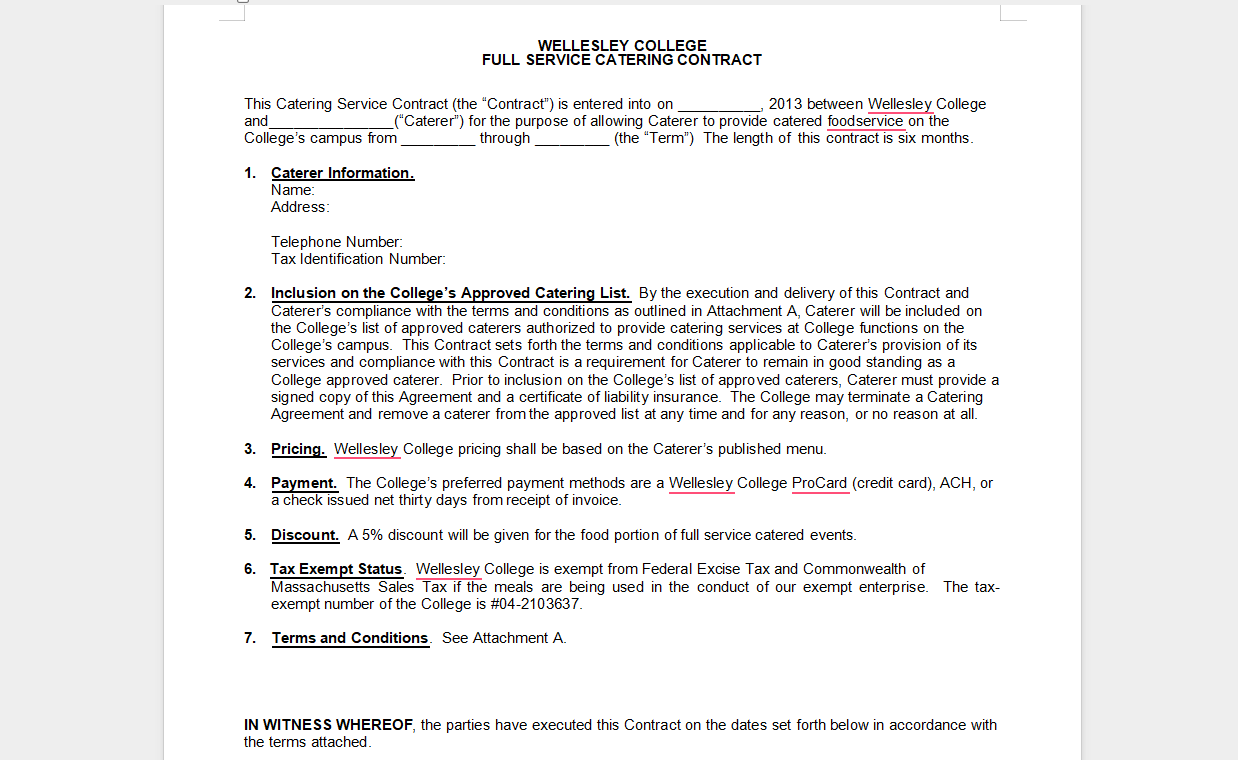
Download: https://templatelab.com/file/115447/
2. Catering Contracts 01 [Word]
Best for: General catering services
This is a basic catering contract template that focuses on pricing, menu, and payment terms. I recommend this for freelancers and small catering teams.
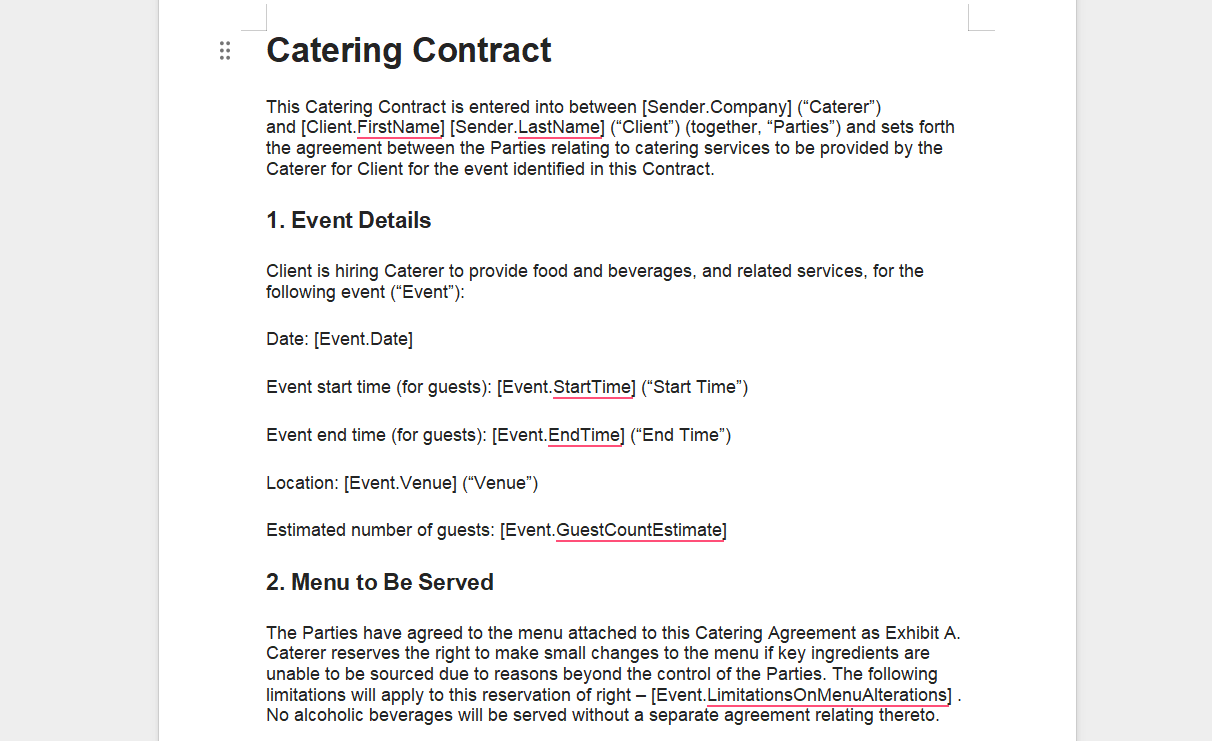
Download: https://templatelab.com/file/115432/
3. Catering Contracts 02 [Word]
Best for: Events with variable guest counts
This template leaves room to clearly define minimum guest guarantees and overage pricing, which helps avoid disputes after the event.
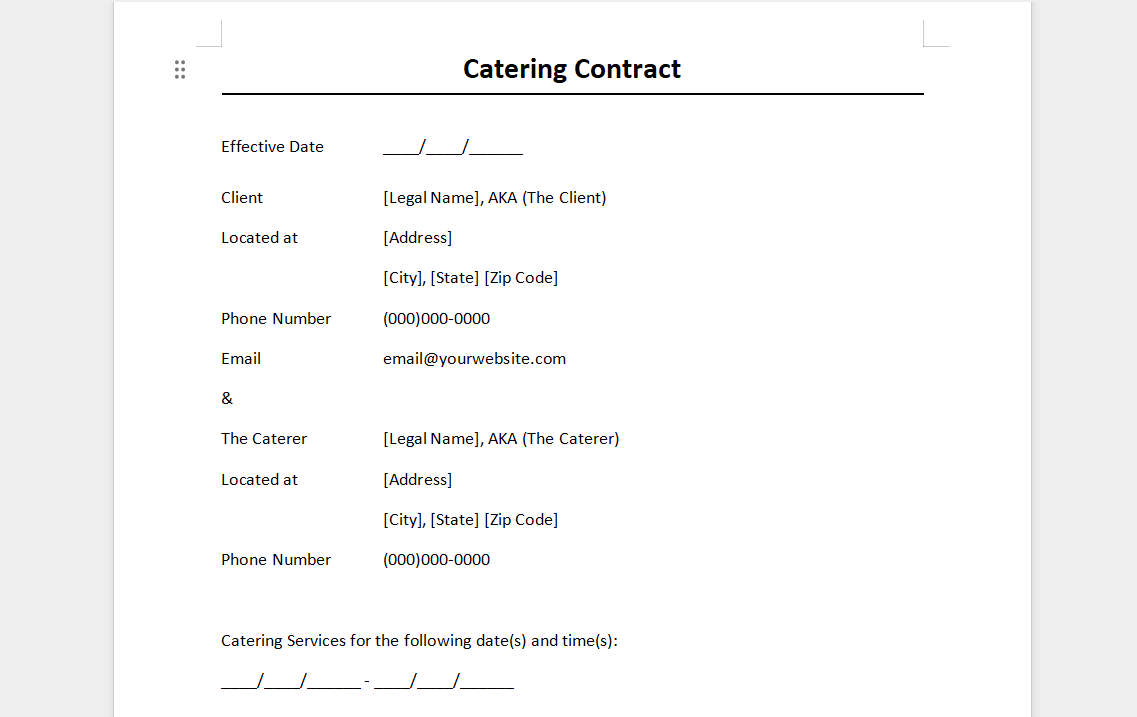
Download: https://templatelab.com/file/115435/
4. Catering Contracts 03 [Word]
Best for: Budget-conscious clients
A clean and simple structure that avoids legal overload. This works well when clients want transparency without long clauses.
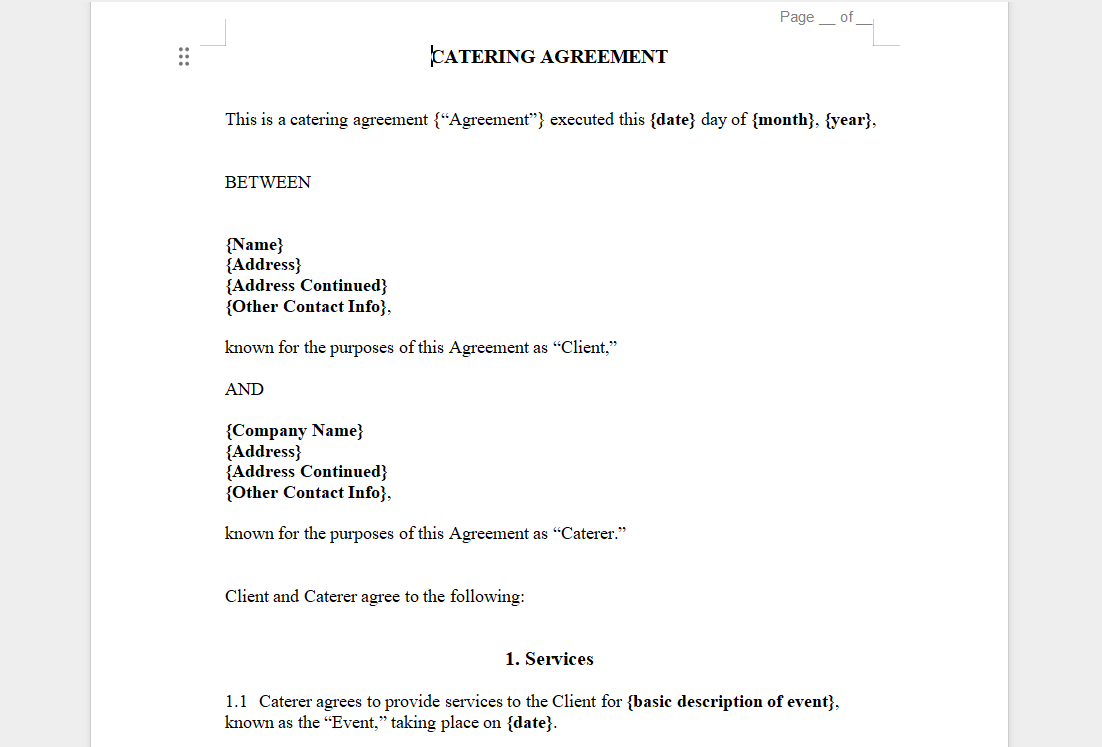
Download: https://templatelab.com/file/115438/
5. Catering Contracts 04 [Word]
Best for: Private parties and family events
This template balances simplicity with protection. I’ve seen this format work well for birthday parties and home events.
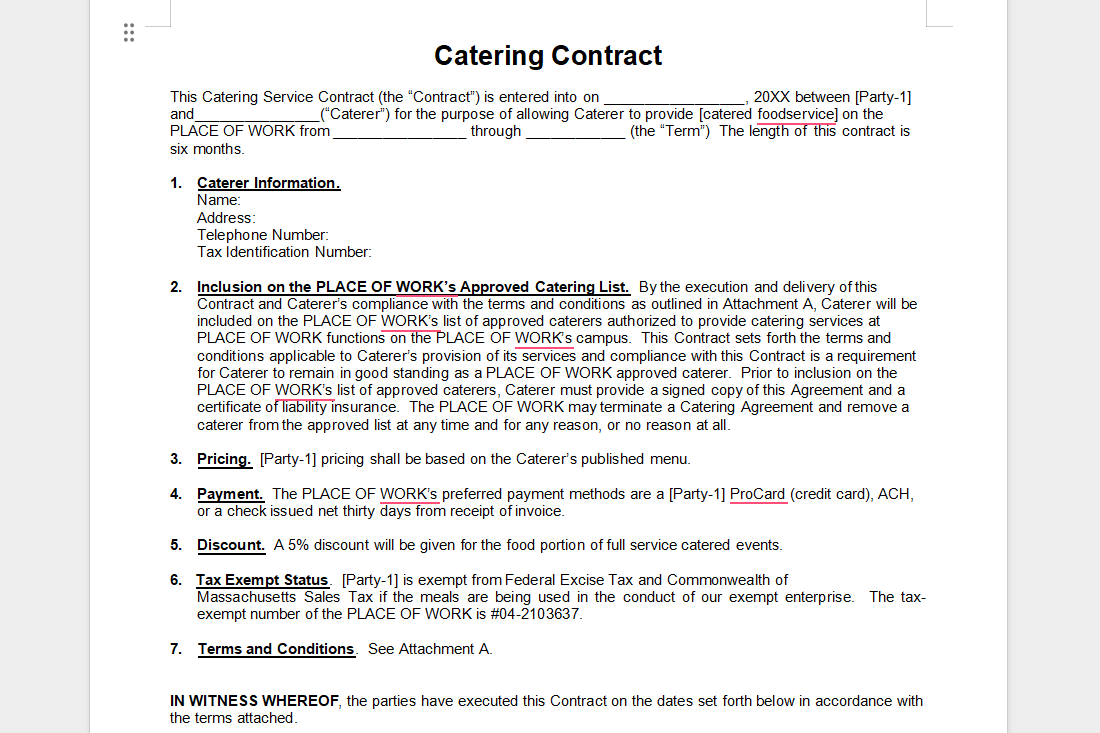
Download: https://templatelab.com/file/115444/
6. Catering Contracts 05 [Word]
Best for: Fast bookings
If you need something quick that still looks professional, this template is practical. Just be sure to review cancellation clauses carefully.
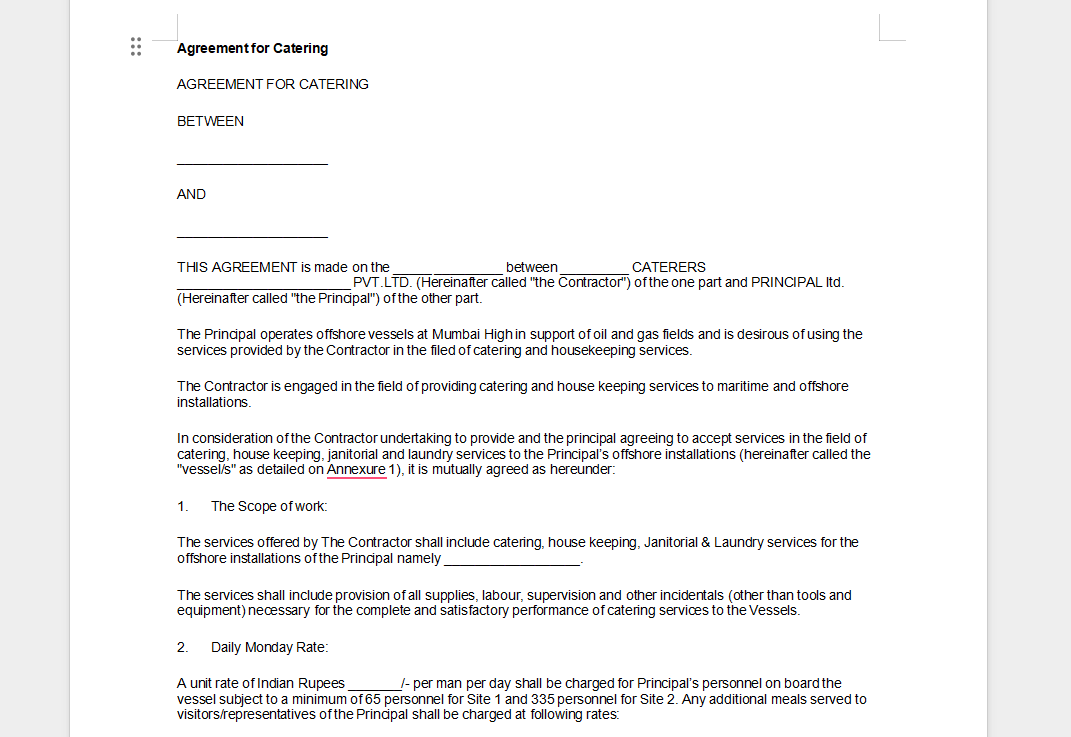
Download: https://templatelab.com/file/115453/
7. Catering Contracts 06 [Word]
Best for: Vendors working with venues
This version clearly separates venue responsibilities from catering duties, which reduces liability confusion.
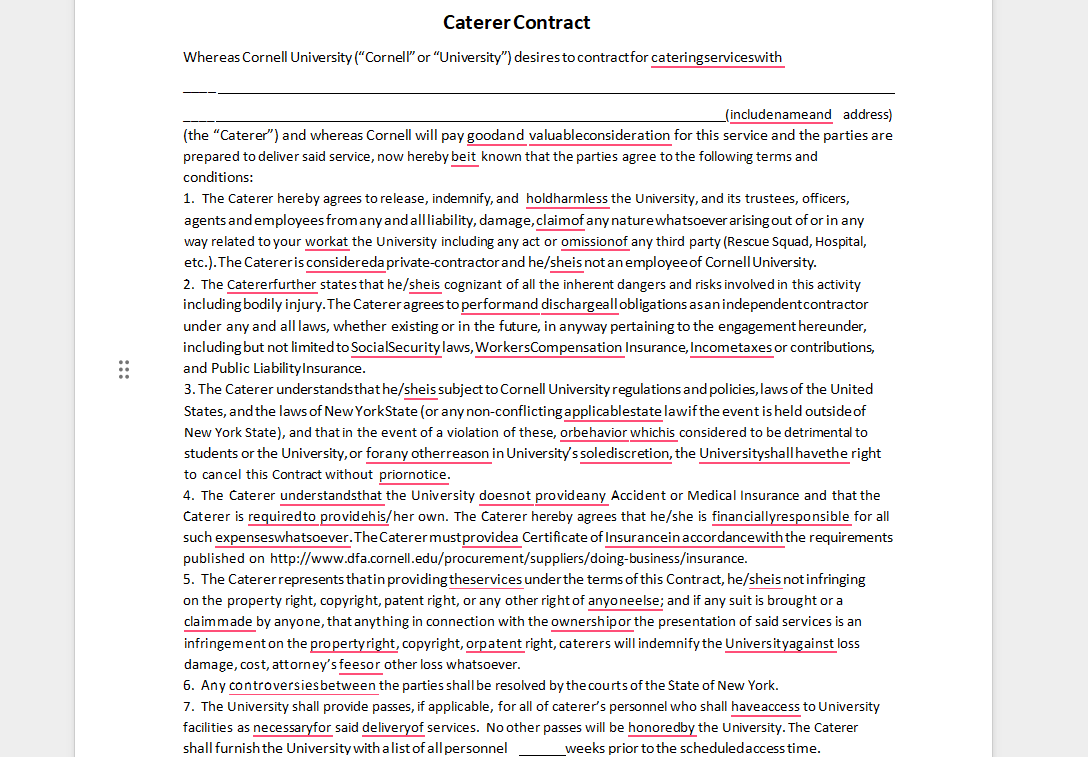
Download: https://templatelab.com/file/115468/
8. Off-site Catering Contracts [Word]
Best for: Outdoor and remote events
Off-site catering introduces logistical risks. This template explicitly addresses setup, breakdown, and transport responsibilities.
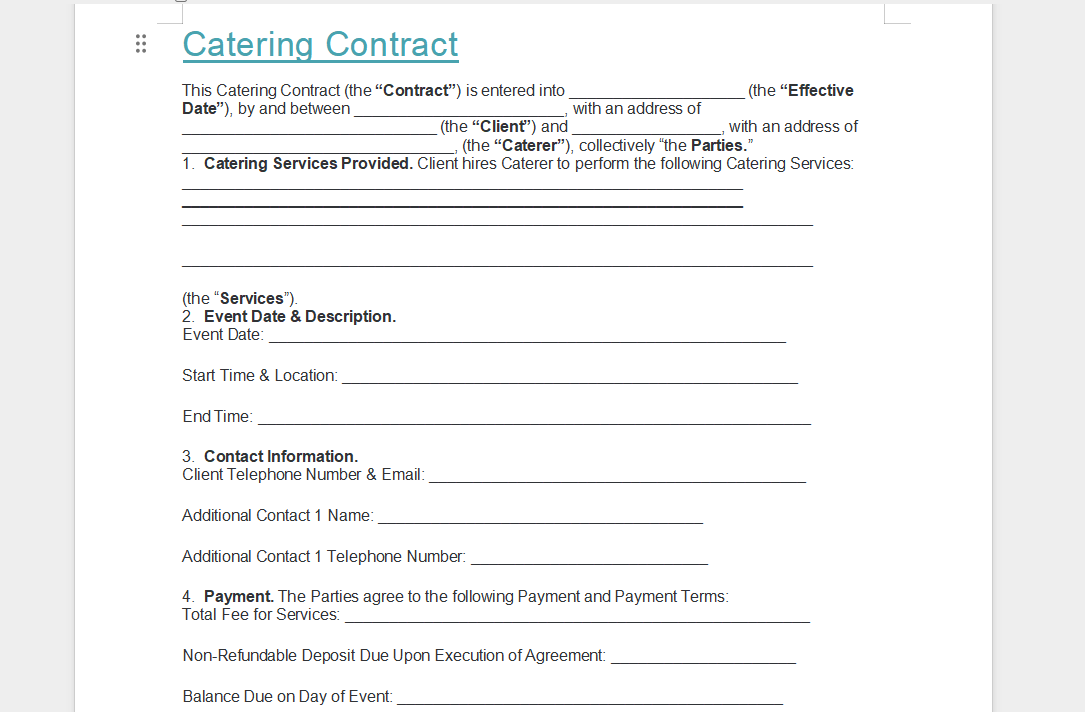
Download: https://templatelab.com/file/115456/
9. Child Care Food Program Catering Contracts [Word]
Best for: Regulated catering services
This is useful for government-funded or childcare programs where compliance and reporting matter more than customization.
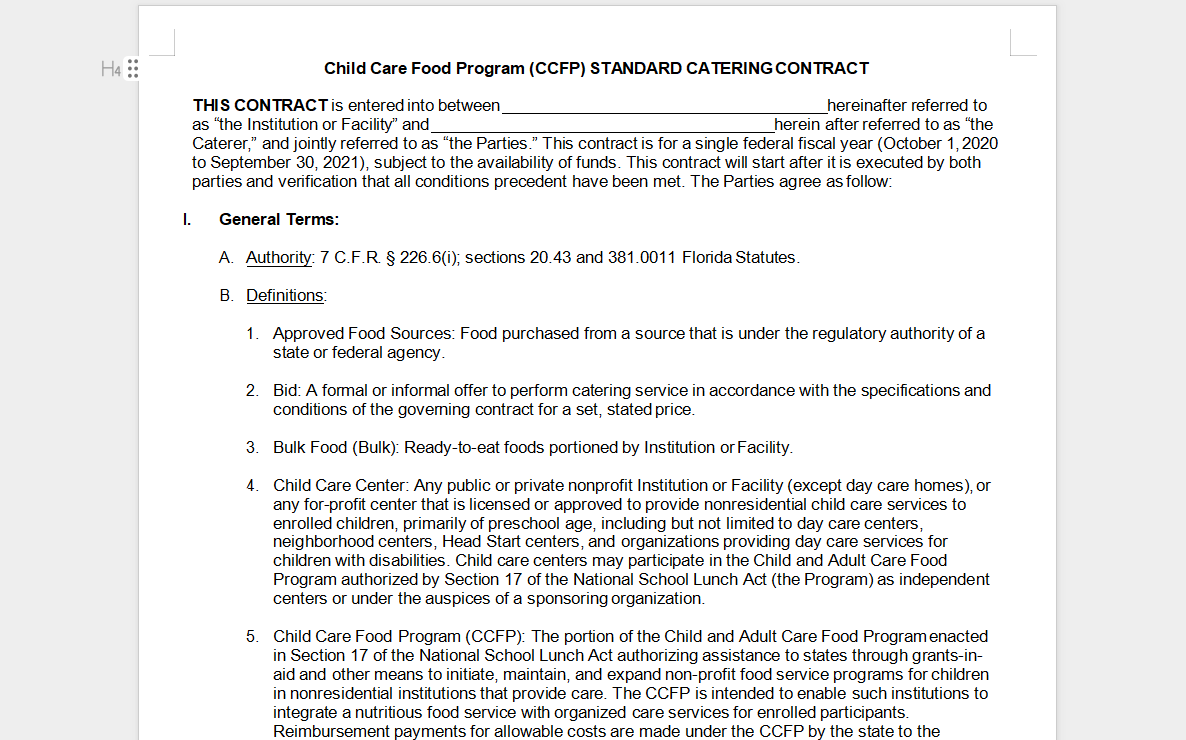
Download: https://templatelab.com/file/115441/
10. KY CACFP Standard Catering Contract [Word]
Best for: Standardized long-term agreements
This template is rigid by design. It works best when consistency matters more than flexibility.
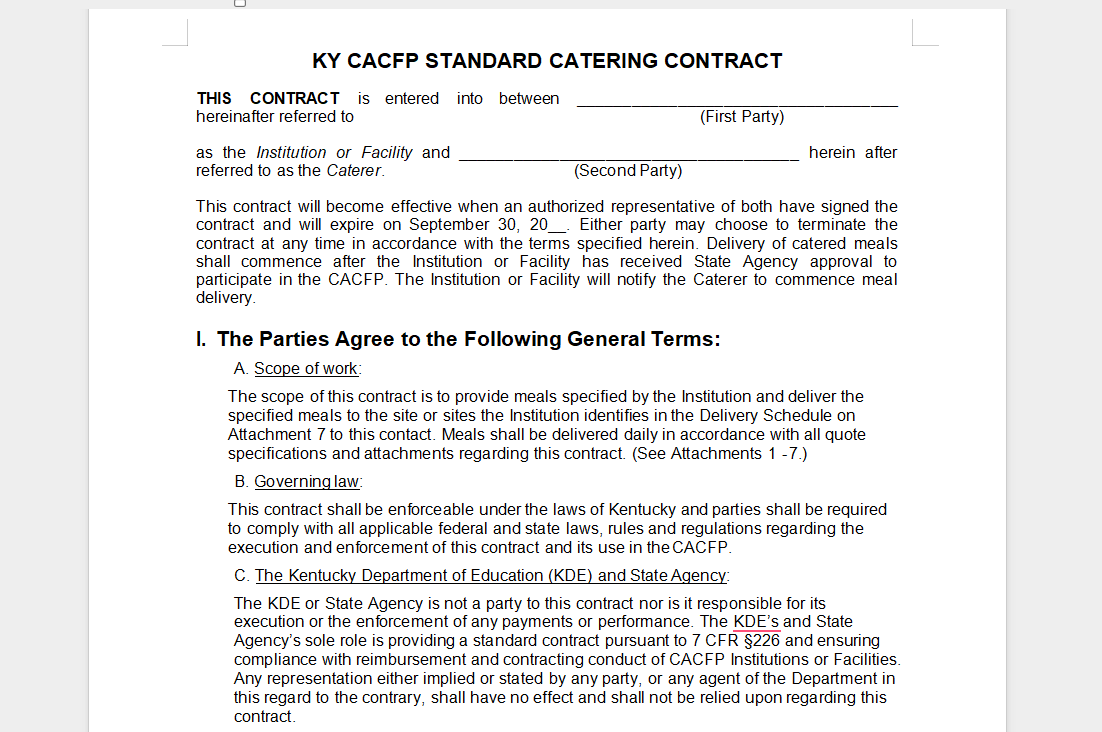
Download: https://templatelab.com/file/115450/
Practical Recommendation
From experience, most caterers do best by starting with one core catering contract template and then creating variations. For example, a free wedding catering contract template can be adapted from a general version by adding a timeline and coordination clauses.
Always download the format that fits your workflow. Word files are ideal for customization, while PDFs are better when you want a finalized, professional agreement sent to clients.
Part 3. How to Further Edit and Print Optimized Catering Contract Templates
After reviewing the templates above, you can download the one that best fits your event type and workflow. The next step is turning that file into a polished, client-ready document. This is where careful editing, formatting, and exporting matter. With the right tools, a catering contract template can be customized in minutes and reused confidently across events.
Below, I’ll walk through a practical editing flow using WPS Office, which I use when preparing contracts that need fast revisions and clean PDF output.
How to Create and Edit a Catering Contract Template in WPS Writer
If you downloaded a Word-based template, WPS Writer is the easiest place to start.
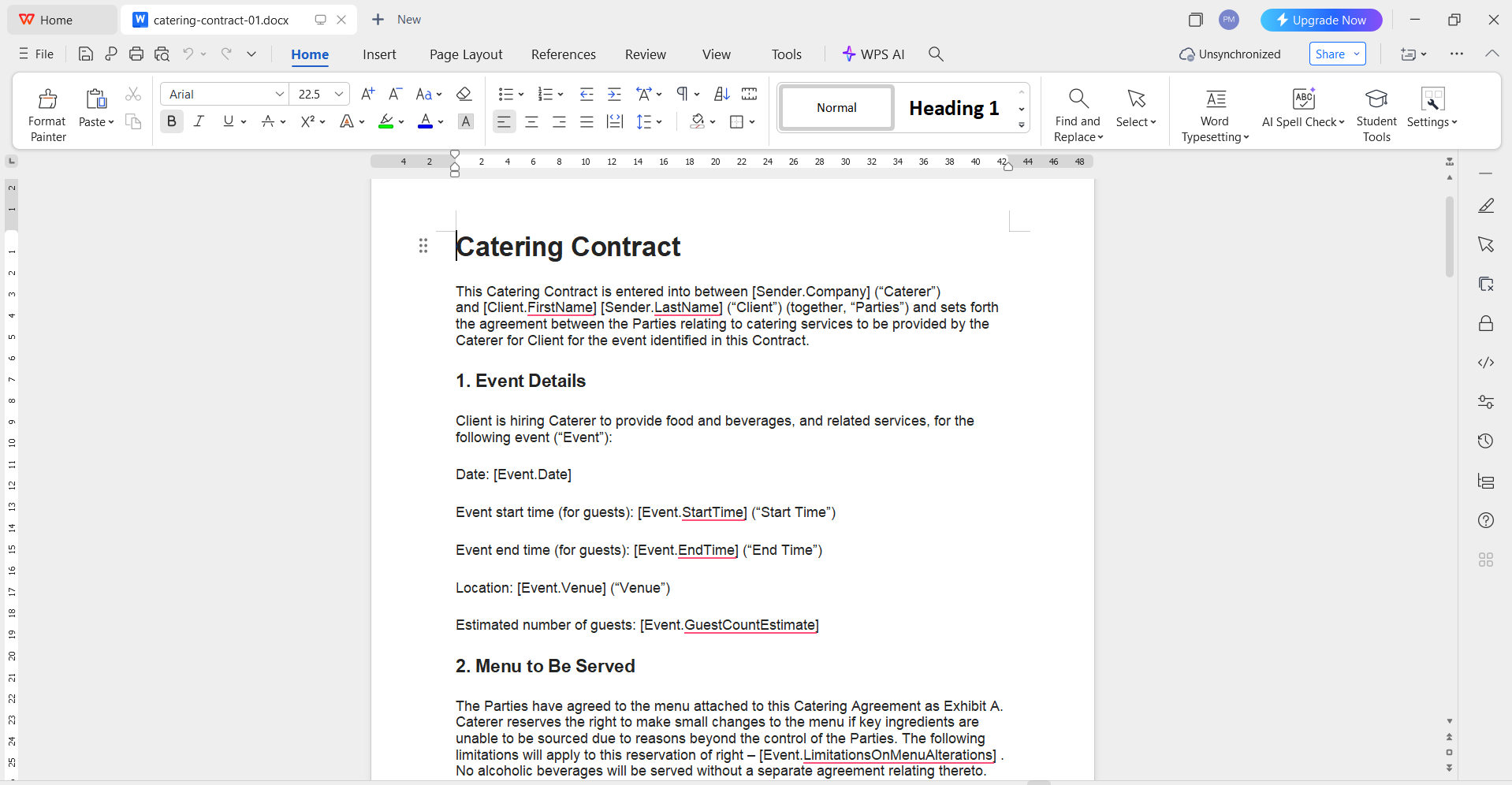
Step 1: Open the template
Launch WPS Writer and open your selected catering contract template for free download. Word files open natively with no formatting issues.
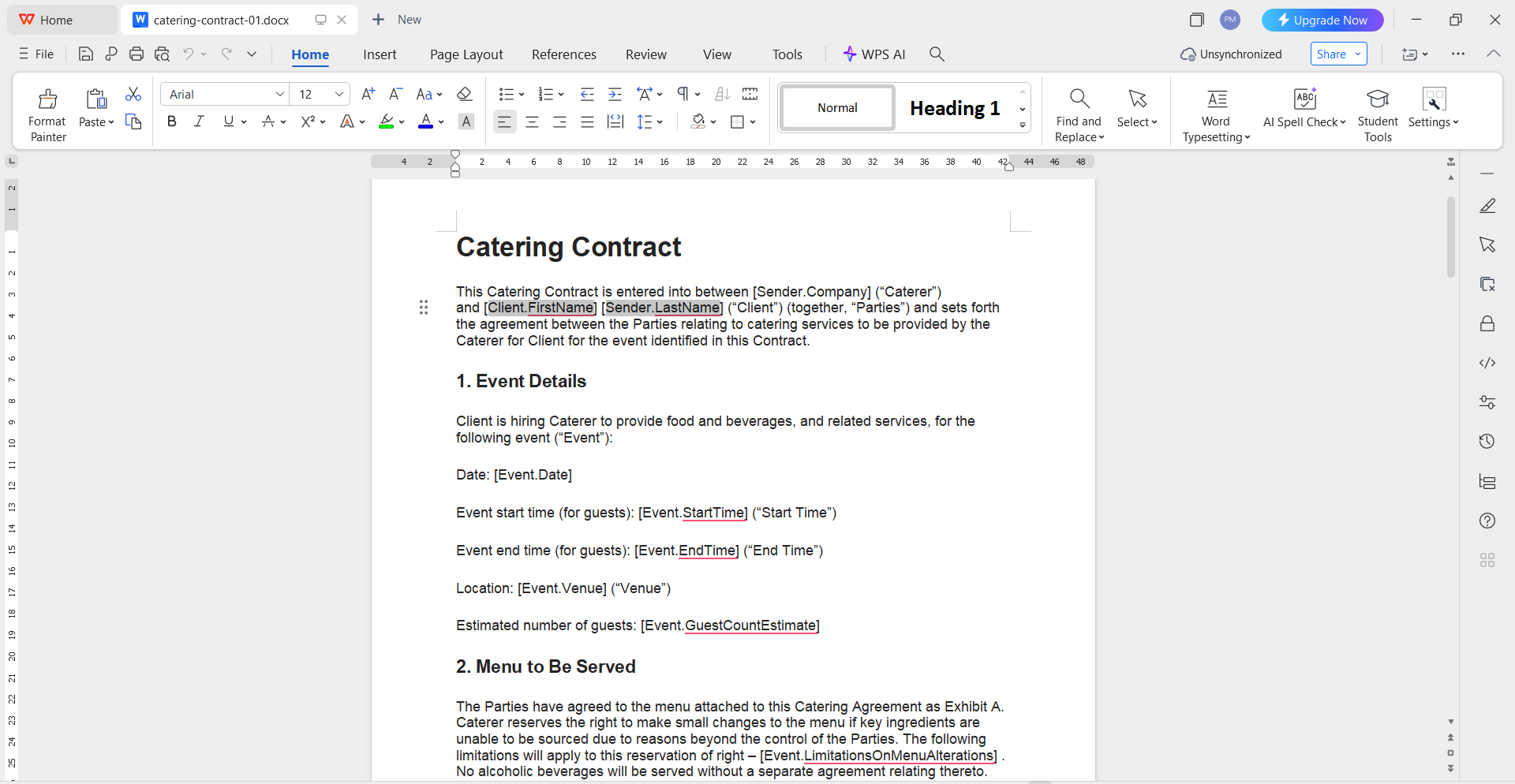
Step 2: Customize core details
Replace placeholders such as client name, event date, venue, and pricing. Keep language precise, especially around deposits, cancellations, and service scope.
Step 3: Adjust layout for readability
Use short paragraphs and clear headings. I recommend separating pricing, service scope, and cancellation policies into distinct sections so clients can scan easily.
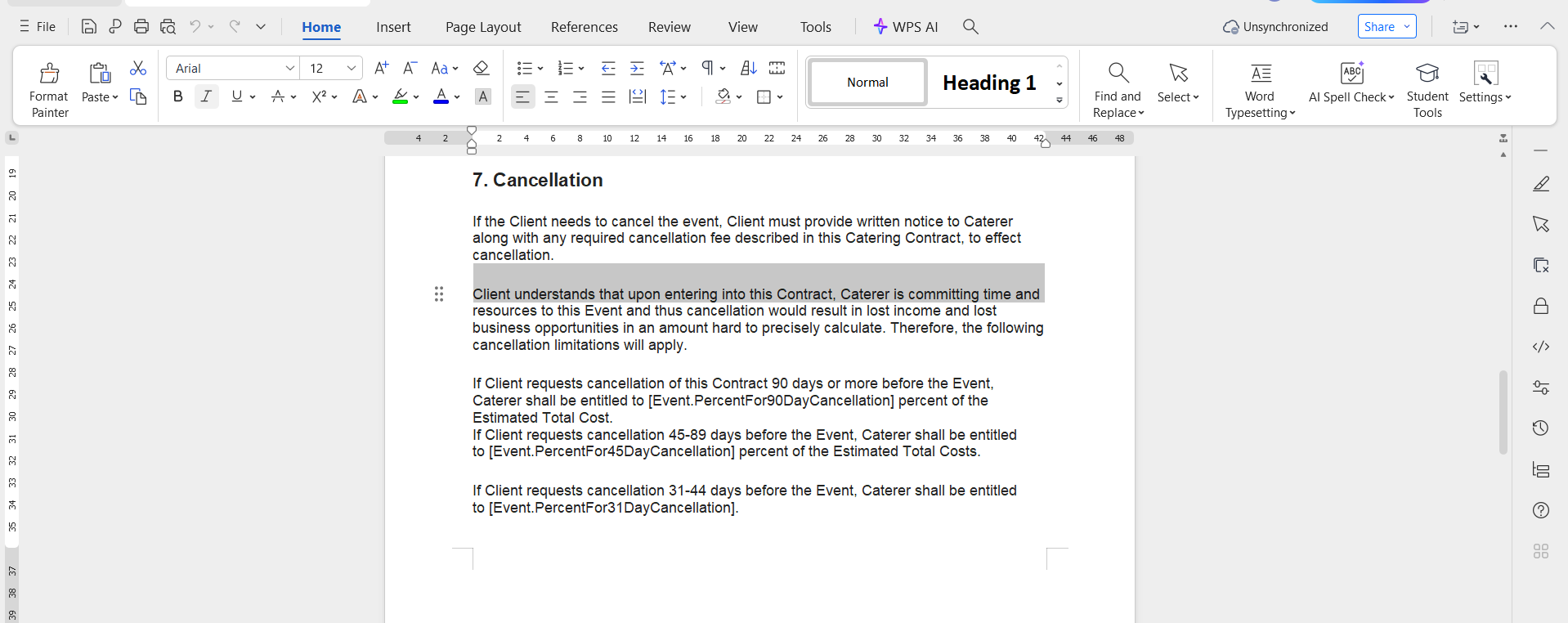
Step 4: Review catering contract terms and conditions
This section deserves extra attention. Clarify responsibilities related to damages, food allergies, and last-minute changes. A clear terms section prevents disputes later.
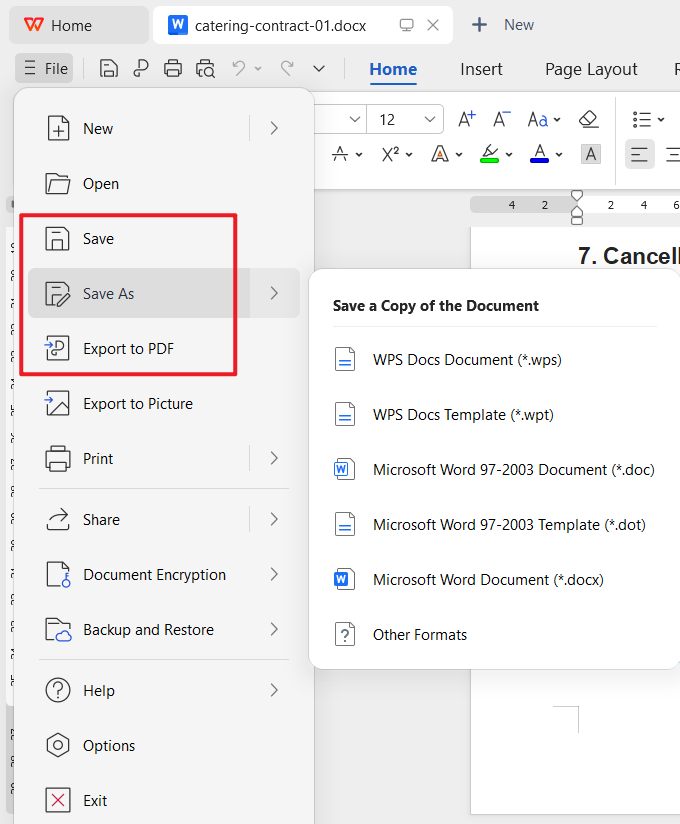
Step 5: Save your working file
Save this version as your master editable file. This becomes the base for future contracts with small adjustments.
How to Edit a Catering Contract in PDF Format Using WPS PDF
Some templates download as PDF files. These are useful when you want a professional, locked format.
Step 1: Open the PDF in WPS PDF
Import the file directly into WPS PDF.
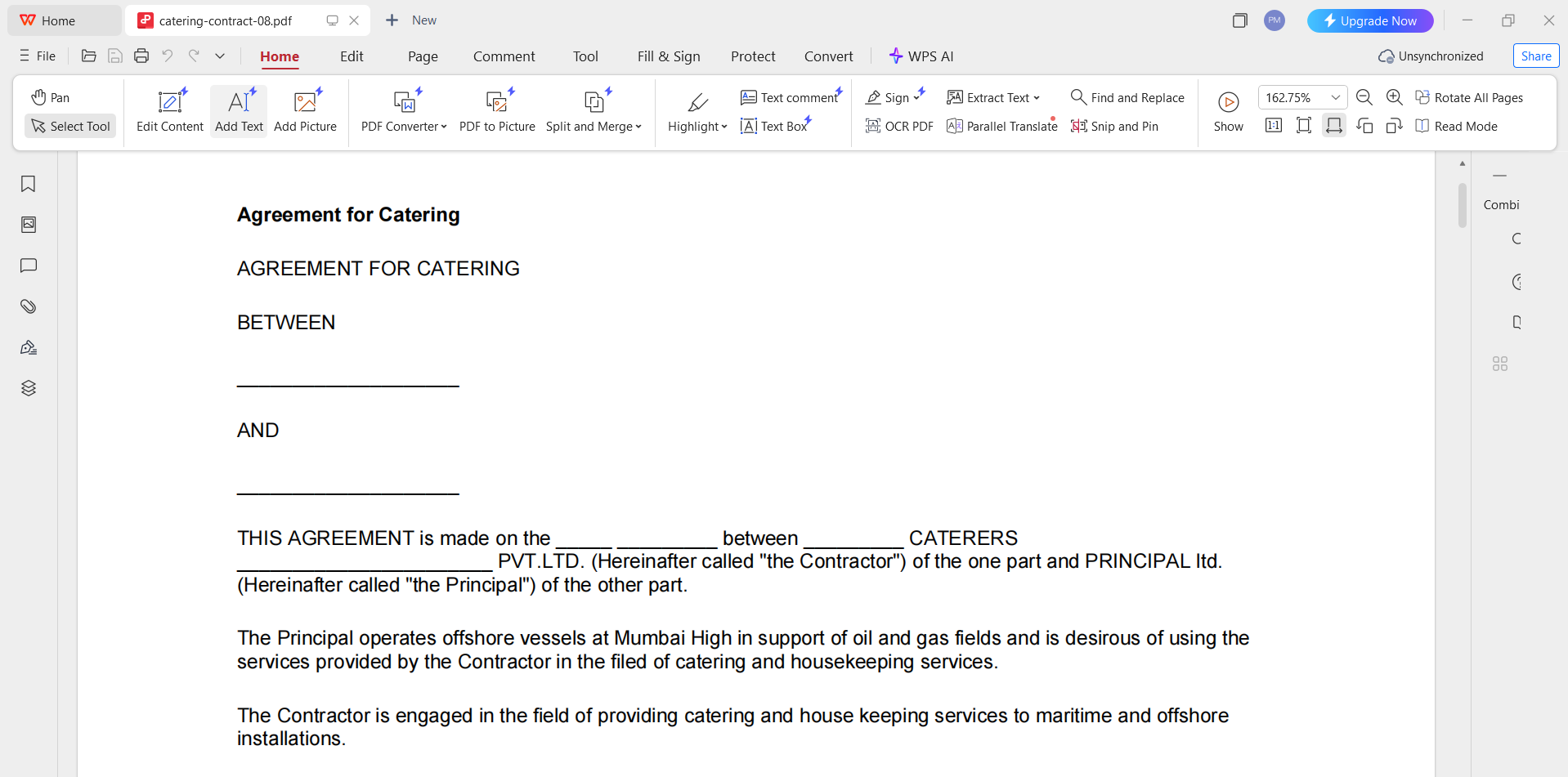
Step 2: Convert PDF to Word (if needed)
Use the PDF to Word feature to make all text editable. This is helpful when working with a basic catering contract template that needs customization.
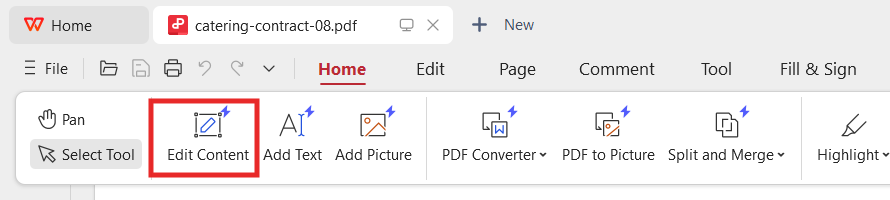
Step 3: Edit content and branding
Update text, pricing tables, and insert your logo. Keep spacing consistent so the document remains clean.
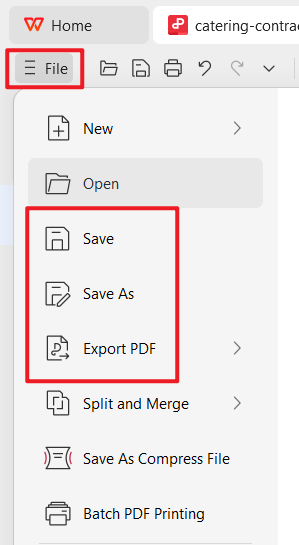
Step 4: Save back as PDF
Once finalized, export it as a catering service agreement PDF to ensure formatting stays intact when sent to clients.
How to Print and Share Professionally
Before printing or sharing digitally:
Double-check all names, dates, and amounts
Ensure page breaks do not split critical clauses
Use PDF format for email delivery and signatures
From experience, sending a finalized PDF reduces back-and-forth and makes your process look more professional.
Part 4. Free Office Suite: Easy Create Catering Contract
When you manage multiple events, speed and consistency matter. A reliable office suite helps you turn a catering contract template into a professional document without switching tools or paying extra fees. This is where WPS Office fits naturally into a caterer’s workflow.
From drafting contracts to exporting secure PDFs, WPS Office covers the full process in one place. I’ve found it especially useful when working with repeat clients who need quick edits without breaking formatting.
Why WPS Office Works Well for Catering Contracts
Here are the features that make it practical for daily contract work:
AI helps with writing
You can refine wording, tighten clauses, or rephrase unclear sections while keeping legal intent intact.
Free download and free to use Word and a powerful PDF toolkit
This is ideal when editing a catering contract template free of charge and converting it into a client-ready document.
Rich template store
Useful when you want to standardize documents or compare layouts before finalizing a contract.
Rich functions
Tables, headers, page numbering, and formatting tools help structure long agreements clearly.
Support online documents
Contracts can be accessed and revised across devices without version confusion.
Safe and stable
Important when handling client details, pricing, and signed agreements.
Shareable editing
You can quickly send drafts for review or approval before locking the final version.
With these tools, creating a reusable catering contract template becomes a repeatable process rather than a manual task every time.
FAQs
1. How do I customize a PDF catering contract template using WPS Office?
Download the template and open it in WPS Office. Use the PDF to Word conversion feature to make the text fully editable. You can then replace placeholders, adjust pricing tables, and add branding before saving it again as a PDF.
2. How do I add a digital signature section to my contract with WPS Office?
Open the finalized contract in WPS PDF and use the Fill & Sign tool. You can insert signature fields for both parties, sign digitally, and share the secure file with your client.
3. Can I reuse the same catering contract template for different events?
Yes. I recommend keeping one master file and duplicating it for each event. You can adapt sections for weddings, corporate events, or off-site services without rewriting the entire contract.
4. Is WPS Office suitable for creating a free wedding catering contract template?
Yes. You can start from a general contract, then customize timelines, coordination clauses, and guest count terms to create a tailored wedding version.
Summary
A well-written catering contract template protects both caterers and clients by clearly defining services, payments, and responsibilities. Using structured templates helps prevent disputes, saves time, and improves professionalism without legal expense.
By combining ready-made templates with WPS Office’s editing and PDF tools, you can quickly create, customize, and share contracts that look professional and work in real-world catering scenarios. This approach keeps your process efficient while giving clients confidence in every agreement you send.

'%3e%3cpath%20d='M19.9911%204.11386V6.471H18.5894C18.0775%206.471%2017.7322%206.57814%2017.5536%206.79243C17.3751%207.00671%2017.2858%207.32814%2017.2858%207.75671V9.44421H19.9019L19.5536%2012.0871H17.2858V18.8639H14.5536V12.0871H12.2769V9.44421H14.5536V7.49779C14.5536%206.39064%2014.8632%205.53201%2015.4822%204.92189C16.1013%204.31177%2016.9257%204.00671%2017.9554%204.00671C18.8304%204.00671%2019.509%204.04243%2019.9911%204.11386Z'%20fill='%23333333'/%3e%3c/g%3e%3cdefs%3e%3cclipPath%20id='clip0_2938_8199'%3e%3crect%20width='16'%20height='16'%20fill='white'%20transform='translate(8%204.00671)'/%3e%3c/clipPath%3e%3c/defs%3e%3c/svg%3e)
'%3e%3cpath%20d='M17.5237%2010.7813L23.4811%204H22.0699L16.8949%209.88693L12.7648%204H8L14.2469%2012.9029L8%2020.0133H9.4112L14.8725%2013.7952L19.2352%2020.0133H24M9.92053%205.04213H12.0885L22.0688%2019.0224H19.9003'%20fill='%23333333'/%3e%3c/g%3e%3cdefs%3e%3cclipPath%20id='clip0_2938_8200'%3e%3crect%20width='16'%20height='16.0134'%20fill='white'%20transform='translate(8%204)'/%3e%3c/clipPath%3e%3c/defs%3e%3c/svg%3e)


