

'%3e%3cpath%20d='M8%200C12.4183%200%2016%203.58172%2016%208C16%2012.4183%2012.4183%2016%208%2016C3.58172%2016%200%2012.4183%200%208C0%203.58172%203.58172%200%208%200ZM11.6162%204.38379C11.2257%203.99337%2010.5927%203.99338%2010.2021%204.38379L8%206.58594L5.79785%204.38379C5.40732%203.99334%204.77429%203.99329%204.38379%204.38379C3.99331%204.77429%203.99335%205.40733%204.38379%205.79785L6.58594%208L4.38379%2010.2021C3.99348%2010.5927%203.99341%2011.2257%204.38379%2011.6162C4.77426%2012.0066%205.40734%2012.0065%205.79785%2011.6162L8%209.41406L10.2021%2011.6162C10.5927%2012.0066%2011.2257%2012.0067%2011.6162%2011.6162C12.0067%2011.2257%2012.0066%2010.5927%2011.6162%2010.2021L9.41406%208L11.6162%205.79785C12.0066%205.40735%2012.0066%204.77429%2011.6162%204.38379Z'%20fill='%23080E17'%20fill-opacity='0.46'/%3e%3c/g%3e%3cdefs%3e%3cclipPath%20id='clip0_3761_713'%3e%3crect%20width='16'%20height='16'%20fill='white'/%3e%3c/clipPath%3e%3c/defs%3e%3c/svg%3e)




'%3e%3cpath%20fill-rule='evenodd'%20clip-rule='evenodd'%20d='M21.4999%2010.9993C21.4999%205.20009%2016.7986%200.498901%2010.9993%200.498901C5.19994%200.498901%200.498657%205.20009%200.498657%2010.9993C0.498657%2016.2404%204.33858%2020.5844%209.35855%2021.3722V14.0346H6.69238V10.9993H9.35855V8.68594C9.35855%206.05427%2010.9262%204.60062%2013.3248%204.60062C14.4736%204.60062%2015.6753%204.80571%2015.6753%204.80571V7.38979H14.3512C13.0468%207.38979%2012.64%208.19921%2012.64%209.0296V10.9993H15.5523L15.0867%2014.0346H12.64V21.3722C17.66%2020.5844%2021.4999%2016.2404%2021.4999%2010.9993Z'%20fill='%231568EA'/%3e%3c/g%3e%3c/svg%3e)


'%3e%3cpath%20d='M2.42045%2022.1876H6.31818V12.7217L0.75%208.54553V20.5171C0.75%2021.4414%201.49892%2022.1876%202.42045%2022.1876Z'%20fill='%234285F4'/%3e%3cpath%20d='M19.682%2022.1876H23.5797C24.5041%2022.1876%2025.2502%2021.4387%2025.2502%2020.5171V8.54553L19.682%2012.7217'%20fill='%2334A853'/%3e%3cpath%20d='M19.682%205.48293V12.7216L25.2502%208.54543V6.31816C25.2502%204.25236%2022.8921%203.07469%2021.2411%204.31361'%20fill='%23FBBC04'/%3e%3cpath%20d='M6.31824%2012.7217V5.48303L13.0001%2010.4944L19.6819%205.48303V12.7217L13.0001%2017.733'%20fill='%23EA4335'/%3e%3cpath%20d='M0.75%206.31816V8.54543L6.31818%2012.7216V5.48293L4.75909%204.31361C3.10534%203.07469%200.75%204.25236%200.75%206.31816Z'%20fill='%23C5221F'/%3e%3c/g%3e%3cdefs%3e%3cclipPath%20id='clip0_2954_7305'%3e%3crect%20width='24.5'%20height='18.375'%20fill='white'%20transform='translate(0.75%203.8125)'/%3e%3c/clipPath%3e%3c/defs%3e%3c/svg%3e)


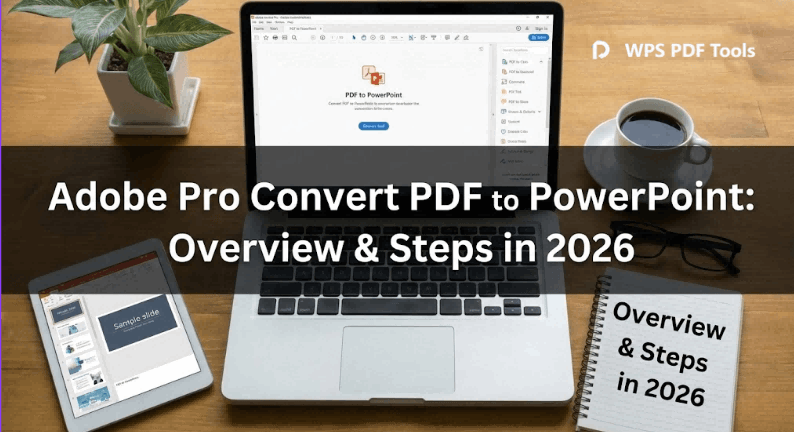
You've got a PDF report full of great content - research findings, sales data, training materials - but it's trapped as static pages when you need editable PowerPoint slides for that client pitch or team meeting. Most converters wreck layouts, scramble fonts, or dump giant uneditable image files that waste everyone's time. People searching "convert pdf to powerpoint adobe pro" want clear steps that preserve professional formatting without subscription hassles or confusing interfaces. This guide gives you exactly that: Adobe Pro's real method plus a free tool that actually works better for 90% of users.
Part 1. Overview of Adobe Pro & PDF Converter
Adobe Acrobat Pro rules the PDF game - it's been the pro standard since the early '90s, handling everything from Fortune 500 contracts to marketing proposals with surgical precision. What keeps people paying? You can edit finished PDFs like Word docs, add court-valid e-signatures, permanently erase sensitive data, or convert formats while keeping that client-ready polish. It syncs perfectly with your existing Microsoft Office workflow, which matters when you're swapping files across teams or clients who live in Word/Excel/PowerPoint.
Adobe Pro Features:
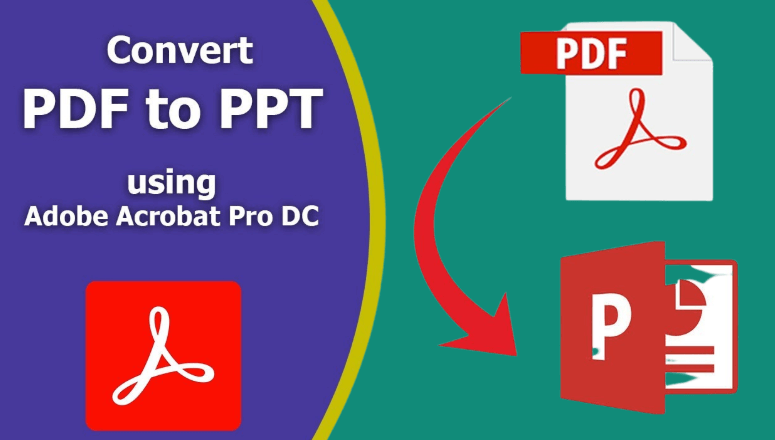
Converts PDF pages to editable PowerPoint slides with separate text/image objects
OCR turns scanned documents into searchable editable text
Batch process multiple files with OneDrive/Dropbox cloud integration
AI summarizes long reports or rewrites sections
Military-grade security with redaction and encryption
Pricing:
Acrobat Pro costs ~$20/month annually ($240/year total) or $30
month-to-month. Standard edition ($13/month) lacks PowerPoint export.
Free 7-day trial tests everything.
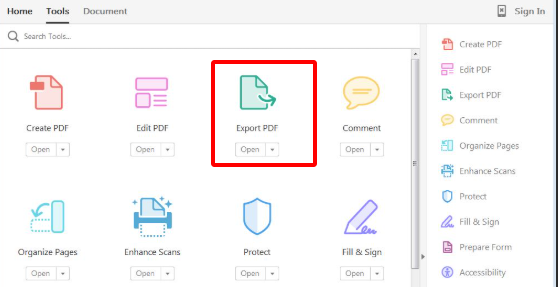
Adobe's PDF to PowerPoint converter lives in the Export PDF tool and reverse-engineers your document structure - grabbing text boxes, logos, charts, tables, even weird multi-column layouts from annual reports. It rebuilds everything as PowerPoint objects you can actually move, resize, or delete. Corporate teams rely on it for client deliverables where formatting perfection separates pros from amateurs, especially with branded PDFs full of specific colors and spacing.
Adobe Pro PDF Converter Features:
Preserves exact fonts, colors, spacing, object positions
Images extract as editable pieces, not flattened backgrounds
Handles tables, bullets, charts, mixed layouts cleanly
Quality settings balance file size vs visual accuracy
Pros:
Rock-solid on complex corporate PDFs
Fully editable output
Works offline anywhere
Destroys scanned docs via OCR
Cons:
Insanely expensive for casual use
Interface overwhelms beginners
Files balloon to huge sizes
Desktop-only installation
Part 2. How to Convert PDF to PowerPoint on Adobe Pro
Folks searching how to convert pdf to powerpoint on adobe pro want a workflow that works first time without menu scavenger hunts. Adobe's desktop method shines for annual reports, ebooks, pitch decks - turning static pages into presentation-ready slides in 2 minutes flat. Export PDF tool actually understands document anatomy instead of screenshotting like cheap web converters.
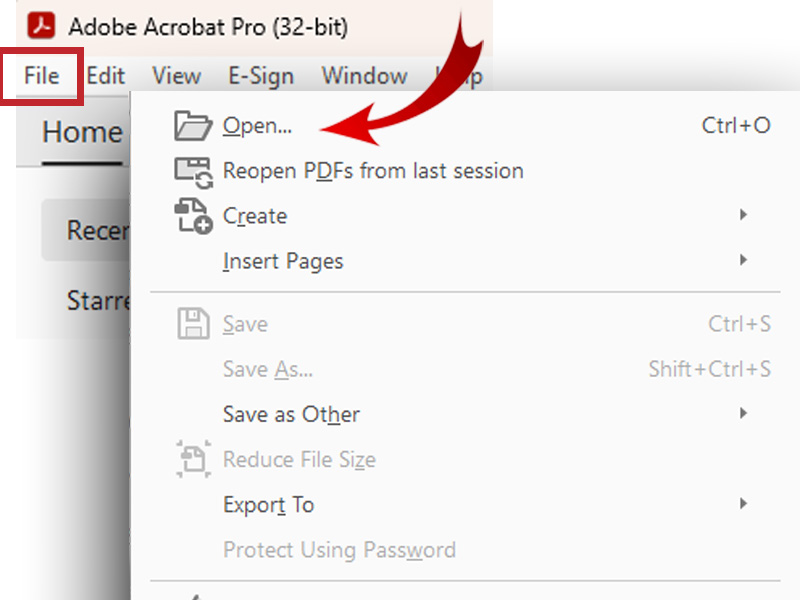
Step 1: Launch Adobe Acrobat Pro, File > Open your PDF (or drag-drop onto app window).
Step 2: Right sidebar Tools panel - click Export PDF (or File > Export To from top).
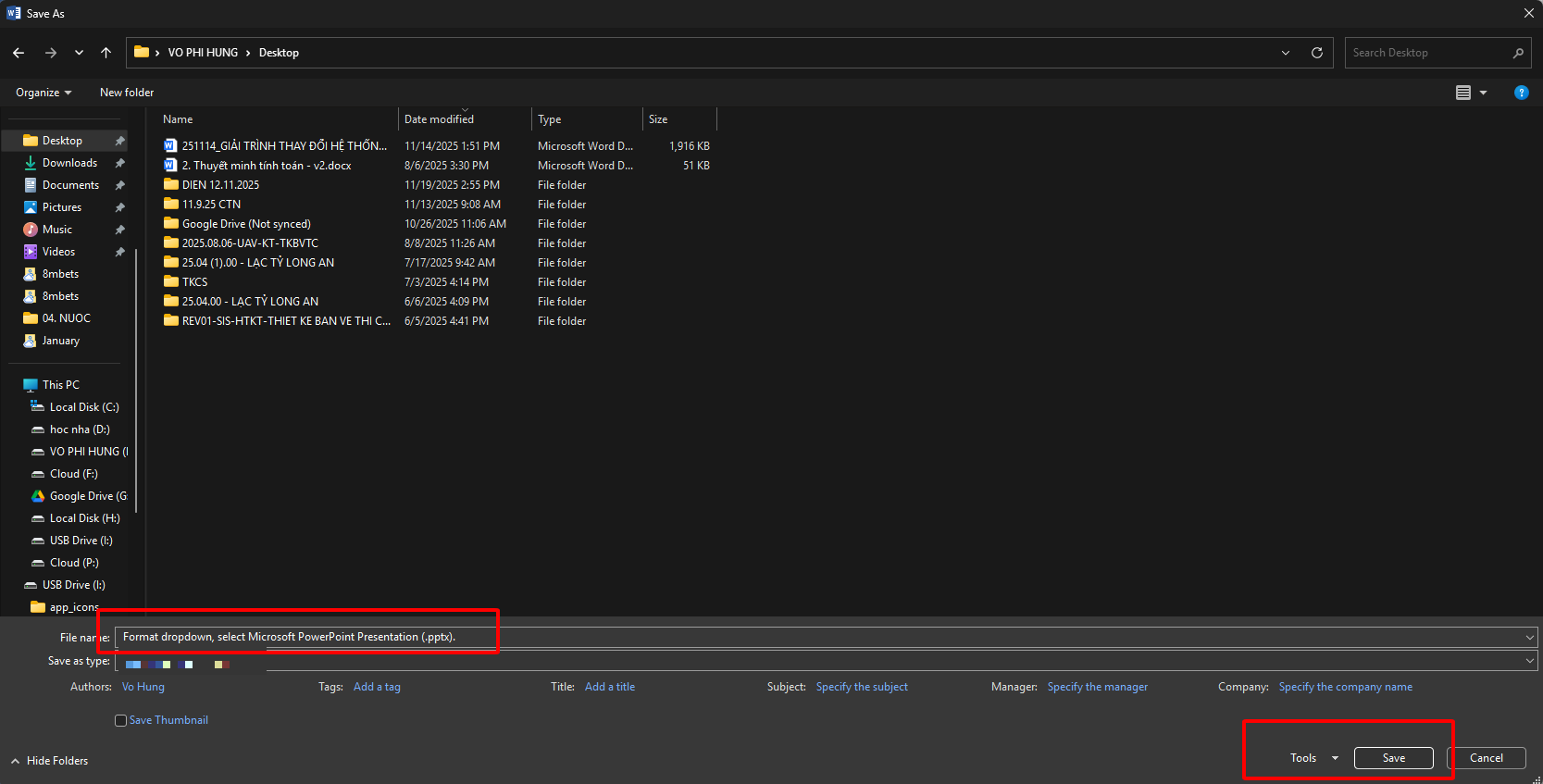
Step 3: Format dropdown, select Microsoft PowerPoint Presentation (.pptx).
Step 4: Set page range/quality if needed, hit Export button.
Step 5: Choose folder, name file "Q1Report_Slides.pptx", click Save.
Step 6: Open in PowerPoint - text edits freely, images move independently, layout intact.
Your adobe pro pdf to powerpoint converter finishes in 1-2 minutes for typical files, though compress giant images afterward. Pro move: Tools > Scan & OCR first on scanned PDFs so text becomes editable post-conversion.
Part 3. WPS Online Converter: Best Alternative to Adobe Pro PDF to PowerPoint Converter
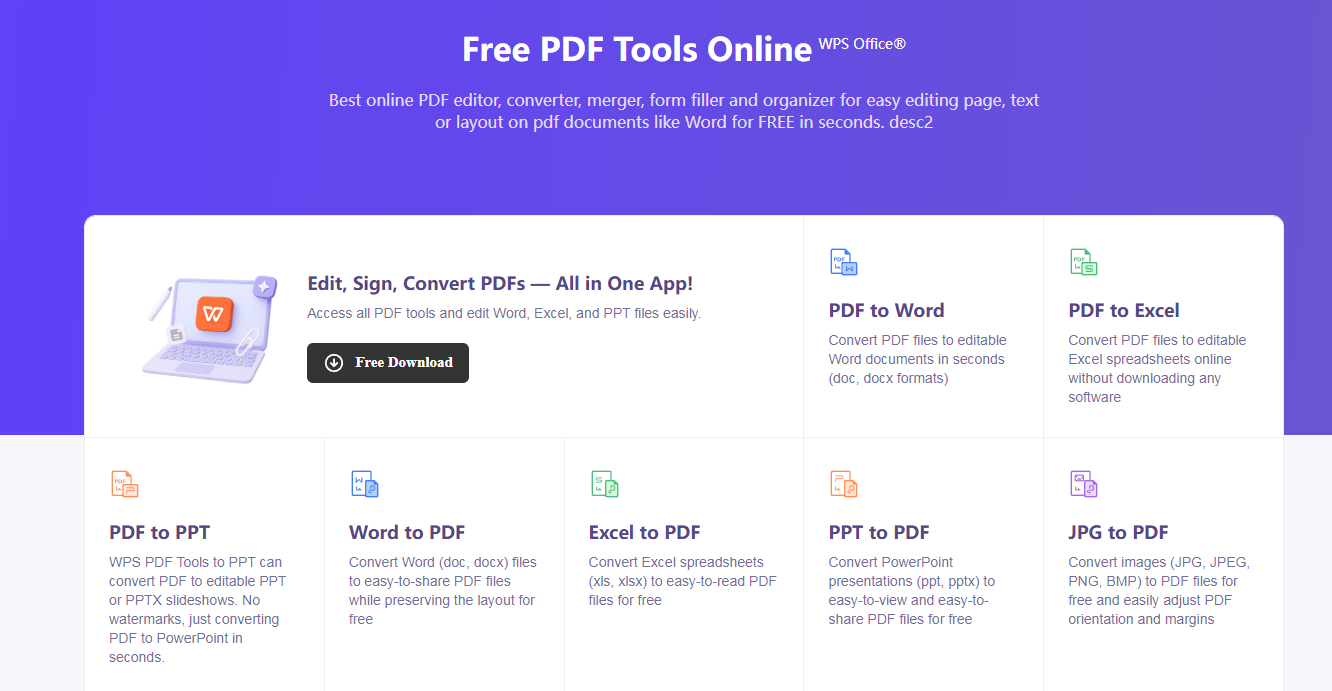
WPS Online Converter kills the game by converting PDF to PPTX right in your browser at Free PDF Tools Online | WPS PDF - zero downloads, zero accounts, zero dollars. Marketers flipping whitepapers to sales decks, teachers making handouts into slides, managers prepping board reports - everyone loves matching Adobe quality at 1/10th the hassle and half the file size. Whoever designed this clearly converts files daily, not some engineer dreaming up complex workflows.
WPS Unique Advantages:
Totally free unlimited conversions
Files auto-delete after 1 hour (privacy win)
PPTX files 40% smaller than Adobe bloat
WPS Functions/Features:
Drag-drop upload
Perfect fonts/layouts/tables preservation
Phone/tablet friendly
Instant PPTX download
WPS workflow takes 30 seconds: visit site, drag PDF to upload zone (or Select File), wait 10-20 seconds for progress bar, grab download. Opens perfectly in PowerPoint, Google Slides, Keynote - full editability, no watermarks, no upsell. Mobile Chrome/Safari delivers identical results for road warriors. Couldn't be simpler.
Part 4. WPS Online Converter V.S. Adobe Pro Converter
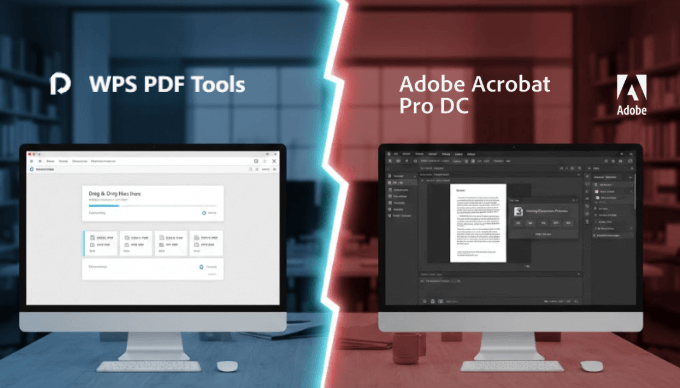
When people ask which PDF-to-PowerPoint tool actually wins, they want the real breakdown - not marketing fluff. Both converters handle the job, but one costs a fortune while the other works for free. Here's how they stack up across what matters most to users doing real work every day.
| Criteria | WPS Online Converter | Adobe Pro Converter |
|---|---|---|
| Ease of Use | Drag-drop. 3 clicks. Done. | Menu maze. 6+ steps. |
| Format Preservation | 90-95% (crushes normal PDFs) | 95-98% (slight edge) |
| Conversion Speed | 10-20 seconds | 30-120 seconds |
| File Limitations | 100MB free, unlimited use | Unlimited (but $240/year) |
| System Compatibility | Any browser + phones | Windows/Mac desktop only |
Bottom line? WPS obliterates Adobe for 90% of users. Adobe only pulls ahead on rare OCR-heavy scanned documents or enterprise batch jobs. For reports, whitepapers, ebooks - anything normal businesses convert daily - WPS delivers identical quality faster, smaller, free.
FAQs
1. Will the PowerPoint file converted by Adobe Acrobat Pro be fully editable?
Yes - Adobe reconstructs PDF pages as real PowerPoint objects so text lives in editable boxes, images become draggable elements. Beats screenshot converters that flatten everything. Scanned PDFs need OCR first, but results let you add animations/rebranding immediately.
2. Why is my converted PowerPoint file size so large?
High-res images/graphics from source PDF get faithfully recreated, causing bloat. Use Adobe's Reduce File Size tool pre-export or PowerPoint's Compress Pictures post-conversion. WPS auto-compresses intelligently for 40% smaller files without quality hit.
3. Can I perform this conversion with the free Adobe Acrobat Reader?
Nope - Reader handles viewing/markup only. PowerPoint export requires paid Acrobat Pro/Standard. Adobe's online tool offers occasional freebies but lacks desktop precision. WPS Online Converter delivers unlimited free conversions that actually work.
4. Does WPS handle scanned PDFs or complex layouts as well as Adobe?
WPS nails business PDFs with clean text/layouts, matching Adobe 90% of cases. Handwritten scans/multi-column designs favor Adobe's superior OCR. For reports, ebooks, whitepapers though, WPS gives identical editable slides faster + free.
5. Can I convert PDFs to PowerPoint on my phone using these tools?
Adobe pdf to powerpoint on phone needs desktop Pro subscription. WPS Online Converter runs flawlessly in mobile Chrome/Safari - upload from camera roll, convert instantly, download to Drive. Perfect for fixing decks between meetings.
6. What's the file size limit for WPS free conversions?
100MB PDFs convert free with no limits/watermarks. Handles 20-50 page business reports easily. Grab full WPS Office desktop from wps.com for unlimited offline batch processing if needed.
Summary
Adobe Pro converts PDF to PowerPoint reliably via Export tool, preserving layouts for professional workflows, but $240/year plus complexity frustrates casual users. WPS Online Converter matches quality while being free, 3x faster, mobile-ready across all devices. For 2026 workflows, WPS Online Converter wins going away. Hit Free PDF Tools Online | WPS PDF and convert your first PDF in 30 seconds flat. Download WPS Office from wps.com to edit slides seamlessly afterward.

'%3e%3cpath%20d='M19.9911%204.11386V6.471H18.5894C18.0775%206.471%2017.7322%206.57814%2017.5536%206.79243C17.3751%207.00671%2017.2858%207.32814%2017.2858%207.75671V9.44421H19.9019L19.5536%2012.0871H17.2858V18.8639H14.5536V12.0871H12.2769V9.44421H14.5536V7.49779C14.5536%206.39064%2014.8632%205.53201%2015.4822%204.92189C16.1013%204.31177%2016.9257%204.00671%2017.9554%204.00671C18.8304%204.00671%2019.509%204.04243%2019.9911%204.11386Z'%20fill='%23333333'/%3e%3c/g%3e%3cdefs%3e%3cclipPath%20id='clip0_2938_8199'%3e%3crect%20width='16'%20height='16'%20fill='white'%20transform='translate(8%204.00671)'/%3e%3c/clipPath%3e%3c/defs%3e%3c/svg%3e)
'%3e%3cpath%20d='M17.5237%2010.7813L23.4811%204H22.0699L16.8949%209.88693L12.7648%204H8L14.2469%2012.9029L8%2020.0133H9.4112L14.8725%2013.7952L19.2352%2020.0133H24M9.92053%205.04213H12.0885L22.0688%2019.0224H19.9003'%20fill='%23333333'/%3e%3c/g%3e%3cdefs%3e%3cclipPath%20id='clip0_2938_8200'%3e%3crect%20width='16'%20height='16.0134'%20fill='white'%20transform='translate(8%204)'/%3e%3c/clipPath%3e%3c/defs%3e%3c/svg%3e)


