

'%3e%3cpath%20d='M8%200C12.4183%200%2016%203.58172%2016%208C16%2012.4183%2012.4183%2016%208%2016C3.58172%2016%200%2012.4183%200%208C0%203.58172%203.58172%200%208%200ZM11.6162%204.38379C11.2257%203.99337%2010.5927%203.99338%2010.2021%204.38379L8%206.58594L5.79785%204.38379C5.40732%203.99334%204.77429%203.99329%204.38379%204.38379C3.99331%204.77429%203.99335%205.40733%204.38379%205.79785L6.58594%208L4.38379%2010.2021C3.99348%2010.5927%203.99341%2011.2257%204.38379%2011.6162C4.77426%2012.0066%205.40734%2012.0065%205.79785%2011.6162L8%209.41406L10.2021%2011.6162C10.5927%2012.0066%2011.2257%2012.0067%2011.6162%2011.6162C12.0067%2011.2257%2012.0066%2010.5927%2011.6162%2010.2021L9.41406%208L11.6162%205.79785C12.0066%205.40735%2012.0066%204.77429%2011.6162%204.38379Z'%20fill='%23080E17'%20fill-opacity='0.46'/%3e%3c/g%3e%3cdefs%3e%3cclipPath%20id='clip0_3761_713'%3e%3crect%20width='16'%20height='16'%20fill='white'/%3e%3c/clipPath%3e%3c/defs%3e%3c/svg%3e)




'%3e%3cpath%20fill-rule='evenodd'%20clip-rule='evenodd'%20d='M21.4999%2010.9993C21.4999%205.20009%2016.7986%200.498901%2010.9993%200.498901C5.19994%200.498901%200.498657%205.20009%200.498657%2010.9993C0.498657%2016.2404%204.33858%2020.5844%209.35855%2021.3722V14.0346H6.69238V10.9993H9.35855V8.68594C9.35855%206.05427%2010.9262%204.60062%2013.3248%204.60062C14.4736%204.60062%2015.6753%204.80571%2015.6753%204.80571V7.38979H14.3512C13.0468%207.38979%2012.64%208.19921%2012.64%209.0296V10.9993H15.5523L15.0867%2014.0346H12.64V21.3722C17.66%2020.5844%2021.4999%2016.2404%2021.4999%2010.9993Z'%20fill='%231568EA'/%3e%3c/g%3e%3c/svg%3e)


'%3e%3cpath%20d='M2.42045%2022.1876H6.31818V12.7217L0.75%208.54553V20.5171C0.75%2021.4414%201.49892%2022.1876%202.42045%2022.1876Z'%20fill='%234285F4'/%3e%3cpath%20d='M19.682%2022.1876H23.5797C24.5041%2022.1876%2025.2502%2021.4387%2025.2502%2020.5171V8.54553L19.682%2012.7217'%20fill='%2334A853'/%3e%3cpath%20d='M19.682%205.48293V12.7216L25.2502%208.54543V6.31816C25.2502%204.25236%2022.8921%203.07469%2021.2411%204.31361'%20fill='%23FBBC04'/%3e%3cpath%20d='M6.31824%2012.7217V5.48303L13.0001%2010.4944L19.6819%205.48303V12.7217L13.0001%2017.733'%20fill='%23EA4335'/%3e%3cpath%20d='M0.75%206.31816V8.54543L6.31818%2012.7216V5.48293L4.75909%204.31361C3.10534%203.07469%200.75%204.25236%200.75%206.31816Z'%20fill='%23C5221F'/%3e%3c/g%3e%3cdefs%3e%3cclipPath%20id='clip0_2954_7305'%3e%3crect%20width='24.5'%20height='18.375'%20fill='white'%20transform='translate(0.75%203.8125)'/%3e%3c/clipPath%3e%3c/defs%3e%3c/svg%3e)


In today’s fast-paced business world, creating clear, well-designed invoices is key to maintaining professionalism and getting paid promptly. However, designing an invoice from scratch in Word can be frustrating, as aligning fields, formatting totals, and ensuring a professional layout often take more time than expected. So how can professionals save time while maintaining a polished look?
This article explores how to create a Microsoft Word invoice template quickly and easily, offering free, editable templates you can download right now.


Part 1. What Is an Invoice Template?
An invoice template is a ready-made document used to bill clients for products or services. It saves time by providing a structured layout where you simply fill in details instead of building an invoice from scratch. If you’re using Microsoft Word, an invoice template helps you stay consistent, professional, and organized with every transaction.
What Details Should Be on an Invoice Template
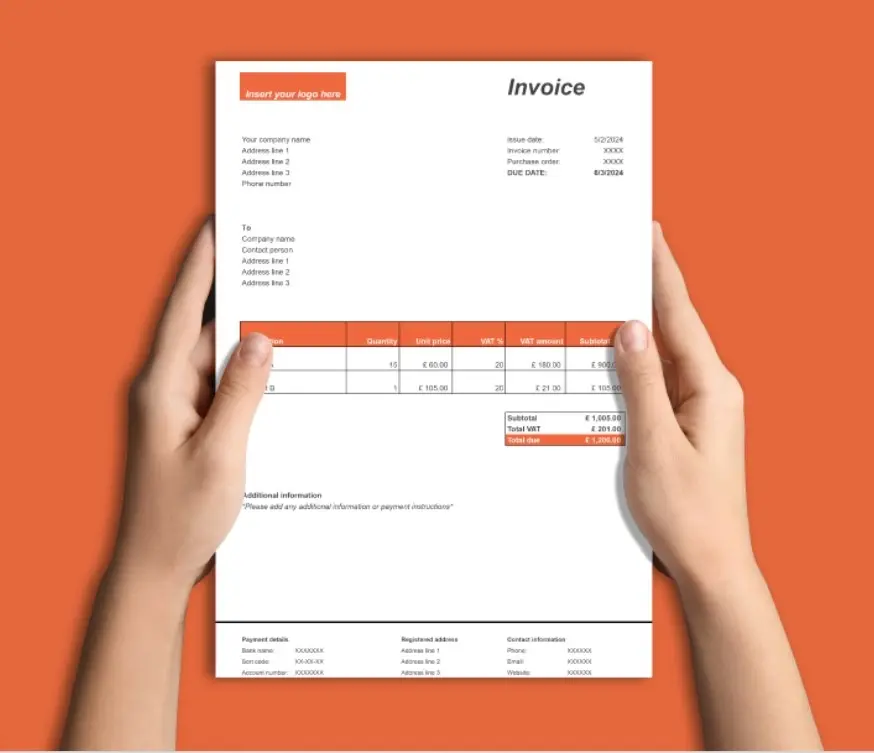
A well-structured Microsoft Word invoice template should include all essential information for clarity and transparency. Typically, this includes:
These elements ensure your invoices meet business standards and help avoid payment delays.
The Advantages of Using an Invoice Template
Using a Microsoft Word invoice template for free offers multiple benefits:
It’s especially helpful for freelancers and small business owners who prefer simple tools over complex accounting software.
How to Create Your Own Invoice Template in Word
If you prefer to build your own, here’s how to create a free Microsoft Word invoice template step-by-step:
Step 1: Open Microsoft Word and select File → New.
Step 2: Search for “Invoice” in the template search bar.
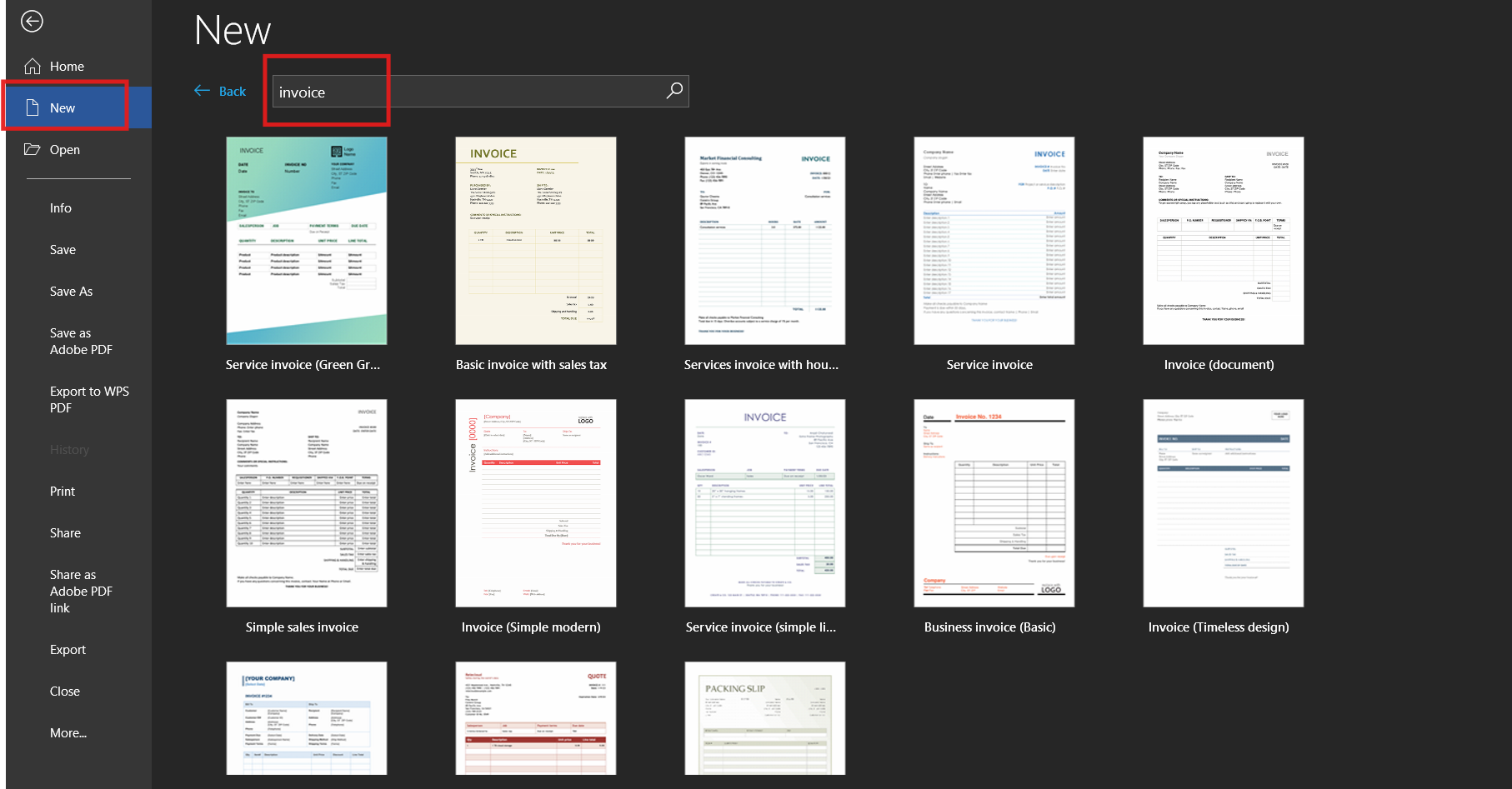
Step 3: Choose a design that suits your brand and click Create.
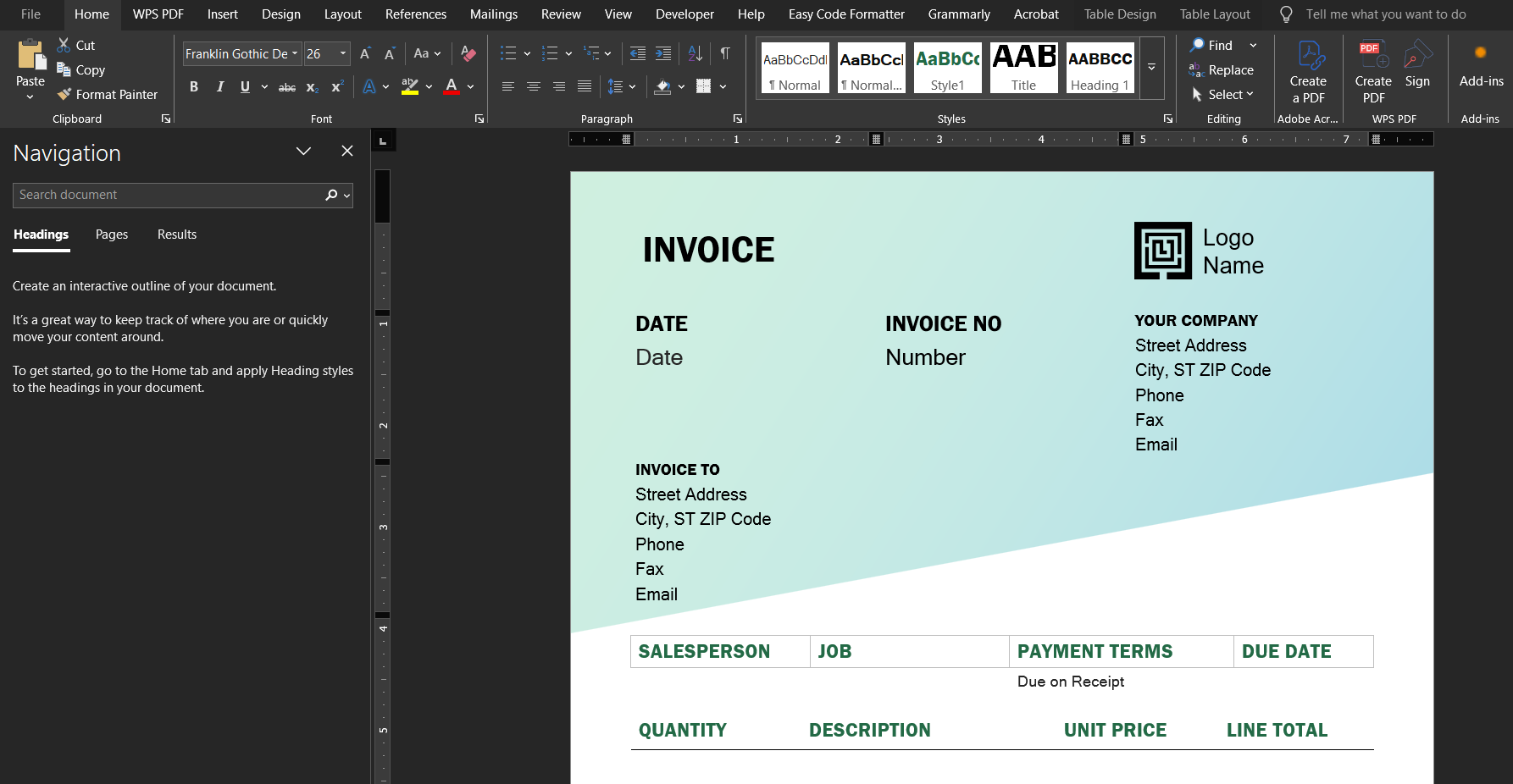
Step 4: Edit the company name, address, logo, and item details.
Step 5: Save your document as a reusable template (.dotx) for future invoices.
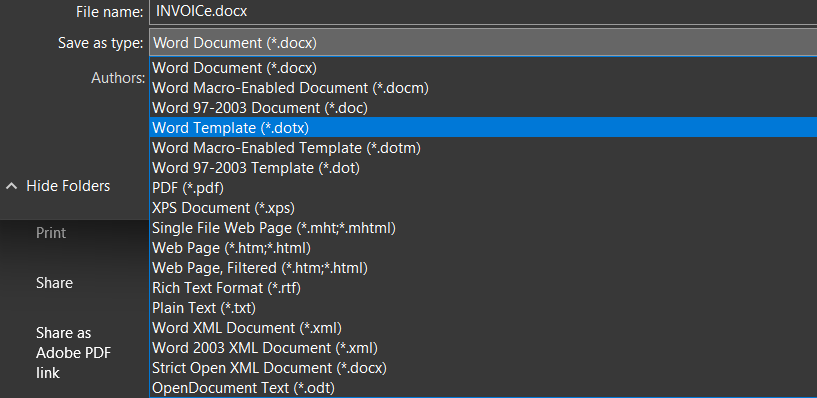
You can also find an invoice template Word free download from trusted sites like Microsoft Create or WPS Office if you’d rather skip manual setup.
Personal Note
I’ve found that starting with a simple invoice format in Word is ideal for beginners. It allows you to understand the structure before moving to advanced tools. Over time, you can upgrade to automated platforms once you’re confident about what information matters most.
Part 2. 10 Arresting Microsoft Word Invoice Templates [Free Download]
If you’re tired of spending hours formatting invoices, you’ll appreciate these ready-to-use Microsoft Word invoice templates. Each of these designs is free, editable, and built to help you create professional invoices effortlessly. Whether you run a small business, freelance, or manage multiple clients, these options will help you maintain consistency and save valuable time.
Below are 10 free Microsoft Word invoice templates you can download and customize today.
1. Invoice (Document)
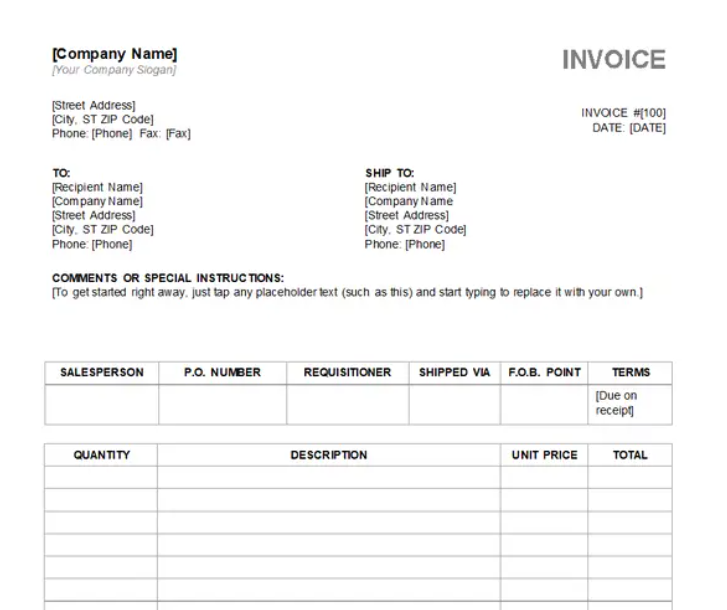
A clean, minimalist invoice template free Word download perfect for freelancers or small agencies. It includes essential fields like service description, rate, and total amount.
2. Business Invoice (Basic)
This straightforward layout is ideal for business owners who prefer simplicity. It balances professionalism with readability, making it a great simple invoice format in Word.
3. Service Invoice
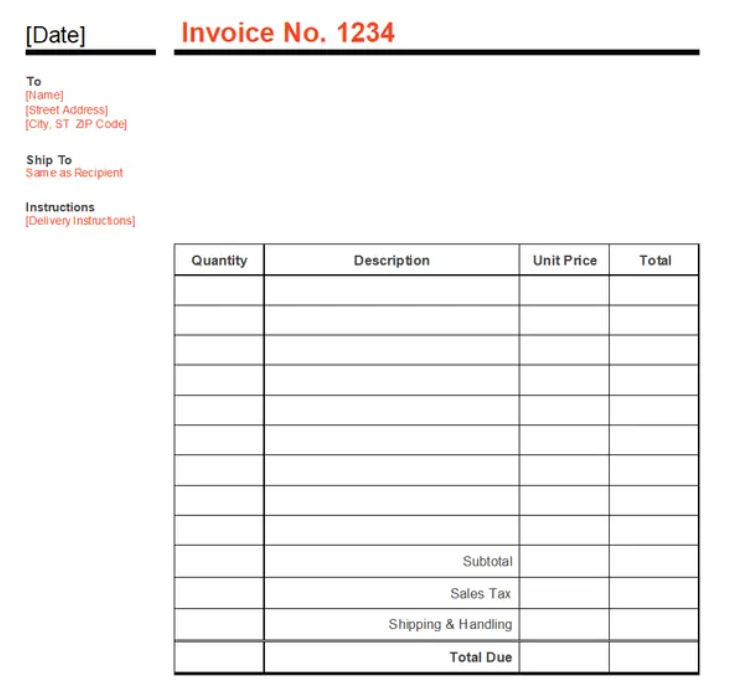
Tailored for consultants and freelancers, this free Microsoft Word invoice template allows you to list multiple service lines, hours, and rates with clarity.
4. Invoice (Simple Modern)
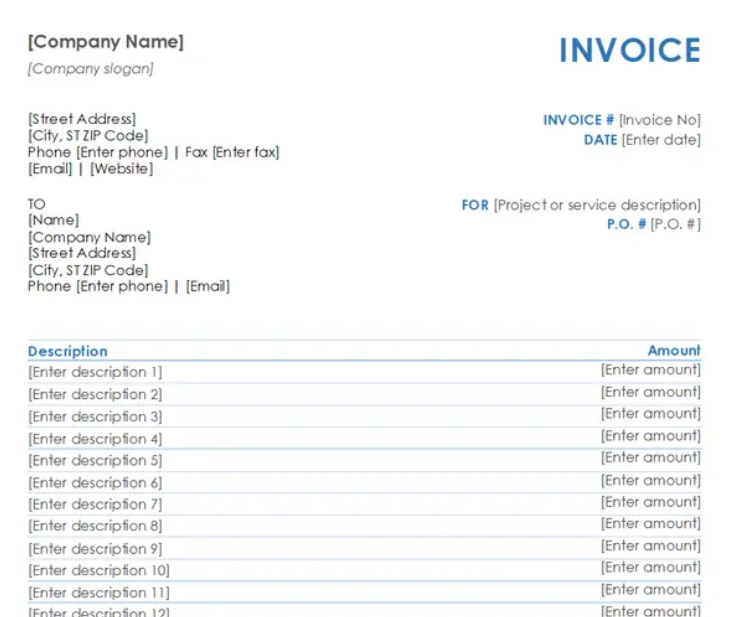
This design blends elegance and efficiency. It’s perfect for modern brands that want invoices that look sleek without being overdesigned.
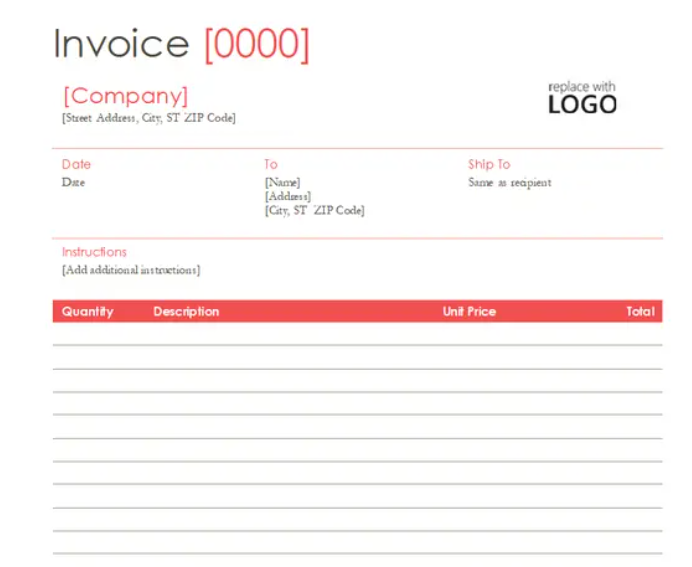
5. Simple Sales Invoice
If your business involves frequent product sales, this template helps organize quantities, prices, and totals in a clear format.
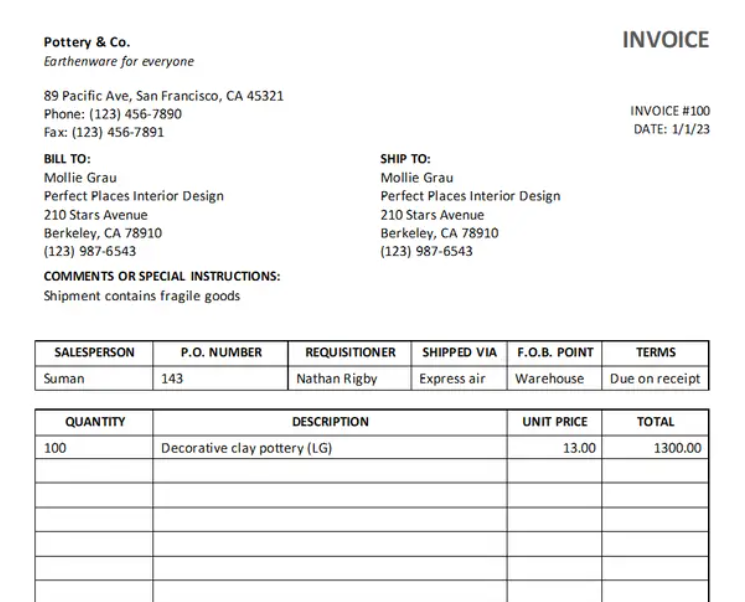
6. Service Invoice (Simple Lines Design Document)
A minimalist layout with clean lines, perfect for creative professionals who value visual order. It’s a great starting point for those learning how to create free Microsoft Word invoice template versions that reflect their branding.
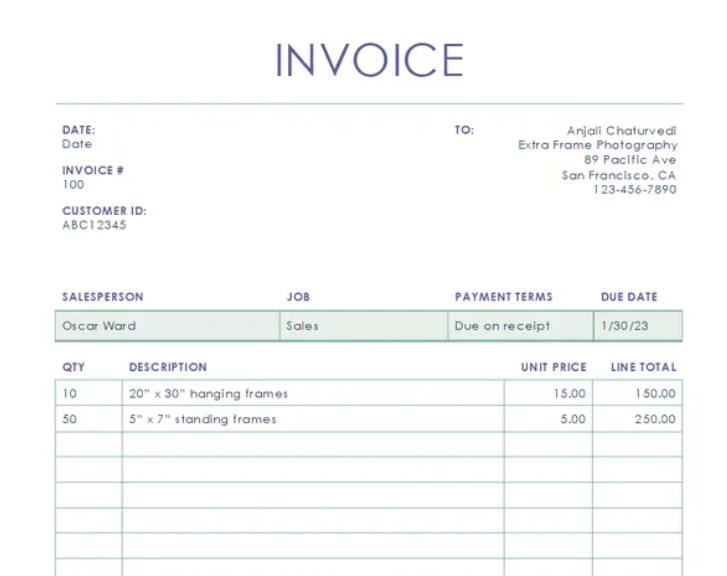
7. Services Invoice with Hours and Rate
This version includes columns for hours worked and hourly rates, making it ideal for contractors or consultants who bill by time.
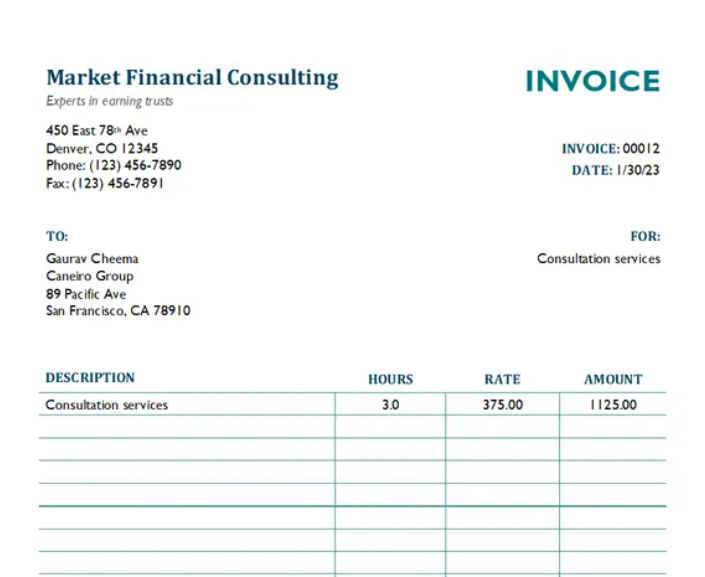
8. Sales Invoice
A polished layout suited for retail or wholesale sellers. It helps you itemize purchases clearly while maintaining a professional look.
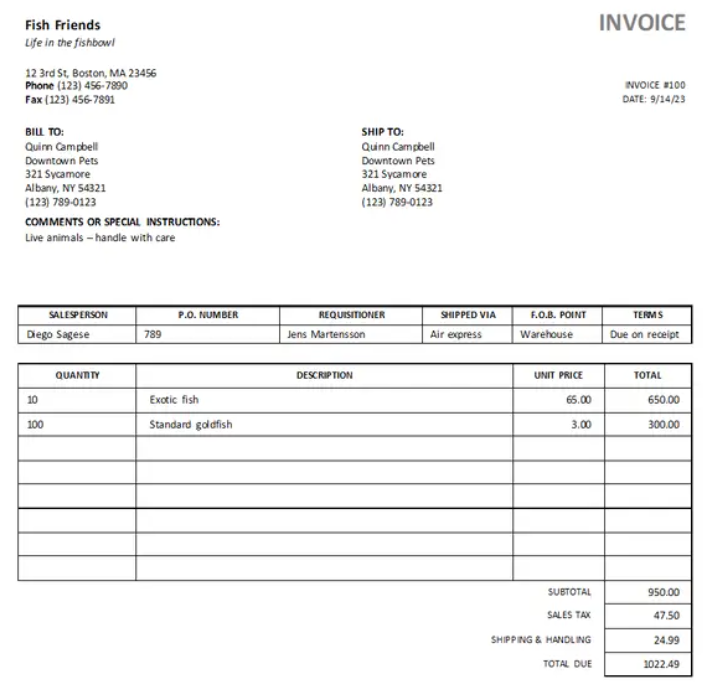
9. Basic Invoice with Sales Tax
For businesses dealing with taxable items, this design automatically includes a sales tax field. It simplifies the billing process and reduces confusion for both you and your clients.
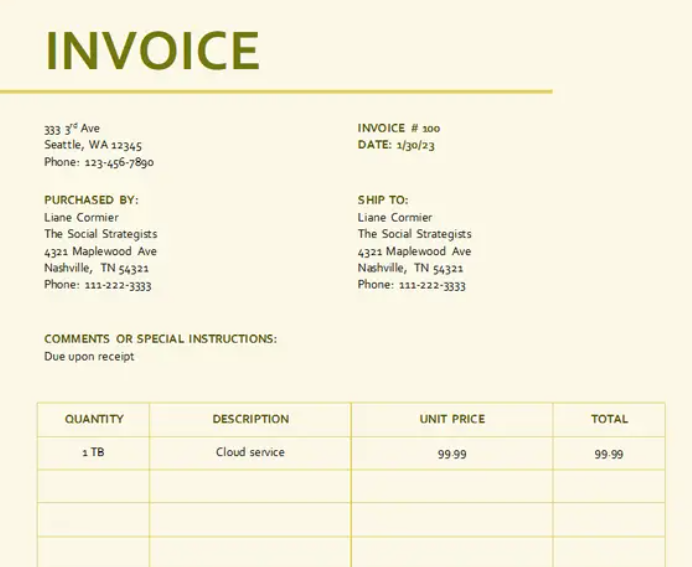
10. Business Sales Invoice
This all-in-one Microsoft Word invoice template combines a modern structure with flexibility. You can add your logo, payment details, and client notes with ease.
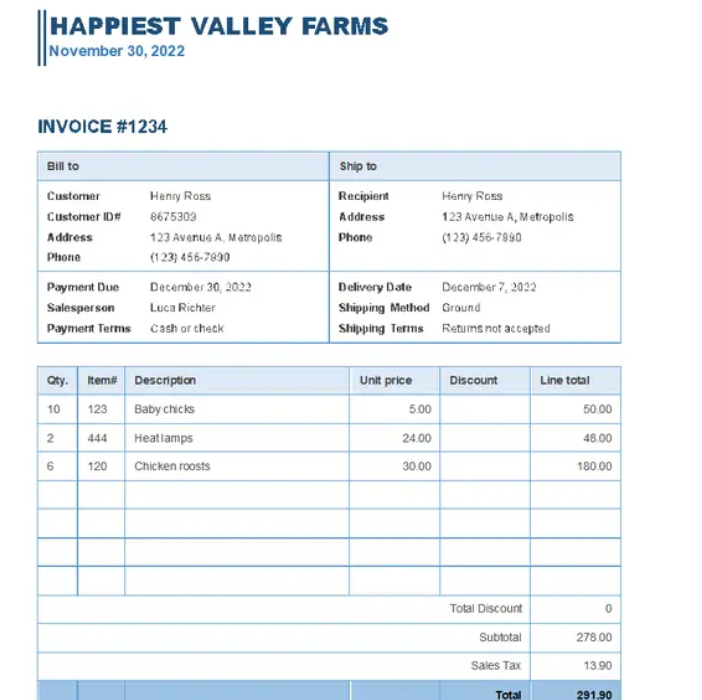
How to Generate a Payment Receipt Using These Templates
Once you download your preferred Microsoft Word invoice template, open it in Word and fill in your business details, client name, and transaction summary. After entering all amounts, save the document as a PDF to share securely with your client. This doubles as a professional payment receipt.
If you need to issue multiple invoices weekly, keep a master file and duplicate it for each new client. Over time, you’ll develop a consistent billing routine that reflects your brand and professionalism.
My Recommendation
From personal experience, the “Simple Sales Invoice” and “Business Sales Invoice” templates offer the best balance of design and usability. They’re flexible enough for most industries and easy to modify when your business expands.
Part 3. The Best Tool Helper: WPS Invoice Generator
While a Microsoft Word invoice template is great for getting started, it still requires manual input, typing totals, adjusting layout spacing, and double-checking calculations. As your business grows, these small tasks can add up and take valuable time away from your core work. That’s where a digital solution like the WPS Invoice Generator becomes invaluable.
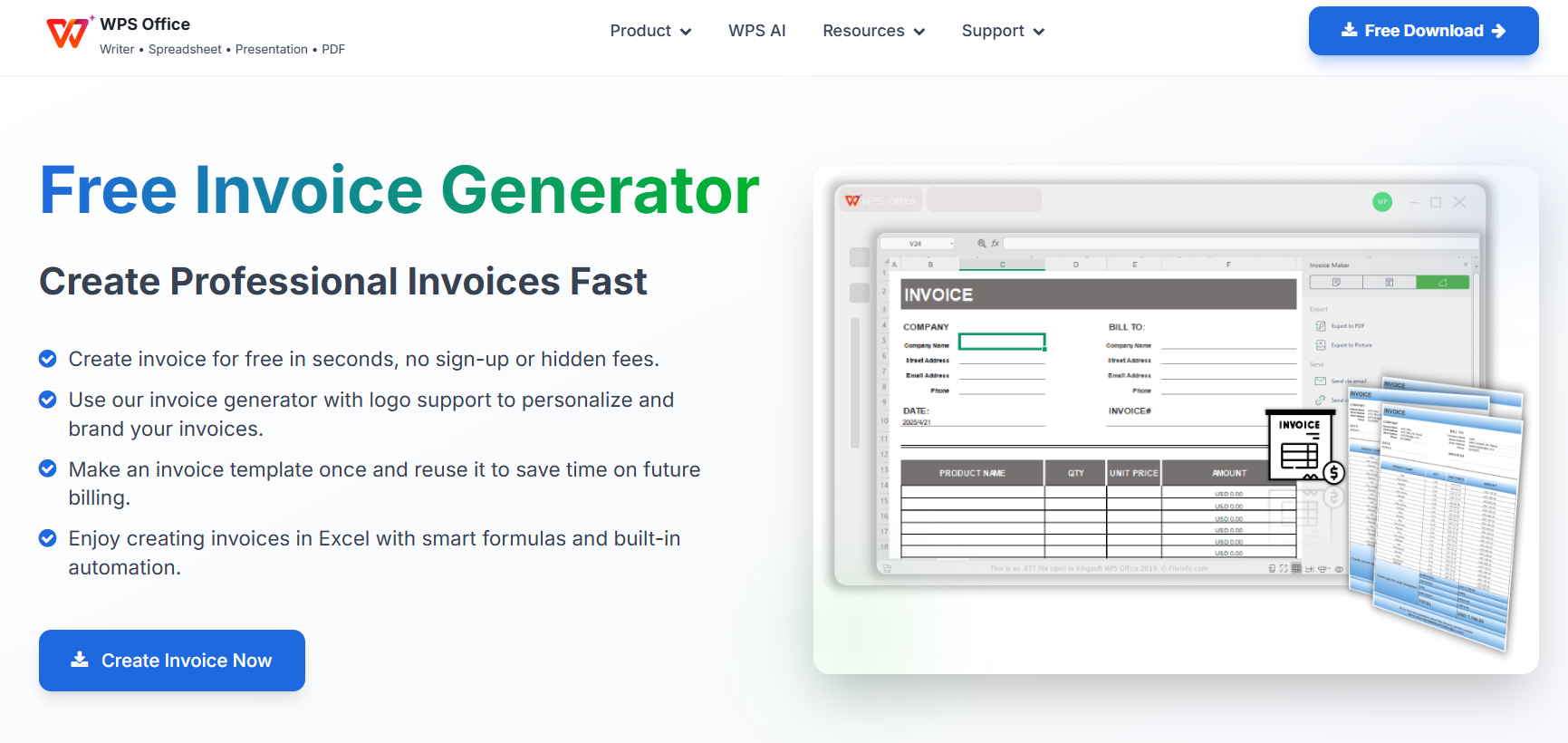
Why Go Digital with WPS Invoice Generator
The WPS Invoice Generator simplifies the invoicing process through automation. Instead of editing text boxes or calculating amounts by hand, you can generate a professional, printable invoice in just a few clicks. It’s ideal for freelancers, small businesses, and anyone who needs a reliable and efficient tool.
Here’s why switching from static templates to a digital generator is worth it:
When comparing this to a free Microsoft Word invoice template, the difference is in speed and accuracy. Instead of opening Word and manually updating details each time, WPS handles the entire process seamlessly online.
How to Create a Microsoft Word Invoice Template Using WPS Invoice Generator
If you prefer keeping the Word format while benefiting from automation, follow these steps:
Step 1: Visit the WPS Invoice Generator.
Step 2: Choose a design that fits your business and input your company information.
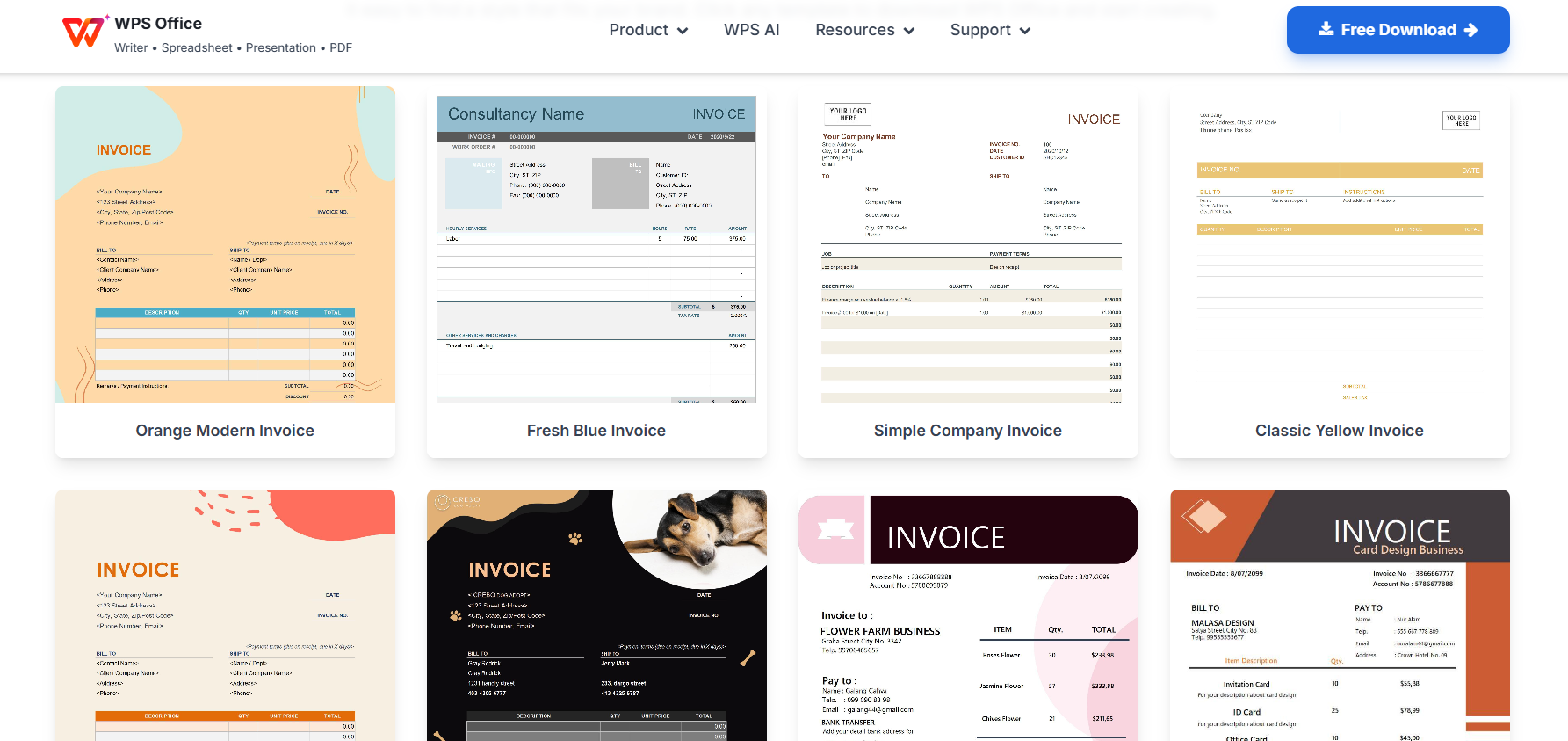
Step 3: Enter client details, item descriptions, prices, and taxes; all fields auto-calculate.
Step 4: Download your invoice as a Word or PDF file.
Step 5: Save the template for future use or quick edits.
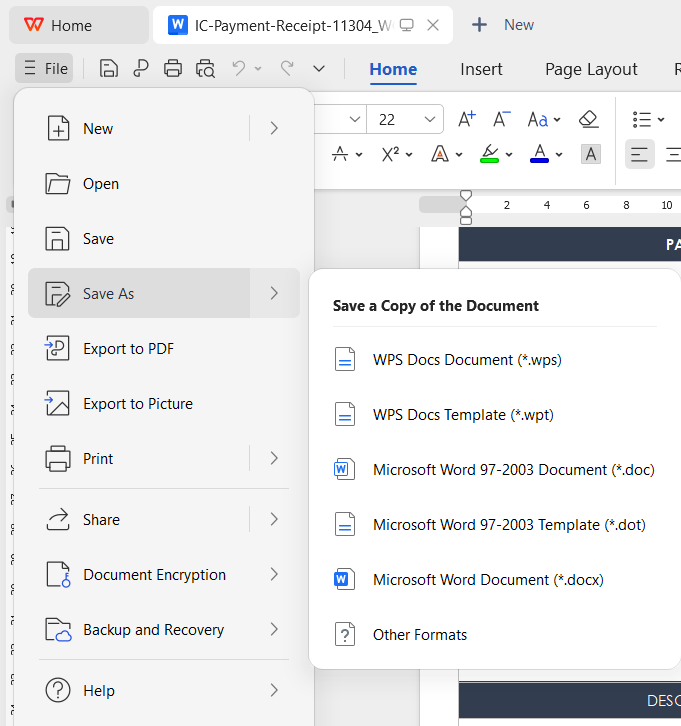
Through this method, you can create a free printable invoice template in Word format, but with the convenience of smart automation and instant export.
My Experience
Having used both manual Word templates and the WPS Invoice Generator, the difference is striking. With Word, I often spent extra minutes aligning columns and recalculating totals. With WPS, I could generate an accurate invoice in under a minute, and it looked just as professional. For anyone who wants to upgrade their workflow without learning complex accounting software, this tool is the ideal bridge.
FAQs
1. Can I customize these templates with my business logo?
Absolutely. Every Microsoft Word invoice template listed above is fully editable. You can easily insert your business logo, update fonts, or adjust colors to match your brand identity. Simply open the template, click on the logo area, and replace it with your own. This quick customization helps maintain consistency across all your client documents.
2. Do the templates automatically calculate the totals?
No. Microsoft Word is primarily a text-processing tool, so you’ll need to manually calculate and enter your subtotals and grand total. If you want your totals, taxes, or discounts to update automatically, consider using the WPS Invoice Generator, which handles all calculations for you. It’s a faster and error-free alternative to manual entry.
3. Can I print and reuse these templates offline?
Yes. Each Microsoft Word invoice template free can be saved, printed, or reused multiple times. You can also save a blank version as a master file and duplicate it for each new client. This method works well for businesses that prefer physical documentation.
4. Where can I find more templates like these?
You can explore additional designs through Microsoft Create or theWPS Office Template Center. Both offer an invoice template, a Word free download option you can edit, print, and reuse.
5. Is WPS Invoice Generator safe to use?
Yes. WPS Invoice Generator is developed by WPS Office, a trusted global software brand. All data entered is processed securely, and you can instantly download or print your invoice without any hidden costs. It’s a reliable, free solution for anyone seeking a free printable invoice template online.

'%3e%3cpath%20d='M19.9911%204.11386V6.471H18.5894C18.0775%206.471%2017.7322%206.57814%2017.5536%206.79243C17.3751%207.00671%2017.2858%207.32814%2017.2858%207.75671V9.44421H19.9019L19.5536%2012.0871H17.2858V18.8639H14.5536V12.0871H12.2769V9.44421H14.5536V7.49779C14.5536%206.39064%2014.8632%205.53201%2015.4822%204.92189C16.1013%204.31177%2016.9257%204.00671%2017.9554%204.00671C18.8304%204.00671%2019.509%204.04243%2019.9911%204.11386Z'%20fill='%23333333'/%3e%3c/g%3e%3cdefs%3e%3cclipPath%20id='clip0_2938_8199'%3e%3crect%20width='16'%20height='16'%20fill='white'%20transform='translate(8%204.00671)'/%3e%3c/clipPath%3e%3c/defs%3e%3c/svg%3e)
'%3e%3cpath%20d='M17.5237%2010.7813L23.4811%204H22.0699L16.8949%209.88693L12.7648%204H8L14.2469%2012.9029L8%2020.0133H9.4112L14.8725%2013.7952L19.2352%2020.0133H24M9.92053%205.04213H12.0885L22.0688%2019.0224H19.9003'%20fill='%23333333'/%3e%3c/g%3e%3cdefs%3e%3cclipPath%20id='clip0_2938_8200'%3e%3crect%20width='16'%20height='16.0134'%20fill='white'%20transform='translate(8%204)'/%3e%3c/clipPath%3e%3c/defs%3e%3c/svg%3e)


