Without a clear plan, creative projects often fall apart, scenes are
disorganized, ideas clash, and the final result feels incomplete. A
storyboard template solves this by acting as a roadmap, giving structure
and clarity from the very start. How can you create a simple storyboard
template without wasting time or energy? In this guide, I’ll share 10
free storyboard template options, show you how to edit them effectively,
and explain why WPS Office is one of the best tools to customize
them.
Use Word, Excel, and PPT for FREE
10 Arresting Storyboard Templates
Part 1. What is a
Storyboard Template?
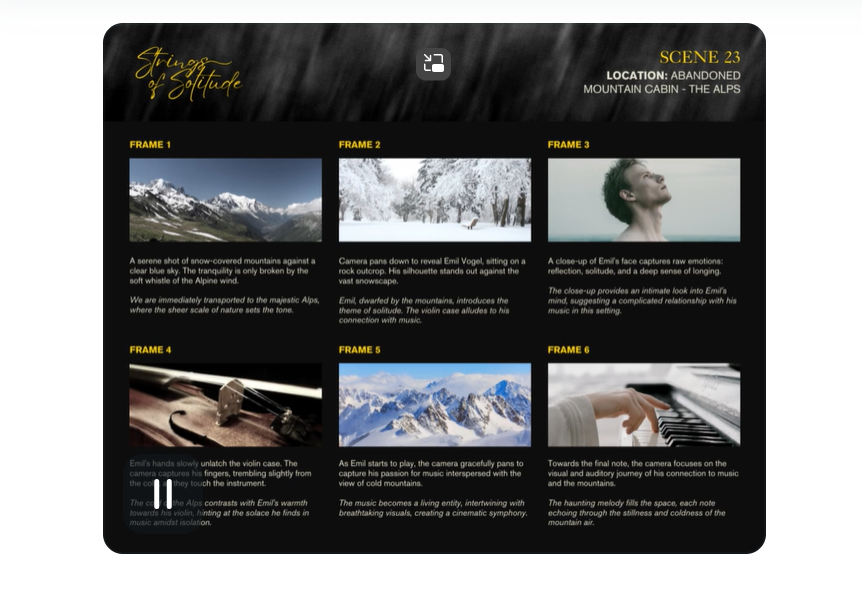
A storyboard template is a pre-designed framework that helps
visualize a project before execution. Instead of starting with a blank
page, creators can use it as a visual guide to map scenes, organize
ideas, and align a team around the same vision. Whether for filmmaking,
advertising, education, or UX design, a storyboard makes complex
concepts easy to understand and execute.
What is a Storyboard Template
What Does a Storyboard
Include?
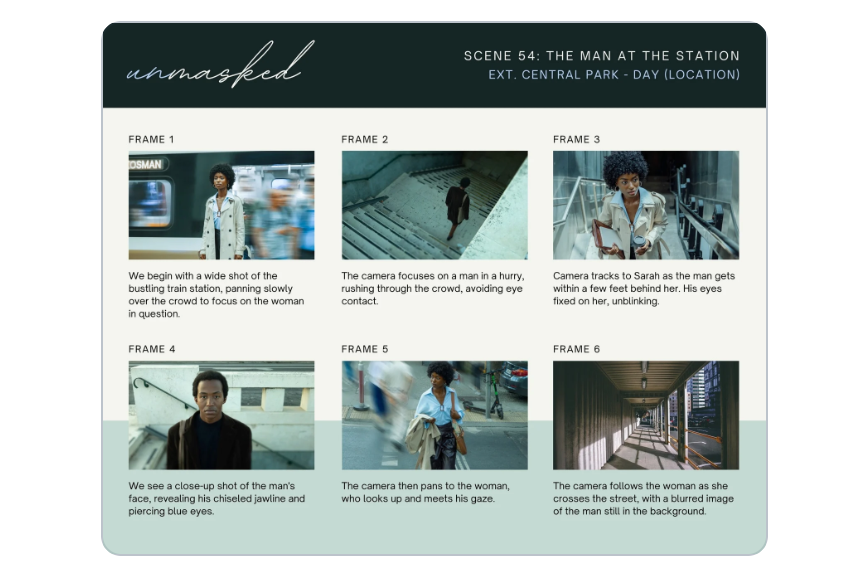
While the layout may vary depending on the project, most storyboard
templates share similar elements:
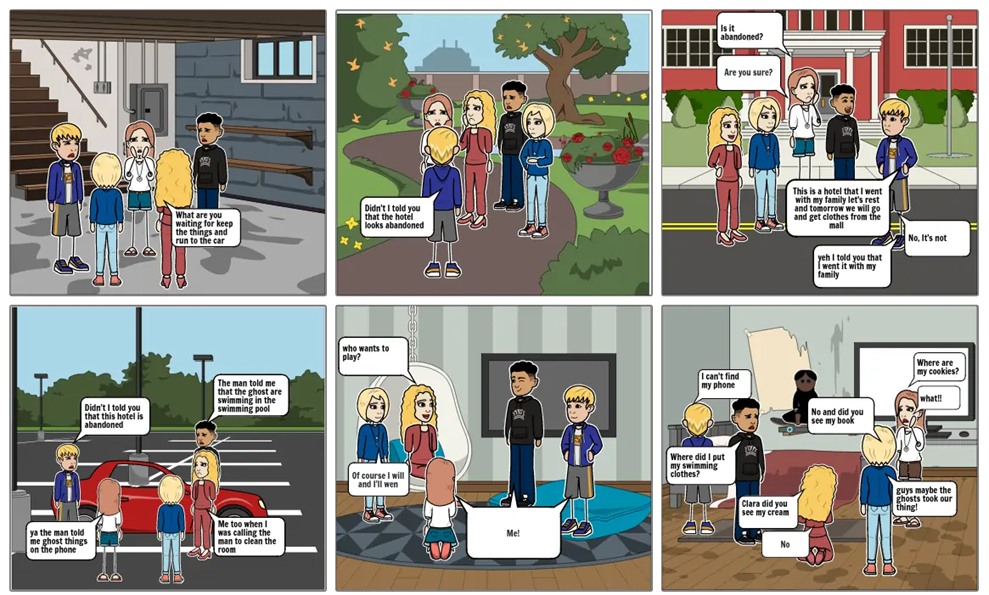
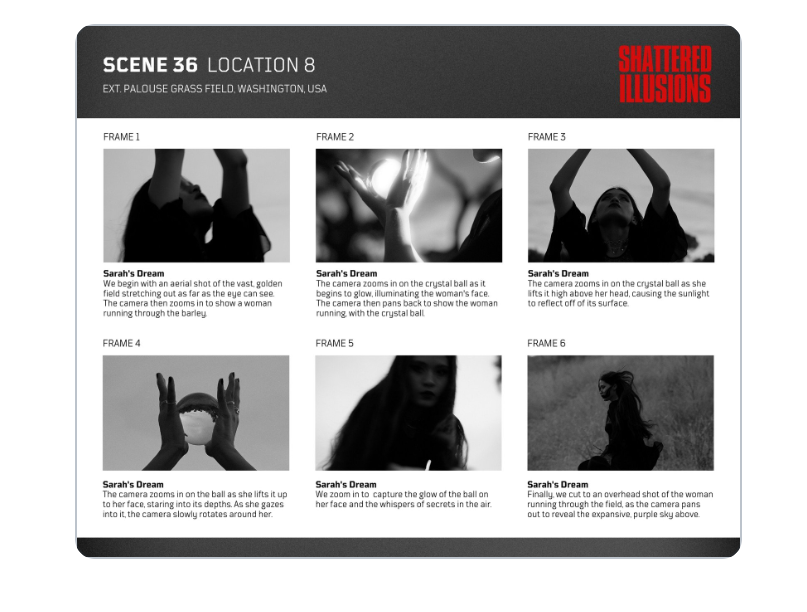
Shot image – a sketch or placeholder to illustrate what happens on screen.
Sequence title – the name of the scene or sequence.
Scene and shot number – numbering ensures clarity and order.
Dialogue or notes – brief text to explain the action or spoken lines.
Camera directions – optional notes on angles, movement, or transitions.
These details ensure every panel is consistent, making it easier for
teams to follow along. A printable storyboard template is especially
useful because it allows you to quickly fill in panels, share drafts,
and adjust ideas as the project evolves.
How to Create a Storyboard
Template
If you want to design your own instead of downloading one, here are
some quick steps on how to create a storyboard template from
scratch:
Choose an orientation – Decide whether your
storyboard will be in landscape or portrait format.
Draw the frames – Add two, four, six, or eight
empty boxes aligned in one or two columns.
Label the panels – Leave space below each box
for notes like shot number, dialogue, or direction.
Organize logically – Arrange the boxes to
reflect the sequence of the story.
Save and reuse – Once created, save the design
so you can adapt it for future projects.
Why Storyboarding is
Essential
Storyboarding saves time, reduces miscommunication, and provides a
clear vision for all team members. By planning scenes visually, you
minimize costly mistakes during production. It’s not just for
filmmakers, marketers, designers, and educators also benefit from having
a storyboard template to simplify planning and presentation.
Use Word, Excel, and PPT for FREE
Part 2. 10
Storyboard Templates [Free Download]
If you are just starting out, creating a storyboard from scratch may
feel overwhelming. That’s why using a storyboard template, a free
resource, can save hours of design time. Below are 10 options you can
download and edit right away. Each link provides both PDF and image
formats, so you can choose depending on whether you prefer a digital or
printable storyboard template.
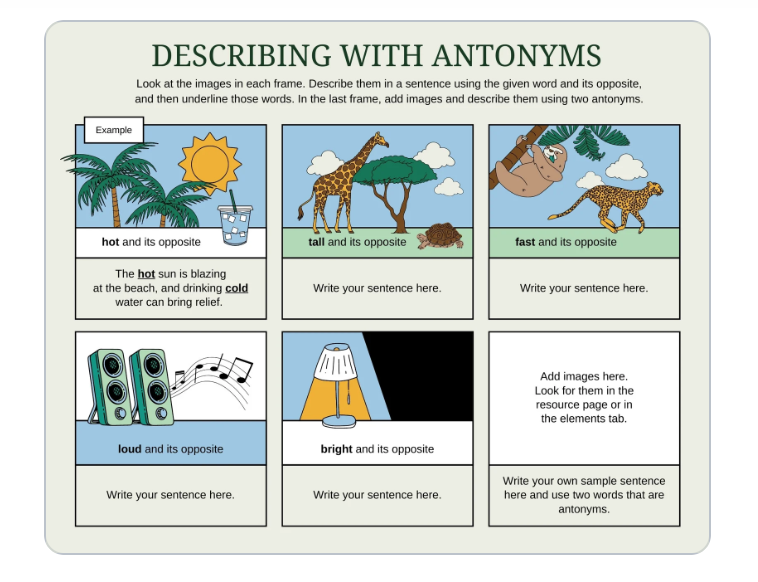
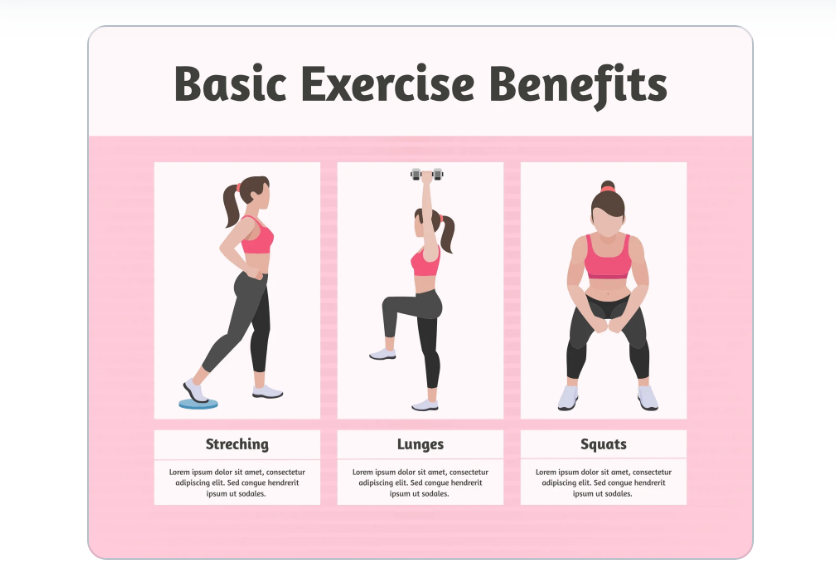
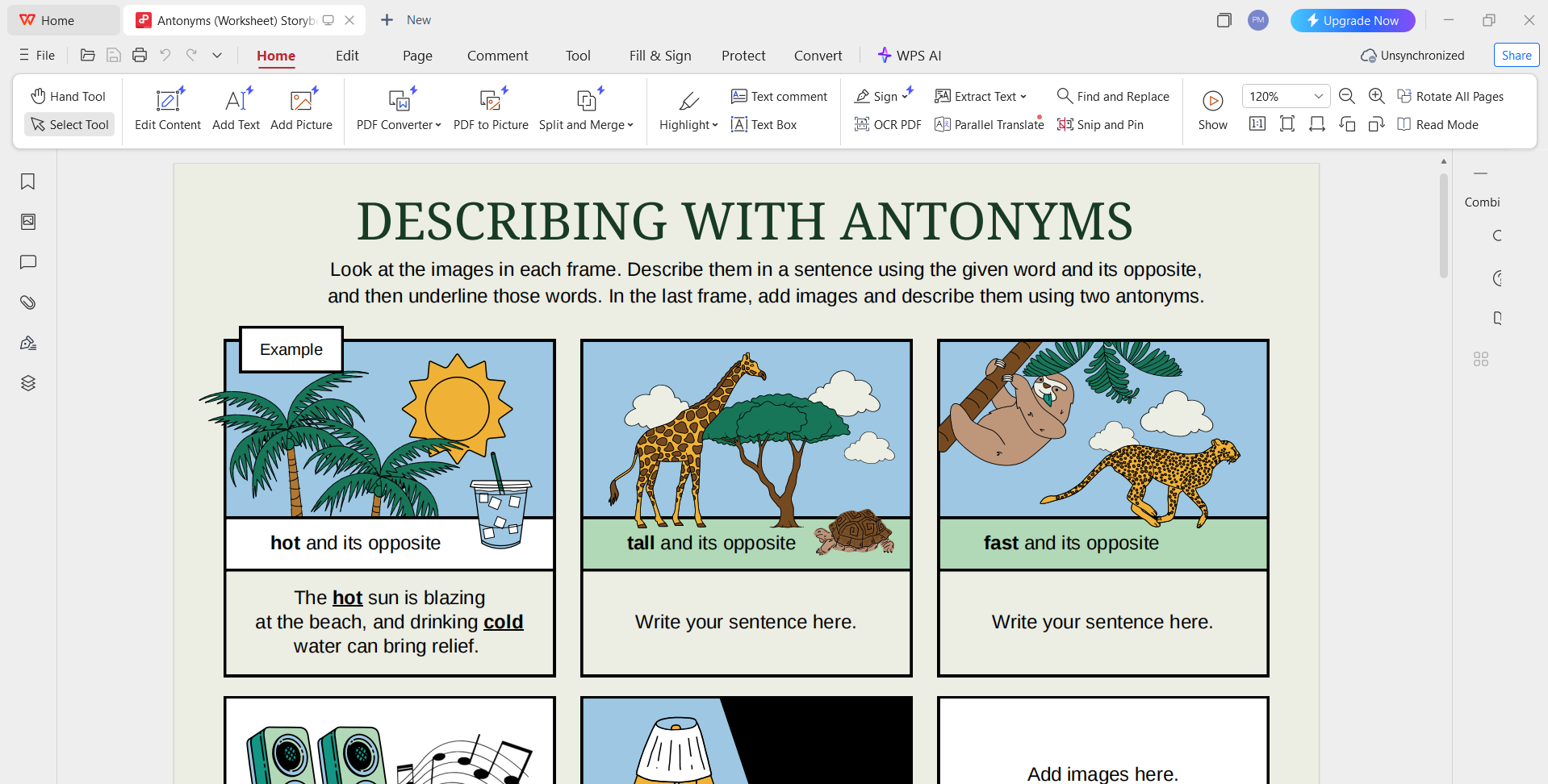
1. Antonyms (Worksheet) Storyboard – Grey Blue Simple Lined
Style
A simple lined storyboard with a clean grey-blue theme, suitable for
educational use or early-stage concept sketches.
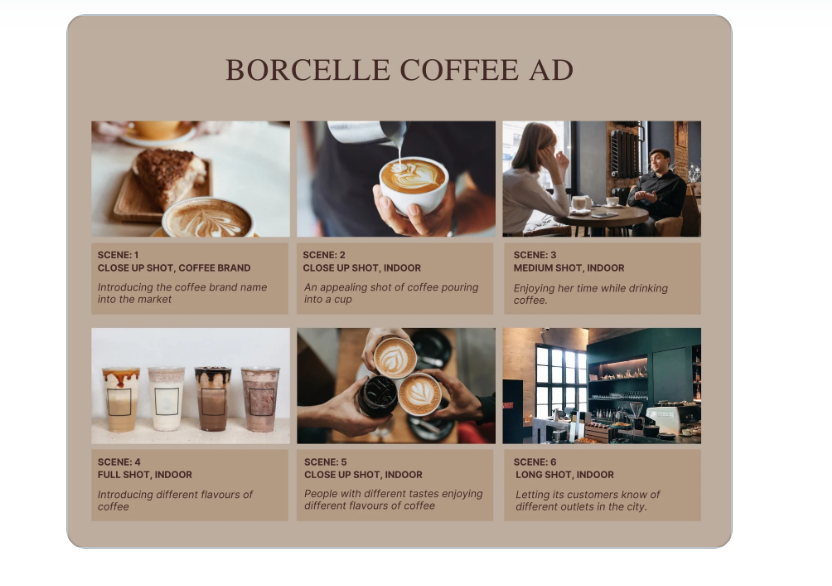
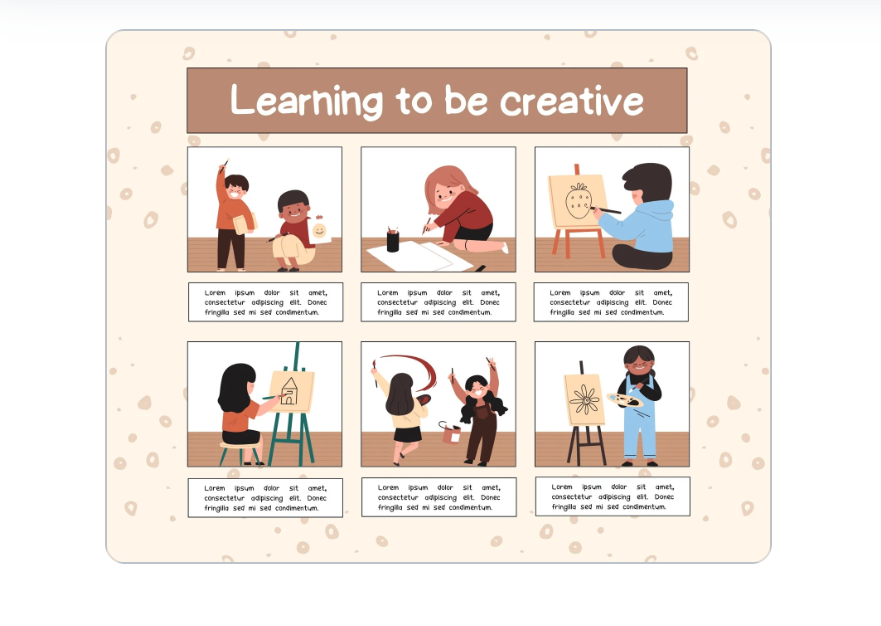
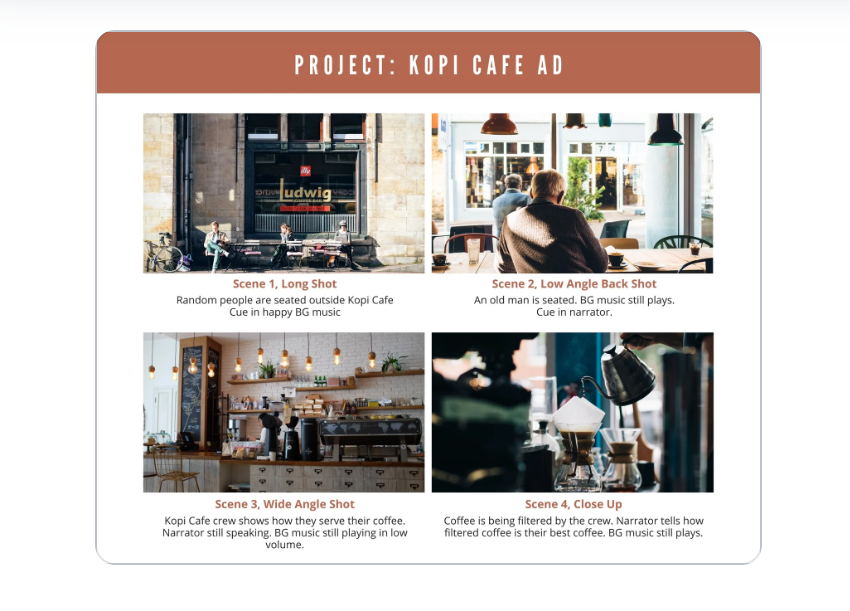
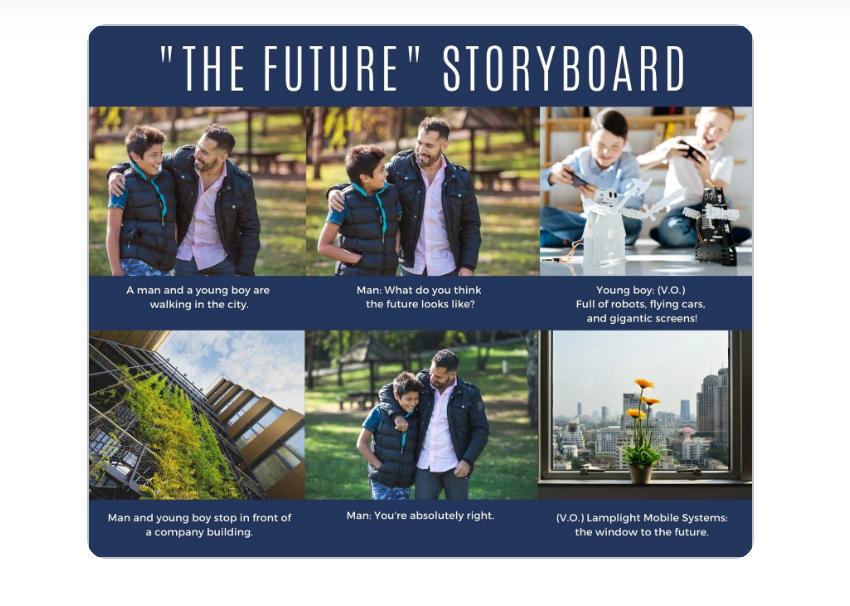
From my experience, if you need a quick start, the Brown and White
Four-Panel Storyboard (No. 8) is the easiest to work with; it’s
straightforward and printable. But for creative campaigns, I’d suggest
trying the Beige and Brown Coffee Ad Storyboard (No. 3) since it
balances design appeal with clarity.
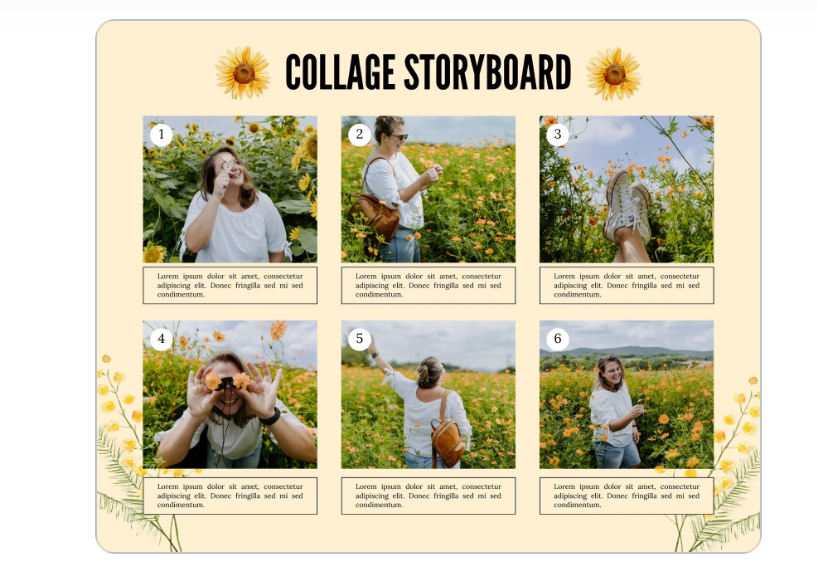
Remember: each template can be exported as a PDF for
digital editing or as an image for sketching and sharing. Choose the
format that best fits your workflow.
Part
3. How to Edit and Print Storyboard Templates in Photo & PDF
After exploring the 10 options above, you now have several choices
for a storyboard template free download. These templates can be exported
in PDF or image format, which makes them easy to customize for different
needs. Whether you want to adjust colors, enhance details, or add
annotations, WPS Office provides practical tools to edit your storyboard
professionally.
How to Edit the
Storyboard in WPS Photo
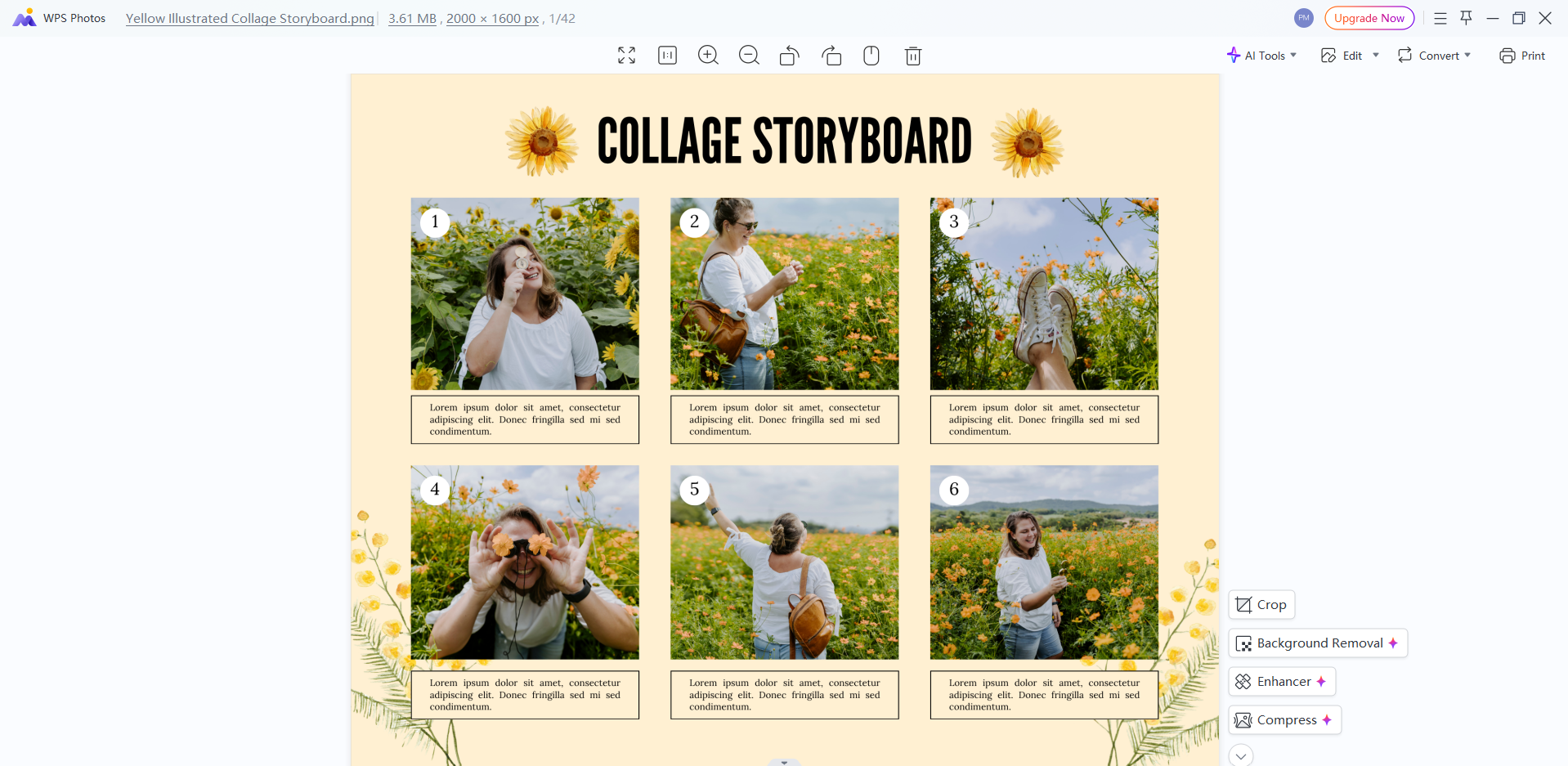
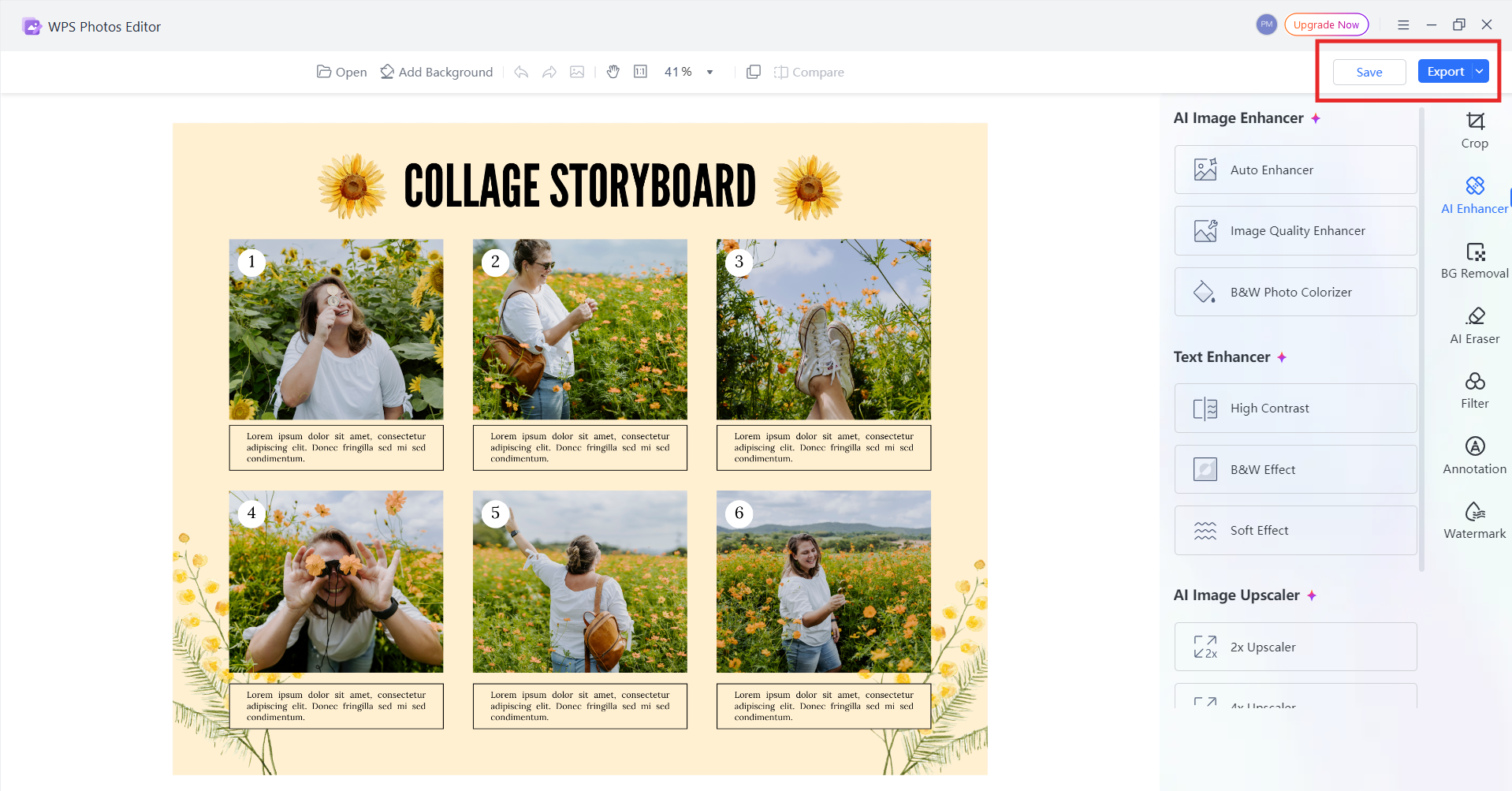
If you’ve downloaded your storyboard as a JPG or PNG file, WPS Photo
is the best choice for customization. It allows you to polish your
storyboard panels before printing or sharing.
Steps:
Open WPS Photo – Launch the editor and import
your storyboard template.
Open WPS Photo
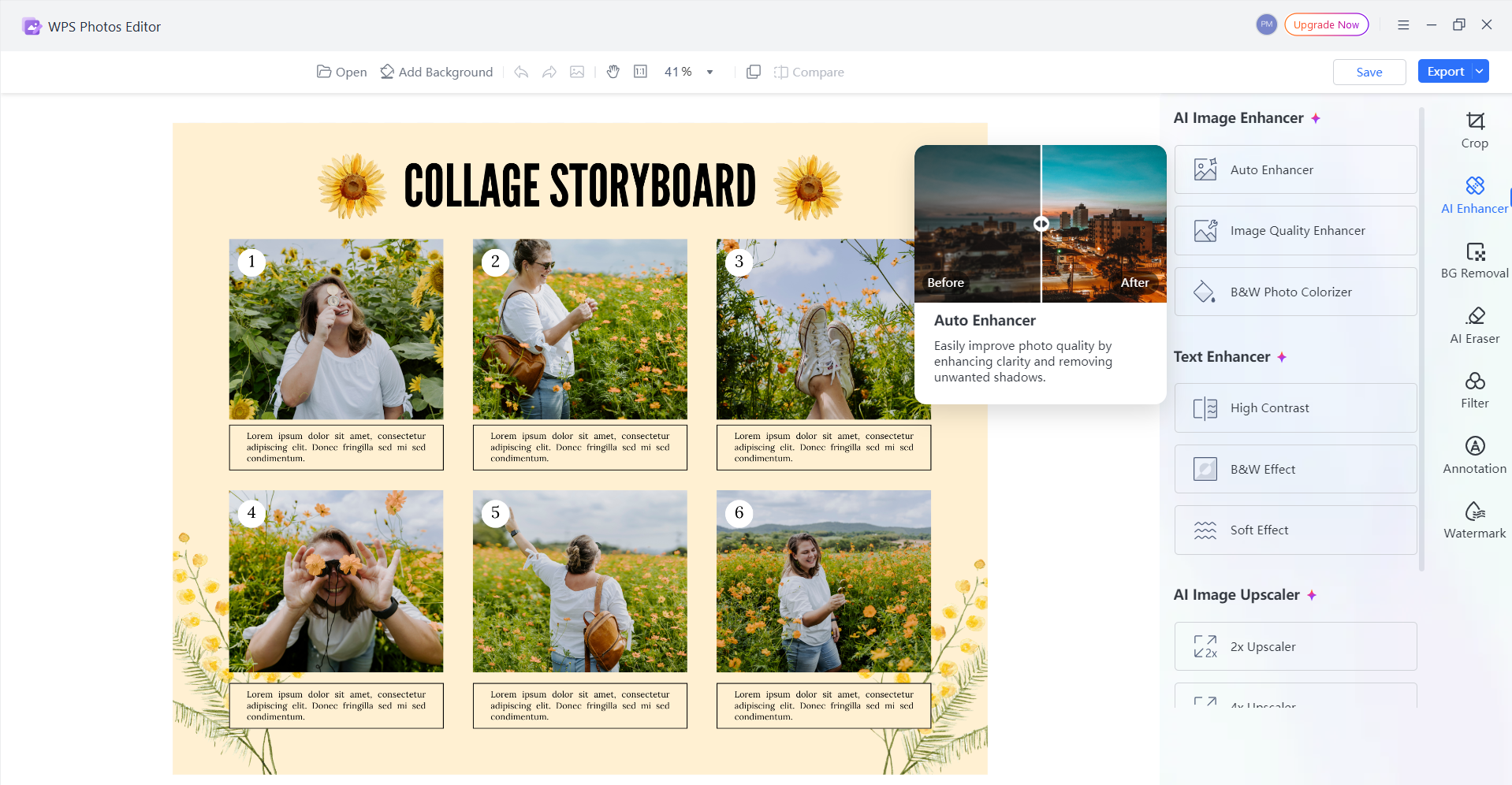
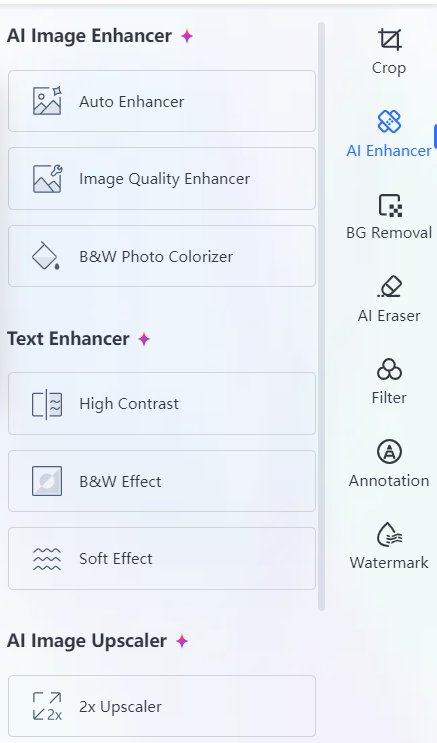
Use AI Image Enhancer – Improve the sharpness
and clarity of the panels to make sketches more readable.
AI Image Enhancer WPS Photo
Adjust Colors – Modify brightness, contrast, or
saturation to highlight important details.
AI Image Enhancer WPS Photo
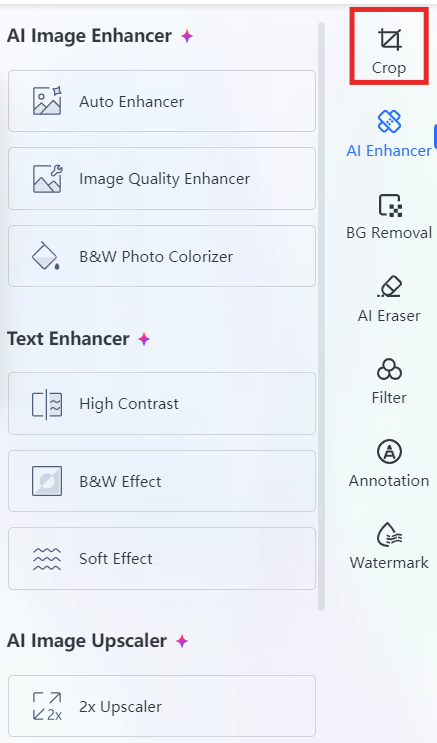
Resize or Crop – Fit the storyboard onto
standard page sizes without distortion.
Crop WPS Photo
Save & Export – Save as JPG/PNG for
presentations or print directly from WPS Photo.
Export WPS Photo
Tips: The AI Upscaler in WPS Photo is especially useful when you’re
working with low-resolution templates from free resources. It revives
the image without losing quality.
How to Edit the
Storyboard in WPS PDF
For templates downloaded in PDF format, WPS PDF Editor gives you
flexible tools to add, remove, or modify content without needing
expensive software.
Steps:
Open WPS PDF – Import the storyboard PDF you
downloaded.
Open WPS PDF
Edit Text or Notes – Add dialogue, shot
descriptions, or sequence titles directly into the boxes.
Insert Images – Replace placeholder panels with
real sketches or reference photos.
Edit in WPS PDF
Annotate Freely – Highlight transitions or add
arrows to indicate camera movement.
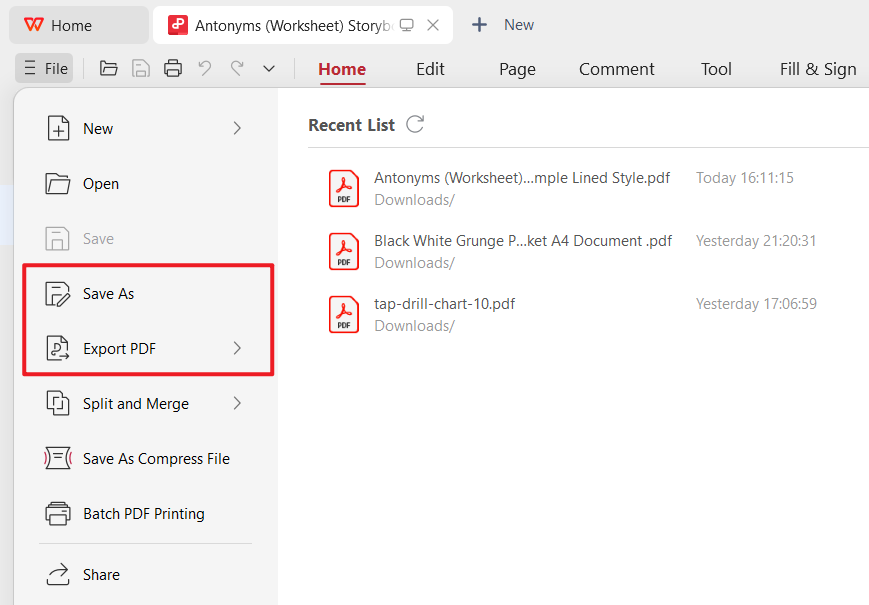
Save & Print – Export your updated
storyboard for digital collaboration or print a clean hard
copy.
Save WPS PDF
Tips: WPS PDF also supports online sharing, so teams can review the
storyboard collaboratively without repeated file transfers.
Part
4. A Free Office Suite for Effortless Storyboard Template
Customization
When it comes to customizing a storyboard template, the tools you
choose can make the difference between a smooth process and endless
frustration. That’s where WPS
Office stands out. It isn’t just a word processor; it’s an
all-in-one free office suite built to handle documents, spreadsheets,
slides, PDFs, and creative assets with ease.
WPS Office
For creators working with storyboard template free download
resources, WPS Office offers everything you need in one place:
Key Features of WPS Office
AI Writing & Editing Tools – Draft, polish, or refine text for scene notes or annotations.
Free Download & Use – Word, Excel, PowerPoint alternatives plus a powerful PDF toolkit.
Rich Template Store – Access a wide range of templates beyond storyboards, including business and creative formats.
Seamless PDF Editing – Annotate, adjust, and export storyboards without extra software.
AI Photo Enhancer – Clean up or upscale storyboard images directly inside the suite.
Supports Online Documents – Collaborate in real time with your team.
Safe and Stable – Trusted by millions of users worldwide for both business and creative work.
Cross-Platform Sharing – Edit on desktop or mobile and share instantly with colleagues.
In my experience, WPS Office is especially helpful for projects that
involve both visual and text-based content. I’ve used it to edit
storyboards, prepare shot lists, and even combine notes with images in
one organized workflow. The fact that it is free and lightweight makes
it a practical choice for students, freelancers, and professionals
alike.
100% secure
FAQs
1. What’s the difference between a storyboard and a
script?
A script is a written document that details dialogue and actions. A
storyboard is a visual outline of those moments, showing how each shot
will look. Together, they ensure a smooth transition from idea to
production.
2. How many panels should a storyboard have?
There is no fixed number. A simple project might need only a few
panels, while an action sequence may require dozens. The key is to
capture every important moment and transition clearly.
3. Can I use a storyboard template for things other than
films?
Yes. Storyboards are versatile and widely used in marketing, UX
design, event planning, education, and even business presentations.
Anywhere you need to visualize a process, a storyboard template
works.
4. Do I need to be good at drawing to use a storyboard
template?
Not at all. The purpose of a storyboard is to map out ideas visually.
Rough sketches, stick figures, or even written notes inside panels are
enough to communicate the concept.
5. Are free storyboard templates professional enough for
serious projects?
Yes. A storyboard template free download can be just as effective as
paid tools, especially when customized in software like WPS Office. Many
filmmakers, designers, and students start with free templates and adapt
them to fit their needs.
Summary
A storyboard template is more than just a set of boxes; it’s a creative tool that transforms ideas into clear, visual plans. In this article, we explored what a storyboard template is, how to create one, and shared 10 storyboard template free download options that can save time while keeping your projects organized. Whether you’re a filmmaker, marketer, educator, or designer, using the right template helps avoid confusion and ensures every detail is captured.
To customize and edit these templates effortlessly, WPS Office offers a complete solution. With its powerful PDF editor, AI photo tools, and wide range of templates, WPS makes it easy to refine storyboards for both professional and personal use. Free to download, safe, and feature-rich, WPS Office is the ideal platform to turn a simple storyboard into a polished plan ready for action.
Office software expert with 15+ years of experience since 2009. I specialize in tech tutorials, productivity tools, and digital solutions for everyday users. Passionate about making technology simple and accessible for everyone.


'%3e%3cpath%20d='M8%200C12.4183%200%2016%203.58172%2016%208C16%2012.4183%2012.4183%2016%208%2016C3.58172%2016%200%2012.4183%200%208C0%203.58172%203.58172%200%208%200ZM11.6162%204.38379C11.2257%203.99337%2010.5927%203.99338%2010.2021%204.38379L8%206.58594L5.79785%204.38379C5.40732%203.99334%204.77429%203.99329%204.38379%204.38379C3.99331%204.77429%203.99335%205.40733%204.38379%205.79785L6.58594%208L4.38379%2010.2021C3.99348%2010.5927%203.99341%2011.2257%204.38379%2011.6162C4.77426%2012.0066%205.40734%2012.0065%205.79785%2011.6162L8%209.41406L10.2021%2011.6162C10.5927%2012.0066%2011.2257%2012.0067%2011.6162%2011.6162C12.0067%2011.2257%2012.0066%2010.5927%2011.6162%2010.2021L9.41406%208L11.6162%205.79785C12.0066%205.40735%2012.0066%204.77429%2011.6162%204.38379Z'%20fill='%23080E17'%20fill-opacity='0.46'/%3e%3c/g%3e%3cdefs%3e%3cclipPath%20id='clip0_3761_713'%3e%3crect%20width='16'%20height='16'%20fill='white'/%3e%3c/clipPath%3e%3c/defs%3e%3c/svg%3e)




'%3e%3cpath%20fill-rule='evenodd'%20clip-rule='evenodd'%20d='M21.4999%2010.9993C21.4999%205.20009%2016.7986%200.498901%2010.9993%200.498901C5.19994%200.498901%200.498657%205.20009%200.498657%2010.9993C0.498657%2016.2404%204.33858%2020.5844%209.35855%2021.3722V14.0346H6.69238V10.9993H9.35855V8.68594C9.35855%206.05427%2010.9262%204.60062%2013.3248%204.60062C14.4736%204.60062%2015.6753%204.80571%2015.6753%204.80571V7.38979H14.3512C13.0468%207.38979%2012.64%208.19921%2012.64%209.0296V10.9993H15.5523L15.0867%2014.0346H12.64V21.3722C17.66%2020.5844%2021.4999%2016.2404%2021.4999%2010.9993Z'%20fill='%231568EA'/%3e%3c/g%3e%3c/svg%3e)


'%3e%3cpath%20d='M2.42045%2022.1876H6.31818V12.7217L0.75%208.54553V20.5171C0.75%2021.4414%201.49892%2022.1876%202.42045%2022.1876Z'%20fill='%234285F4'/%3e%3cpath%20d='M19.682%2022.1876H23.5797C24.5041%2022.1876%2025.2502%2021.4387%2025.2502%2020.5171V8.54553L19.682%2012.7217'%20fill='%2334A853'/%3e%3cpath%20d='M19.682%205.48293V12.7216L25.2502%208.54543V6.31816C25.2502%204.25236%2022.8921%203.07469%2021.2411%204.31361'%20fill='%23FBBC04'/%3e%3cpath%20d='M6.31824%2012.7217V5.48303L13.0001%2010.4944L19.6819%205.48303V12.7217L13.0001%2017.733'%20fill='%23EA4335'/%3e%3cpath%20d='M0.75%206.31816V8.54543L6.31818%2012.7216V5.48293L4.75909%204.31361C3.10534%203.07469%200.75%204.25236%200.75%206.31816Z'%20fill='%23C5221F'/%3e%3c/g%3e%3cdefs%3e%3cclipPath%20id='clip0_2954_7305'%3e%3crect%20width='24.5'%20height='18.375'%20fill='white'%20transform='translate(0.75%203.8125)'/%3e%3c/clipPath%3e%3c/defs%3e%3c/svg%3e)




'%3e%3cpath%20d='M19.9911%204.11386V6.471H18.5894C18.0775%206.471%2017.7322%206.57814%2017.5536%206.79243C17.3751%207.00671%2017.2858%207.32814%2017.2858%207.75671V9.44421H19.9019L19.5536%2012.0871H17.2858V18.8639H14.5536V12.0871H12.2769V9.44421H14.5536V7.49779C14.5536%206.39064%2014.8632%205.53201%2015.4822%204.92189C16.1013%204.31177%2016.9257%204.00671%2017.9554%204.00671C18.8304%204.00671%2019.509%204.04243%2019.9911%204.11386Z'%20fill='%23333333'/%3e%3c/g%3e%3cdefs%3e%3cclipPath%20id='clip0_2938_8199'%3e%3crect%20width='16'%20height='16'%20fill='white'%20transform='translate(8%204.00671)'/%3e%3c/clipPath%3e%3c/defs%3e%3c/svg%3e)
'%3e%3cpath%20d='M17.5237%2010.7813L23.4811%204H22.0699L16.8949%209.88693L12.7648%204H8L14.2469%2012.9029L8%2020.0133H9.4112L14.8725%2013.7952L19.2352%2020.0133H24M9.92053%205.04213H12.0885L22.0688%2019.0224H19.9003'%20fill='%23333333'/%3e%3c/g%3e%3cdefs%3e%3cclipPath%20id='clip0_2938_8200'%3e%3crect%20width='16'%20height='16.0134'%20fill='white'%20transform='translate(8%204)'/%3e%3c/clipPath%3e%3c/defs%3e%3c/svg%3e)


