

'%3e%3cpath%20d='M8%200C12.4183%200%2016%203.58172%2016%208C16%2012.4183%2012.4183%2016%208%2016C3.58172%2016%200%2012.4183%200%208C0%203.58172%203.58172%200%208%200ZM11.6162%204.38379C11.2257%203.99337%2010.5927%203.99338%2010.2021%204.38379L8%206.58594L5.79785%204.38379C5.40732%203.99334%204.77429%203.99329%204.38379%204.38379C3.99331%204.77429%203.99335%205.40733%204.38379%205.79785L6.58594%208L4.38379%2010.2021C3.99348%2010.5927%203.99341%2011.2257%204.38379%2011.6162C4.77426%2012.0066%205.40734%2012.0065%205.79785%2011.6162L8%209.41406L10.2021%2011.6162C10.5927%2012.0066%2011.2257%2012.0067%2011.6162%2011.6162C12.0067%2011.2257%2012.0066%2010.5927%2011.6162%2010.2021L9.41406%208L11.6162%205.79785C12.0066%205.40735%2012.0066%204.77429%2011.6162%204.38379Z'%20fill='%23080E17'%20fill-opacity='0.46'/%3e%3c/g%3e%3cdefs%3e%3cclipPath%20id='clip0_3761_713'%3e%3crect%20width='16'%20height='16'%20fill='white'/%3e%3c/clipPath%3e%3c/defs%3e%3c/svg%3e)




'%3e%3cpath%20fill-rule='evenodd'%20clip-rule='evenodd'%20d='M21.4999%2010.9993C21.4999%205.20009%2016.7986%200.498901%2010.9993%200.498901C5.19994%200.498901%200.498657%205.20009%200.498657%2010.9993C0.498657%2016.2404%204.33858%2020.5844%209.35855%2021.3722V14.0346H6.69238V10.9993H9.35855V8.68594C9.35855%206.05427%2010.9262%204.60062%2013.3248%204.60062C14.4736%204.60062%2015.6753%204.80571%2015.6753%204.80571V7.38979H14.3512C13.0468%207.38979%2012.64%208.19921%2012.64%209.0296V10.9993H15.5523L15.0867%2014.0346H12.64V21.3722C17.66%2020.5844%2021.4999%2016.2404%2021.4999%2010.9993Z'%20fill='%231568EA'/%3e%3c/g%3e%3c/svg%3e)


'%3e%3cpath%20d='M2.42045%2022.1876H6.31818V12.7217L0.75%208.54553V20.5171C0.75%2021.4414%201.49892%2022.1876%202.42045%2022.1876Z'%20fill='%234285F4'/%3e%3cpath%20d='M19.682%2022.1876H23.5797C24.5041%2022.1876%2025.2502%2021.4387%2025.2502%2020.5171V8.54553L19.682%2012.7217'%20fill='%2334A853'/%3e%3cpath%20d='M19.682%205.48293V12.7216L25.2502%208.54543V6.31816C25.2502%204.25236%2022.8921%203.07469%2021.2411%204.31361'%20fill='%23FBBC04'/%3e%3cpath%20d='M6.31824%2012.7217V5.48303L13.0001%2010.4944L19.6819%205.48303V12.7217L13.0001%2017.733'%20fill='%23EA4335'/%3e%3cpath%20d='M0.75%206.31816V8.54543L6.31818%2012.7216V5.48293L4.75909%204.31361C3.10534%203.07469%200.75%204.25236%200.75%206.31816Z'%20fill='%23C5221F'/%3e%3c/g%3e%3cdefs%3e%3cclipPath%20id='clip0_2954_7305'%3e%3crect%20width='24.5'%20height='18.375'%20fill='white'%20transform='translate(0.75%203.8125)'/%3e%3c/clipPath%3e%3c/defs%3e%3c/svg%3e)


Writing a will is crucial for securing your assets and ensuring that your loved ones are cared for. However, there are a lot of people who avoid writing a will under the impression that it’s really complicated. So, is there a way to write a valid will using a template? In this guide, I’ll be walking you through 10 well-designed and polished free last will and testament template PDF, which you can then customize to your own liking.


Best 10 Editable Last Will and Testament Templates
Formulating a will by yourself can get really stressful and confusing, especially if you aren’t familiar with the format and structure. Using a pre-made, editable last will and testament form online, you can simplify this process and save yourself a lot of time and effort. I’ve gone through my fair share of templates and have narrowed down 10 of the most reliable ones I found. In this section, I’ll be covering each of these and helping you choose the right one for yourself.
1. Bequest Will Template
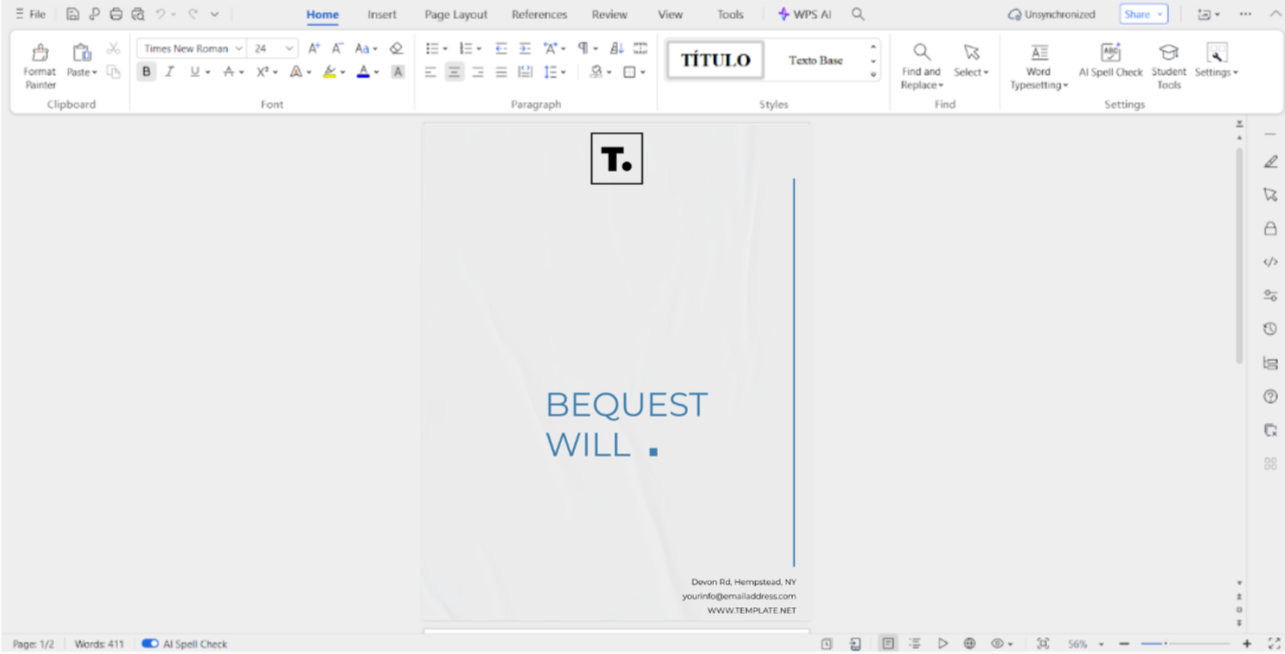
If you’re looking for a simple and minimalistic approach for your will document, then going for the Bequest Will Template would be a good option. It features an elegant design and includes all the necessary details required for a legal well, mainly the executor’s information, and the list of all the bequests benefitting from the will.

2. Inheritance Will Template
The Inheritance Will Template is a decent pick if you want something that looks polished without making the design too cluttered or inappropriately extravagant for such a serious document. It is not as detailed but still includes everything you need for a valid and legally usable will for your inheritance details.

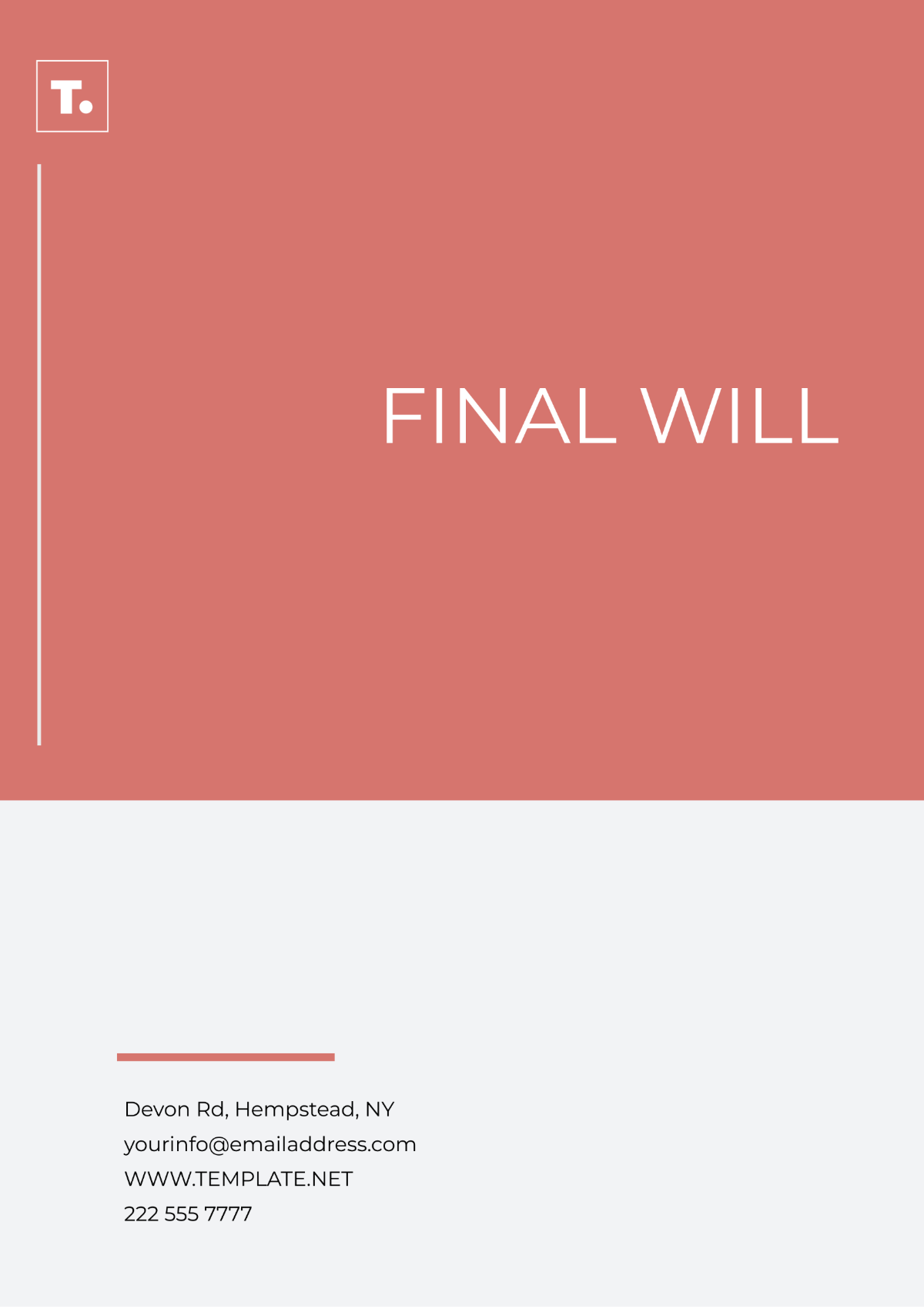
3. Final Will Layout Template
If you don’t have any next of kin or just want your assets distributed among the charitable causes that are meaningful to you, then you can use the Final Will Layout Template. It includes the list of all the details of your assets and how much of it you want to donate to charities, along with the information of the executor of that will.
4. Blank Will Template
If you don’t want something pre-made and want to do everything yourself, I would recommend the Blank Will Template for you. It only includes the basic details of your bequests, executor, and witnesses, which you can edit yourself. The design being featured is very plain and blank, letting you have more control over how it looks.

5. Last Will and Testament Template
For those of you looking for a detailed breakdown of their wealth and assets, then going for the Last Will and Testament Template would be a wise choice. It includes an in-depth list of all your possessions and their distributions, so nothing is left ambiguous which would only cause problems for your next of kin.

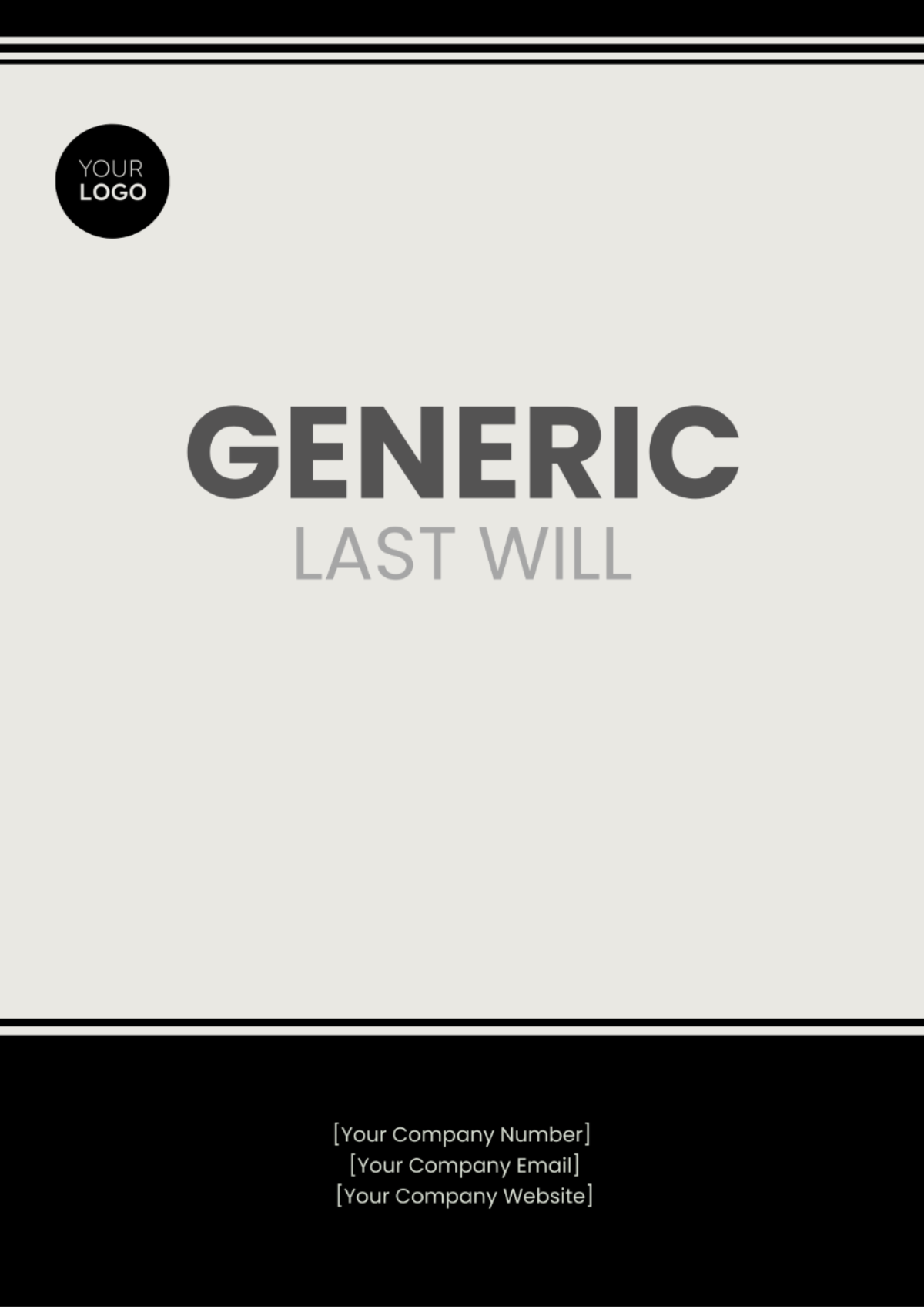
6. Generic Last Will Template
If customizing and changing the layout seems like too much of a hassle for you, then you can go for the Generic Last Will Template and save yourself a lot of time. It features a very simple black and white design, including details of the guardianship and distribution of your assets and wealth in clear detail.
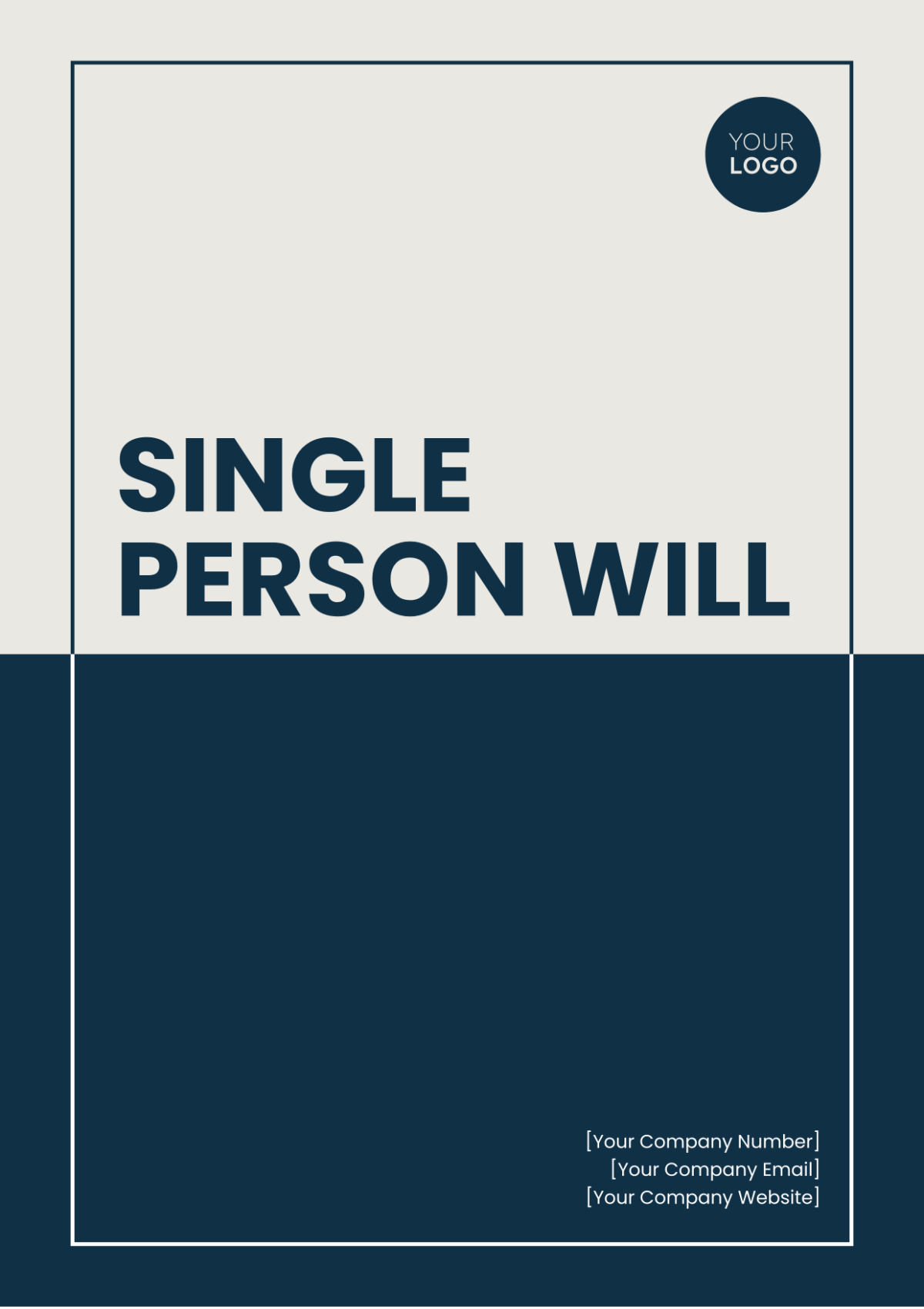
7. Single Person Will Template
If you’re a single person and the last will and testament template for married couple doesn’t suit your needs, you can use the Single Person Will Template as a second choice. It features details of funeral expenses, distribution of possessions, and the details of bequests who will be receiving the inherited wealth.
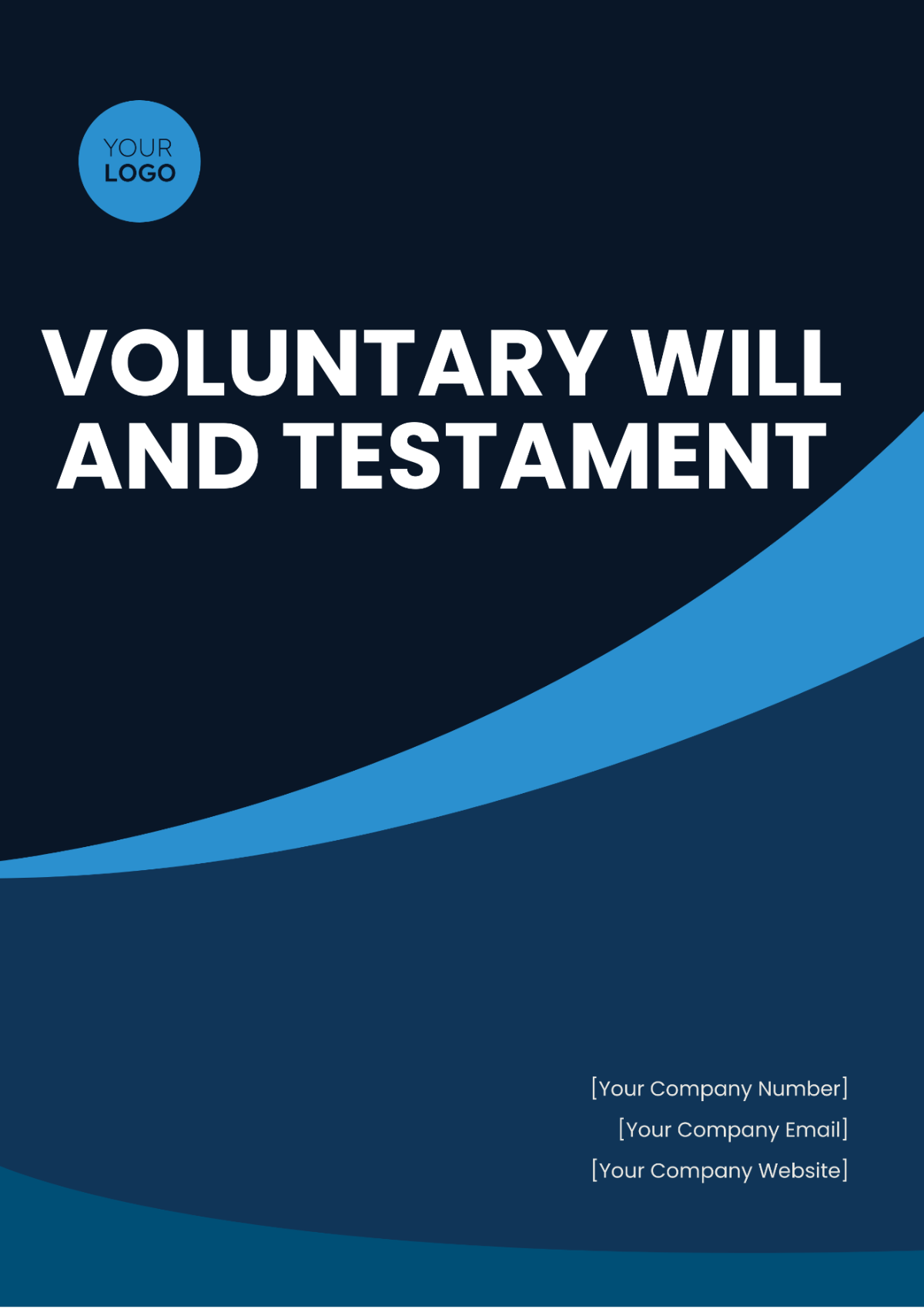
8. Voluntary Will And Testament Template
If you want a detailed editable last will and testament form online, then the Voluntary Will and Testament Template is a reliable choice which won’t disappoint you. It includes sections that clearly break down the distribution of your assets and wealth, so your family and next of kin don’t have to deal with any problems in the future.
9. Trust Will Template
For trust fund owners who want a seamless inheritance and transfer of their wealth to their family, the Trust Will Template is the ideal choice. It features an elegant and premium-looking design, along with breaking down the distribution of your trust and other possessions in great detail.

10. Basic Will Design Template
If you don’t want something too complicated or extravagant, you can simply just use a simple last will and testament template Word like the Basic Will Design Template and save yourself from the hassle. It only includes the necessary information, making sure you don’t feel overwhelmed or confused by a cluttered template.

How to Edit a Last Will and Testament Template Effectively
Once you’ve decided on the template you want to use for your last will and testament, the next step is downloading it and actually customizing it for your own will. I personally use WPS Office for this as it allows me to edit and customize any template I want in just a few simple steps, without having to deal with any slowdowns or hassles. It also features smart AI-powered tools that help me in writing the body of my templates.
How to Edit a Last Will and Testament Template in PDF
If your template is saved as a PDF, you can edit it very easily. WPS PDF Editor has features to edit any PDF document in just a few simple steps. I’ll walk you through the entire step-by-step process myself.
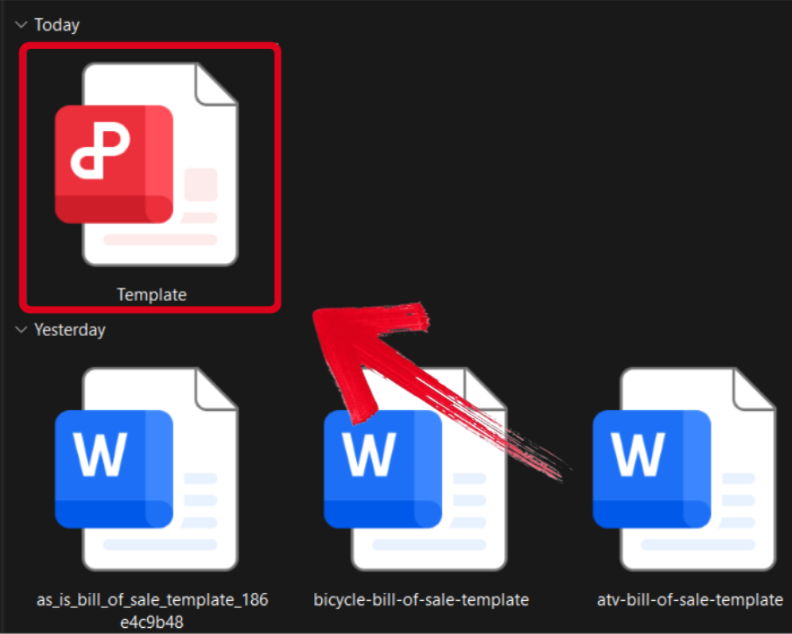
Step 1: Open your PDF template in WPS Office to start customizing it.
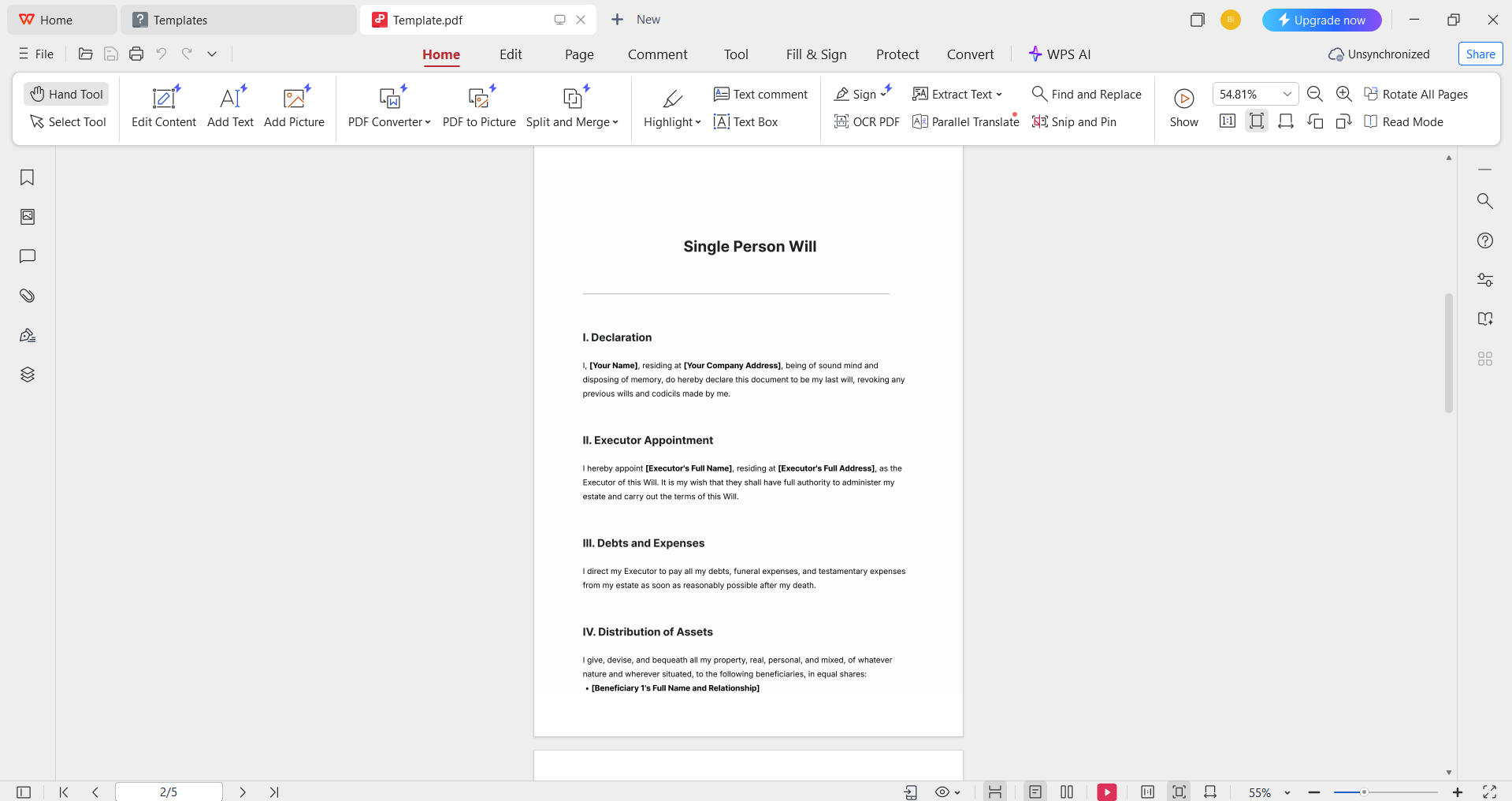
Step 2: Fill in the template with your own details and make sure everything is correct and valid before you save.
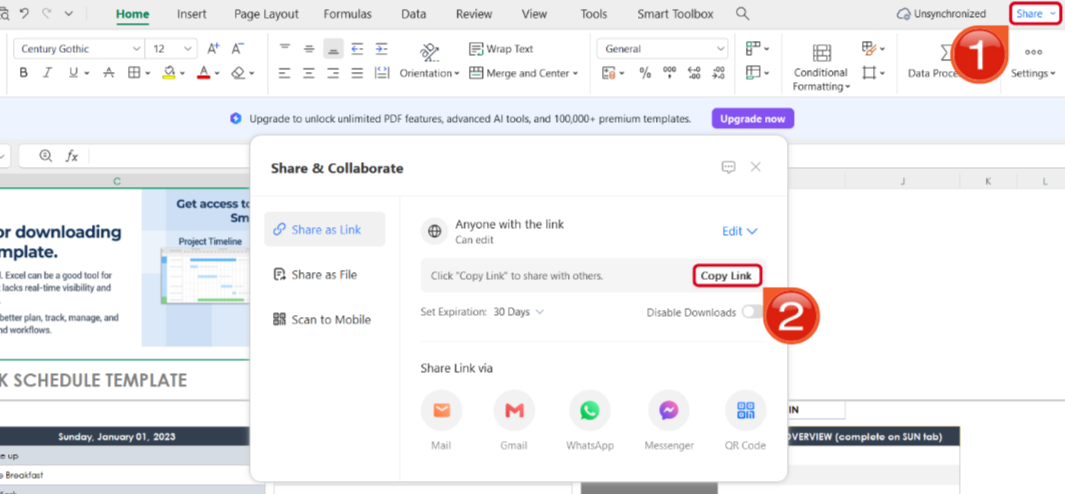
Step 3: After you’ve saved the changes to your PDF file, press Share to generate an online link for your file. Then press Copy Link to save it to your clipboard.
How to Edit a Last Will and Testament Template in Word
If your last will and testament template is saved as a Word file (.docx/.doc), then you can easily edit it through WPS Word. I’ll walk you through each step myself so you don’t feel lost or confused along the way.
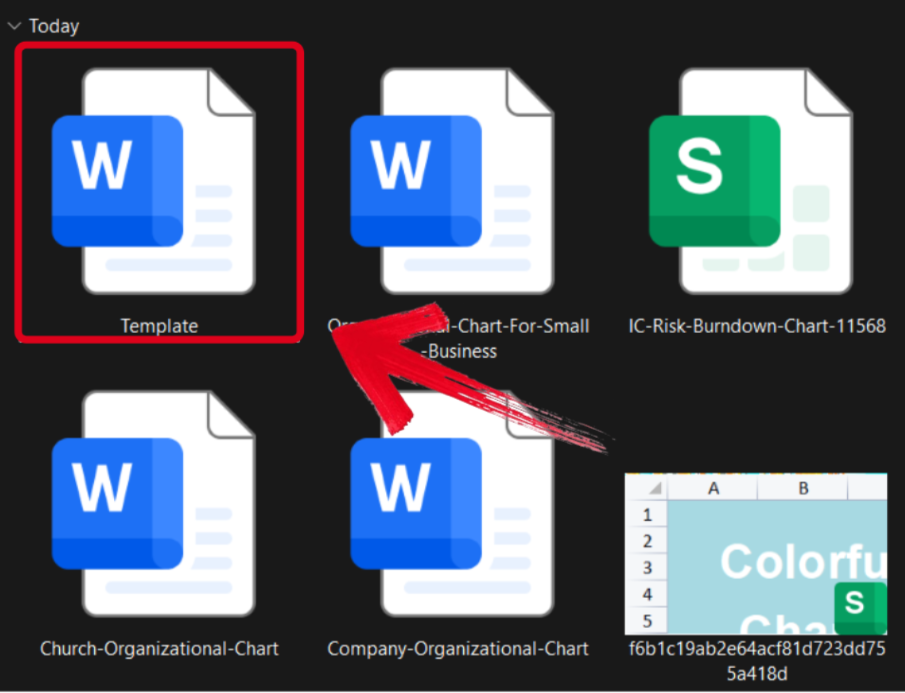
Step 1: Open your pre-made template in WPS Office to get started on the editing process.
Step 2: Add in your details and make sure to verify each field of the template thoroughly before saving.
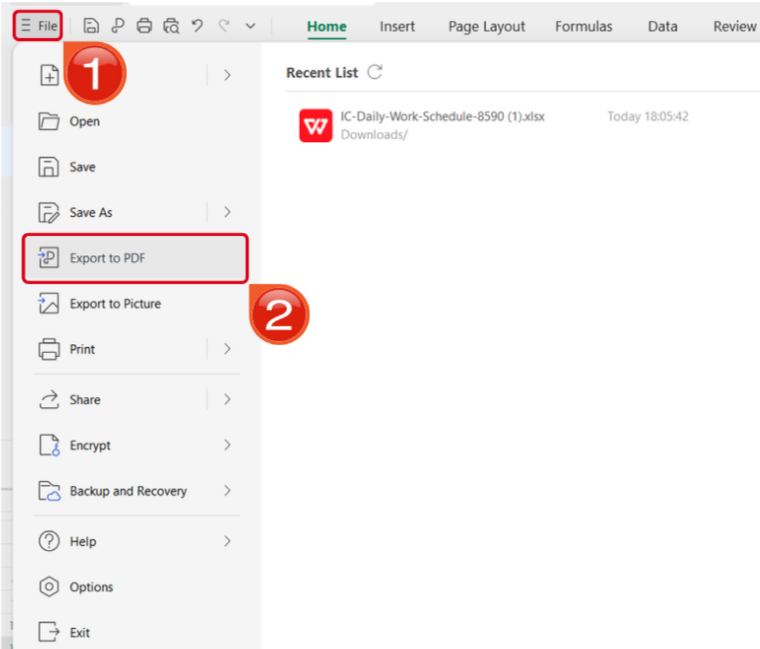
Step 3: Navigate to the Files menu and select Export to PDF to convert your template to a PDF document.
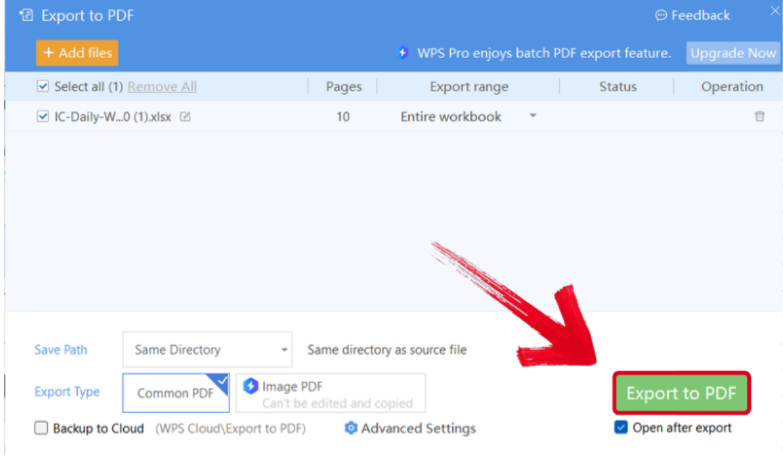
Step 4: Your Word file will now start conversion into a PDF file. Press Export to PDF to download it to your device.
Step 5: After you’ve saved your template as a PDF, press Share to generate an online link for your file. Then press Copy Link to save it to your clipboard.
Power the Workflow with WPS Office (AI-enabled)
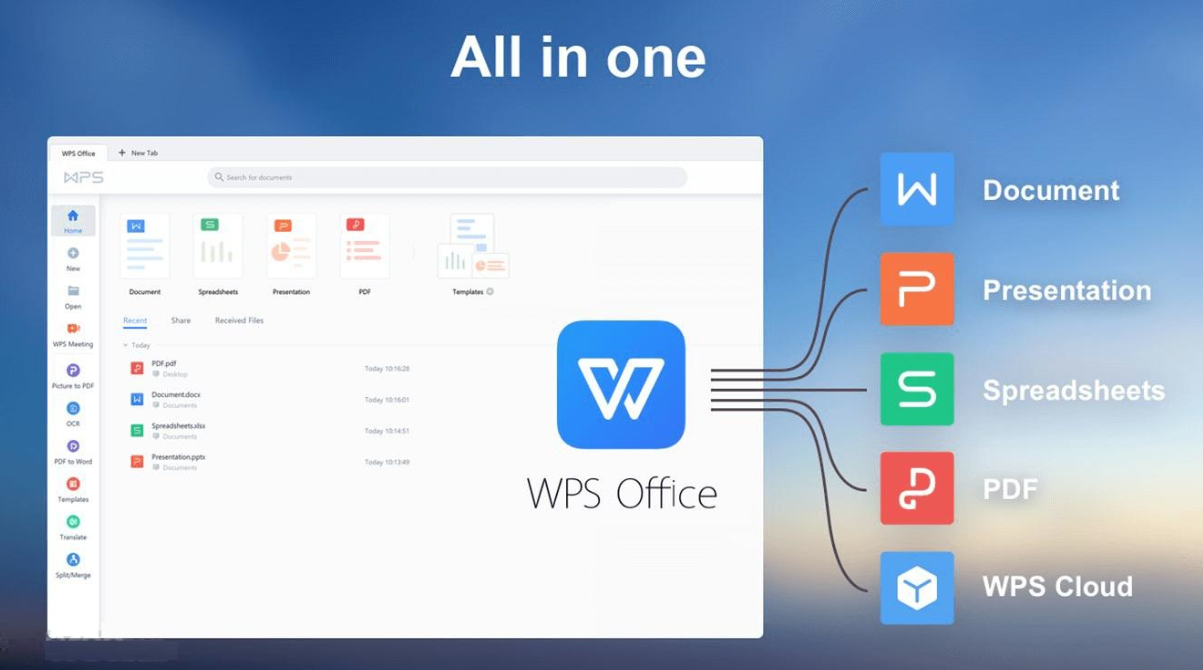
Writing your own will can be a very hectic task, and it’s very important to keep track of all your details the whole time. During this hectic time, I can not add to my problems by using slow or clunky software that only stresses me out further. This is why I only use WPS Office for all my template formatting needs. It makes sure I get all the tools I need in my workflow to formulate polished and organized documents, without any extra hassle.
FAQs
Q1: Are last will templates legally valid?
Yes, if properly filled out, signed, and witnessed according to your state or country’s legal requirements.
Q2: Can I use a digital signature on my will template?
Some jurisdictions allow digital signatures, but most require physical signing with witnesses.
Q3: What common mistakes should I avoid when editing a template?
Vague wording, missing witnesses, failing to date the document, or not specifying executors clearly.
Q4: How do I store my completed last will template safely?
Keep both digital and physical copies in secure locations, like a safe or cloud storage, and inform trusted family members.
Q5: How do I edit a last will template safely?
Use trusted editing tools like WPS Office to customize names, beneficiaries, executors, and guardians accurately.

'%3e%3cpath%20d='M19.9911%204.11386V6.471H18.5894C18.0775%206.471%2017.7322%206.57814%2017.5536%206.79243C17.3751%207.00671%2017.2858%207.32814%2017.2858%207.75671V9.44421H19.9019L19.5536%2012.0871H17.2858V18.8639H14.5536V12.0871H12.2769V9.44421H14.5536V7.49779C14.5536%206.39064%2014.8632%205.53201%2015.4822%204.92189C16.1013%204.31177%2016.9257%204.00671%2017.9554%204.00671C18.8304%204.00671%2019.509%204.04243%2019.9911%204.11386Z'%20fill='%23333333'/%3e%3c/g%3e%3cdefs%3e%3cclipPath%20id='clip0_2938_8199'%3e%3crect%20width='16'%20height='16'%20fill='white'%20transform='translate(8%204.00671)'/%3e%3c/clipPath%3e%3c/defs%3e%3c/svg%3e)
'%3e%3cpath%20d='M17.5237%2010.7813L23.4811%204H22.0699L16.8949%209.88693L12.7648%204H8L14.2469%2012.9029L8%2020.0133H9.4112L14.8725%2013.7952L19.2352%2020.0133H24M9.92053%205.04213H12.0885L22.0688%2019.0224H19.9003'%20fill='%23333333'/%3e%3c/g%3e%3cdefs%3e%3cclipPath%20id='clip0_2938_8200'%3e%3crect%20width='16'%20height='16.0134'%20fill='white'%20transform='translate(8%204)'/%3e%3c/clipPath%3e%3c/defs%3e%3c/svg%3e)


