Creating invoices may seem like a small part of a business, but a
poorly drafted invoice leads to a lack of trust and delayed payments
despite the best work. A professional invoice template Word is important
for your business's credibility and identity. Yet you've probably
struggled with designing an invoice from scratch or got confused
choosing from generic templates online that don't feel right. In this
guide, I'll share my favorite customizable, free invoice templates Word,
which will save you time and give your invoices a professional look.
Use Word, Excel, and PPT for FREE
Professional Invoice Template Word
Key
Elements of a Professional Invoice Template Word
It's tempting just to start editing the first template that grabs
your attention, but it’s helpful to first pin down what a professional
invoice truly does. Most businesses and freelancers send bills that are
often missing crucial details. This is a common mistake that forces your
client to reach out to you for clarification, which only ends up
delaying your payment. A great invoice is more than a simple demand for
money. It’s a final, clear document that outlines the value you
provided. It needs to be transparent and straightforward, making it
simple for your client to approve and pay.
Here’s what you must include to make your invoice professional:
Header with contact information: Your name or company, address, email, and phone. This makes it easy for clients to identify who sent the bill.
Invoice number and dates: A unique invoice number plus issue and due dates helps you and the client track payments.
Client details: Add the client’s name and billing address so the invoice is clearly tied to the right account.
Itemized service descriptions: Break down deliverables, hours, and rates rather than using a single line like “Consulting.” This prevents confusion.
Line-item totals and taxes: Show subtotals, tax amounts, and the final total so calculations are transparent.
Payment terms and methods: State due terms (for example, “Net 30”), accepted payment methods, and late fee policies to set expectations.
Notes and references: Include purchase order numbers, tax IDs, or short notes about deliverables as needed.
Design matters too. Use consistent fonts, readable sizes, and clear
spacing. White space and a single accent color often make an invoice look professional
without extra effort.
10
Recommended Professional Invoice Template Word Options
In my experience, the biggest time-saver for any freelancer or small
business is a high-quality template. It removes the guesswork and
ensures you look professional every single time.
A great template organizes all your details, makes the costs easy to
understand, and builds that crucial client trust. Here are 10 excellent
professional invoice template Word you can use.
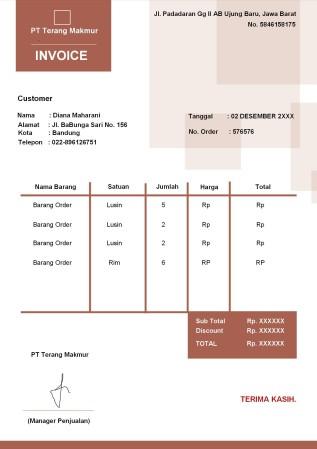
1. Invoice Coklat
Geometris.docx
This Invoice
Coklat Geometris template is a stylish, modern billing document
designed for creative professionals or boutiques wanting a unique brand
look. The layout features a distinctive brown geometric header for the
company name, clear sections for customer and order details, and neatly
summarizes all key billing information.
Invoice Coklat Geometris template
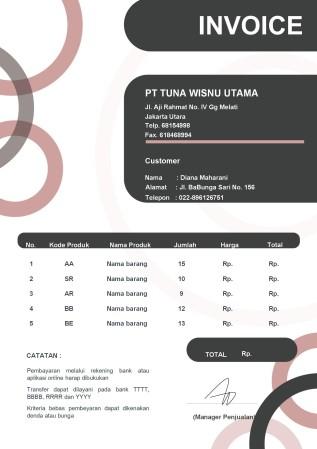
2. Invoice Ring Kombinasi.docx
This Invoice
Ring Kombinasi template is a bold, modern design ideal for tech
firms or creative agencies. It features a dark charcoal header, gray
customer section, and curved graphic accents. With clear product fields,
a dedicated payment section, and a highlighted TOTAL box, it ensures
professionalism and easy client transactions.
Invoice Ring Kombinasi template
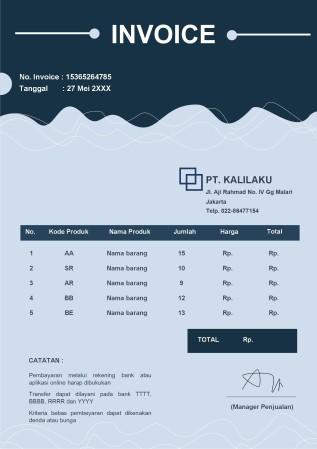
3. Invoice Garis Biru.docx
This Invoice
Garis Biru template is a sleek, design suited for corporate or
B2B use. It features a dark blue wavy header with invoice details, a
clear product table, and a CATATAN section for payment notes. The layout
ends with a cleanly presented TOTAL, delivering a refined and
straightforward billing experience.
Invoice Garis Biru template
4. Invoice Bentuk
Minimalis.docx
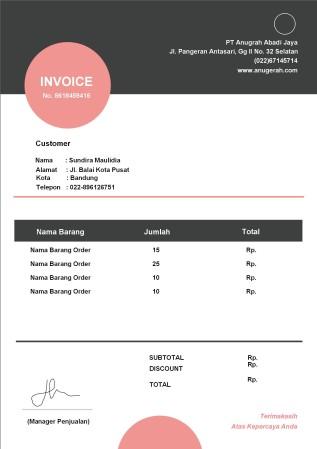
This Invoice
Bentuk Minimalis template is a clean, minimalist document
designed for freelancers or small businesses that appreciate simplicity
with a subtle touch of color. The layout features a light pink circular
INVOICE header and a simplified table with Item, Quantity, and Total,
it’s perfect for straightforward billing. Clear SUBTOTAL, DISCOUNT, and
TOTAL lines ensure full transparency.
Invoice Bentuk Minimalis template
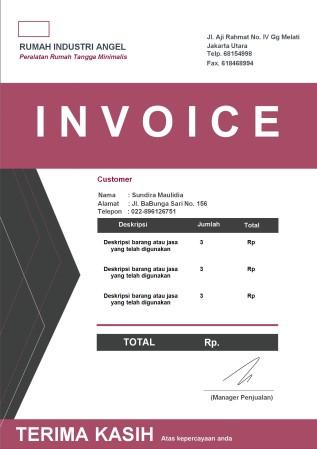
5. Invoice Simple Modern.docx
This Simple
Modern invoice is a bold, contemporary document designed for
businesses wanting a strong visual statement, perhaps in retail or
creative services. The layout includes a deep mauve header with customer
details and a sleek gray accent on the side. With a minimal table
showing only Description, Quantity, and Total, it’s perfect for clear,
modern billing without unit pricing.
Simple Modern template
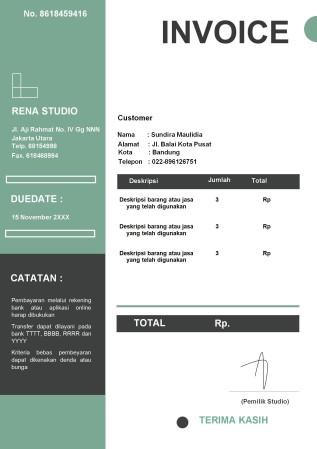
6. Invoice Simpel Hijau
Pastel.docx
This Simpel
Hijau Pastel invoice is a fresh, modern document designed for
creative businesses like studios or wellness services that want a calm,
organized look. The layout features a pastel-green sidebar with company
details, a visible DUEDATE, and payment notes. With a simple
Description, Quantity, and Total table, it ensures clarity and a calm,
professional aesthetic.
Invoice Simpel Hijau Pastel template
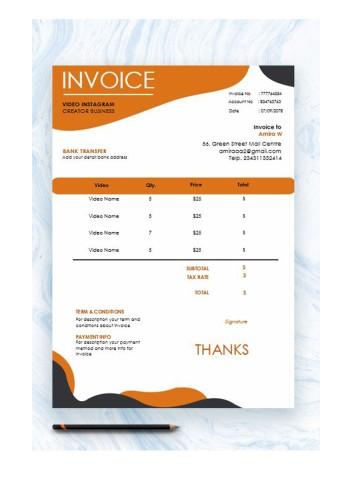
7. Instagram Creator
Invoice.docx
This Instagram
Creator Invoice is a dynamic, visually engaging document
specifically designed for social media professionals, videographers, or
digital content creators. The layout features a bold orange and dark
grey wave graphics, it includes fields for Video Name, Qty., and Price.
With clear sections for bank details, terms, and payment info, it
ensures professional, project-based billing
Instagram Creator Invoice template
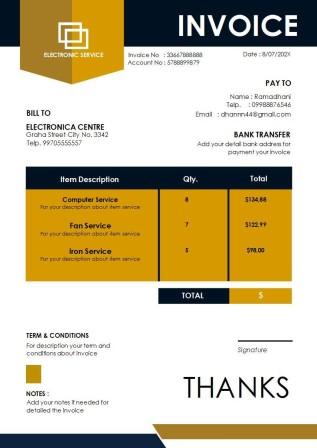
8. Electronic Service
Invoice.docx
This Electronic
Service Invoice is a sharp, modern document designed for tech
repair shops, IT support, or electronic service providers. The layout
features gold and dark blue geometric accents, with clear sections for
BILL TO, PAY TO, and bank details. A simple table for Item, Qty., and
Total, plus space for terms and notes, ensures professional, organized
billing.
Electronic Service Invoice template
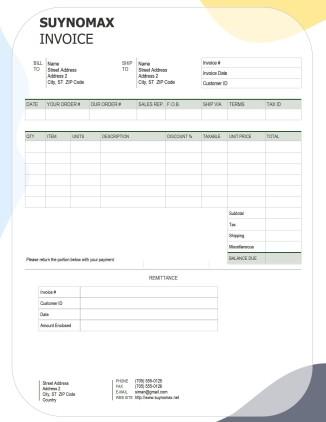
9. Company Bill Invoice.docx
This Company
Bill Invoice template is a highly detailed, formal document
designed for businesses involved in shipping physical goods or complex
B2B sales. The layout includes BILL TO and SHIP TO sections, detailed
order fields like SHIP VIA and TAX ID, and a full item table with UNITS
and TAXABLE columns. With added Shipping and Misc. cost lines and a
tear-off remittance slip, it’s perfect for wholesale use.
Company Bill Invoice template
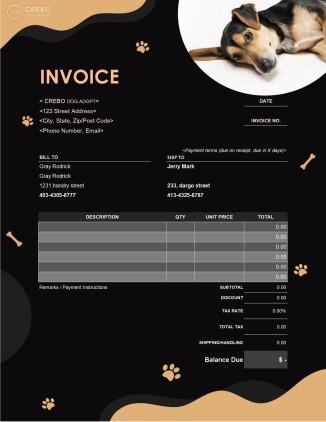
10. Dog Adopt Invoice.docx
This Dog
Adopt Invoice template is a highly specialized, visually rich
document designed specifically for pet adoption agencies, shelters, or
related pet service businesses. The layout features dark background, dog
imagery, and playful paw-print graphics, it combines warmth with
professionalism. With BILL TO and SHIP TO sections, itemized costs, tax
details, and a clear Balance Due, it ensures transparent billing for
adopters.
Dog Adopt Invoice template
A
Smarter Way to Create Professional Invoices: WPS Invoice Generator
Using a good Word template definitely gives you a starting point. But
anyone who’s spent time manually
updating dates, invoice numbers, and totals knows how repetitive
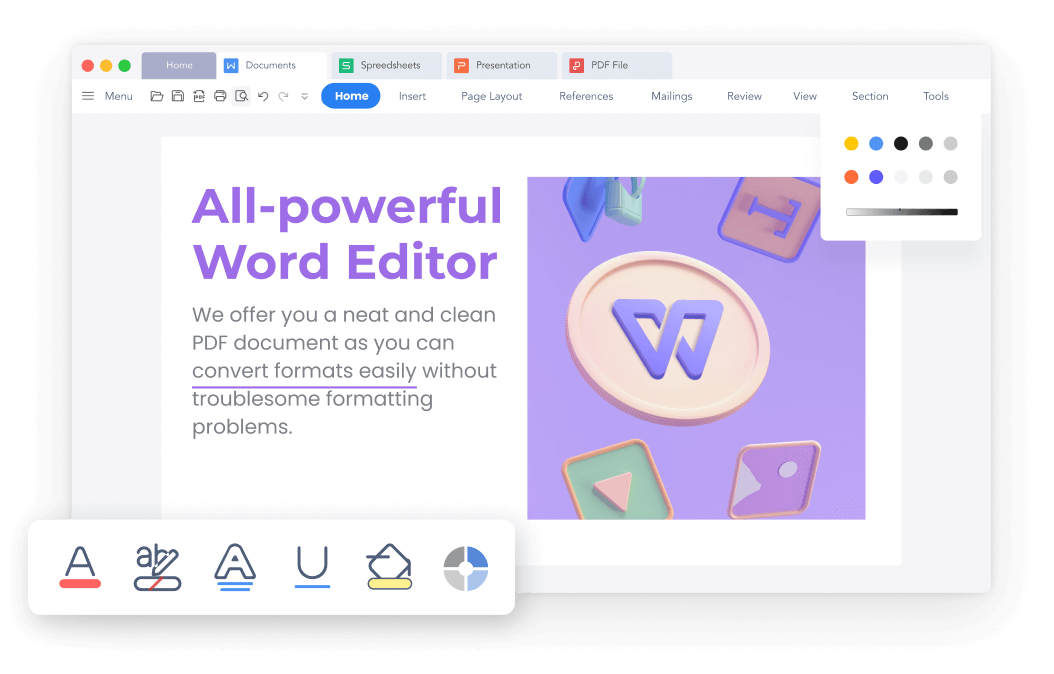
it can get. That’s where the right tools make all the difference. WPS Office makes editing Word templates
effortless, helping you tailor layouts and maintain brand consistency.
Still, if you really want to save time, switching to automated billing
software is the next step toward a faster, smoother workflow.
WPS Writer
This is where an online tool like the WPS Free Invoice
Generator really shines. It's specifically designed to help
freelancers and small businesses create polished, accurate invoices in
just a few minutes, without needing to open and edit document files each
time. It takes the structure of a professional template and turns it
into an easy-to-use web form.
Key Benefits
Completely Free: You can generate unlimited professional invoices online without any cost or hidden fees.
Effortless Customization: Choose from professional designs and easily add your logo, brand colors, and specific terms.
Boosts Efficiency: Create and send accurate invoices in minutes, dramatically reducing time spent on admin tasks.
Simple for Everyone: The online interface is intuitive, designed for users without any graphic design experience.
Client-Ready Output: Generates perfectly formatted invoices with all necessary fields, ready to send as PDF or Word.
How to Create a
Professional Invoice Using WPS
Getting started with the online generator is incredibly
straightforward. Here’s how you can edit your Word document invoice
template in WPS Office.
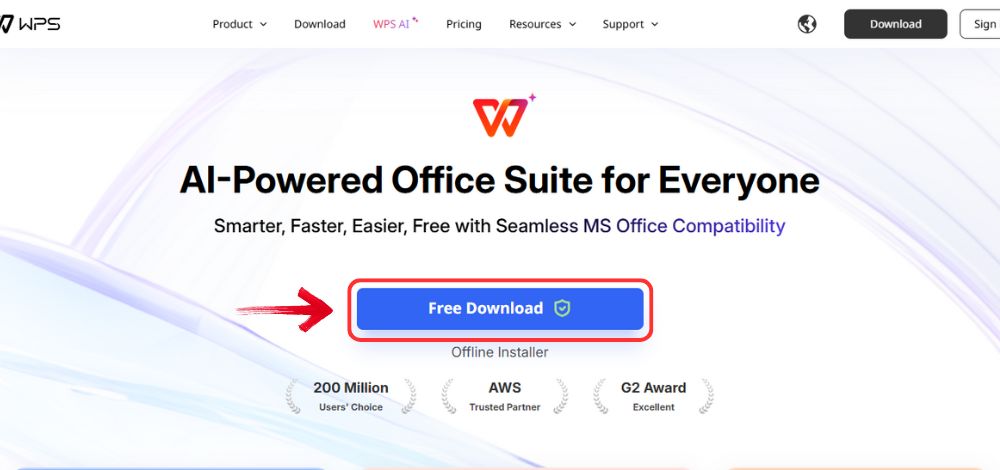
Step 1: Open your browser to visit WPS Office and click the "Free Download" button to start the download.
Download WPS Office
Step 2: The download will finish in a few seconds.
Once done, run the installation file like you would for any other app or
software.
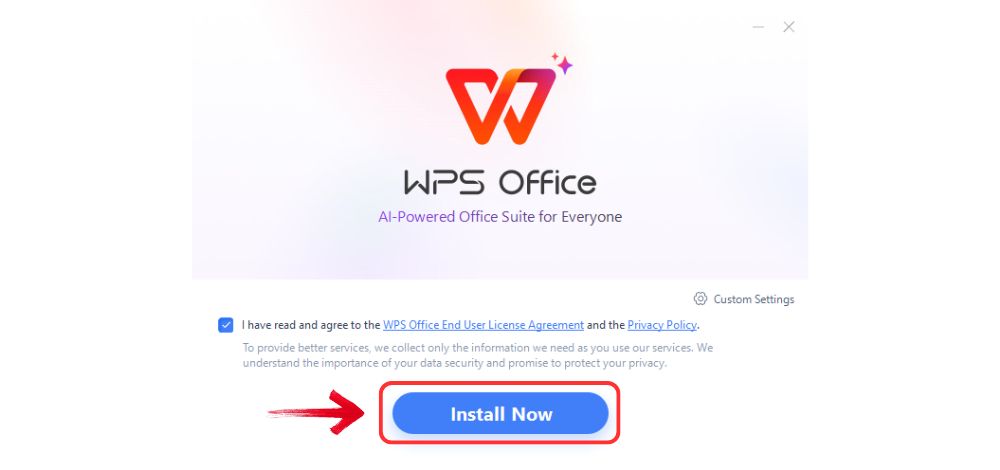
Step 3: WPS Office will show you a few simple terms
and conditions. Accept them, then click the "Install
Now" button to begin the installation.
Install WPS Office
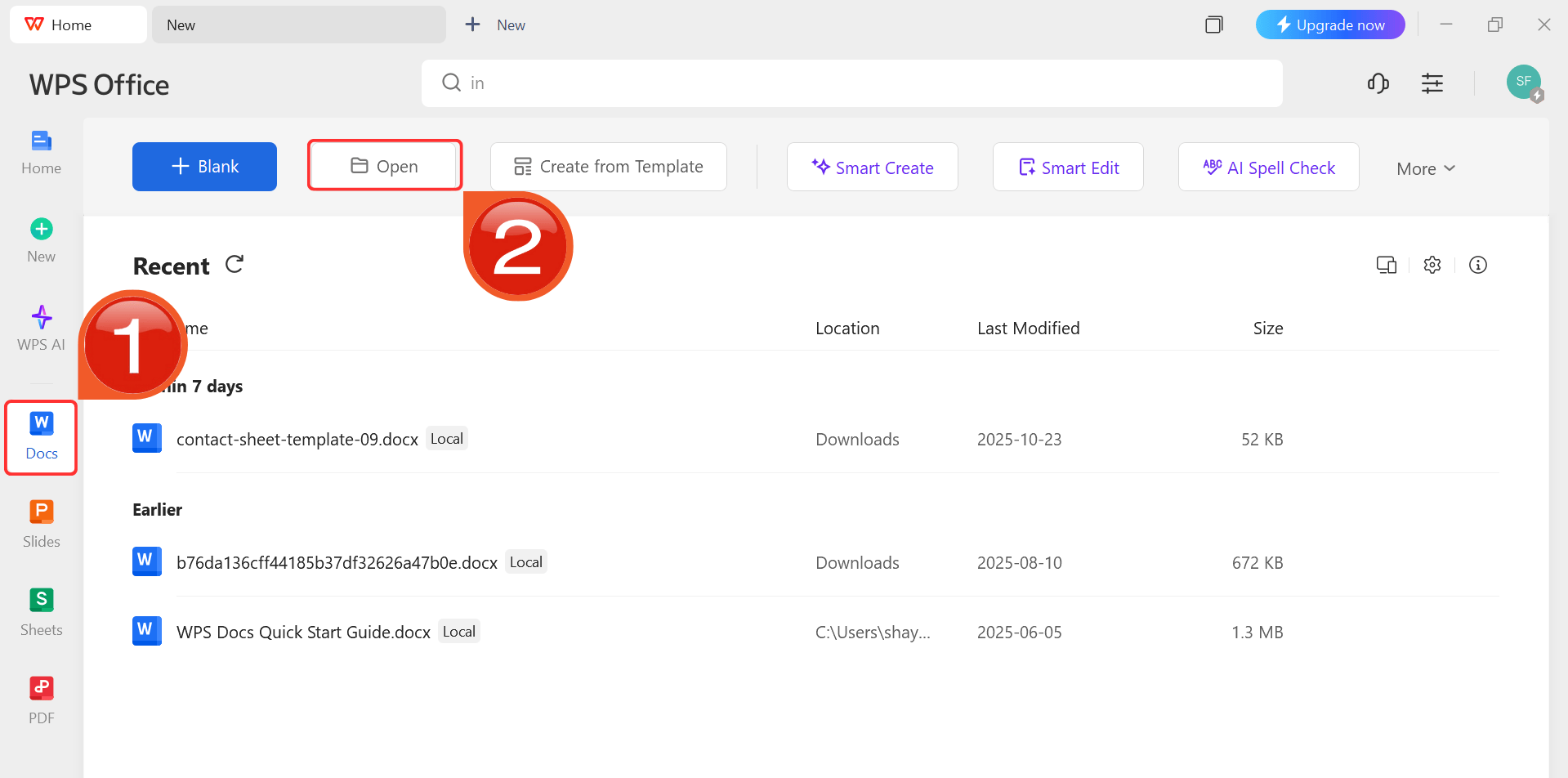
Step 4: After installation, in WPS Office, click “Docs” from the left sidebar and hit “Open” to select your downloaded template or select
from the template library in WPS Office.
WPS Docs Dashboard
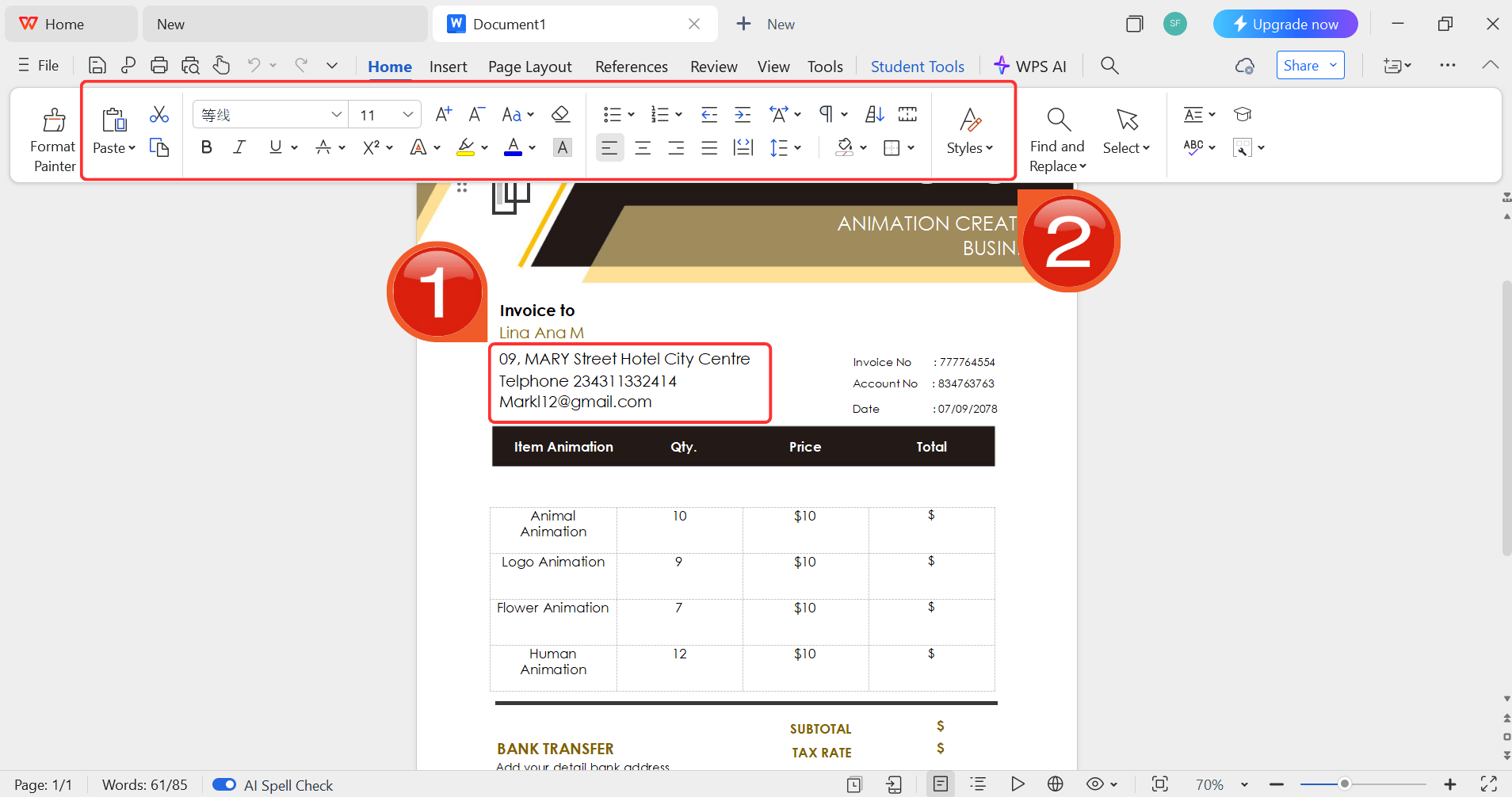
Step 5: Then click on the text you want to modify
and just enter your details within it by using the Ribbon above.
Customize your template
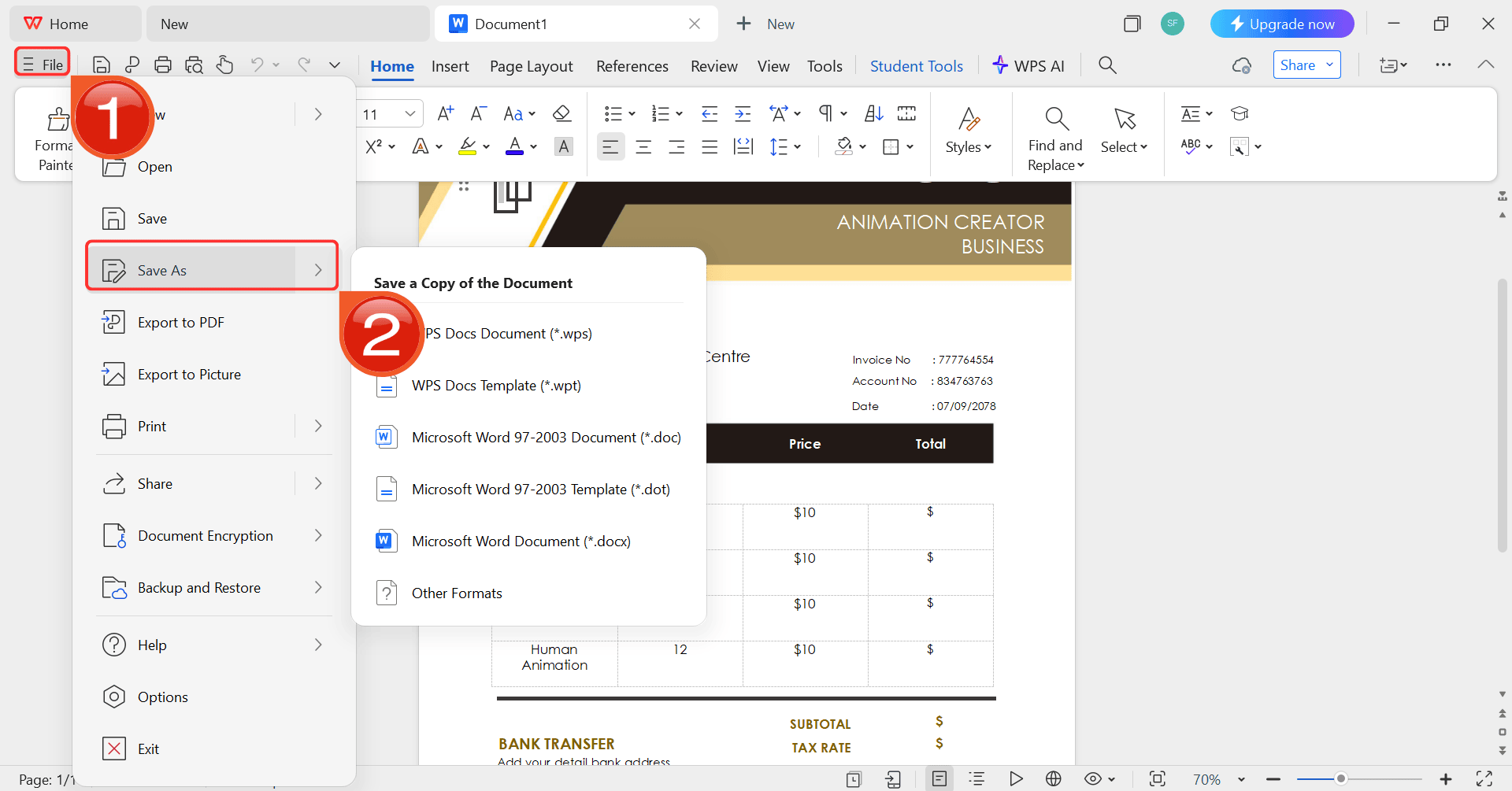
Step 6: After you’re done modifying the template,
head to “File” and choose “Save as” to
save the invoice in your desired format.
Save the invoice
FAQs
Q1: Can I customize
a Word invoice template?
Yes, you can easily edit text, logos, colors, fonts, and payment
details in Word.
Q2:
Can freelancers use these professional invoice templates?
Absolutely, templates are designed for freelancers, small businesses,
and corporate use.
Q3: How
do I make my invoice template look professional?
Include clear headers, client details, itemized lists, totals, and
branding elements like logos and fonts.
Q4:
How quickly can I generate a Word invoice using WPS Free Invoice
Generator?
In just a few minutes, choose a template, customize details, and
download it in Word format.
Q5: What's the best
format to send an invoice?
I always recommend sending your invoice as a PDF. This locks the
format so it looks professional and can't be accidentally edited by the
client.
Q6: What should I
include in my payment terms?
Always include a clear due date (e.g., "Net 30"), the methods you
accept (e.g., bank transfer), and your bank details or a payment
link.
The Best Software to Edit Templates
Finding a great template is the first step to better billing. These Word options give you a professional start, but a dedicated tool makes the process effortless. The WPS Free Invoice Generator is my top recommendation for creating a perfect, professional invoice template word file every time, helping you get paid faster.
7+ years in productivity tech. I test and review the latest tools to simplify your workflow. Follow for honest app comparisons, practical guides, and curated tech picks to boost efficiency.


'%3e%3cpath%20d='M8%200C12.4183%200%2016%203.58172%2016%208C16%2012.4183%2012.4183%2016%208%2016C3.58172%2016%200%2012.4183%200%208C0%203.58172%203.58172%200%208%200ZM11.6162%204.38379C11.2257%203.99337%2010.5927%203.99338%2010.2021%204.38379L8%206.58594L5.79785%204.38379C5.40732%203.99334%204.77429%203.99329%204.38379%204.38379C3.99331%204.77429%203.99335%205.40733%204.38379%205.79785L6.58594%208L4.38379%2010.2021C3.99348%2010.5927%203.99341%2011.2257%204.38379%2011.6162C4.77426%2012.0066%205.40734%2012.0065%205.79785%2011.6162L8%209.41406L10.2021%2011.6162C10.5927%2012.0066%2011.2257%2012.0067%2011.6162%2011.6162C12.0067%2011.2257%2012.0066%2010.5927%2011.6162%2010.2021L9.41406%208L11.6162%205.79785C12.0066%205.40735%2012.0066%204.77429%2011.6162%204.38379Z'%20fill='%23080E17'%20fill-opacity='0.46'/%3e%3c/g%3e%3cdefs%3e%3cclipPath%20id='clip0_3761_713'%3e%3crect%20width='16'%20height='16'%20fill='white'/%3e%3c/clipPath%3e%3c/defs%3e%3c/svg%3e)




'%3e%3cpath%20fill-rule='evenodd'%20clip-rule='evenodd'%20d='M21.4999%2010.9993C21.4999%205.20009%2016.7986%200.498901%2010.9993%200.498901C5.19994%200.498901%200.498657%205.20009%200.498657%2010.9993C0.498657%2016.2404%204.33858%2020.5844%209.35855%2021.3722V14.0346H6.69238V10.9993H9.35855V8.68594C9.35855%206.05427%2010.9262%204.60062%2013.3248%204.60062C14.4736%204.60062%2015.6753%204.80571%2015.6753%204.80571V7.38979H14.3512C13.0468%207.38979%2012.64%208.19921%2012.64%209.0296V10.9993H15.5523L15.0867%2014.0346H12.64V21.3722C17.66%2020.5844%2021.4999%2016.2404%2021.4999%2010.9993Z'%20fill='%231568EA'/%3e%3c/g%3e%3c/svg%3e)


'%3e%3cpath%20d='M2.42045%2022.1876H6.31818V12.7217L0.75%208.54553V20.5171C0.75%2021.4414%201.49892%2022.1876%202.42045%2022.1876Z'%20fill='%234285F4'/%3e%3cpath%20d='M19.682%2022.1876H23.5797C24.5041%2022.1876%2025.2502%2021.4387%2025.2502%2020.5171V8.54553L19.682%2012.7217'%20fill='%2334A853'/%3e%3cpath%20d='M19.682%205.48293V12.7216L25.2502%208.54543V6.31816C25.2502%204.25236%2022.8921%203.07469%2021.2411%204.31361'%20fill='%23FBBC04'/%3e%3cpath%20d='M6.31824%2012.7217V5.48303L13.0001%2010.4944L19.6819%205.48303V12.7217L13.0001%2017.733'%20fill='%23EA4335'/%3e%3cpath%20d='M0.75%206.31816V8.54543L6.31818%2012.7216V5.48293L4.75909%204.31361C3.10534%203.07469%200.75%204.25236%200.75%206.31816Z'%20fill='%23C5221F'/%3e%3c/g%3e%3cdefs%3e%3cclipPath%20id='clip0_2954_7305'%3e%3crect%20width='24.5'%20height='18.375'%20fill='white'%20transform='translate(0.75%203.8125)'/%3e%3c/clipPath%3e%3c/defs%3e%3c/svg%3e)



'%3e%3cpath%20d='M19.9911%204.11386V6.471H18.5894C18.0775%206.471%2017.7322%206.57814%2017.5536%206.79243C17.3751%207.00671%2017.2858%207.32814%2017.2858%207.75671V9.44421H19.9019L19.5536%2012.0871H17.2858V18.8639H14.5536V12.0871H12.2769V9.44421H14.5536V7.49779C14.5536%206.39064%2014.8632%205.53201%2015.4822%204.92189C16.1013%204.31177%2016.9257%204.00671%2017.9554%204.00671C18.8304%204.00671%2019.509%204.04243%2019.9911%204.11386Z'%20fill='%23333333'/%3e%3c/g%3e%3cdefs%3e%3cclipPath%20id='clip0_2938_8199'%3e%3crect%20width='16'%20height='16'%20fill='white'%20transform='translate(8%204.00671)'/%3e%3c/clipPath%3e%3c/defs%3e%3c/svg%3e)
'%3e%3cpath%20d='M17.5237%2010.7813L23.4811%204H22.0699L16.8949%209.88693L12.7648%204H8L14.2469%2012.9029L8%2020.0133H9.4112L14.8725%2013.7952L19.2352%2020.0133H24M9.92053%205.04213H12.0885L22.0688%2019.0224H19.9003'%20fill='%23333333'/%3e%3c/g%3e%3cdefs%3e%3cclipPath%20id='clip0_2938_8200'%3e%3crect%20width='16'%20height='16.0134'%20fill='white'%20transform='translate(8%204)'/%3e%3c/clipPath%3e%3c/defs%3e%3c/svg%3e)


