

'%3e%3cpath%20d='M8%200C12.4183%200%2016%203.58172%2016%208C16%2012.4183%2012.4183%2016%208%2016C3.58172%2016%200%2012.4183%200%208C0%203.58172%203.58172%200%208%200ZM11.6162%204.38379C11.2257%203.99337%2010.5927%203.99338%2010.2021%204.38379L8%206.58594L5.79785%204.38379C5.40732%203.99334%204.77429%203.99329%204.38379%204.38379C3.99331%204.77429%203.99335%205.40733%204.38379%205.79785L6.58594%208L4.38379%2010.2021C3.99348%2010.5927%203.99341%2011.2257%204.38379%2011.6162C4.77426%2012.0066%205.40734%2012.0065%205.79785%2011.6162L8%209.41406L10.2021%2011.6162C10.5927%2012.0066%2011.2257%2012.0067%2011.6162%2011.6162C12.0067%2011.2257%2012.0066%2010.5927%2011.6162%2010.2021L9.41406%208L11.6162%205.79785C12.0066%205.40735%2012.0066%204.77429%2011.6162%204.38379Z'%20fill='%23080E17'%20fill-opacity='0.46'/%3e%3c/g%3e%3cdefs%3e%3cclipPath%20id='clip0_3761_713'%3e%3crect%20width='16'%20height='16'%20fill='white'/%3e%3c/clipPath%3e%3c/defs%3e%3c/svg%3e)




'%3e%3cpath%20fill-rule='evenodd'%20clip-rule='evenodd'%20d='M21.4999%2010.9993C21.4999%205.20009%2016.7986%200.498901%2010.9993%200.498901C5.19994%200.498901%200.498657%205.20009%200.498657%2010.9993C0.498657%2016.2404%204.33858%2020.5844%209.35855%2021.3722V14.0346H6.69238V10.9993H9.35855V8.68594C9.35855%206.05427%2010.9262%204.60062%2013.3248%204.60062C14.4736%204.60062%2015.6753%204.80571%2015.6753%204.80571V7.38979H14.3512C13.0468%207.38979%2012.64%208.19921%2012.64%209.0296V10.9993H15.5523L15.0867%2014.0346H12.64V21.3722C17.66%2020.5844%2021.4999%2016.2404%2021.4999%2010.9993Z'%20fill='%231568EA'/%3e%3c/g%3e%3c/svg%3e)


'%3e%3cpath%20d='M2.42045%2022.1876H6.31818V12.7217L0.75%208.54553V20.5171C0.75%2021.4414%201.49892%2022.1876%202.42045%2022.1876Z'%20fill='%234285F4'/%3e%3cpath%20d='M19.682%2022.1876H23.5797C24.5041%2022.1876%2025.2502%2021.4387%2025.2502%2020.5171V8.54553L19.682%2012.7217'%20fill='%2334A853'/%3e%3cpath%20d='M19.682%205.48293V12.7216L25.2502%208.54543V6.31816C25.2502%204.25236%2022.8921%203.07469%2021.2411%204.31361'%20fill='%23FBBC04'/%3e%3cpath%20d='M6.31824%2012.7217V5.48303L13.0001%2010.4944L19.6819%205.48303V12.7217L13.0001%2017.733'%20fill='%23EA4335'/%3e%3cpath%20d='M0.75%206.31816V8.54543L6.31818%2012.7216V5.48293L4.75909%204.31361C3.10534%203.07469%200.75%204.25236%200.75%206.31816Z'%20fill='%23C5221F'/%3e%3c/g%3e%3cdefs%3e%3cclipPath%20id='clip0_2954_7305'%3e%3crect%20width='24.5'%20height='18.375'%20fill='white'%20transform='translate(0.75%203.8125)'/%3e%3c/clipPath%3e%3c/defs%3e%3c/svg%3e)


A capability statement can be a powerful tool for small businesses and contractors, especially when they need to introduce their company to potential clients. The challenge is that many professionals don’t have the design skills needed to create a polished, visually appealing document. The good news is that you don’t need to learn those skills because there are plenty of templates already created by professional designers. In this guide, I’ll walk you through 10 capability statement templates you can start using right away, along with simple steps on how to edit each one for free.


What is a Capability Statement
Capability statements act as resumes for your company, providing a compact summary that shows what your business can do for its clients. Having a polished capability statement is essential for ensuring trust and credibility for your business, projecting a professional image to your competitors and investors. The size of your capability statement can vary depending on your use, ranging from a short single-page resume to a comprehensive multi-page document.
10 Conspicuous Capability Statement Templates [Free Download]
Figuring out how to create capability statement template from scratch can be a stressful task, and it’s easy to feel lost, especially if you’ve never done it before. You can simplify the process for yourself by using free capability statement templates, making sure you don’t have to manually create every single document yourself. In this section, I’ll be covering 10 of the most reliable examples I found, which proved to be very useful to me and helped me save a lot of time.
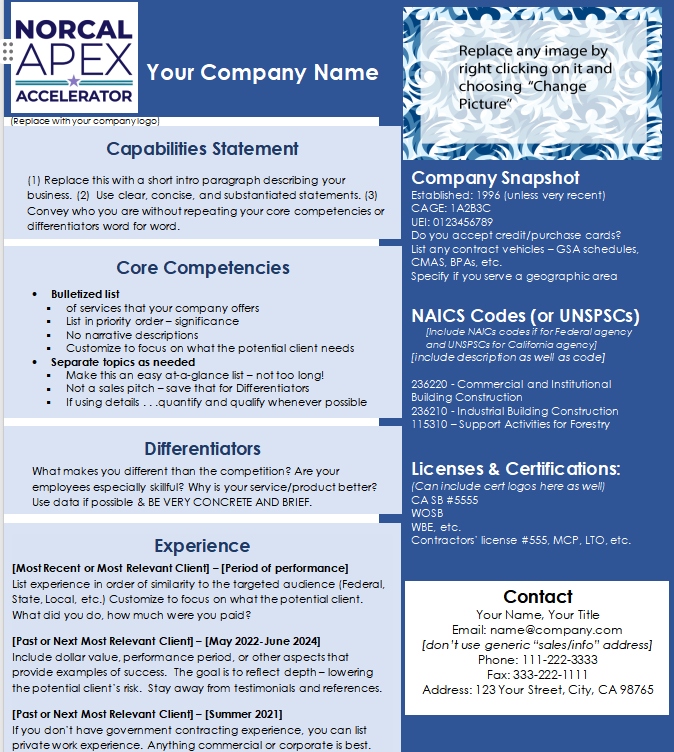
1. Capabilities Statements [Word]
The Capabilities Statements is an ideal option for those looking for a simple and straightforward approach to their documents. The layout is to-the-point and doesn’t include any irrelevant details, making sure the readers stay focused on the details and capabilities of your company.
2. Capability Statement Template 01 [PDF/Word]
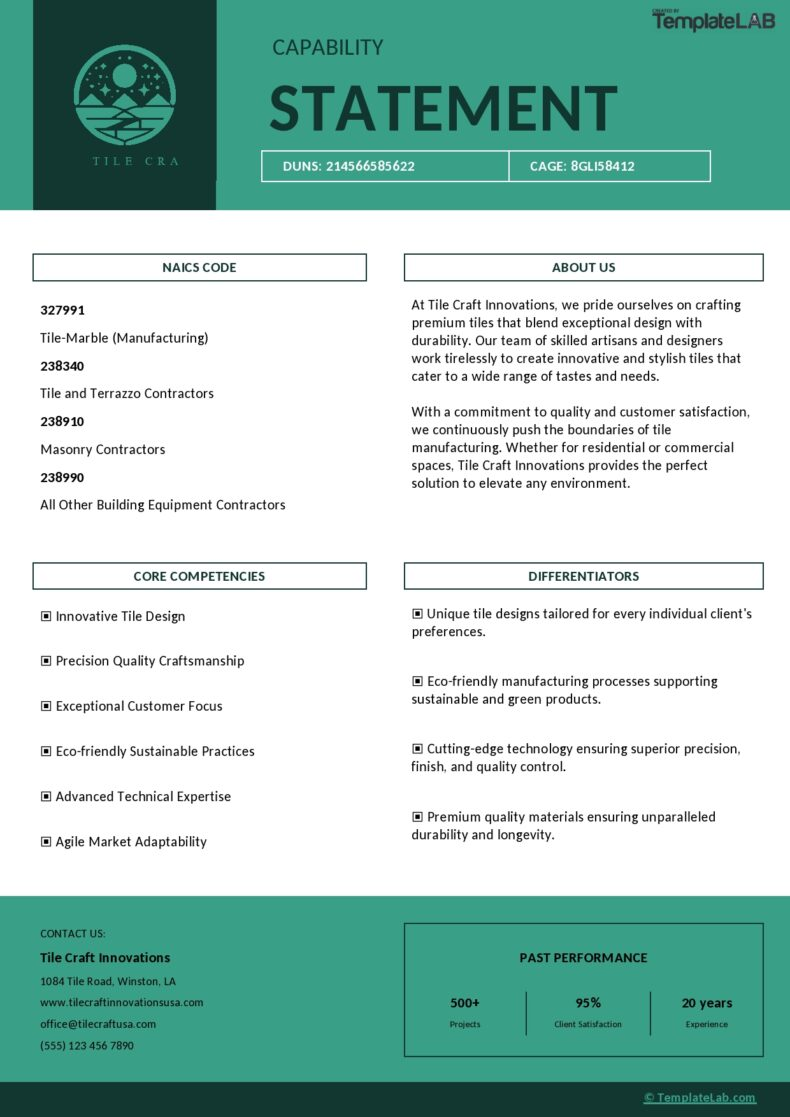
If you’re looking for a professional and visually polished design that showcases your company, the Capability Statement Template 01 is an excellent option. The design is very modern and organized, highlighting the services, expertise, and strengths of your company in a polished and clean manner.

3. Capability Statement Template 02 [PDF/Word]
The Capability Statement Template 02 is an ideal choice for you if you’re someone who is looking for a polished and elegant capability statement template free for displaying the capabilities of your business. It features a clean design and a format that is well-structured, clearly separating each section to make sure every single strength stands out neatly.
4. Capability Statement Template 03 [PDF/Word]
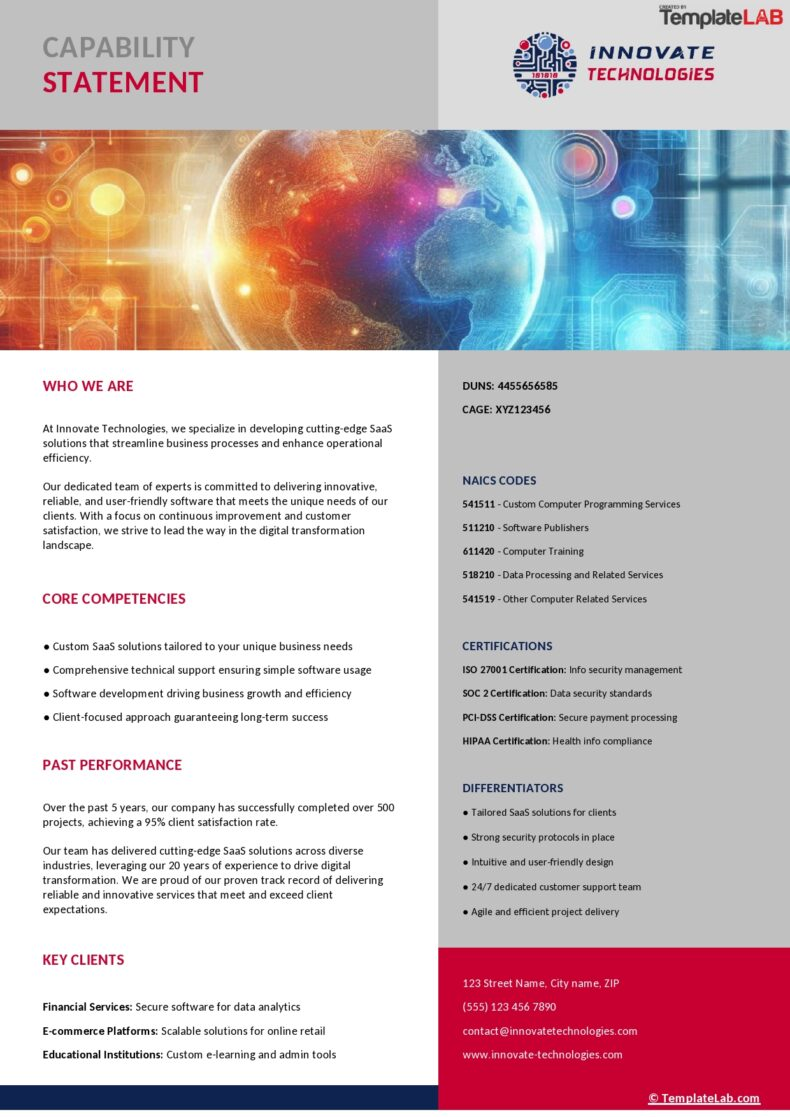
If you want something dynamic and tech-based for your capability statement template, then I would personally recommend the Capability Statement Template 03 for you. It uses bold and unique visual elements and an extremely polished layout that highlights your company’s certifications, making it ideal for companies looking to portray innovation through a modern design.
5. Capability Statement Template 04 [PDF/Word]
The Capability Statement Template 04 is an ideal choice for those looking for a minimalistic and content-driven template for a polished statement. It features a clean layout that clearly outlines the important sections in a table-based format, ensuring that the key content is prioritized.
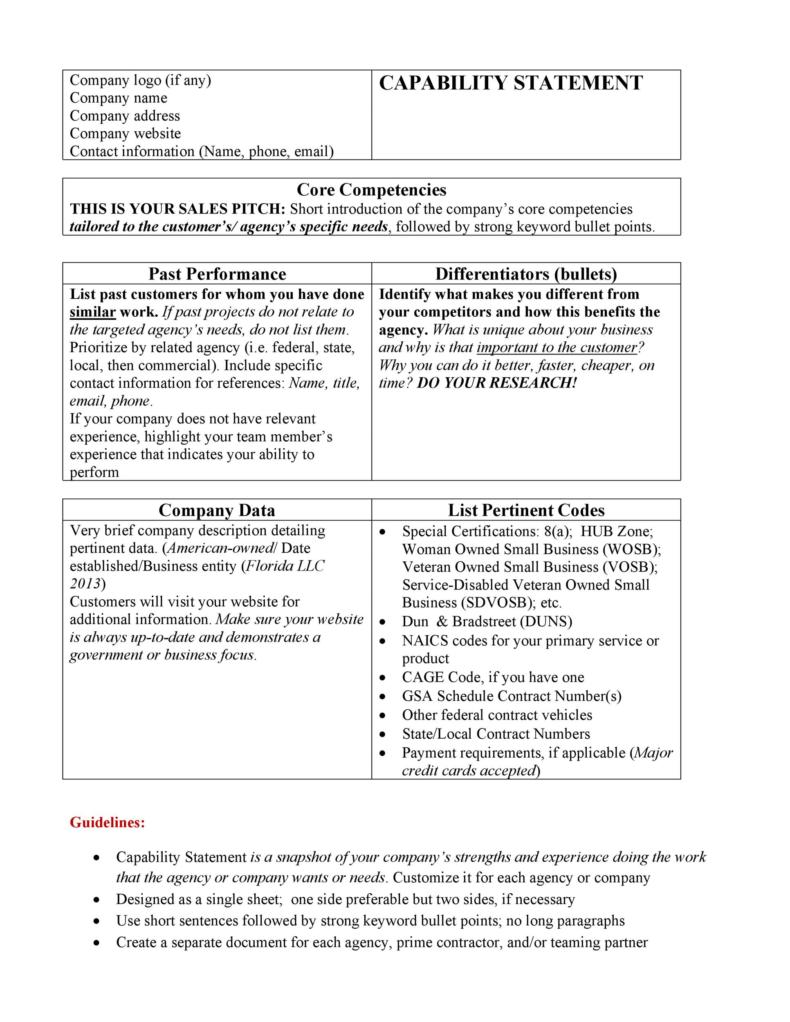
6. Capability Statement Template 05 [PDF/Word]
If you want something that gives you complete control over your capability statements, then the Capability Statement Template 05 will certainly not disappoint you. It offers a clean and professional layout that emphasizes the visibility of your company details while also including clear guidelines on what content you need to include in your statement.
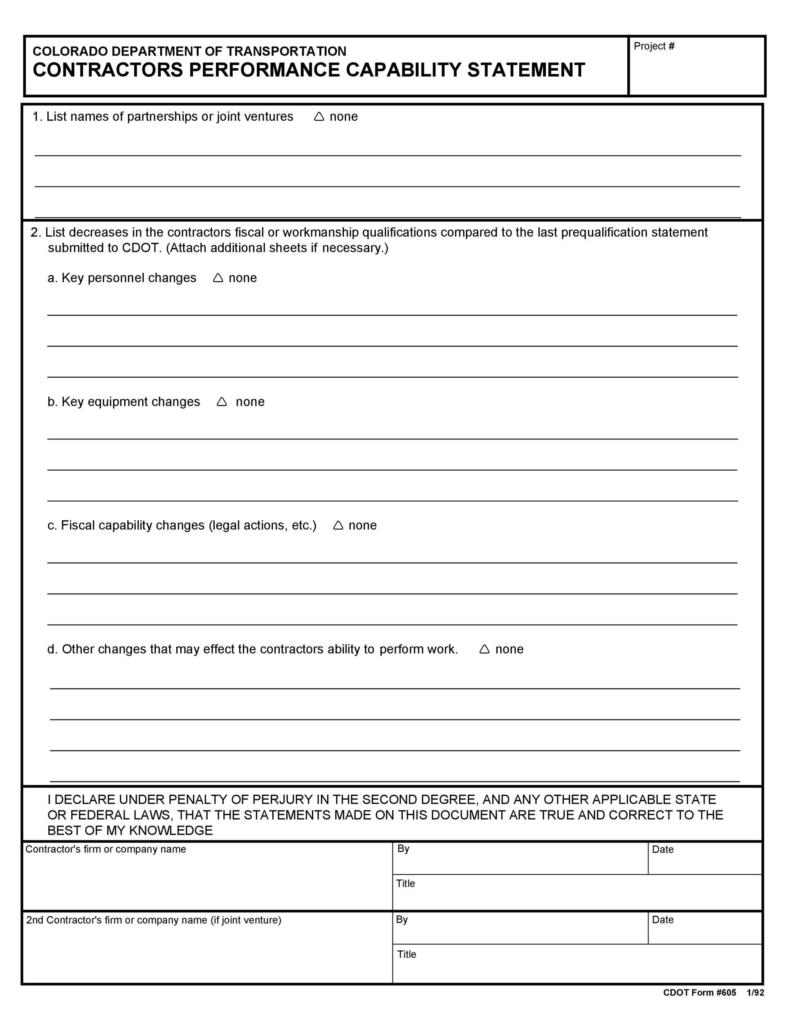
7. Capability Statement Template 06 [PDF/Word]
For professionals looking for something practical that isn’t too complicated to edit or format, then you could go for a design like the Capability Statement Template 06 made to prioritize clarity and organization. It features a straightforward and elegant layout which divides the key sections using distinct and prominent headings, making sure everything stays polished.
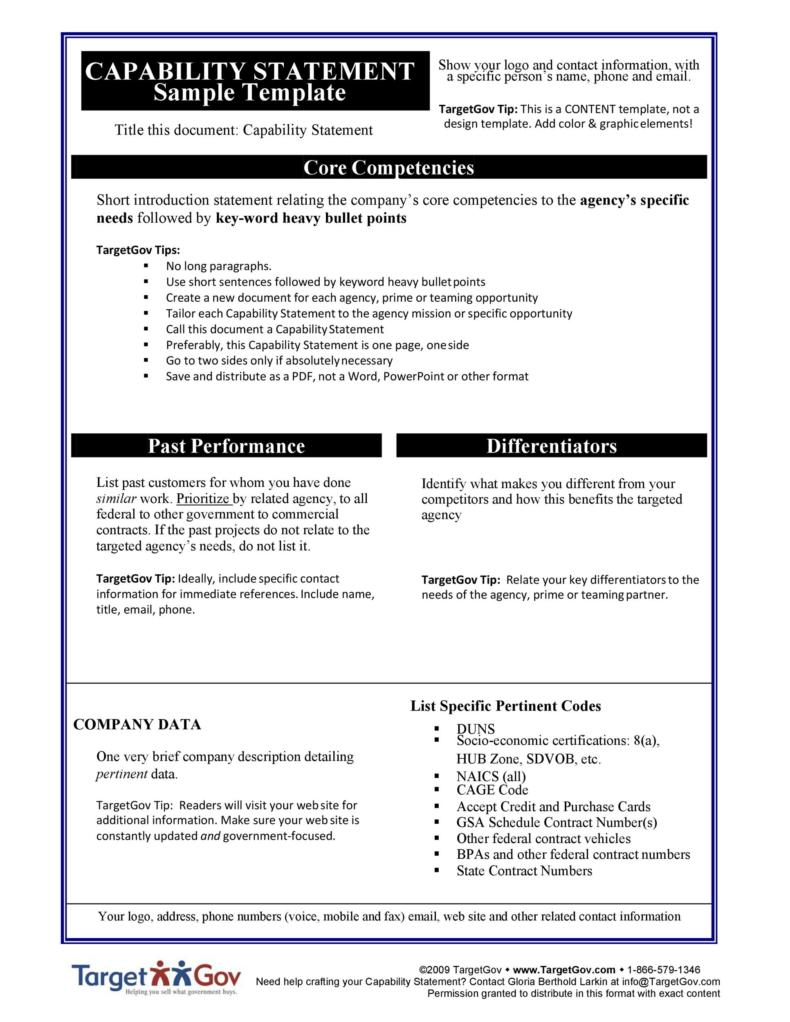
8. Capability Statement Template 07 [PDF/Word]
If you need a straightforward and functional template designed for a concise and simple capability statement, then you could go for the Capability Statement Template 07. It outlines all the necessary sections including core competencies, differentiators, and even past performance, ensuring all critical points are displayed in a polished manner for your readers.
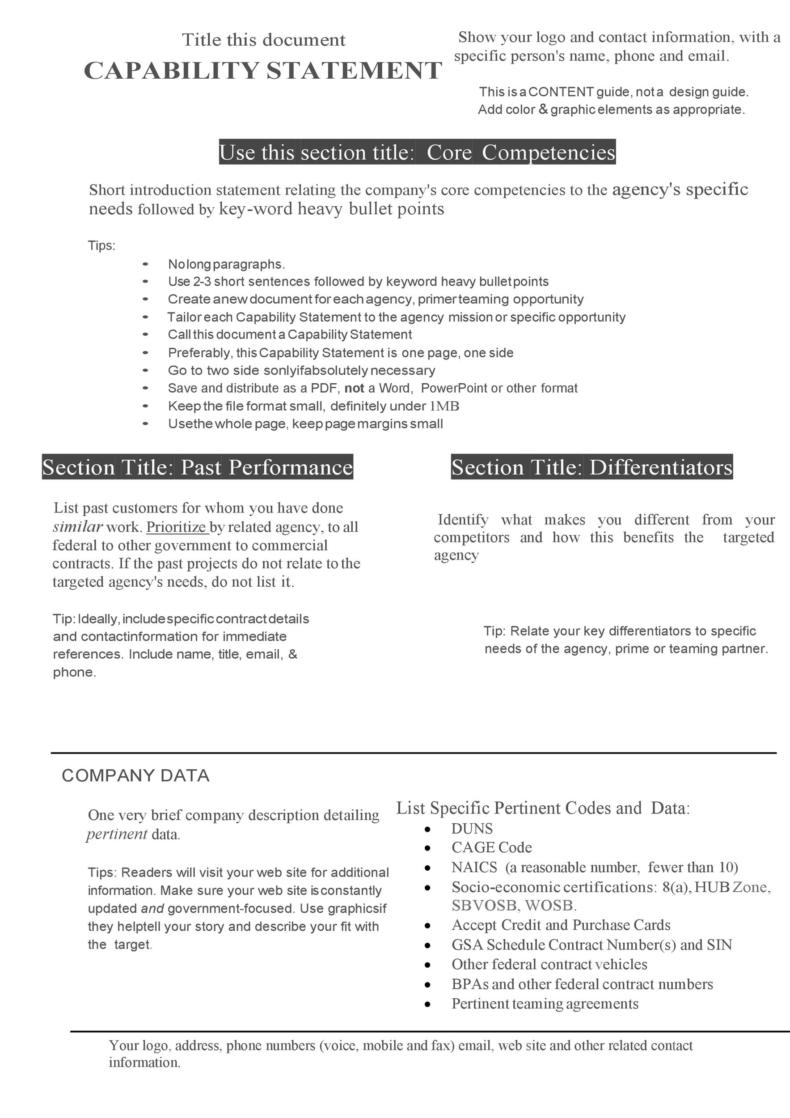
9. Capability Statement Template 08 [PDF/Word]
If you’re looking for a professional yet comprehensive content guide for your capability statements, then the Capability Statement Template 08 is the perfect choice for you. It features a multi-page layout that provides a comprehensive overview of your company’s competencies and details, ensuring no key detail is missed from your statement.
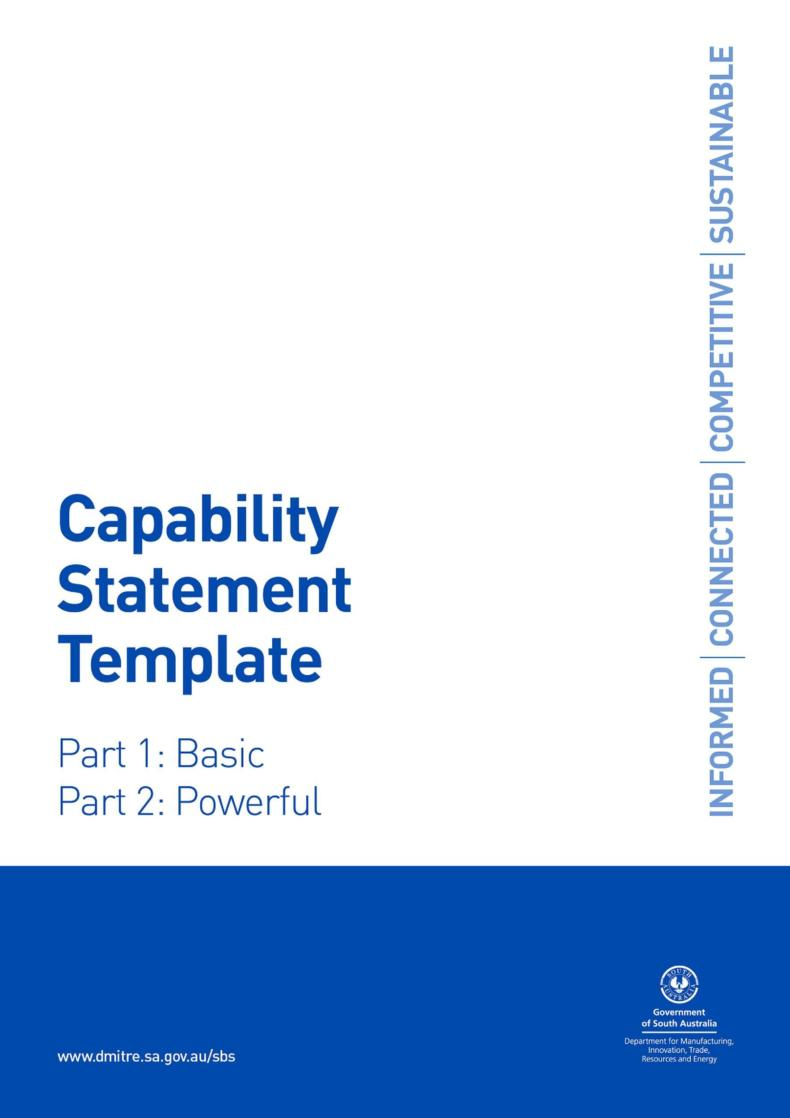
10. Capability Statement Template 09 [PDF/Word]
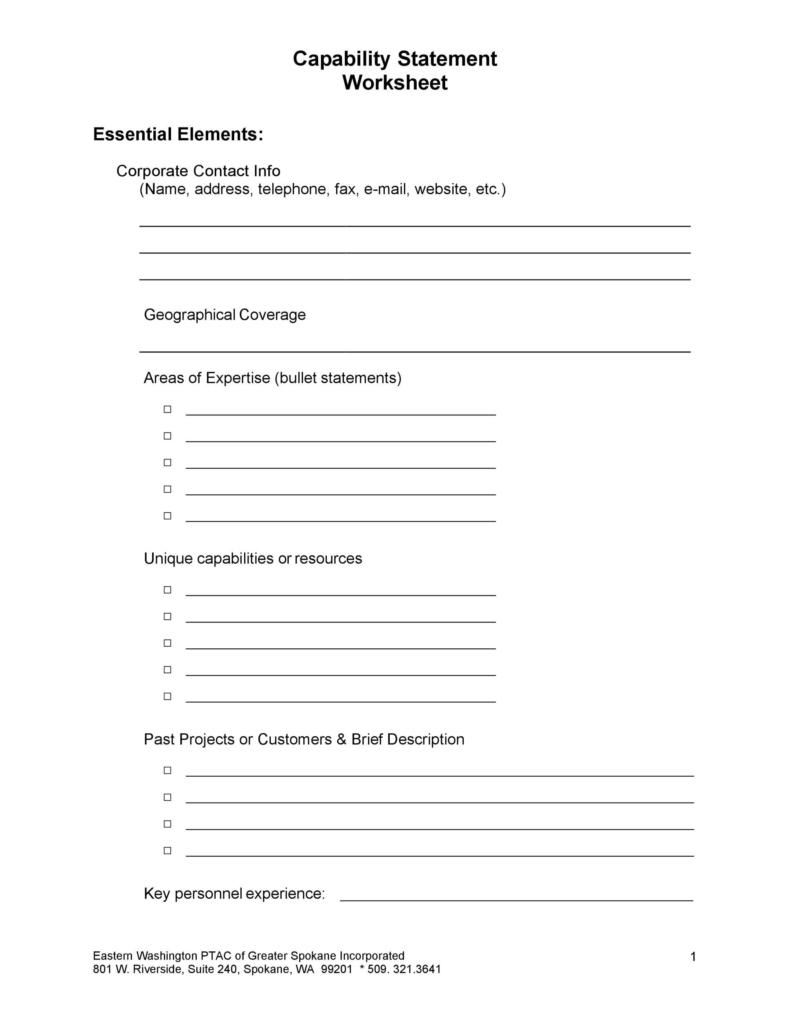
If you’re looking for something concise and compact that does your job without going into too much detail about your company, then the Capability Statement Template 09 will not disappoint you. It outlines some basic elements of your company like the your contact info, areas of expertise, and past projects or clients for reference, ensuring no time is wasted on irrelevant details.
How to Further Edit and Print Optimized Capability Statement Template
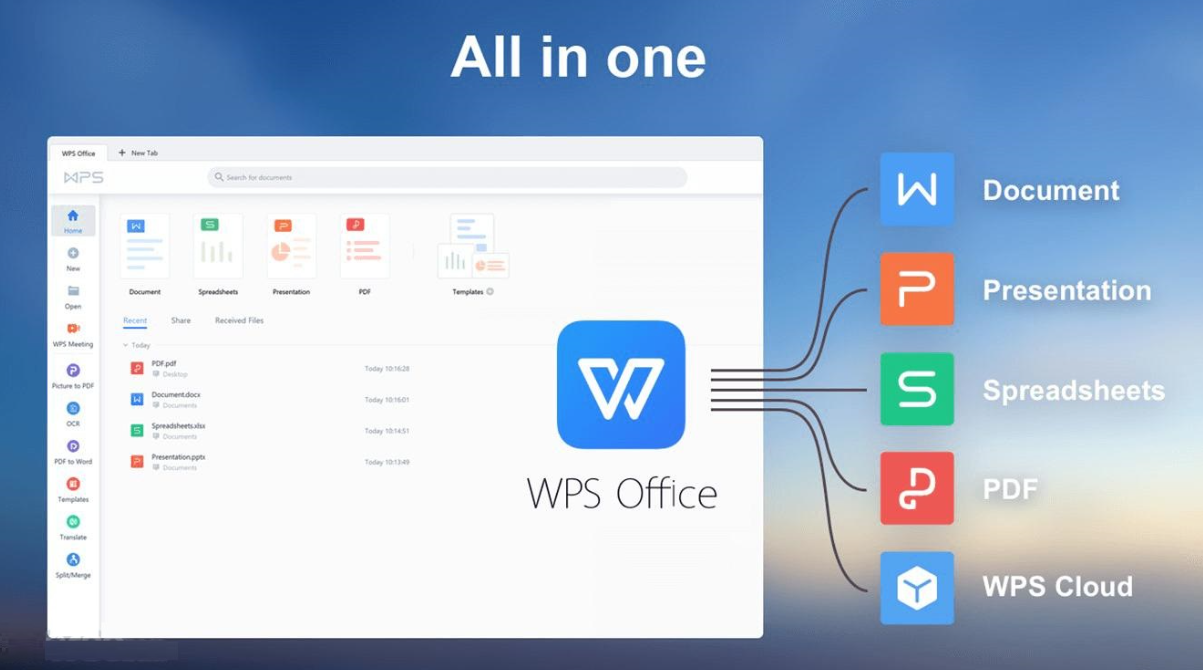
Once I’ve decided the template I want to use for my capability statement, the next step is actually formatting it for use. There are many tools you can choose for this step, but I personally rely on WPS Office to ensure a smooth and seamless process. It’s a free and incredibly efficient Office suite that helps me format all my templates and gives me all the tools I need to draft polished and well-formatted documents. In this section, I’ll be highlighting the step-by-step process of editing and printing your capability statement template.
How to Edit the Capability Statement Template in WPS Word
If your capability statement template is saved as a Word file (.docx/.doc), then you can easily edit it through WPS Word. I’ll walk you through each step myself so you don’t feel lost or confused along the way.
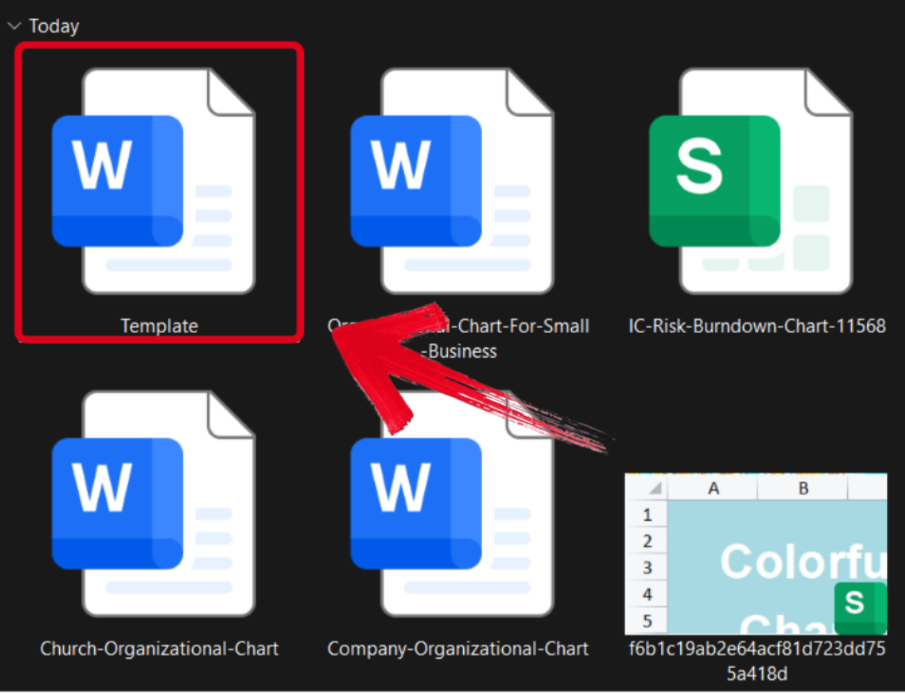
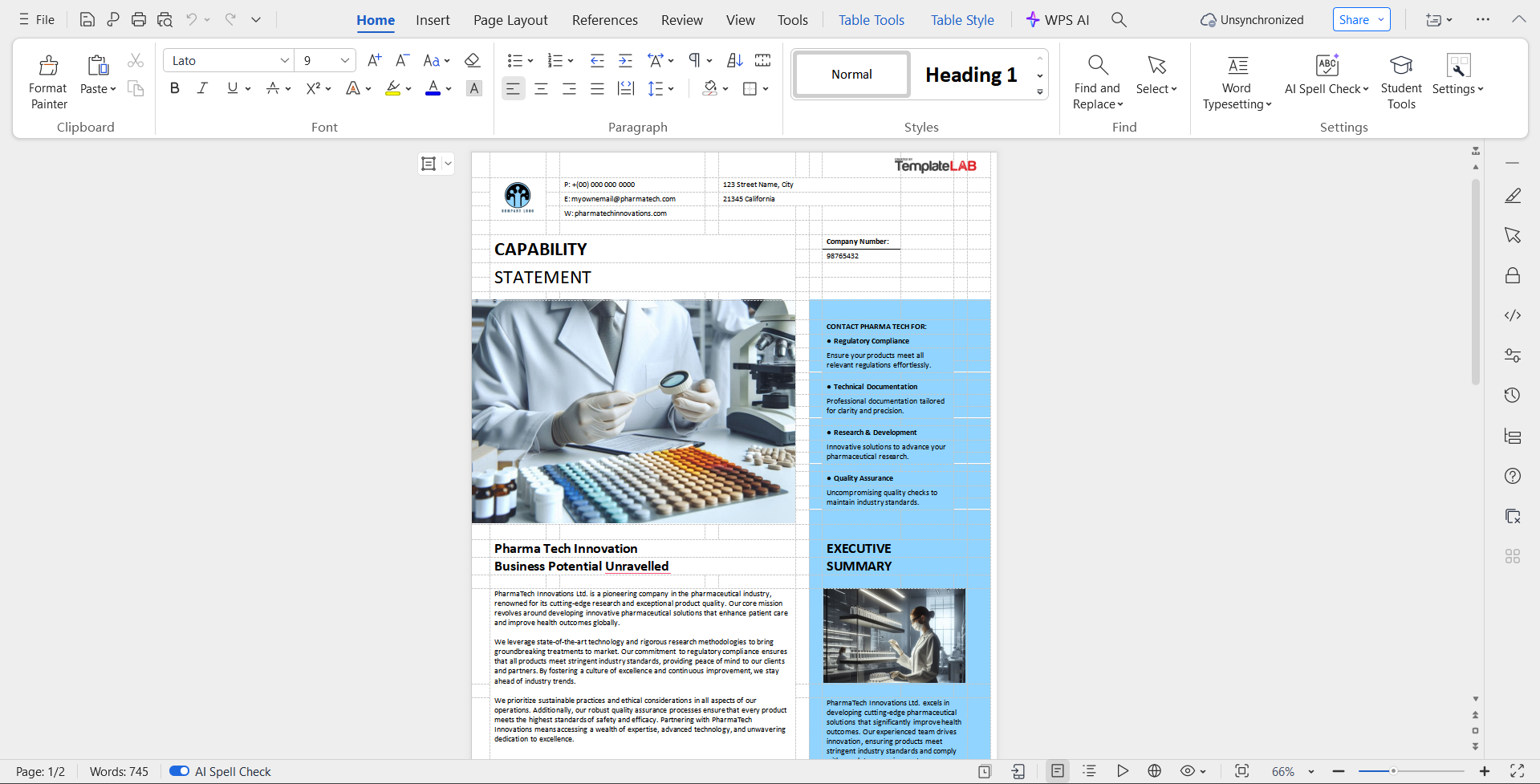
Step 1: Open your pre-made template in WPS Office to get started on the editing process.
Step 2: Add in your details and make sure to verify each field of the template thoroughly before saving.
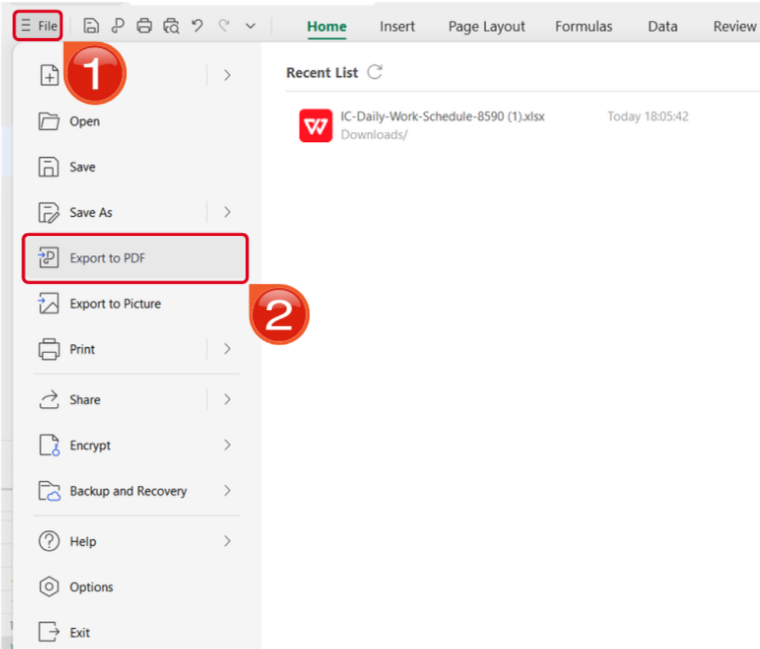
Step 3: Navigate to the Files menu and select Export to PDF to convert your template to a PDF document.
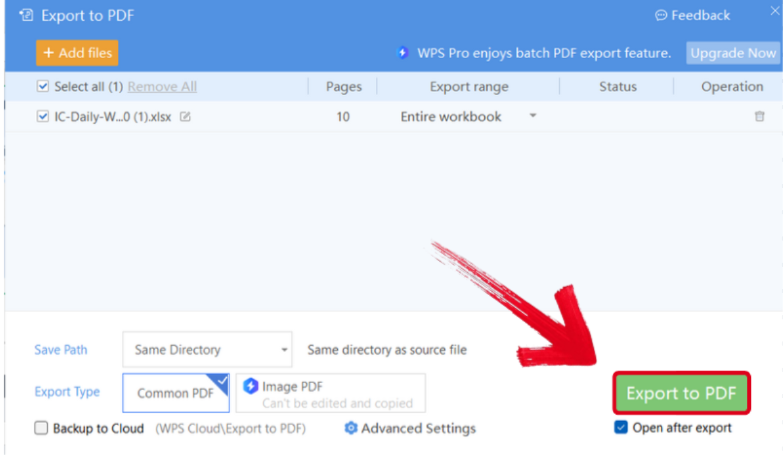
Step 4: Your Word file will now start conversion into a PDF file. Press Export to PDF to download it to your device.
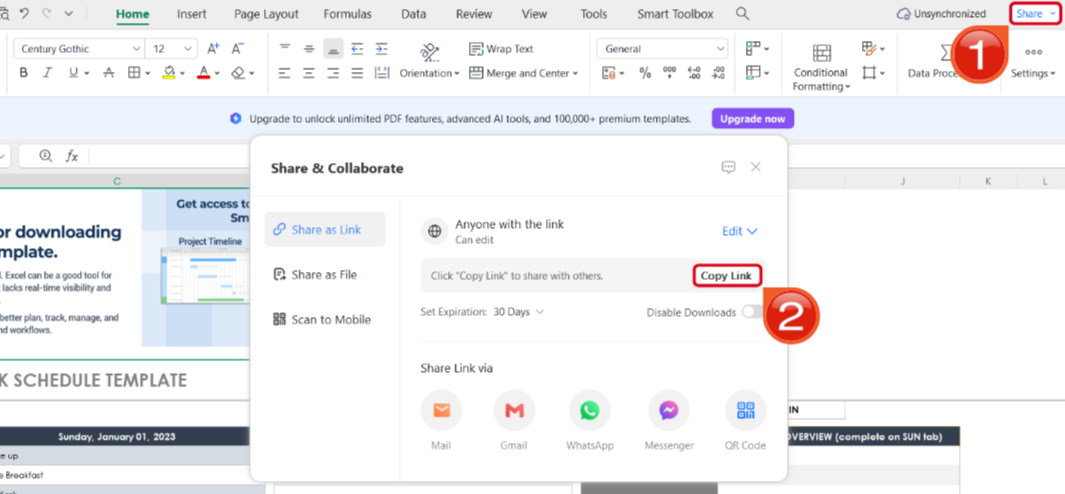
Step 5: After you’ve saved your template as a PDF, press Share to generate an online link for your file. Then press Copy Link to save it to your clipboard.
How to Edit the Capability Statement Templates in WPS PDF
If your template is saved as a PDF, you can edit it very easily. WPS PDF Editor has features to edit any PDF document in just a few simple steps. I’ll walk you through the entire step-by-step process myself.
Step 1: Open your downloaded PDF template using WPS Office to start the customizing process.
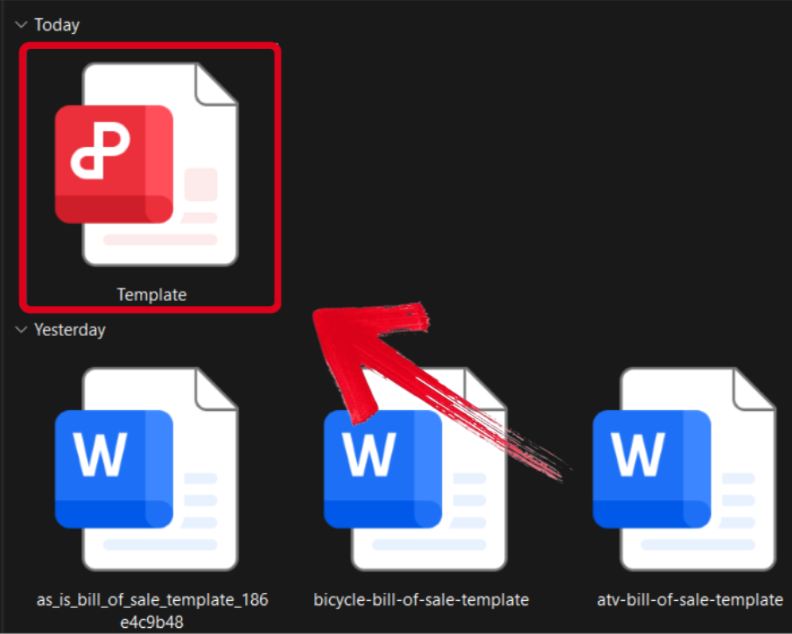
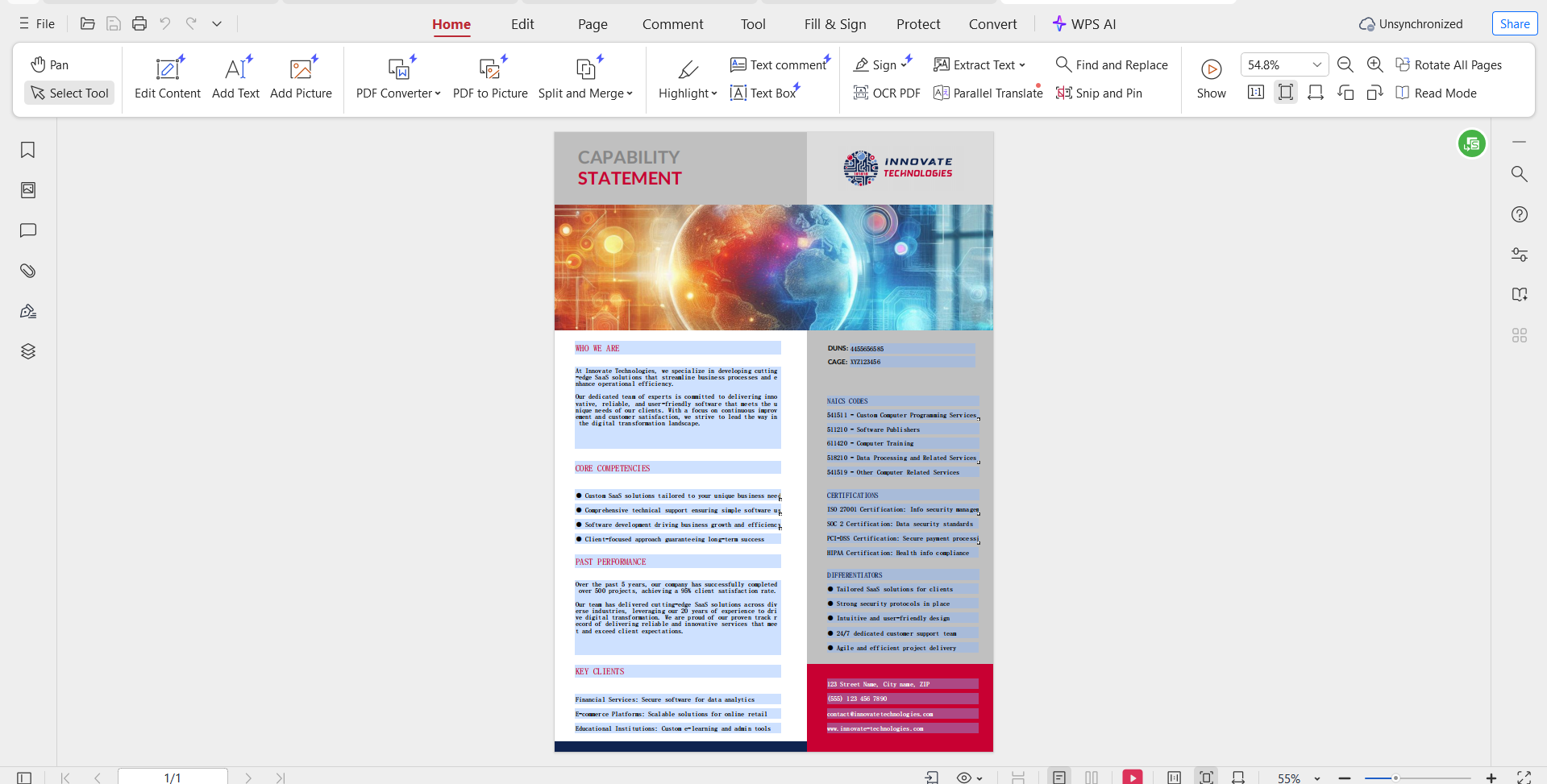
Step 2: Fill in the template with your own details and make sure everything is correct and valid before you save.
Step 3: After you’ve saved the changes to your PDF file, press Share to generate an online link for your file. Then press Copy Link to save it to your clipboard.
FAQs
Q1. What is the difference between a capability statement and a company resume?
A capability statement is often called a company resume because it summarizes a business’s essential information, including core competencies, past performance, and key differentiators. It is purpose built for government contracts and large corporate procurement opportunities.
Q2. What is the best way to use my finished capability statement?
You should submit your capability statement to government agencies and corporate procurement teams when bidding on contracts. It also works well as a marketing handout in proposals, vendor meetings, and networking events.
Q3. How long should a capability statement be?
A capability statement is most effective when kept to a single page because reviewers prefer quick, clear summaries of what your business offers.
Q4. Can I customize my capability statement for different clients?
Yes. Tailoring your capability statement for each agency or company makes it more persuasive because it highlights the experience and strengths most relevant to that specific client.

'%3e%3cpath%20d='M19.9911%204.11386V6.471H18.5894C18.0775%206.471%2017.7322%206.57814%2017.5536%206.79243C17.3751%207.00671%2017.2858%207.32814%2017.2858%207.75671V9.44421H19.9019L19.5536%2012.0871H17.2858V18.8639H14.5536V12.0871H12.2769V9.44421H14.5536V7.49779C14.5536%206.39064%2014.8632%205.53201%2015.4822%204.92189C16.1013%204.31177%2016.9257%204.00671%2017.9554%204.00671C18.8304%204.00671%2019.509%204.04243%2019.9911%204.11386Z'%20fill='%23333333'/%3e%3c/g%3e%3cdefs%3e%3cclipPath%20id='clip0_2938_8199'%3e%3crect%20width='16'%20height='16'%20fill='white'%20transform='translate(8%204.00671)'/%3e%3c/clipPath%3e%3c/defs%3e%3c/svg%3e)
'%3e%3cpath%20d='M17.5237%2010.7813L23.4811%204H22.0699L16.8949%209.88693L12.7648%204H8L14.2469%2012.9029L8%2020.0133H9.4112L14.8725%2013.7952L19.2352%2020.0133H24M9.92053%205.04213H12.0885L22.0688%2019.0224H19.9003'%20fill='%23333333'/%3e%3c/g%3e%3cdefs%3e%3cclipPath%20id='clip0_2938_8200'%3e%3crect%20width='16'%20height='16.0134'%20fill='white'%20transform='translate(8%204)'/%3e%3c/clipPath%3e%3c/defs%3e%3c/svg%3e)


