

'%3e%3cpath%20d='M8%200C12.4183%200%2016%203.58172%2016%208C16%2012.4183%2012.4183%2016%208%2016C3.58172%2016%200%2012.4183%200%208C0%203.58172%203.58172%200%208%200ZM11.6162%204.38379C11.2257%203.99337%2010.5927%203.99338%2010.2021%204.38379L8%206.58594L5.79785%204.38379C5.40732%203.99334%204.77429%203.99329%204.38379%204.38379C3.99331%204.77429%203.99335%205.40733%204.38379%205.79785L6.58594%208L4.38379%2010.2021C3.99348%2010.5927%203.99341%2011.2257%204.38379%2011.6162C4.77426%2012.0066%205.40734%2012.0065%205.79785%2011.6162L8%209.41406L10.2021%2011.6162C10.5927%2012.0066%2011.2257%2012.0067%2011.6162%2011.6162C12.0067%2011.2257%2012.0066%2010.5927%2011.6162%2010.2021L9.41406%208L11.6162%205.79785C12.0066%205.40735%2012.0066%204.77429%2011.6162%204.38379Z'%20fill='%23080E17'%20fill-opacity='0.46'/%3e%3c/g%3e%3cdefs%3e%3cclipPath%20id='clip0_3761_713'%3e%3crect%20width='16'%20height='16'%20fill='white'/%3e%3c/clipPath%3e%3c/defs%3e%3c/svg%3e)




'%3e%3cpath%20fill-rule='evenodd'%20clip-rule='evenodd'%20d='M21.4999%2010.9993C21.4999%205.20009%2016.7986%200.498901%2010.9993%200.498901C5.19994%200.498901%200.498657%205.20009%200.498657%2010.9993C0.498657%2016.2404%204.33858%2020.5844%209.35855%2021.3722V14.0346H6.69238V10.9993H9.35855V8.68594C9.35855%206.05427%2010.9262%204.60062%2013.3248%204.60062C14.4736%204.60062%2015.6753%204.80571%2015.6753%204.80571V7.38979H14.3512C13.0468%207.38979%2012.64%208.19921%2012.64%209.0296V10.9993H15.5523L15.0867%2014.0346H12.64V21.3722C17.66%2020.5844%2021.4999%2016.2404%2021.4999%2010.9993Z'%20fill='%231568EA'/%3e%3c/g%3e%3c/svg%3e)


'%3e%3cpath%20d='M2.42045%2022.1876H6.31818V12.7217L0.75%208.54553V20.5171C0.75%2021.4414%201.49892%2022.1876%202.42045%2022.1876Z'%20fill='%234285F4'/%3e%3cpath%20d='M19.682%2022.1876H23.5797C24.5041%2022.1876%2025.2502%2021.4387%2025.2502%2020.5171V8.54553L19.682%2012.7217'%20fill='%2334A853'/%3e%3cpath%20d='M19.682%205.48293V12.7216L25.2502%208.54543V6.31816C25.2502%204.25236%2022.8921%203.07469%2021.2411%204.31361'%20fill='%23FBBC04'/%3e%3cpath%20d='M6.31824%2012.7217V5.48303L13.0001%2010.4944L19.6819%205.48303V12.7217L13.0001%2017.733'%20fill='%23EA4335'/%3e%3cpath%20d='M0.75%206.31816V8.54543L6.31818%2012.7216V5.48293L4.75909%204.31361C3.10534%203.07469%200.75%204.25236%200.75%206.31816Z'%20fill='%23C5221F'/%3e%3c/g%3e%3cdefs%3e%3cclipPath%20id='clip0_2954_7305'%3e%3crect%20width='24.5'%20height='18.375'%20fill='white'%20transform='translate(0.75%203.8125)'/%3e%3c/clipPath%3e%3c/defs%3e%3c/svg%3e)


If you’re a foodie, blogger, or chef, creating a cookbook is like pouring your heart onto the page. But let’s be real—starting from scratch can feel like trying to bake without a recipe. You want free cookbook templates that look amazing and don’t require a design degree to edit. This guide serves up 10 free, gorgeous templates and shows how WPS Office makes them easy to personalize. Let’s get your recipes into a cookbook you’ll be proud to share.


Part 1. Top 10 Free Cookbook Templates
Here’s a roundup of 10 free cookbook templates to make your recipes pop. Each free cookbook template is crafted for style and simplicity, perfect for home cooks, bloggers, or pros. I’ve shared my thoughts on each based on using them myself, along with preview images and download links. Whether you need a printable recipe book template or a digital gem, these work in Word or PPT. Pick one that feels like your kitchen vibe.
1. Recipe Book (PPT)
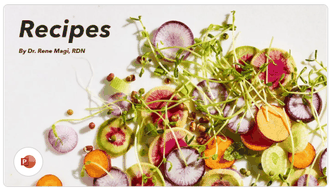
This PPT template is like a splash of color in your kitchen, with vibrant slides for recipes and photos. It’s perfect for bloggers or anyone sharing recipes online, with space for tips and stories. The slide format makes it fun to present. I loved how it turned my dishes into a visual feast.
2. Cookbook Template 1 (Word, PPT)
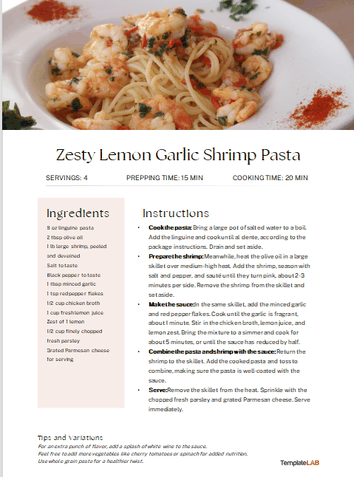
This template is a trusty sidekick with its clean, professional look in Word or PPT. It’s got clear sections for ingredients and steps, making it a breeze for gifting or publishing. I found it super easy to make my recipes look polished. It’s like having a sous-chef for design.
3. Recipe Book (Word)
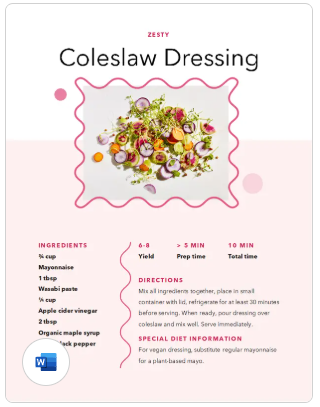
This Word template is like a cozy kitchen table—simple and inviting. It’s perfect for a classic cookbook you can print and share with family. Its no-fuss layout saved me hours. I loved how it made my grandma’s recipes look timeless.
4. Illustrated Cooking Journal (Word)
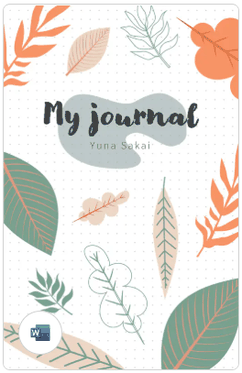
Imagine a cookbook that feels like a handwritten diary—this Word template nails it with cute illustrated touches. It’s great for personal recipe collections or gifting to friends. Its warm, nostalgic vibe made my recipes feel extra special. I had fun adding my own flair.
5. Healthy Recipe Plan (Word)
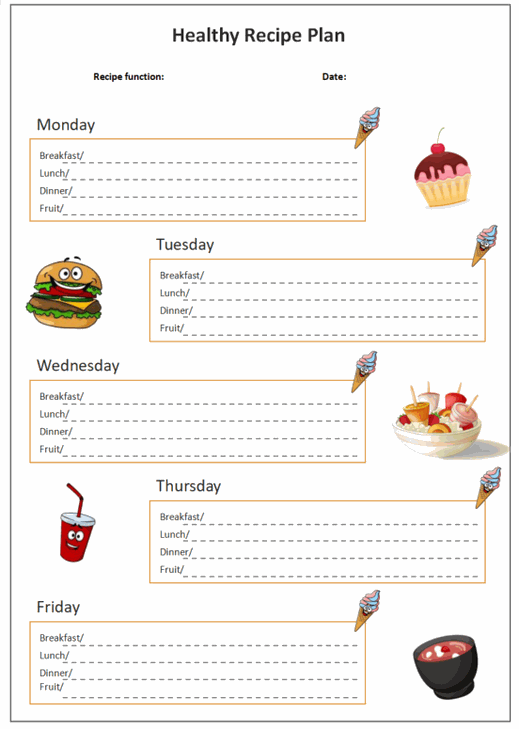
This Word template is a go-to for health-conscious cooks, with a sleek, modern layout for meal plans. It’s perfect for nutritionists or bloggers sharing wellness recipes. Its clean design inspired me to organize my healthy dishes. I loved how it highlighted dietary details.
6. Microsoft Word Recipe Page (Word)
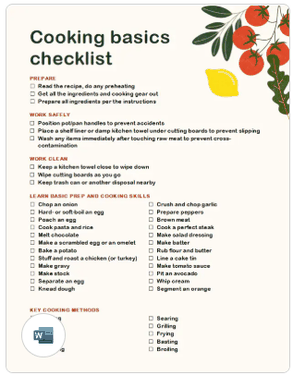
This minimalist Word template is like a blank canvas for single-recipe pages. It’s perfect for chefs or caterers who want a clean, professional look. Its simplicity made my recipes stand out without distractions. I found it super easy to tweak for clients.
7. Cookbook Template 2 (Word)
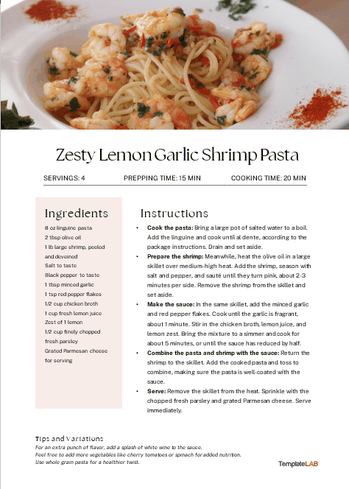
This Word template brings a modern, polished vibe with room for photos and detailed steps. It’s great for creating a cookbook to sell or gift. Its sleek design made my recipes look ready for a bookstore. I loved how print-ready it was right away.
8. Kitchen Recipe Cards (PPT)
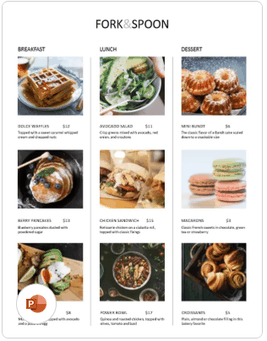
These PPT recipe cards are like little bites of joy—compact and shareable. They’re ideal for handing out at events or posting online. I found their card format perfect for swapping recipes with friends. It’s fun and versatile for any cook.
9. Cookbook Template 1 (PPT)
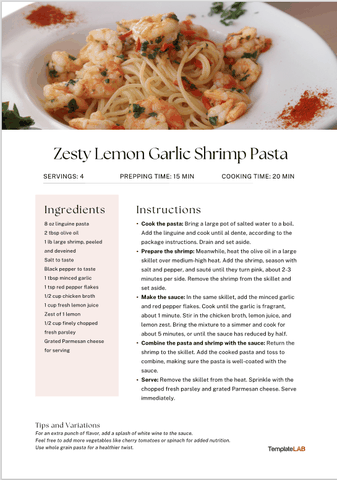
A PPT version of Cookbook Template 1, this one’s a visual stunner for digital cookbooks. It’s perfect for presentations or online sharing with vibrant slides. Its layout made my recipes feel like a cooking show. I loved using it for virtual classes.
10. Food For Thought (PPT)s
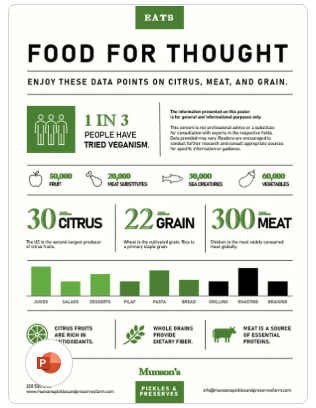
This PPT template uses infographic-style slides for a fresh, modern cookbook. It’s perfect for startups or bloggers who want a creative edge. Its bold design got me excited to share my recipes. I found it great for eye-catching social media posts.
Part 2. How to Use & Edit Cookbook Templates in Word and PPT
These templates are your shortcut to a cookbook that looks as good as your recipes taste. Download a free cookbook template, like the Illustrated Cooking Journal, and make it yours with WPS Office. Below are step-by-step guides for editing in Word and PPT, with screenshots to keep it simple. Here’s how to create a cookbook template for Word or PPT without breaking a sweat.
Steps to Edit Word Templates
Step 1: Open Template in WPS Word
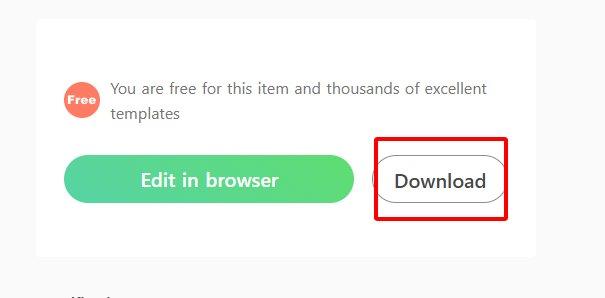
Grab a Word template, like the Healthy Recipe Plan, from the links above. Open it in WPS Word via WPS Office from wps.com. It feels just like Microsoft Word but won’t cost you a dime. Pick a template that matches your style.
Step 2: Add Your Recipes
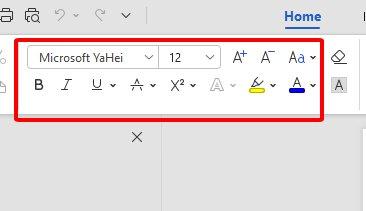
Click text fields to pop in your recipe names, ingredients, and instructions. Go to Insert > Picture to add mouthwatering dish photos. Tweak fonts or colors in the toolbar to make it your own. Save often so you don’t lose your masterpiece.
Step 3: Convert to PDF and Print
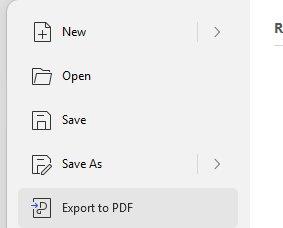
Head to File > Export to PDF for digital sharing or e-books. For printing, click File > Print and select A4 or US Letter size. Check the preview to make sure it looks perfect. I love using thick paper for a cookbook that feels special.
WPS Word made my cookbook template for Word come alive without any hassle. Adding photos and playing with fonts was so easy, it felt like decorating a cake. It’s free, matches Microsoft Word’s power, and saved me tons of time. My recipes looked pro, and I had fun putting it together.
Steps to Edit PPT Templates
Step 1: Open Template in WPS Presentation
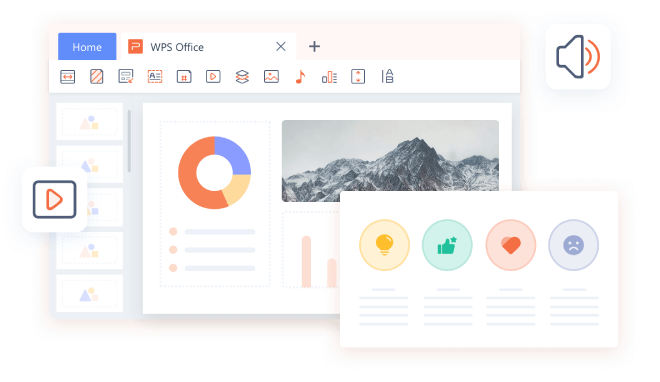
Download a PPT template, like Food For Thought, and open it in WPS Presentation via WPS Office. The slide-based setup is perfect for visual cookbooks or classes. It’s free and super easy to navigate.
Step 2: Customize Slides
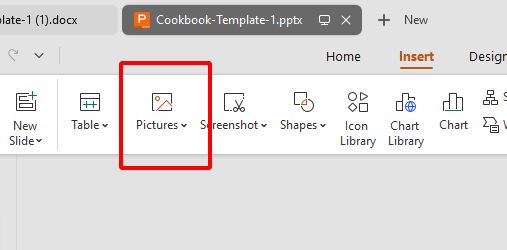
Swap out placeholder text with your recipe details—think ingredients and steps. Use Insert > Picture to add drool-worthy dish photos. Adjust slide colors or layouts to fit your vibe. Save regularly to keep your work safe.
Step 3: Save, Share, and Print
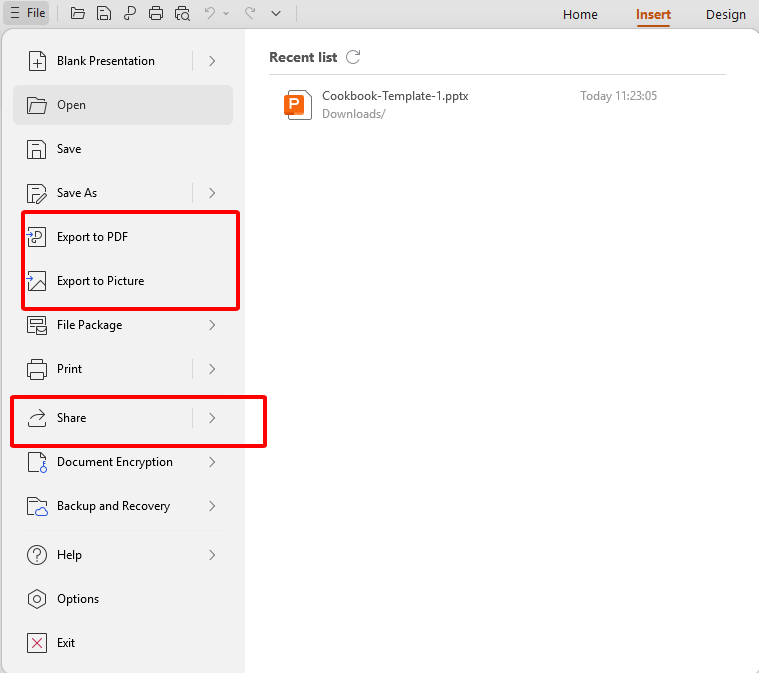
Go to File > Save As for PPT or PDF formats. For sharing, click Share > Generate Link to let friends or family add their recipes. For printing, select File > Print and try A5 for a cute, compact cookbook.
WPS Presentation turned my PPT cookbook template into a showstopper. Adding photos and tweaking slides was as easy as mixing batter. Sharing links with friends for their input was a game-changer. It’s free, fun, and made my cookbook feel like a cooking show star.
Part 3. Additional Tips & Suggestions for Custom Cookbook Creation
Making a cookbook is like cooking a favorite dish—it’s all about the details. Stick to consistent formatting, like using the same fonts and colors, for a polished look. Add recipe images to make every page tempting and vibrant. Organize by categories—breakfast, mains, desserts—to help readers find what they crave. Print in A5 format for a cute, handheld cookbook perfect for gifting or keeping on the counter.
Consistency keeps your cookbook easy on the eyes, like a well-plated dish. Photos make recipes feel alive—who doesn’t want to see that gooey chocolate cake? Categories make flipping through pages a breeze. A5 printing gives your cookbook a cozy, shareable feel that’s just right for family and friends.
Using consistent fonts made my cookbook look like it came from a pro kitchen. Adding photos turned every recipe into a visual treat that got everyone hungry. Organizing by categories saved me from searching for my go-to dishes. Printing in A5 made my cookbook a hit at family dinners.
Part 4. Free Office Suite: Design Stunning Templates
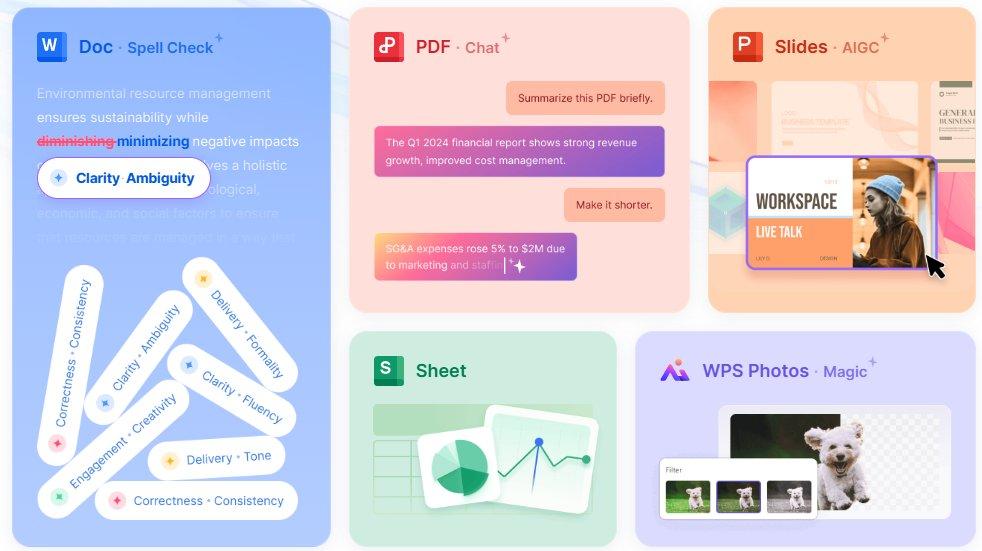
WPS Office is like your kitchen’s best appliance—free, reliable, and makes everything easier. This all-in-one suite handles Word, PPT, Excel, and PDF, perfect for crafting a printable recipe book template. Its 200MB lightweight design works like a charm on Windows, Mac, Linux, Android, and iOS. With a huge template store and cloud sync, it’s a foodie’s dream for creating cookbooks. You’ll spend more time cooking than stressing over design.
The AI writing tools are like having a recipe editor, polishing intros or notes effortlessly. The template library is packed with designs, from homey to sleek, so you can start fast. Cloud sync lets you edit on your phone and share with friends in a snap. It’s as friendly as Microsoft Office but won’t cost you a cent. WPS Office is safe, stable, and your ticket to a stunning cookbook.
Key Features of WPS Office:
Free with no pesky ads or subscriptions.
Packed with cookbook templates for quick starts.
AI writing tools for smooth, polished text.
Edits Word, PPT, and PDF formats seamlessly.
Cloud sync for sharing and collaborating anywhere.
WPS Office was my secret ingredient for a killer cookbook. The templates gave me a head start, and the AI tools made my recipe intros sound pro. Sharing via cloud sync let my family add their favorite dishes. It’s free, easy, and made my cookbook a joy to create from start to finish.
FAQs
1. Can I customize cookbook templates in WPS Office?
Yup, WPS Office lets you tweak fonts, layouts, and images in Word or PDF templates with ease.
2. Are cookbook templates free to use?
Totally, all listed templates are free, though some sites might ask for a quick login.
3. Can I print my cookbook at home?
You bet—templates are set for A4 or US Letter and print beautifully at home.
4. How do I insert images into a recipe template?
Just hit Insert > Picture in WPS Word to add photos next to your recipes.
5. Can I make my cookbook digital-only?
Absolutely, save as PDF or share via WPS Office’s cloud link for digital cookbooks.

'%3e%3cpath%20d='M19.9911%204.11386V6.471H18.5894C18.0775%206.471%2017.7322%206.57814%2017.5536%206.79243C17.3751%207.00671%2017.2858%207.32814%2017.2858%207.75671V9.44421H19.9019L19.5536%2012.0871H17.2858V18.8639H14.5536V12.0871H12.2769V9.44421H14.5536V7.49779C14.5536%206.39064%2014.8632%205.53201%2015.4822%204.92189C16.1013%204.31177%2016.9257%204.00671%2017.9554%204.00671C18.8304%204.00671%2019.509%204.04243%2019.9911%204.11386Z'%20fill='%23333333'/%3e%3c/g%3e%3cdefs%3e%3cclipPath%20id='clip0_2938_8199'%3e%3crect%20width='16'%20height='16'%20fill='white'%20transform='translate(8%204.00671)'/%3e%3c/clipPath%3e%3c/defs%3e%3c/svg%3e)
'%3e%3cpath%20d='M17.5237%2010.7813L23.4811%204H22.0699L16.8949%209.88693L12.7648%204H8L14.2469%2012.9029L8%2020.0133H9.4112L14.8725%2013.7952L19.2352%2020.0133H24M9.92053%205.04213H12.0885L22.0688%2019.0224H19.9003'%20fill='%23333333'/%3e%3c/g%3e%3cdefs%3e%3cclipPath%20id='clip0_2938_8200'%3e%3crect%20width='16'%20height='16.0134'%20fill='white'%20transform='translate(8%204)'/%3e%3c/clipPath%3e%3c/defs%3e%3c/svg%3e)


