

'%3e%3cpath%20d='M8%200C12.4183%200%2016%203.58172%2016%208C16%2012.4183%2012.4183%2016%208%2016C3.58172%2016%200%2012.4183%200%208C0%203.58172%203.58172%200%208%200ZM11.6162%204.38379C11.2257%203.99337%2010.5927%203.99338%2010.2021%204.38379L8%206.58594L5.79785%204.38379C5.40732%203.99334%204.77429%203.99329%204.38379%204.38379C3.99331%204.77429%203.99335%205.40733%204.38379%205.79785L6.58594%208L4.38379%2010.2021C3.99348%2010.5927%203.99341%2011.2257%204.38379%2011.6162C4.77426%2012.0066%205.40734%2012.0065%205.79785%2011.6162L8%209.41406L10.2021%2011.6162C10.5927%2012.0066%2011.2257%2012.0067%2011.6162%2011.6162C12.0067%2011.2257%2012.0066%2010.5927%2011.6162%2010.2021L9.41406%208L11.6162%205.79785C12.0066%205.40735%2012.0066%204.77429%2011.6162%204.38379Z'%20fill='%23080E17'%20fill-opacity='0.46'/%3e%3c/g%3e%3cdefs%3e%3cclipPath%20id='clip0_3761_713'%3e%3crect%20width='16'%20height='16'%20fill='white'/%3e%3c/clipPath%3e%3c/defs%3e%3c/svg%3e)




'%3e%3cpath%20fill-rule='evenodd'%20clip-rule='evenodd'%20d='M21.4999%2010.9993C21.4999%205.20009%2016.7986%200.498901%2010.9993%200.498901C5.19994%200.498901%200.498657%205.20009%200.498657%2010.9993C0.498657%2016.2404%204.33858%2020.5844%209.35855%2021.3722V14.0346H6.69238V10.9993H9.35855V8.68594C9.35855%206.05427%2010.9262%204.60062%2013.3248%204.60062C14.4736%204.60062%2015.6753%204.80571%2015.6753%204.80571V7.38979H14.3512C13.0468%207.38979%2012.64%208.19921%2012.64%209.0296V10.9993H15.5523L15.0867%2014.0346H12.64V21.3722C17.66%2020.5844%2021.4999%2016.2404%2021.4999%2010.9993Z'%20fill='%231568EA'/%3e%3c/g%3e%3c/svg%3e)


'%3e%3cpath%20d='M2.42045%2022.1876H6.31818V12.7217L0.75%208.54553V20.5171C0.75%2021.4414%201.49892%2022.1876%202.42045%2022.1876Z'%20fill='%234285F4'/%3e%3cpath%20d='M19.682%2022.1876H23.5797C24.5041%2022.1876%2025.2502%2021.4387%2025.2502%2020.5171V8.54553L19.682%2012.7217'%20fill='%2334A853'/%3e%3cpath%20d='M19.682%205.48293V12.7216L25.2502%208.54543V6.31816C25.2502%204.25236%2022.8921%203.07469%2021.2411%204.31361'%20fill='%23FBBC04'/%3e%3cpath%20d='M6.31824%2012.7217V5.48303L13.0001%2010.4944L19.6819%205.48303V12.7217L13.0001%2017.733'%20fill='%23EA4335'/%3e%3cpath%20d='M0.75%206.31816V8.54543L6.31818%2012.7216V5.48293L4.75909%204.31361C3.10534%203.07469%200.75%204.25236%200.75%206.31816Z'%20fill='%23C5221F'/%3e%3c/g%3e%3cdefs%3e%3cclipPath%20id='clip0_2954_7305'%3e%3crect%20width='24.5'%20height='18.375'%20fill='white'%20transform='translate(0.75%203.8125)'/%3e%3c/clipPath%3e%3c/defs%3e%3c/svg%3e)


Contractors and freelancers power industries with their skills, but invoicing can be a headache. Crafting detailed, professional invoices from scratch takes time and risks errors. How can contractors find free, customizable contractor invoice templates that cover all their billing needs? This guide offers 10 dazzling templates and tips to streamline your payments. They’re easy to edit and designed for your trade.


What is a Contractor Invoice Template?
A contractor invoice template is a pre-designed document for freelancers or contractors to bill clients. It includes fields for your name, client details, invoice number, services, rates, and payment terms. These ensure clear, legal, and professional billing. A good template saves time and boosts your credibility. It’s a must for accurate, hassle-free payments.
What should be included in a contractor invoice?
Your invoice needs your business name, contact info, and client details. Include a unique invoice number, issuance date, and due date. List services, materials, hours, rates, taxes, and totals. Add payment terms and methods for clarity. These elements keep your billing organized and professional.
Why is a contractor invoice important?
It’s more than a bill; it’s a record of your work and brand. Clear invoices prevent disputes and ensure timely payments, keeping cash flow steady. They also help with tax compliance and tracking income. A contractor invoice template makes billing consistent and pro. It shows clients you mean business.
I’ve learned that a sharp invoice can make or break client trust. Once, a messy invoice delayed my payment for weeks. Using a contractor invoice template fixed that, making my billing look slick and getting me paid faster. It’s a small tool with big impact for any contractor.
10 Contractor Invoice Templates [Free Download]
This section shares 10 contractor invoice template free options for professional billing. Each has a unique design, available in PDF or image format, and is easy to customize for your trade. They’re perfect for contractors needing editable invoices for services or materials. Template names and formats are listed for you. Choose one that fits your style, and pick PDF or image format based on your needs.
1. Silver and Beige Geometric Contractor Invoice (PDF, Image)
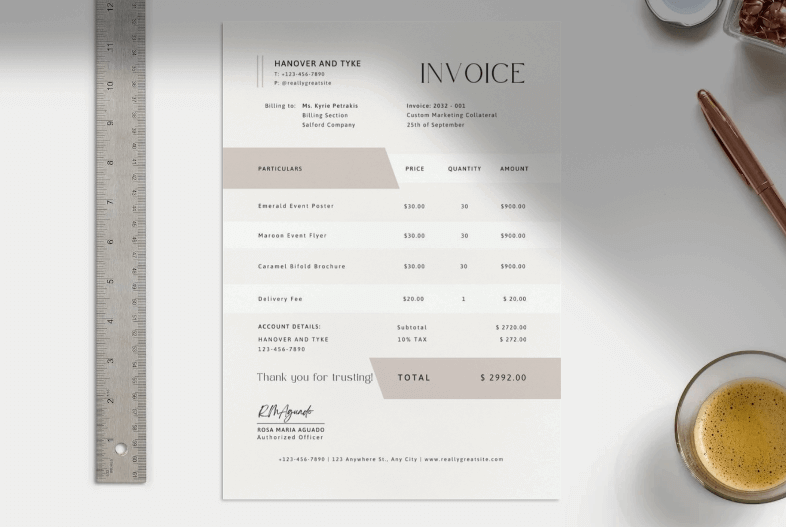
The Silver and Beige Geometric Contractor Invoice is a sleek pick for contractors wanting a modern, polished look. Its geometric design and neutral tones scream professionalism, with fields for services, materials, and totals. This template’s ideal for construction or consulting gigs needing a clean layout. It’s super easy to edit, letting you add your logo or tweak colors fast. Perfect for making a strong impression without overcomplicating things.
I used this for a home renovation job, and the geometric design wowed my client. I added my logo in minutes, and they paid early, impressed by the pro vibe.
2. White Green Simple Clean Business Contractor Invoice (PDF, Image)
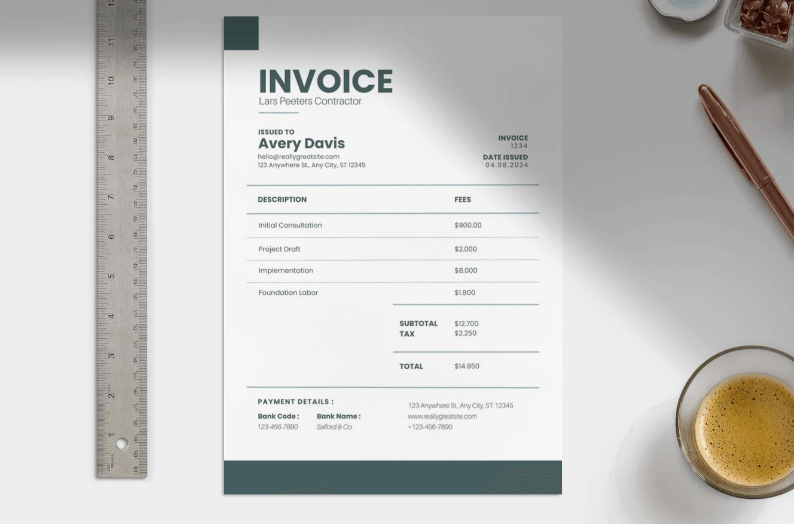
The White Green Simple Clean Business Contractor Invoice offers a fresh, minimalist design for contractors who value clarity. Its green accents and simple layout make it easy to list labor, materials, and taxes. This template’s great for HVAC or plumbing jobs needing a no-fuss approach. Customization is a breeze, with fields you can tweak in seconds. It’s a solid choice for contractors wanting clean, professional billing.
For a plumbing job, this template’s green look felt crisp, and clients loved the clear breakdown. I edited it during a lunch break, and payment came quick.
3. Teal and Light Gray Minimalist Freelancer Contractor Invoice A4 Size (PDF, Image)
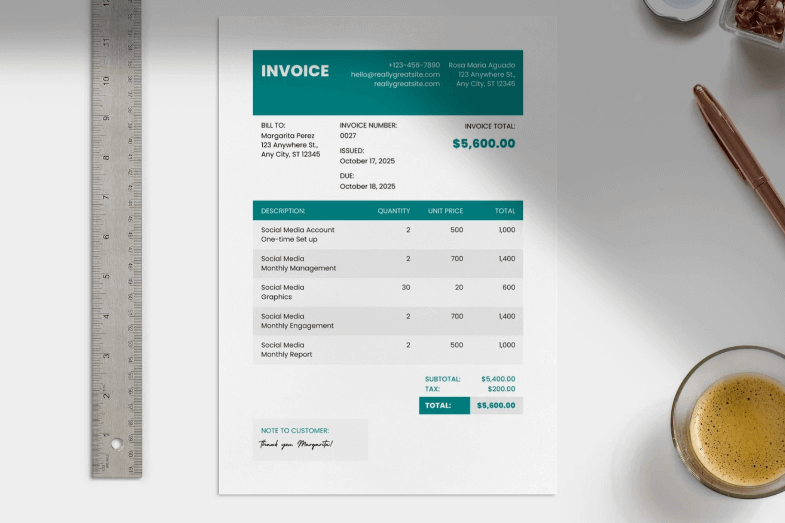
The Teal and Light Gray Minimalist Freelancer Contractor Invoice in A4 size is perfect for freelancers needing a sleek, modern invoice. Its teal and gray palette keeps things professional yet approachable, with space for detailed service breakdowns. This template suits IT or consulting work. It’s easy to edit, letting you adjust fonts or colors fast. Ideal for contractors who want a minimalist yet stylish look.
I used this for an IT consulting gig, and the teal design stood out. I customized it in 10 minutes, and the client said it looked sharp and paid on time.
4. Purple Pink Geometric Abstract Minimalist Design Contractor Invoice Doc (PDF, Image)
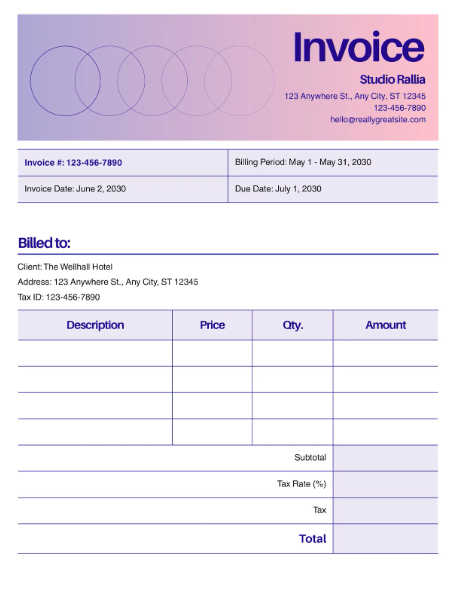
The Purple Pink Geometric Abstract Minimalist Design Contractor Invoice brings bold colors and geometric flair for contractors who want to stand out. Its vibrant layout includes fields for services, hours, and taxes, perfect for creative or construction work. This template’s easy to tweak for a unique look. It’s great for contractors aiming to make a memorable impression. Customization is quick, even for busy schedules.
For a painting job, this template’s bold colors popped, and clients loved the vibe. I tweaked it in a flash, and they paid without delay.
5. Caramel and Bronze Geometric Contractor Invoice (PDF, Image)
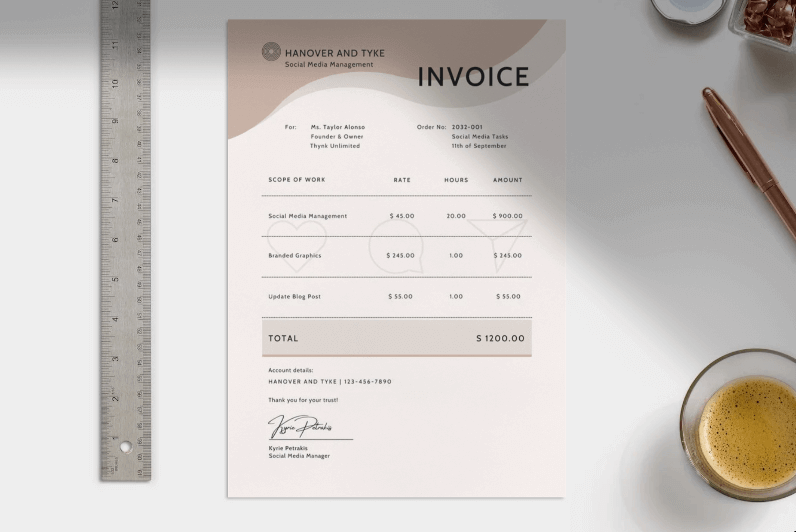
The Caramel and Bronze Geometric Contractor Invoice offers a warm, sophisticated design for contractors needing a pro edge. Its geometric layout and earthy tones make it ideal for carpentry or roofing jobs. The template has clear fields for materials and labor, easy to edit. It’s perfect for contractors wanting a polished, unique look. You can customize it fast to match your brand.
I used this for a carpentry project, and the warm tones felt inviting. I added my logo in minutes, and the client paid early, impressed by the style.
6. Purple & Cream Modern Minimal Contractor Invoice (PDF, Image)
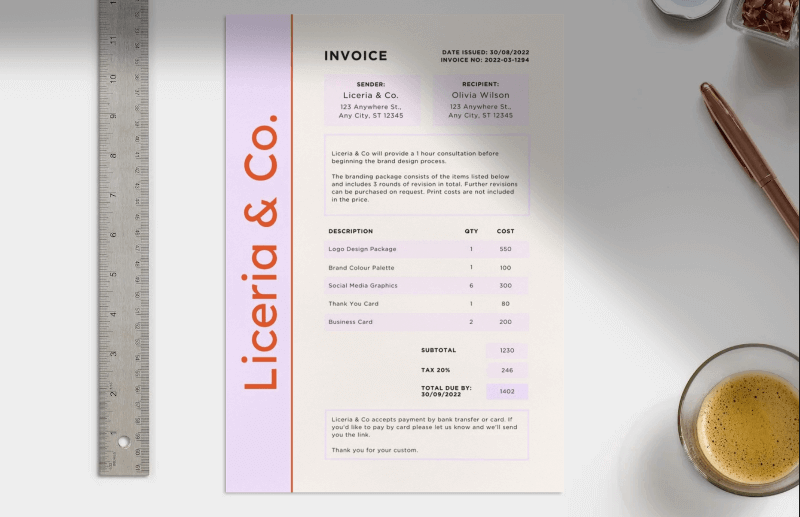
The Purple & Cream Modern Minimal Contractor Invoice is a chic option for contractors wanting a modern, clean look. Its purple and cream palette balances style and simplicity, with fields for services, rates, and totals. This template’s great for electrical or freelance work. It’s super easy to edit, letting you tweak colors or fonts fast. Ideal for contractors who need a sleek, professional invoice.
For an electrical job, this template’s clean look won over the client. I edited it in no time, and they paid quick, citing the pro design.
7. Construction Business Invoice in Pastel Blue White Simple Business Style (PDF, Image)
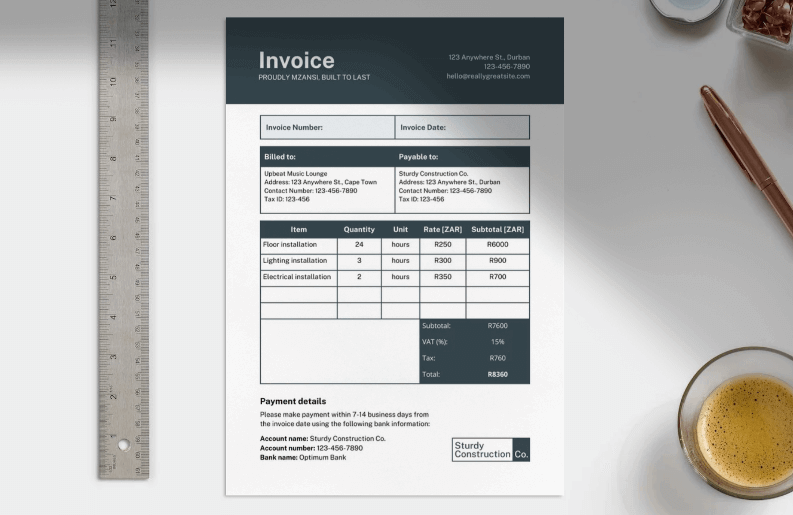
The Construction Business Invoice in Pastel Blue White Simple Business Style is tailored for construction contractors needing a straightforward design. Its pastel blue and white look is clean, with space for labor, materials, and taxes. This template’s perfect for big or small construction jobs. Customization is simple, letting you add your brand’s touch fast. It keeps your billing clear and professional.
I used this for a home build, and the pastel look felt fresh. I customized it in 15 minutes, and the client paid promptly, loving the clarity.
8. Puce Ivory Minimalist Contractor Invoice (PDF, Image)
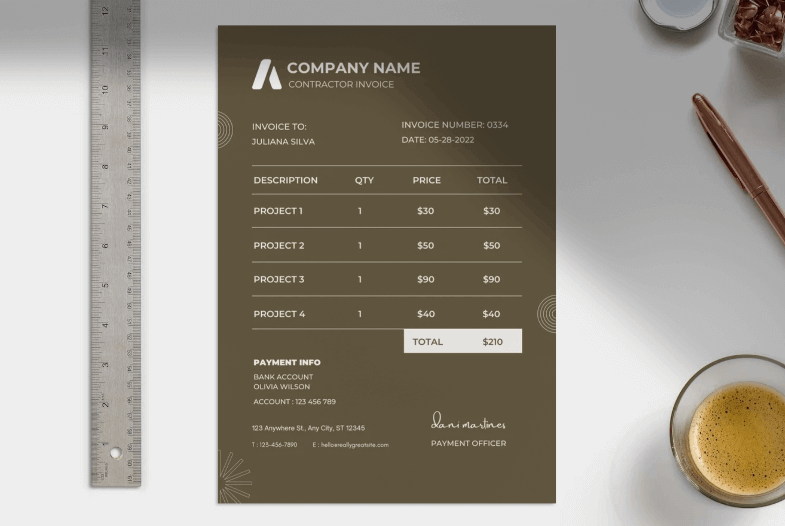
The Puce Ivory Minimalist Contractor Invoice offers a soft, minimalist design for contractors who prefer understated elegance. Its puce and ivory tones make it ideal for landscaping or freelance gigs. The template’s fields for services and totals are easy to edit. It’s great for contractors wanting a refined look without complexity. You can tweak it in minutes for a pro finish.
For a landscaping job, this template’s soft tones impressed the client. I edited it during a break, and payment came fast, thanks to the clean look.
9. Blue White Modern Professional Gradient Contractor Invoice (PDF, Image)
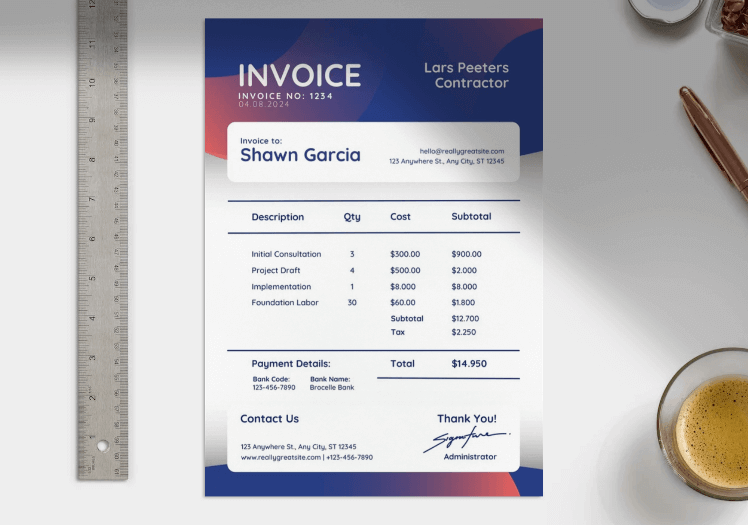
The Blue White Modern Professional Gradient Contractor Invoice is a sleek pick for contractors needing a modern, gradient design. Its blue-to-white fade and clear fields for services and costs suit IT or construction work. This template’s easy to customize for a polished look. It’s perfect for contractors aiming for a contemporary vibe. You can edit it fast to match your brand.
I used this for an IT project, and the gradient look felt cutting-edge. I customized it in a jiffy, and the client paid early, praising the style.
10. Neon Green Simple Contractor Freelancer Invoice (PDF, Image)
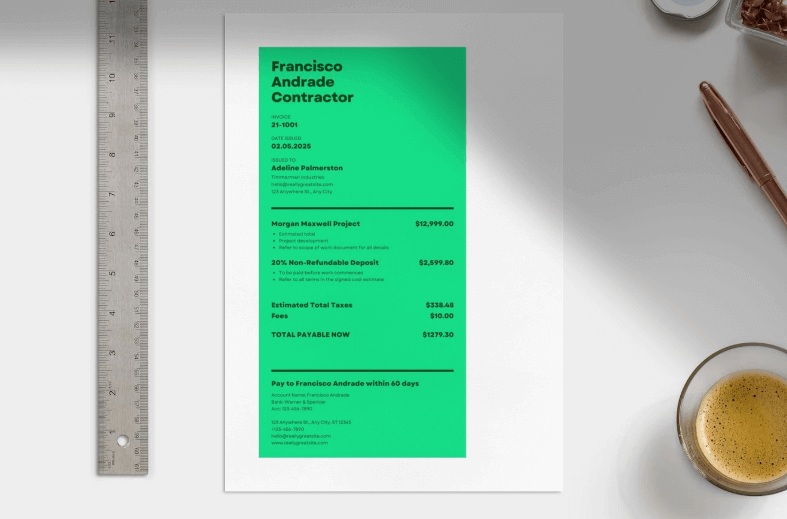
The Neon Green Simple Contractor Freelancer Invoice is a bold, vibrant choice for contractors who want to stand out. Its neon green design and simple layout make it perfect for freelance or small construction jobs. The template’s fields are easy to edit for quick billing. It’s great for contractors needing a punchy, pro invoice. Customization is a snap to fit your needs.
For a small renovation, this template’s bold green caught the client’s eye. I edited it in minutes, and they paid fast, loving the vibrant design.
Tip: These templates are available in PDF or image format, so choose based on your needs—PDF for secure sharing, image for quick edits. From my experience, the Silver and Beige Geometric and Purple & Cream Modern Minimal templates are top picks for their balance of style and ease. They’ve saved me hours and made clients take my billing seriously.
How to Edit and Print Contractor Invoice Template
The 10 contractor invoice templates above offer dazzling designs to make your billing stand out. You can grab them in PDF or image format for easy customization. Whether you’re a plumber, electrician, or freelancer, these templates streamline your invoicing. Now, let’s dive into how to edit and print them using WPS Office. It’s a free, user-friendly tool that makes professional billing a cinch.
How to Edit the Contractor Invoice in PDF
Step 1: Open the Silver and Beige Geometric Contractor Invoice in WPS PDF Editor.
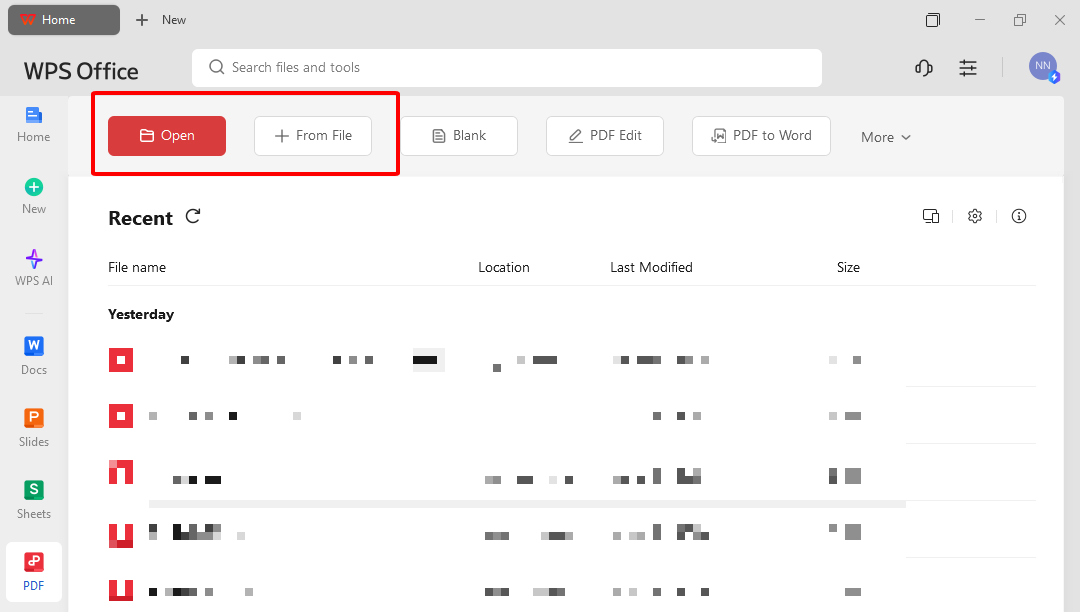
Step 2: Use text tools to update fields like name, client details, and services.
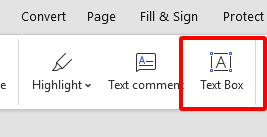
Step 3: Adjust fonts or colors to match your brand’s style using the toolbar.
Step 4: Add your logo or annotations for a personal touch, if needed.
Step 5: Save as PDF or print directly for professional sharing.
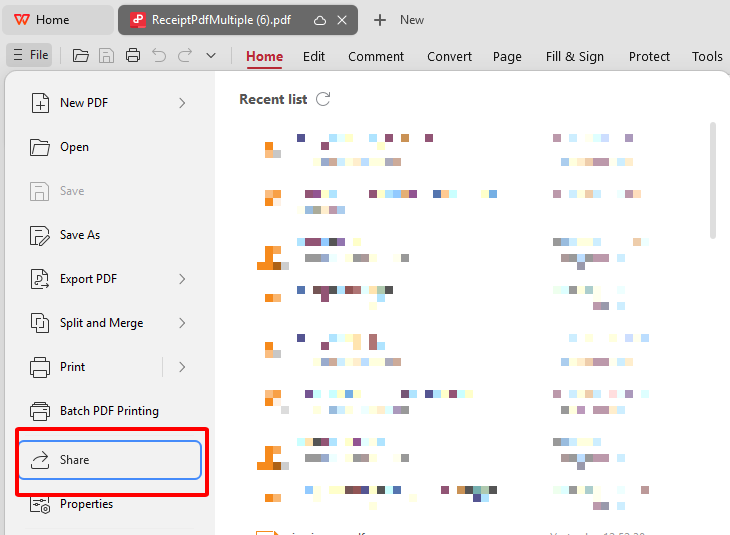
I edited a PDF invoice for a roofing job using WPS PDF Editor. The tools were so easy, I updated client details and printed it in under 10 minutes, and the client loved the clean result.
How to Edit the Contractor Invoice in Photo
Step 1: Open the image version of the White Green Simple Clean Business Contractor Invoice in WPS Photo.
Step 2: Use the AI Image Enhancer to sharpen the template’s visuals if needed.
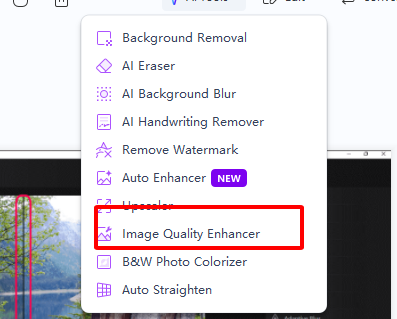
Step 3: Adjust colors or brightness with the Adjust Colors tool to align with your brand.
Step 4: Remove any watermarks using AI Watermark Removal for a clean look.
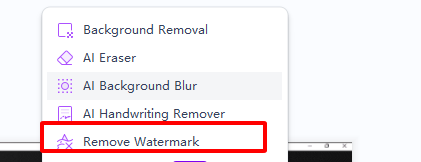
Step 5: Save as an image or convert to PDF for printing or sharing.
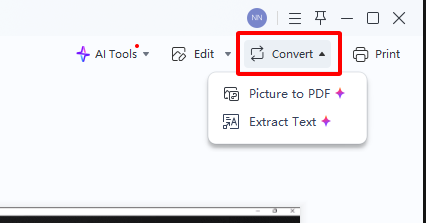
I tweaked an image invoice for a painting job in WPS Photo. The AI tools made the colors pop, and I removed a watermark in seconds, making the invoice look pro and ready to send.
FAQs
Q: How often is my contractor supposed to send their invoices?
Discuss a schedule at the project’s start and include it in a contract or text record.
Q: What are typical payment terms for independent contractors?
Terms range from ‘upon receipt’ to ‘30 days,’ agreed upon upfront to avoid surprises.
Q: Can I add my logo to a contractor invoice template?
Yes, use WPS Office to upload your logo for a branded, professional look.
Q: How do I ensure my invoice is error-free?
Double-check services, rates, and totals, and use WPS Office’s tools for accurate formatting.

'%3e%3cpath%20d='M19.9911%204.11386V6.471H18.5894C18.0775%206.471%2017.7322%206.57814%2017.5536%206.79243C17.3751%207.00671%2017.2858%207.32814%2017.2858%207.75671V9.44421H19.9019L19.5536%2012.0871H17.2858V18.8639H14.5536V12.0871H12.2769V9.44421H14.5536V7.49779C14.5536%206.39064%2014.8632%205.53201%2015.4822%204.92189C16.1013%204.31177%2016.9257%204.00671%2017.9554%204.00671C18.8304%204.00671%2019.509%204.04243%2019.9911%204.11386Z'%20fill='%23333333'/%3e%3c/g%3e%3cdefs%3e%3cclipPath%20id='clip0_2938_8199'%3e%3crect%20width='16'%20height='16'%20fill='white'%20transform='translate(8%204.00671)'/%3e%3c/clipPath%3e%3c/defs%3e%3c/svg%3e)
'%3e%3cpath%20d='M17.5237%2010.7813L23.4811%204H22.0699L16.8949%209.88693L12.7648%204H8L14.2469%2012.9029L8%2020.0133H9.4112L14.8725%2013.7952L19.2352%2020.0133H24M9.92053%205.04213H12.0885L22.0688%2019.0224H19.9003'%20fill='%23333333'/%3e%3c/g%3e%3cdefs%3e%3cclipPath%20id='clip0_2938_8200'%3e%3crect%20width='16'%20height='16.0134'%20fill='white'%20transform='translate(8%204)'/%3e%3c/clipPath%3e%3c/defs%3e%3c/svg%3e)


