

'%3e%3cpath%20d='M8%200C12.4183%200%2016%203.58172%2016%208C16%2012.4183%2012.4183%2016%208%2016C3.58172%2016%200%2012.4183%200%208C0%203.58172%203.58172%200%208%200ZM11.6162%204.38379C11.2257%203.99337%2010.5927%203.99338%2010.2021%204.38379L8%206.58594L5.79785%204.38379C5.40732%203.99334%204.77429%203.99329%204.38379%204.38379C3.99331%204.77429%203.99335%205.40733%204.38379%205.79785L6.58594%208L4.38379%2010.2021C3.99348%2010.5927%203.99341%2011.2257%204.38379%2011.6162C4.77426%2012.0066%205.40734%2012.0065%205.79785%2011.6162L8%209.41406L10.2021%2011.6162C10.5927%2012.0066%2011.2257%2012.0067%2011.6162%2011.6162C12.0067%2011.2257%2012.0066%2010.5927%2011.6162%2010.2021L9.41406%208L11.6162%205.79785C12.0066%205.40735%2012.0066%204.77429%2011.6162%204.38379Z'%20fill='%23080E17'%20fill-opacity='0.46'/%3e%3c/g%3e%3cdefs%3e%3cclipPath%20id='clip0_3761_713'%3e%3crect%20width='16'%20height='16'%20fill='white'/%3e%3c/clipPath%3e%3c/defs%3e%3c/svg%3e)




'%3e%3cpath%20fill-rule='evenodd'%20clip-rule='evenodd'%20d='M21.4999%2010.9993C21.4999%205.20009%2016.7986%200.498901%2010.9993%200.498901C5.19994%200.498901%200.498657%205.20009%200.498657%2010.9993C0.498657%2016.2404%204.33858%2020.5844%209.35855%2021.3722V14.0346H6.69238V10.9993H9.35855V8.68594C9.35855%206.05427%2010.9262%204.60062%2013.3248%204.60062C14.4736%204.60062%2015.6753%204.80571%2015.6753%204.80571V7.38979H14.3512C13.0468%207.38979%2012.64%208.19921%2012.64%209.0296V10.9993H15.5523L15.0867%2014.0346H12.64V21.3722C17.66%2020.5844%2021.4999%2016.2404%2021.4999%2010.9993Z'%20fill='%231568EA'/%3e%3c/g%3e%3c/svg%3e)


'%3e%3cpath%20d='M2.42045%2022.1876H6.31818V12.7217L0.75%208.54553V20.5171C0.75%2021.4414%201.49892%2022.1876%202.42045%2022.1876Z'%20fill='%234285F4'/%3e%3cpath%20d='M19.682%2022.1876H23.5797C24.5041%2022.1876%2025.2502%2021.4387%2025.2502%2020.5171V8.54553L19.682%2012.7217'%20fill='%2334A853'/%3e%3cpath%20d='M19.682%205.48293V12.7216L25.2502%208.54543V6.31816C25.2502%204.25236%2022.8921%203.07469%2021.2411%204.31361'%20fill='%23FBBC04'/%3e%3cpath%20d='M6.31824%2012.7217V5.48303L13.0001%2010.4944L19.6819%205.48303V12.7217L13.0001%2017.733'%20fill='%23EA4335'/%3e%3cpath%20d='M0.75%206.31816V8.54543L6.31818%2012.7216V5.48293L4.75909%204.31361C3.10534%203.07469%200.75%204.25236%200.75%206.31816Z'%20fill='%23C5221F'/%3e%3c/g%3e%3cdefs%3e%3cclipPath%20id='clip0_2954_7305'%3e%3crect%20width='24.5'%20height='18.375'%20fill='white'%20transform='translate(0.75%203.8125)'/%3e%3c/clipPath%3e%3c/defs%3e%3c/svg%3e)


Big decisions at work or home can feel overwhelming, leading many to jot quick lists or trust instincts alone. These methods often miss key details in tricky situations. Folks usually want simple visuals like decision trees to outline paths clearly. Yet starting from scratch demands time and skills you might lack, falling back to flawed habits and iffy results. How do you find adaptable, free decision tree templates fast? This guide offers 10 practical picks, with straightforward tips to customize them for your exact needs.


What is a Google Slides Template & What is a Decision Tree?
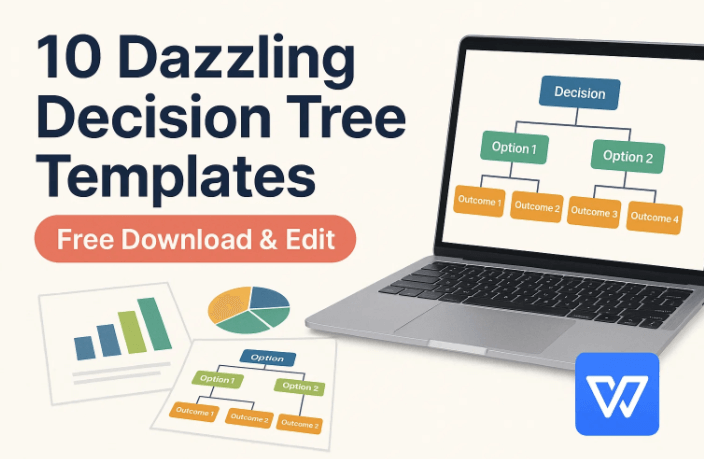
A Google Slides template acts as a preset slide setup. It takes care of basics like themes and spacing. This lets you focus on content right away. For decision tree templates, include a root box for the main question. Add branches for options, squares for choices, circles for unknowns, and triangles for ends. These parts make the flow natural. They help spot risks and predict results better.
Decision trees turn complex picks into simple maps. They break choices into steps for easier handling. They're common in business plans and personal strategies. This setup cuts down confusion overall.
Benefits of Decision Trees
Visual layouts spot overlooked patterns. Choices feel firmer after seeing the full picture. It highlights major factors like costs or chances. These shape the end results clearly. Logic steps reduce quick mistakes or biases. Share the reasoning easily with others. Skip long explanations or debates. Save hours on meetings and tests. Get to solid answers sooner. These gains make them vital for organized thinking anywhere.
Steps to Create a Template in Google Slides
Google Slides offers free team tools online. Building a decision tree template here is simple. You just need internet access though.
Step 1: Open Google Slides and Start a New Presentation

Go to slides.google.com and log in. Choose Blank to start fresh.
Step 2: Design Your Layout
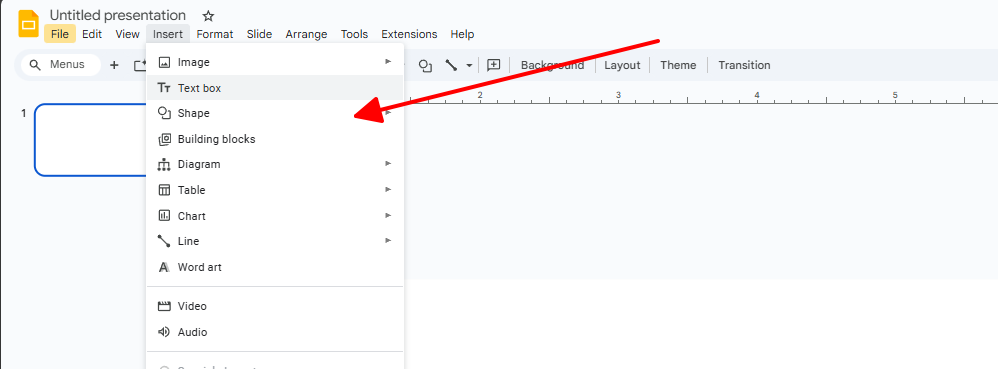
Pick Insert then Shape. Select Flowchart for boxes and lines.
Step 3: Customize and Add Text
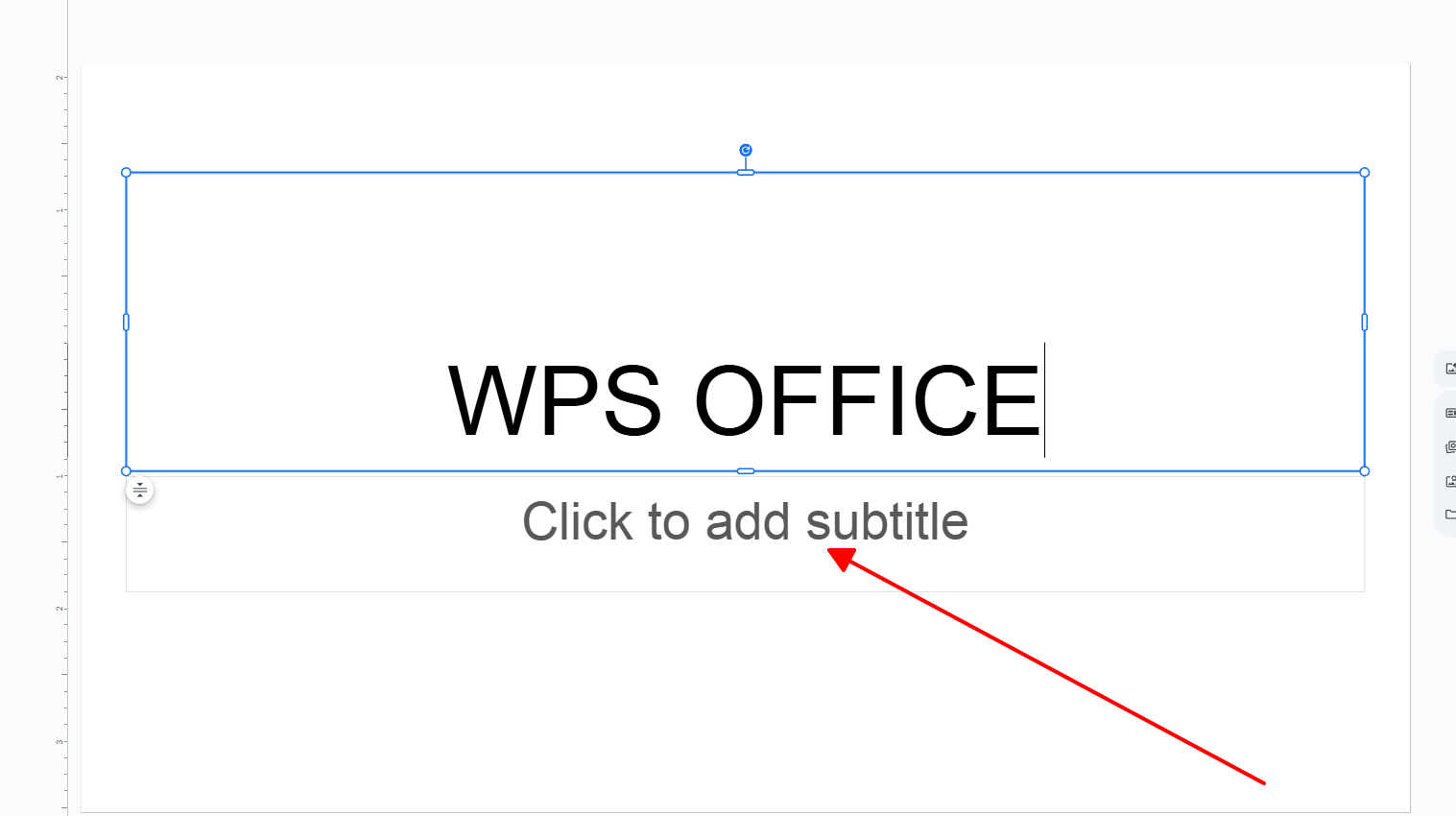
Arrange items and add labels like yes or no questions. Choose colors for clear reading.
Step 4: Save as Template
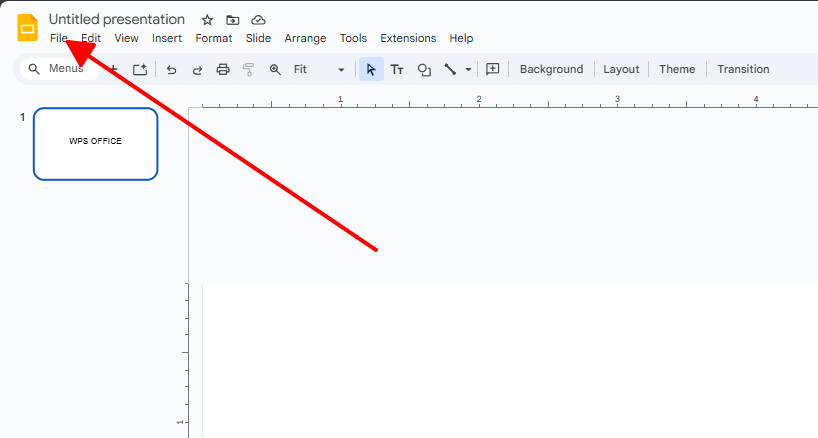
Use File menu to save as template. Name it and share for reuse.
This covers how to create decision tree template basics. It's great for group work online.
10 Dazzling Decision Tree Templates [Free Download]
Readers hunt for decision tree template free downloads that edit well. These 10 span business to personal uses. Formats cover PDF for prints, PPT for slides, or Google Slides for teams. Pick what suits your task, like PDF for copies or Slides for shares. They meet needs for fast visuals without blank starts.
Customer Service Decision Tree PDF, PPT, Google Slide
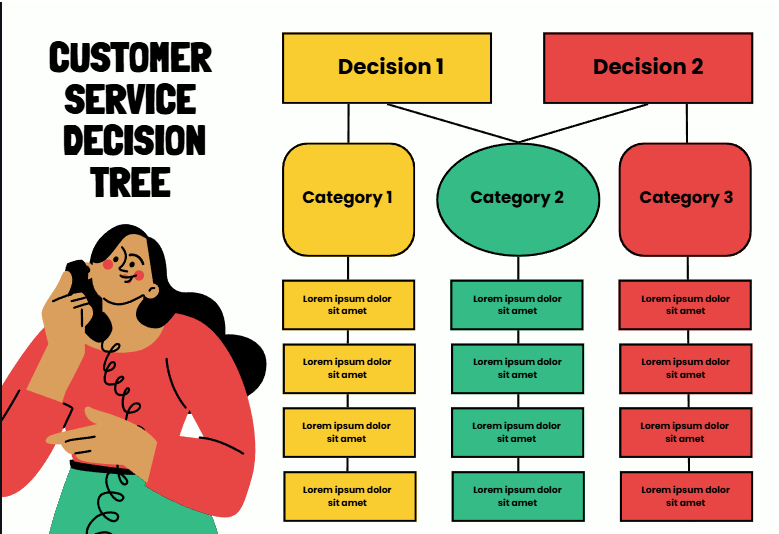
This template helps support teams handle queries smoothly. It starts with the customer's issue and branches into steps like account checks or escalations. Yes or no paths keep things organized and prevent mix-ups. It's a go-to for call centers aiming to cut down on follow-up calls. With easy icons, anyone can tweak it for their workflow. Overall, it boosts response times and keeps service consistent.
Fuzzy Decision Tree Infographics PDF, PPT, Google Slide
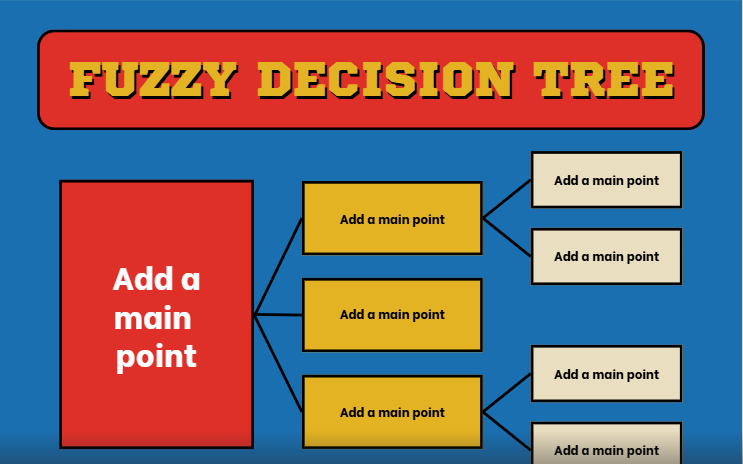
Uncertain situations like market trends fit this template perfectly. Shaded nodes show probabilities instead of strict yes no. It lets you blend hard data with educated guesses for better forecasts. Finance or planning groups find it useful for realistic scenarios. The graphic design makes it stand out in reports or talks. In the end, it clarifies those tricky in-between choices everyone faces.
Quality Control Decision Tree Infographics PDF, PPT, Google Slide
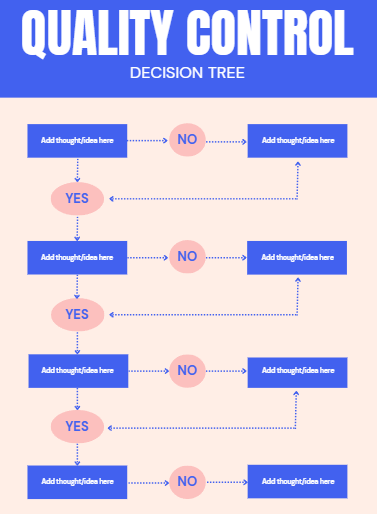
Production lines benefit from this setup with its step-by-step checks. From materials to output, it flags problems early to avoid bigger issues. Alerts on branches help maintain high standards across teams. Factories or service ops adapt it quickly for their needs. The no-clutter layout focuses on what matters most. It saves resources by catching errors before they spread.
Free Consumer Decision Tree PDF, PPT, Google Slide
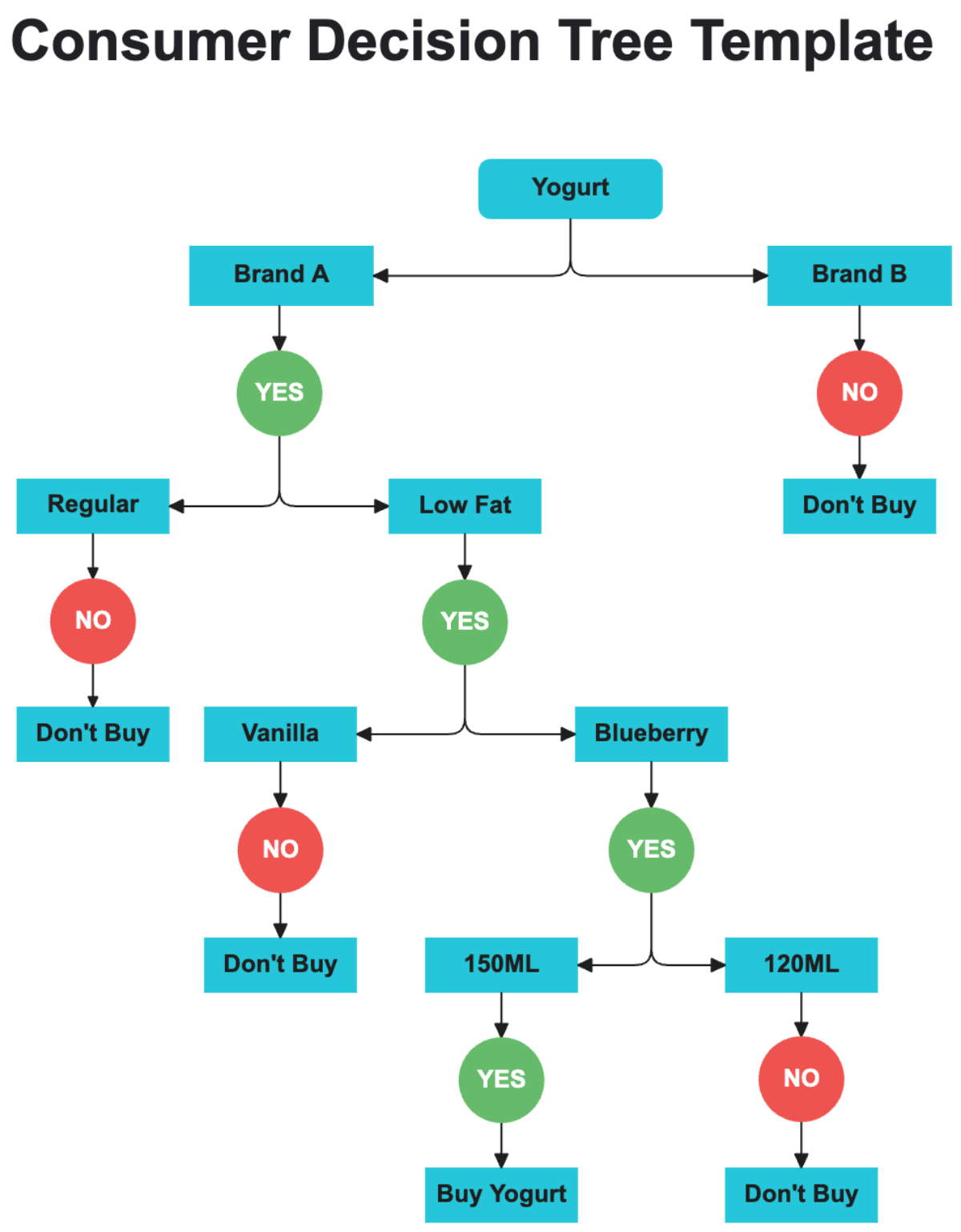
Buyer habits come alive in this free layout. It traces from spotting a need to final purchase, including factors like reviews. Marketers use it to refine strategies, while shoppers apply it personally. No fees make it accessible for quick tests. Simple paths allow fast changes to fit any scenario. It's ideal for understanding what sways everyday buys.
Career Choice Decision Tree Infographics PDF, PPT, Google Slide

Job hunts get direction with this career-focused tree. Weigh skills, pay, and lifestyle from a central point to various fields. Students or pros switching roles see clear paths ahead. Icons add motivation without overwhelming details. It helps avoid mismatches like high-stress jobs. Long-term planning becomes straightforward and goal-oriented.
Simple Decision Tree Infographics PDF, PPT, Google Slide
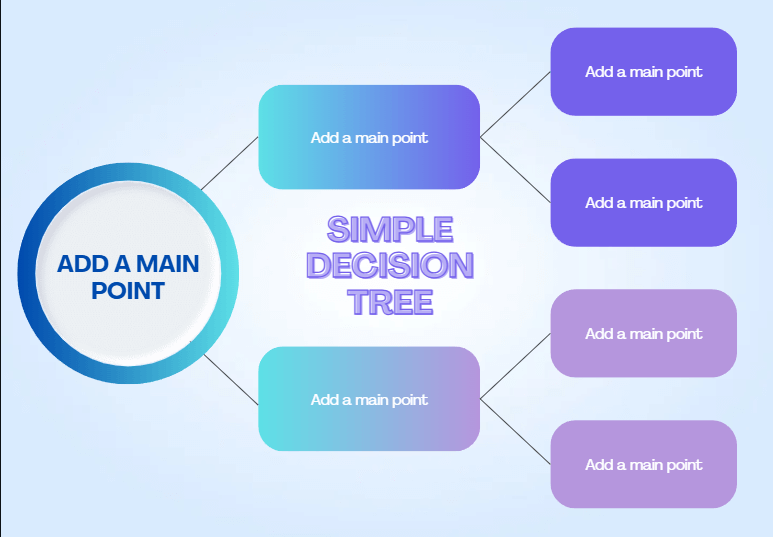
Daily dilemmas suit this bare-bones version. Core branches handle quick choices like task priorities without extras. Busy folks grab it for fast overviews in notes or meetings. Edits happen in seconds for custom fits. It cuts through fluff to the heart of decisions. Reliability comes from its straightforward approach every time.
Brain Decision Tree Infographics PDF, PPT, Google Slide
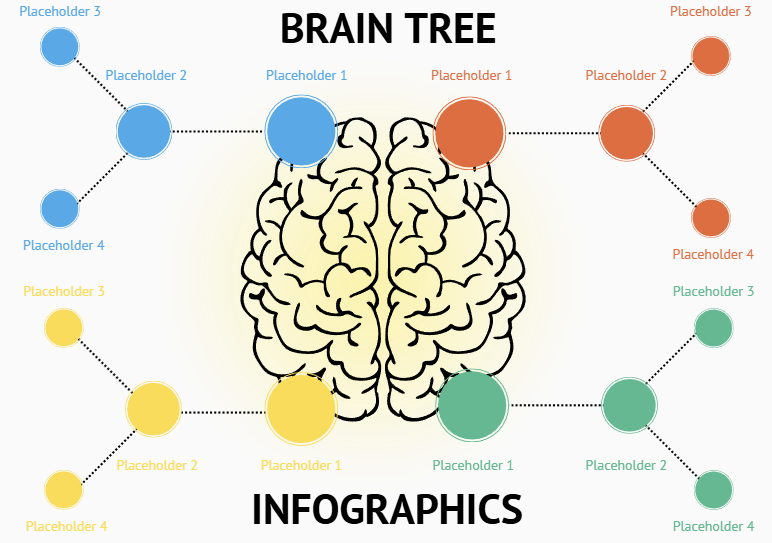
Creative sparks fly with this neural-inspired design. Thought centers branch into idea paths for brainstorming fun. Writers or teams explore connections freely. The brain visuals make sessions memorable and engaging. It structures wild thoughts into usable forms. Innovation feels natural rather than forced.
Basic Investment Decision Tree Infographics PDF, PPT, Google Slide
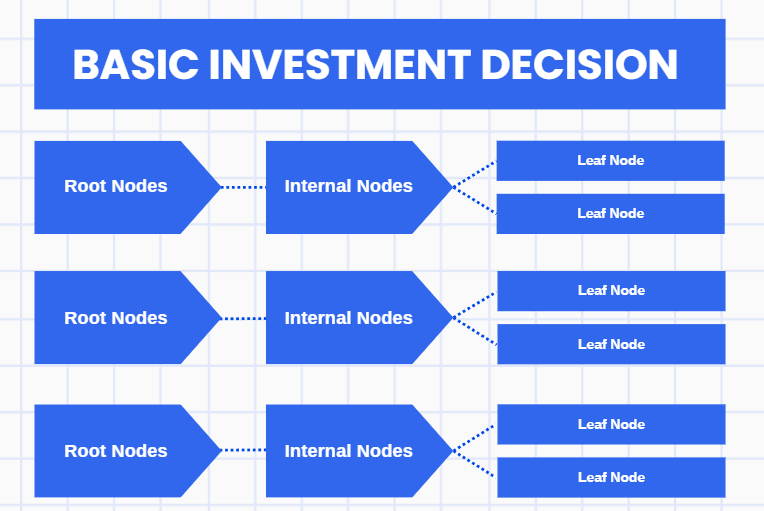
Money matters simplify here with risk-return comparisons. Budget starts lead to options like stocks or savings. Beginners follow easy labels, advisors customize for advice. Built-in charts break down numbers simply. It builds confidence in financial steps. Steady growth plans emerge without confusion.
Decision Tree Team Whiteboard in Aqua Lime Green Dark Green Simple Colorful Style PDF, Image
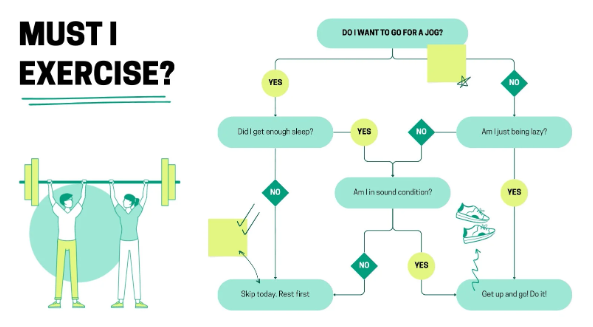
Group vibes thrive on this colorful board mockup. Marker-like lines in aqua and lime invite casual inputs. Remote or in-office teams collaborate seamlessly. It breaks barriers for shared ideas. Energy keeps discussions lively and productive. Decisions form faster in open settings.
Decision Tree Team Whiteboard in Light Green Purple Casual Corporate Style PDF, Image
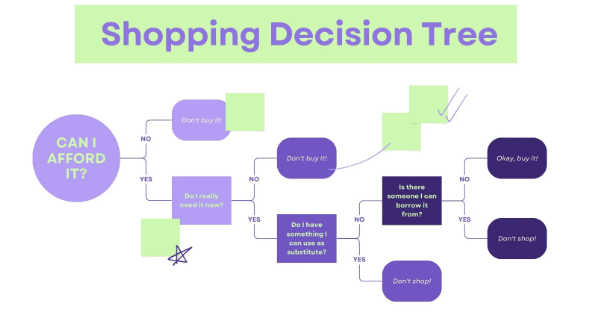
Office meets relaxed in this green-purple board. Key forks guide talks like go or hold back. Hybrid groups find the balance just right. Notes add up easily for everyone. It aligns views without formal stiffness. Team progress speeds up naturally.
How to Edit and Print Decision Tree Template in PPT/PDF/Image
Grab those decision tree templates free next. Tweak with your info or colors. Personal touch makes them fit perfect. WPS Office aids with simple apps for PPT, PDF, images. No file fights or paid walls.
Recommended: WPS Photos for Editing Decision Tree Template in JPG/PNG Format
AI in WPS Photos sharpens image tweaks. Clarity boosts easy.
Step 1: Open WPS Photos and Import Image
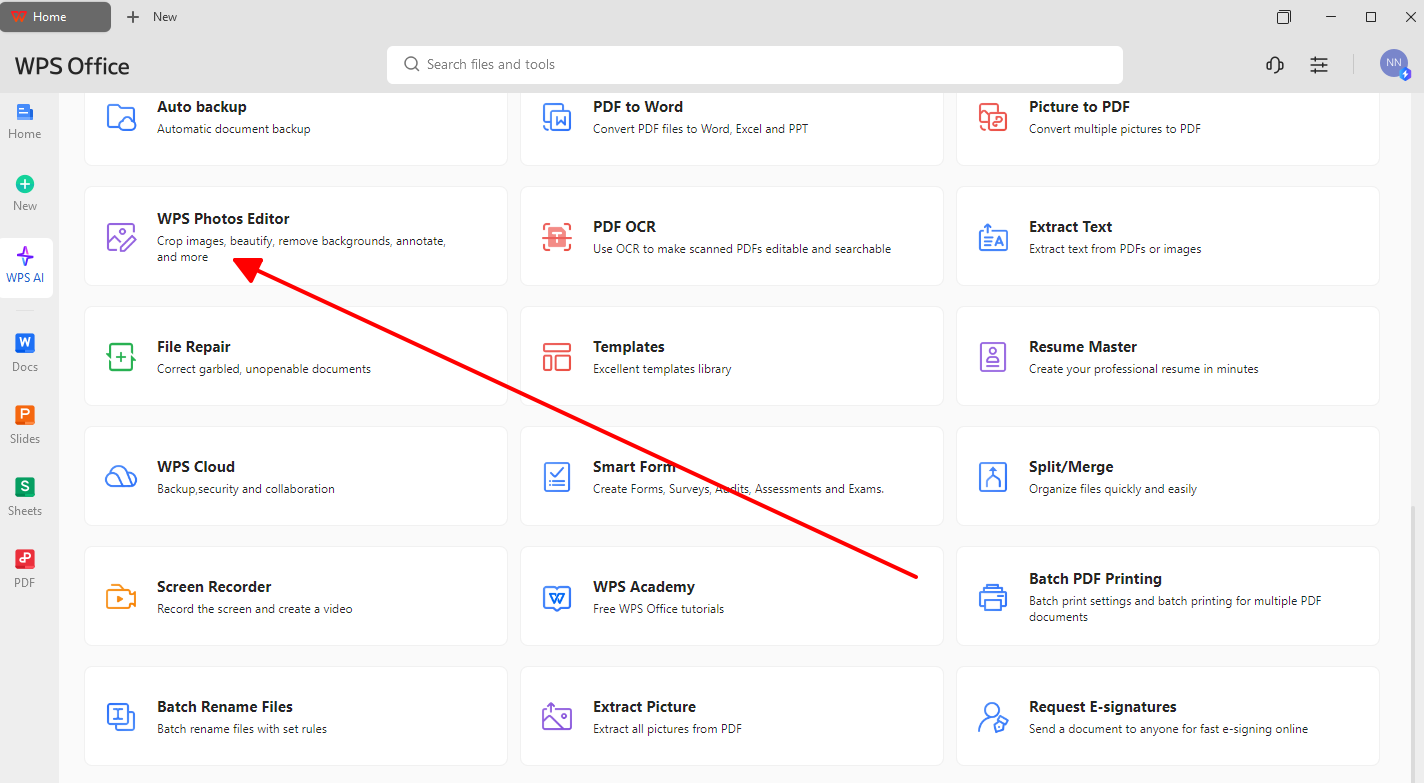
Start in WPS Office. Click open for JPG PNG.
Step 2: Enhance Quality with AI Tools
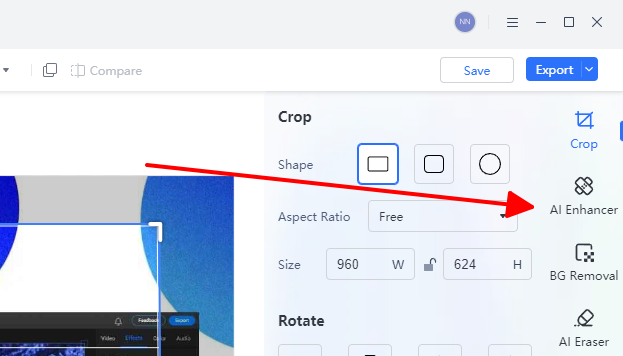
Hit AI to clear blur. Scale up nodes sharp.
Step 3: Adjust Colors and Elements
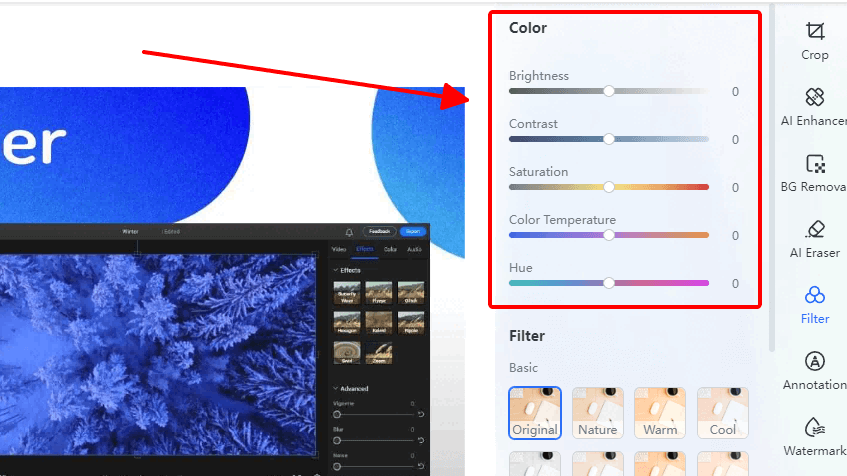
Shift hues for standouts. Add notes light.
Step 4: Export and Print
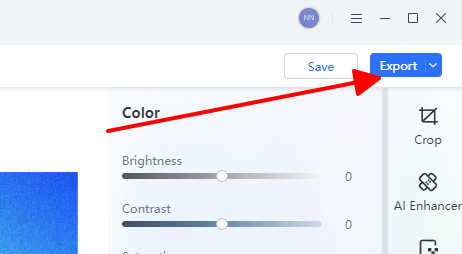
Save format choice. Print best quality.
Fast fix for image needs. Readers get pro looks quick.
Recommended: WPS Presentation for Editing Decision Tree Template in PPT Format
Lively PPT changes in WPS Presentation. Interactive free setups shine.
Step 1: Open in WPS Presentation
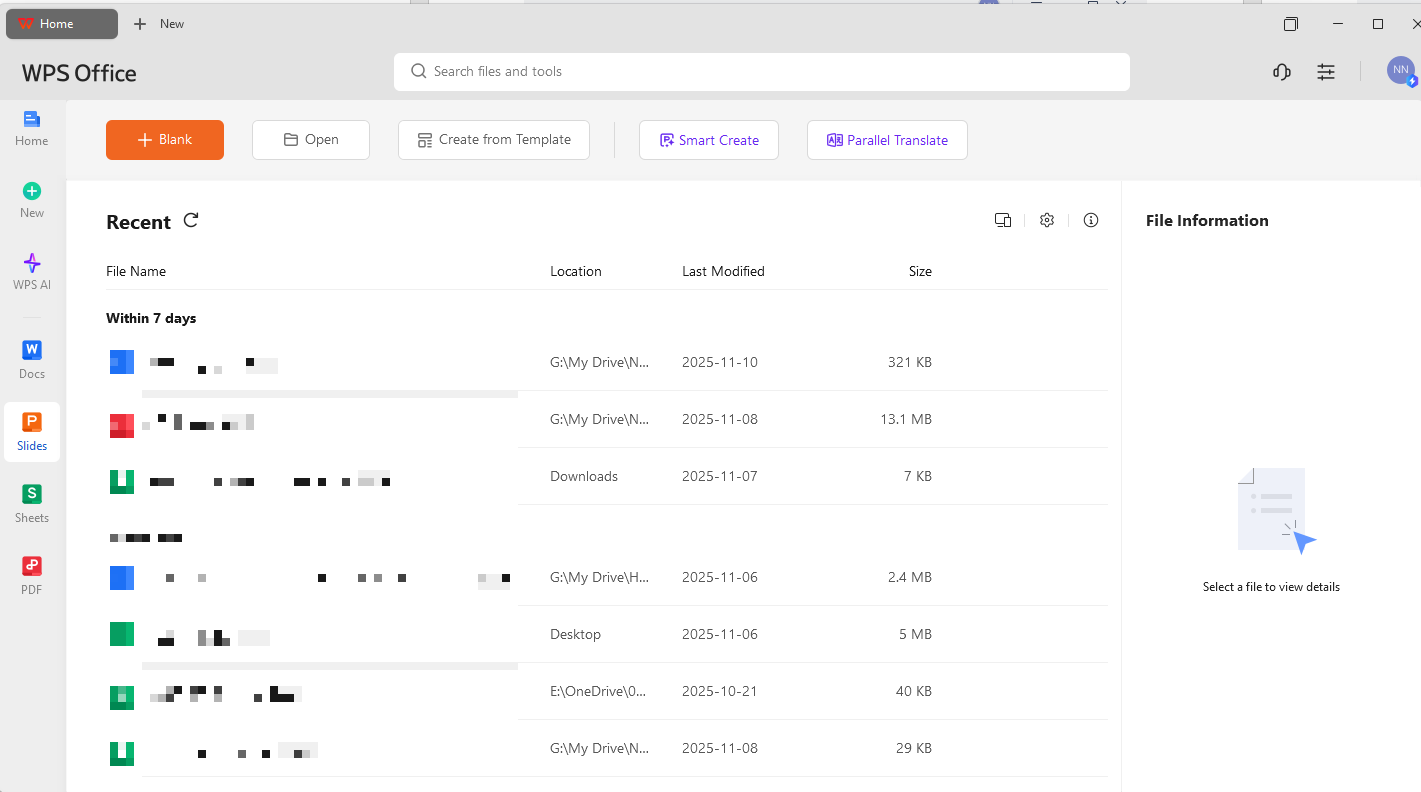
Launch WPS to Presentation. Load PPT file.
Step 2: Edit Nodes and Branches
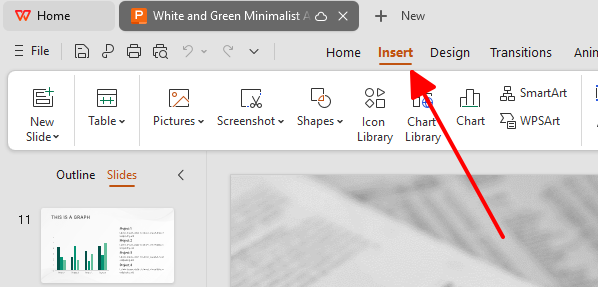
Resize shapes, add text lines.
Step 3: Beautify with Themes
Pick built themes pro style.
Step 4: Save and Print
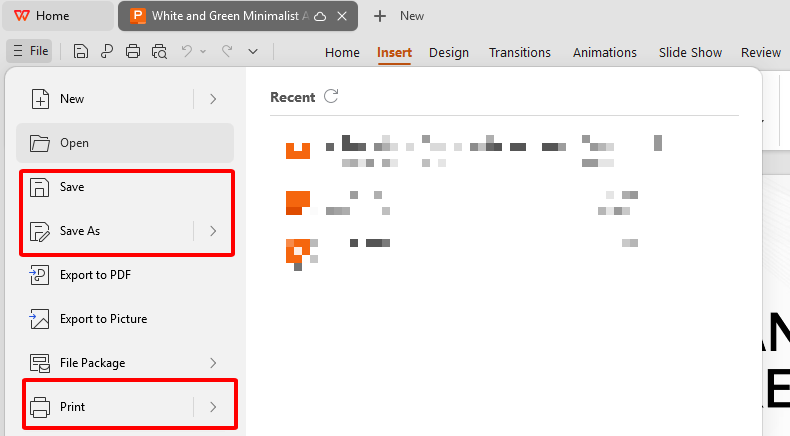
Save or print page fit.
Like slides but free. Users save cash.
Recommended: WPS PDF for Editing Decision Tree Template in PDF Format
Fix tough PDFs in WPS PDF. Edits meet free needs.
Step 1: Import PDF into WPS PDF
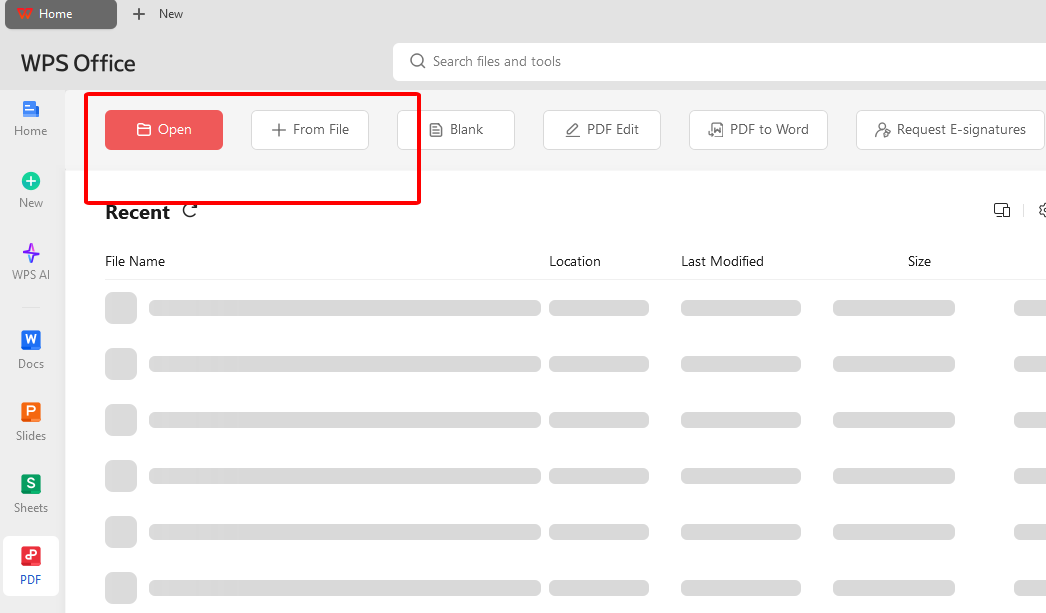
Open editor in WPS. Upload file.
Step 2: Modify Text and Shapes
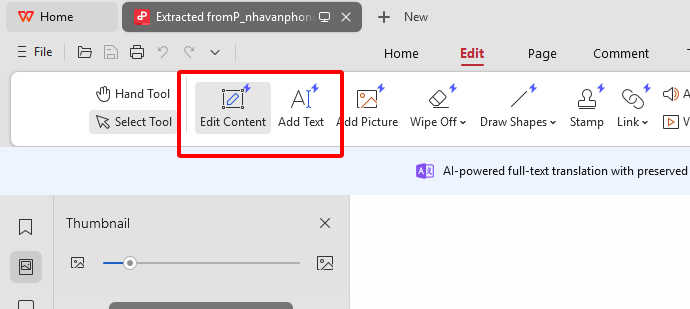
Change words, draw links true.
Step 3: Annotate and Enhance
Mark ups with AI light.
Step 4: Save as PDF
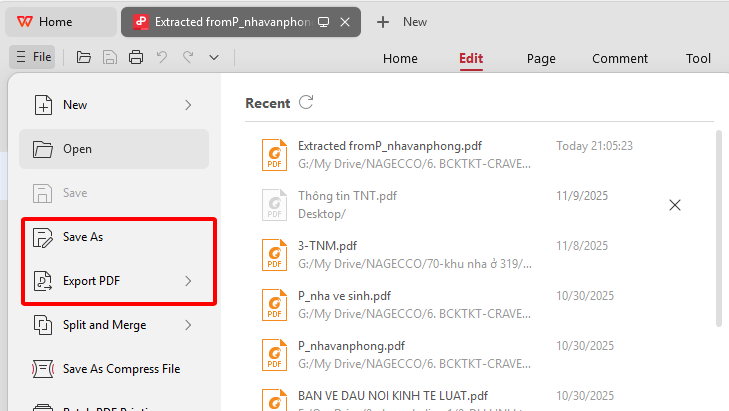
Save share ready print.
PDFs flex post change. Versatile stays.
Preview prints in WPS. Edges clean out.
Free & Easy Office Suite: Customize Your Template
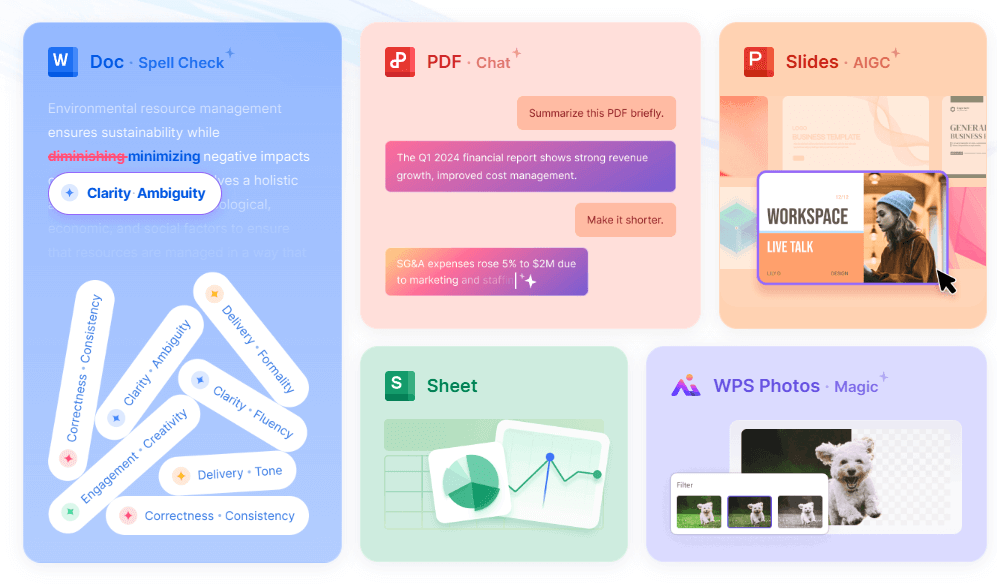
WPS Office frees up decision tree template free work. Build edit no blocks. 200MB download packs Writer, Spreadsheet, Presentation, PDF. Covers edits wide. Free templates start instant. Spot changes built in. AI writes paths labels quick. Team online edits flow. PDF switches strong. Extras like forms add. Runs Win Mac Linux mobile sync. Steady no crashes. Formats match no mess. Secure share easy. One stop boosts work free.
FAQs
1. What are the key components of a decision tree?
A decision tree consists of a starting point (the main decision), decision nodes (squares representing a choice), chance nodes (circles representing a random outcome), and end leaves (triangles representing the final outcome or result).
2. What kinds of decisions can I use a decision tree for?
You can use a decision tree for almost any decision, from business choices like "Should we launch a new product?" to personal ones like "Should I buy a new car or repair my old one?"
3. Can decision trees integrate with other tools?
Yes, they pair well with spreadsheets for data inputs or presentation software for sharing visuals.
4. How often should I update a decision tree template?
Regularly, especially when variables like market conditions change, to keep analyses relevant.

'%3e%3cpath%20d='M19.9911%204.11386V6.471H18.5894C18.0775%206.471%2017.7322%206.57814%2017.5536%206.79243C17.3751%207.00671%2017.2858%207.32814%2017.2858%207.75671V9.44421H19.9019L19.5536%2012.0871H17.2858V18.8639H14.5536V12.0871H12.2769V9.44421H14.5536V7.49779C14.5536%206.39064%2014.8632%205.53201%2015.4822%204.92189C16.1013%204.31177%2016.9257%204.00671%2017.9554%204.00671C18.8304%204.00671%2019.509%204.04243%2019.9911%204.11386Z'%20fill='%23333333'/%3e%3c/g%3e%3cdefs%3e%3cclipPath%20id='clip0_2938_8199'%3e%3crect%20width='16'%20height='16'%20fill='white'%20transform='translate(8%204.00671)'/%3e%3c/clipPath%3e%3c/defs%3e%3c/svg%3e)
'%3e%3cpath%20d='M17.5237%2010.7813L23.4811%204H22.0699L16.8949%209.88693L12.7648%204H8L14.2469%2012.9029L8%2020.0133H9.4112L14.8725%2013.7952L19.2352%2020.0133H24M9.92053%205.04213H12.0885L22.0688%2019.0224H19.9003'%20fill='%23333333'/%3e%3c/g%3e%3cdefs%3e%3cclipPath%20id='clip0_2938_8200'%3e%3crect%20width='16'%20height='16.0134'%20fill='white'%20transform='translate(8%204)'/%3e%3c/clipPath%3e%3c/defs%3e%3c/svg%3e)


