Every meaningful goal starts as a spark of imagination, but turning
that spark into reality often feels overwhelming. A vision board bridges
this gap by giving your dreams a visual home, making them tangible and
harder to ignore. So how can you design a vision board template that’s
both simple and inspiring? In this article, I’ll share free templates
you can download, plus practical tips on how to create and customize
them effectively.
Use Word, Excel, and PPT for FREE
Part 1. What is a
Vision Board Template?
A vision board template is a pre-designed layout that helps you
visualize and organize your goals. Instead of starting from a blank
canvas, you can use a ready-made design that guides you in arranging
images, words, and affirmations in a way that motivates action. Many
people prefer a vision board template free from platforms like Canva, so
they can edit without limitations.
Vision Board
What Information Should Be
Included?
A good vision board template usually contains:
Space for images or quotes that represent your goals
Sections for career, health, relationships, or personal growth
Prompts for affirmations or action steps
A layout that balances aesthetics with usability
How Do Vision Boards Work?
Vision boards work by combining psychology with visual cues. Seeing
your goals daily reinforces them in your subconscious, helping you stay
focused and proactive. Research shows that visualization can improve
confidence and motivation, which makes your dreams feel achievable.
Benefits of Creating a
Vision Board
Solidify Ideas: Putting goals on paper makes them specific.
Encourage Manifestation: Visual reminders push you to act.
Boost Proactivity: They create a sense of urgency and accountability.
How to Make a Vision Board
If you want to know how to create a vision board template from
scratch, follow these steps:
Define your goals clearly.
Collect images, quotes, or symbols that represent them.
Choose a vision board template in Word or PDF format to organize
your ideas.
Customize with personal touches, colors, text, or
stickers.
Print or save digitally, then place it where you’ll see it
often.
Part 2. 10
Vision Board Templates [Free Download]
Finding the right vision board template for free is often the
difference between leaving your goals as distant dreams and bringing
them closer to reality. Below, I’ve selected 10 beautiful and
customizable options. You can download them as PDFs or images and edit
them based on your needs. From my own experience, Canva templates are
especially easy to work with, since they allow quick edits and multiple
formats.
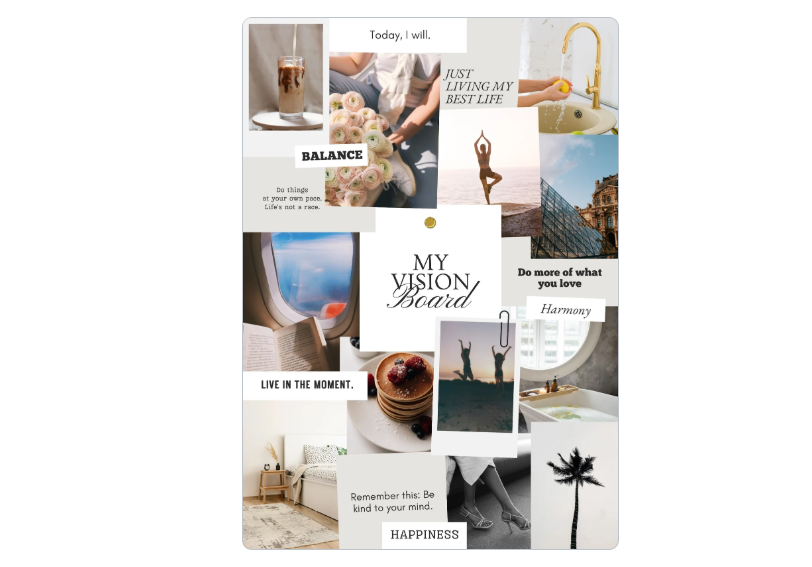
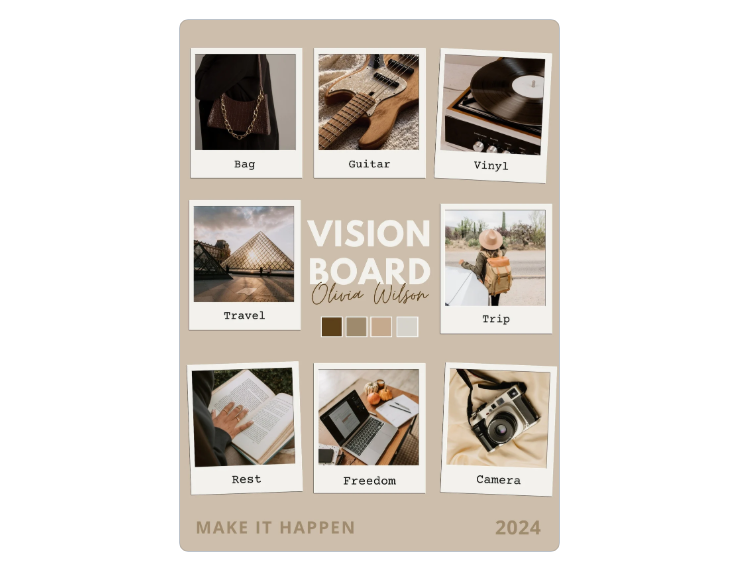
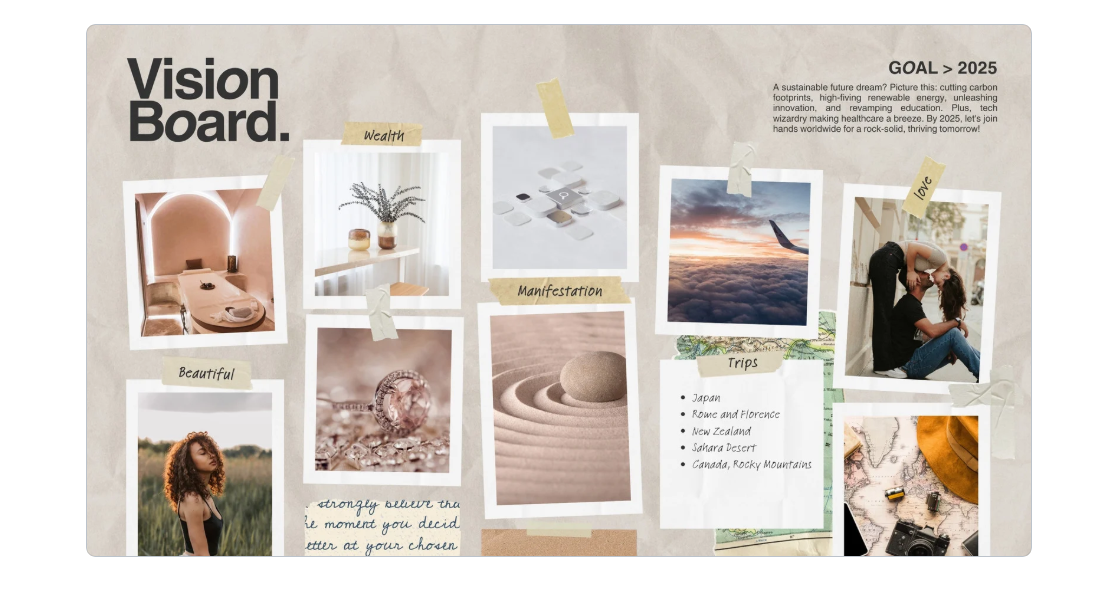
This template has a soft beige theme, making it ideal for people who
want a calm, minimalist style. It’s perfect for organizing career,
lifestyle, or wellness goals without overwhelming the design.
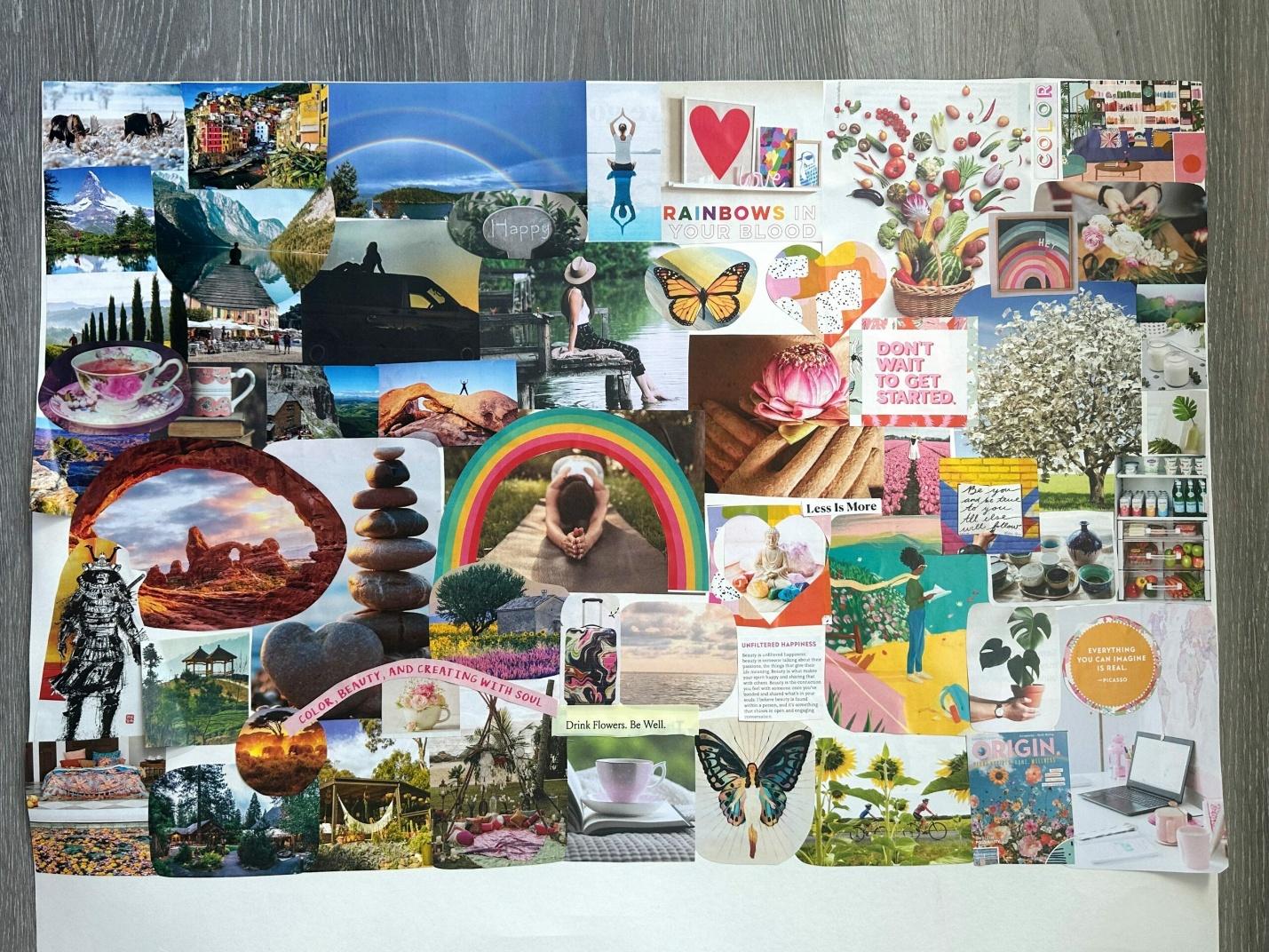
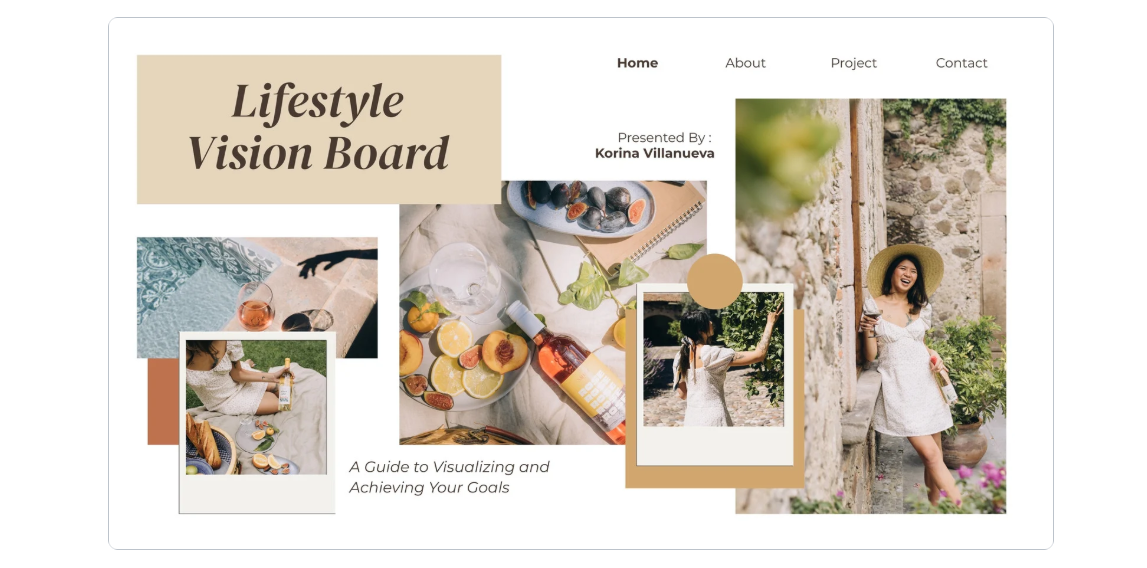
Designed in landscape format, this template gives more space for
photos and affirmations. If you’re building a digital vision board
template Word document, or want to print a wide design, this option
works best.
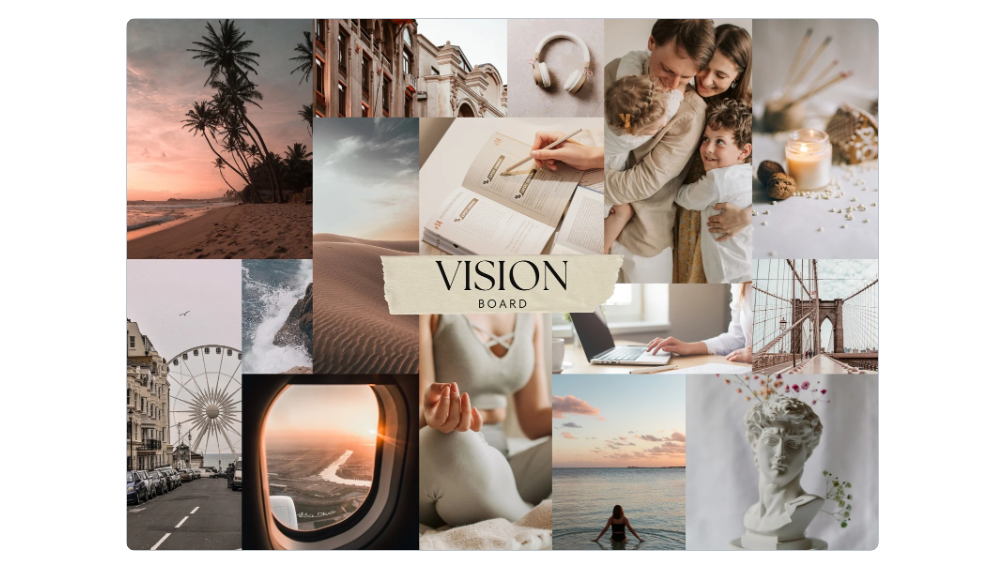
For those who prefer a clutter-free style, this minimalist template
focuses on clean lines and neutral tones. It’s great for long-term goals
because the layout doesn’t distract from your key images and words.
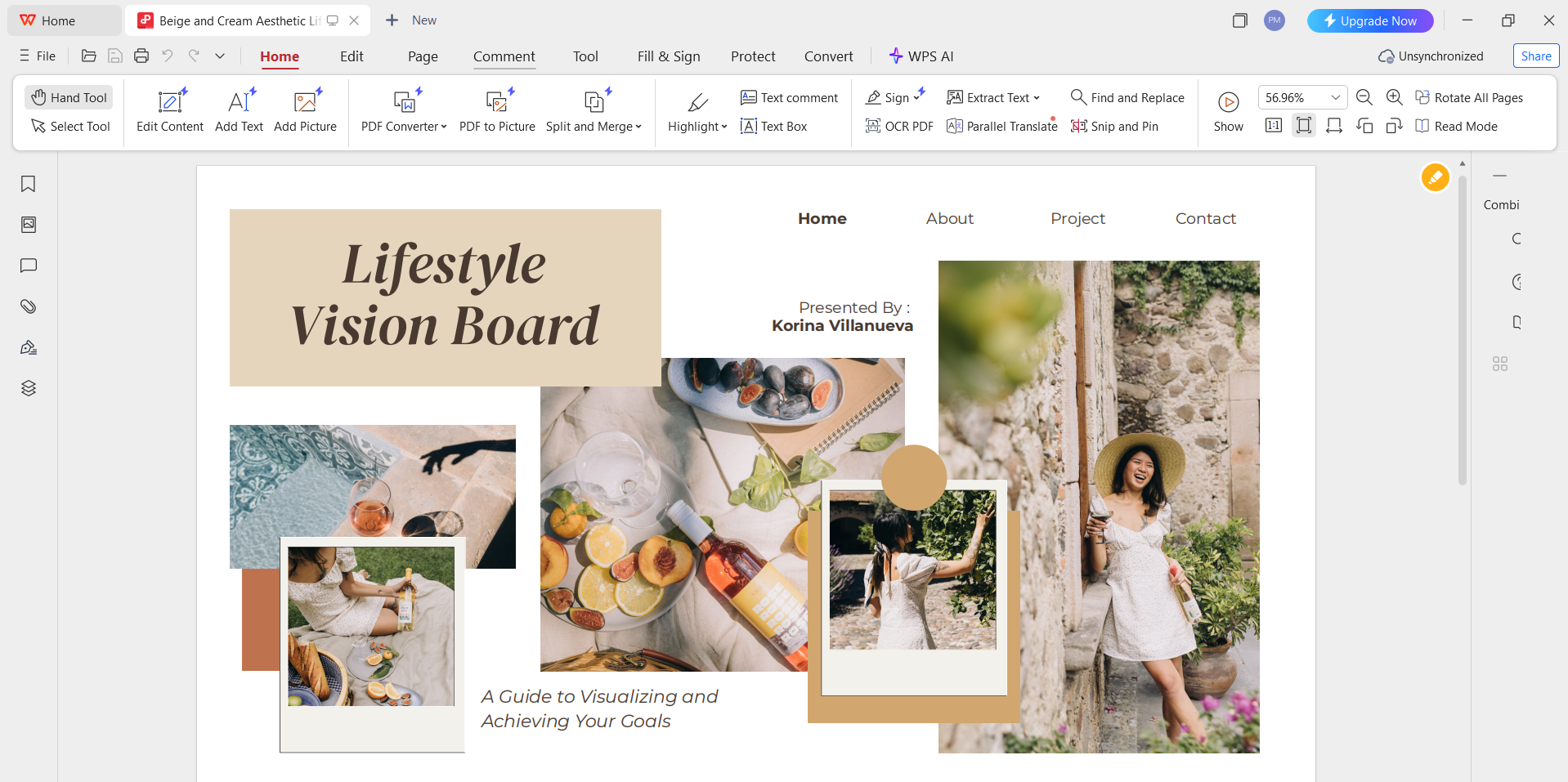
4.
Beige and Cream Aesthetic Lifestyle Vision Board Presentation
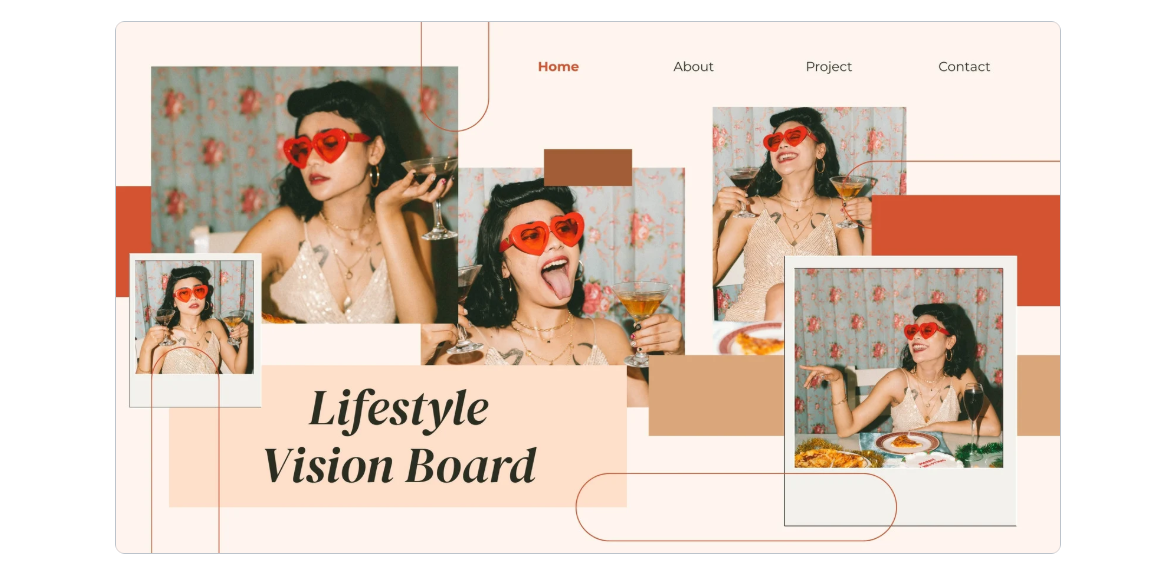
This design uses beige and cream tones for a soft, motivational feel.
It’s structured like a presentation, so it works well if you prefer a
slide-based vision board template free PDF that you can update
regularly.
Beige and cream lifestyle vision board presentation template
5.
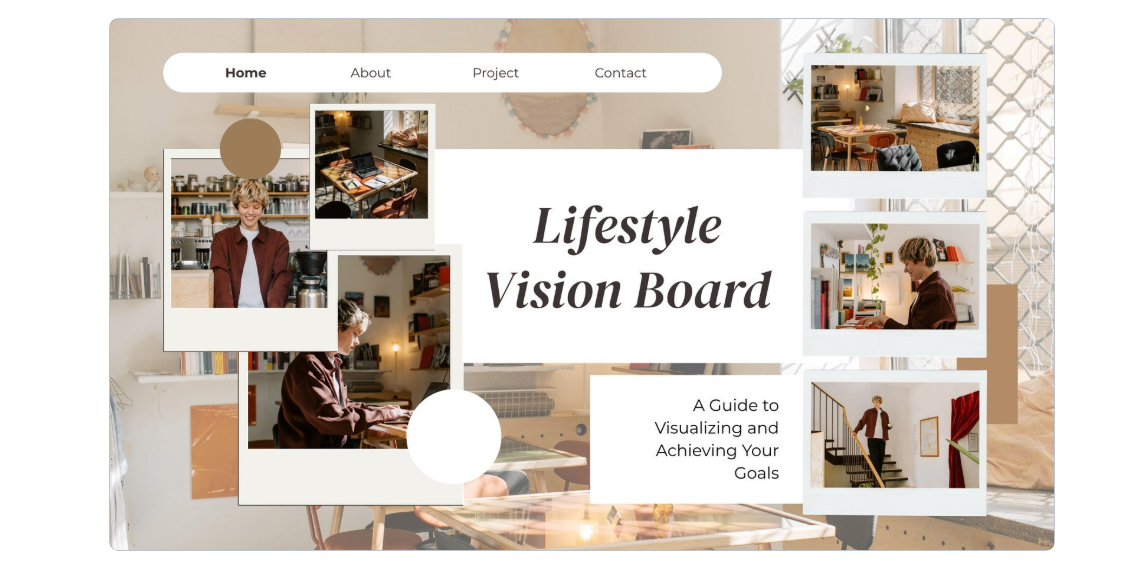
Brown and Beige Aesthetic Lifestyle Vision Board Presentation
With its earthy tones, this template brings a grounded, natural look
to your vision board. It’s a great choice if your goals are related to
health, mindfulness, or a balanced lifestyle.
Brown and beige lifestyle vision board presentation template
6. Beige
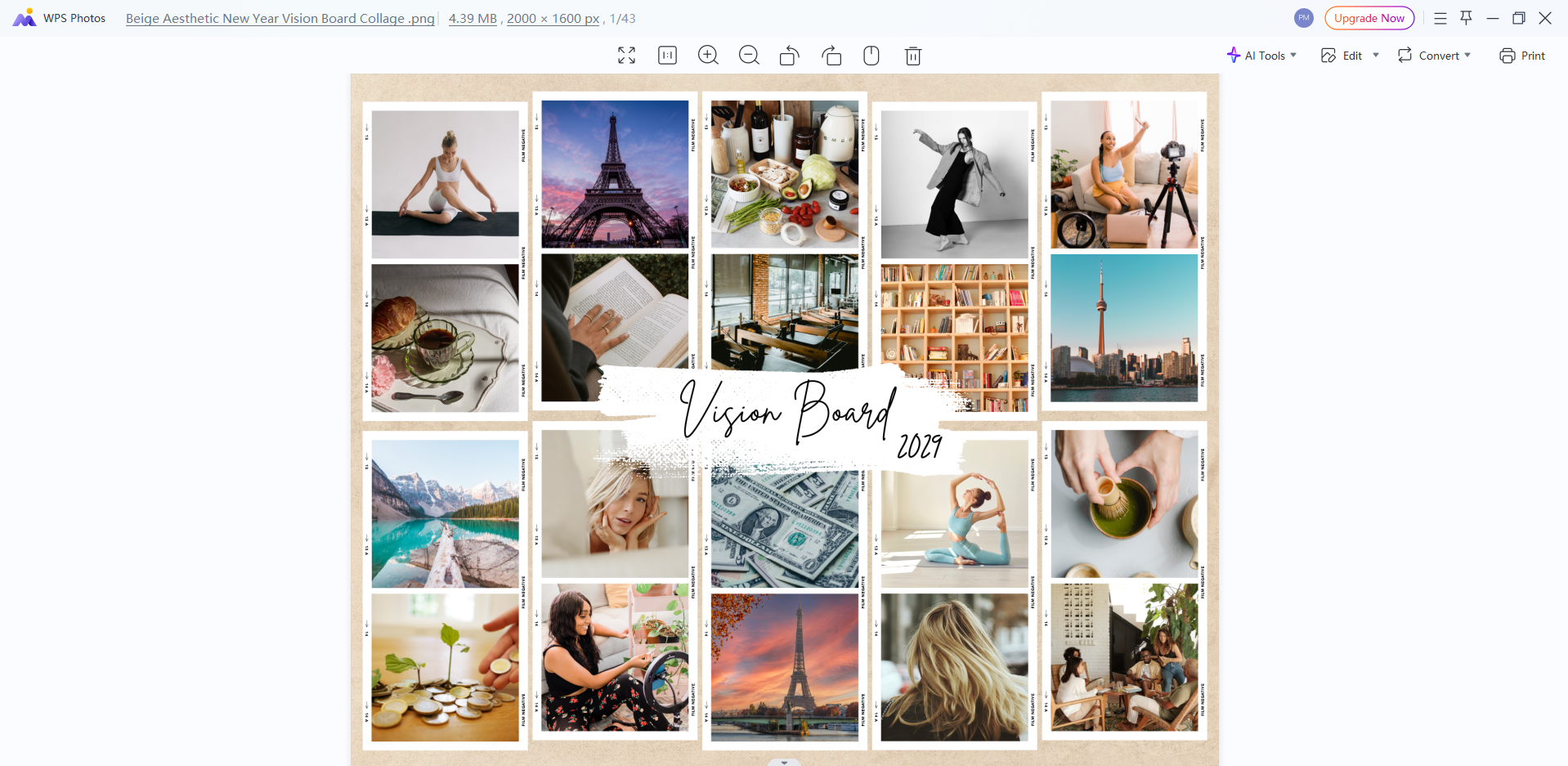
Aesthetic New Year Vision Board Collage
If you’re starting fresh in 2025, this template helps you organize
goals for the new year. It’s designed with resolutions in mind, making
it a useful vision board template PowerPoint free option for annual
goal-setting.
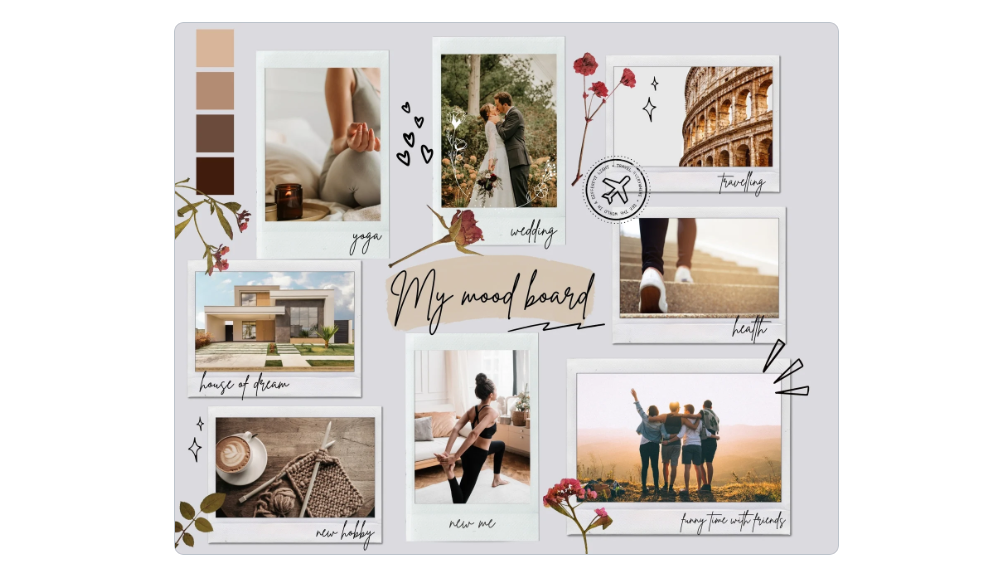
This scrapbook-style template adds a creative and personal touch. The
muted tones of grey, beige, and pink make it ideal if you want a softer
look while still keeping your goals visually engaging.
8. Beige
Collage World Vision Board Desktop Wallpaper
Designed as a desktop wallpaper, this template helps you keep your
goals visible every time you open your computer. It’s a great digital
choice if you don’t want to print your board.
Beige collage world vision board desktop wallpaper template
9.
Beige and Pink Aesthetic Lifestyle Vision Board Presentation
This template blends beige and pink tones in a slide format. It works
well if you want to present your vision board digitally, or update it
frequently with new goals and inspirations.
Beige and pink lifestyle vision board presentation template
10.
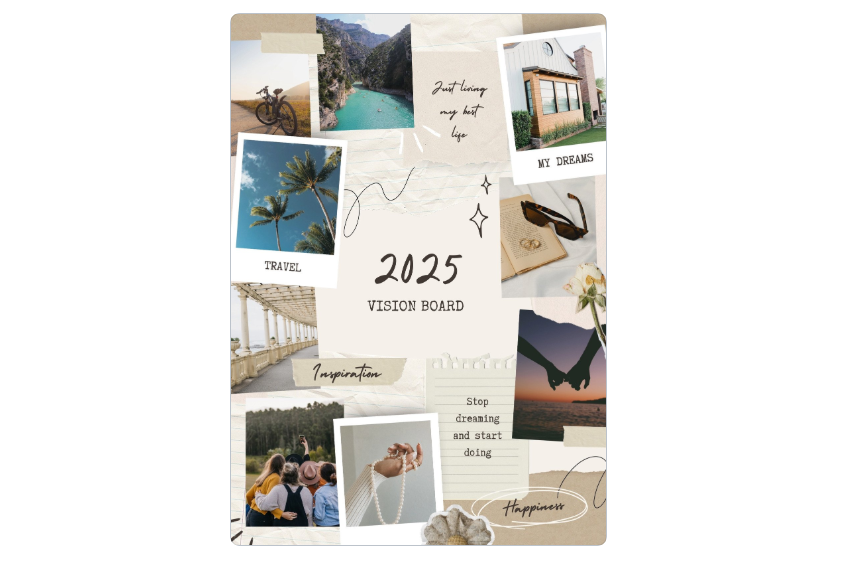
Beige and Brown Scrapbook Photo Collage 2025 Vision Board Poster
This scrapbook-style 2025 design allows you to organize yearly goals
in a fun and artistic way. It’s perfect if you like a decorative look
but still want enough space to add meaningful content.
Beige and brown scrapbook photo collage 2025 vision board template
Pro Tip: From my own experience, landscape templates
(like #2) work best for digital boards since they display well on
desktops, while scrapbook-style templates (#7 and #10) are excellent for
printed versions. When downloading, choose PDF if you plan to print and
image format if you’ll edit digitally.
Part
3. How to Edit and Print Vision Board Template in Photo & PDF
Now that you’ve explored and downloaded a variety of free templates,
the next step is personalization. A vision board only becomes powerful
once it reflects your own goals, inspirations, and personality. Whether
you choose a vision board template free PDF for printing or an image
format for digital use, editing is simple with the right tools.
WPS Office provides two excellent solutions: WPS Photo for
image-based templates (JPG/PNG) and WPS PDF for PDF-based templates.
Here’s how you can customize them effectively.
How to Edit the
Vision Board in WPS Photo
If you download your template in image format (JPG/PNG), WPS Photo
lets you enhance and style it easily.
Step 1: Open your vision board template in WPS
Photo.
Edit the Vision Board in WPS Photo
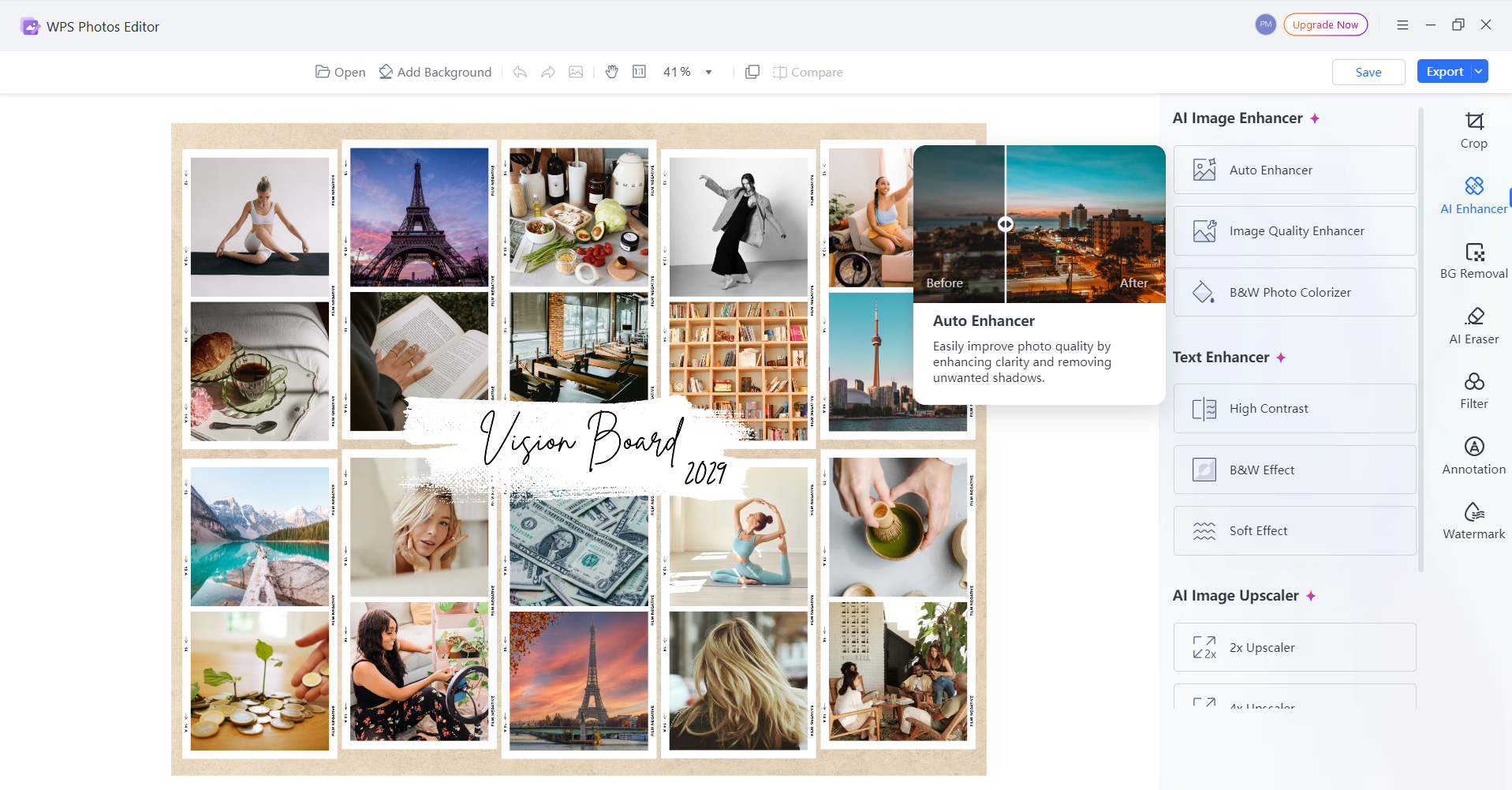
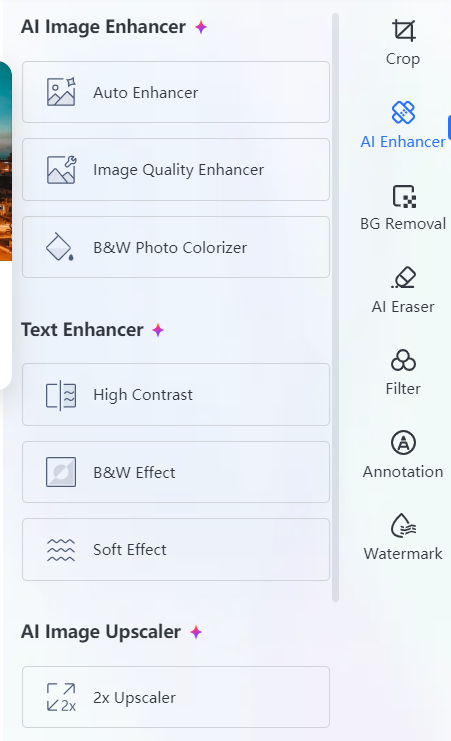
Step 2: Use the AI Image
Enhancer to improve quality and sharpen details.
AI Image Enhancer in WPS Photo
Step 3: Adjust brightness, contrast, or color
tones to match your preferred aesthetic.
AI Image Enhancer in WPS Photo
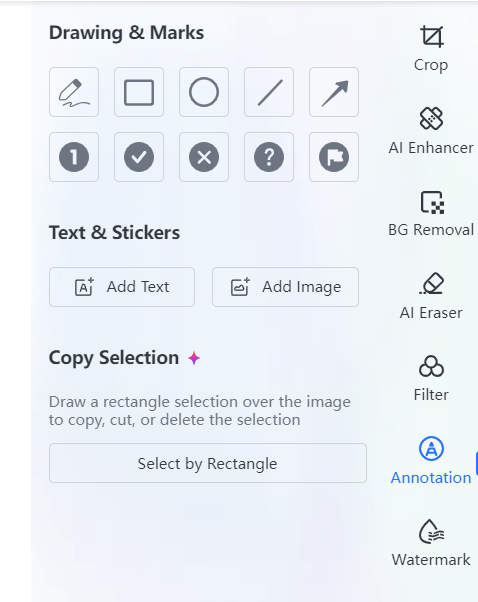
Step 4: Add personal touches such as text
overlays, stickers, or inspirational quotes.
AI Image Enhancer in WPS Photo
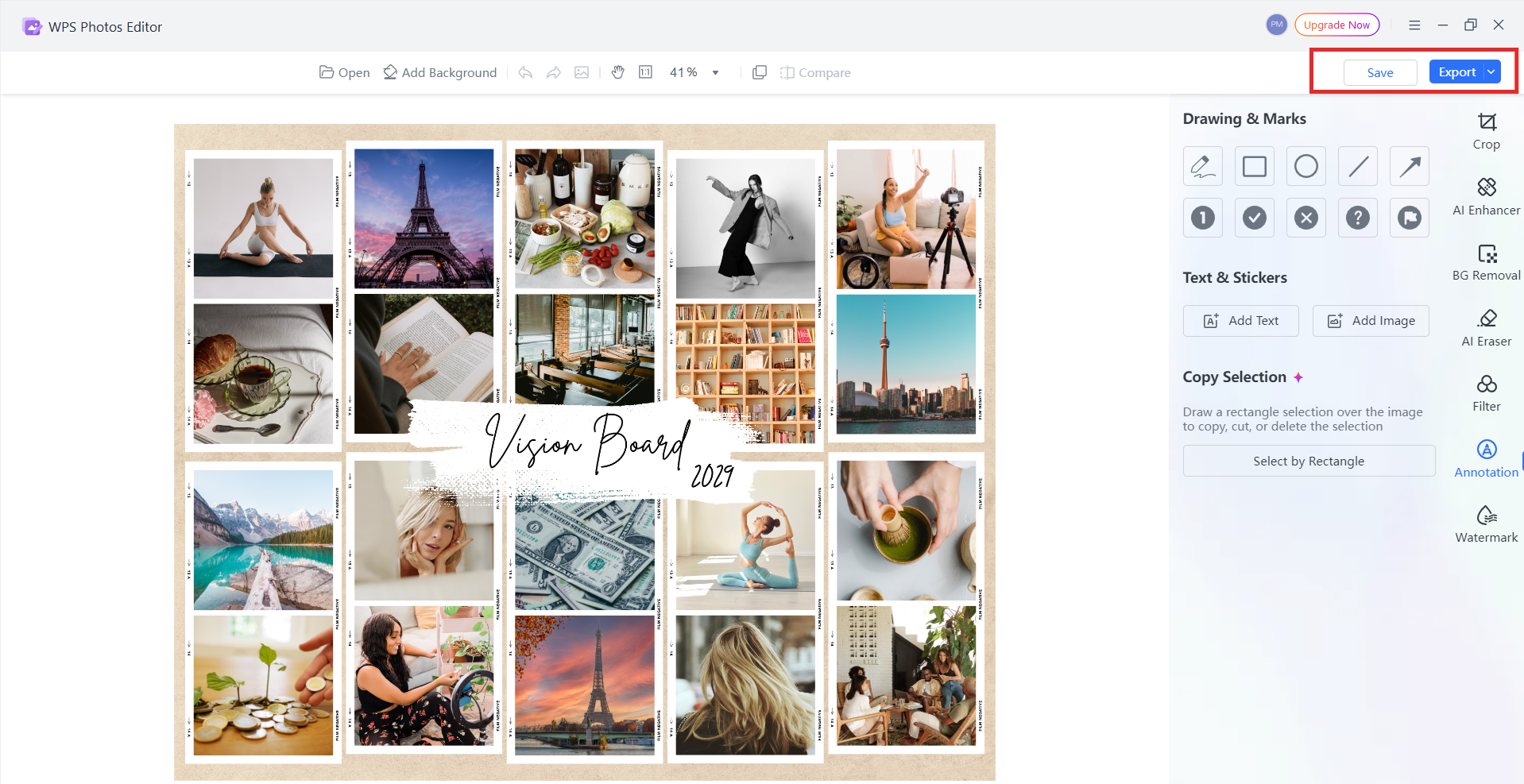
Step 5: Save your customized vision board and
export it as a high-resolution file for printing or digital
display.
Editing a vision board template in WPS Photo
From my experience, the AI Upscaler feature is especially useful for
enlarging templates without losing clarity, while the Watermark Removal
tool helps keep designs clean.
How to Edit the Vision
Board in WPS PDF
If you prefer working with PDF templates, WPS PDF Editor gives you
the flexibility to modify and organize them.
Step 1: Open your vision board template in WPS
PDF.
Open your vision board template in WPS PDF
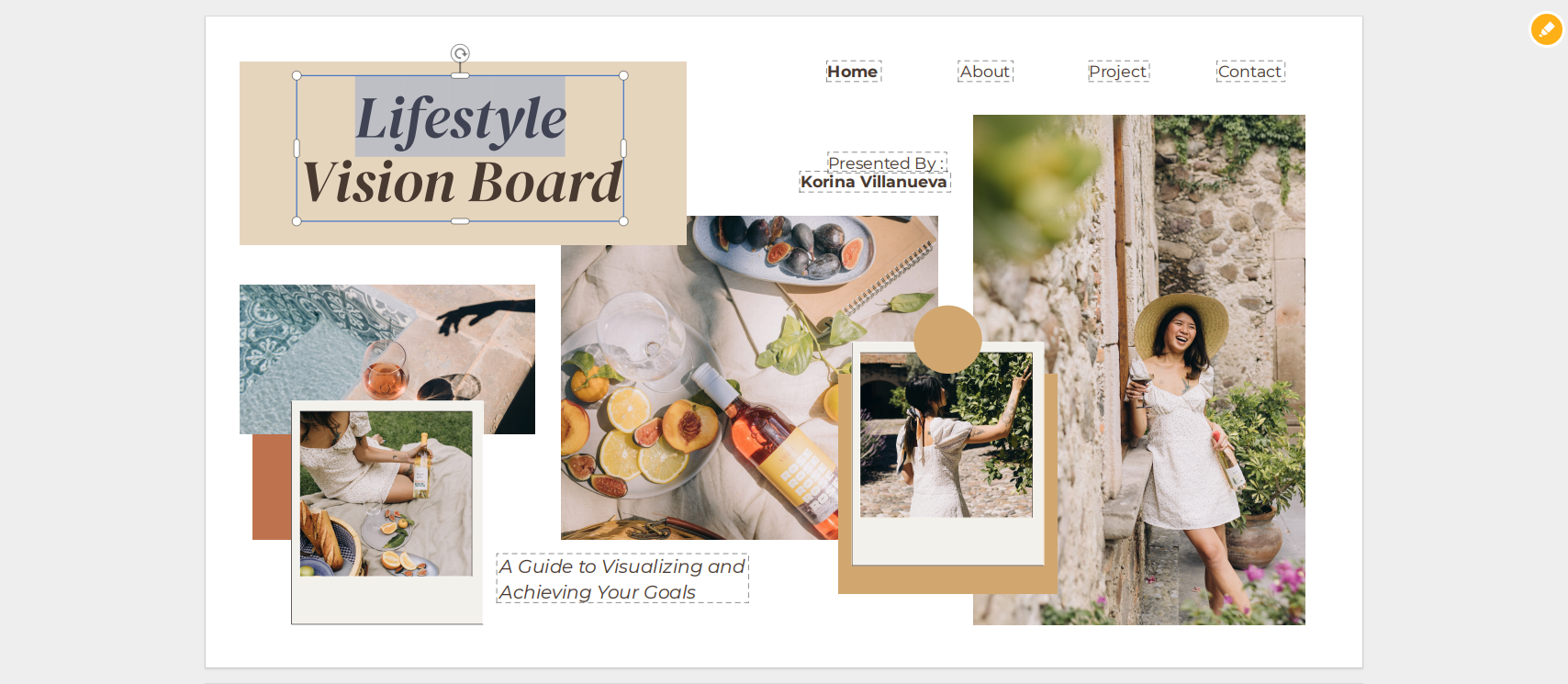
Step 2: Use the Edit Text and
Image feature to replace placeholder text or swap in your own
images.
Edit Text and Image in WPS PDF
Step 3: Rearrange sections or add annotations
for goal categories (e.g., Career, Health, Travel).
Step 4: Highlight affirmations or quotes with
colors for emphasis.
Edit Text and Image in WPS PDF
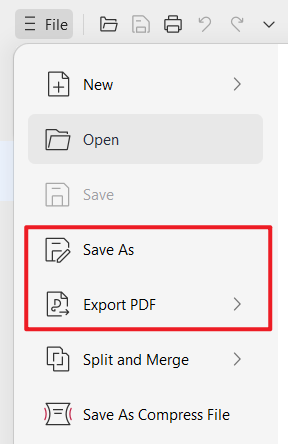
Step 5: Save changes and print your PDF, or keep
it as a digital board you can revisit anytime.
Saving a vision board in WPS PDF
I recommend PDF templates if you’re planning to print and display
your board. The structured layout stays intact and looks professional on
paper.
Part
4. A Free Office Suite for Effortless Vision Board Template
Customization
If you’re looking for a single tool that makes editing, creating, and
managing your templates easier, WPS
Office is one of the best options. It’s more than just a
traditional office suite; it comes with modern features, built-in AI
support, and a large template library that makes customization
effortless.
WPS Office
Why Choose WPS Office?
Free to Use: Download and start working on Word, Excel, and PPT files without cost.
Rich Template Store: Access thousands of pre-made templates, including personal planners and creative designs.
Powerful PDF Toolkit: Edit, annotate, and manage PDFs with ease, perfect for a vision board template free PDF.
WPS Photo Integration: Quickly beautify or adjust vision board images with AI-powered tools.
AI Features: Summarize, rephrase, or even generate content ideas for your board.
Cloud & Collaboration: Save documents online and share them instantly with others.
Safe & Stable: Built with reliable data security and smooth performance.
From my experience, the template store is especially useful because
it reduces the time spent searching elsewhere. And since WPS Office
supports both document and image editing, you won’t need multiple apps
to finish one vision board project.
100% secure
FAQs
1. How often should I create or update my vision
board?
Most people create a new vision board at the start of a new year or
when entering a new life phase. It’s wise to review it monthly and
update it whenever your priorities or goals shift.
2. What makes a vision board template effective?
An effective vision board template is simple, visually appealing, and
prompts action. It should give you space for images, words, and
affirmations that help you focus on what matters most.
3. How do I make my vision board template feel more
personal?
The template is just a starting point. Add personal photos,
handwritten notes, or decorations like stickers and doodles. These
touches ensure it reflects your personality and unique aspirations.
4. Should I use a digital or printed vision
board?
It depends on your lifestyle. A digital board works well if you spend
time on your computer or phone, while a printed version is great for
placing somewhere visible, like your desk or bedroom wall.
5. Can I use WPS Office to design a vision board from
scratch?
Yes. Beyond editing a vision board template, you can create a custom
board in WPS Word, PPT, or PDF. Its template store and AI tools make
designing from scratch much easier.
Summary
Creating a vision board doesn’t have to be complicated. With the right vision board template, you can turn abstract goals into something visual, structured, and motivating. Whether you prefer a free PDF, a PowerPoint layout, or an image collage, the templates shared in this guide make it simple to start. Adding your own photos, affirmations, and personal touches ensures the board reflects who you are and what you want to achieve.
To make the process effortless, WPS Office provides all-in-one tools to edit, customize, and print your vision board in multiple formats. With its free template library, PDF editor, and AI-powered photo tools, you can design boards that are not only beautiful but also practical for daily inspiration. The result is a vision board that motivates you consistently and helps you stay aligned with your goals.
Office software expert with 15+ years of experience since 2009. I specialize in tech tutorials, productivity tools, and digital solutions for everyday users. Passionate about making technology simple and accessible for everyone.


'%3e%3cpath%20d='M8%200C12.4183%200%2016%203.58172%2016%208C16%2012.4183%2012.4183%2016%208%2016C3.58172%2016%200%2012.4183%200%208C0%203.58172%203.58172%200%208%200ZM11.6162%204.38379C11.2257%203.99337%2010.5927%203.99338%2010.2021%204.38379L8%206.58594L5.79785%204.38379C5.40732%203.99334%204.77429%203.99329%204.38379%204.38379C3.99331%204.77429%203.99335%205.40733%204.38379%205.79785L6.58594%208L4.38379%2010.2021C3.99348%2010.5927%203.99341%2011.2257%204.38379%2011.6162C4.77426%2012.0066%205.40734%2012.0065%205.79785%2011.6162L8%209.41406L10.2021%2011.6162C10.5927%2012.0066%2011.2257%2012.0067%2011.6162%2011.6162C12.0067%2011.2257%2012.0066%2010.5927%2011.6162%2010.2021L9.41406%208L11.6162%205.79785C12.0066%205.40735%2012.0066%204.77429%2011.6162%204.38379Z'%20fill='%23080E17'%20fill-opacity='0.46'/%3e%3c/g%3e%3cdefs%3e%3cclipPath%20id='clip0_3761_713'%3e%3crect%20width='16'%20height='16'%20fill='white'/%3e%3c/clipPath%3e%3c/defs%3e%3c/svg%3e)




'%3e%3cpath%20fill-rule='evenodd'%20clip-rule='evenodd'%20d='M21.4999%2010.9993C21.4999%205.20009%2016.7986%200.498901%2010.9993%200.498901C5.19994%200.498901%200.498657%205.20009%200.498657%2010.9993C0.498657%2016.2404%204.33858%2020.5844%209.35855%2021.3722V14.0346H6.69238V10.9993H9.35855V8.68594C9.35855%206.05427%2010.9262%204.60062%2013.3248%204.60062C14.4736%204.60062%2015.6753%204.80571%2015.6753%204.80571V7.38979H14.3512C13.0468%207.38979%2012.64%208.19921%2012.64%209.0296V10.9993H15.5523L15.0867%2014.0346H12.64V21.3722C17.66%2020.5844%2021.4999%2016.2404%2021.4999%2010.9993Z'%20fill='%231568EA'/%3e%3c/g%3e%3c/svg%3e)


'%3e%3cpath%20d='M2.42045%2022.1876H6.31818V12.7217L0.75%208.54553V20.5171C0.75%2021.4414%201.49892%2022.1876%202.42045%2022.1876Z'%20fill='%234285F4'/%3e%3cpath%20d='M19.682%2022.1876H23.5797C24.5041%2022.1876%2025.2502%2021.4387%2025.2502%2020.5171V8.54553L19.682%2012.7217'%20fill='%2334A853'/%3e%3cpath%20d='M19.682%205.48293V12.7216L25.2502%208.54543V6.31816C25.2502%204.25236%2022.8921%203.07469%2021.2411%204.31361'%20fill='%23FBBC04'/%3e%3cpath%20d='M6.31824%2012.7217V5.48303L13.0001%2010.4944L19.6819%205.48303V12.7217L13.0001%2017.733'%20fill='%23EA4335'/%3e%3cpath%20d='M0.75%206.31816V8.54543L6.31818%2012.7216V5.48293L4.75909%204.31361C3.10534%203.07469%200.75%204.25236%200.75%206.31816Z'%20fill='%23C5221F'/%3e%3c/g%3e%3cdefs%3e%3cclipPath%20id='clip0_2954_7305'%3e%3crect%20width='24.5'%20height='18.375'%20fill='white'%20transform='translate(0.75%203.8125)'/%3e%3c/clipPath%3e%3c/defs%3e%3c/svg%3e)






'%3e%3cpath%20d='M19.9911%204.11386V6.471H18.5894C18.0775%206.471%2017.7322%206.57814%2017.5536%206.79243C17.3751%207.00671%2017.2858%207.32814%2017.2858%207.75671V9.44421H19.9019L19.5536%2012.0871H17.2858V18.8639H14.5536V12.0871H12.2769V9.44421H14.5536V7.49779C14.5536%206.39064%2014.8632%205.53201%2015.4822%204.92189C16.1013%204.31177%2016.9257%204.00671%2017.9554%204.00671C18.8304%204.00671%2019.509%204.04243%2019.9911%204.11386Z'%20fill='%23333333'/%3e%3c/g%3e%3cdefs%3e%3cclipPath%20id='clip0_2938_8199'%3e%3crect%20width='16'%20height='16'%20fill='white'%20transform='translate(8%204.00671)'/%3e%3c/clipPath%3e%3c/defs%3e%3c/svg%3e)
'%3e%3cpath%20d='M17.5237%2010.7813L23.4811%204H22.0699L16.8949%209.88693L12.7648%204H8L14.2469%2012.9029L8%2020.0133H9.4112L14.8725%2013.7952L19.2352%2020.0133H24M9.92053%205.04213H12.0885L22.0688%2019.0224H19.9003'%20fill='%23333333'/%3e%3c/g%3e%3cdefs%3e%3cclipPath%20id='clip0_2938_8200'%3e%3crect%20width='16'%20height='16.0134'%20fill='white'%20transform='translate(8%204)'/%3e%3c/clipPath%3e%3c/defs%3e%3c/svg%3e)


