

'%3e%3cpath%20d='M8%200C12.4183%200%2016%203.58172%2016%208C16%2012.4183%2012.4183%2016%208%2016C3.58172%2016%200%2012.4183%200%208C0%203.58172%203.58172%200%208%200ZM11.6162%204.38379C11.2257%203.99337%2010.5927%203.99338%2010.2021%204.38379L8%206.58594L5.79785%204.38379C5.40732%203.99334%204.77429%203.99329%204.38379%204.38379C3.99331%204.77429%203.99335%205.40733%204.38379%205.79785L6.58594%208L4.38379%2010.2021C3.99348%2010.5927%203.99341%2011.2257%204.38379%2011.6162C4.77426%2012.0066%205.40734%2012.0065%205.79785%2011.6162L8%209.41406L10.2021%2011.6162C10.5927%2012.0066%2011.2257%2012.0067%2011.6162%2011.6162C12.0067%2011.2257%2012.0066%2010.5927%2011.6162%2010.2021L9.41406%208L11.6162%205.79785C12.0066%205.40735%2012.0066%204.77429%2011.6162%204.38379Z'%20fill='%23080E17'%20fill-opacity='0.46'/%3e%3c/g%3e%3cdefs%3e%3cclipPath%20id='clip0_3761_713'%3e%3crect%20width='16'%20height='16'%20fill='white'/%3e%3c/clipPath%3e%3c/defs%3e%3c/svg%3e)




'%3e%3cpath%20fill-rule='evenodd'%20clip-rule='evenodd'%20d='M21.4999%2010.9993C21.4999%205.20009%2016.7986%200.498901%2010.9993%200.498901C5.19994%200.498901%200.498657%205.20009%200.498657%2010.9993C0.498657%2016.2404%204.33858%2020.5844%209.35855%2021.3722V14.0346H6.69238V10.9993H9.35855V8.68594C9.35855%206.05427%2010.9262%204.60062%2013.3248%204.60062C14.4736%204.60062%2015.6753%204.80571%2015.6753%204.80571V7.38979H14.3512C13.0468%207.38979%2012.64%208.19921%2012.64%209.0296V10.9993H15.5523L15.0867%2014.0346H12.64V21.3722C17.66%2020.5844%2021.4999%2016.2404%2021.4999%2010.9993Z'%20fill='%231568EA'/%3e%3c/g%3e%3c/svg%3e)


'%3e%3cpath%20d='M2.42045%2022.1876H6.31818V12.7217L0.75%208.54553V20.5171C0.75%2021.4414%201.49892%2022.1876%202.42045%2022.1876Z'%20fill='%234285F4'/%3e%3cpath%20d='M19.682%2022.1876H23.5797C24.5041%2022.1876%2025.2502%2021.4387%2025.2502%2020.5171V8.54553L19.682%2012.7217'%20fill='%2334A853'/%3e%3cpath%20d='M19.682%205.48293V12.7216L25.2502%208.54543V6.31816C25.2502%204.25236%2022.8921%203.07469%2021.2411%204.31361'%20fill='%23FBBC04'/%3e%3cpath%20d='M6.31824%2012.7217V5.48303L13.0001%2010.4944L19.6819%205.48303V12.7217L13.0001%2017.733'%20fill='%23EA4335'/%3e%3cpath%20d='M0.75%206.31816V8.54543L6.31818%2012.7216V5.48293L4.75909%204.31361C3.10534%203.07469%200.75%204.25236%200.75%206.31816Z'%20fill='%23C5221F'/%3e%3c/g%3e%3cdefs%3e%3cclipPath%20id='clip0_2954_7305'%3e%3crect%20width='24.5'%20height='18.375'%20fill='white'%20transform='translate(0.75%203.8125)'/%3e%3c/clipPath%3e%3c/defs%3e%3c/svg%3e)


Your inbox floods with urgent emails and Slack pings, while key projects gather dust. Professionals and students chase urgent fires daily, neglecting important goals. The Eisenhower Matrix sorts tasks into Do First, Schedule, Delegate, and Delete quadrants. These 10 free Eisenhower matrix template options give overwhelmed users simple tools to regain control.


What is an Eisenhower Matrix Template
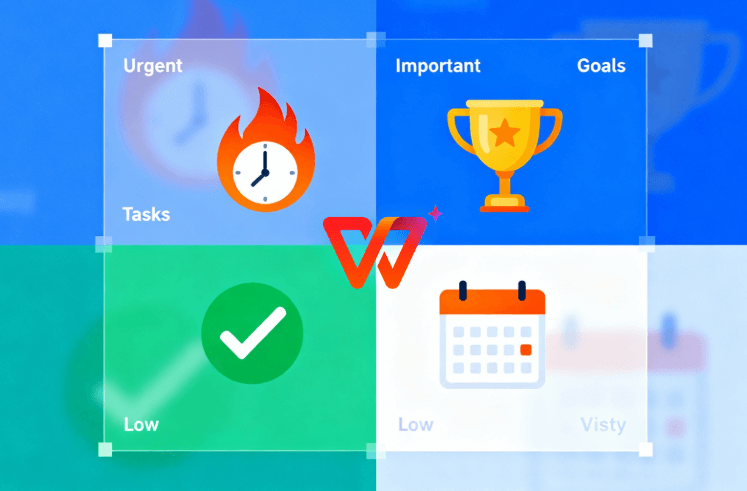
An Eisenhower matrix template is that trusty 2x2 grid plotting tasks on two axes: urgency versus importance. Eisenhower matrix template free downloads make it dead simple. Quadrant 1 (Do First) handles crises like deadlines. Quadrant 2 (Schedule) focuses on high-value planning. Quadrant 3 (Delegate) manages others' urgencies. Quadrant 4 (Delete) eliminates time-wasters like endless scrolling.
Busy leaders from CEOs to project managers swear by it to dodge decision fatigue and laser-focus on results. Students use it for exam prep without burnout. Even teams adopt it for collaborative prioritization.
10 Eye-catching Eisenhower Matrix Templates.
Ready to see the good stuff? Here are 10 awesome Eisenhower matrix template options in Word, Excel, PDF, PowerPoint, and more. Each one's perfect for busy pros, students, or managers like you. Grab what fits your style, download free, and start crushing your priorities.
1. Eisenhower Matrix Template for Microsoft Word
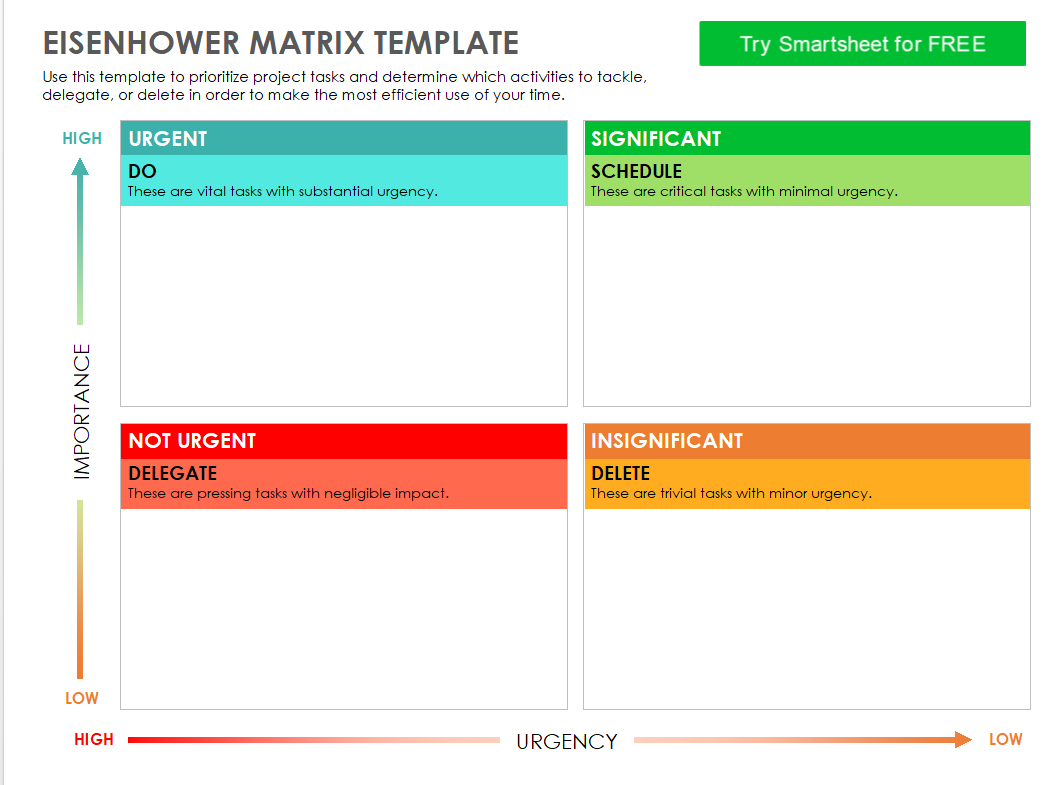
Need something simple to just type in your tasks and print right away? This Word template gives you a clean setup with plenty of room in each box for notes, deadlines, and even quick descriptions of why tasks belong there. It's super easy to tweak fonts, add colors, or share with a coworker. Perfect for anyone who wants to get started without any hassle and have something that looks professional from the first use.
2. Eisenhower Priority Matrix Template for Microsoft Word
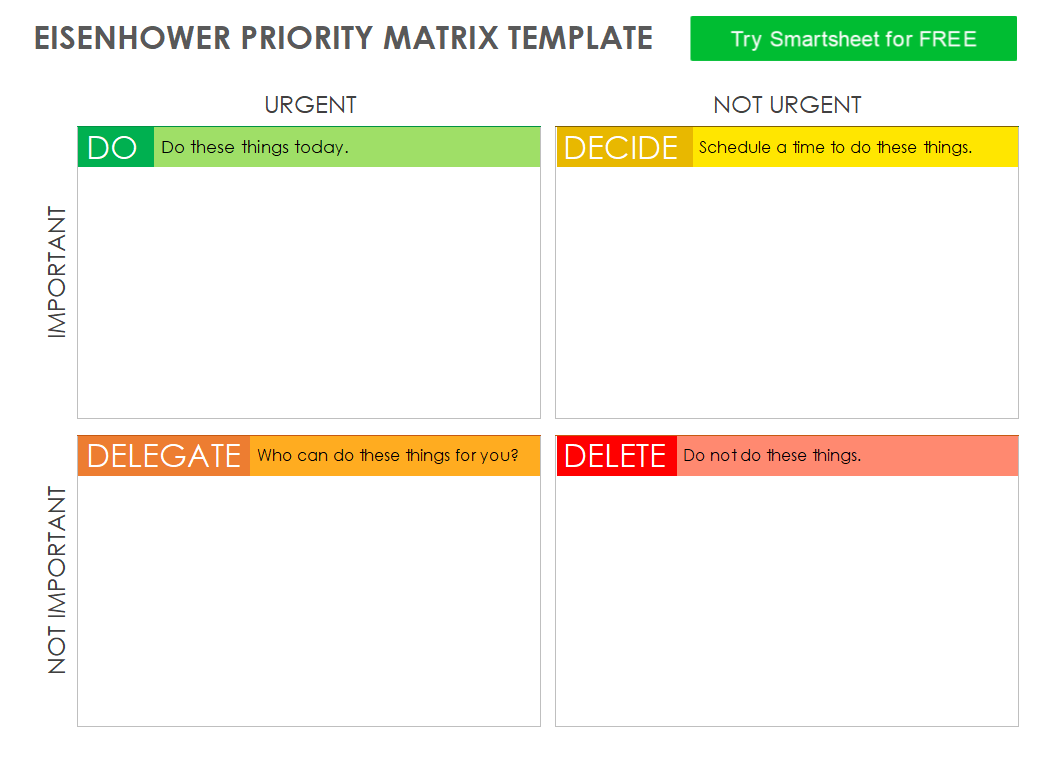
If you're all about seeing what's most critical first, this one's got extra space next to each quadrant for details, due dates, and context notes. I love how it helps you really think through why something goes in "Delegate" versus "Do Now". It turns a basic to-do list into something actually actionable that you can review daily and adjust as priorities shift.
3. Eisenhower Matrix Template for Excel
Spreadsheet lovers, this is your jam. It has formulas that automatically count your tasks per quadrant and even flags overdue stuff with color alerts. Great when your priorities change every hour and you want to see the big picture without doing manual math or counting. You can even add progress bars to track what you've completed.
4. Eisenhower Matrix Template for Excel by Vertex42
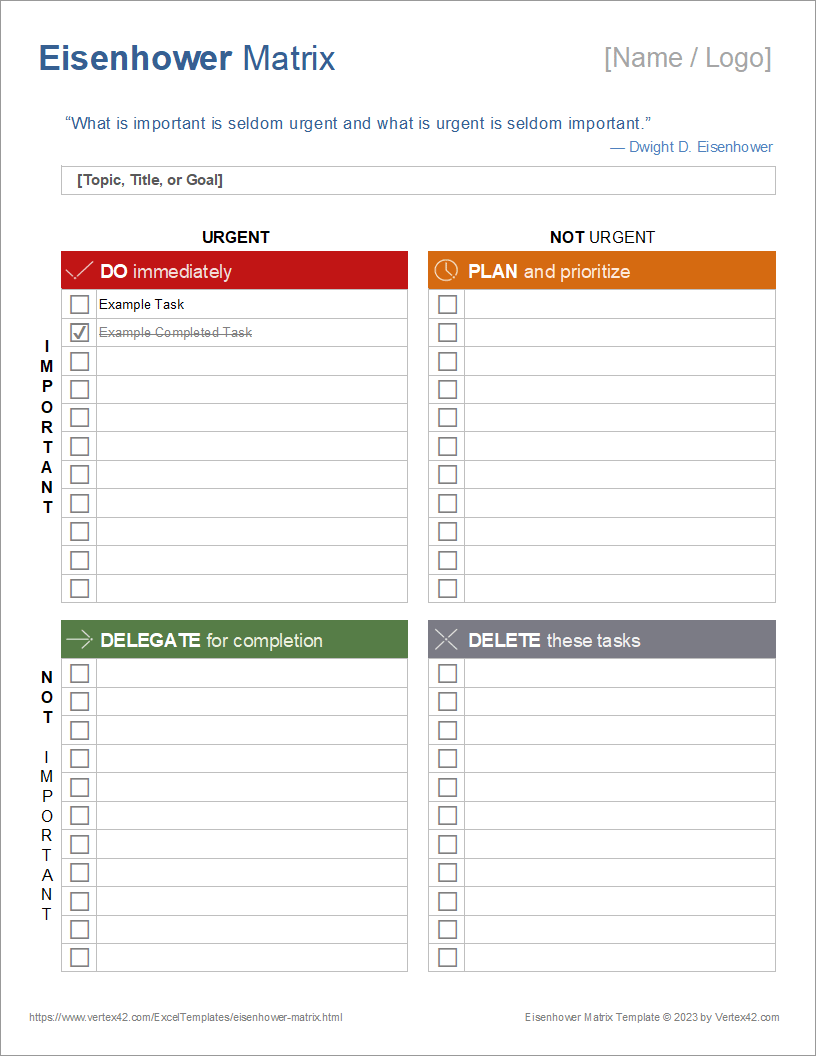
The colors really jump out here. Each quadrant has its own vibrant shade so you instantly know what's hot and what can wait. You can filter, sort, and create charts too, which is awesome if you're a visual person who likes everything organized at a glance without digging through long lists.
5. Eisenhower Matrix Template for Excel by HubSpot
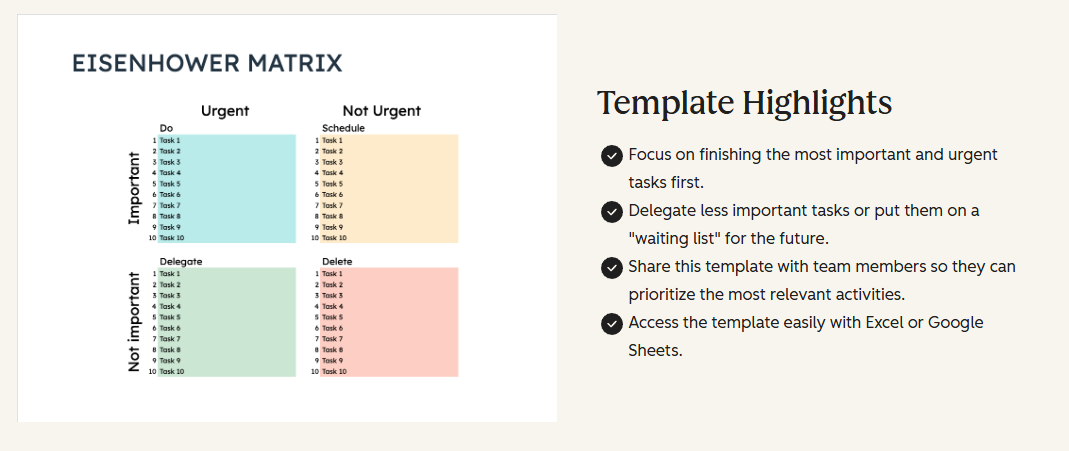
Perfect for beginners who just want to "how to create eisenhower matrix template" without the fancy stuff getting in the way. Super clean cells with no clutter at all. Just drop in your tasks each morning, categorize them quickly, and you're good to go with zero learning curve.
6. Eisenhower Matrix for PDF
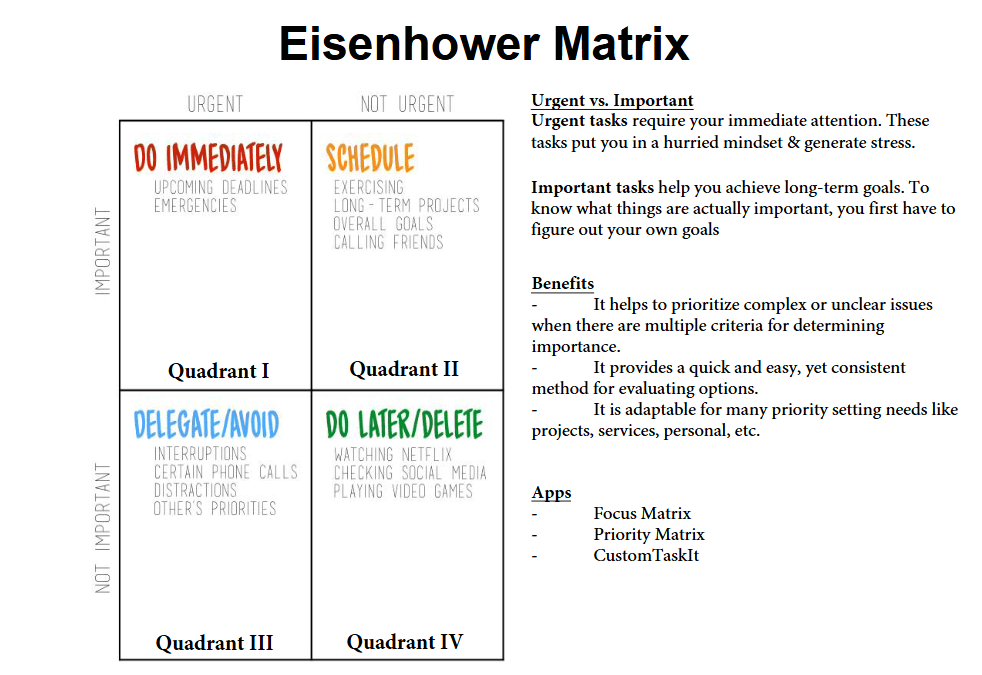
Want to fill it out on your tablet then print it for your desk or planner? This PDF works both ways perfectly. Great for when you're brainstorming at Starbucks or traveling and need something that travels well between digital and paper without losing quality or formatting.
7. Eisenhower Decision Matrix Template for PDF
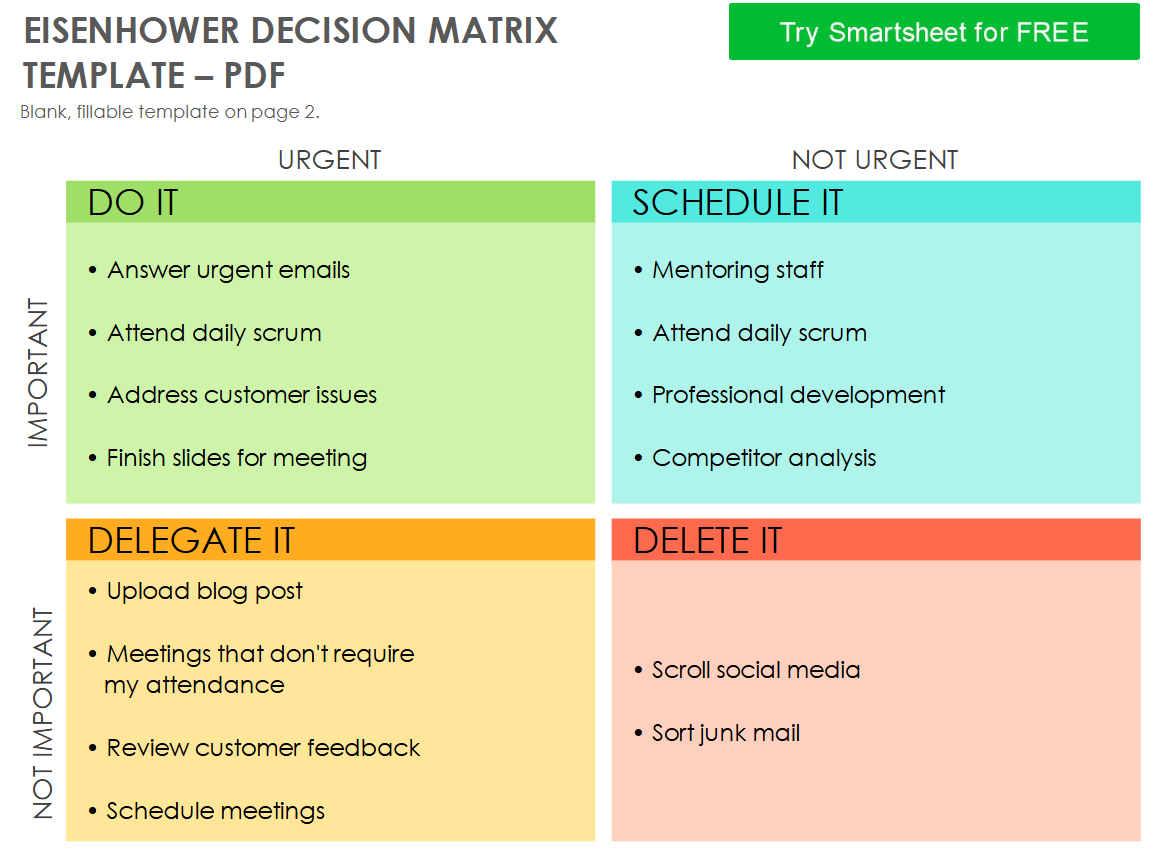
Built for those crazy meeting moments when you need to decide fast with the whole team. The labels are huge and crystal clear, so everyone can jump in and sort tasks together without any confusion about what goes where during discussions.
8. Free Eisenhower Matrix Template-1 for Image, Word, PDF, Excel
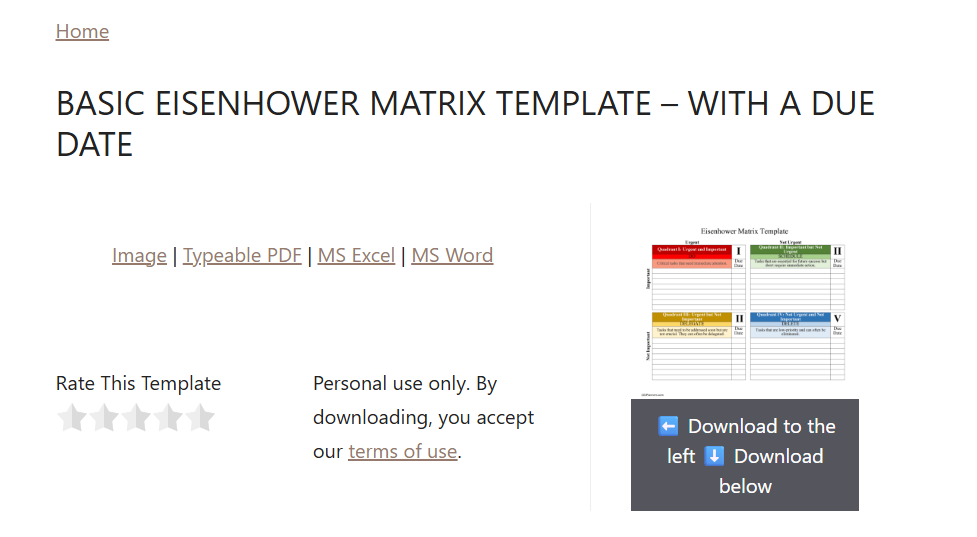
Due dates built right into every quadrant, and you get every format imaginable under one roof. Whether you're on your phone taking quick notes, desktop doing deep analysis, or need to print, this one's flexible enough to match whatever you're working with that day.
9. Free Eisenhower Matrix Template-2 for Image, Word, PDF, Excel
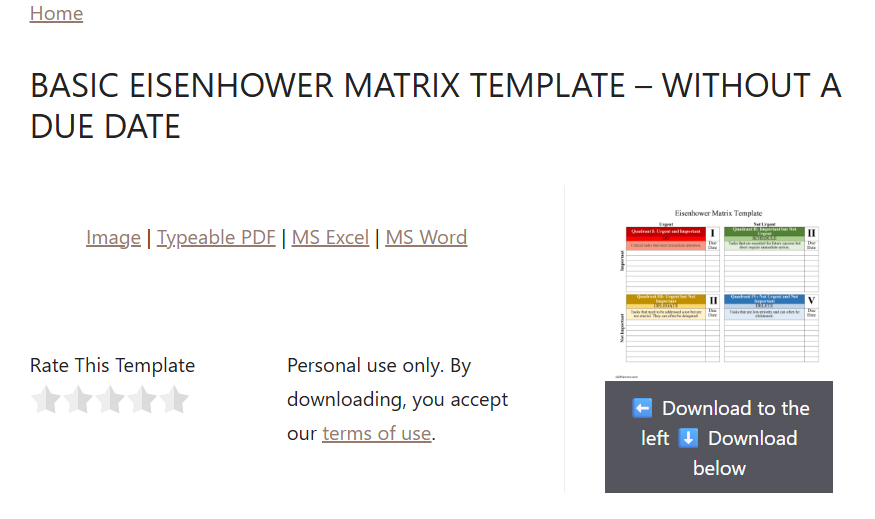
No dates means total freedom to shuffle things around as plans change throughout the week. If you hate rigid schedules and just want clean space to think strategically, this minimalist version keeps your mind clear without visual distractions or constraints.
10. Eisenhower Matrix Template for PowerPoint
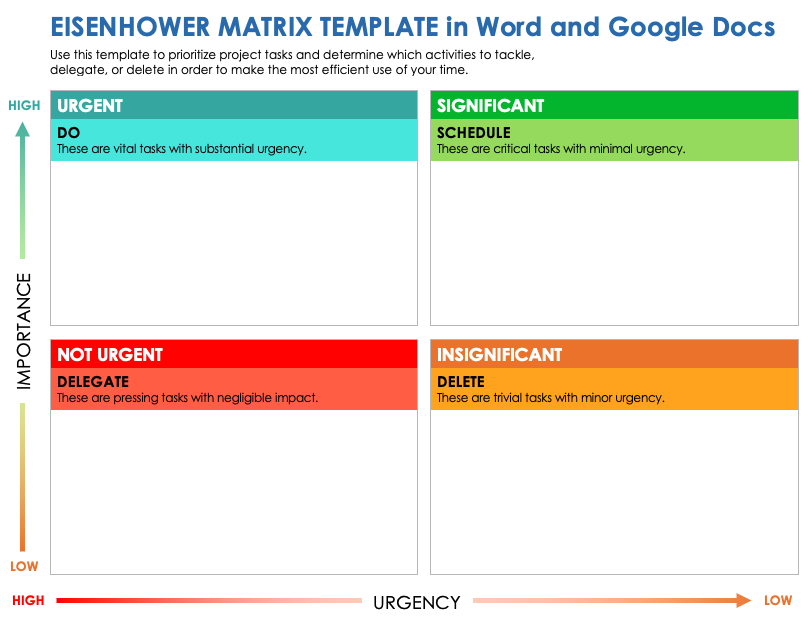
Team meeting MVP that makes priority discussions actually productive instead of endless debates. Slides come with smooth animations and editable graphics so you can project it, let everyone vote or suggest where tasks go, and walk out of the room fully aligned on what matters most.
How to Further Edit and Print Optimized Eisenhower Matrix Template
Grabbed a template? Don't stop at stock. Make it yours with WPS Office for that pro polish. Transition from basic download to customized powerhouse that fits like a glove. Here's the no-brainer walkthroughs.
Edit Image Templates (JPG/PNG) in WPS Photo
Step 1: Fire up WPS Office from wps.com, launch WPS Photo, and drag in your image.
Step 2: Hit AI Enhancer. Watch blurry quadrants crisp up like magic.
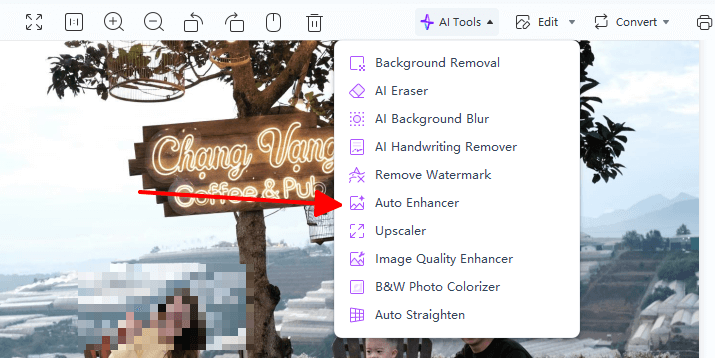
Step 3: Tweak colors via Adjust tool. Make Do First scream red, Delete fade to gray.
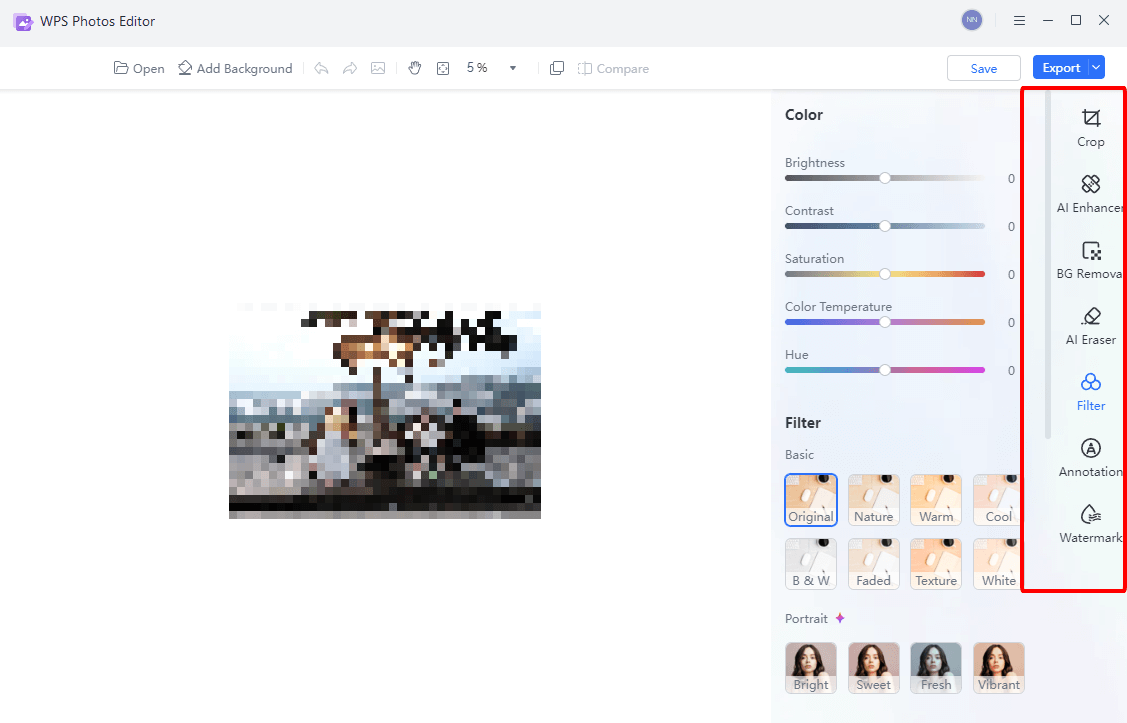
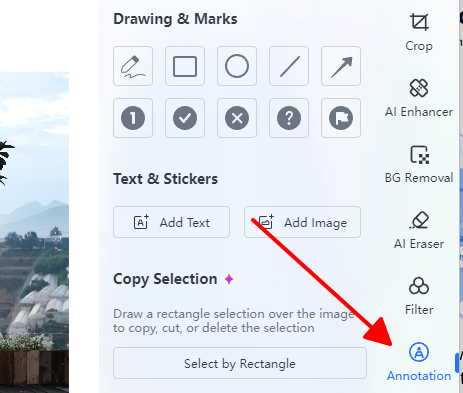
Step 4: Overlay text boxes for custom labels or notes.
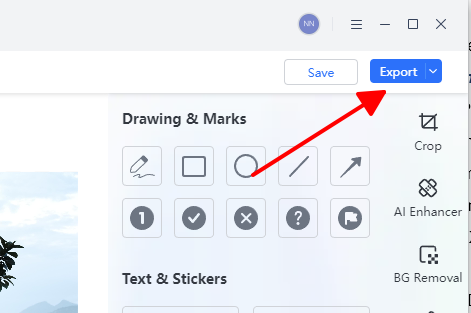
Step 5: Export high-res PNG or JPG, ready for digital walls or prints.
Edit PowerPoint Templates in WPS Presentation
Step 1: Open WPS Presentation, import your PPT file smooth as butter.
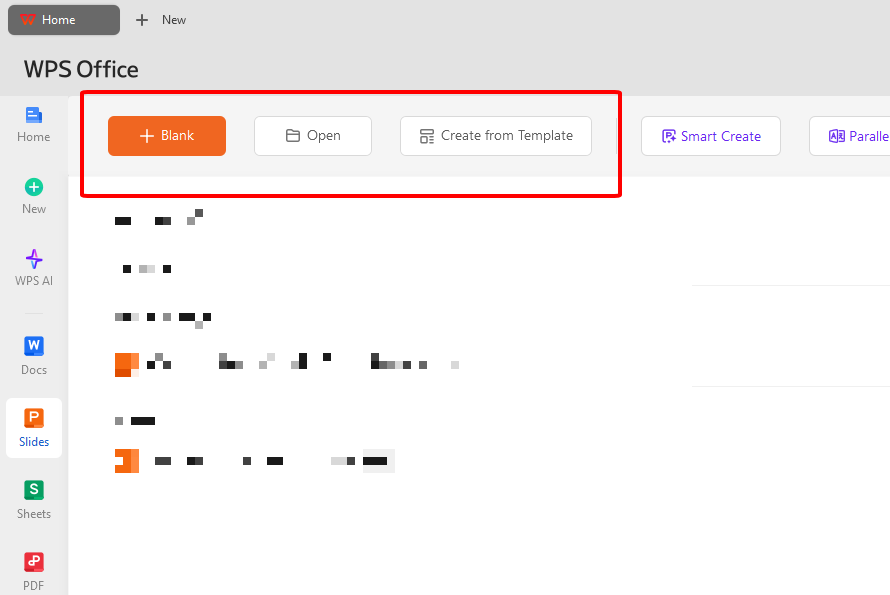
Step 2: Click quadrants, swap in your tasks with drag-drop ease.
Step 3: Raid the theme library. Pro looks in seconds, add subtle animations.
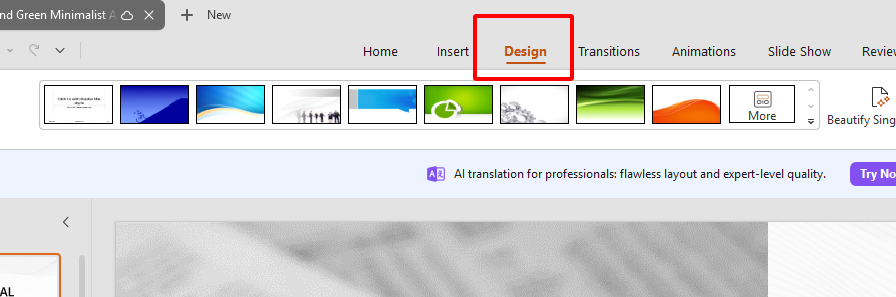
Step 4: Layer in examples or progress trackers on extra slides.
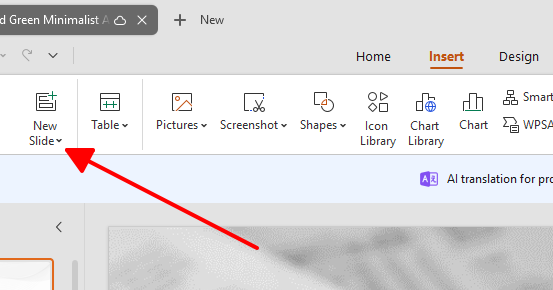
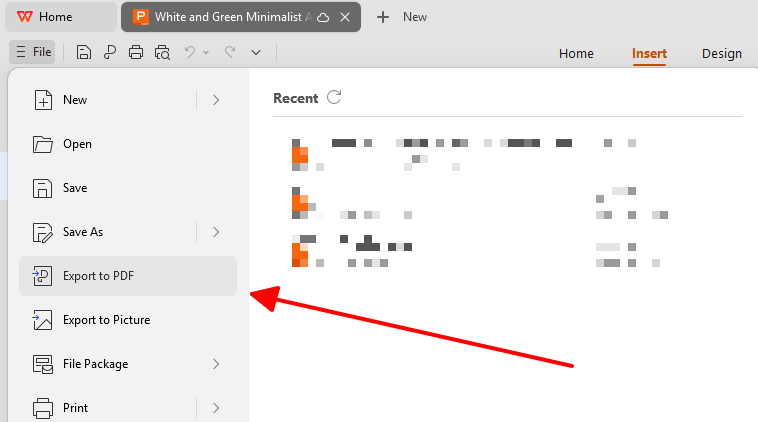
Step 5: Save as PPTX or PDF. Share link for instant team access.
Edit PDF Templates in WPS PDF
Step 1: Load WPS PDF, upload that fillable PDF. No conversions needed.
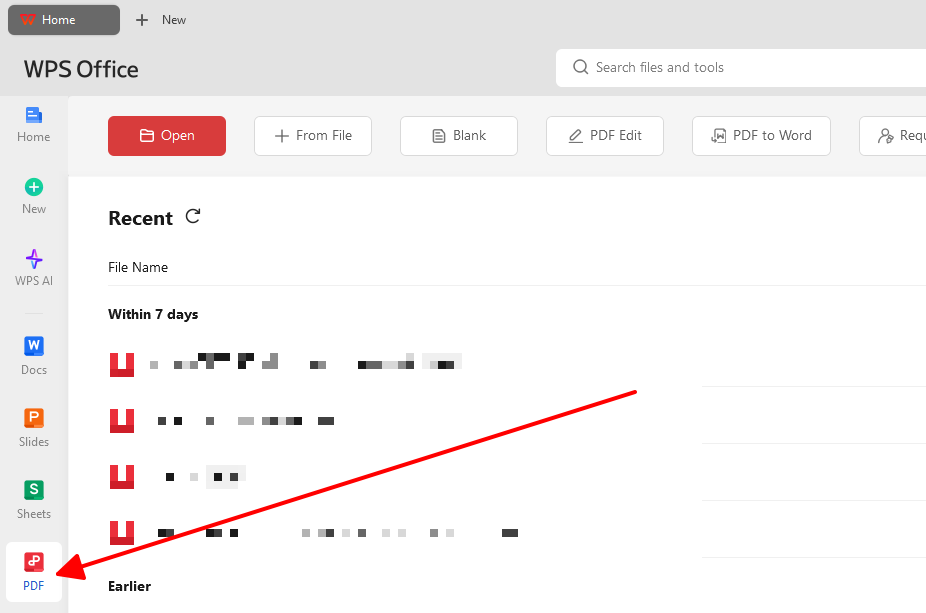
Step 2: Tap Edit Text. Rewrite quadrants or bullet tasks freely.
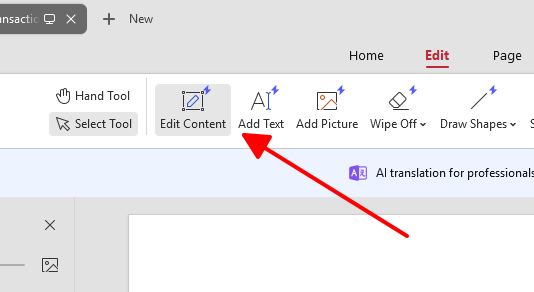
Step 3: Colors? Toolbar magic. Highlight crises, strike deletes.
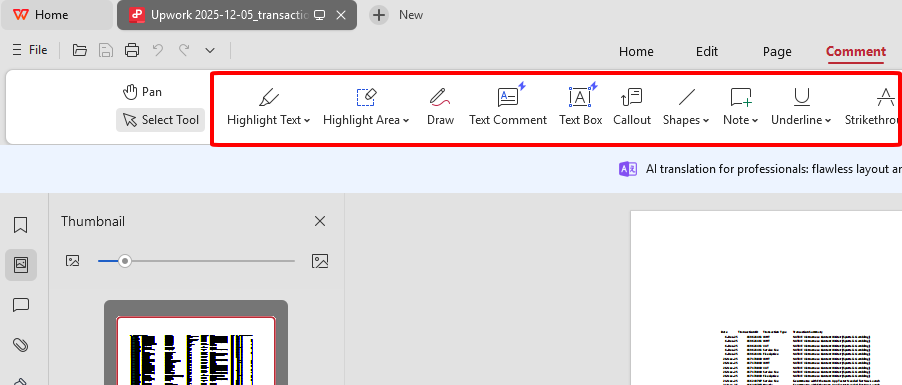
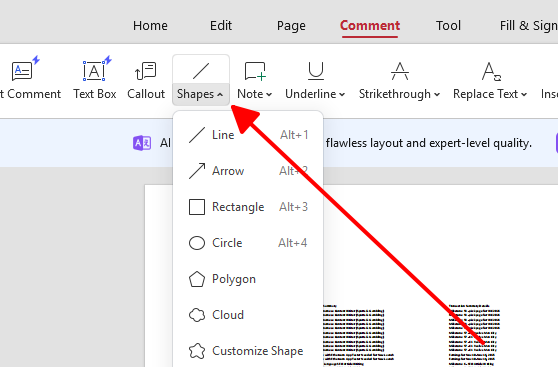
Step 4: Drop shapes, arrows, or comments for emphasis.
Step 5: Print preview, export PDF perfection.
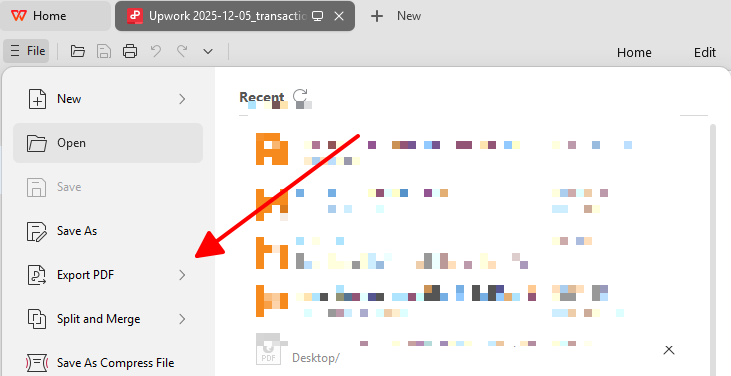
Free Office Suite: Easy Create Eisenhower Matrix Template
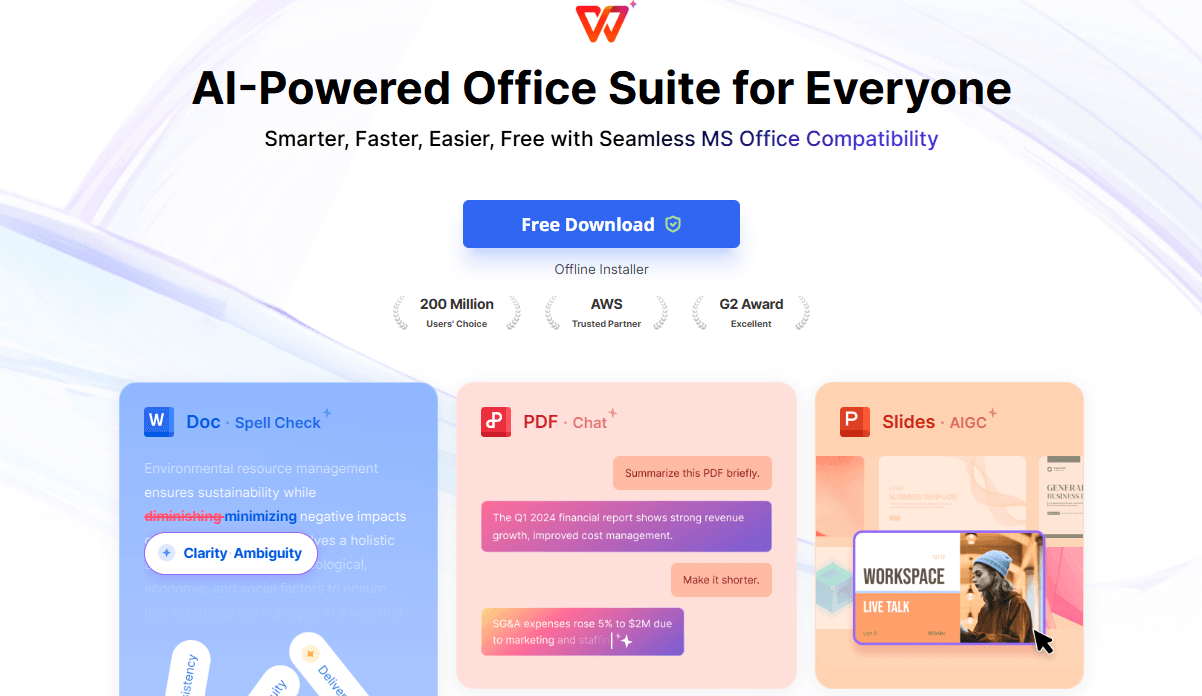
WPS Office is this awesome free suite that makes whipping up or tweaking Eisenhower Matrix templates a total breeze. You've got tons of ready-to-go templates you can grab and customize right away, which saves you hours of starting from scratch. No matter if you're working with Word docs, Excel sheets, or PDFs, it handles everything smoothly without any headaches.
WPS Office is a professional yet accessible choice for anyone looking to organize tasks with ease and efficiency.
FAQs
1. What is the difference between "Urgent" and "Important" in the Eisenhower Matrix?
Urgent tasks hit now with instant fallout, like a ringing phone or boss email. Important tasks build your future through strategy and learning. The matrix guards Quadrant 2 from urgency traps that steal your best hours.
2. Can I customize a free Eisenhower Matrix template to fit my workflow?
Absolutely. WPS Office flips static PDFs to editable Word or Excel files. Rename "Delegate" to "Outsource," color-code by team, add KPIs or custom fields.
3. Which template rocks for teams?
PowerPoint and Excel shine for collaboration. WPS cloud enables live edits, comments, and no email chains. Teams align priorities in real time.
4. How often should I update my Eisenhower matrix?
Daily works for chaos pros handling constant shifts. Weekly reviews suit strategists. This keeps Quadrant 2 thriving over urgent distractions.

'%3e%3cpath%20d='M19.9911%204.11386V6.471H18.5894C18.0775%206.471%2017.7322%206.57814%2017.5536%206.79243C17.3751%207.00671%2017.2858%207.32814%2017.2858%207.75671V9.44421H19.9019L19.5536%2012.0871H17.2858V18.8639H14.5536V12.0871H12.2769V9.44421H14.5536V7.49779C14.5536%206.39064%2014.8632%205.53201%2015.4822%204.92189C16.1013%204.31177%2016.9257%204.00671%2017.9554%204.00671C18.8304%204.00671%2019.509%204.04243%2019.9911%204.11386Z'%20fill='%23333333'/%3e%3c/g%3e%3cdefs%3e%3cclipPath%20id='clip0_2938_8199'%3e%3crect%20width='16'%20height='16'%20fill='white'%20transform='translate(8%204.00671)'/%3e%3c/clipPath%3e%3c/defs%3e%3c/svg%3e)
'%3e%3cpath%20d='M17.5237%2010.7813L23.4811%204H22.0699L16.8949%209.88693L12.7648%204H8L14.2469%2012.9029L8%2020.0133H9.4112L14.8725%2013.7952L19.2352%2020.0133H24M9.92053%205.04213H12.0885L22.0688%2019.0224H19.9003'%20fill='%23333333'/%3e%3c/g%3e%3cdefs%3e%3cclipPath%20id='clip0_2938_8200'%3e%3crect%20width='16'%20height='16.0134'%20fill='white'%20transform='translate(8%204)'/%3e%3c/clipPath%3e%3c/defs%3e%3c/svg%3e)


