In today’s competitive business world, a clear and professional
estimate can make the difference between gaining or losing a client. A
well-crafted estimate template helps you present project costs
transparently while reinforcing your credibility. However, many
freelancers and small business owners struggle to create detailed and
visually appealing estimates without investing in complex software.
So, how can you quickly create a free estimate template that looks
professional, covers all details, and saves time? This article
introduces 10 free estimate templates you can download and edit
easily.
Use Word, Excel, and PPT for FREE
Estimate Templates
Part 1. What Are Estimate
Templates?
A free estimate template is a ready-made document that allows
businesses and freelancers to outline project costs, materials, and
timelines in a professional format. Instead of starting from scratch,
you can use a free estimate template free from trusted sources to
present accurate cost details and maintain consistency across all client
proposals.
Why Should I Use an
Estimate Template?
Using an estimate template saves time, ensures clarity, and enhances
your professional image. Whether you’re a construction contractor or a
freelance designer, an estimate helps you communicate your pricing
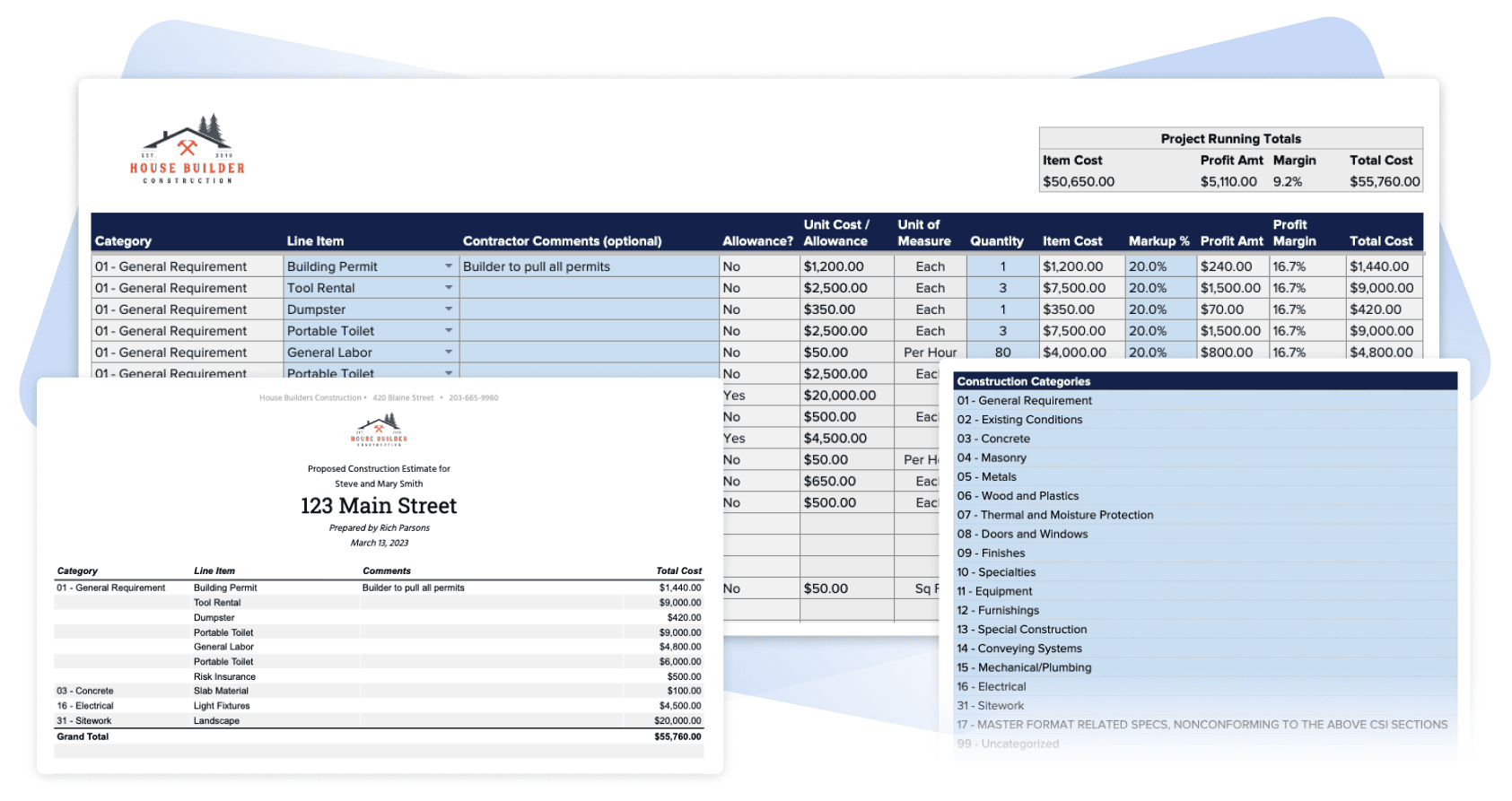
transparently. With a free estimate template for construction, for
example, you can quickly calculate labor, materials, and overheads while
presenting a clean, organized document to your client.
What are Estimate Templates
Beyond saving time, templates also reduce the chance of missing
important details. Clients appreciate it when costs are itemized
clearly, which builds trust and prevents misunderstandings.
How Do I Create an
Estimate Template?
If you want to know how to create a free estimate template, start
with software like WPS Office, Excel, or Google Sheets. Begin by
defining your company name, client details, and project description.
Then, add rows for itemized costs such as materials, services, labor
hours, and taxes. Include space for the total estimate, notes, and terms
of service.
Once you have a base version, you can reuse it for future clients
simply by changing project details. Many professionals also include a
signature section or company logo to make it look more official.
Key Components of a
Professional Estimate
A well-structured estimate should include the following key
parts:
Header Information: Company name, address, and contact details.
Client Information: Name, contact info, and project title.
Itemized Breakdown: Clear list of services or materials, quantities, and unit prices.
Subtotal and Taxes: Automatic or manual calculation of total cost.
Terms and Notes: Payment terms, validity period, or other conditions.
Whether you use a job estimate template free or design your own
layout, make sure your estimate remains easy to read, accurate, and
consistent with your brand. For many freelancers, tools like an estimate
invoice template free options can combine both estimating and billing
functions, helping manage the entire project flow from start to
finish.
Part 2. 10
Striking Estimate Templates [Free Download]
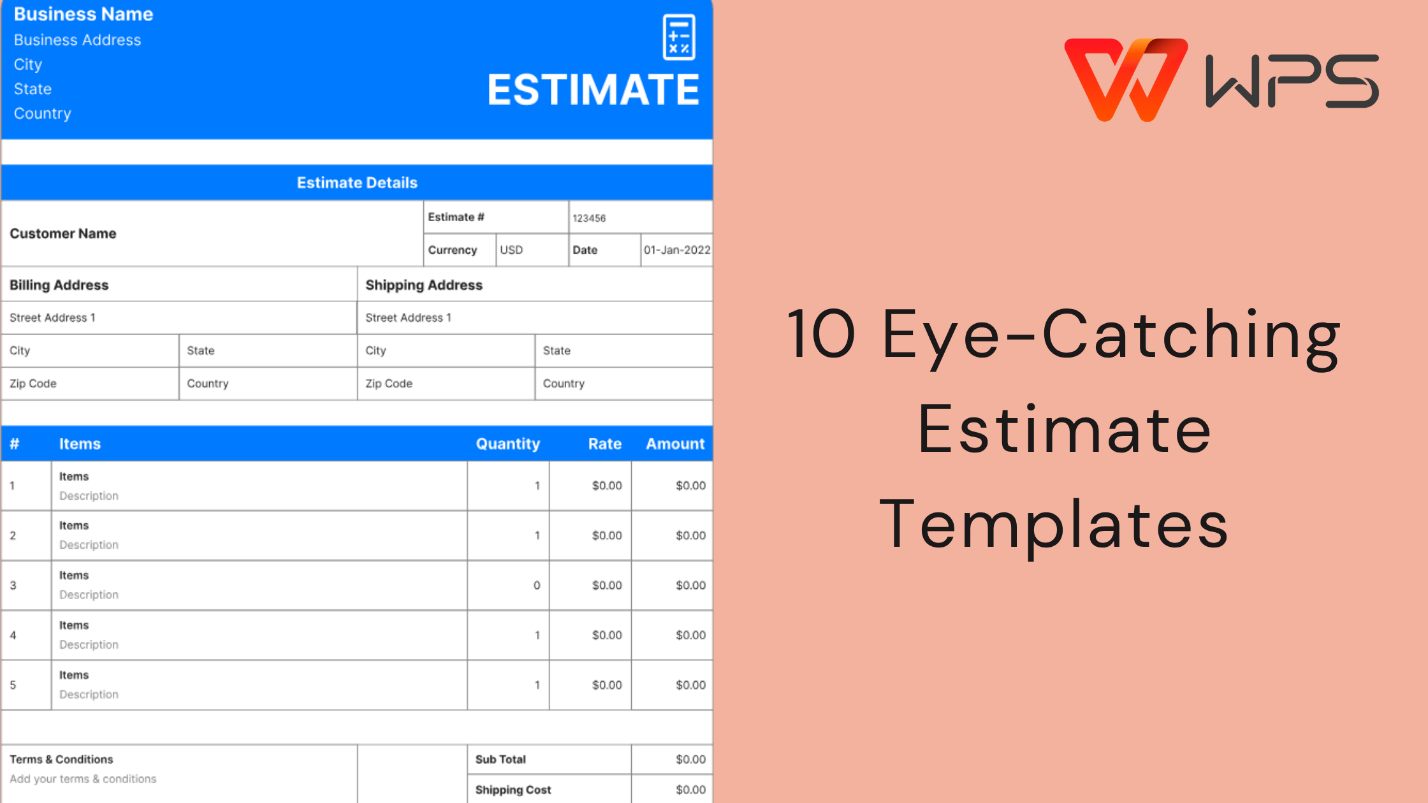
If you’re tired of building estimates from scratch, these 10free estimate templates will save you time and ensure
your proposals look professional. Each one is editable, downloadable,
and ready for use, ideal for anyone looking to streamline their cost
estimation process.
1.
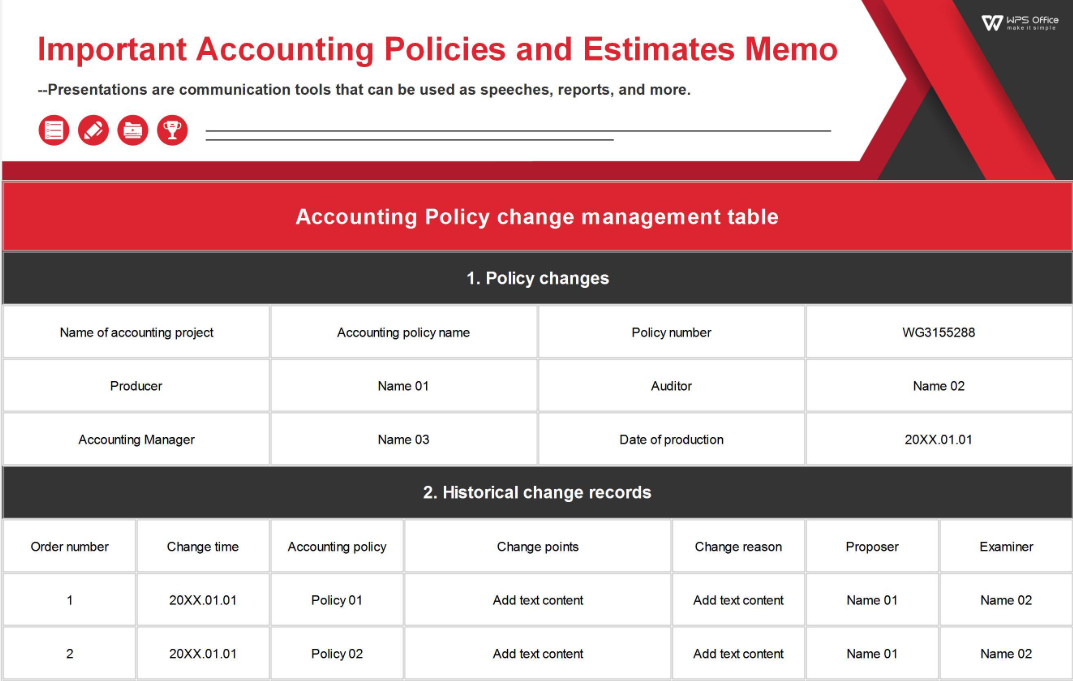
Important Accounting Policies and Estimates Memo [Excel]
This Excel-based template helps small business owners and accountants
record essential financial estimates and policy details efficiently.
It’s perfect for maintaining transparency in reporting and
budgeting.
2.
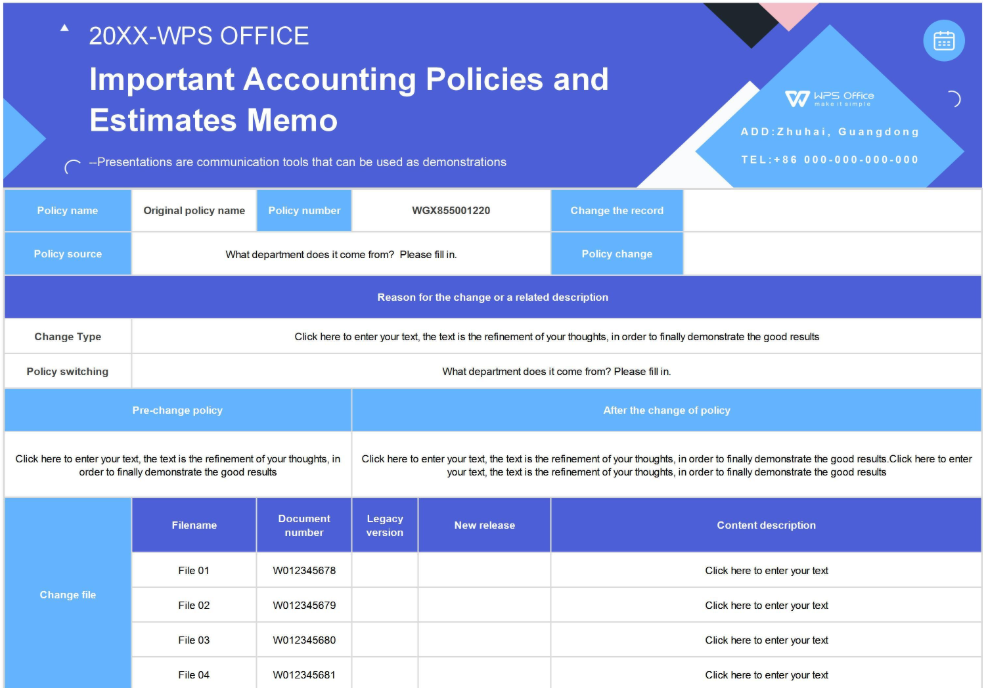
Important Accounting Policies and Estimates Memo1 [Excel]
A variant of the first template, this one offers a cleaner layout and
slightly different formatting for better organization. It’s suitable for
both personal and corporate use when updating cost forecasts or annual
estimates.
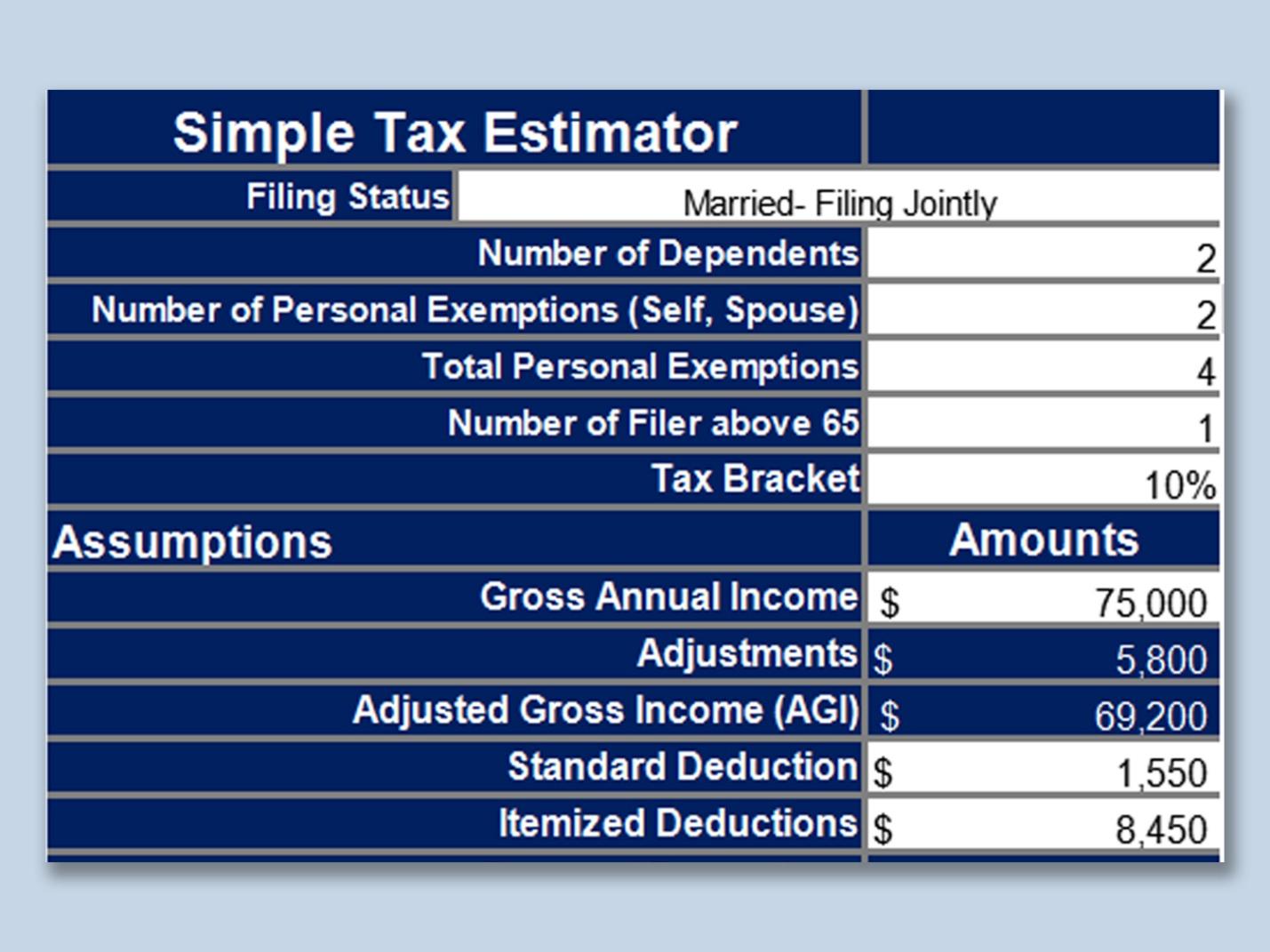
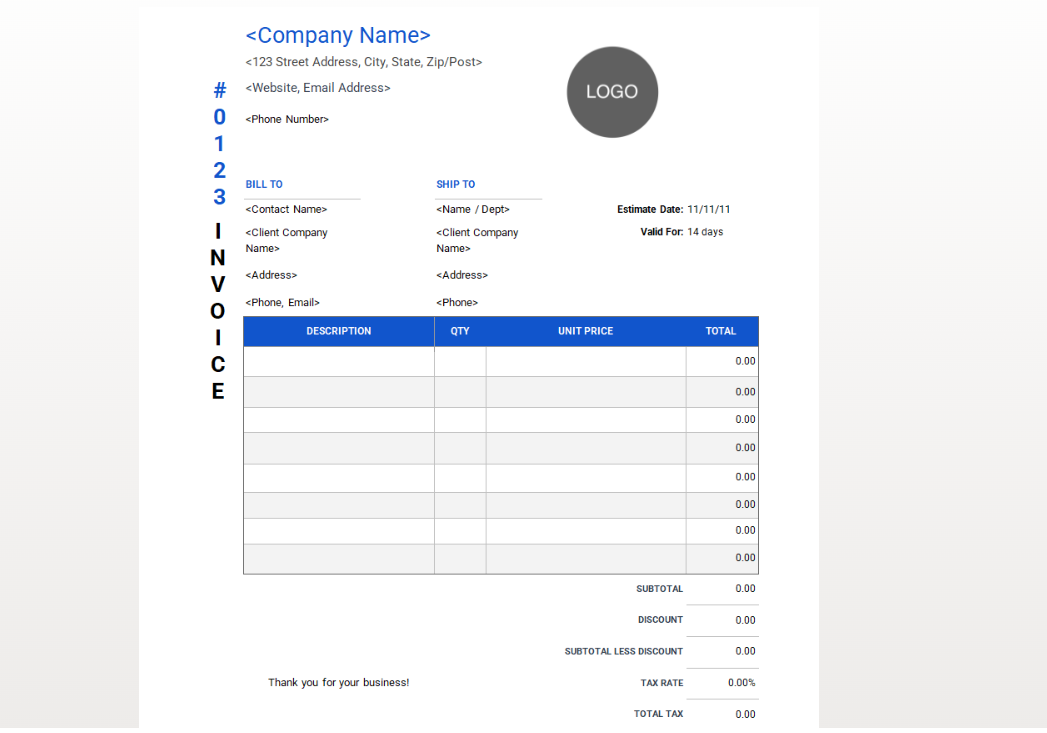
This estimate invoice template free version focuses
on tax calculations and income projections. The minimalist blue design
makes it easy to read while maintaining a polished look for reports and
client submissions.
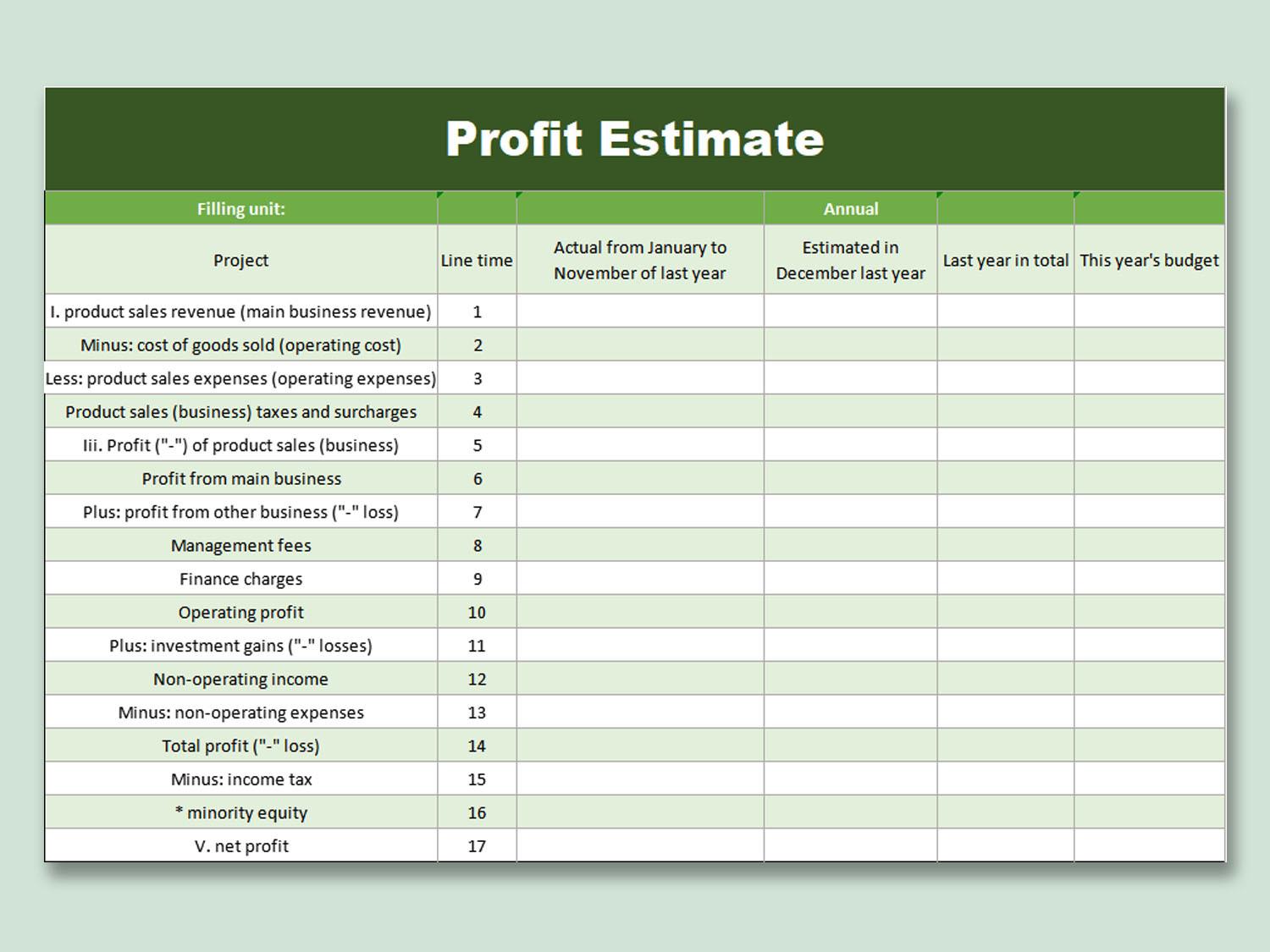
If you want an easy way to visualize your profit margins, this
chart-style template is perfect. It’s ideal for small companies and
freelancers who want to track costs and profits in a clear visual
layout.
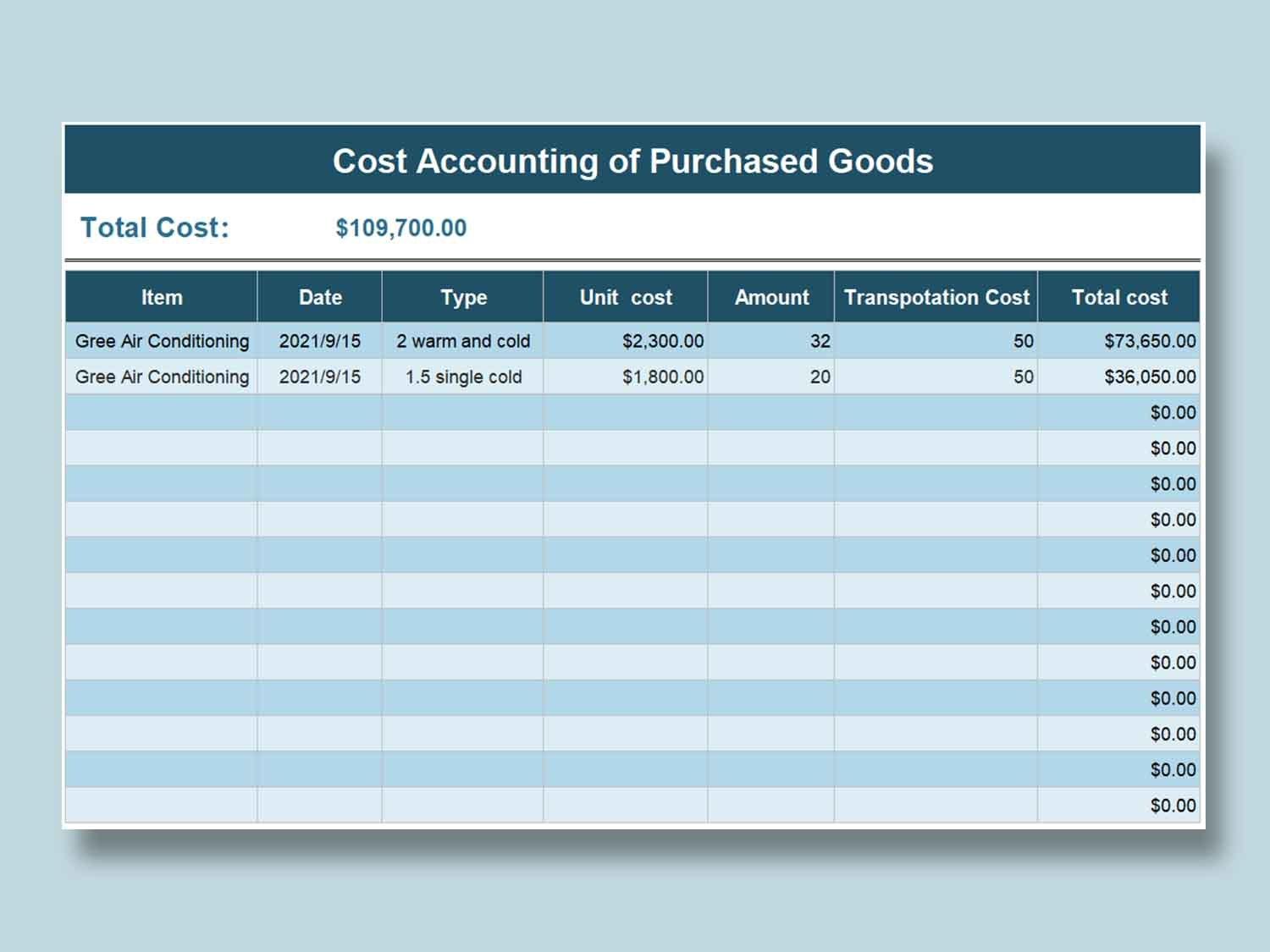
This structured spreadsheet is designed for professionals who need
detailed cost accounting support. It automatically calculates subtotals
and tax values, minimizing human error and improving efficiency.
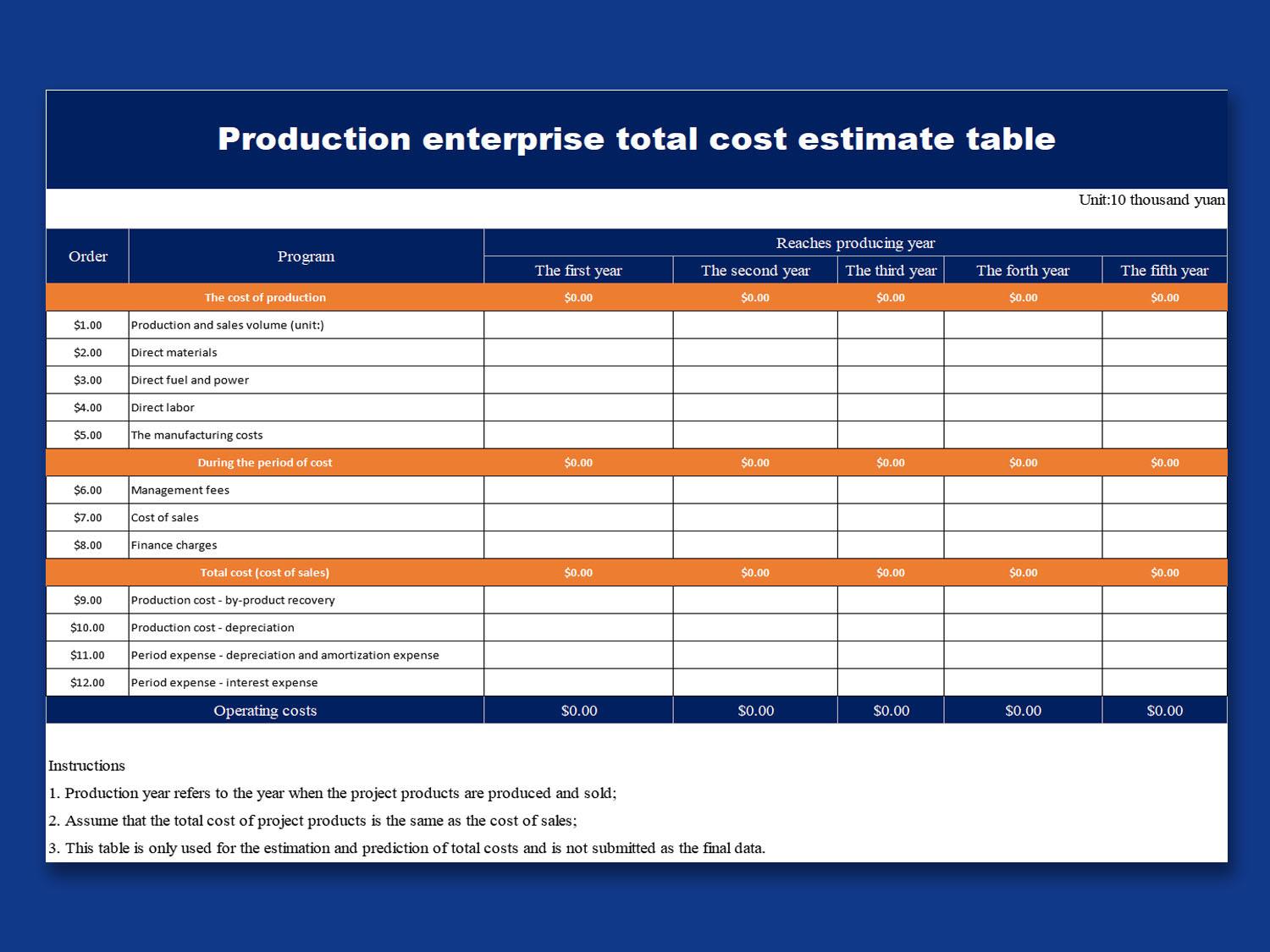
6.
Production Enterprise Total Cost Estimate Table [Excel]
Best suited for manufacturers and industrial teams, this free
estimate template for a construction-style sheet simplifies
total cost estimation. It includes detailed sections for materials,
labor, and overhead.
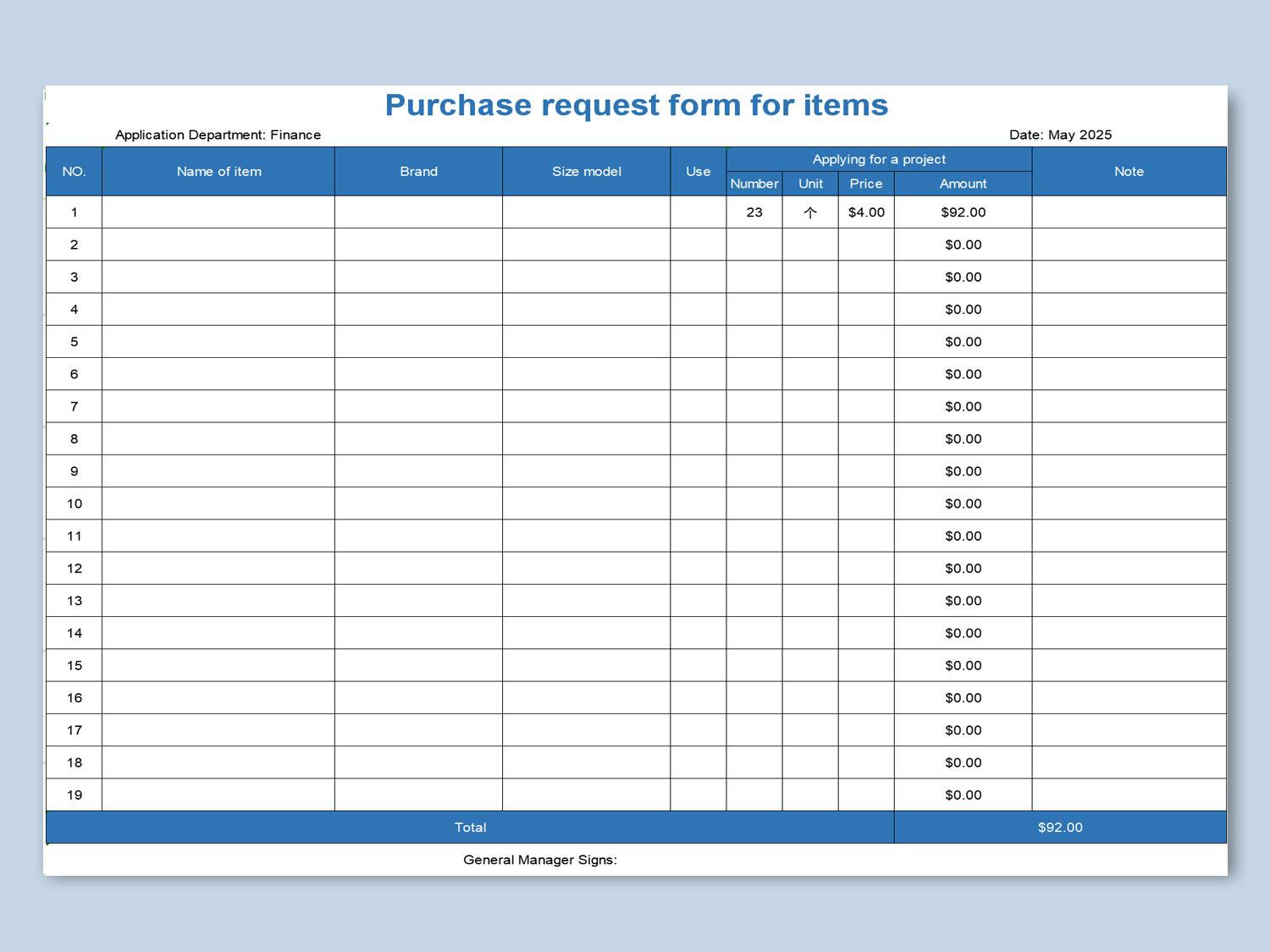
A useful option for tracking requested materials, this form doubles
as a cost-estimation sheet. It’s ideal for procurement teams or
freelancers handling client-supplied materials.
If you prefer a simple and flexible layout, this template is
available in both Excel and Word formats. It’s perfect for anyone
learning how to create free estimate template documents
that can be customized for various jobs.
Designed for contractors, this job estimate template
free helps you itemize materials, labor hours, and service
charges. It’s available in multiple formats for easy editing and client
sharing.
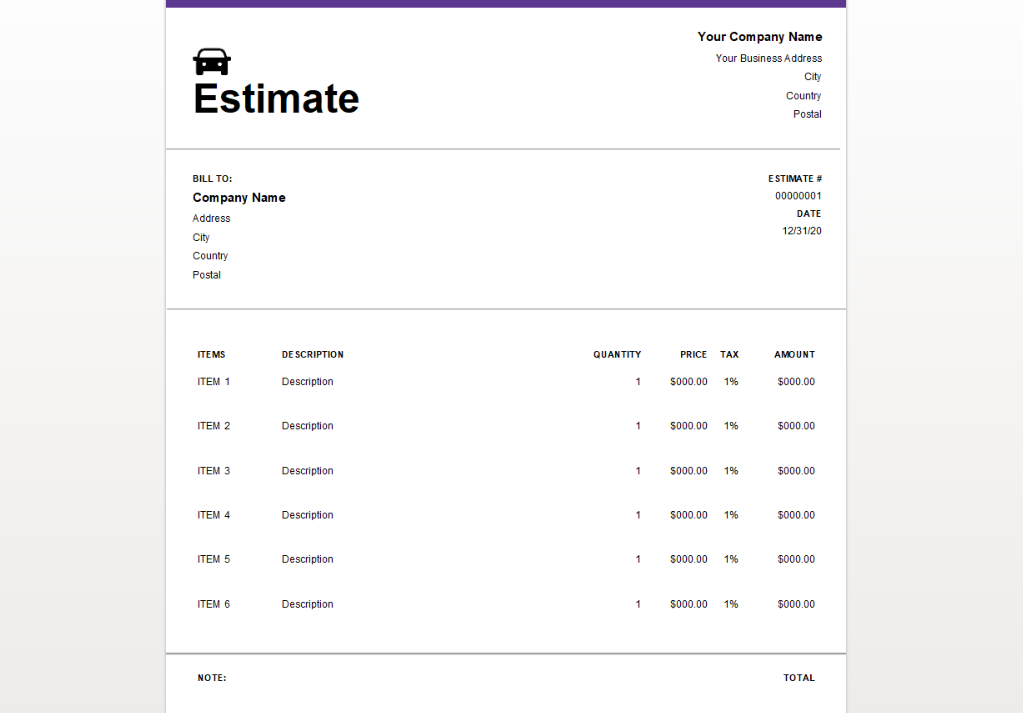
10. Auto Repair
Estimate Template [Excel, Word, PDF]
This editable free estimate template is tailored for
auto repair shops and service providers. It includes sections for parts,
labor, and additional charges. You can also convert it into an invoice
for client billing.
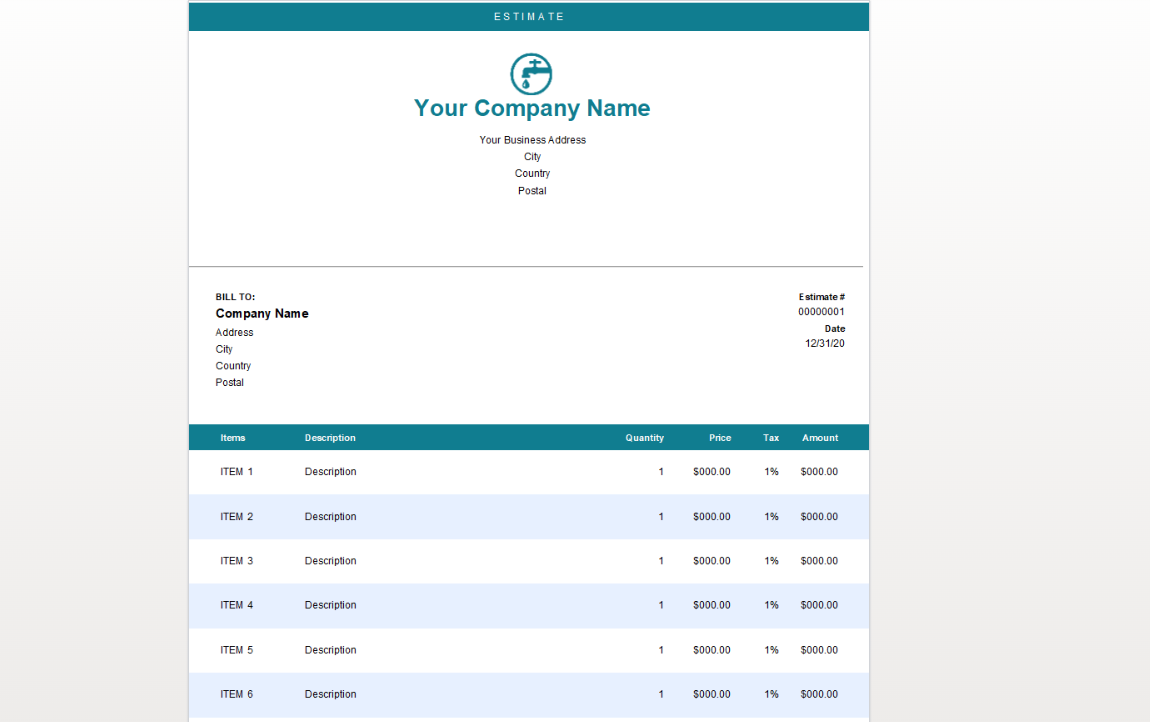
After reviewing several templates, I found the Auto Repair and
Plumbing Estimate Templates particularly versatile. They can be
repurposed across many industries simply by adjusting the item
descriptions. If you frequently prepare cost proposals, pairing these
templates with a digital invoice generator will make your workflow even
smoother.
Part
3: The Best Estimate Template Helper - WPS Invoice Generator
After exploring several free estimate template options, it’s easy to
see how much time they save. But if you want to go beyond manual editing
and move toward a more efficient, automated workflow, the WPS Invoice
Generator is the best tool to consider.
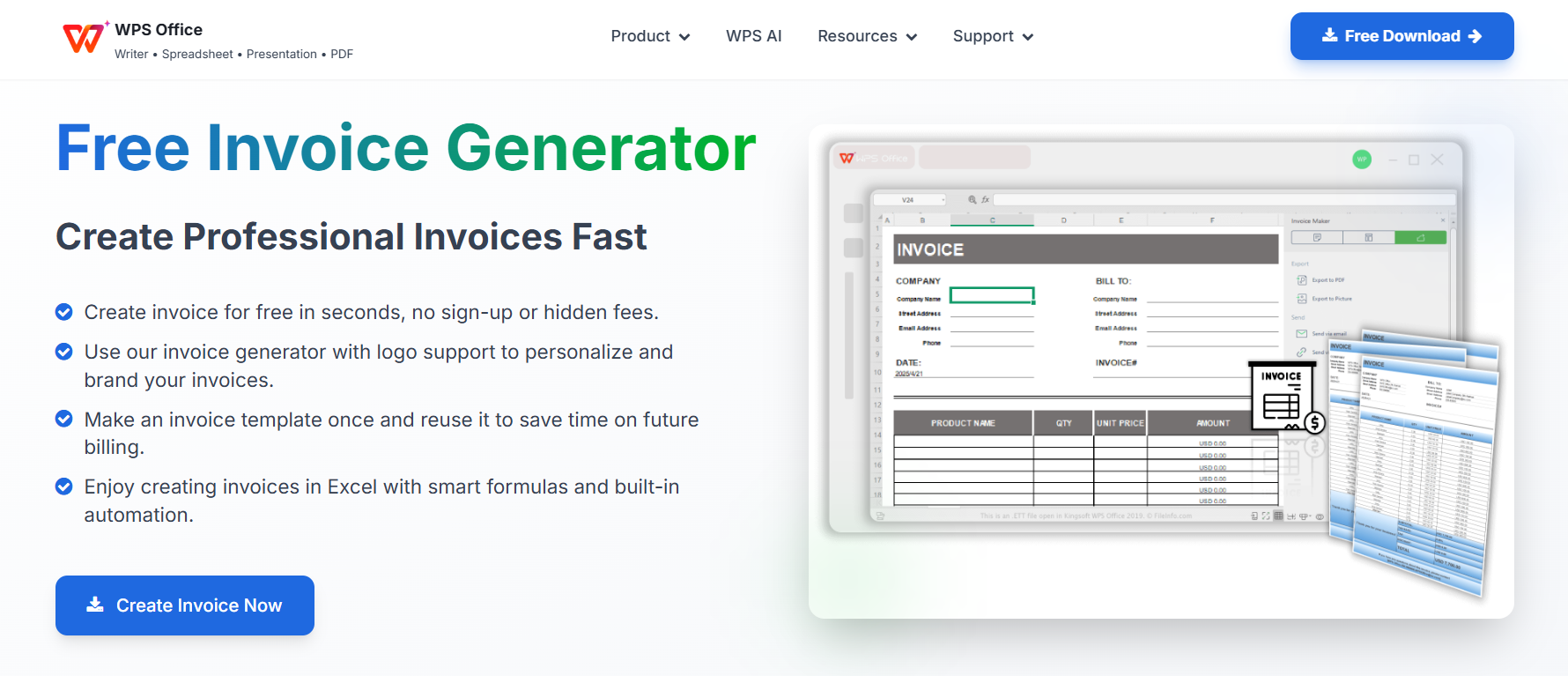
WPS Invoice Generator
Why Go
Digital? The Power of an Invoice Generator
While using a template is a great starting point, the most
professional way to manage your billing is through a dedicated invoice
generator. Instead of manually filling in data or recalculating totals,
a digital tool lets you create precise, attractive estimates in
seconds.
Imagine being able to generate a perfect invoice, complete with your
company logo, itemized costs, and notes, without spending extra time on
formatting. The WPS Invoice Generator takes care of this with built-in
templates and smart automation, allowing you to focus more on your
business and less on paperwork.
Key Benefits of
Using WPS Invoice Generator
Ease of Use: WPS makes it simple to create,
edit, and send estimates with just a few clicks. No advanced software
knowledge required.
Professionalism: Each invoice looks polished and
consistent, helping your business appear more trustworthy and
organized.
Efficiency: The tool automatically calculates
totals and taxes, minimizing errors and improving productivity across
clients.
Customization: You can personalize your estimate
or invoice by adding your company logo, colors, and business details to
maintain your brand identity.
Smart AI Support: WPS integrates intelligent
features that assist with invoice formatting, saving, and even
generating complex billing, like restaurant or contractor
invoices.
How to Create Your
Estimate Form with WPS
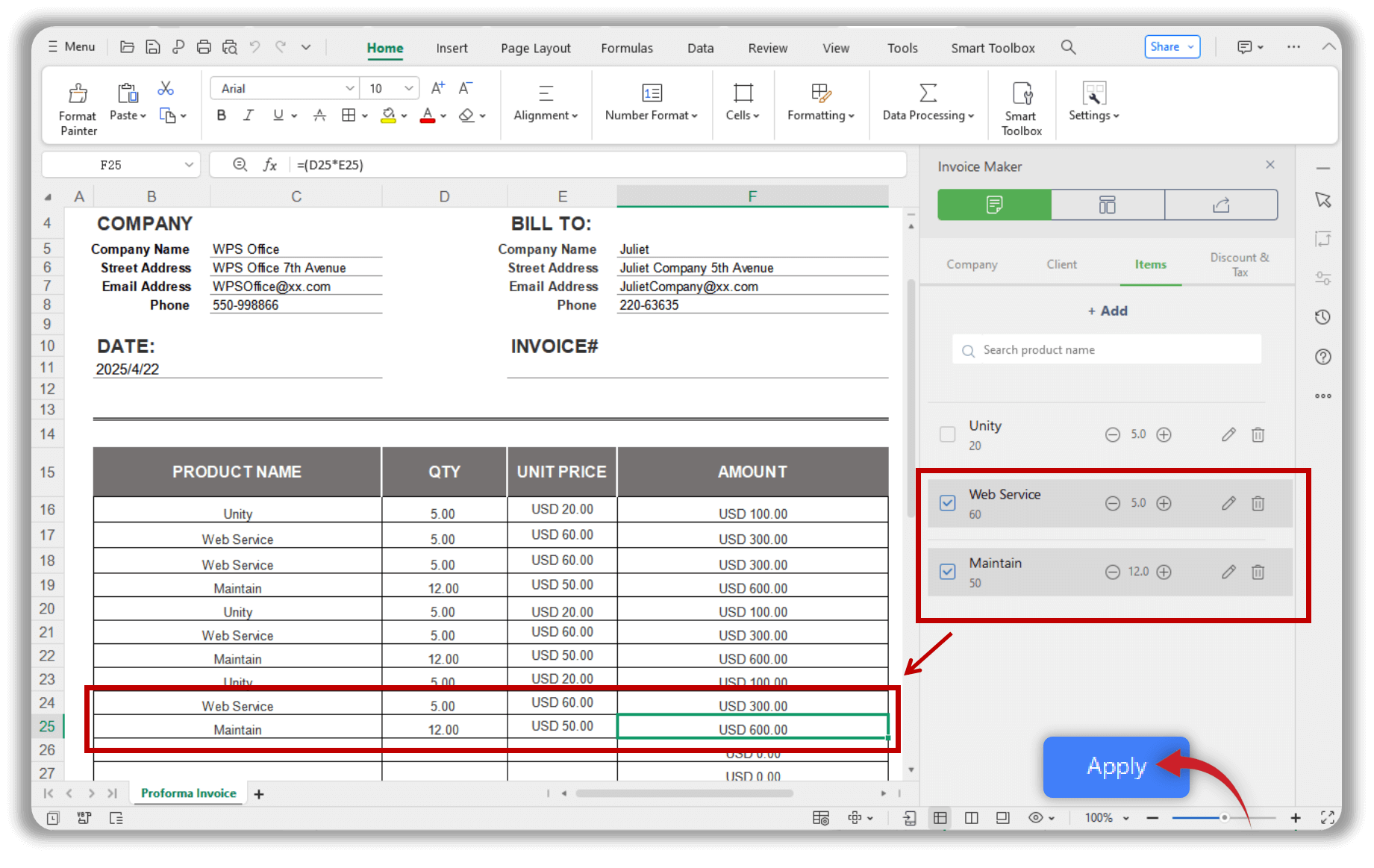
If you’re ready to go digital, follow these simple steps to create
your next professional estimate form using WPS Office:
Step 1: Evaluate your resources and outline your
project scope before you start entering data.
Step 2: Keep an eye on competitors’ pricing to
ensure your estimate remains fair and competitive.
Step 3: Be prepared for every scenario by adding
flexible terms or optional costs in your template.
WPS Invoice Generator
Step 4: Provide enough detail for clarity, but
avoid overloading your client with excessive information.
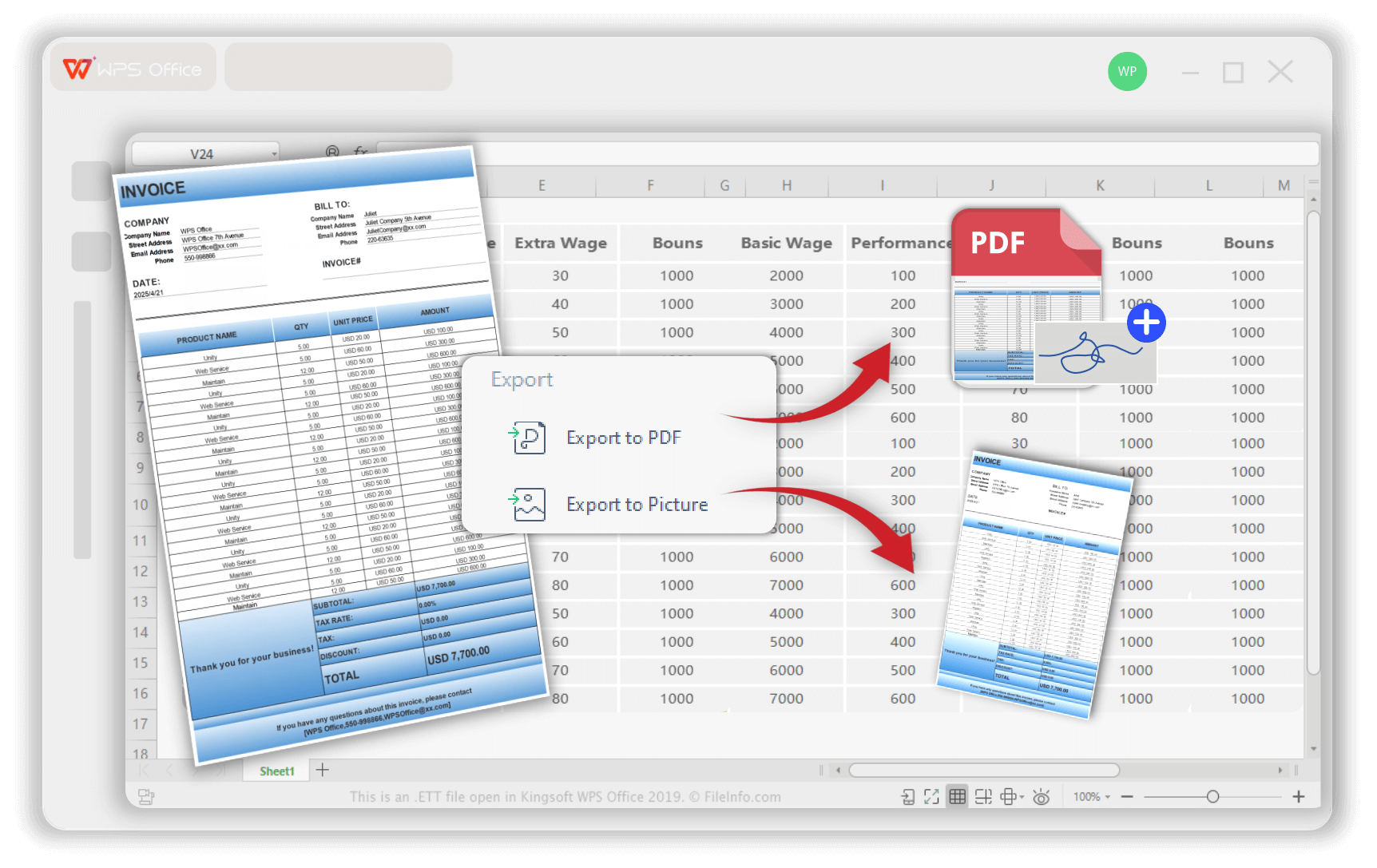
Once done, you can export your file as a PDF and send it directly to
your client, making the process smoother and more professional.
Export with WPS Invoice Generator
My Experience with WPS
Invoice Generator
When I first used the WPS Invoice Generator, what stood out most was
how intuitive it felt. Instead of switching between spreadsheets and
design tools, I could complete an entire invoice in less than five
minutes. The automatic formatting ensured every document looked
consistent, and the export options made sharing effortless. For
freelancers and small businesses, it’s an excellent step up from
traditional job estimate template free documents.
If you’re currently using static templates, I recommend trying the
WPS Invoice Generator. It bridges the gap between convenience and
professionalism while keeping your workflow completely free and
flexible.
100% secure
FAQs
1. Is an estimate the same as a quote or an
invoice?
No. An estimate provides an educated guess of the final cost and is
not legally binding. A quote, however, is a fixed-price offer that
becomes legally binding once accepted. An invoice is the final document
issued to request payment after the work or service has been
completed.
2. How do I send an estimate to a client?
The most professional way is to fill out your free estimate template,
export it as a PDF, and email it to your client. If you’re using digital
tools such as the WPS Invoice Generator, you can instantly create, save,
and share an estimate online without switching between multiple
platforms.
Summary
Creating a professional estimate doesn’t have to be complicated. By using a free estimate template free from WPS Office or other reliable sources, you can streamline your cost estimation process, ensure accuracy, and present your business more confidently.
From detailed accounting sheets to job estimate template free downloads, there are countless ways to tailor your document for any industry, construction, auto repair, or freelance services. However, to save even more time and achieve unmatched professionalism, the WPS Invoice Generator offers the ultimate solution. With its smart AI support, intuitive interface, and customization features, WPS turns a simple template into a fully functional business tool.
Whether you’re learning how to create free estimate template files or upgrading your process with digital automation, WPS Office helps you work faster, smarter, and more efficiently every single time.
Office software expert with 15+ years of experience since 2009. I specialize in tech tutorials, productivity tools, and digital solutions for everyday users. Passionate about making technology simple and accessible for everyone.


'%3e%3cpath%20d='M8%200C12.4183%200%2016%203.58172%2016%208C16%2012.4183%2012.4183%2016%208%2016C3.58172%2016%200%2012.4183%200%208C0%203.58172%203.58172%200%208%200ZM11.6162%204.38379C11.2257%203.99337%2010.5927%203.99338%2010.2021%204.38379L8%206.58594L5.79785%204.38379C5.40732%203.99334%204.77429%203.99329%204.38379%204.38379C3.99331%204.77429%203.99335%205.40733%204.38379%205.79785L6.58594%208L4.38379%2010.2021C3.99348%2010.5927%203.99341%2011.2257%204.38379%2011.6162C4.77426%2012.0066%205.40734%2012.0065%205.79785%2011.6162L8%209.41406L10.2021%2011.6162C10.5927%2012.0066%2011.2257%2012.0067%2011.6162%2011.6162C12.0067%2011.2257%2012.0066%2010.5927%2011.6162%2010.2021L9.41406%208L11.6162%205.79785C12.0066%205.40735%2012.0066%204.77429%2011.6162%204.38379Z'%20fill='%23080E17'%20fill-opacity='0.46'/%3e%3c/g%3e%3cdefs%3e%3cclipPath%20id='clip0_3761_713'%3e%3crect%20width='16'%20height='16'%20fill='white'/%3e%3c/clipPath%3e%3c/defs%3e%3c/svg%3e)




'%3e%3cpath%20fill-rule='evenodd'%20clip-rule='evenodd'%20d='M21.4999%2010.9993C21.4999%205.20009%2016.7986%200.498901%2010.9993%200.498901C5.19994%200.498901%200.498657%205.20009%200.498657%2010.9993C0.498657%2016.2404%204.33858%2020.5844%209.35855%2021.3722V14.0346H6.69238V10.9993H9.35855V8.68594C9.35855%206.05427%2010.9262%204.60062%2013.3248%204.60062C14.4736%204.60062%2015.6753%204.80571%2015.6753%204.80571V7.38979H14.3512C13.0468%207.38979%2012.64%208.19921%2012.64%209.0296V10.9993H15.5523L15.0867%2014.0346H12.64V21.3722C17.66%2020.5844%2021.4999%2016.2404%2021.4999%2010.9993Z'%20fill='%231568EA'/%3e%3c/g%3e%3c/svg%3e)


'%3e%3cpath%20d='M2.42045%2022.1876H6.31818V12.7217L0.75%208.54553V20.5171C0.75%2021.4414%201.49892%2022.1876%202.42045%2022.1876Z'%20fill='%234285F4'/%3e%3cpath%20d='M19.682%2022.1876H23.5797C24.5041%2022.1876%2025.2502%2021.4387%2025.2502%2020.5171V8.54553L19.682%2012.7217'%20fill='%2334A853'/%3e%3cpath%20d='M19.682%205.48293V12.7216L25.2502%208.54543V6.31816C25.2502%204.25236%2022.8921%203.07469%2021.2411%204.31361'%20fill='%23FBBC04'/%3e%3cpath%20d='M6.31824%2012.7217V5.48303L13.0001%2010.4944L19.6819%205.48303V12.7217L13.0001%2017.733'%20fill='%23EA4335'/%3e%3cpath%20d='M0.75%206.31816V8.54543L6.31818%2012.7216V5.48293L4.75909%204.31361C3.10534%203.07469%200.75%204.25236%200.75%206.31816Z'%20fill='%23C5221F'/%3e%3c/g%3e%3cdefs%3e%3cclipPath%20id='clip0_2954_7305'%3e%3crect%20width='24.5'%20height='18.375'%20fill='white'%20transform='translate(0.75%203.8125)'/%3e%3c/clipPath%3e%3c/defs%3e%3c/svg%3e)



'%3e%3cpath%20d='M19.9911%204.11386V6.471H18.5894C18.0775%206.471%2017.7322%206.57814%2017.5536%206.79243C17.3751%207.00671%2017.2858%207.32814%2017.2858%207.75671V9.44421H19.9019L19.5536%2012.0871H17.2858V18.8639H14.5536V12.0871H12.2769V9.44421H14.5536V7.49779C14.5536%206.39064%2014.8632%205.53201%2015.4822%204.92189C16.1013%204.31177%2016.9257%204.00671%2017.9554%204.00671C18.8304%204.00671%2019.509%204.04243%2019.9911%204.11386Z'%20fill='%23333333'/%3e%3c/g%3e%3cdefs%3e%3cclipPath%20id='clip0_2938_8199'%3e%3crect%20width='16'%20height='16'%20fill='white'%20transform='translate(8%204.00671)'/%3e%3c/clipPath%3e%3c/defs%3e%3c/svg%3e)
'%3e%3cpath%20d='M17.5237%2010.7813L23.4811%204H22.0699L16.8949%209.88693L12.7648%204H8L14.2469%2012.9029L8%2020.0133H9.4112L14.8725%2013.7952L19.2352%2020.0133H24M9.92053%205.04213H12.0885L22.0688%2019.0224H19.9003'%20fill='%23333333'/%3e%3c/g%3e%3cdefs%3e%3cclipPath%20id='clip0_2938_8200'%3e%3crect%20width='16'%20height='16.0134'%20fill='white'%20transform='translate(8%204)'/%3e%3c/clipPath%3e%3c/defs%3e%3c/svg%3e)


