

'%3e%3cpath%20d='M8%200C12.4183%200%2016%203.58172%2016%208C16%2012.4183%2012.4183%2016%208%2016C3.58172%2016%200%2012.4183%200%208C0%203.58172%203.58172%200%208%200ZM11.6162%204.38379C11.2257%203.99337%2010.5927%203.99338%2010.2021%204.38379L8%206.58594L5.79785%204.38379C5.40732%203.99334%204.77429%203.99329%204.38379%204.38379C3.99331%204.77429%203.99335%205.40733%204.38379%205.79785L6.58594%208L4.38379%2010.2021C3.99348%2010.5927%203.99341%2011.2257%204.38379%2011.6162C4.77426%2012.0066%205.40734%2012.0065%205.79785%2011.6162L8%209.41406L10.2021%2011.6162C10.5927%2012.0066%2011.2257%2012.0067%2011.6162%2011.6162C12.0067%2011.2257%2012.0066%2010.5927%2011.6162%2010.2021L9.41406%208L11.6162%205.79785C12.0066%205.40735%2012.0066%204.77429%2011.6162%204.38379Z'%20fill='%23080E17'%20fill-opacity='0.46'/%3e%3c/g%3e%3cdefs%3e%3cclipPath%20id='clip0_3761_713'%3e%3crect%20width='16'%20height='16'%20fill='white'/%3e%3c/clipPath%3e%3c/defs%3e%3c/svg%3e)




'%3e%3cpath%20fill-rule='evenodd'%20clip-rule='evenodd'%20d='M21.4999%2010.9993C21.4999%205.20009%2016.7986%200.498901%2010.9993%200.498901C5.19994%200.498901%200.498657%205.20009%200.498657%2010.9993C0.498657%2016.2404%204.33858%2020.5844%209.35855%2021.3722V14.0346H6.69238V10.9993H9.35855V8.68594C9.35855%206.05427%2010.9262%204.60062%2013.3248%204.60062C14.4736%204.60062%2015.6753%204.80571%2015.6753%204.80571V7.38979H14.3512C13.0468%207.38979%2012.64%208.19921%2012.64%209.0296V10.9993H15.5523L15.0867%2014.0346H12.64V21.3722C17.66%2020.5844%2021.4999%2016.2404%2021.4999%2010.9993Z'%20fill='%231568EA'/%3e%3c/g%3e%3c/svg%3e)


'%3e%3cpath%20d='M2.42045%2022.1876H6.31818V12.7217L0.75%208.54553V20.5171C0.75%2021.4414%201.49892%2022.1876%202.42045%2022.1876Z'%20fill='%234285F4'/%3e%3cpath%20d='M19.682%2022.1876H23.5797C24.5041%2022.1876%2025.2502%2021.4387%2025.2502%2020.5171V8.54553L19.682%2012.7217'%20fill='%2334A853'/%3e%3cpath%20d='M19.682%205.48293V12.7216L25.2502%208.54543V6.31816C25.2502%204.25236%2022.8921%203.07469%2021.2411%204.31361'%20fill='%23FBBC04'/%3e%3cpath%20d='M6.31824%2012.7217V5.48303L13.0001%2010.4944L19.6819%205.48303V12.7217L13.0001%2017.733'%20fill='%23EA4335'/%3e%3cpath%20d='M0.75%206.31816V8.54543L6.31818%2012.7216V5.48293L4.75909%204.31361C3.10534%203.07469%200.75%204.25236%200.75%206.31816Z'%20fill='%23C5221F'/%3e%3c/g%3e%3cdefs%3e%3cclipPath%20id='clip0_2954_7305'%3e%3crect%20width='24.5'%20height='18.375'%20fill='white'%20transform='translate(0.75%203.8125)'/%3e%3c/clipPath%3e%3c/defs%3e%3c/svg%3e)


Family Feud games work great for classrooms, team building, and family events. Finding simple, professional templates is hard. Most are complex or need expensive software. This article gives free family feud template downloads, family feud template examples, and how to write a family feud template instructions.


Part 1: How to Write a Family Feud Template
What is Family Feud
Family Feud challenges teams to guess the most popular survey answers. Debuting in 1976, the format thrives because everyday questions spark unexpected responses. Players buzz in to steal control. Wrong answers build tension with three strikes. The stealing team wins all points with one correct guess. This simple structure creates high-stakes fun without complex rules.
Understanding Family Feud Game Mechanics
Two teams compete per round. One player from each faces off on a survey question. First to buzz plays for their team. Correct answers (top survey responses) give point control. Teammates guess individually until three strikes or all answers revealed. Opponents steal with one collective correct answer. Points accumulate across rounds. Highest total wins. Fast Money bonus challenges one player with five rapid questions. Double points apply.
Benefits of Playing Family Feud
Survey format levels competition. No trivia expertise needed. Popular answers favor life experience over book knowledge. Multiple correct responses engage every player. Team strategy emerges naturally. Wrong answers create laughter. Fast pace maintains energy. Themes adapt to any audience from kids to executives. Short rounds fit 30-minute breaks perfectly.
How to Make Family Feud on PowerPoint
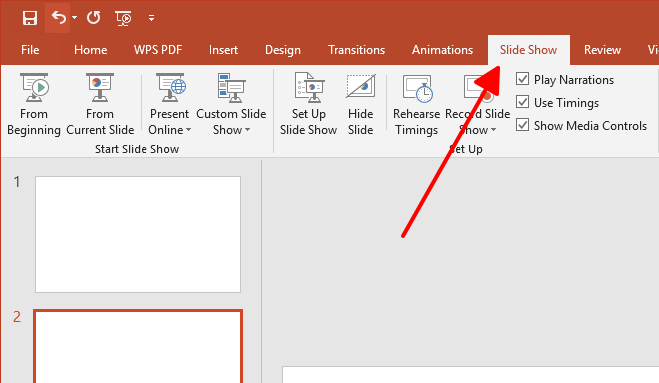
Step 1: Start dark background (navy/black). Bright white/yellow text creates game show contrast.
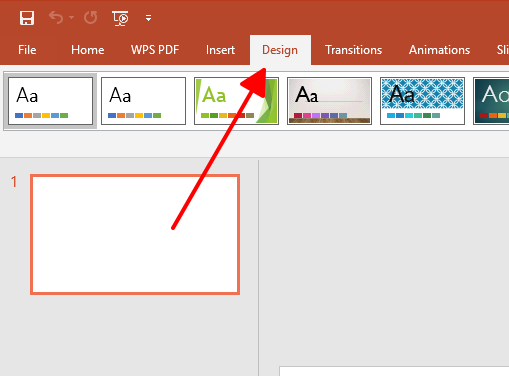
Step 2: Title slide shows team names, scoreboard space.
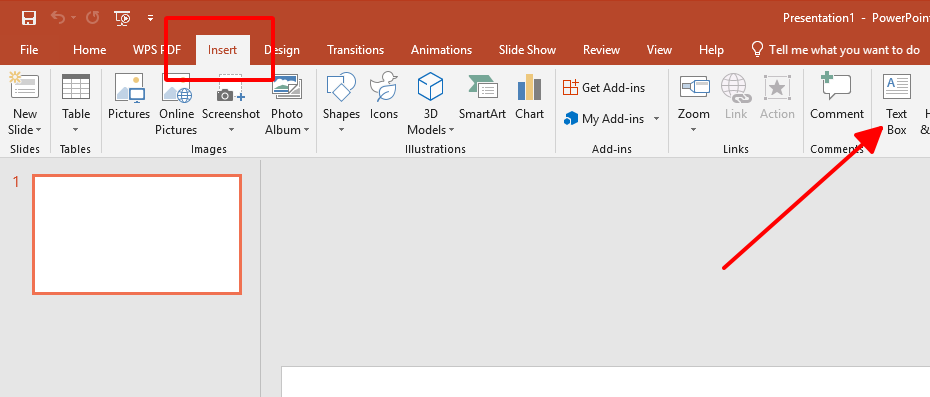
Step 3: Question slides use six rectangular answer boxes stacked vertically.
Step 4: Animate boxes to reveal on click. Builds reveal tension.
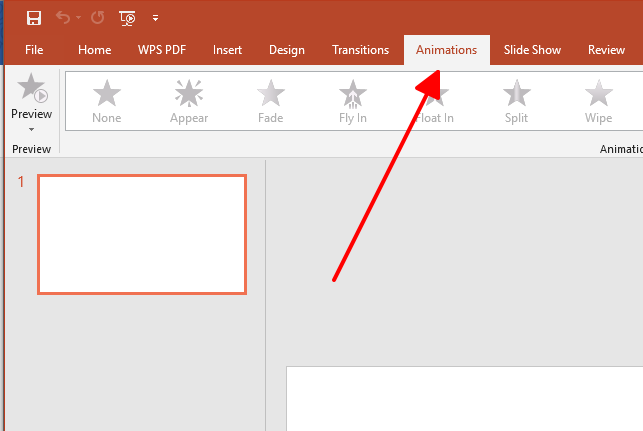
Step 5: Scoreboard slide tracks team totals.
Step 6: Fast Money slide lists five rapid questions.
Step 7: Test animations before playing. Smooth reveals maintain game flow.
Part 2: Focus Groups Templates [Text with Background Image]
Click the provided links, select "Edit this free template," then click "Download" in the upper right corner to save your PDF template. The following 10 family feud template examples cover diverse themes matching various audiences and occasions. Each template arrives fully functional with working animations and intuitive editing access.
How to Make a Family Feud PowerPoint
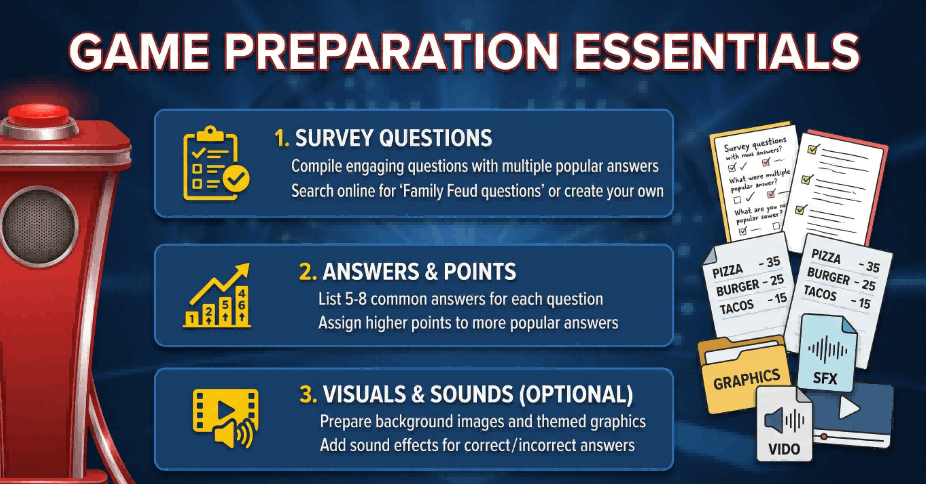
This template uses a clean dark background with bright, centered text and answer boxes that stand out clearly. It is ideal when you want a professional, easy-to-read board that works in classrooms or meeting rooms, especially on projectors. I find it a reliable starting point when I need a neutral, business-friendly look that still feels like a game show.
Family Feud Game With Popular Video Games PowerPoint
Pixel art and bold gaming graphics fill this template's backgrounds. Perfect for tech teams and gamers who instantly connect with console and PC references. Gaming audiences stay engaged longer with familiar characters and game themes.
Family Feud Game Show Inspired By Disney Animated Movies PPT
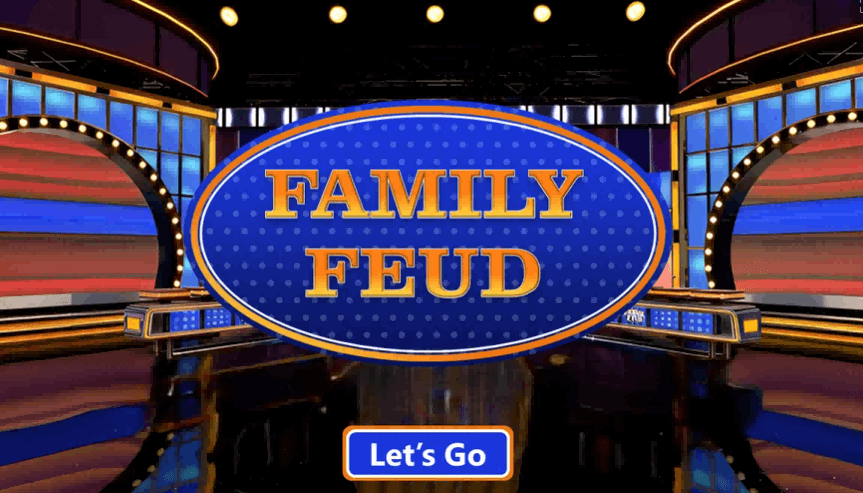
Bright Disney castles, stars, and animated scenery create instant recognition. Works great for kids, schools, and family events. Disney visuals make shy players feel comfortable participating because everything feels familiar and fun.
Family Feud PowerPoint And Google Slides: Movie Theme

Red curtains, spotlights, and film strips set a cinema atmosphere. Perfect for film questions about movies, actors, and famous scenes. Adult audiences and film clubs love the game show plus movie night combination.
Best Famous Movie Quotes Family Feud PPT And Google Slides
Speech bubbles and quote marks sit on cinema backgrounds. Teams guess movie lines and match them to films. Clear text layout reads easily from anywhere in the room. Great for groups that love movie trivia.
Elevate Your Thanksgiving Family Feud PPT And Google Slides
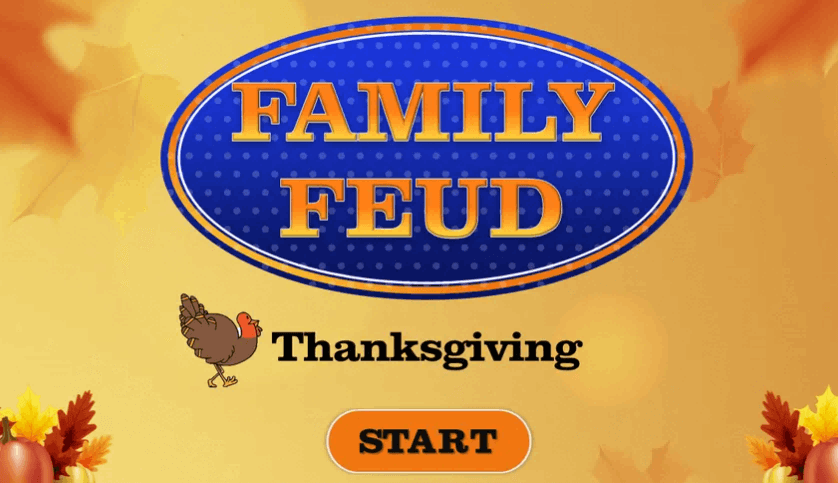
Autumn leaves, pumpkins, and dinner table imagery set holiday mood instantly. Perfect for November gatherings and family events. Seasonal visuals make questions about food, traditions, and gratitude feel natural and timely.
Disney Animated Movies Family Feud PPT And Google Slides
Bright colorful landscapes highlight animated films from Frozen to classics. Works for all ages and mixed family groups. Background themes make it easy to write questions around songs, characters, and famous movie moments.
Best Olympic Sports Family Feud PPT And Google Slides
Stadium, track, and podium backgrounds energize athletic events and PE classes. Dynamic imagery keeps scoreboard and answers readable while feeling competitive. Sports fans stay excited throughout the game.
80s Hit Songs Quiz With Family Feud PPT And Google Slides

Neon gradients and retro shapes create authentic 80s atmosphere. Perfect for music nights, birthday parties, and themed events. Background instantly encourages singing and nostalgia, making games fun and memorable.
US Presidents Family Feud PowerPoint And Google Slides

White House imagery and historical textures add gravitas for serious topics. Works well in social studies classes and history clubs. Formal design keeps content educational while Family Feud format keeps things interactive.
These 10 templates cover gamers, movie lovers, families, students, and sports fans. Pick a theme matching group interests and participation stays high naturally.
Want more options? Visit the WPS template website. Thousands of templates exist for every occasion. Download and edit templates directly in WPS software, so focus stays on writing great questions instead of building slides.
Part 3: How to Further Edit and Print Optimized Family Feud Templates
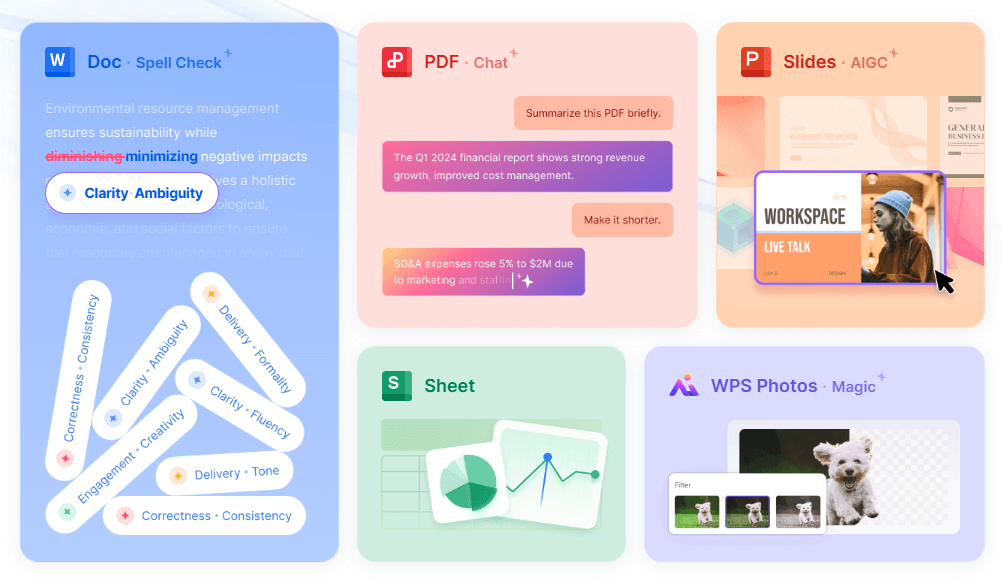
The templates above provide excellent starting points now requiring customization matching specific event needs and participant interests. Further editing transforms generic designs into targeted experiences while WPS Office streamlines modifications through familiar interface and extensive formatting tools. Download preferred templates then follow these optimization steps for maximum engagement.
Step-by-Step Tutorial: Create Family Feud Template on WPS Presentation
Step 1: Launch WPS Presentation and select File > Open to import downloaded family feud template maintaining full edit compatibility.
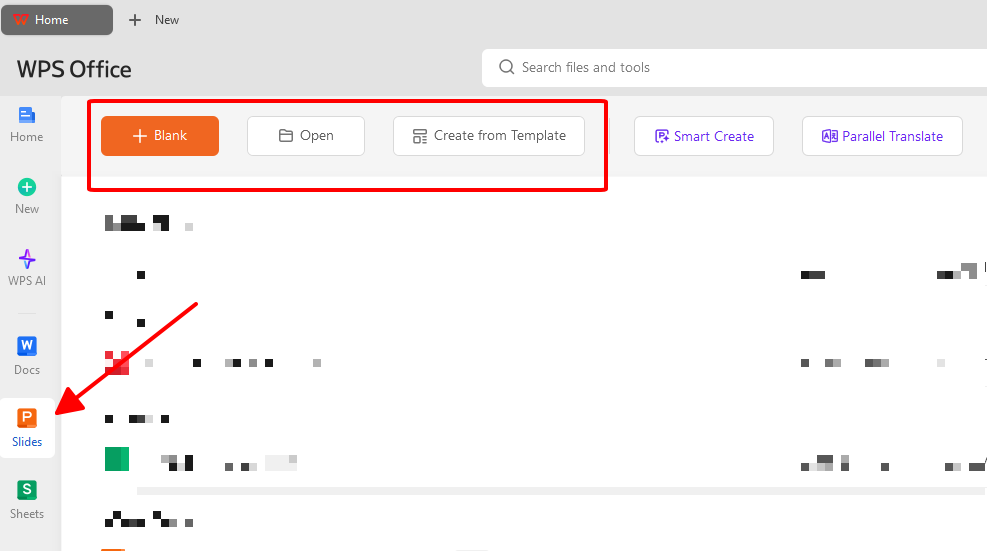
Step 2: Navigate question slides clicking text boxes to replace generic content with targeted survey questions relevant to participant demographics.
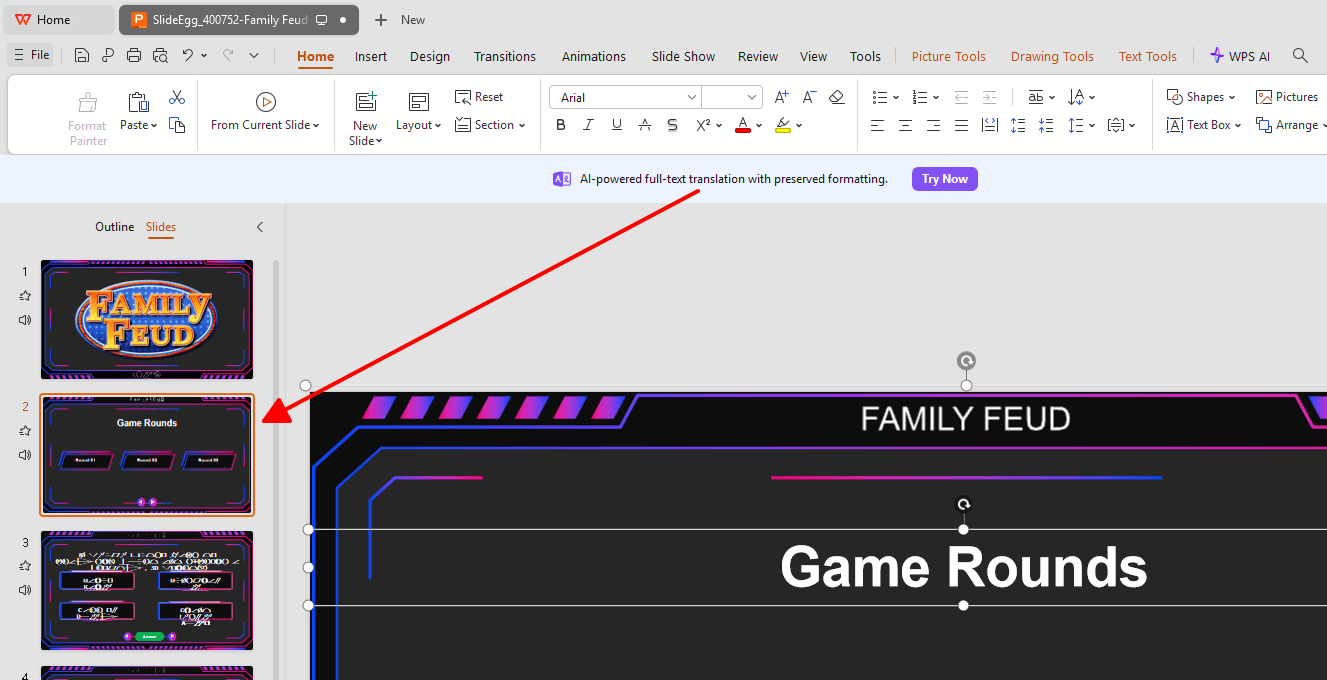
Step 3: Update answer boxes entering survey responses ranked by popularity while adjusting point values matching anticipated scoring patterns.
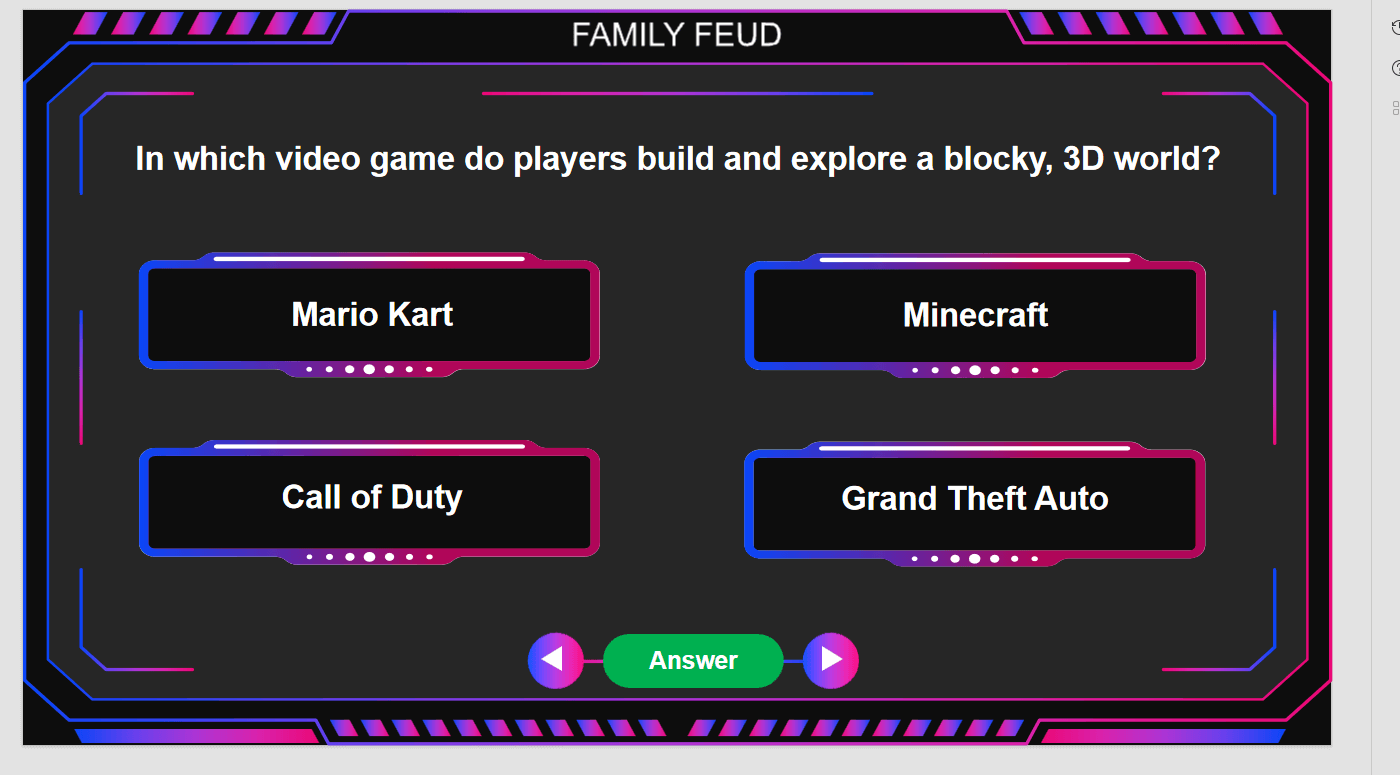
Step 4: Customize title slide team names and scoreboard displays ensuring clear visibility during projected gameplay sessions.
Recommend WPS Editing Template for Family Feud Template
WPS Presentation handles complex template modifications including animation timing, color scheme adjustments, and interactive element programming. Built-in design suggestions automatically optimize layouts while maintaining game show professionalism across various display resolutions. Cloud integration enables real-time preview testing across multiple devices ensuring consistent appearance during actual presentations.
Save Edited Template as PDF
Step 1: File > Export > PDF
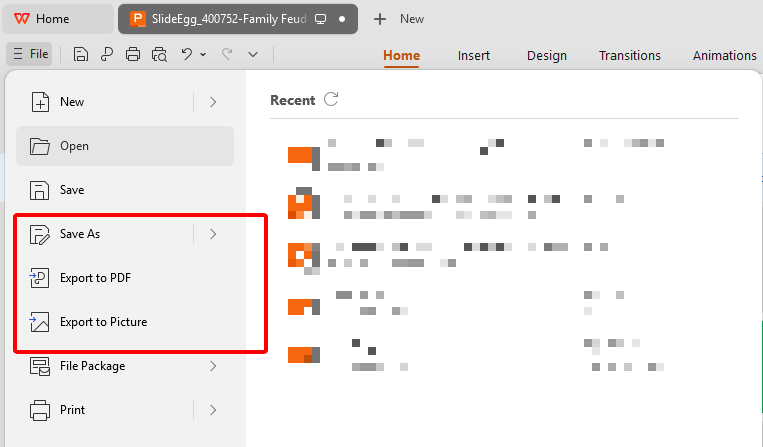
Step 2: Choose save location. Done.
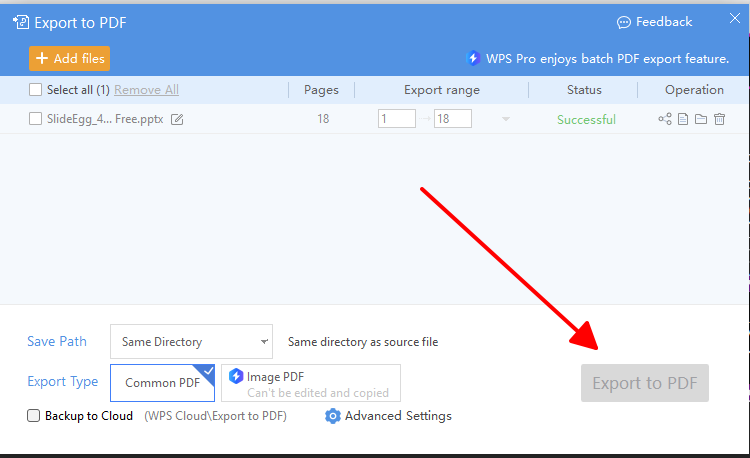
Prints cleanly. Shares easily. No edits possible.
Generate Online Link in WPS Office
Step 1: File > Share Online
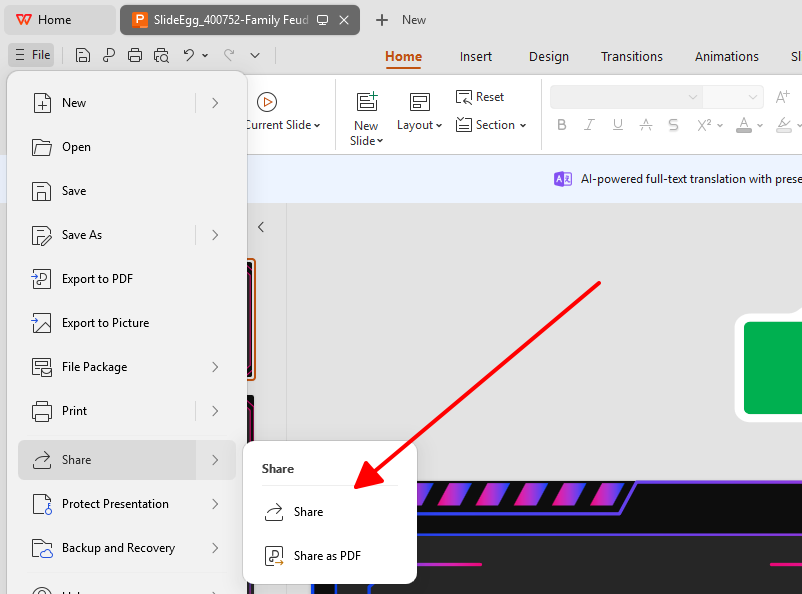
Step 2: Copy generated link
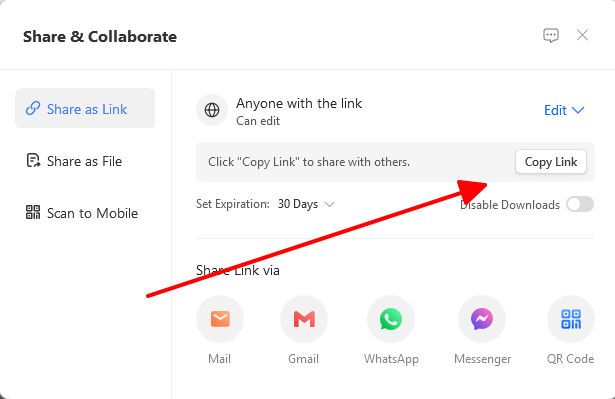
Step 3: Email or message link to team
Step 4: Set "View Only" or "Can Edit" permissions
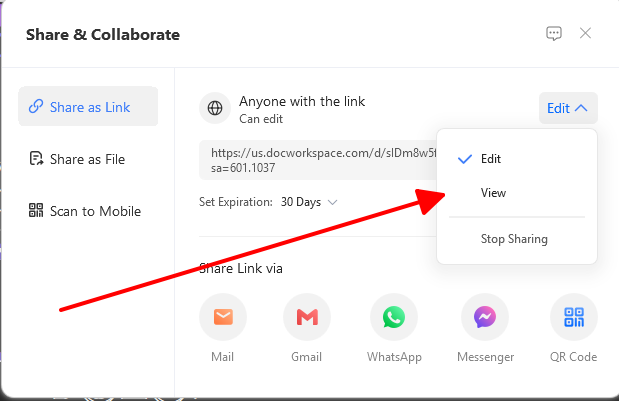
Changes appear instantly. No file sending needed. Perfect for remote planning.
Customized family feud template stands ready for use. Survey questions, answers, team names, and animations all tested. Template looks professional and matches event theme perfectly. PDF prints scorecards cleanly. Online link shares with co-hosts instantly. Engaging game setup complete for memorable competition.
Part 4: Free Office Suite with Editable Templates
WPS Office delivers comprehensive office functionality through Writer, Spreadsheet, Presentation, and PDF applications available completely free across all major platforms. Core features match premium office suites while extensive template libraries eliminate design barriers for non-technical users. Cross-platform synchronization maintains workflow continuity regardless of device or operating system preferences.
FAQs
1. What file formats are family feud templates usually provided in?
Most templates use PowerPoint PPTX format. WPS Office and Google Slides open PPTX files perfectly. This format supports animations for answer reveals and scoring displays.
2. How can I customize questions and answers in a family feud template?
Click text boxes to edit questions and answers directly. Type new content replacing placeholders. WPS Office keeps animations working automatically as text changes. Layout prevents text overflow.
3. Are there copyright concerns when using free family feud templates?
Professional template sites provide royalty-free designs for commercial and educational use. No watermarks block events. Check site licensing terms to confirm unlimited usage rights.
4. How many questions should a typical family feud game contain?
Standard games use 4-6 main rounds with 6-8 answers each. Add optional Fast Money round with 5 quick questions. Total 30-50 slides. Adjust based on event time available.

'%3e%3cpath%20d='M19.9911%204.11386V6.471H18.5894C18.0775%206.471%2017.7322%206.57814%2017.5536%206.79243C17.3751%207.00671%2017.2858%207.32814%2017.2858%207.75671V9.44421H19.9019L19.5536%2012.0871H17.2858V18.8639H14.5536V12.0871H12.2769V9.44421H14.5536V7.49779C14.5536%206.39064%2014.8632%205.53201%2015.4822%204.92189C16.1013%204.31177%2016.9257%204.00671%2017.9554%204.00671C18.8304%204.00671%2019.509%204.04243%2019.9911%204.11386Z'%20fill='%23333333'/%3e%3c/g%3e%3cdefs%3e%3cclipPath%20id='clip0_2938_8199'%3e%3crect%20width='16'%20height='16'%20fill='white'%20transform='translate(8%204.00671)'/%3e%3c/clipPath%3e%3c/defs%3e%3c/svg%3e)
'%3e%3cpath%20d='M17.5237%2010.7813L23.4811%204H22.0699L16.8949%209.88693L12.7648%204H8L14.2469%2012.9029L8%2020.0133H9.4112L14.8725%2013.7952L19.2352%2020.0133H24M9.92053%205.04213H12.0885L22.0688%2019.0224H19.9003'%20fill='%23333333'/%3e%3c/g%3e%3cdefs%3e%3cclipPath%20id='clip0_2938_8200'%3e%3crect%20width='16'%20height='16.0134'%20fill='white'%20transform='translate(8%204)'/%3e%3c/clipPath%3e%3c/defs%3e%3c/svg%3e)


