Whether you’re a teacher handing out gold stars, a coach hyping up
your team, or a boss giving props for killer work, certificates turn
those moments into something special. But let’s be honest—finding free,
good-looking certificate templates and figuring out how to edit them can
feel like a giant pain. You want printable certificate templates that
look pro without needing a design expert on call. I’ve got you covered
with 10 free, awesome templates and a super easy guide to tweak them in
WPS Office or Word. Let’s make your awards sparkle without the
hassle.
Use Word, Excel, and PPT for FREE
Part 1:
10 Free Certificate Templates You Can Download
achievement certificate sample
I’ve scoured the web to find 10 free certificate templates that’ll
make your awards stand out, whether for school, work, or a community
bash. Each free editable certificate design is professional, super easy
to tweak, and ready to print or share. I’ve tried them all myself and
spilled what makes each one a gem below. Grab one that vibes with your
event and start celebrating those wins.
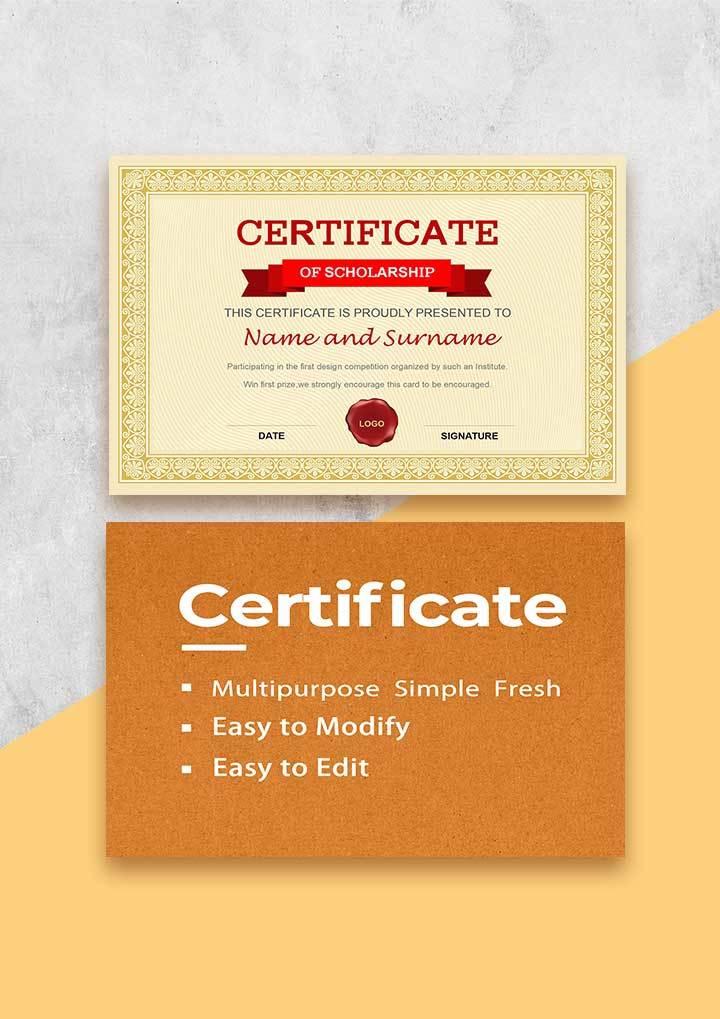
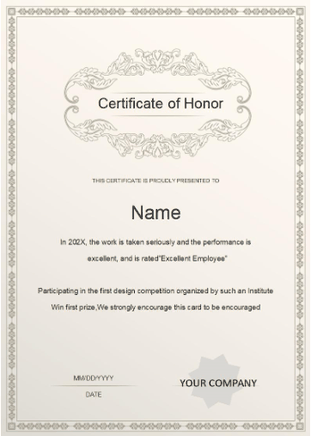
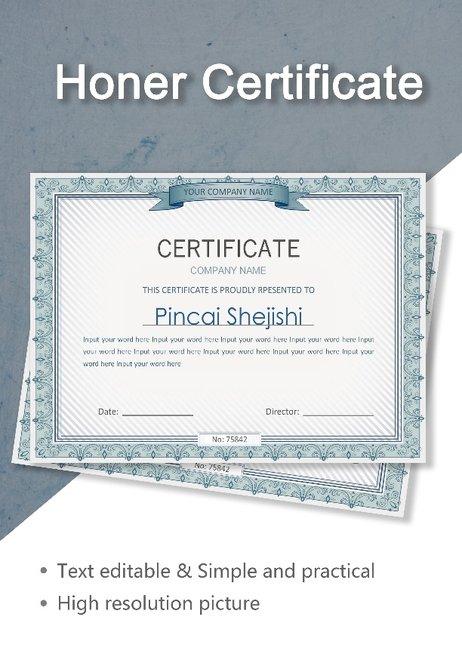
This one’s like a shiny trophy you’d proudly stick on a
shelf—timeless and perfect for any big achievement. It’s awesome for
schools or offices giving props for top grades or work wins. The
layout’s clean, with spots for names and dates. I used it for student
awards, and it gave them that “I’m framing this forever” feel.
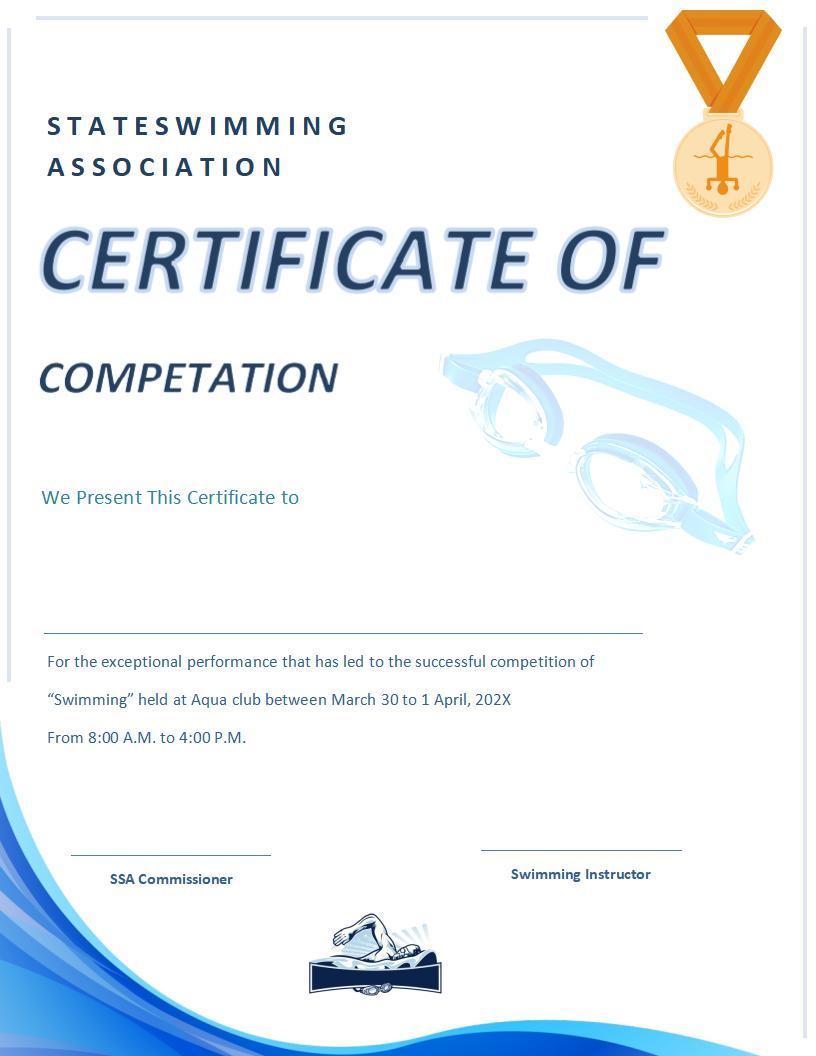
This template’s like a cool dip in the pool, with a blue design
that’s perfect for sports like swimming. It’s great for coaches or clubs
handing out participation or achievement awards. The vibe’s fun and
fresh. I used it for a swim team, and the kids were grinning ear to
ear.
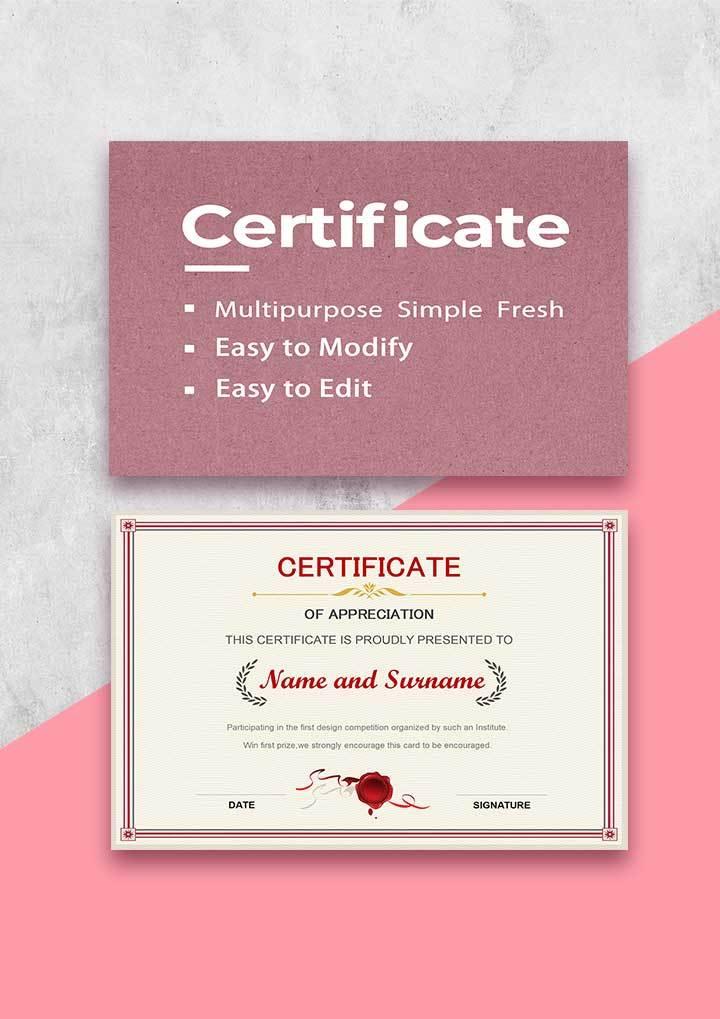
Picture this as a big, warm thank-you hug in print. It’s perfect for
showing love to volunteers, coworkers, or students at events. The
design’s simple with space for a personal note. I used it to thank a
volunteer crew, and it felt like a heartfelt high-five.
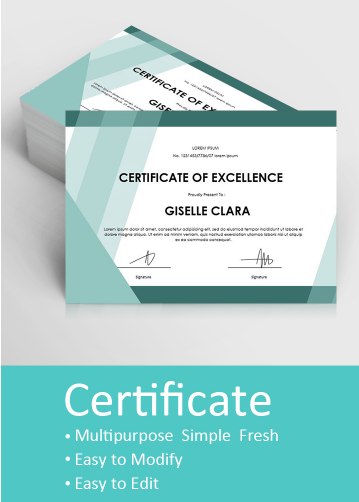
This one’s like a blank canvas—clean, white, and ready for any
occasion. It’s great for businesses or schools needing a no-fuss
certificate. You can add your own spark to make it pop. I used it for
quick awards, and it looked pro with barely any effort.
This template’s got a fresh, green vibe, like a crisp spring morning
after a good rain. It’s perfect for eco-friendly events, like community
garden projects, or wellness programs that celebrate healthy living. You
can tweak it for any achievement in a snap. I used it for a garden club
award, and it matched the earthy, feel-good mood like it was made for
it.
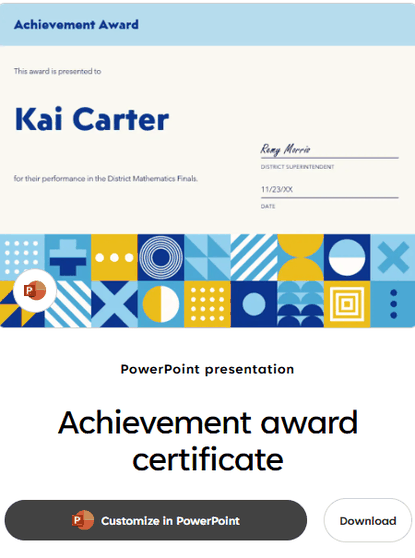
This one’s like a shiny medal you’d pin on with pride—bold,
eye-catching, and perfect for big wins. It’s great for school
achievements, sports victories, or work milestones that deserve a
spotlight. I used it for a work award, and it turned the moment into a
full-on celebration vibe.
This template’s like a sparkly jewel, with a pink crystal design
that’s just right for creative or fun, feminine-themed events. It’s
ideal for art classes or special shout-outs that need a little flair. I
used it for a dance recital award, and the kids absolutely lost it over
its bright, playful look.
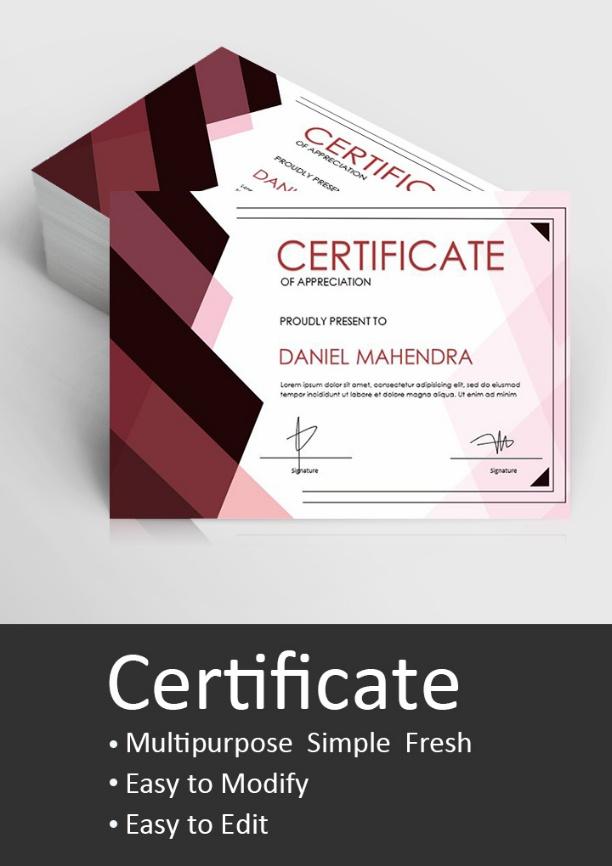
This one’s like a gold star you’d stick on a perfect report
card—formal and full of prestige. It’s awesome for academic honors or
professional awards that need to feel official. I used it for a student
of the year award, and it looked so legit, it stole the whole show.
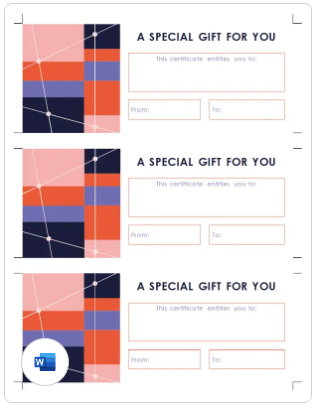
These are like little gift cards, perfect for businesses or events
dishing out rewards or prizes. The three-per-page setup saves paper and
time. I used them for a small business giveaway, and customers couldn’t
get enough of them.
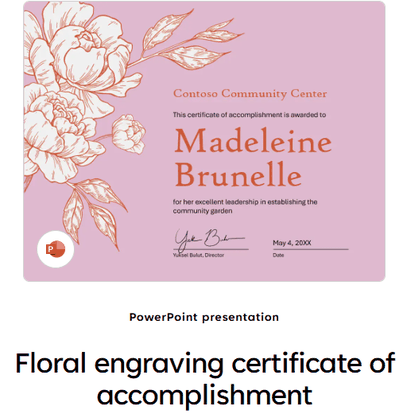
This template’s like a vintage postcard—charming with a floral, retro
vibe. It’s perfect for community events or personal thank-yous. I used
it for a volunteer appreciation event, and its nostalgic design felt
warm and super personal.
Part 2: How to
Edit Certificate Templates in Word
WPS AI features collage
Personalizing printable certificate templates in WPS Office or
Microsoft Word is like sprucing up a cupcake—fast, fun, and totally your
style. I’ve laid out easy step-by-step guides for editing in WPS Word
and converting PDFs below, complete with screenshots to keep things
clear. Whether you’re celebrating a kid’s awesome achievement or giving
a coworker props for their hard work, you’ll have a slick-looking
certificate ready in a snap.
Steps to Edit in WPS Word
Step 1: Open Template in WPS Word
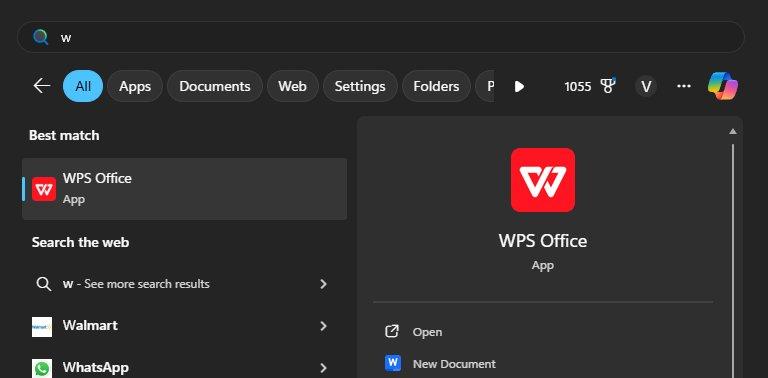
Windows search WPS Office
Pick a template, like the Classic Achievement Certificate, from the
links above. Open it in WPS Word via WPS Office from wps.com. It feels
just like Microsoft Word but won’t cost you a dime. Choose a design that
matches your event’s vibe.
Step 2: Make It Personal
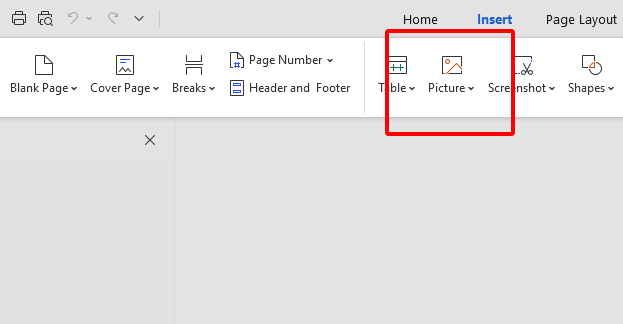
Insert picture
Click text fields to toss in names, dates, or award details—like
“Star Volunteer” or “Top Performer.” Drop in a logo or signature with
Insert > Picture for that legit touch. Mess with fonts or colors in
the toolbar to match your style. Save often so your work’s locked in
tight.
Step 3: Save, Share, or Print
File menu options
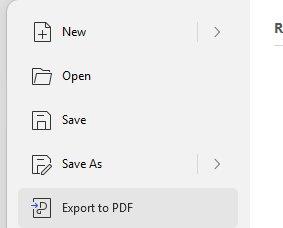
Hit File > Export to PDF for emails or digital sharing. For
printing, go to File > Print and pick A4 or US Letter size. Check the
print preview to make sure it’s perfect. I always grab some thick paper
to give my certificates a fancy, keepsake vibe.
WPS Word made tweaking my free editable certificate designs as easy
as stirring a bowl of batter. Adding names and logos was a snap, and the
results looked like they came from a pro printer. It’s free, works like
Microsoft Word, and saved me from pulling my hair out over design. My
certificates had everyone grinning at the award ceremony.
Steps to Convert
PDF to Editable Word Format
100% secure
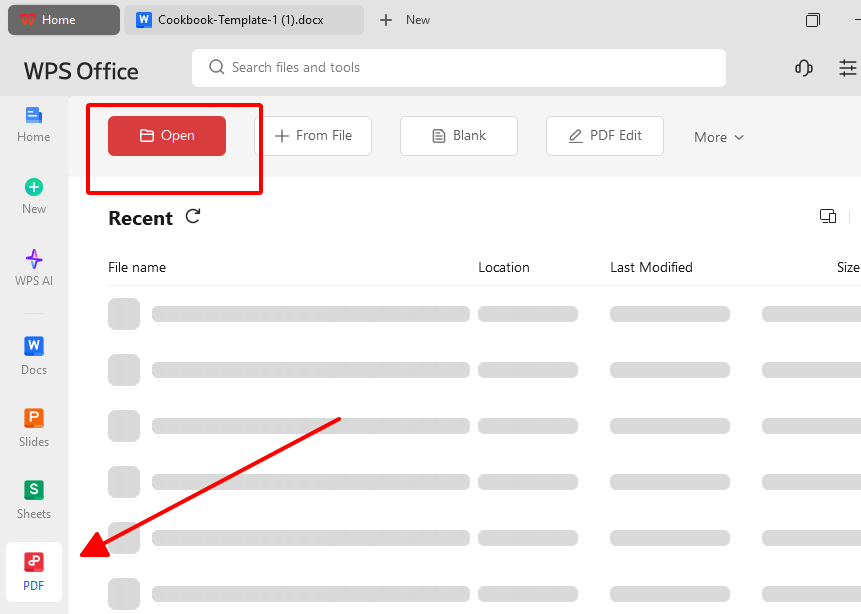
Step 1: Open PDF in WPS PDF
Open PDF in WPS PDF
Got a PDF template, like the Simple Green Certificate? Open it in WPS
PDF via WPS Office. The interface is clean and super easy, even if
tech’s not your thing. Pick a design that suits your needs.
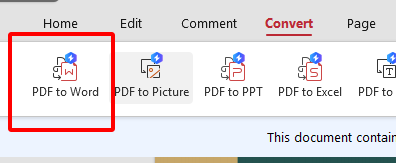
Step 2: Convert to Word
Convert to Word
Go to Tools > PDF to Word to turn the PDF into an editable .docx
file. This lets you tweak text or add images without a hitch. Save the
converted file to start making it yours.
Step 3: Edit and Export
File menu options
Edit names, dates, or logos in the converted Word file. Export back
to PDF via File > Export to PDF for sharing. For printing, use File
> Print with premium paper for a polished look.
WPS PDF was my lifesaver for turning PDF certificates into something
I could edit in a flash. The conversion was quick as a wink, and
tweaking text felt like a walk in the park. It’s free, reliable, and
made my certificates look pro even when I was racing the clock for an
event.
Part 3: Extra Tips
– Customize & Print with Style
Making your certificates stand out is like adding a cherry on top of
a sundae—it’s all about those little touches. Pick classic serif fonts
like Times New Roman for a formal vibe or modern ones like Lato for a
fresh feel. Print on ivory or parchment paper to give them a premium,
official look. Toss in your group’s logo or a scanned signature to make
it feel personal and legit.
Fonts set the mood—serif for a traditional feel, sans-serif for a
modern twist. Thick paper or parchment makes your certificate feel like
a treasure. Logos and signatures add that extra spark of authenticity.
These tricks turn a basic certificate into something people will want to
keep forever.
Picking a font that fit the vibe made my certificates look like they
belonged in a frame. Printing on parchment paper gave them a classy feel
that everyone noticed. Adding a logo and signature made them feel like a
personal high-five. It was like handing out little trophies that people
couldn’t stop smiling about.
Part
4. Free Office Suite with Abundant Certificate Templates
AI-powered office suite
WPS Office is like that friend who always shows up with exactly what
you need—free, dependable, and makes your work look awesome. This
all-in-one suite handles Word, Excel, PPT, and PDF, perfect for crafting
free editable certificate designs. Its lightweight 200MB design runs
like a dream on Windows, Mac, Linux, Android, and iOS. With a huge
template stash and cloud sync, it’s a game-changer for creating
certificates. You’ll spend more time celebrating wins than messing with
software.
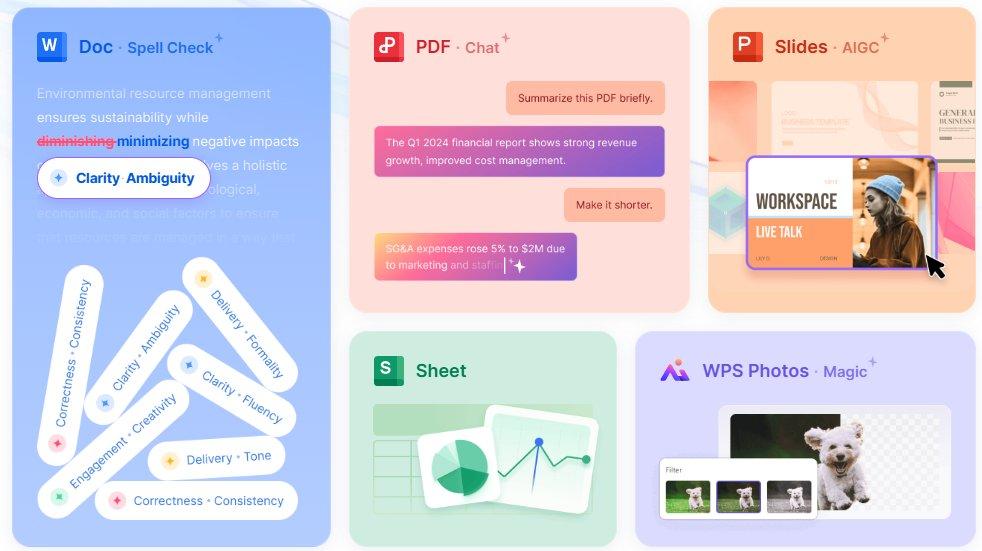
The AI writing tools are like having a pal polish your award text in
a snap. The template library is bursting with free certificate
templates, from classic to colorful. Beyond standard awards, AI is also revolutionizing professional documentation; for instance, you can now use a specialized medical certificate generator AI to create structured drafts for health-related records with precision. Cloud sync lets you edit on your
phone and share with others in a flash. It’s as easy as Microsoft Office
but free, making it perfect for awesome certificates. WPS Office is
safe, stable, and your shortcut to pro-looking awards.
Key Features of WPS Office:
Free with no pesky ads or subscriptions.
Loaded with certificate templates for every occasion.
AI writing tools for slick, polished text.
Handles Word, PDF, and more with ease.
Cloud sync for sharing and editing anywhere.
WPS Office was my secret sauce for creating certificates that blew
everyone away. The templates gave me a running start, and the AI tools
made my text sound perfect. Sharing via cloud sync let my team toss in
ideas in no time. It’s free, super easy, and made my certificates look
like I hired a fancy designer.
FAQs
1. Can I customize these templates in Word or WPS for
free?
You bet—most templates are .docx and can be edited free in WPS Office
or Word, no strings attached.
2. Do I need to pay to download certificate
templates?
Nope, all the templates here are free for personal or educational
use—no wallet needed.
3. Can I use these templates for commercial
purposes?
Some platforms are cool with commercial use, but check the licensing
terms first to play it safe.
4. How do I add a logo to my certificate?
Just hit Insert > Picture in WPS Word to drop in your logo and
drag it to fit perfectly.
5. Can I share my certificate digitally?
Totally—export it as a PDF or share a cloud link via WPS Office for
easy digital sharing.
Summary
This guide dishes out 10 free certificate templates for every occasion, from school awards to work achievements. They’re stylish, easy to tweak, and ready to print or share. WPS Office makes customization a snap with free tools, AI writing, and cloud sharing. It’s lightweight, user-friendly, and perfect for creating printable certificate templates. Celebrate success with these templates and WPS Office without breaking a sweat.
10+ Years tech enthusiast specializing in software reviews and comparisons. He provides in-depth evaluations and practical recommendations for the latest apps and digital tools to help readers make informed decisions.


'%3e%3cpath%20d='M8%200C12.4183%200%2016%203.58172%2016%208C16%2012.4183%2012.4183%2016%208%2016C3.58172%2016%200%2012.4183%200%208C0%203.58172%203.58172%200%208%200ZM11.6162%204.38379C11.2257%203.99337%2010.5927%203.99338%2010.2021%204.38379L8%206.58594L5.79785%204.38379C5.40732%203.99334%204.77429%203.99329%204.38379%204.38379C3.99331%204.77429%203.99335%205.40733%204.38379%205.79785L6.58594%208L4.38379%2010.2021C3.99348%2010.5927%203.99341%2011.2257%204.38379%2011.6162C4.77426%2012.0066%205.40734%2012.0065%205.79785%2011.6162L8%209.41406L10.2021%2011.6162C10.5927%2012.0066%2011.2257%2012.0067%2011.6162%2011.6162C12.0067%2011.2257%2012.0066%2010.5927%2011.6162%2010.2021L9.41406%208L11.6162%205.79785C12.0066%205.40735%2012.0066%204.77429%2011.6162%204.38379Z'%20fill='%23080E17'%20fill-opacity='0.46'/%3e%3c/g%3e%3cdefs%3e%3cclipPath%20id='clip0_3761_713'%3e%3crect%20width='16'%20height='16'%20fill='white'/%3e%3c/clipPath%3e%3c/defs%3e%3c/svg%3e)




'%3e%3cpath%20fill-rule='evenodd'%20clip-rule='evenodd'%20d='M21.4999%2010.9993C21.4999%205.20009%2016.7986%200.498901%2010.9993%200.498901C5.19994%200.498901%200.498657%205.20009%200.498657%2010.9993C0.498657%2016.2404%204.33858%2020.5844%209.35855%2021.3722V14.0346H6.69238V10.9993H9.35855V8.68594C9.35855%206.05427%2010.9262%204.60062%2013.3248%204.60062C14.4736%204.60062%2015.6753%204.80571%2015.6753%204.80571V7.38979H14.3512C13.0468%207.38979%2012.64%208.19921%2012.64%209.0296V10.9993H15.5523L15.0867%2014.0346H12.64V21.3722C17.66%2020.5844%2021.4999%2016.2404%2021.4999%2010.9993Z'%20fill='%231568EA'/%3e%3c/g%3e%3c/svg%3e)


'%3e%3cpath%20d='M2.42045%2022.1876H6.31818V12.7217L0.75%208.54553V20.5171C0.75%2021.4414%201.49892%2022.1876%202.42045%2022.1876Z'%20fill='%234285F4'/%3e%3cpath%20d='M19.682%2022.1876H23.5797C24.5041%2022.1876%2025.2502%2021.4387%2025.2502%2020.5171V8.54553L19.682%2012.7217'%20fill='%2334A853'/%3e%3cpath%20d='M19.682%205.48293V12.7216L25.2502%208.54543V6.31816C25.2502%204.25236%2022.8921%203.07469%2021.2411%204.31361'%20fill='%23FBBC04'/%3e%3cpath%20d='M6.31824%2012.7217V5.48303L13.0001%2010.4944L19.6819%205.48303V12.7217L13.0001%2017.733'%20fill='%23EA4335'/%3e%3cpath%20d='M0.75%206.31816V8.54543L6.31818%2012.7216V5.48293L4.75909%204.31361C3.10534%203.07469%200.75%204.25236%200.75%206.31816Z'%20fill='%23C5221F'/%3e%3c/g%3e%3cdefs%3e%3cclipPath%20id='clip0_2954_7305'%3e%3crect%20width='24.5'%20height='18.375'%20fill='white'%20transform='translate(0.75%203.8125)'/%3e%3c/clipPath%3e%3c/defs%3e%3c/svg%3e)



'%3e%3cpath%20d='M19.9911%204.11386V6.471H18.5894C18.0775%206.471%2017.7322%206.57814%2017.5536%206.79243C17.3751%207.00671%2017.2858%207.32814%2017.2858%207.75671V9.44421H19.9019L19.5536%2012.0871H17.2858V18.8639H14.5536V12.0871H12.2769V9.44421H14.5536V7.49779C14.5536%206.39064%2014.8632%205.53201%2015.4822%204.92189C16.1013%204.31177%2016.9257%204.00671%2017.9554%204.00671C18.8304%204.00671%2019.509%204.04243%2019.9911%204.11386Z'%20fill='%23333333'/%3e%3c/g%3e%3cdefs%3e%3cclipPath%20id='clip0_2938_8199'%3e%3crect%20width='16'%20height='16'%20fill='white'%20transform='translate(8%204.00671)'/%3e%3c/clipPath%3e%3c/defs%3e%3c/svg%3e)
'%3e%3cpath%20d='M17.5237%2010.7813L23.4811%204H22.0699L16.8949%209.88693L12.7648%204H8L14.2469%2012.9029L8%2020.0133H9.4112L14.8725%2013.7952L19.2352%2020.0133H24M9.92053%205.04213H12.0885L22.0688%2019.0224H19.9003'%20fill='%23333333'/%3e%3c/g%3e%3cdefs%3e%3cclipPath%20id='clip0_2938_8200'%3e%3crect%20width='16'%20height='16.0134'%20fill='white'%20transform='translate(8%204)'/%3e%3c/clipPath%3e%3c/defs%3e%3c/svg%3e)


