

'%3e%3cpath%20d='M8%200C12.4183%200%2016%203.58172%2016%208C16%2012.4183%2012.4183%2016%208%2016C3.58172%2016%200%2012.4183%200%208C0%203.58172%203.58172%200%208%200ZM11.6162%204.38379C11.2257%203.99337%2010.5927%203.99338%2010.2021%204.38379L8%206.58594L5.79785%204.38379C5.40732%203.99334%204.77429%203.99329%204.38379%204.38379C3.99331%204.77429%203.99335%205.40733%204.38379%205.79785L6.58594%208L4.38379%2010.2021C3.99348%2010.5927%203.99341%2011.2257%204.38379%2011.6162C4.77426%2012.0066%205.40734%2012.0065%205.79785%2011.6162L8%209.41406L10.2021%2011.6162C10.5927%2012.0066%2011.2257%2012.0067%2011.6162%2011.6162C12.0067%2011.2257%2012.0066%2010.5927%2011.6162%2010.2021L9.41406%208L11.6162%205.79785C12.0066%205.40735%2012.0066%204.77429%2011.6162%204.38379Z'%20fill='%23080E17'%20fill-opacity='0.46'/%3e%3c/g%3e%3cdefs%3e%3cclipPath%20id='clip0_3761_713'%3e%3crect%20width='16'%20height='16'%20fill='white'/%3e%3c/clipPath%3e%3c/defs%3e%3c/svg%3e)




'%3e%3cpath%20fill-rule='evenodd'%20clip-rule='evenodd'%20d='M21.4999%2010.9993C21.4999%205.20009%2016.7986%200.498901%2010.9993%200.498901C5.19994%200.498901%200.498657%205.20009%200.498657%2010.9993C0.498657%2016.2404%204.33858%2020.5844%209.35855%2021.3722V14.0346H6.69238V10.9993H9.35855V8.68594C9.35855%206.05427%2010.9262%204.60062%2013.3248%204.60062C14.4736%204.60062%2015.6753%204.80571%2015.6753%204.80571V7.38979H14.3512C13.0468%207.38979%2012.64%208.19921%2012.64%209.0296V10.9993H15.5523L15.0867%2014.0346H12.64V21.3722C17.66%2020.5844%2021.4999%2016.2404%2021.4999%2010.9993Z'%20fill='%231568EA'/%3e%3c/g%3e%3c/svg%3e)


'%3e%3cpath%20d='M2.42045%2022.1876H6.31818V12.7217L0.75%208.54553V20.5171C0.75%2021.4414%201.49892%2022.1876%202.42045%2022.1876Z'%20fill='%234285F4'/%3e%3cpath%20d='M19.682%2022.1876H23.5797C24.5041%2022.1876%2025.2502%2021.4387%2025.2502%2020.5171V8.54553L19.682%2012.7217'%20fill='%2334A853'/%3e%3cpath%20d='M19.682%205.48293V12.7216L25.2502%208.54543V6.31816C25.2502%204.25236%2022.8921%203.07469%2021.2411%204.31361'%20fill='%23FBBC04'/%3e%3cpath%20d='M6.31824%2012.7217V5.48303L13.0001%2010.4944L19.6819%205.48303V12.7217L13.0001%2017.733'%20fill='%23EA4335'/%3e%3cpath%20d='M0.75%206.31816V8.54543L6.31818%2012.7216V5.48293L4.75909%204.31361C3.10534%203.07469%200.75%204.25236%200.75%206.31816Z'%20fill='%23C5221F'/%3e%3c/g%3e%3cdefs%3e%3cclipPath%20id='clip0_2954_7305'%3e%3crect%20width='24.5'%20height='18.375'%20fill='white'%20transform='translate(0.75%203.8125)'/%3e%3c/clipPath%3e%3c/defs%3e%3c/svg%3e)


A charming Christmas menu is more than just a piece of paper, it sets the tone for your gathering, creates anticipation, and adds a festive touch to the table. I know how tricky it can feel to design one from scratch, especially when you want it to look professional yet warm. Many people don’t know where to start or which templates are editable and printable. So, where do you find free, customizable template for Christmas menu? In this guide, I’ll share 10 beautiful templates, explain how you can edit them in different formats, and walk you through the printing process step by step.
What Should Be Included in a Christmas Menu
When you’re preparing your menu, it helps to have a clear structure. A Christmasmenu doesn’t need to be complicated, but it should reflect the flow of your holiday meal. It’s also a good idea to keep the design consistent with your table setting, so everything feels coordinated. Guests usually notice the little details, and a well-laid-out menu gives them a sense of excitement about the dishes to come. If you prefer something ready-made yet stylish, an editable template for Christmas menu can save you hours while still looking elegant. Here’s what you should include:
Appetizers or Starters:
A short section listing small bites such as soups, salads, or canapés. Guests usually look forward to something light before the main course.
Main Course:
This is the heart of your menu. Roast turkey, glazed ham, or even vegetarian options like stuffed squash fit perfectly here.
Side Dishes:
Think mashed potatoes, roasted vegetables, stuffing, and sauces. It’s best to list these under the mains.
Desserts:
Christmas pudding, fruitcake, pies, or cookies. Ending with a sweet note makes your menu feel complete.
Drinks:
Warm beverages like mulled wine, cocoa, or eggnog can make your menu feel cozy and festive.
Decorative Elements:
Icons like holly, stars, or snowflakes can elevate the design without overwhelming the text.
Whenever I’ve made a Christmas menu, listing drinks and desserts separately always impressed my guests. It made the menu feel more intentional and thought-through.
10 Free Christmas Menu Templates [Download & Edit]
Here are 10 carefully selected templates in both image and PDF formats that you can download and customize. Each option has its own unique look, ranging from minimal to bold, so you can pick what best matches your event. Some are perfect for cozy family gatherings, while others are styled for more formal celebrations. If you want a polished option that feels festive and modern, a Christmas menu template for Word and PDF gives you the flexibility to edit text quickly and print in high quality, including a Christmas lunch menu card design.
Image Format
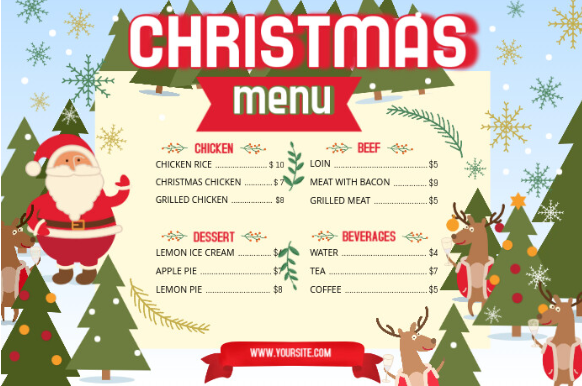
Christmas Menu Landscape Poster Design Template
The Christmas Menu Landscape Poster Design Template offers a wide-format layout that’s perfect for displaying menus at larger gatherings. Its festive graphics make it eye-catching while keeping the text clear and easy to read. This design works well for buffets, parties, or family-style holiday dinners.
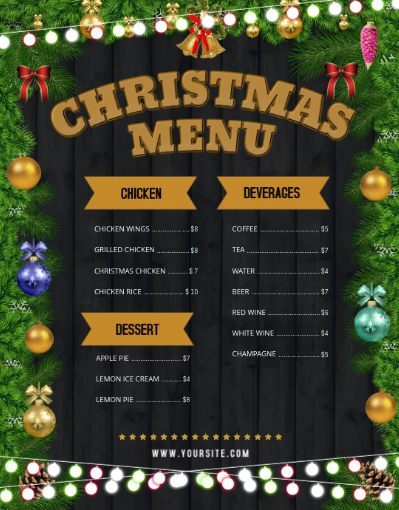
Black Christmas Wallboard Menu Design Template
The Black Christmas Wallboard Menu Design Template features a chalkboard-style background that creates a rustic yet elegant look. It’s perfect for both cozy family dinners and professional restaurant settings. You can quickly customize the text to highlight your festive dishes while keeping the stylish design intact.
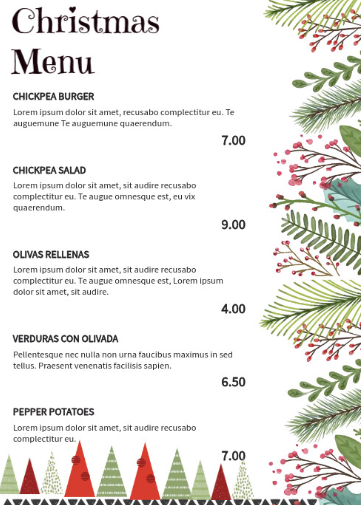
Floral Christmas Menu Design Template
The Floral Christmas Menu Design Template combines festive charm with elegant floral accents. It’s ideal for holiday gatherings where you want a softer, more decorative touch. The layout is easy to edit, making it simple to personalizeyour Christmas courses in style.
Restaurant Christmas Menu
The Restaurant Christmas Menu offers a clean and professional design suited for formal holiday dining. Its white floral elements add sophistication while keeping the layout festive. You can easily adjust the text to match your dinner courses, making it versatile for both restaurants and home celebrations.
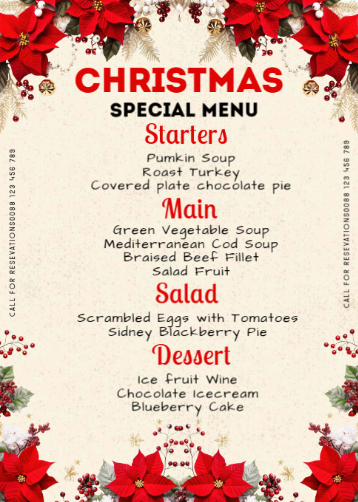
Red Christmas Wallboard Menu Design Template
The Red Christmas Wallboard Menu Design Template brings a bold and festive flair with its deep red backdrop. It’s perfect for creating a warm holiday vibe, whether for casual family dinners or themed parties. The editable layout lets you customize dishes while keeping the design eye-catching.
PDF Format
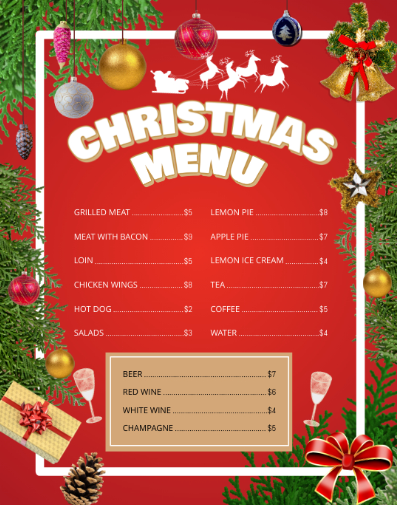
Christmas Menu Templates Free (PDF)
The Christmas Menu Templates Free (PDF) is a simple yet elegant option that works well for quick printing. Its structured layout makes it easy to organize appetizers, mains, and desserts clearly. Since it’s in PDF format, you can edit and print without losing design quality.
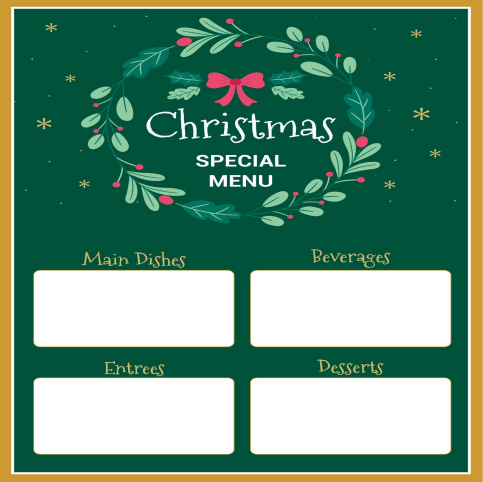
Christmas Dinner Menu Templates Free (PDF)
The Christmas Dinner Menu Templates Free (PDF) is designed for a traditional holiday feast. Its neat structure highlights starters, mains, and desserts in a balanced way. Being a PDF, this editable Christmas dinner menu template is easy to customize and ensures a polished print for your dinner table.
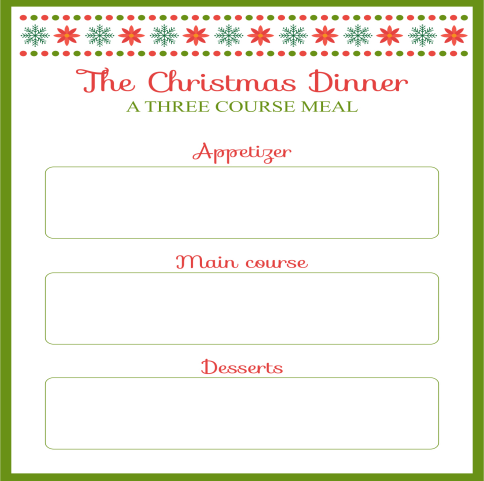
Free Christmas Menu Templates Word (PDF)
The Free Christmas Menu Templates Word (PDF) is perfect if you want flexibility in editing with Word before saving as a PDF. It combines a clean layout with festive touches, making it suitable for both casual and formal gatherings. This template ensures your holiday menu looks organized and professional.
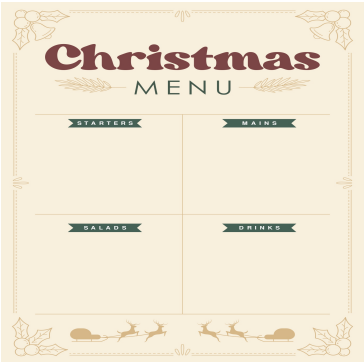
Free Printable Party Menu Templates (PDF)
The Free Printable Party Menu Templates (PDF) is a versatile choice that works for Christmas parties and other festive events. Its fun and lively design adds energy to the table setting. You can easily edit the text and print for a quick, ready-to-use holiday menu.
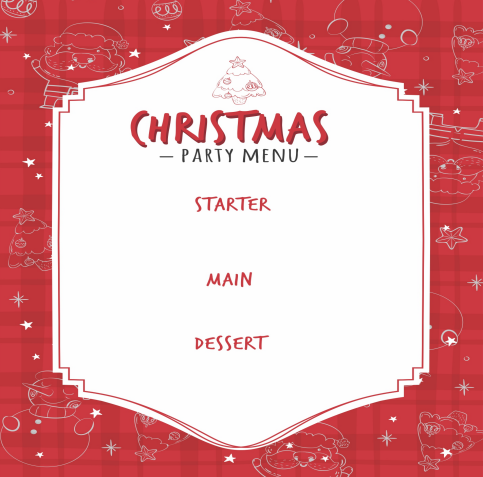
Free Printable Blank Menu Templates (PDF)
The Free Printable Blank Menu Templates (PDF) gives you complete freedom to design your own Christmas menu from scratch. Its blank layout lets you add personalized sections, images, or festive borders. This option is ideal if you want full creativity without preset text.
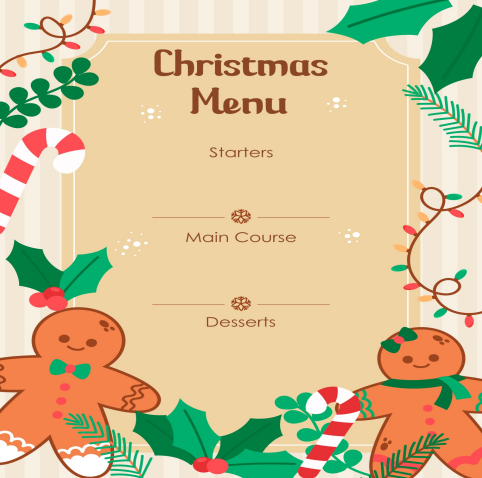
I found that using image-based templates works best for creative and decorative menus, while PDF templates are more structured and professional. Mixing the two styles has given me the most flexibility.
How to Edit and Print a Christmas Menu
You might download a template and then wonder how to edit it. The editing method depends on the format: image or PDF. Let me break it down. With images, you’ll usually use a graphic design tool like Canva or Photoshop. For PDFs, a simple PDF editor or even Word can help you make quick changes. If your template is in JPG or PNG, WPS Photo tools make editing fast.
Steps to Edit a Menu Template in WPS Photo:
Here’s an easy step by step guide on how to edit in WPS Photos.
Step 1: First of all, open WPS Office and select the Photo app.
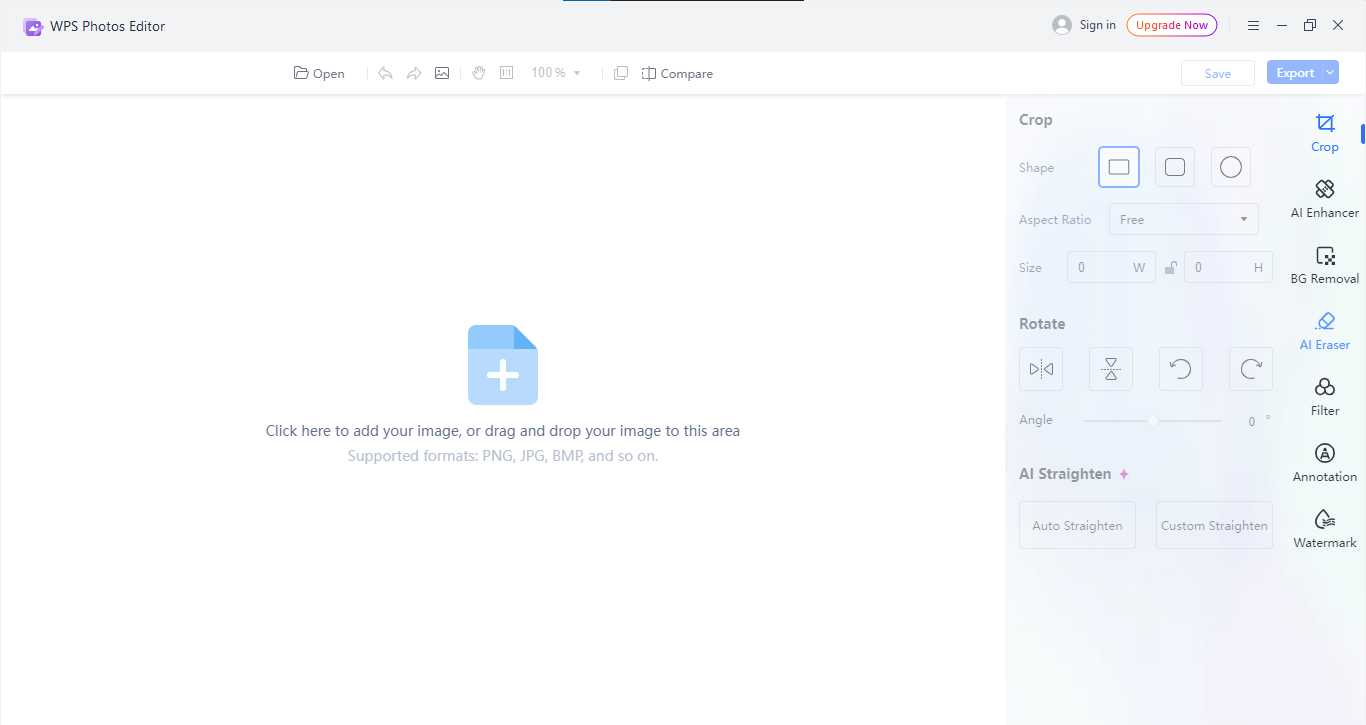
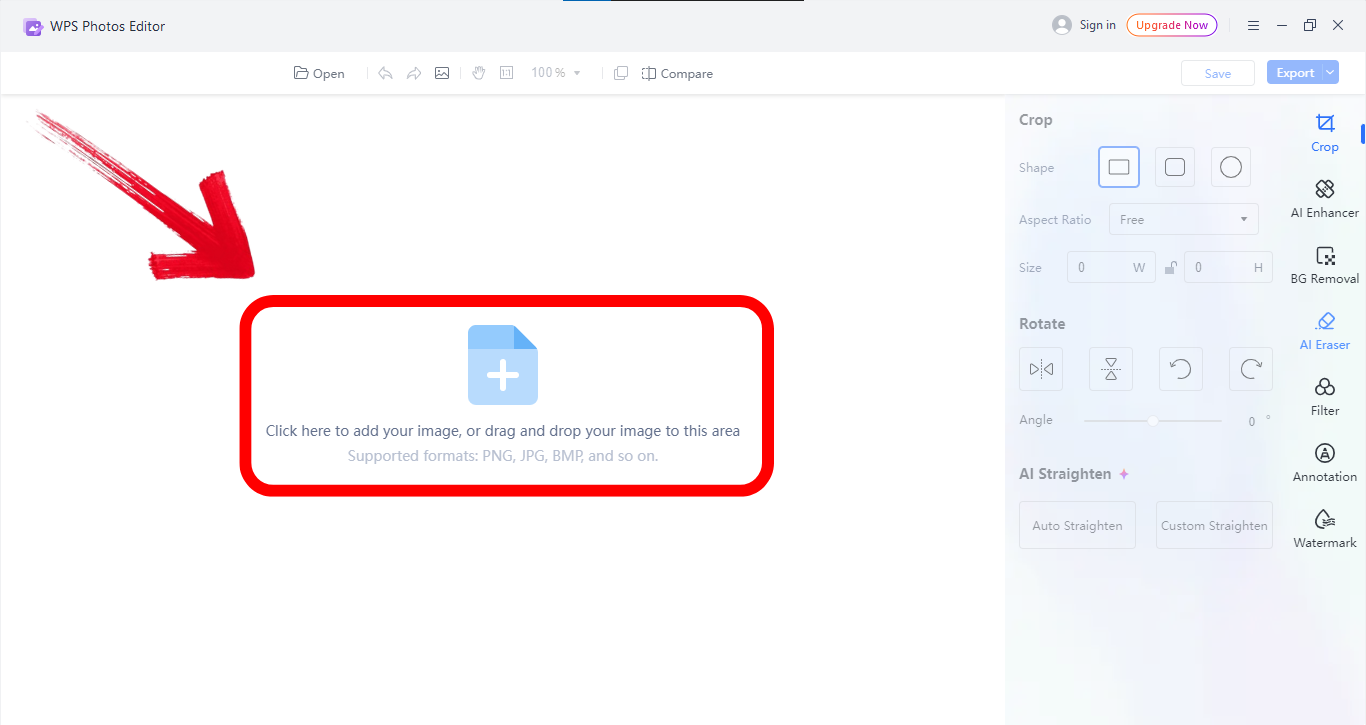
Step 2: Then simply import your image template by clicking on the import option in the center of your screen.
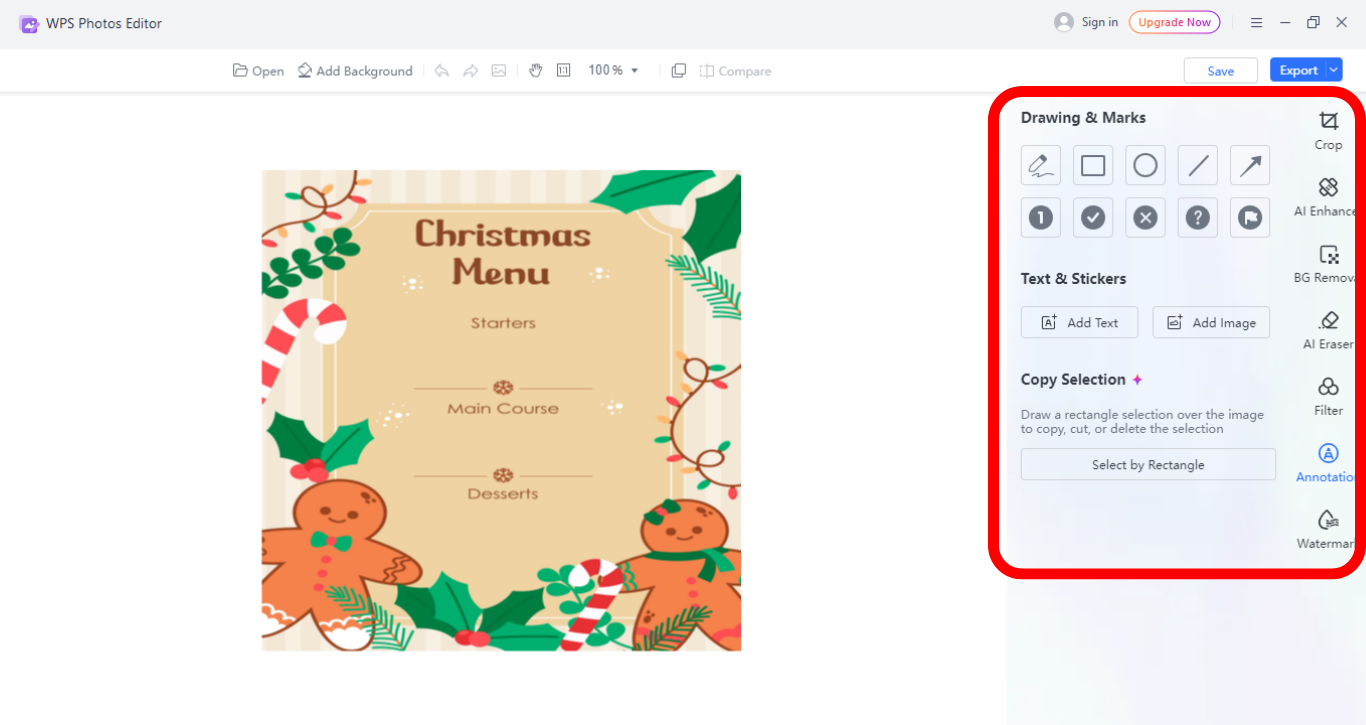
Step 3: Now from the panel on the right side of your screen, adjust fonts, colors, and spacing, then use text tools to replace placeholder text with your menu items.
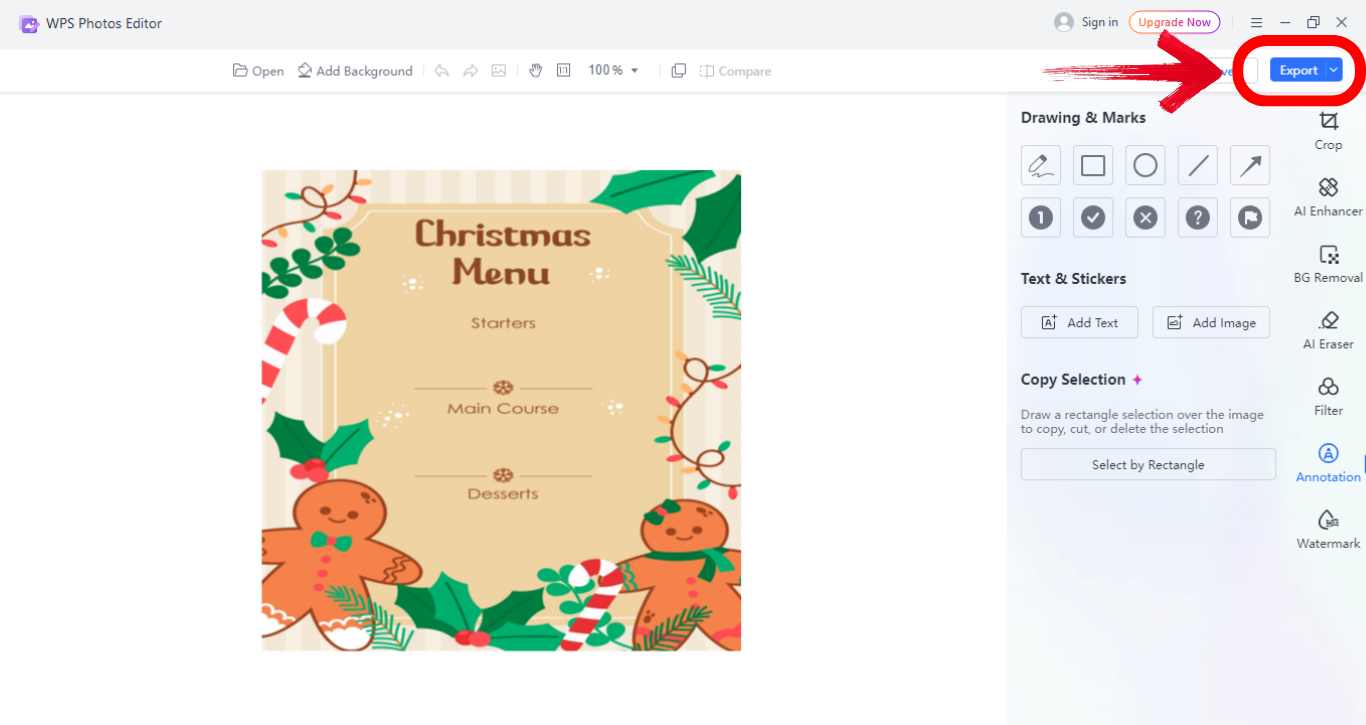
Step 4: Save the file in JPG or PDF from the top right side of your screen.
Editing menus in WPS Photo feels smooth. I like that you can make changes quickly without going deep into design settings.
Edit in WPS PDF
PDF templates give you a polished look, and WPS PDF Editor makes customization simple.
Steps to Edit a Menu Template in WPS PDF:
Here’s an easy step by step guide on how to edit in WPS PDF.
Step 1: Firstly, open the PDF template in WPS PDF Editor.
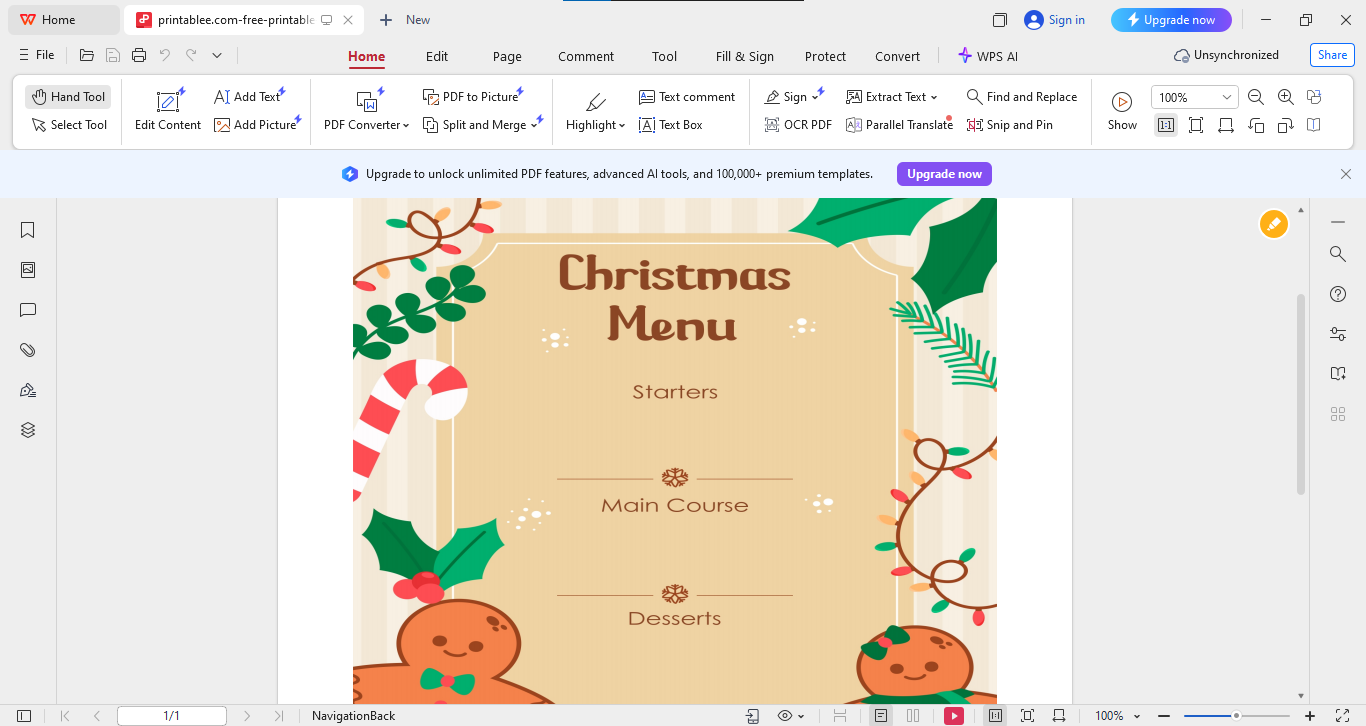
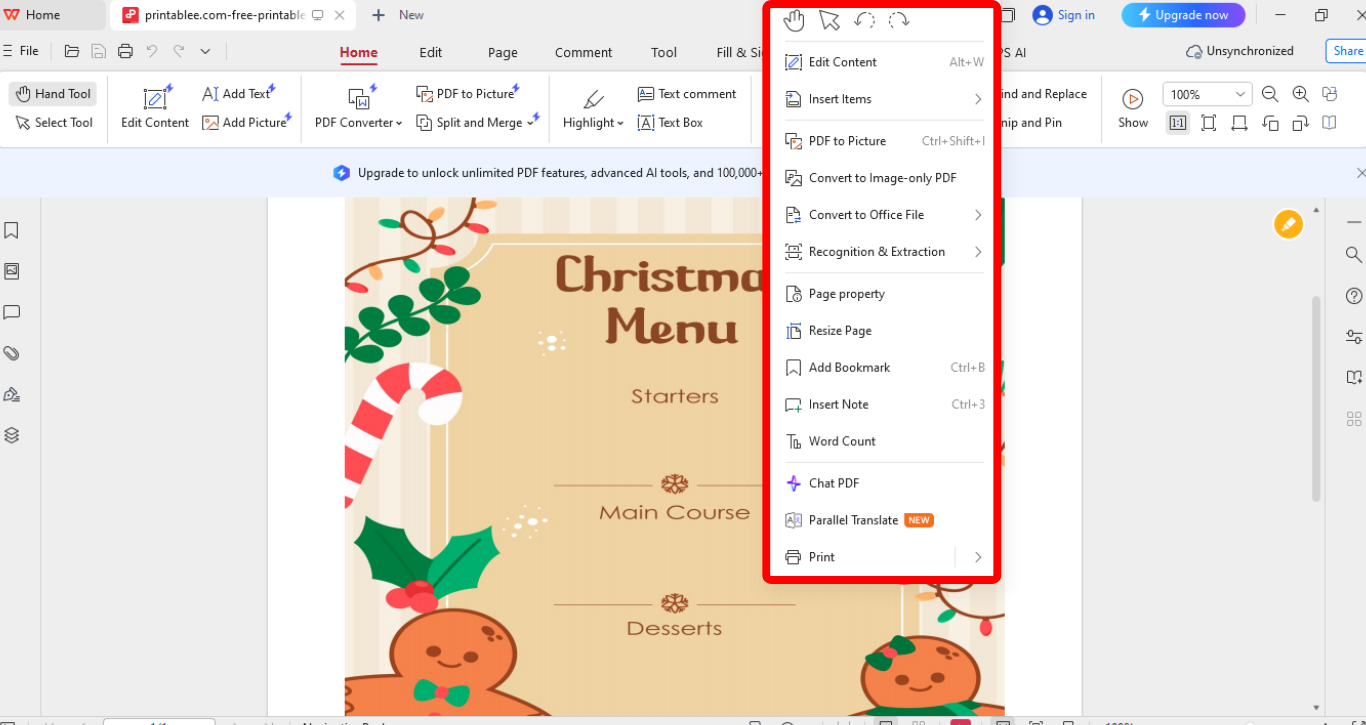
Step 2: Now insert images, logos, or festive icons by right clicking on the template.
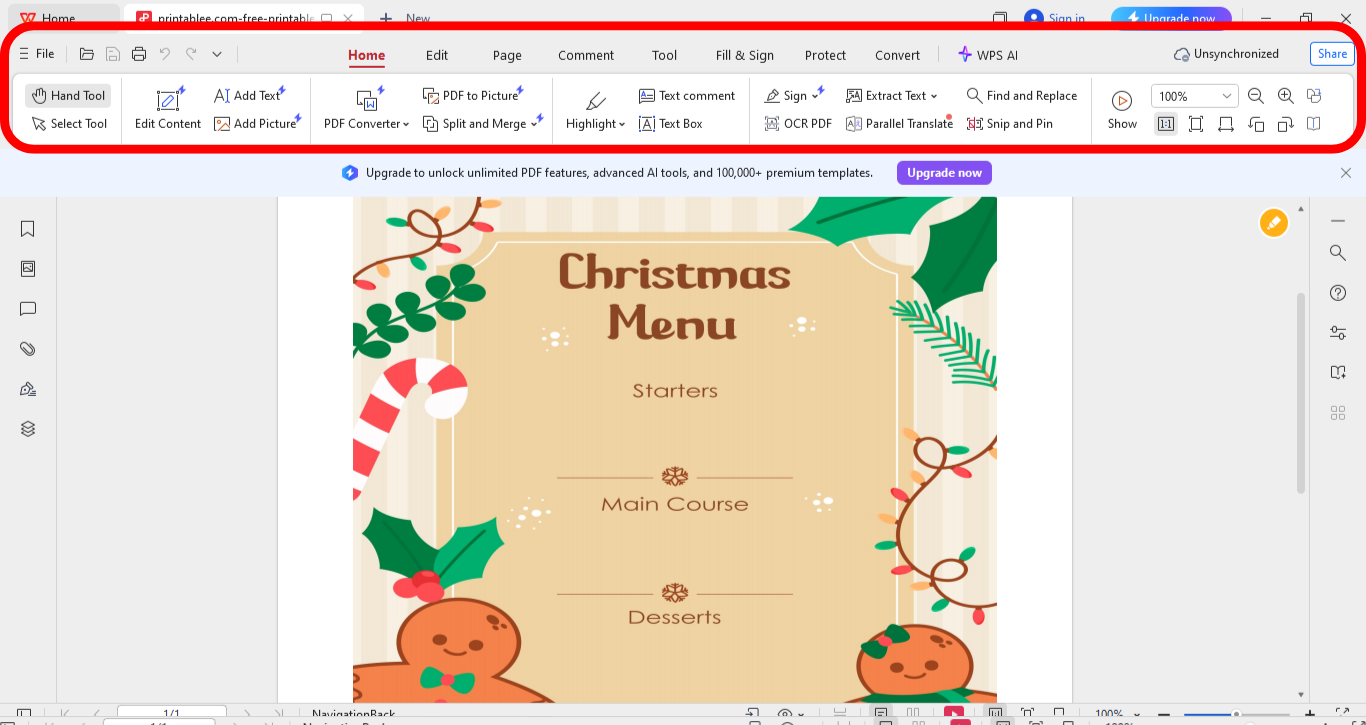
Step 3: Adjust alignment and layout and explore other editing options from the panel on the top of your screen.
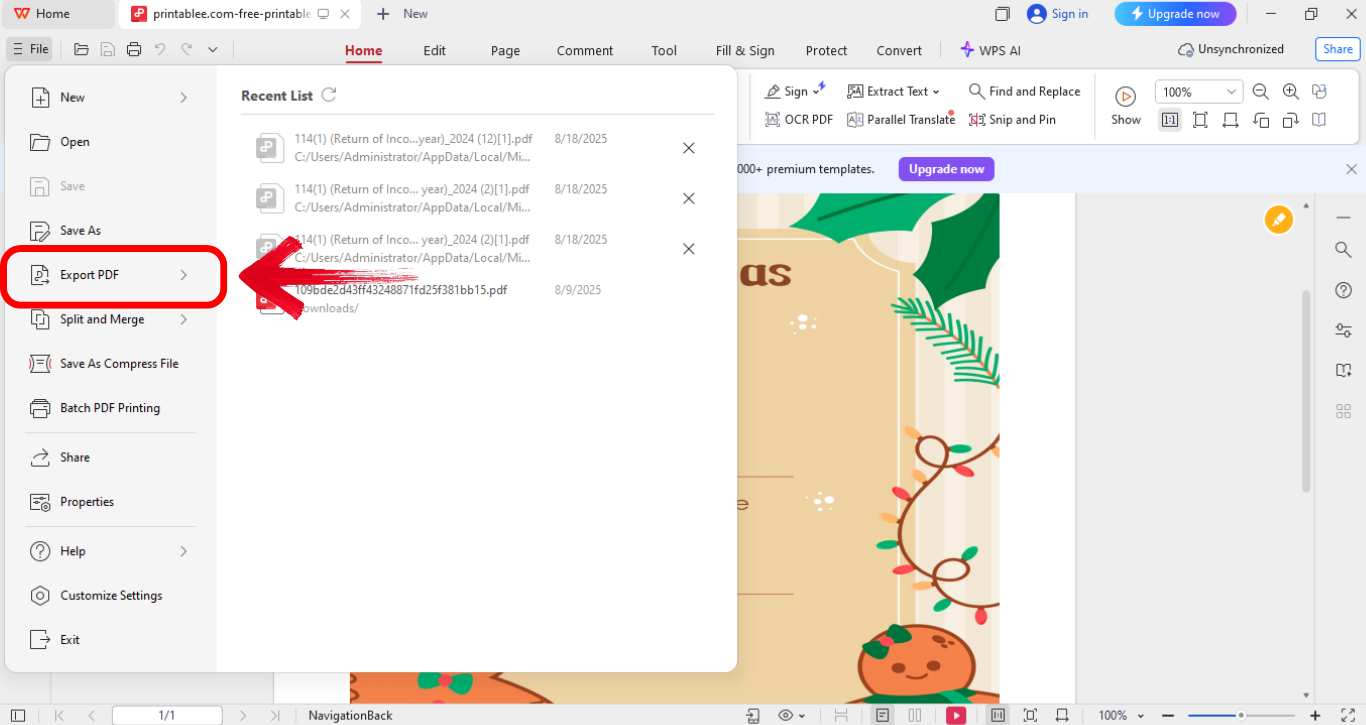
Step 4: Export to PDF by first clicking“File” from the top left of your screen and then click“Export to PDF.”
I always prefer PDF for official-looking menus. It ensures the format doesn’t shift when shared or printed.
Free Office Suite with Abundant Flyer Templates
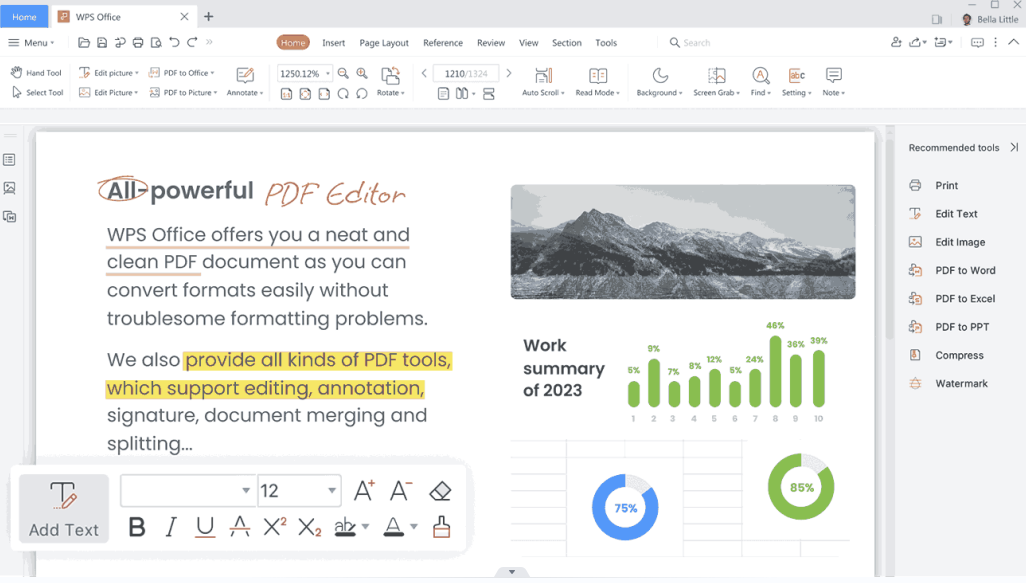
Before I discovered WPS Office, I relied heavily on paid tools. But WPS completely changed how I work on documents and templates. WPS Office is a lightweight yet powerful office suite that offers free tools for editing Word, Excel, PowerPoint, and PDF files. What makes it stand out is the range of built-in templates, from flyers to menus, that you can customize without external apps.
Key Advantages:
Free and lightweight, ideal for quick installs.
Dozens of editable templates for holidays and events.
Direct PDF export and printing support.
Drag-and-drop editing makes customization simple.
Available on both web and desktop.
Using WPS Office, I’ve been able to design menus, flyers, and resumes without needing Adobe. It feels accessible and efficient, especially for personal projects like a Christmas menu.
FAQs
Q1: Can I print Christmas menus at home?
Yes. Use quality paper and set your printer to color output for the best look.
Q2: Can I share the menu online with guests?
Yes. Save it as a PDF and share it via email or cloud storage.
Q3: Can I add images or logos to the menu?
Absolutely. WPS Writer or PowerPoint allows you to insert and align them easily.
Q4: Where can I find illustrations for Christmas menus?
You can browse WPS templates or use free design platforms like Canva.
Q5: How do I make the menu fit one page?
Adjust font sizes or split the courses across sections.
Q6: Can I use the same template for Christmas lunch and dinner?
Yes. Just edit the titles and adjust items accordingly.
Q7: Do I need design skills to use these templates?
Not at all. These templates are meant to be beginner-friendly.
Snap Recap
In this article, we explored how a template for Christmas menu can elevate your holiday gathering. I shared the essential elements that should go into a menu, listed 10 free printable Christmas menu templates, and guided you through editing in both image and PDF formats using WPS Photo and WPS PDF. Finally, I introduced WPS Office as a free, versatile tool for quick customization. If you want a modern holiday menu template free download, this guide gives you everything you need to design, edit, and print a festive menu without stress.

'%3e%3cpath%20d='M19.9911%204.11386V6.471H18.5894C18.0775%206.471%2017.7322%206.57814%2017.5536%206.79243C17.3751%207.00671%2017.2858%207.32814%2017.2858%207.75671V9.44421H19.9019L19.5536%2012.0871H17.2858V18.8639H14.5536V12.0871H12.2769V9.44421H14.5536V7.49779C14.5536%206.39064%2014.8632%205.53201%2015.4822%204.92189C16.1013%204.31177%2016.9257%204.00671%2017.9554%204.00671C18.8304%204.00671%2019.509%204.04243%2019.9911%204.11386Z'%20fill='%23333333'/%3e%3c/g%3e%3cdefs%3e%3cclipPath%20id='clip0_2938_8199'%3e%3crect%20width='16'%20height='16'%20fill='white'%20transform='translate(8%204.00671)'/%3e%3c/clipPath%3e%3c/defs%3e%3c/svg%3e)
'%3e%3cpath%20d='M17.5237%2010.7813L23.4811%204H22.0699L16.8949%209.88693L12.7648%204H8L14.2469%2012.9029L8%2020.0133H9.4112L14.8725%2013.7952L19.2352%2020.0133H24M9.92053%205.04213H12.0885L22.0688%2019.0224H19.9003'%20fill='%23333333'/%3e%3c/g%3e%3cdefs%3e%3cclipPath%20id='clip0_2938_8200'%3e%3crect%20width='16'%20height='16.0134'%20fill='white'%20transform='translate(8%204)'/%3e%3c/clipPath%3e%3c/defs%3e%3c/svg%3e)


